Customer Ratings & Reviews

.](https://pisces.bbystatic.com/image2/BestBuy_US/images/products/e7f7b8a3-4d8b-4350-9bbd-c97539be30a7.jpg)
. 1 Most features require an Internet connection to the printer, as well as an Internet- and/or email-enabled device. For a list of Epson Connect enabled printers and compatible devices and apps, visit [www.epson.com/connect](http://www.epson.com/connect).](https://pisces.bbystatic.com/image2/BestBuy_US/images/products/d6e3691d-df7e-4aa7-8df7-3adddd584649.jpg)
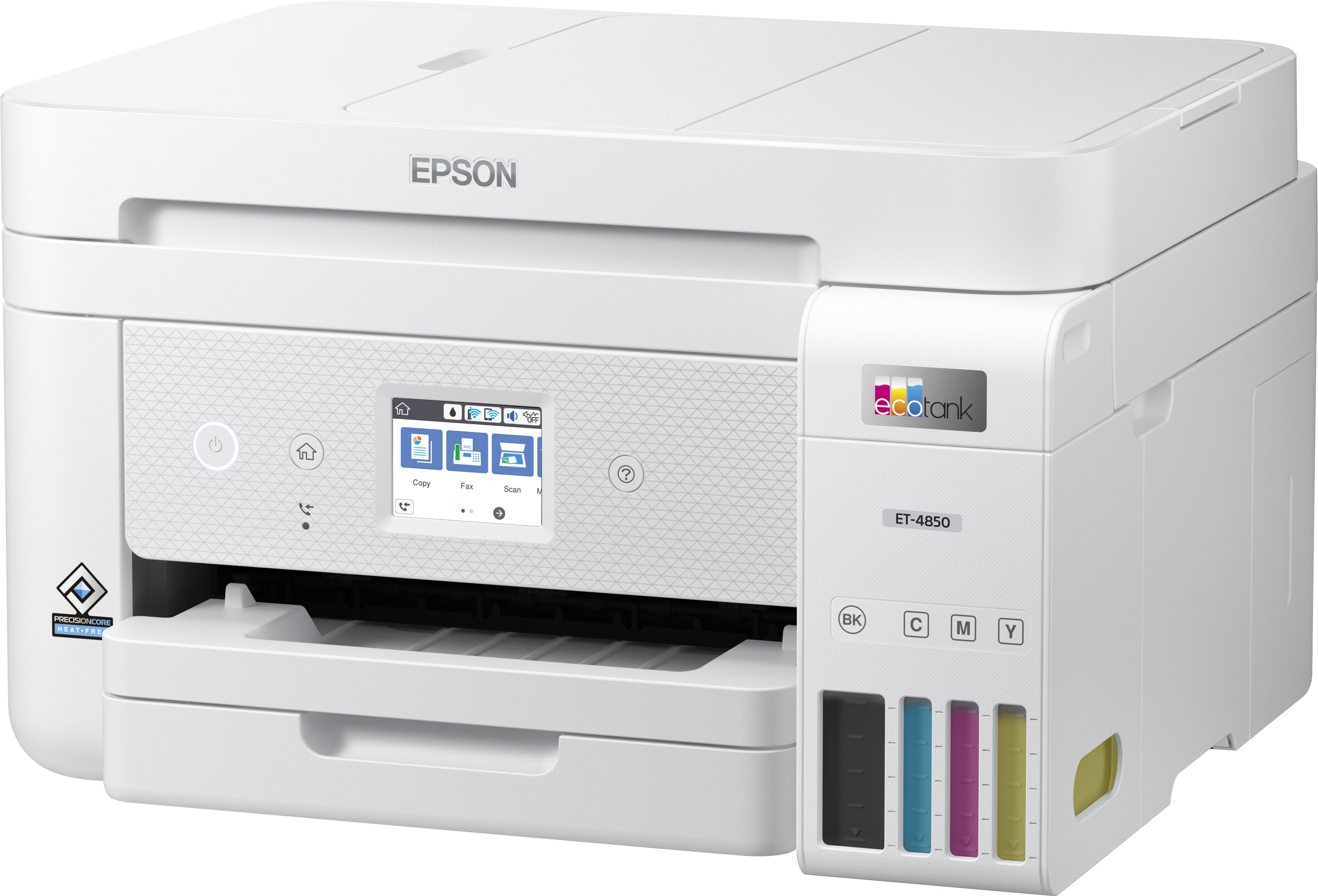

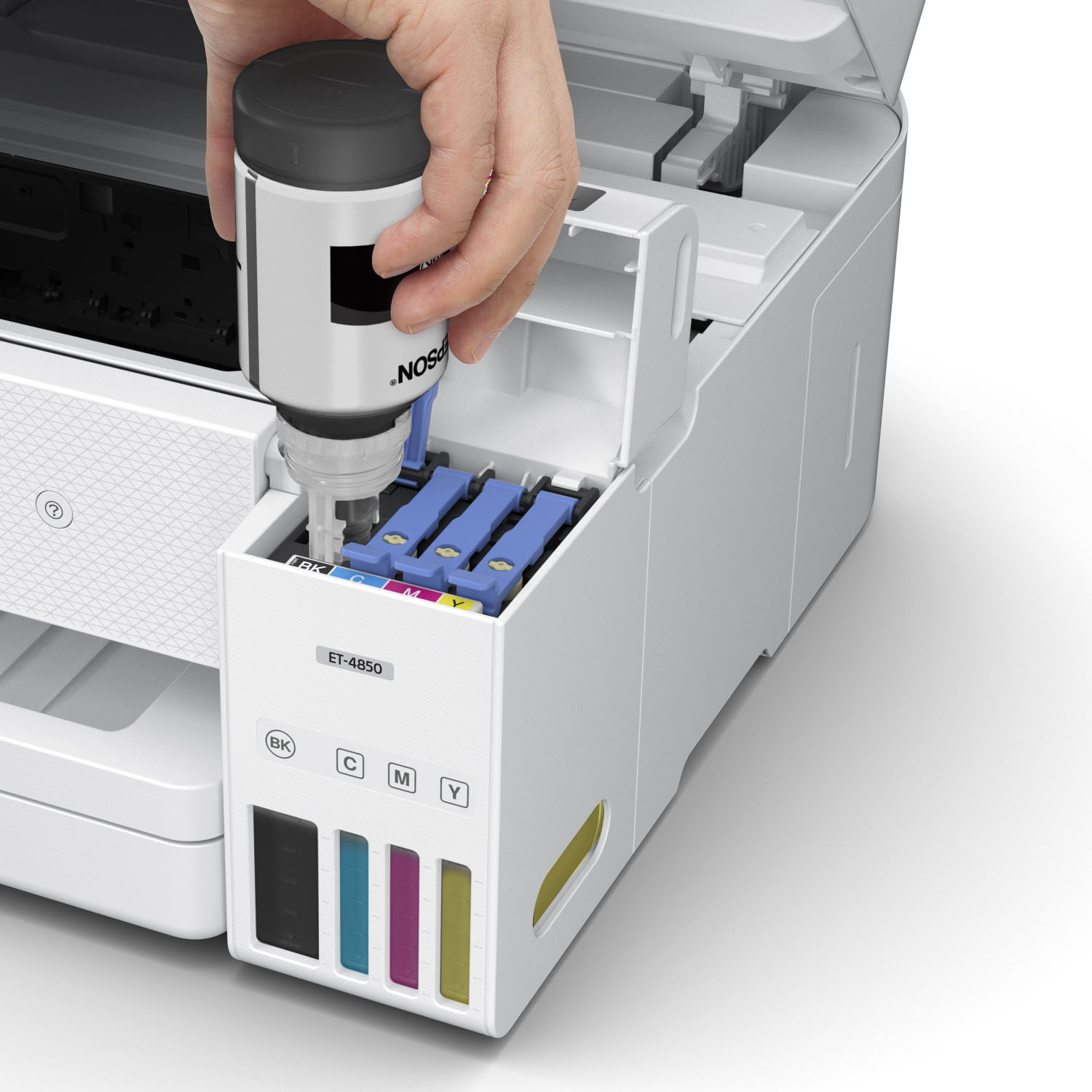
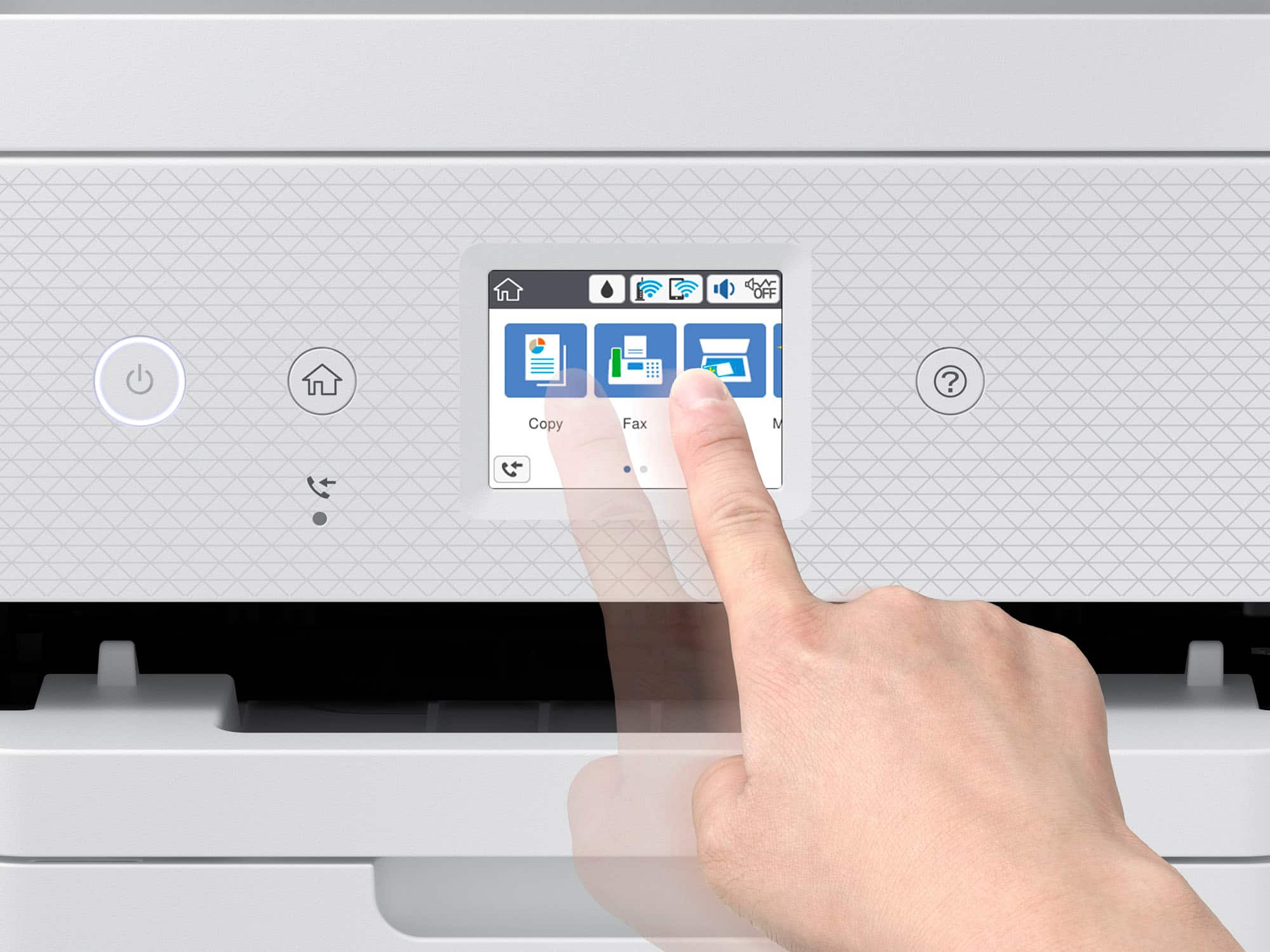
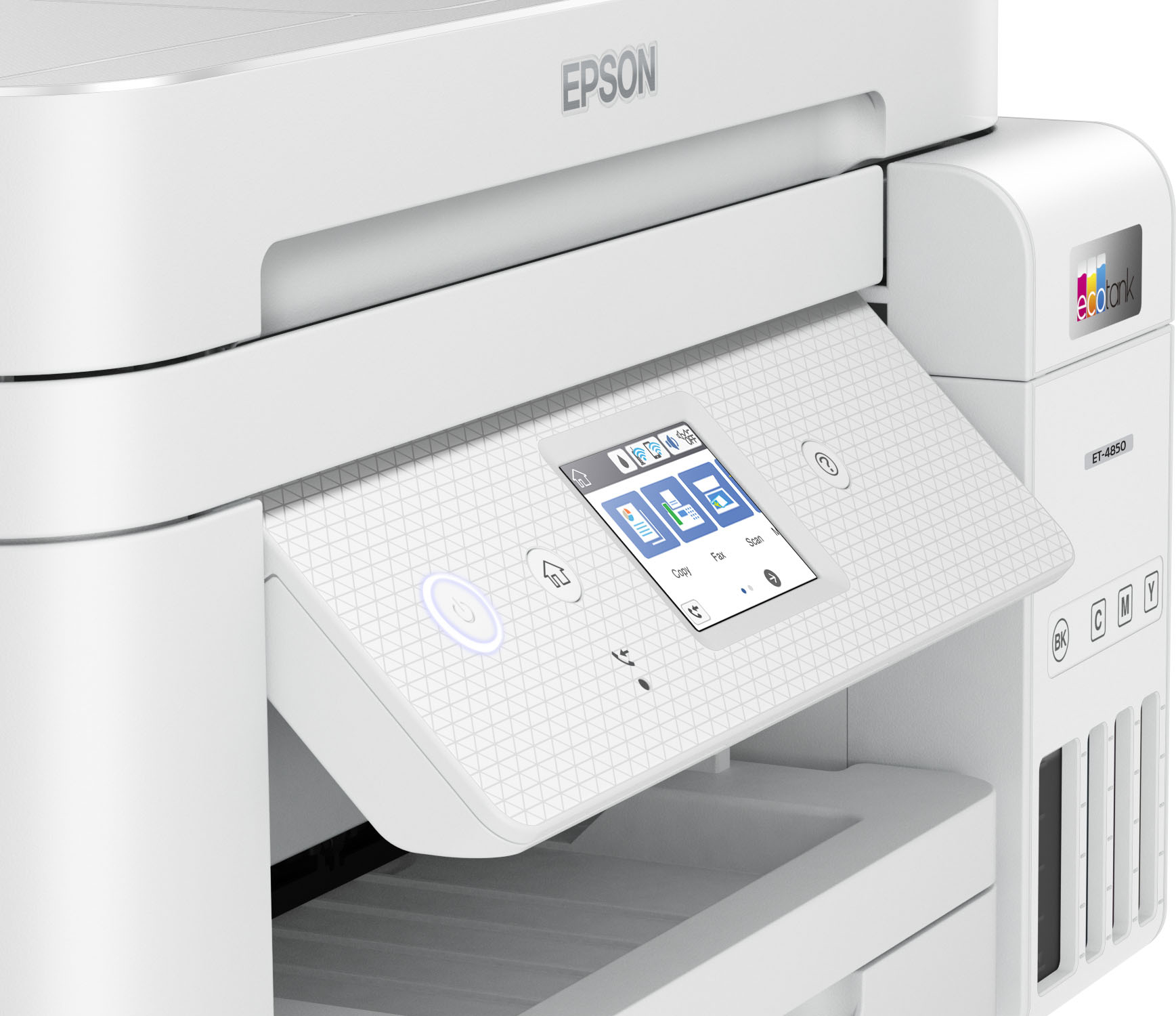


- Model:
- C11CJ60202
- |
- SKU:
- 6470011
Customer reviews
Rating 4.5 out of 5 stars with 1732 reviews
(1,732 customer reviews)Rating by feature
- Value4.4
Rating 4.4 out of 5 stars
- Quality4.5
Rating 4.5 out of 5 stars
- Ease of Use4.5
Rating 4.5 out of 5 stars
Customers are saying
Customers have good things to say about the EcoTank ET-4850's print quality, ease of use, and straightforward setup. Many appreciate its compact size. While some users find the noise level a bit high and have experienced challenges with the document feeder and scanning functions, the positive feedback on printing and ease of use outweighs these concerns for most. A few customers also mentioned the printer's price point as a potential drawback.
This summary was generated by AI based on customer reviews.
- Pros mentioned:Print quality
Rated 5 out of 5 stars
Hate Changing Ink Cartridges? Try this!!!
||Posted . Owned for more than 2 years when reviewed.This reviewer received promo considerations or sweepstakes entry for writing a review.Me: I use this printer maybe 2-3 times per week. Every and then, I run it like crazy printing gift tags. Reprinting gift tags. I use full color most of the time. I don't use it for work. I'm a retired stay at home mom. It's all about the refillable ink tanks! My printer is 2 years & 3 months old. I haven't had to refill a tank yet. Zero times! All four tanks are still about half full. Print quality is good. I haven't had great results printing photos. But, I'm not good about making sure the settings are correct for the quality I need. This thing can probably do tricks I've never heard of. For me, it's all about not having to replace ink cartridges all the time. Let's say it's Thursday night at 9:30. You're trying to print up 6 copies of something you need for a meeting the next morning at 9AM. The magenta cartridge runs out of ink, but you can still see a bit in there. And besides, you're just printing a B&W doc. But, NOOOOOOO. Your printer starts printing wacky looking black print. You look in the drawer where you keep your extra cartridges. You have EVERY COLOR except magenta. Ugh. You get the idea. I way over-thought this purchase because of the price. This printer is well on its way to paying for itself. Just do it.
I would recommend this to a friend - Pros mentioned:Print quality
Rated 4 out of 5 stars
Great little Printer, but...
||Posted . Owned for 3 weeks when reviewed.This reviewer received promo considerations or sweepstakes entry for writing a review.Everything about this EcoTank ET-4850 is great with one exception; the size of the display screen. I literally have to use a magnifying glass every time I need to look at the display screen, which is often. The screen is plenty bright and the graphics are good. However, the screen is just way too small. Other than that, this is a great piece of gear. It prints fast and the quality of the prints are sharp and crisp. The included ink lasts forever and is so much better than the old school cartridges. Not to mention, there is never any ink mess to clean up. I also like the fact that you can load a few hundred pages of paper in the paper cartridge. Another great feature is this machine's small foot print. It's very quite, also. Some printers sound like an automobile factory during the printing process. Not this one. I wanted the black version, but when I need mine, white was only available. The color of the printer was not really a deal breaker for me, but I just think the black looks stealthier and more modern. That is really subjective, though. At least white is much easier to see at night when the lights are low and that is a big plus. All in all, I'm very happy with this All-In-One device. It does everything it is supposed to do and does it well. It's a little on the pricey side, as with everything else these days, but I'm happy I spent the money. I researched every printer out there by every different brand and I came to the conclusion that this ET-4850 was the best bang for the buck and would serve my needs, accordingly. If it were not for that tiny display, this machine would be worthy of 5 stars. I almost want to give it 5 stars, anyway because this device is really a nice piece of gear in every respect. But if I'm being 100% honest, I have to give a 4 star rating, solely, due to that small hard to see display. If you have perfect vision, the display may not be an issue for you. In that case, buy an Epson ET-4850. You'll be glad you did!
I would recommend this to a friend - Pros mentioned:Print quality, Size
Rated 5 out of 5 stars
EPSON ECOTANK 4850
||Posted . Owned for 2 weeks when reviewed.This reviewer received promo considerations or sweepstakes entry for writing a review.This printer although small in size to my other printer it prints is great. I love this printer Epson ECO Tank 4850 because it dose not use as much ink as my old HP. Also the cost of ink for me is better with the ECO-TANK. Thanks
This review is from Epson - EcoTank ET-4850 All-in-One Supertank Inkjet Printer - Black
I would recommend this to a friend - Pros mentioned:Ease of use, Print qualityCons mentioned:Price
Rated 4 out of 5 stars
Good printer
||Posted . Owned for 2 weeks when reviewed.This reviewer received promo considerations or sweepstakes entry for writing a review.Set up took a little bit. Its looks and prints good. I am satisfied overall on yhis product. I feel it is bit over priced still. Maybe 400 range instead of 500..
I would recommend this to a friend - Pros mentioned:Ease of use, Print quality, Size
Rated 4 out of 5 stars
Decent printer overall
||Posted . Owned for 1 month when reviewed.This reviewer received promo considerations or sweepstakes entry for writing a review.Overall nice. Easy to use. Quick. Great quality printing. Decent size. Not too big or bulky. NO MORE INK CARTRIDGES! Only downside is the small display screen.
I would recommend this to a friend - Pros mentioned:Ease of use, Print quality
Rated 5 out of 5 stars
thumbs up on the Epson-Eco Tank ET-4850
||Posted . Owned for 3 weeks when reviewed.This reviewer received promo considerations or sweepstakes entry for writing a review.Found it very easy to setup and linking it to my cell phone. Like the idea of having the ink storage pose to having replace costly cartages, also nice having the paper tray on the ET-4850 hidden on bottom pose to having paper sticking up in the back of printer, also holds a lot more sheets of paper then my old printer did. also, very pleased with the print quality.
I would recommend this to a friend - Pros mentioned:Ease of use, Setup
Rated 5 out of 5 stars
Epson Printers
||Posted . Owned for 1 month when reviewed.This reviewer received promo considerations or sweepstakes entry for writing a review.This is my second Epson Printer purchase and I am very pleased with the product. Its smooth and simple operations for setting-up and utilizing are great. No issues! Thank you!
I would recommend this to a friend - Pros mentioned:Ease of use, Print quality, Size
Rated 4 out of 5 stars
John
||Posted . Owned for 2 months when reviewed.This reviewer received promo considerations or sweepstakes entry for writing a review.Small, compact. Easy to use. Great quality printing. Easy to set up for various operations.
I would recommend this to a friend - Pros mentioned:SetupCons mentioned:Noise level
Rated 5 out of 5 stars
Much better than my HP 8025
||Posted . Owned for 1 month when reviewed.This reviewer received promo considerations or sweepstakes entry for writing a review.I really like this printer! I come from an HP printer and this one is so much simpler to set up and use. I like the simplicity and cost of the ink bottles, rather than my HP instant ink program and cartridges. I love that it scans directly to OneDrive! I think it's a little bit louder than my old HP, but not significantly, and not a problem. Would definitely not go back to my HP!
I would recommend this to a friend - Pros mentioned:Print quality, Setup
Rated 5 out of 5 stars
Fantastic Epson printer
||Posted . Owned for 2 months when reviewed.This reviewer received promo considerations or sweepstakes entry for writing a review.Epson did us all a favor when they made this printer. Simple hook up and doing updates when you connect it to your network. or your computer. Great idea for the ink and will enjoy not purchasing overpriced tanks all the time. Produces a brilliant photo picture. Text is as you would expect. Nice and sharp and color is spot-on. The display is a bit small for my eyes and fingers to navigate touch menu however, is workable. Replaced a 5 year old laser printer and required much smaller amount of space on our desk top.
I would recommend this to a friend - Pros mentioned:Print quality, Setup
Rated 5 out of 5 stars
Happy with our new Epson Printer/Fax
||Posted . Owned for 1 month when reviewed.This reviewer received promo considerations or sweepstakes entry for writing a review.Relatively easy to set up - filling from bottles is a real improvement over cartridges. The print quality and print speed are very good. I especially like the smaller footprint of the ET-4850 - great for our "small" home office. While "fax-ing" is becoming a thing of the past, we still like to have the capability in the printer - this was a plus in buying the ET-4850!
I would recommend this to a friend - Pros mentioned:Ease of use, Print quality
Rated 5 out of 5 stars
Happy to Have Switched Brands
||Posted . Owned for 3 weeks when reviewed.This reviewer received promo considerations or sweepstakes entry for writing a review.I was skeptical at first. Being an HP fan for years, we bought an HP to replace our old Brother. We could not get the HP to hold the WiFi. After 4 hours on the phone with HP customer service, I gave up. Sent the HP back and really researched new printers. The Epson EcoTank is a win-win for us. It was very easy to set up, and the idea of no more printer cartridges is HUGE. The ink tanks on the Epson we super easy and clean to fill. We were up and running with this printer in a matter of minutes.
I would recommend this to a friend - Pros mentioned:Print quality, Setup
Rated 5 out of 5 stars
Great Home and Office printer!
||Posted . Owned for 3 months when reviewed.This reviewer received promo considerations or sweepstakes entry for writing a review.Great overall printer, easy setup and running quickly with all devices that connects to it. Prints smoothly , clean and really fast!
I would recommend this to a friend - Pros mentioned:Print quality, Setup
Rated 5 out of 5 stars
Great Printer
||Posted .This reviewer received promo considerations or sweepstakes entry for writing a review.Very good product, prints are good, easy to install. Compatible with computer, printers from anywhere.
I would recommend this to a friend - Pros mentioned:Print quality, Setup
Rated 5 out of 5 stars
Love it.
||Posted . Owned for 1 month when reviewed.This reviewer received promo considerations or sweepstakes entry for writing a review.The printer was very easy to set up, and the print quality is excellent. it was also easy to put the ink into the printer. I have finally got the right printer for my home!
I would recommend this to a friend - Pros mentioned:Ease of use, Print quality
Rated 5 out of 5 stars
Great product
||Posted . Owned for 2 months when reviewed.This reviewer received promo considerations or sweepstakes entry for writing a review.Great product, love the ink, no cartridges is a nice feature. Definitely will recommend. No issues setting up, printing is clear, bright and simple
I would recommend this to a friend - Pros mentioned:Print quality, Size
Rated 5 out of 5 stars
Excellent printer!
||Posted . Owned for 1 month when reviewed.This reviewer received promo considerations or sweepstakes entry for writing a review.We've had this printer in our business for over a month and it is nothing short of perfect. Honestly, I don't know what took us so long to buy it...we use it daily and the ink has barely moved. It prints fast, it has no wifi connection issues, the color is good and it is small and light and easy to move around if necessary. I'm buying one for my house next because I love it so much
I would recommend this to a friend - Pros mentioned:Ease of use, Print quality
Rated 5 out of 5 stars
Supertank equals Super Savings
||Posted . Owned for 1 month when reviewed.This reviewer received promo considerations or sweepstakes entry for writing a review.I am a student who does a lot of printing. I found myself spending a lot of money on ink cartridges. The Epson EcoTank printer was easy to set up with simple instructions carried out by using my cell phone. The print is professional-looking. I have printed a couple of hundred papers and the ink level has barely budged.
I would recommend this to a friend - Pros mentioned:Ease of use, Print quality, Size
Rated 5 out of 5 stars
Epson Printer
||Posted . Owned for 6 months when reviewed.This reviewer received promo considerations or sweepstakes entry for writing a review.outstanding product, easy to use, doesn't take up a lot of room, saves on ink.
I would recommend this to a friend - Pros mentioned:Print quality, Size
Rated 5 out of 5 stars
A Must Have Printer
||Posted . Owned for 1 month when reviewed.This reviewer received promo considerations or sweepstakes entry for writing a review.This is an awesome printer! Whether you're a student or working from home, this is a must have. It was easy to set up and initiate an account with Epson. It is smaller than its cousin, The EPSON 3640. The prints come out well and it's a lot quieter.
I would recommend this to a friend