Customer Ratings & Reviews
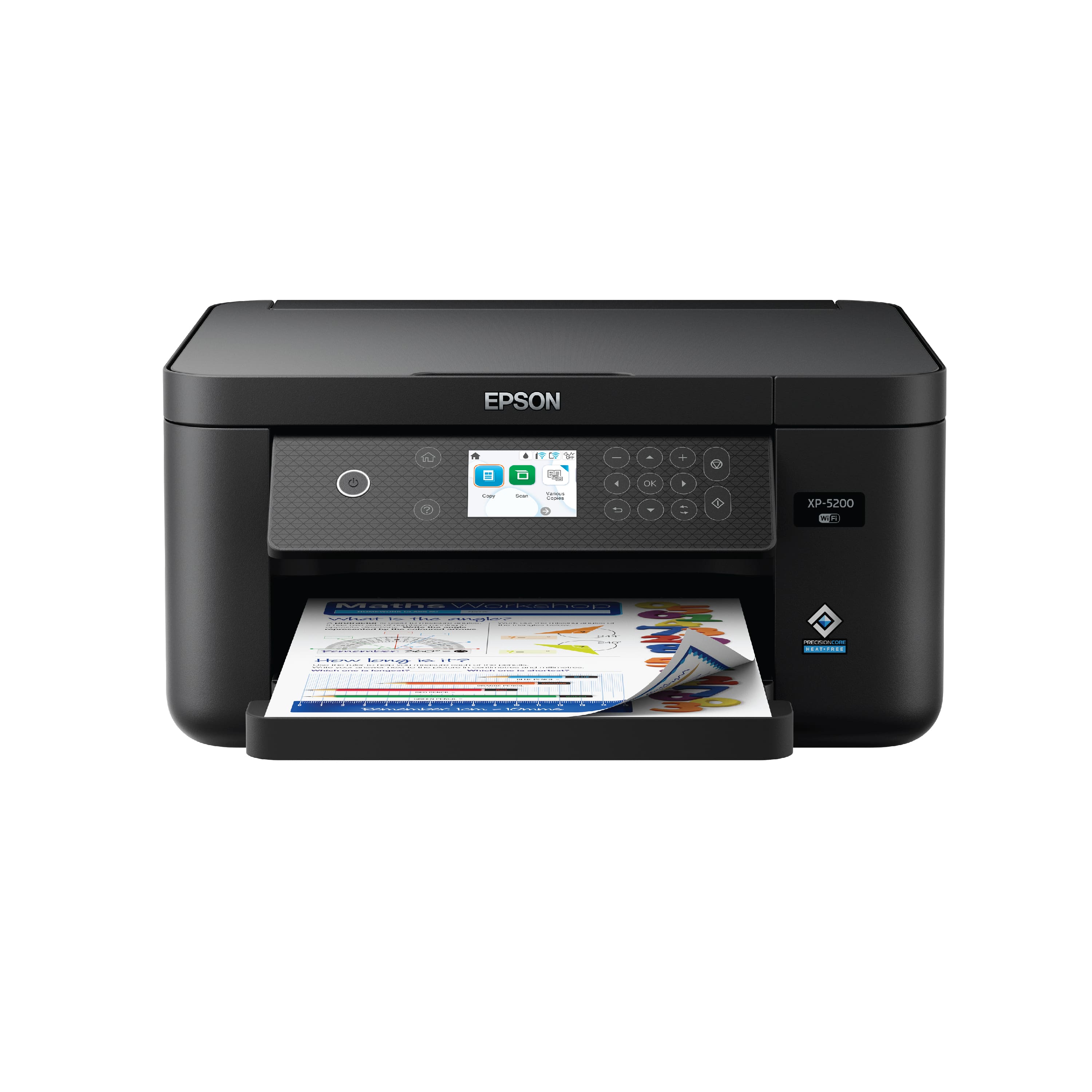
- Model:
- C11CK61201
- SKU:
- 6516129
Rating by feature
- Value
Rating 4.6 out of 5 stars
- Quality
Rating 4.5 out of 5 stars
- Ease of Use
Rating 4.3 out of 5 stars
Customers are saying
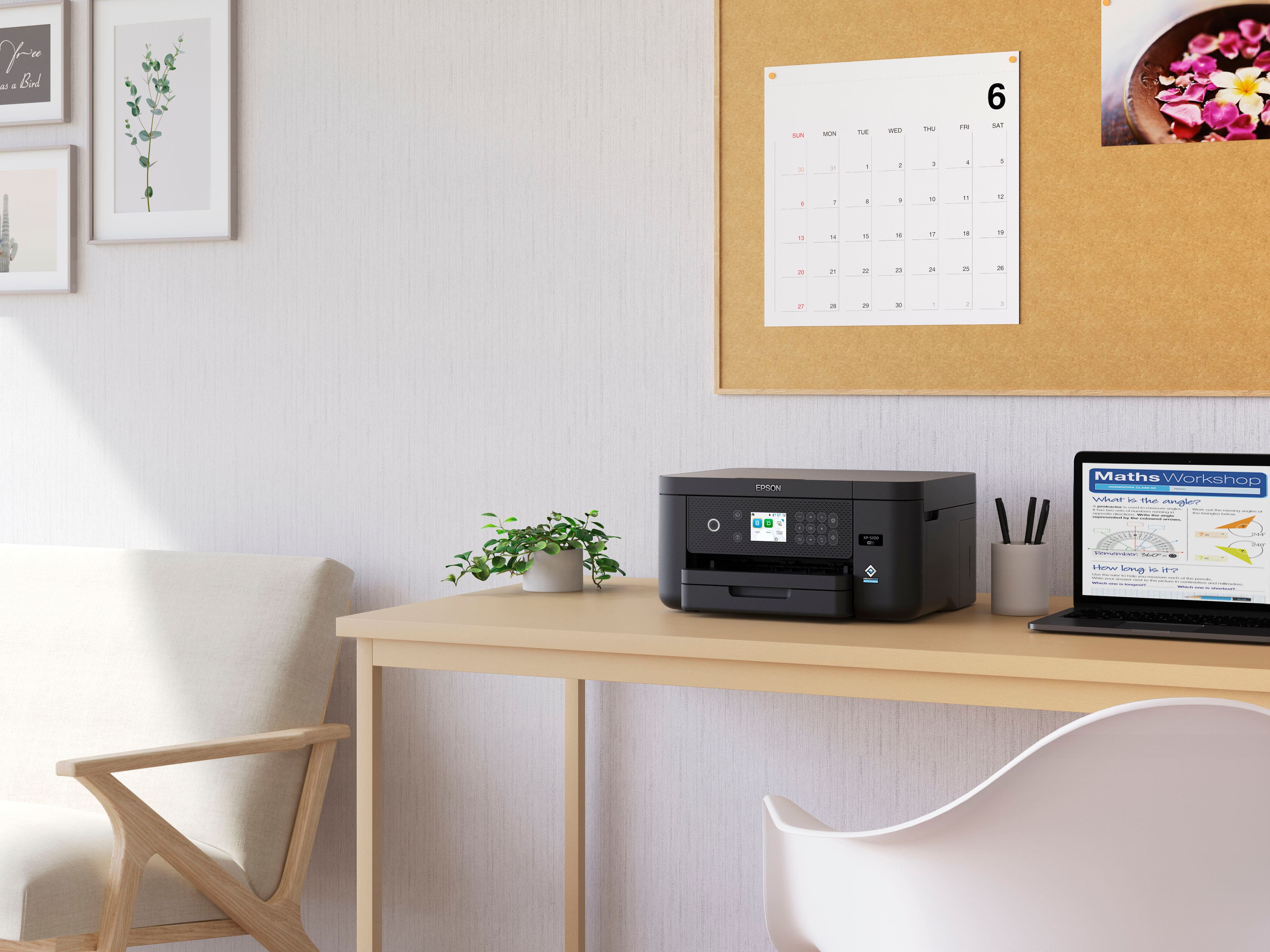
Customers are pleased with the excellent print quality, ease of use, and overall performance of the product, noting its effectiveness as a printer, copier, and scanner. They also appreciate its compact size, straightforward setup, quiet operation, and reliable connectivity options. However, a minor point of concern for some customers is the absence of a touchscreen.
This summary was generated by AI based on customer reviews.
- Pros mentioned:Ease of use, Overall performance, Print quality
Recommend
||Posted . Owned for 1 week when reviewed.This reviewer received promo considerations or sweepstakes entry for writing a review.Highly recommend, it's simple, compact, fast, quiet & far out performs my prior printer which cost 3 x's this price, just an incredible deal for what you pay.
I would recommend this to a friend - Pros mentioned:Ease of use, Size
Best Printer I Have Had
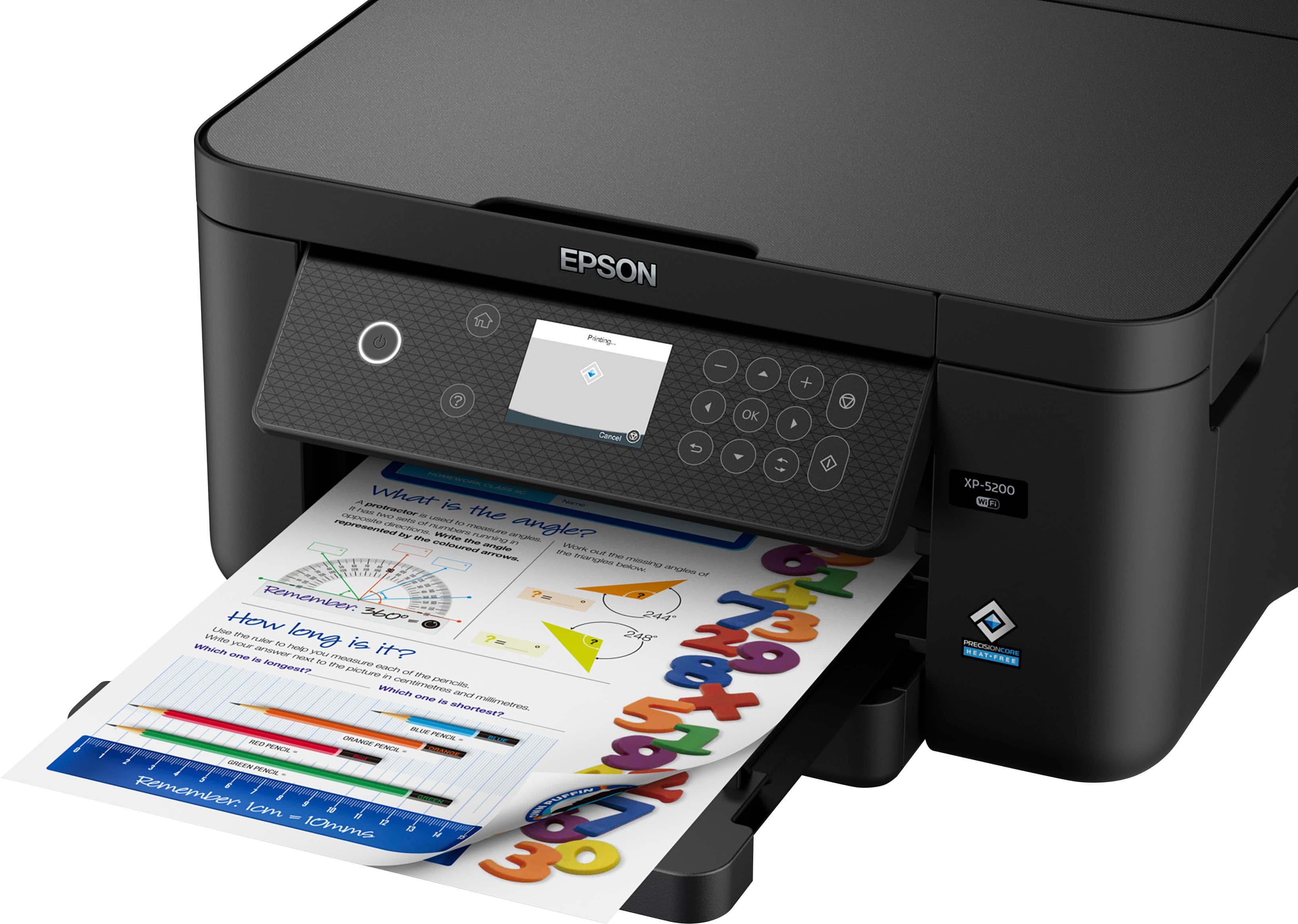
||Posted . Owned for 1 month when reviewed.This reviewer received promo considerations or sweepstakes entry for writing a review.Great printer! Nice size for smaller spaces and much lighter than the Epson Expression XP-7100. I was weary of how small the ink cartridges were at first, but considering they're less expensive than other Epson models, I'd say it's a better value without a compromise in quality. I am pleasantly surprised at how well it prints photos. Using Epson photo paper, a 4x6 print came out fantastic. It also didn't seem to blow through ink like I expected. With that in mind, I don't believe this printer is meant for large volume - so don't expect to get months of photos and documents out of your ink if you're doing daily print jobs. The worst part about set up was anticipating how difficult it would be. Other than that, so easy I thought I missed something. At first I was irritated that the printer wasn't catching what it was printing...so, if you tend to miss things like me, it does has a catch try. Just have to manually pull it out.
I would recommend this to a friend XP-5200 Epson printer
||Posted . Owned for 1 month when reviewed.This reviewer received promo considerations or sweepstakes entry for writing a review.Nice printer for the money! I like that it prints double sided saving on paper usage. It was noisy at first but I read online that you can select quiet mode, which I did, greatly improving the sound. It has a paper tray too, no more paper sticking out on top. This makes it possible to keep it out of sight in a cabinet. I haven’t tried scanning yet, but it looks simple. Very happy with the purchase.
I would recommend this to a friendGreat WiFi Printer
||Posted . Owned for 3 weeks when reviewed.This reviewer received promo considerations or sweepstakes entry for writing a review.Love this printer+! Very easy to set up and connect to my WiFi system. Had it printing within 15min! Really like the display, love the both-side printing and pleasantly surprised by its compact design!
I would recommend this to a friend- Pros mentioned:Print quality
Printer Epson
||Posted . Owned for 2 weeks when reviewed.This reviewer received promo considerations or sweepstakes entry for writing a review.I am very happy with my Epson Printer . It prints faster and very good print . I had a HP before and I had so many Issues with it and also it printed very slow . I am so happy that I bought the Epson .
I would recommend this to a friend - Pros mentioned:Overall performance
Best bang for buck
||Posted . Owned for 1 month when reviewed.This reviewer received promo considerations or sweepstakes entry for writing a review.Purchased to replace my old Canon printer, and after hours of price matching and research, this one did not disappoint.
I would recommend this to a friend Epson printer
||Posted . Owned for 1 month when reviewed.This reviewer received promo considerations or sweepstakes entry for writing a review.Very happy with this printer. Easy installation. It had issues that it fixed itself automatically.
I would recommend this to a friend- Pros mentioned:Ease of use, Print quality, Size

EPSON - Exceeds My Expectations Always
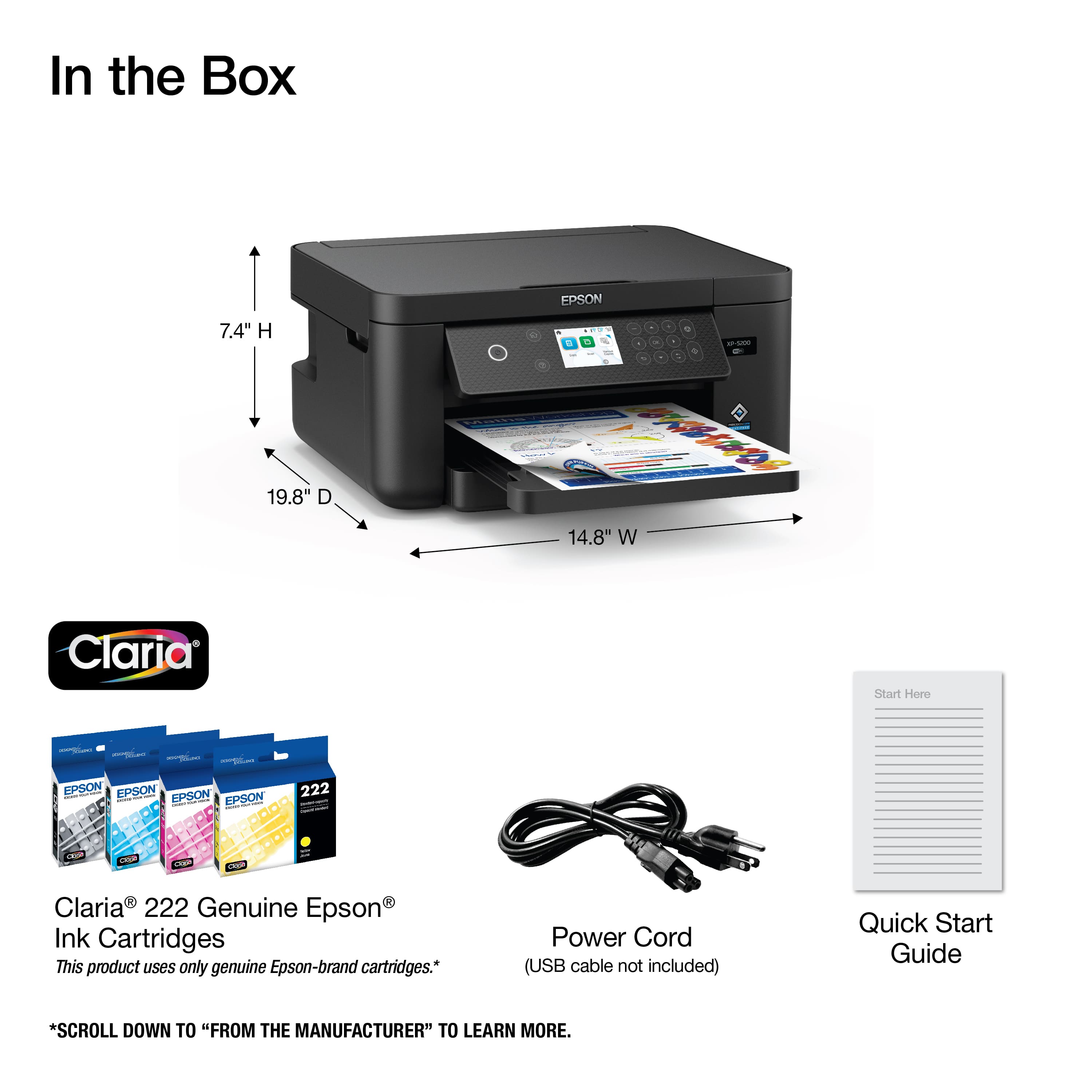
|Posted .This reviewer received promo considerations or sweepstakes entry for writing a review.Since I bought my first Epson Printer in 1984, Epson has continued to impress me with their products. That was a trusty ‘dot matrix’ printer and it is no telling how many times it printed out parts of my doctoral dissertation as it was written and re-written as I tried to work and raise a family. It never failed me, and it never had a paper jamb. Since, I have been impressed with Epson Plotters for architectural drawings, large format printers and many desktop Epson Printers. A couple of the large format printers were overworked and did jamb a time or two, but none of the Epson Workforce series ever did. Epson’s marketing catch phrase is “EPSON Exceed Your Vision” and because of the vibrance and clarity of the print and colors that Epson products produce, they certainly do that and did long before other manufacturers seemed to be consistent at accomplishing the same. I have been saying for years that their motto should be, “EPSON Exceeding Your Vision and Your Expectations” and the new Expression Home XP-5200 stays true to Exceeding My Vision and My Expectations. The Epson Expression Home XP-5200 has and can do everything that one needs in a small business or home office. Its small at 14.8” wide, 13.7” deep and 7.4” high, prints from multiple devices including mobile devices, prints automatically 2-sided, scans with a finished resolution of 1200 x 2400 dpi/ppp, copies, and has a 150-sheet paper tray. This Color Ink Jet Printer is the fastest home printer to date and with the added speed, it still delivers all documents and photos with an extremely high image quality in a print resolution of 4800 x 1200 dpi/ppp. The printer was extremely easy to setup. It basically sets itself up. I had to put a password in for my home wi-fi network, bring my mobile device near, install the ink cartridges and wait until it told me I could move forward. A firmware update was also needed which the printer performed on its on with my approval and when completed with the firmware update the printer turned itself off and back on. The standard cartridges that came with the printer are Epson 222, YMCK and the color cartridges yield 185 pages while the Black (K) yields 210. The higher yield ink cartridges for this model are numbered 222XL. This is a genuinely nice printer and I highly recommend it for a student, for a small 1–2-person office or for home use.
I would recommend this to a friend Unable to use after firmware update
||Posted . Owned for 3 months when reviewed.This reviewer received promo considerations or sweepstakes entry for writing a review.After I installed the most recent firmware update, I received an error message that my ink cartridges are not installed, and I can’t get past the error screen to reset to factory settings. Epson does not have a customer service phone number and did not respond to my online request for support. Getting ready to go Office Space this thing in the back yard and buy another Canon instead.
No, I would not recommend this to a friendBrand response from Epson
Posted .Hello Tiffany, the Epson XP-5200 is designed to use only genuine Epson-brand ink cartridges. Other brands of ink cartridges, and ink supplies, are not compatible, and even if described as compatible, may not function properly. From time to time, Epson updates its firmware to ensure the printer operates as designed. Epson provides information about the design of the printer on the box, as well as many other locations, including materials shipped with the printer. Sincerely, Joseph – The Epson Team.

- Pros mentioned:Ease of use, Print quality
Very Nice Printer, Easy Set Up & Use. 4.5/5 Stars
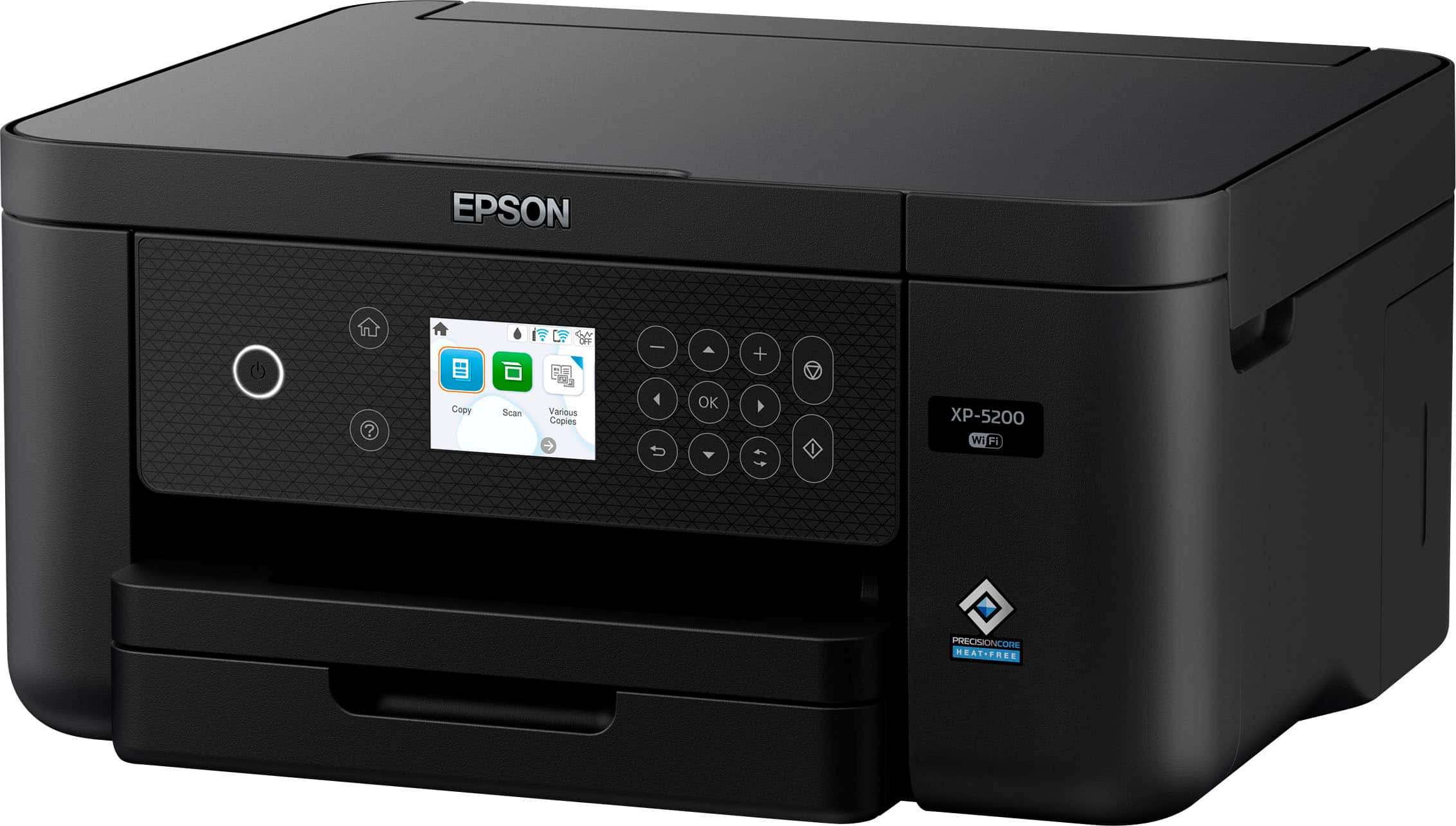
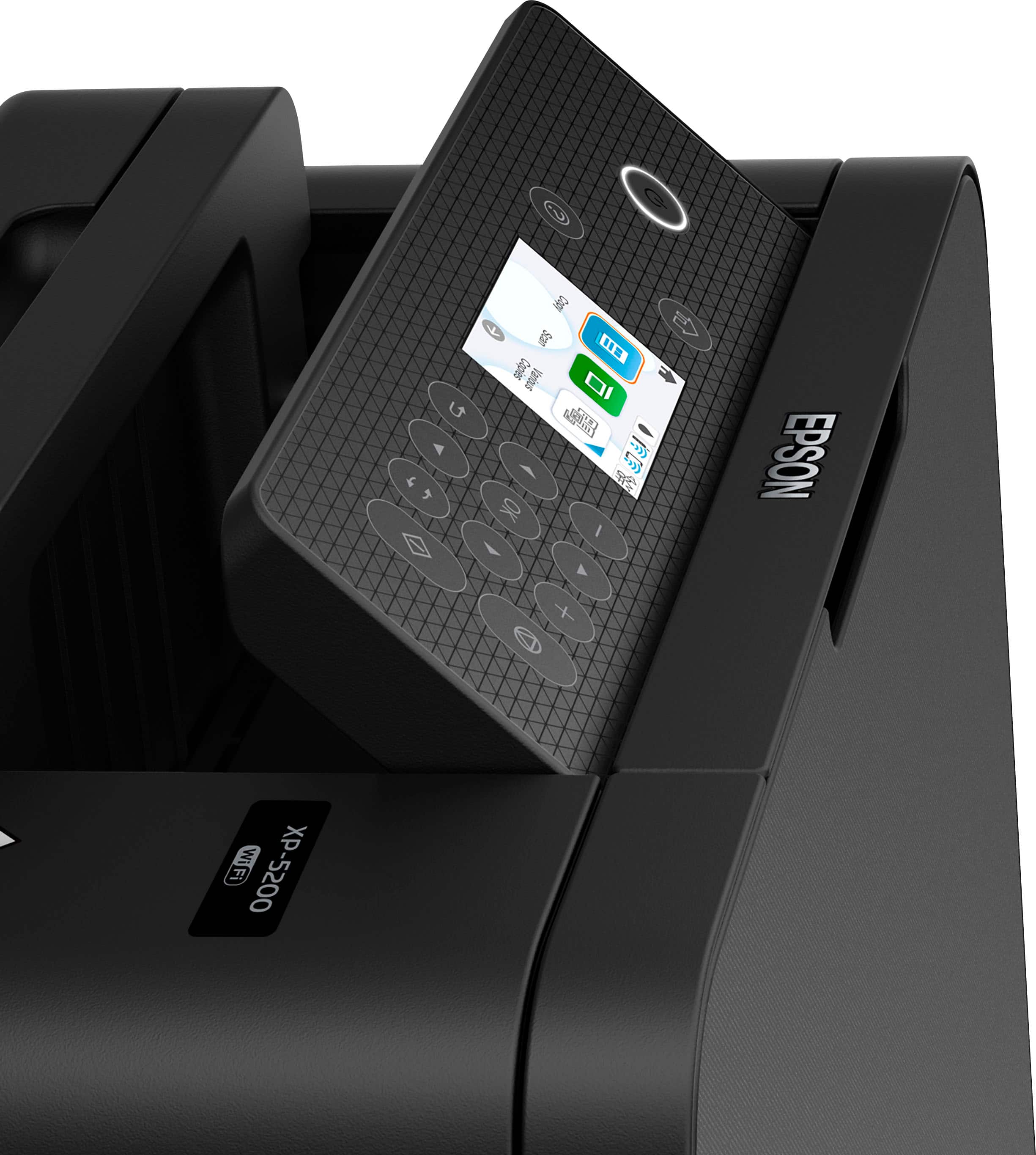
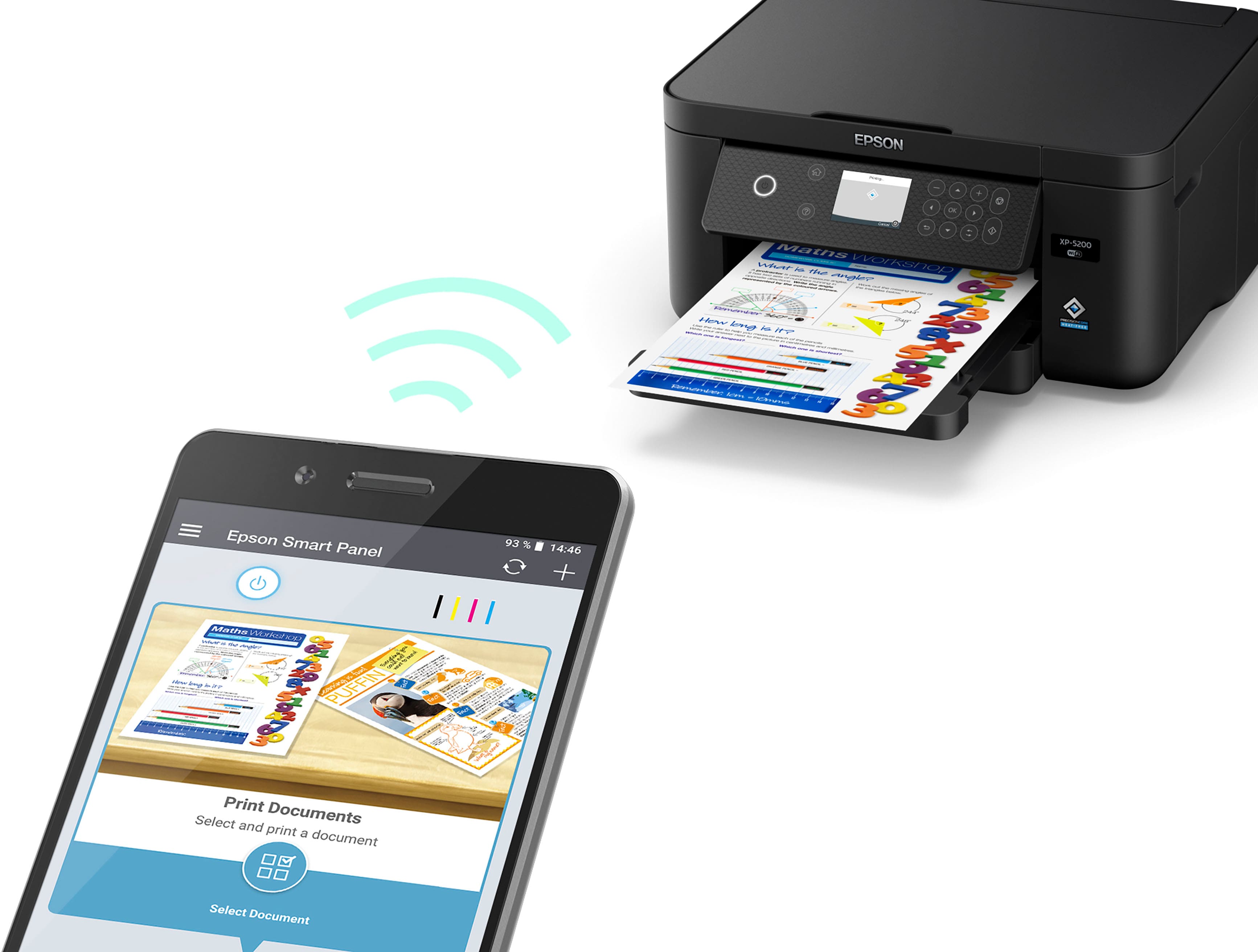
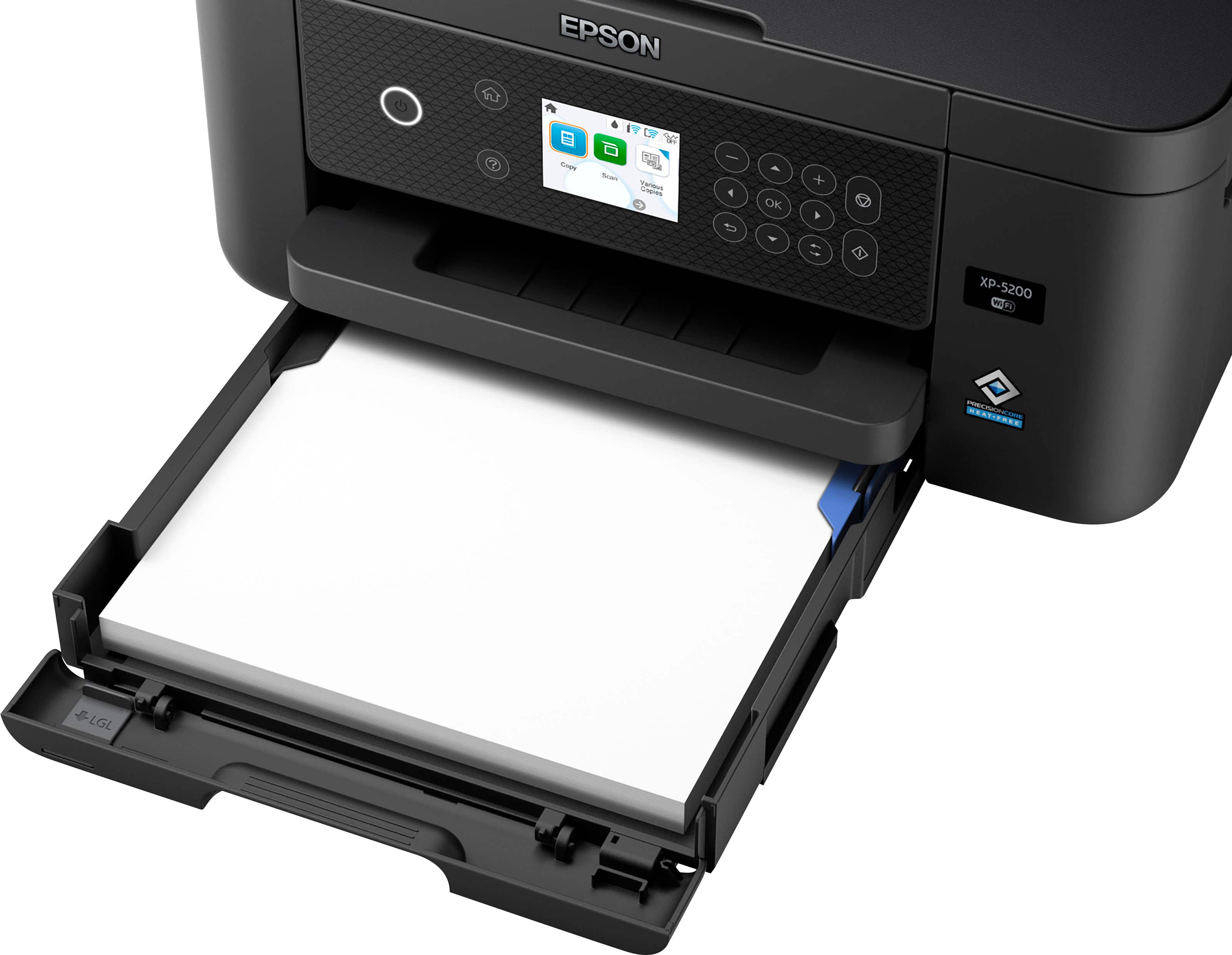
|Posted .This reviewer received promo considerations or sweepstakes entry for writing a review.The Epson XP-5200 is an all-in-one printer that can print double sided, scan and copy. Included in the box is the printer, 4 full size ink cartridges (1 of each of black, red, blue, and yellow), power cable, and manuals. It has an easy setup process that can be done either on the printer itself or with the free Epson Smart Panel app available on iOS and Android. The built-in screen (not a touch screen) is on a panel with function keys and has a tilt from vertical to horizontal and anywhere in between. After I plugged in the printer and turned it on, it prompted me to either setup on it or download the Epson app. I used the Epson Smart Panel app on my iPhone. The app operates like an automated chat help line, with it asking you what you want to do and presenting you with multiple options. It runs you through everything from installing the ink, paper, and printer head adjustments to connecting to your WiFi. It ran very smooth except while it was priming the ink cartridges it asked if I wanted to go ahead and connect to WiFi (you have to as there is no Ethernet port). I don’t know why but it took 3 attempts to connect as the first two it would be in the middle of establishing a connection, momentarily freeze, and then say my iPhone was too far away, but it was right in front of the printer. On the fourth try it popped up a window saying it was already connected. I’m thinking there may have been a glitch while it was priming the ink, because as soon as it was done with that action that's when it said it was on my WiFi. Once the printer was set up, I went to the Epson website to download the printer software on all my computers and also downloaded another copy of Smart Panel onto my iPad. All devices found my printer without any problems on the network. As far as printing quality its actually pretty nice. I printed pictures of people, cars, places, etc. The pictures came out sharp without any noticeable lack of detail unless you tried to take a full-page picture and shrink it to a wallet sized image. Obviously, some detail will have to be left out in cases like that. But printing anything bigger than a 5×7 looked pretty good. Using higher quality paper like photo stock will make a difference. The printer has settings to adjust for such things as different paper stock as well. The biggest issue I came across is when an image has a lot of shades of a single color. For example, I printed a picture of a red Ferrari. Much of the gradient from like to dark was there, but it was a muddled mess where shadows should be on the red and black. Same for very dark backgrounds like dark rooms, and landscape with lots of green or brown. I was able to counter this on both my iPhone and PC by auto adjusting the image or lightening it some. While it may look a little washed out on my screen, it came out much truer to life on the print. Single color items such as solid lines on graphs and charts were crisp and clear, without any of the muddiness. For scanning and copying it was simple to use as well. Just stick the document in the top and you can either hit scan on your PC, phone, or on the printer itself. Both have multiple settings, from optimizing a general photo, an ID, etc. The scanner didn’t seem to lose any image quality, at least none I could tell on my screen. The print result was the same as a regular print. Dark or single-colored areas were a bit muddled and the smaller the print the more detail that is lost. One detail is there is a flap on the back of the scanner door that is there for you to get to the back of the printer. It stays closed when you open the scanner lid to insert a document, but as soon as you close the scanner lid the flap pops up. It doesn’t cause any problems other than you having to push it back in place. It’s a small oversight and will hopefully get fixed in newer models. For those that do primarily documents, like taxes, small business items, etc. The text is crisp and clean. I had no problems with different fonts either. All documents were legible, even if I shrunk the text size down to 6 point (the smallest LibreOffice will do). Last thing to note is of course the cost of replacement ink. As stated, earlier Epson includes full size ink cartridges with the printer. You will burn through them quicker than subsequent cartridges because during setup there is quite a bit of priming and printing the charts it wants you to look at to align the printer heads to your liking. As of now (9-18-22) on Best Buy each single-color cartridge is $9.49 and black is $19.99, or $48.45 for all 3 colors and black. You can get “XL” cartridge pack, but it is not what you think. It’s only an XL black cartridge packed with 3 normal color cartridges. XL Colors don’t seem to be a thing at the moment. If you need the XL Black by itself, it's a whopping $34.99. Normal Black is $19.99. Best Buy does not say how much more printing you get out of these cartridges, but a 4 pack is $63.45. Printer companies love to gouge you on printer refills still it seems. All in all, I really like this printer. It's easy to set up and use. I’m not seeing any reason why it’d be hard to maintain either. Being an ink jet, you need to use it a couple times a month to keep the heads from drying out. It does have a head cleaning function you can activate, but I haven't had to use it during my testing. For $129.99 this printer will do 100% what normal people need it to do (professional photographers need not apply). If that’s you, I recommend you pick one up.
I would recommend this to a friend - Pros mentioned:Print quality, Size
Good no frills AIO printer. Good value.
|Posted .This reviewer received promo considerations or sweepstakes entry for writing a review.I'm a fan of this printer. It's small, quiet, and has good print quality. Our household has a few printers because we have several rooms that we work in. In comparison to our HP Tango X and our HP OfficeJet Pro (Pagewide), the picture quality is better than the Pagewide, but slightly less good than the Tango X, but much more economical. This printer uses 4 pigment based ink carts (CYMK) which can be replaced individually. For what I print, I use a lot of cyan so had to replace it once after the starter cartridge when printing 30 8x10 photos for a project. Quality these days is fairly subjective. My photos come from a Sony A7R3 edited down so your milage may vary. If you're printing from an iPhone, it probably won't be as clear if you're not shooting RAW with a newer phone. This is primarily a photo printer so it's strong there and better than what would come out of other brand's office inkjet printers. TEXT: It's the bread and butter on all-in-one printers to print text. All I can say is: it's better than most printers if you use the correct paper, but it's worse than even the cheapest laser printer. Scanning: better than a cell phone, but limited in usefulness for documents for me since it doesn't have a feeder. It's fairly slow at scanning even at low res. Not a knock, because of the value price. PRINTING APP: Not a fan of the printing app on PC or mobile because the interface is convoluted. Worse, all options available on computer are not available on mobile platforms. It's 2022, so we should see equity now. I think most of the apps for printers are pretty janky, but this app is definitely not as good as HPs apps, but better than Canon, in my experience. TLDR: To be real, most printers at this price are going to be similar, but I think that this one is a fairly good value for printing photos in particular. If you need better photos than what this provides, you're going to need to get a SureColor or higher tier 8-ink printer. Not the best value for text, but serviceable. Better than average, a recommend.
I would recommend this to a friend - Pros mentioned:Print quality, SetupCons mentioned:Touchscreen
Gets the job done - nothing fancy.
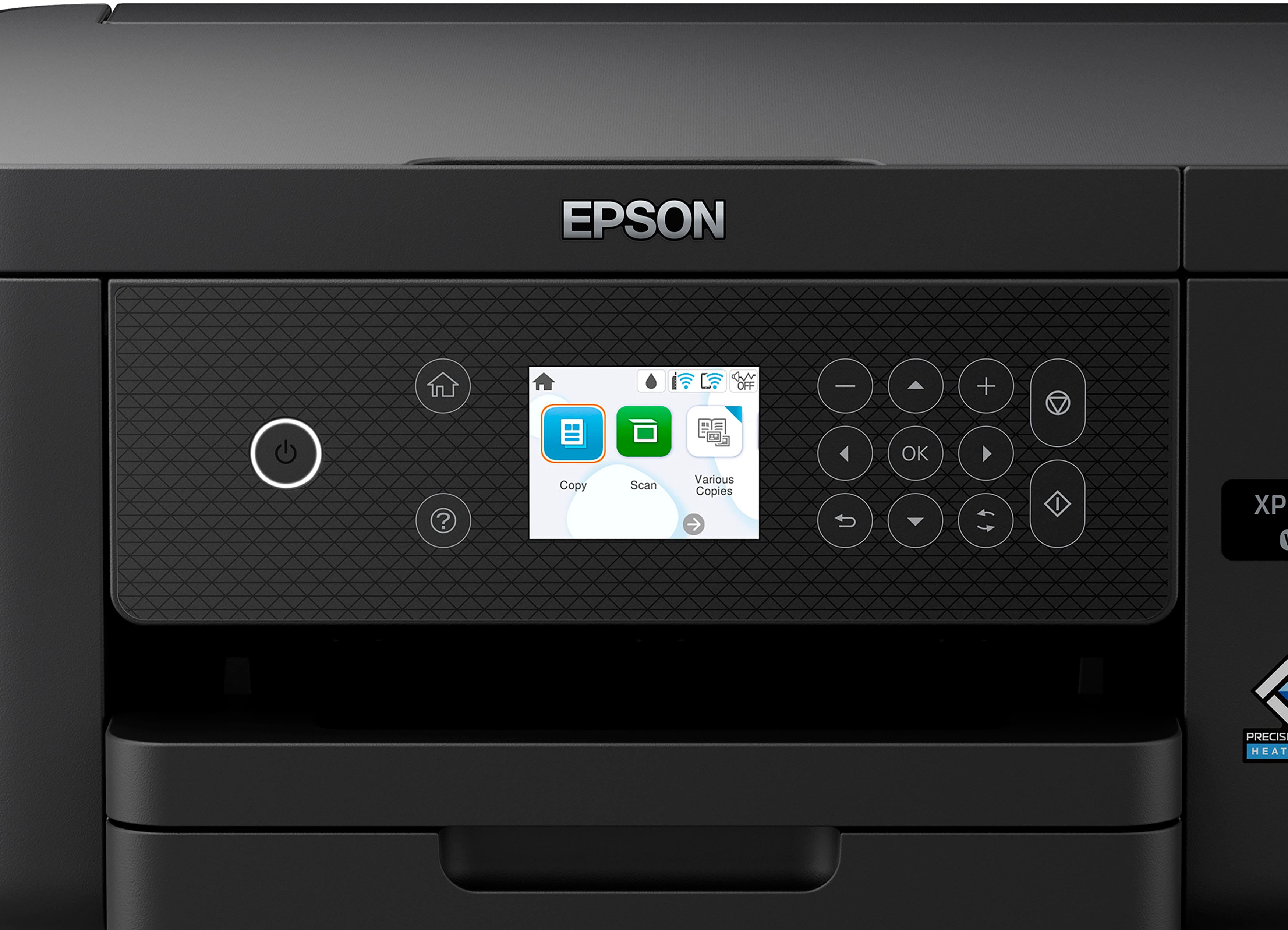
|Posted .This reviewer received promo considerations or sweepstakes entry for writing a review.This all in one does everything that anyone would need for a home/home office multifunction, and as the title says, it gets the job done without fuss. Observations: - Setup was pretty easy with the Epson Easy Panel app - it instructed me on all the steps in a chat bot-style interface, where you would see the prompts and make the selections as needed. Once it was connected to WiFi and installed the cartridges, there were a few pages needed for alignment, and then registering for web services. After that, we were off to the races. - Unlike most other brands, this does *not* have a touchscreen. That being said, the buttons are large and easy to read, and the control panel can be tilted up. The downside, however, is that the buttons are not backlit, which can be difficult to see / use in low light circumstances. The screen, however, is large and bright. - The Epson Easy Panel app seems easy to use and is intuitive. Being able to print via a specific email address assigned to the printer is a neat feature, but being able to just AirPrint from my device is easier. - This printer does print pretty fast. It does have a quiet mode as well, which obviously will reduce the print speed, but is a good feature for those that are noise sensitive. - Having to select from several alignment patterns printed instead of being able to self-align is a bit of a con. I have known many brands for several years with inkjets have self-alignment function. - It does have dual paper paths, with the paper tray at the bottom as well as on the back. All in all, I would say that this all in one gets the job done, albeit not as flashy/advanced as some of the competition, but I foresee it being able to do so reliably with a more simple interface to make it more friendly and approachable to the general public.
I would recommend this to a friend - Pros mentioned:Print quality, Size
First Experience with an Epson printer.
|Posted .This reviewer received promo considerations or sweepstakes entry for writing a review.I recently chose the Epson Expression XP-5200 multi-function printer and was impressed with how easy it was to setup right out of the box. I had not used the brand in the past so I was hoping that it would be a high-quality product and work well in my home office setup. I was able to unbox and install the printer quicker than expected with the simple instructions and useful Epson applications for interfacing and controlling the printer. I was pleased with the fast connectivity and response time that I had when going through the installation process. I have used it with my laptops, tablets, and even my smartphones without any issues. I am pleased with the great quality of the color printer for the various types of documents or pictures that I printed on it. It had no problems with scanning items or copying them quickly when I put it through different tests. I am impressed with the affordability and quality of the product so far. I am very happy with the nice compact sized printer since it takes up less room than my prior printer and has performed extremely well. I would highly recommend the printer to friends and family looking for a new all-in-on printer like this one. Fantastic job Epson!
I would recommend this to a friend - Pros mentioned:Size
Basic Small Home Printer/Copier/Scanner
|Posted .This reviewer received promo considerations or sweepstakes entry for writing a review.SHORT REVIEW: Excellent small footprint home multifunctional printer, copier, and scanner. Easy to setup with the provided 4-sheet setup guide and wirelessly connect to a laptop. Includes useful software that you can choose to install or not. Optional use with a mobile phone application if one chooses to use that method of connectivity. Sweet! EXTENDED EPSON XP-5200 REVIEW: BACKSTORY: In the past 25+ years I have used HP branded ink jet and laser printers for business and home use. My current home ENVY 5055 that I have been using for the past 3yrs has always been a nightmare with loosing connectivity with our laptops. The solution was to remove the existing drivers and software and begin a new installation. Not a quick or easy process to say the least. Therefore I have been looking for a suitable small home printer replacement, and the XP-5200 fits my current requirements. 1) Un-packing and removing protective materials was quite easy following the 4-page Start Guide, then install the 4 supplied ink cartridges. Follow it and zero install issues. 2) I chose to use my laptop, not the phone app, for setup. Easy to access the web site and download the software package. Again, just follow the instructions. 3) Wireless connectivity from laptop to printer for the easiest I have every encountered. Software found my SSID and auto setup for the password. (I have never seen that before.) 4) The only install issue was after connecting laptop to printer, it began a lengthy required software download process that failed 3 times with the error “Unable to connect to server. Would you like to try again?” Had to shut down my laptop and printer and start over. Once setup, the printer functioned flawlessly. 5) Scanner Issue: The scanner app would scan but would not save with the error “Unable to save scanned files”. I had encountered this error before with other apps and only through experience knew I needed to add the Scan-2 function to Window's Security Controlled Folder Access. Issued resolved. 6) The adjustable/tilt screen/panel is a simple but effective feature. 7) Color Prints: I could never get my HP printer to feed any type of Photo media through it. But this XP-5200 has no problem with color prints on enhanced photo stock. 8) Minor Issue: Well, here is the downside… Currently there are zero vendors selling the required Claria® 222 Standard Capacity and/or 222XL High-Capacity Ink Cartridges. Testing out this printer with color prints has just about exhausted the color ink supply. But I am confident Epson will provide access to the required 222 Cartridges shortly. .
I would recommend this to a friend - Pros mentioned:Size
good performance for the price in an all-in-one
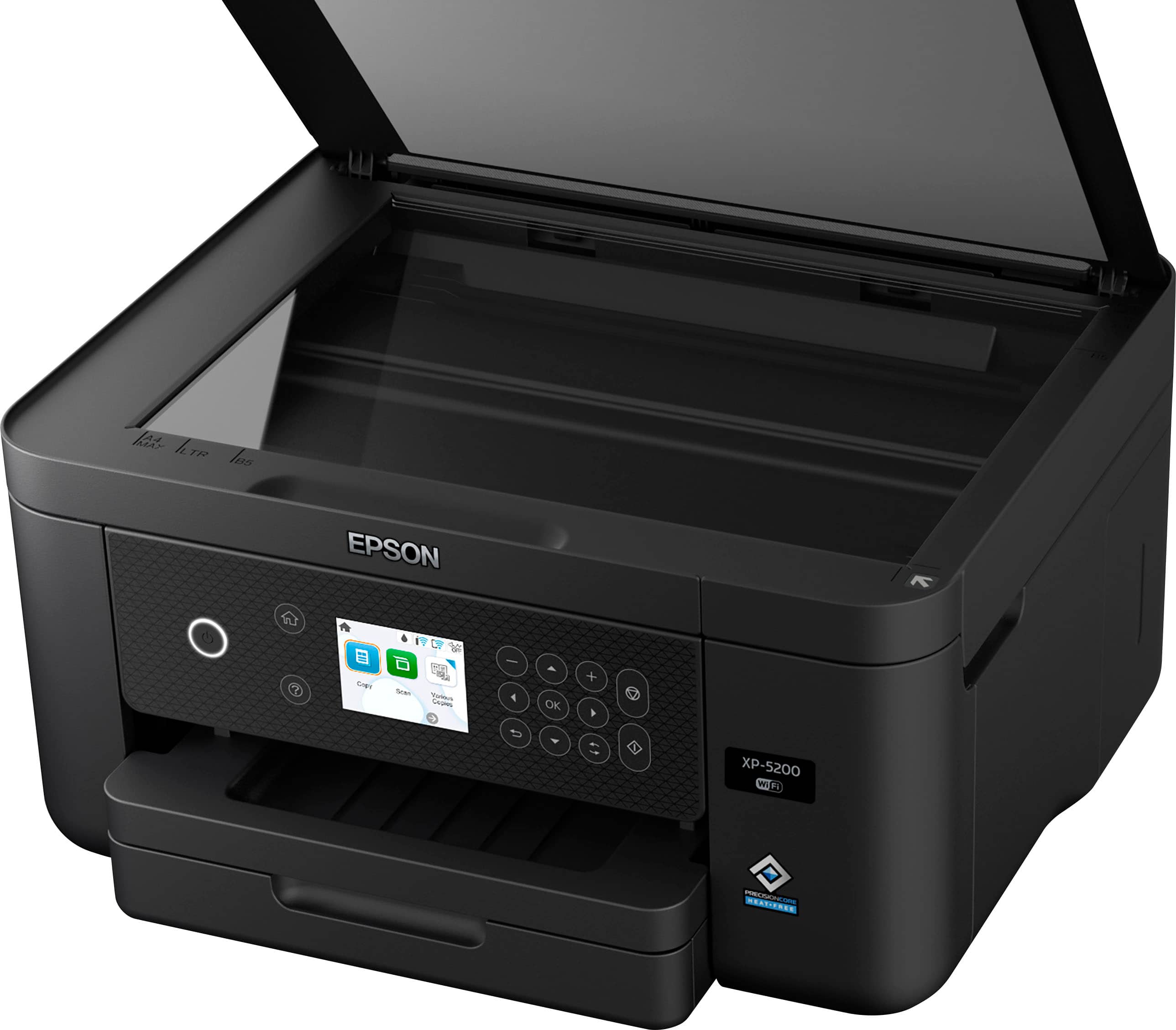
|Posted .This reviewer received promo considerations or sweepstakes entry for writing a review.I found the Epson XP-5200 a capable, compact, and versatile printer. It weighs about 13 pounds, and has a nice small footprint for a home office. Having a flat bed scanner rounds out the versatility nicely, so things can be scanned and printed (bypassing a copier machine) or saved as a PDF/JPEG and emailed from the printer. The spec sheet on BestBuy mistakenly stated there was fax capacities (noted 9/17/2022 but reported to BestBuy, so might be corrected by now), which is not correct. However, that is not a feature I would miss, since we do not have a land line. POSITIVE FEATURES: PRICE is quite reasonable. It comes with FULL sized ink tanks, 4 SEPARATE tanks, rather than a smaller fill "starter" cartridge. And you replace only the tank that is empty, rather than the older style where a color cartridge had cyan, yellow, and magenta all in one tank and all three had to be discarded when the first of the colors ran out. Epson supplies a complete stable of mobile apps to mesh with the printer, allowing many functions to be accomplished from afar. Epson SMART PANEL allows you to print wirelessly and remotely, from your phone. as well as scan and document capture using your phone's camera, and then print via WiFi or AirPrint from your iPhone. Similarly you can call up photos from your photo library for printing, but setting resolution and paper size seems to be handled only at the printer. It informs you of the loaded paper size and finish (glossy, semi-glossy, matte, plain paper, etc), since changing out of paper truly requires hands on access. The repertoire of voice assistant commands is a bit limited, but seems to be developing. You can use Alexa, Google Assistant, or Siri. The Siri commands can from a remote location ask the printer to print the last photo taken, scan a copy of the item on the scanner flatbed, capture the item on the flatbed and capture it to be disbursed as you wish, or report to you the ink levels (in case you forgot which color ink you were going to pick up at your trip to BestBuy). Printing of photographs on an ink jet printer remains superior to laser printers, especially to chose a glossy, heavier stock for truly professional results. I am attaching a photo that I took of a caterpillar, that I printed on the Epson XP-5200, then took a photo of that print, to attach to this review. This was a hand-held iPhone photo, no tripod, ambient lighting. CONS: I missed having a USB port for saving to a memory stick a scan from the flatbed or uploading directly from my memory stick a document or photo from work to the home printer for printing. The initial set up is supposed to be able to be accomplished via either a phone app or by plopping in front of the relatively small 2" screen and punching buttons for choosing the responses for initial installing ink tanks, linking to WiFi, running a test page and adjusting the output, etc. However, my setup stalled in the setting the WiFi where the phone app asked me to input the password for my router, but gave me no ability to input, and after a pause of inactivity looped back and asked again. I was able to transition to the front of the printer and successfully get it integrated into my home network. Parts of the chassis seem a bit flimsy: the paper size guides on the paper storage tray, the output tray for your prints felt of light caliber plastic and not to robust. But for the $100-125 range it is probably the norm. This is indeed the "Home" not the "Premium" line for Epson.
I would recommend this to a friend - Pros mentioned:Ease of use, Print quality
Amazing compact printer with easy setup
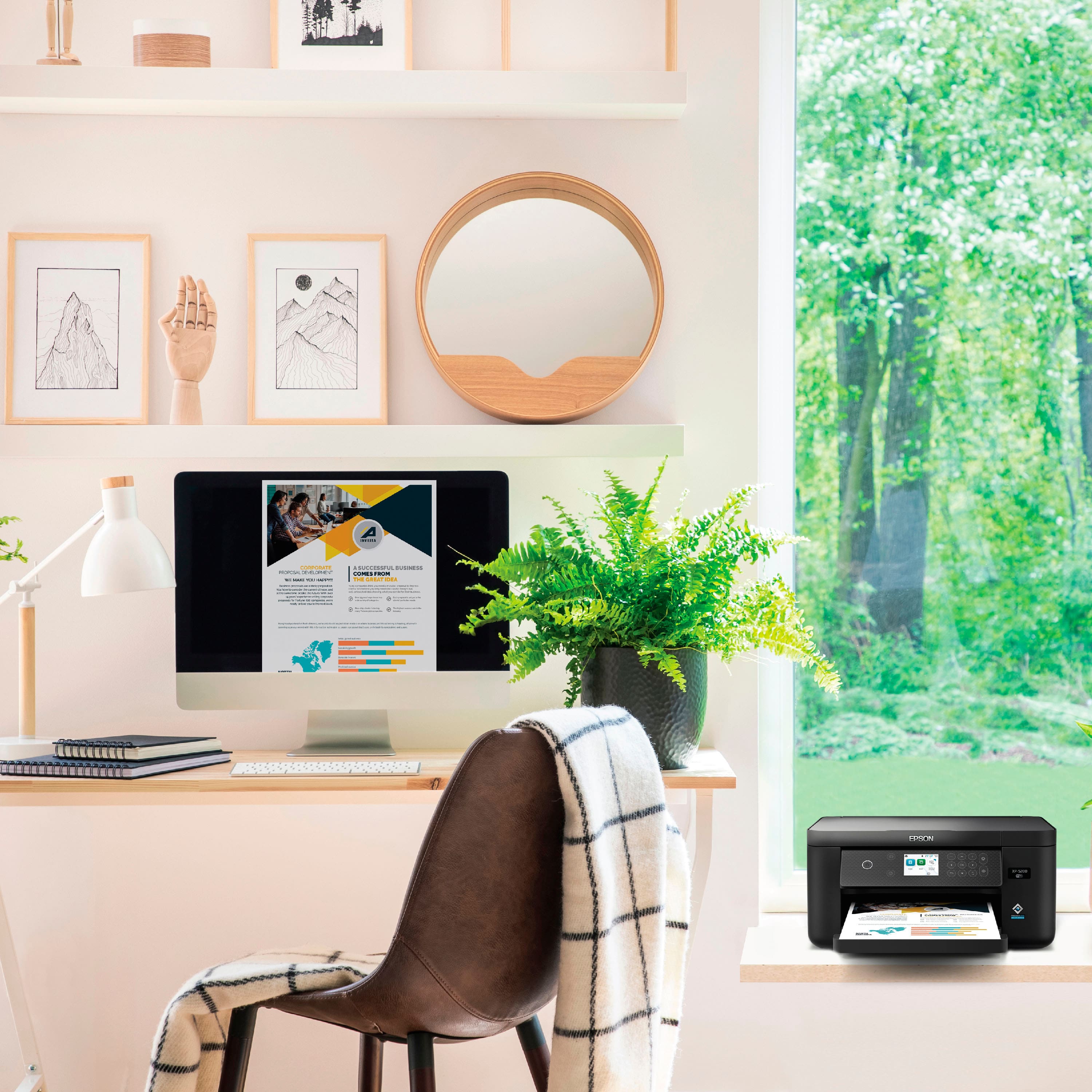
|Posted .This reviewer received promo considerations or sweepstakes entry for writing a review.I recently moved into a new apartment and was searching for nice printer, and came across the Epson XP Expression 5200. The setup was extremely easy! I downloaded the app and every setup step was literally step-by-step with easy to follow instructions and pictures. The printer itself looks clean which allows it to fit anywhere and is small and compact, perfect for a small apartment. The test print came out perfect and the setup even takes you through and alignment process that optimizes your printer. I was actually impressed by how quiet the printer is as well, I assumed most if not all printers were moderately loud but this printer is extremely quiet. Also has an easy to navigate screen, though not touchscreen. Wi-Fi was easy to set-up which was also through the app. A simple click of a button on the app, and the Wi-Fi was connected to the printer. This is the perfect printer for the average home, we don't print a crazy amount but for the occasional need, I think this printer can easily fulfill your needs.
I would recommend this to a friend - Pros mentioned:Ease of use, Print quality
Easy to set up; great print quality!
|Posted .This reviewer received promo considerations or sweepstakes entry for writing a review.This printer is a delight to have in my home office! It prints smoothly and with vibrant color without being too noisy or distracting. The speed at which it prints is fast and efficient, and I love that there is an option for double-sided printing so there are no worries about wasting paper! The set-up process through the Epson app was simple and easy. This was definitely the easiest printer to set up of all the printers I have owned. The paper tray is easy to load and loading the ink cartridges into their trays is fast and simple, pretty self-explanatory. I like that you can easily print from your phone or laptop via wifi, definitely convenient for those of us who don’t have a desktop or don’t want to print via a wired connection! The quality of the prints are beautiful for being a home printer, and I cannot wait to try printing out on photo paper. This is the first Epson printer I have owned, and it certainly will not be the last, I’m impressed by the quality and ease of installation!
I would recommend this to a friend - Pros mentioned:Ease of use, Print quality
A Full-Featured Household Wireless Printer
|Posted .This reviewer received promo considerations or sweepstakes entry for writing a review.The Epson Expression XP-5200 AIO Printer has proven to be the perfect replacement for my older printer as a family household printer. As a multi-function Wi-Fi printer with copier, scanner, color, and wireless access, it is now the general-purpose printer for my household. Unboxing and Setup The unboxing and setup went smoothly. The included instructions were good for getting the printer unpacked, powered on, aligned, and tested. But I had to figure out how to get the printer connected to our Wi-Fi and connectable to our home wireless devices. The setup options via the built-in display were easy to follow. Entering a complex Wi-Fi password can be a bit of a pain. The print head alignment setting required manually entering how the alignment graphics appeared on four printed pages. Once Wi-Fi was configured, the printer requested a firmware update, which only took a few minutes. After the printer was configured, nothing special was needed on our iOS-based smart devices to print. I also installed the Epson Smart Panel app onto my iPhone via a QR code after the Wi-Fi was configured. Epson Smart Panel App The App is available for Android and iOS devices. It provides printer monitoring, maintenance, documentation, registration, configuration for printing via remote email, and a wide range of printing options. It is not required for printing from smart devices. Print, Photo, and Scanner Quality Document print quality is clear and crisp, without any smudging or visually perceivable pixelation. The 2-sided printing option is great for saving paper. I was blown away by the quality of picture printing onto glossy photo paper. There is absolutely no hint of printhead lines, the colors are bright, and the resolution is crisp. When scanning a document, the quality of the copy is just as clear and crisp as the original. The copy comes out slightly darker than the original, which I expect is Epson's way of compensating for the bright light used for scanning. Summary For the reasonable price and the range of features, the Epson Expression XP-5200 is the perfect wireless printer for my household. It is easy to set up, use, and replace the ink cartridges. Every family member can print, regardless of their computer, smartphone, or tablet. Features • The fastest Epson Expression Home printer at 14 black ppm • 150-sheet paper tray • Voice-activated printing with Alexa, Siri® and Google Assistant™ • Clear and crisp 4800 x 1200 dpi print resolution per Epson's PrecisionCore® technology • 2-sided printing • Copy resolution of 600 x 600 dpi • 9600 dpi interpolated scanner resolution • USB port • Wi-Fi 802.11 b/g/n and Wi-Fi Direct up to 8 connections • Support for Mac OSX, Windows, Chrome OS • 2.4" Color LCD control panel • ENERGY STAR® Qualified • Uses Claria® 222 Ink cartridges • Quiet mode • Sleep and Power Off timers • Remote email printing • Apple AirPrint support • Scan to Cloud, computer, print • Scan to JPEG, PDF • Initiate scanning from printer or computer • Print to 8.5x11, 8.5x14, custom 3.5x5 to 8.5x47.24 inches, envelopes, photo paper
I would recommend this to a friend - Pros mentioned:Print quality, Setup
High Quality Printer
|Posted .This reviewer received promo considerations or sweepstakes entry for writing a review.So far I am really enjoying this printer. The setup instructions were so easy and it's working so well. The printer is easy to set up and wirelessly connect to mt home WiFi and my computers and phone which required installing the drivers on the computers and the app on the phones. This printer never fails me! It has everything and is incredibly easy to use. I can connect it to my PC or phone and print super quick from either. It has a very simple interface but with a lot of options. The printer can also use a ton of ink well and balanced before completely running out and I've been able to print many many high quality bright coloured images with the starting ink cartridges. This printer has been a great addition to my small office. Also, this printer comes with all the bells and whistles that you would expect from a Epson printer. It has a printer app to manage the printer from a smartphone or even a tablet. Printing and scanning is easy and fast, even in full color. I printed both black and white and some full color pictures and all looked great both on photo paper and plain paper. Printing was easy whether from computer or from the Epson app. This printer is great for all my home printing needs and taking up little space in my home is definitely a plus.
I would recommend this to a friend - Pros mentioned:Print quality
Simple print/scan/copy
|Posted .This reviewer received promo considerations or sweepstakes entry for writing a review.This is meant to be wireless and you have a mobile device to set it up for the most part. It starts off by directing you to the app before you even put cartridges in. But, it does give decent step by step directions. It didn’t even print out a calibration page like most printers do, it was just ready to go after the cartridges were installed and primed. It does have a USB-B port, nothing else, if you need to be wired straight to a PC. The display is easy enough to read, but since it is not touchscreen you have to use the directional buttons that felt very cheap. But, once it is set up, you can use the app for pretty much everything. As for the app, it reminds me a lot of the Adobe Elements products, with a bunch of tabs giving a simple thing an entire page. For example Print Photos and Print Documents are separate tabs. I prefer to hit print, then decide what I am printing. At least with my computers, they recognized the printer on the network and didn’t need any additional software to work. Quality is decent. A few photocopies looked a bit washed out in color, but direct files sent from devices were clear and sharp. Speed for an inkjet is decent and fairly quiet. Auto duplex is nice for conserving paper usage, but double sided and multi-page scanning requires you to flip and replace each page every time. The paper tray comes out completely and has a flip down front so that you can use legal size paper. Overall build feels very cheap, but considering the price point, features outweigh the design. Ink is where they are going to get you back as the standard cartridges claim a yield of 210/185 but the initial cartridges are always less than ISO specs for install. Overall, if you don’t plan on scanning multiple page documents often and looking for mainly a wireless printer for your network that can do duplex prints, this one is decent for the budget. With slow single page scanning and very small ink cartridges, I wouldn’t recommend this for busy home office work. But, for a single page scan/copy and some decently fast printing, this will get the job done.