Customer Ratings & Reviews
- Model:
- C11CK61201
- |
- SKU:
- 6516129
Customer reviews
Rating 4.4 out of 5 stars with 187 reviews
(187 customer reviews)Rating by feature
- Value4.5
Rating 4.5 out of 5 stars
- Quality4.5
Rating 4.5 out of 5 stars
- Ease of Use4.3
Rating 4.3 out of 5 stars
Customers are saying
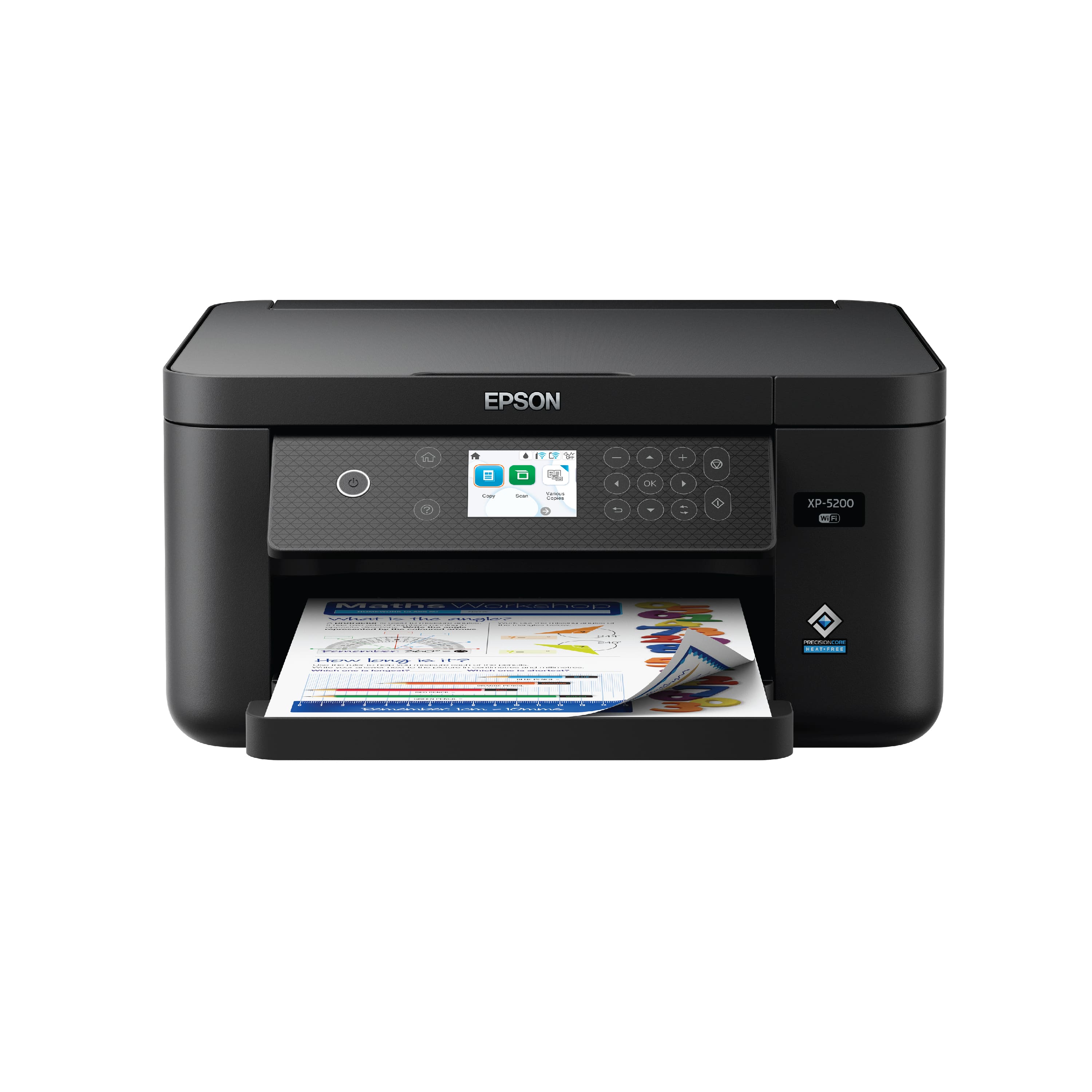
Customers enjoy the Expression Home XP-5200 All-in-One Inkjet Printer for its great print quality and ease of use. Many appreciate its overall performance as a printer, copier, and scanner, as well as its suitable size for smaller spaces and reliable connectivity. The printer is also praised for its easy setup and paper tray, quiet operation, and good value for the price, however, some customers have noted that the screen is not a touchscreen.
This summary was generated by AI based on customer reviews.
Rated 5 out of 5 stars
Great printer
||Posted . Owned for 1 month when reviewed.This reviewer received promo considerations or sweepstakes entry for writing a review.This is the best printer that I have ever had. Love it!!
I would recommend this to a friendRated 5 out of 5 stars
A good economic multi function inkjet printer
||Posted . Owned for 3 weeks when reviewed.This reviewer received promo considerations or sweepstakes entry for writing a review.A good inkjet printer that works as promised. Flatbed scan feature is as well included
I would recommend this to a friendRated 2 out of 5 stars
You get what you pay for.
||Posted . Owned for 2 months when reviewed.This reviewer received promo considerations or sweepstakes entry for writing a review.If I could ever figure out a way to keep it connected to wi-fi, it would be a great budget printer. However, I have to re-power every time I try to print if more than a hour or so pass since last print job. Same location as my previous printer and have moved it several times trying to find a sweet spot, but just won’t hold the signal. Would not recommend unless hard wired.
No, I would not recommend this to a friendBrand response from Epson
Posted .Hi AnthonysM , we apologize about the disappointing experience you are having with your Epson printer's Wi-Fi connection. Your XP-5200 includes free technical support for the life of your product. Please call and let our Epson Support Team assist. Our support number is (562) 276-4382. Our support hours of operation are Monday – Friday, 7 a.m. to 4 p.m. (PT). We’re here to help. Sincerely, jacob – The Epson Team.
Rated 5 out of 5 stars
Gooooood
||Posted . Owned for 1 month when reviewed.This reviewer received promo considerations or sweepstakes entry for writing a review.Been using it for a month almost everyday. I’m happy, easy to set up
I would recommend this to a friendRated 5 out of 5 stars
NEW PRINTER
||Posted . Owned for 3 weeks when reviewed.This reviewer received promo considerations or sweepstakes entry for writing a review.I have not had a chance to use it much yet, but it seems to be very good.
I would recommend this to a friendRated 5 out of 5 stars
gift card need
||Posted . Owned for 2 months when reviewed.This reviewer received promo considerations or sweepstakes entry for writing a review.nice wonderful recommendations to everyone please give me gift card:)
I would recommend this to a friendRated 2 out of 5 stars
Printer
||Posted . Owned for 6 months when reviewed.This reviewer received promo considerations or sweepstakes entry for writing a review.I haven't had this printer for a year... runs out of ink too fast and now its won't print for me ..
No, I would not recommend this to a friendBrand response from Epson
Posted .Hi Jessica, we are sorry you are disappointed with your Epson printer. Your XP-5200 includes free technical support for the life of your product. Our Epson Support Team may be able to help you customize your settings for a more efficient performance. Please contact us at (562) 276-4382; Hours: Monday – Friday, 7 a.m. – 4 p.m. PT. We look forward to your call. Regards, Joseph – The Epson Team.
Rated 1 out of 5 stars
Bait and switch
||Posted . Owned for 5 months when reviewed.This reviewer received promo considerations or sweepstakes entry for writing a review.They bait you with the Epson name and the switch in this absolute garbage pile of a printer. AVOID. I chose this because it had 4 inks so it wouldn't be a pain when it ran out. But every day it has to be restarted. Colors are bonkers out of calibration, no software fiddling works. I have worked with really amazing Epson printers but this one is trash. I needed a tool that, like the Canon it replaced, would sit idle and then work when I needed it. This does none of those things. Now, following a firmware update it wouldn't stop bothering me about, it won't recognize ink.
No, I would not recommend this to a friendRated 2 out of 5 stars
Disappointing
||Posted . Owned for 1 month when reviewed.This reviewer received promo considerations or sweepstakes entry for writing a review.Not really pleased with the printer aspect of this model - it goes through an unusually large amount of ink quickly. The old Epson printer I needed to replace after many years of excellent use was far superior. Unfortunately that model was discontinued.
No, I would not recommend this to a friendRated 3 out of 5 stars
Home Printer
||Posted . Owned for 3 weeks when reviewed.This reviewer received promo considerations or sweepstakes entry for writing a review.Does not work with hi-speed 5G without cord to laptop.
I would recommend this to a friendBrand response from Epson
Posted .Hi SandraC, we're sorry for the disappointing experience you had with your Epson printer. Your XP-5200 includes free technical support for the life of your product. Please give us the opportunity to assist you by calling our Epson Advanced Support Team. We can be reached at (562) 276-4382 between 7 am - 4 pm (PT), Monday - Friday. We're here to help. Sincerely, Tony – The Epson Team.
- Pros mentioned:Connectivity, Ease of use, Print quality
Rated 5 out of 5 stars
EPSON XP-5200 All-in-One Printer/Scan/Copy
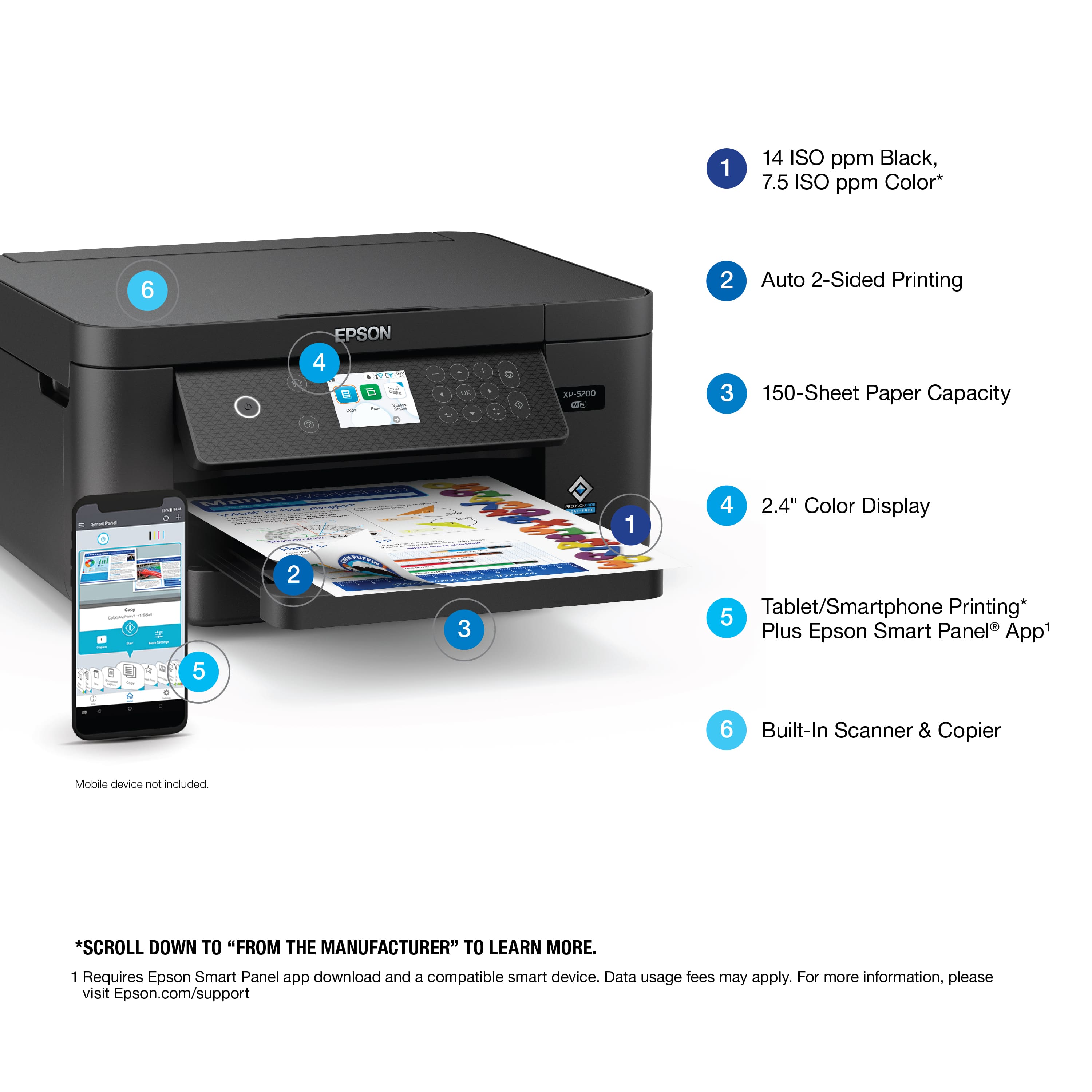
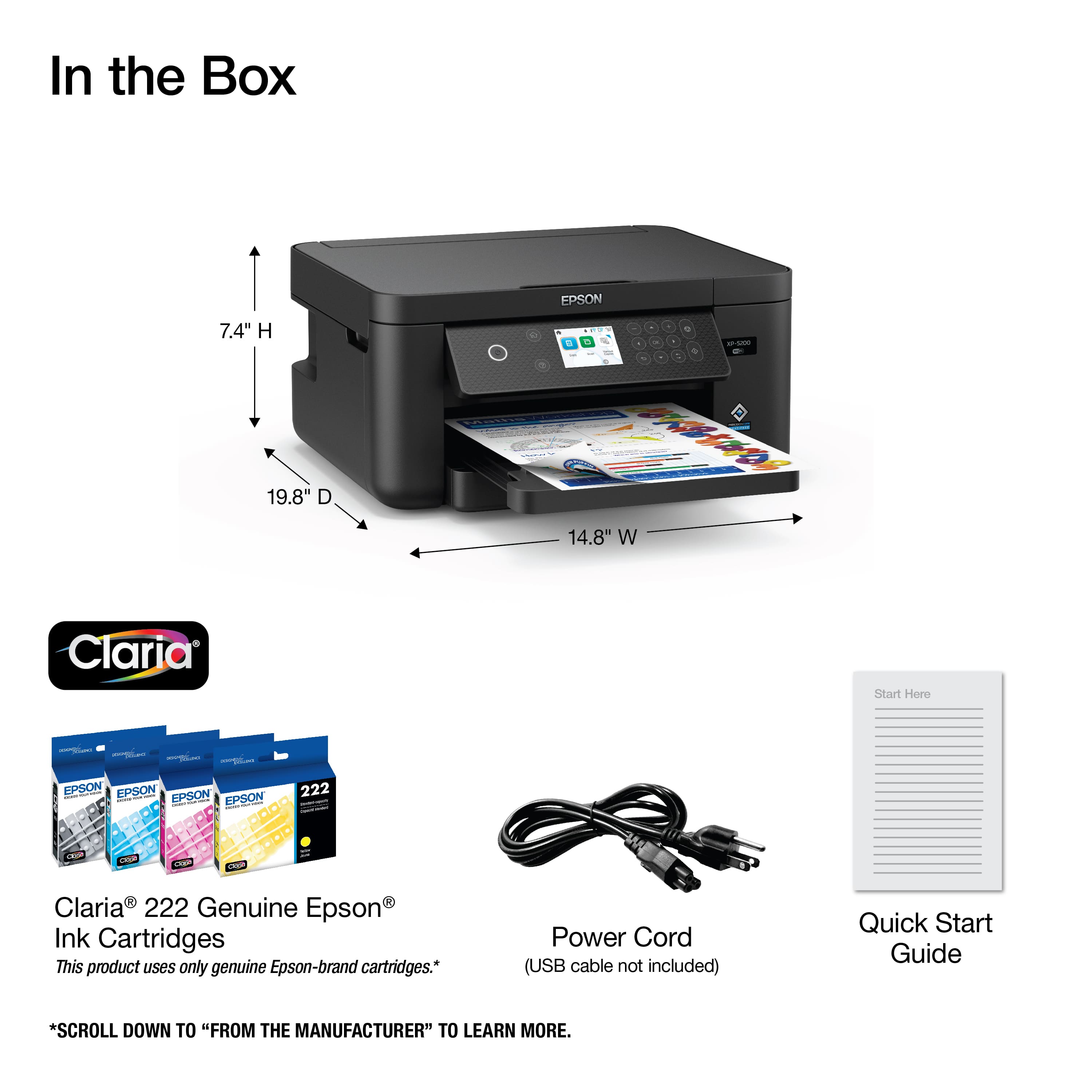
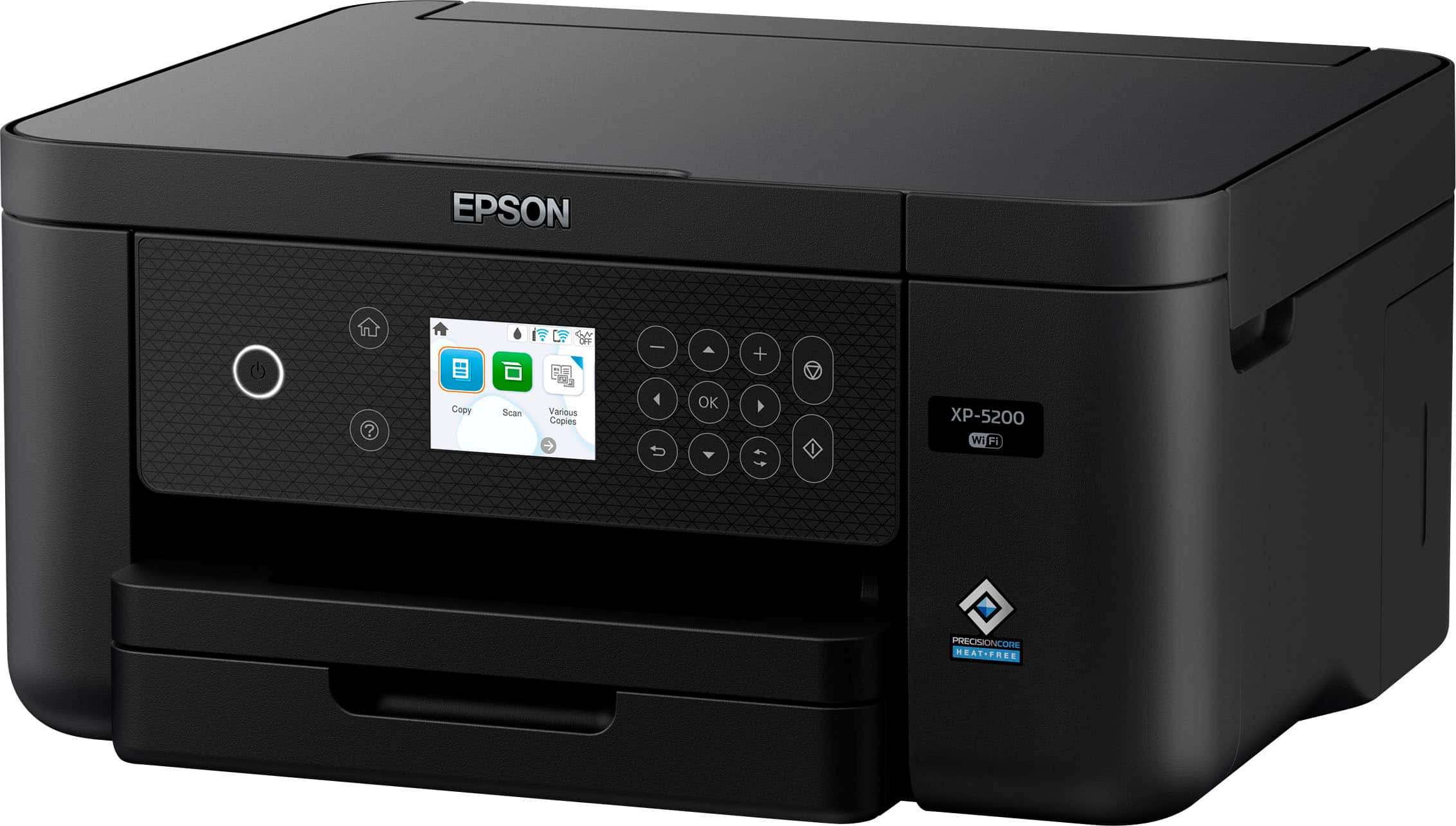
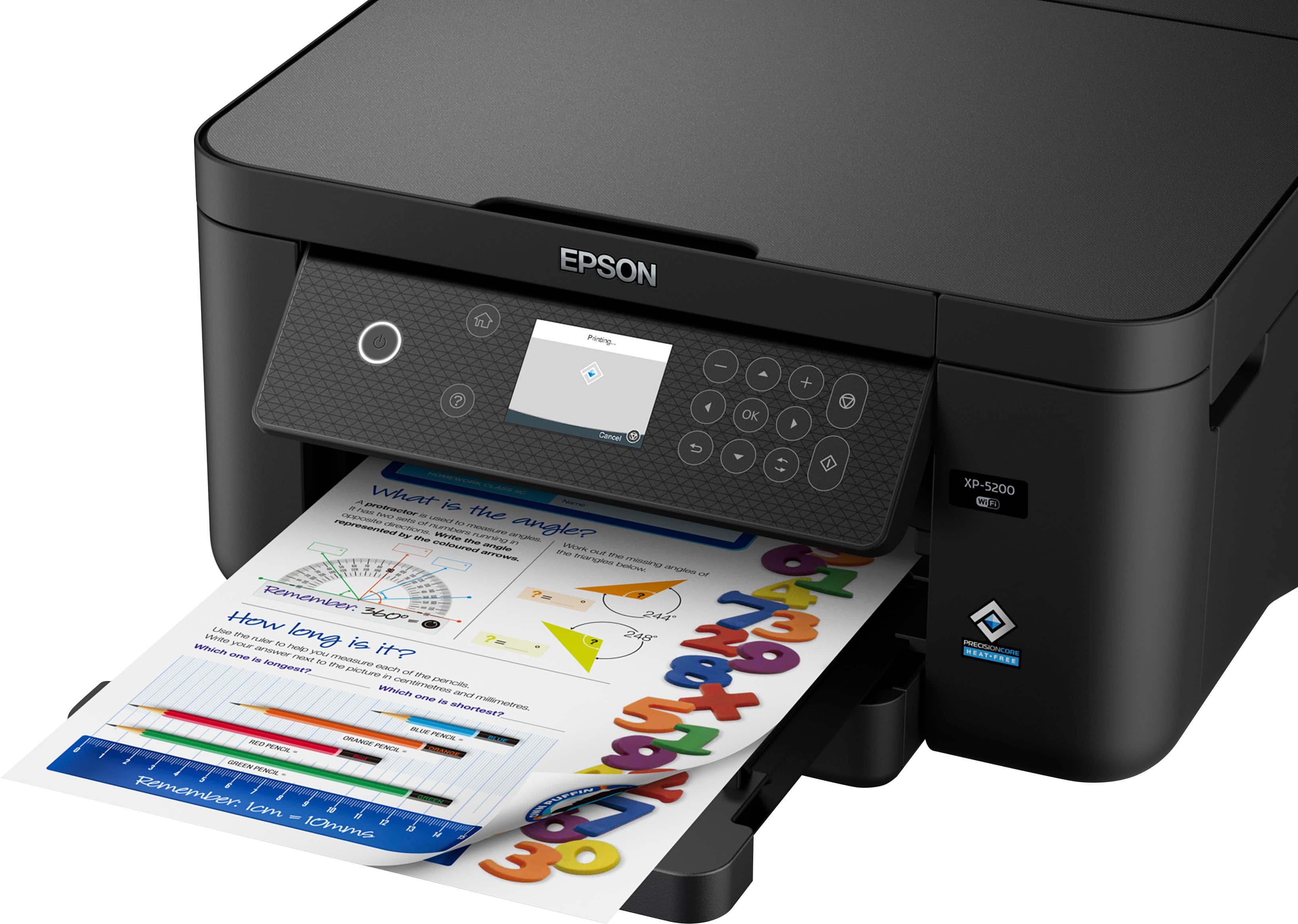
|Posted .This reviewer received promo considerations or sweepstakes entry for writing a review.EPSON Expression Home XP-5200 Wireless AIO Printer What’s in the box. EPSON Expression Home XP-5200 All-in-One Printer. Power Cord Quick Setup guide 4 startup print cartridges 1 of Black, Yellow, Magenta, and Cyan. The printer is wireless and Alexa ready. The EPSON application allows for ease of use for printing and scanning/faxing. The Epson XP-5200 Wireless Color Inkjet All-in-One printer with Scan and Copy comes with a separate cartridge for each ink color. In the box you will find 1 black ink cartridge and 1 of each color, cyan, magenta, and yellow. You should get 210 pages from the black cartridge and 185 pages from the color cartridge. The 222XL black cartridge yields about 550 pages. The printer also allows for borderless photo printing. This printer’s paper tray holds 150 sheets of 8 ½ X 11 paper. The printer has the EPSON standard 2.4-inch color display. Automatic duplexing allows for 2-sided hassle-free printing. The EPSON Home XP-5200 All-in-One Printer Prints 14 pages per minute all black, 7.5 pages per minute color, and 6.5 pages per minute 2-sided. Copy speed is 11 pages per minute black and 4.5 pages per minute color. Using the application, you can scan directly to your computer.
I would recommend this to a friend Rated 1 out of 5 stars
Don't buy, constant problem with ink cartridges
||Posted . Owned for 8 months when reviewed.This reviewer received promo considerations or sweepstakes entry for writing a review.ink cartridges always a problem not being recognized by printer. need to remove and reinsert over and over. last firmware update really bombed the not recognized cartridges issue. plan to buy different brand.
No, I would not recommend this to a friendBrand response from Epson
Posted .Hello Darlene P, the Epson XP-5200 is designed to use only genuine Epson-brand ink cartridges. Other brands of ink cartridges, and ink supplies, are not compatible, and even if described as compatible, may not function properly. From time to time, Epson updates its firmware to ensure the printer operates as designed. Epson provides information about the design of the printer on the box, as well as many other locations, including materials shipped with the printer. Sincerely, Joseph – The Epson Team.
- Pros mentioned:Print qualityCons mentioned:Touchscreen
Rated 5 out of 5 stars
Excellent home office printer with photo chops
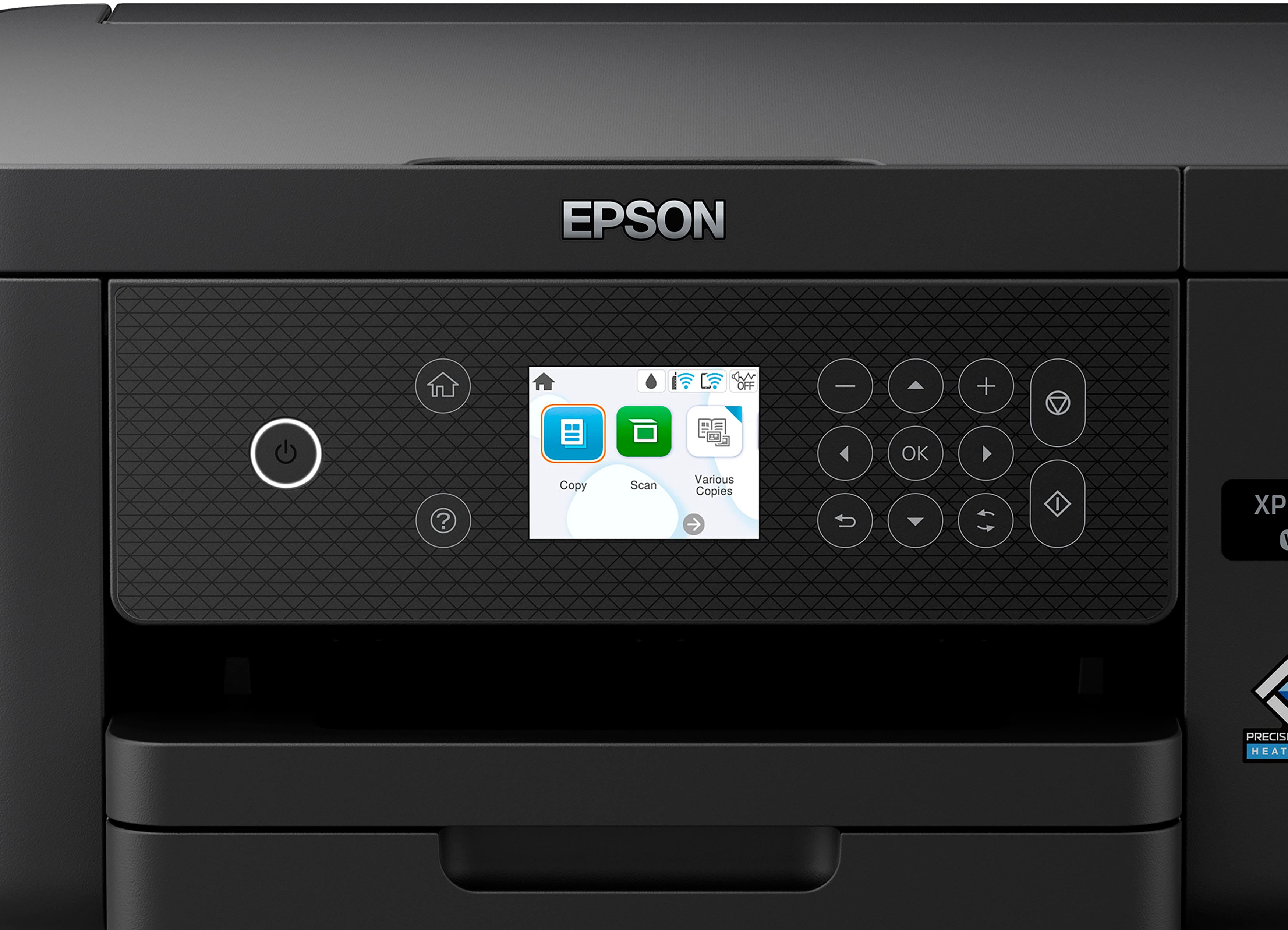
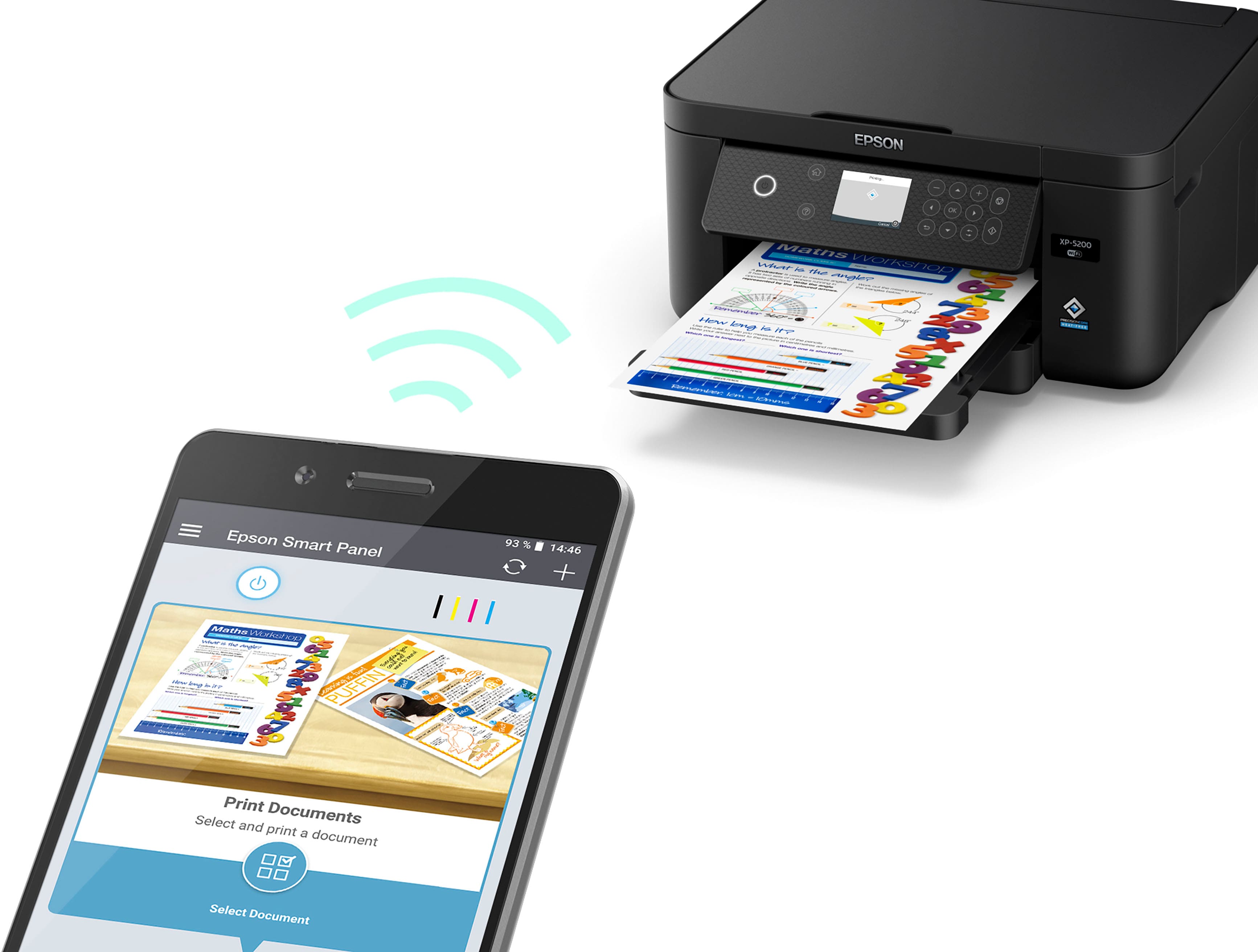
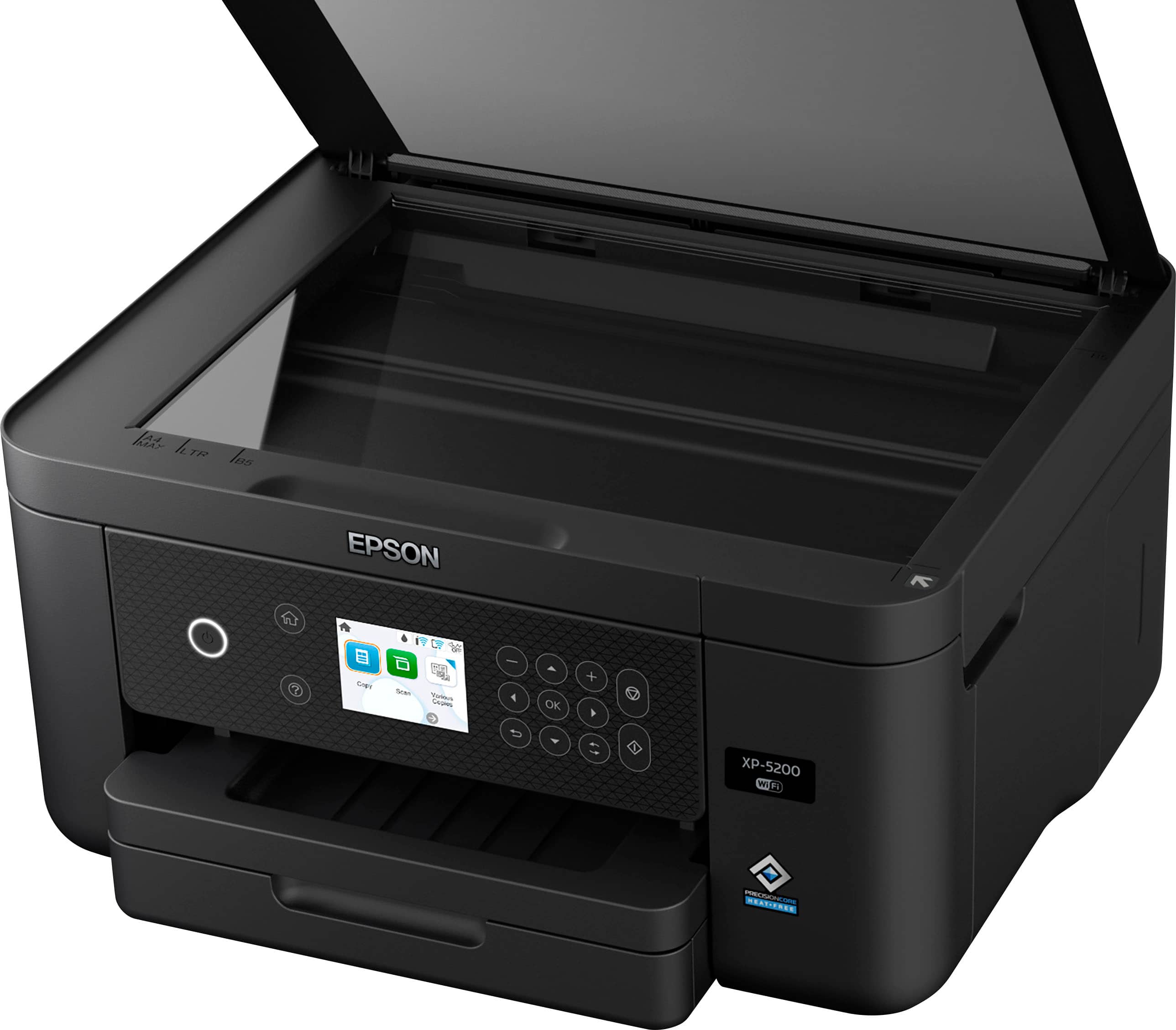
|Posted .This reviewer received promo considerations or sweepstakes entry for writing a review.I’ve been using the XP-5200 for about a day and a half and overall, it’s a very impressive home office centered printer that can also print surprisingly useable photos. Set Up: I’ve set up a handful of printers over the years, including a few recently for some family members. The setup process for the XP-5200 was geared toward those who may not be the most tech-confident. The on-screen display powers on and presents you with a QR code directing you to your phone’s app store where you can install the Epson Smart Panel app. From there, you’ll get guided step by step instructions walking you through the setup process including connecting your printer to your WIFI network, installing and aligning the ink cartridges, and product registration. Personally, the guided walk through was a little too much hand holding for me, but I’m glad it exists, and that Epson is trying to make their tech approachable. Use: Now for overall print quality, print speed, and usability. First: this thing can pump out black and white prints in no time flat. I timed its printing speed on 10 pages of a black and white PDF and this printer got it done in about 31 seconds. The same PDF, printed in all its full-color glory, took 1 minute and 38 seconds. I’d say that print speed for black and white documents, and the fact it has a 150-page tray, together make this a one beast of a home or small office printer. That said, I also wanted to see if this unit had any photo printing chops. And I was very surprised to see it holds up better than expected. I recently ordered some prints of photos I had on trapped on my phone and used those as a reference to compare with prints from this printer. Usually for good photo prints, you’d need to look into more premium units, some with 5+ ink cartridges, or some other premium tech like sublimation. But with 4 ink cartridges (black, magenta, yellow and cyan) this unit can handle photos pleasantly well. The colors are accurate, though not as punchy as the professional prints. While I wasn’t absolutely blown away by the photo prints, they aren’t something I’d be ashamed to throw in a frame, post on the fridge, or give to friends and family. And that’s not bad considering this is a home-office centered unit. Other usability/quality notes: -This unit does not have a touchscreen, though the physical buttons and user interface of the printer are easy enough to navigate. -There is a flatbed scanner, but no auto document feeder. -Printing from your phone and other mobile devices is extremely easy, either by using the Epson Smart Panel app or by selecting the printer from print options. - The printer is well designed, not overly complicated, and doesn’t take up a huge footprint.
I would recommend this to a friend Rated 1 out of 5 stars
Not what I expected
||Posted . Owned for 1 month when reviewed.This reviewer received promo considerations or sweepstakes entry for writing a review.Not what I expected. Was under the impression it used the kind of ink that you squeeze in yourself. But unfortunately, it uses cartridges. May be a nice printer, but just wasn't what I wanted.
No, I would not recommend this to a friendBrand response from Epson
Posted .Hi JudyB, thank you for taking the time to share your experience with your Epson XP-5200 printer. If you want to discuss models that might be a better fit, our Epson Support Team is available to help and can be reached at (562) 276-4382. We greatly appreciate your business, and we hope you have a wonderful day. Sincerely, Alissa A. — The Epson Team.
Rated 1 out of 5 stars
Waste of money
||Posted . Owned for 1.5 years when reviewed.This reviewer received promo considerations or sweepstakes entry for writing a review.Eats ink, used a whole ink cartridge in 10 pages ..
No, I would not recommend this to a friendBrand response from Epson
Posted .Hi AdrianaR, we are sorry you are disappointed with your Epson printer. Your XP-5200 includes free technical support for the life of your product. Our Epson Support Team may be able to help you customize your settings for a more efficient performance. Please contact us at (562) 276-4382; Hours: Monday – Friday, 7 a.m. – 4 p.m. PT. We look forward to your call. Regards, Joseph – The Epson Team.
- Pros mentioned:Ease of use, Print quality, Size
Rated 5 out of 5 stars
Great Home Printer
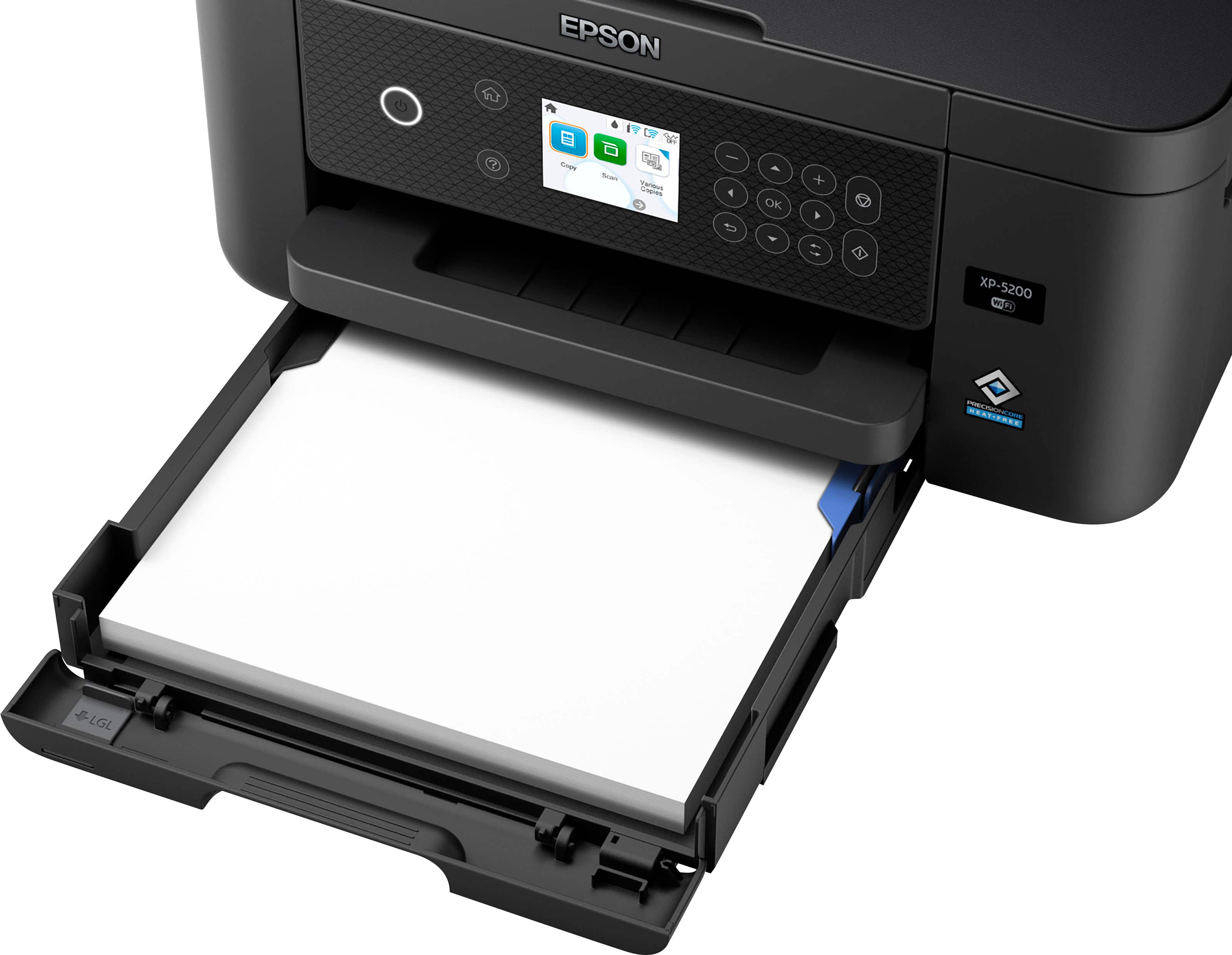
|Posted .This reviewer received promo considerations or sweepstakes entry for writing a review.For home printing or even a small office, the XP-5200 can partner well with you. It’s compact size, ease of use functionality, and fast quality output make it so. It has its quirks, but they don’t diminish the product. Out of the box, the 5200 can be operational in minutes. Connecting via wi-fi to a computer or other device is incredibly easy. It connected to my computer in much less than a minute and with no intervention from me. Already loaded with paper, it was ready to go to work. Printing one or two-sided takes place very quickly and with great accuracy. The same can be said for making copies or scanned documents. Be aware the 5200 does not have a document feeder, so you might want to consider a different model if you have lots of multipage documents for copying and scanning. There is a small screen for operating the various functions, accompanied by touch buttons next to the screen for device functions control. In addition, there is also assistance from the software that can be downloaded after the printer is connected. As with most devices, there is a bit of a learning curve to effectively use the controls, but it is not difficult. In addition, mobile and voice-activated operation is available by using the set-up instructions in the accompanying installation instructions. The paper tray can be finicky when pushing it back into the device. Be careful not to force it, as you might damage the tray. I quickly found that if you jig the tray to the left, and it will slide right in. The XP-5200 is branded as a home printer, so if you usually have large projects (copying or scanning), you might want to get a model with a feeder. Otherwise, the 5200 would be an excellent choice and possibly save you money!
I would recommend this to a friend - Pros mentioned:Ease of use, Print quality, Size
Rated 4 out of 5 stars
The Little Epson That Could
|Posted .This reviewer received promo considerations or sweepstakes entry for writing a review.The Epson Expression Home XP-5200 had remarkable print quality in a very nice and compact size. I have always been impressed with Epson's ability to print in such vivid detail without a very high price on their printers. The machine cranks out prints at a very fast speed and I have been very impressed as there are times where I need to print a lot of documents at home for work. I feel like I am almost at my office printer with how fast the documents come out. There is a generous size paper tray can take around 150 sheets of paper which for any printing job should be more than plenty. I really like Epson's photo paper since it is so white and crisp and really makes the colors pop from your photos. We will see how this printer works in the long run but for my home and personal use I feel like this printer is more than capable of doing everything our growing family needs. Some features of the XP-5200 that I like so far. Easy to Setup and overall use. Large color display for easy use and menu's. Ability to use the printer through an app on your phone.
I would recommend this to a friend - Pros mentioned:Connectivity, Print quality, Size
Rated 5 out of 5 stars
It is an Epson, inexpensive but full feature set.
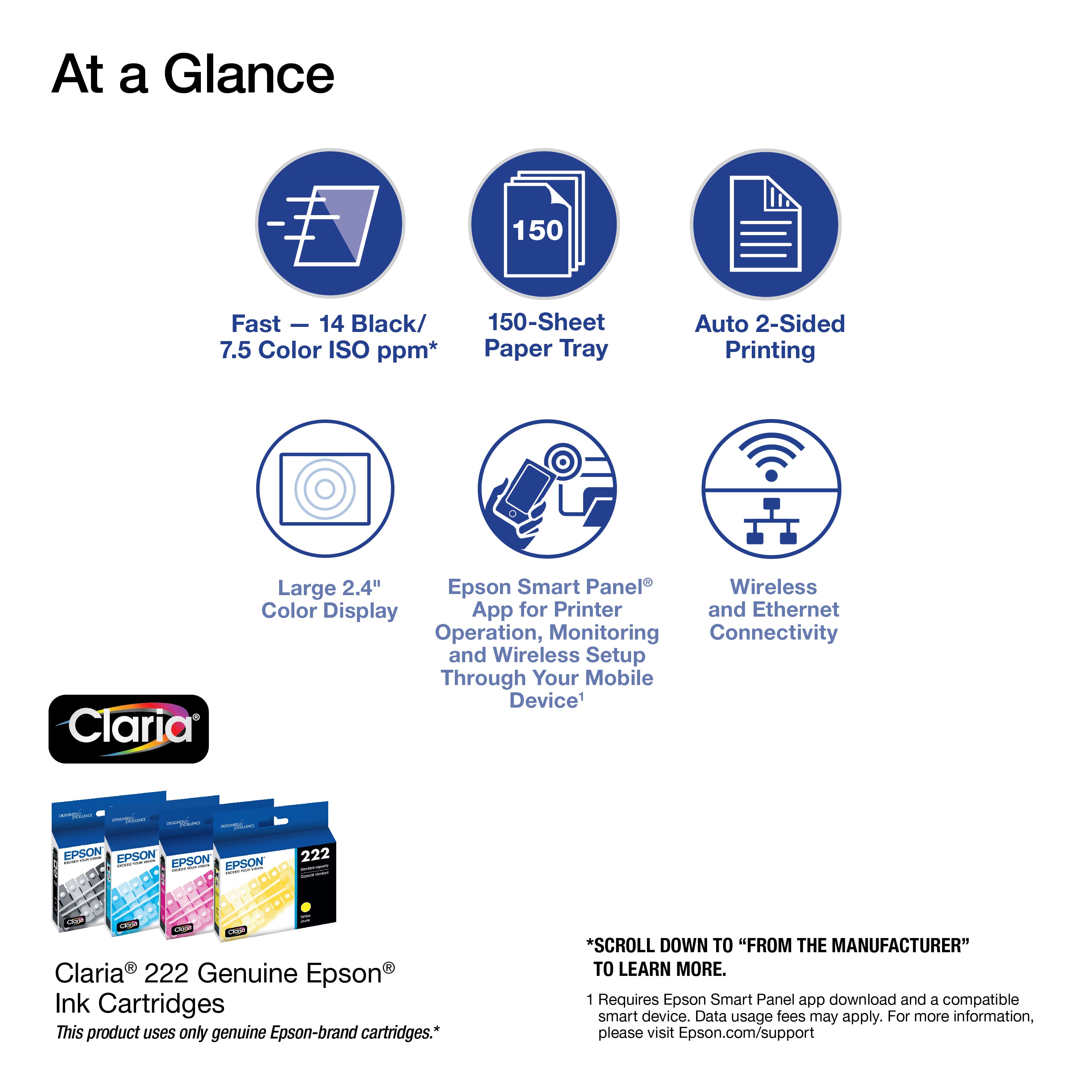
|Posted .This reviewer received promo considerations or sweepstakes entry for writing a review.Not sure how epson and canon keep productions some of the best and least expensive printers with tons of features. This Epson follows that mold. 150 sheet feeder, quality scanner, long life ink cartridges, auto 2 sided printing. Easy updates, fantastic Epson software, scannable pdf documents creation and great print quality though color usage is a bit on the high side but b/w ink usage is fantastic. Lest I forget, compact size, light weight and rock solid ease of connectivity via WiFi or direct usb. Epson software rocks and is a joy to use. Specs… Our Fastest Expression Home Printer — Plus, a 150-sheet paper tray for convenient paper handling Stress-Free Setup and Operation — Large 2.4" color display for effortless navigation, plus easy installation and operation through your smartphone or tablet using the Epson Smart Panel® app1 Convenient Connectivity — Supports easy wireless connections and printing from AndroidTM or iOS® devices2 Engineered for Reliability — Consistently delivers high-quality prints with heat-free technology and a permanent printhead designed to last the life of the printer Easy, Affordable Printing — Individual ink cartridges make it easy to only replace the ink you need Efficient, Economical Design — Automatic 2-sided printing helps you save paper and reduce paper waste Hands-Free, Voice-Activated Printing — Easily print on-the-go using Alexa, Siri® and Google AssistantTM3 Versatile Functionality — Create searchable PDFs and more with included Epson ScanSmart® scanning software
I would recommend this to a friend - Pros mentioned:Print quality, Size
Rated 4 out of 5 stars
A great all-in-one from Epson.
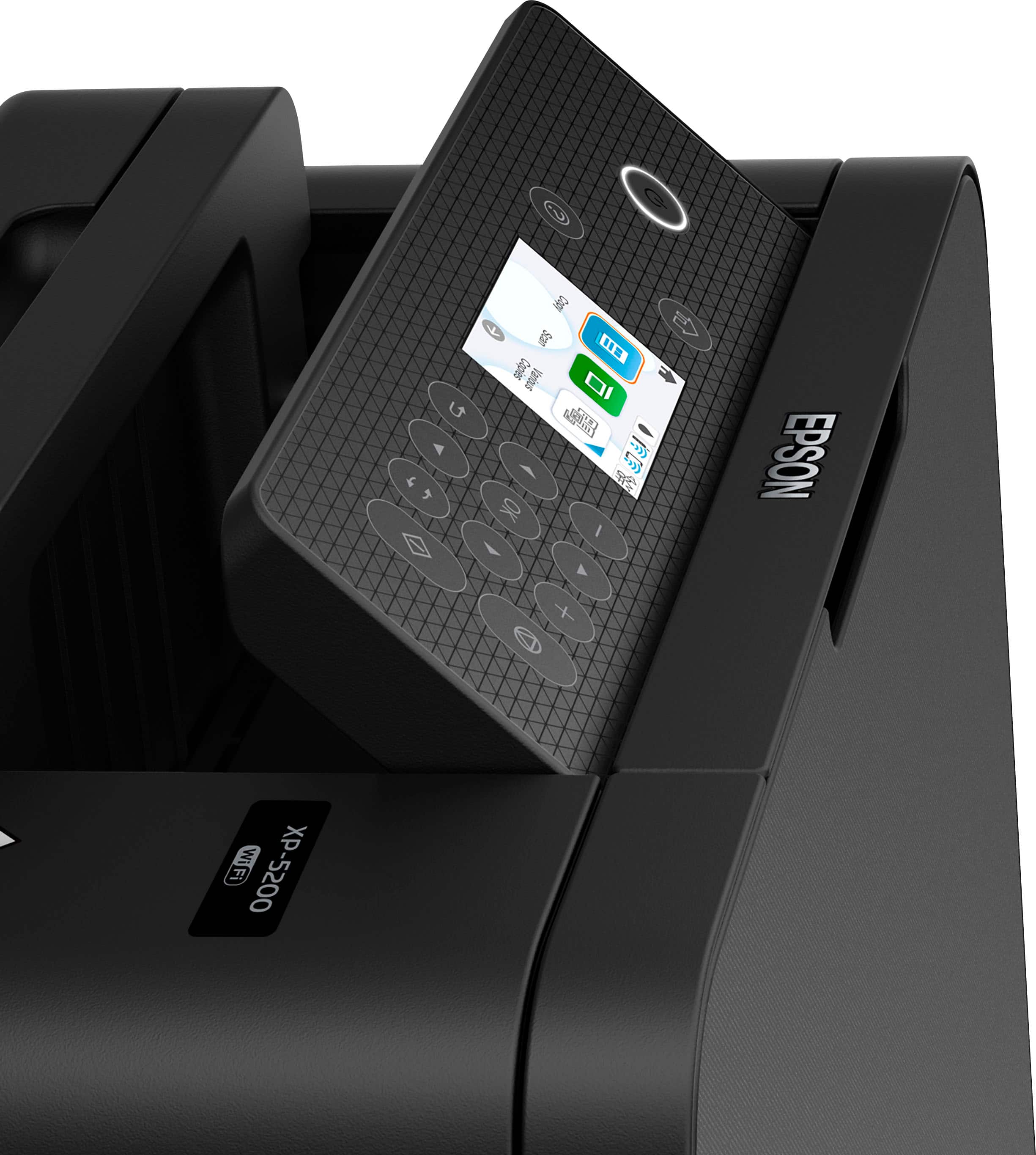
|Posted .This reviewer received promo considerations or sweepstakes entry for writing a review.After un-boxing the Epson XP-5200, my first impression was WOW - the compact size of this thing for all of the advertised functions (print, copy and scan) is impressive. I could easily see this being great for the small, makeshift work-from-home office setup or a great companion for a student’s dorm room - both scenarios where space may be considerably limited. The setup was easy enough and then it was off to print some test pages. Text looks great. Almost laser-like at a quick glance. Color is good, but I wouldn’t say that prints are on-par or better than photo lab quality. Although if you were printing graphics in a report or say a letter-sized poster or sign, this would likely be more-than-sufficient for that. In addition to the compact size, this printer is pretty quiet and fast. The AirPrint (or printing from my iPhone/iPad) was pretty seamless to setup. Once, the printer is connected to your WiFi (which this process is greatly simplified due to the ease of the menu layouts), you go to an app that supports printing on your iPhone/iPad and once you tap on the printer you get all sorts of customization options for the print job at hand. Also worth noting, this printer supports direct connection in those scenarios where you may not be able to connect it to traditional WiFi — for instance some dorms (for security) do not let you have your own WiFi networks, so you can have the printer broadcast it’s own wireless signal and your iPhone/iPad can [wirelessly] directly connect to it. There’s also an app from Epson that gives you a lot more control and functionality but I did not personally test that out (although it has great reviews on the App Store). The other great thing about this printer is the paper tray design - it loads from the front which means if you end up having to put this on a shelf, the paper input and output trays are easily accessible from the front of the machine. To conserve paper, the printer also supports duplexed (or double-sided) printing. If I had to be picky, here are some things I’d improve about this printer: (1) the screen is a little small. I feel like instead of the buttons around the screen to control what’s on the screen, a large touchscreen would’ve been a better use of the real estate. (2) I LOVE that this printer uses individual inks - so you can just run out and get whatever color runs out, versus tri-color systems where if you only used up one color you’d still have to toss the whole cartridge because all the colors are in a shared tank. So why are the inks a con? Well printers are interesting - if you go smaller on the printer, you inherently have to go smaller on the size (and capacity) of cartridges that go inside the printers - simply put, you may be saving by having individual inks, but you’re likely going to end up spending more over time because the cartridges just don’t hold a ton of ink to begin with. This is especially true if you’re going to print photos since they require a ton more ink to recreate than say a mostly-text-based document and also because to get the best photo prints, you should really purchase the appropriate inkjet photo paper — which again is adding to the cost and going to use more ink to saturate the paper. (3) Inks are pretty hard to find at this point - could be because this is a newer model, but before I go into buying something like a printer, I’d like to know the true operating cost and a part of that is knowing how much ink refills are. It also doesn’t appear that they offer high capacity cartridges for this model. TLDR summary. It’s a great everyday printer. It’s fairly easy to use and the resolution (or print quality) is impressive for the compact size. I’d improve the screen size and functionality (full-touch screen) on future models and make inks more accessible and focus on maintaining a low operating / ink cost.
I would recommend this to a friend - Pros mentioned:Connectivity, Print quality
Rated 4 out of 5 stars
It's a printer that does what it sets out to do
|Posted .This reviewer received promo considerations or sweepstakes entry for writing a review.The Epson XP-5200... I don't think I have ever been excited to get a printer before, but here I am writing a review about one. For some background I do not have a lot of prior experience with consumer printers. My spouse and I had an old HP Inkjet printer that "worked". Now that our family has changed so have our printing needs. We still need to print the occasional documents, but we want to print photos and scan important documents. Packaging: The printer comes in a sturdy box that is well padded. Included with the printer are a few documents about the printer, ink cartridges, and a power cable. You will need to buy a printer USB cable if you intend on not using the wireless capabilities of the printer. I also kind of expected to get a sample pack of photo paper. Maybe that is a thing of old that isn't included any more. Setup: Setup is super straight forward if you have ever had a printer before. The compartments are all the same as every other printer I have used in the past. The screen on the device, once powered on, will waqlk you through the set up process. I never opened the manual provided as the setup process included animations on how to perform the various set up tasks. The ink cartridges are simple enough to install as well. Wireless internet setup was easy to set up as well and the device downloaded the needed firmware updates fairly quickly (3-5 minutes tops). Impressions: Overall I was pretty impressed with the printers fit and finish. I tend to worry over the reliability of any technology, but the printer feels well contructed and sturdy. What I really liked the most was the soft close of the lid that allows access to the ink cartridge compartment. That gave me the sense that Epson designers took the time to add features such as a soft close lid not only for a user perception of quality, but to also help deter any undue stress to other components that may occur during harder impacts. I am used to having to slam shut my old HP when we had to shake up the toner. I also noticed that there were many access points to the various rollers in the printer that could make any jams more easily accessible. I did not encounter any jams during my first few prints. The user interface feels dated. It moves fairly quickly, but I would have to press the buttons on the device multiple times for it to register the input. I do like that I am not forced to use an app to control the printer. Anything you can think of needing to do or to address in settings is available within the display on the front of the printer. I only printed a few documents with this printer so I cannot say how the photo quality is. However, the documents that I printed came out exceptionally clear. The printing process took about the amount of time I would expect from a cartridge based system. The act of the cartridges moving during printing was quiter than I had expected it to be which was a nice change of pace. The rollers on my printer were really squeaky which was jolting considering my previous statement. Maybe I could figure out a way to lubricate them, but overall the printing process was not very noisy. Summary: I gave this 4/5 stars because while this is a welcomed addition to our office it does come with some quirks. The user interface is dated, button presses may require multiple attempts before they are registered, no photo paper sample pack (I'll get over it... soon), and the rollers are squeaky. My printer wont get used but maybe a couple of times a month so I can live with these quirks. I would also recommend it to my parents if they were in the market for a new printer. I think my friends would want something with a better user interface or would just use the printers at work.
I would recommend this to a friend