Customer Ratings & Reviews





- Model:
- B11B237201
- |
- SKU:
- 6280709
Customer reviews
Rating 4.7 out of 5 stars with 1142 reviews
(1,142 customer reviews)Rating by feature
- Value4.3
Rating 4.3 out of 5 stars
- Quality4.7
Rating 4.7 out of 5 stars
- Ease of Use4.7
Rating 4.7 out of 5 stars
Customers are saying
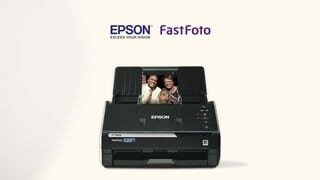
Customers enjoy the FastFoto FF-680W Wireless High-speed Photo Scanning System for its scanning speed, ease of use, and image quality. The included software and compact size are also appreciated. Some customers have expressed concerns about the price, occasional paper jams, connectivity issues, and compatibility with certain types of photos.
This summary was generated by AI based on customer reviews.
- Pros mentioned:Scanning speed
Rated 5 out of 5 stars
Great purchase
||Posted . Owned for 3 weeks when reviewed.This reviewer received promo considerations or sweepstakes entry for writing a review.Easy to set up connect to WiFi. Printing and scanning from our connected devices through the WiFi has been fast and without any issues. Epson app has been user friendly.
I would recommend this to a friend - Pros mentioned:Scanning speed
Rated 5 out of 5 stars
Scanner is definitely Fast
||Posted . Owned for 3 weeks when reviewed.This reviewer received promo considerations or sweepstakes entry for writing a review.Excellent scanner. Sets up quickly and is very fast. Highly recommend. Photos look great. Documents are clean.
I would recommend this to a friend - Pros mentioned:Scanning speed
Rated 5 out of 5 stars
Excellent
||Posted . Owned for 3 weeks when reviewed.This reviewer received promo considerations or sweepstakes entry for writing a review.20,000 photos scanned with no problems. This scanner does more than advertised.
I would recommend this to a friend - Pros mentioned:Image quality
Rated 5 out of 5 stars
Nice quality photos
||Posted . Owned for 1 week when reviewed.This reviewer received promo considerations or sweepstakes entry for writing a review.This photo scanner has been essential in preserving our old family’s pictures. The option to automatically save a second enhanced version saves editing time while still having a scan of the original.
I would recommend this to a friend - Pros mentioned:Ease of use
Rated 5 out of 5 stars
Saves time and money
||Posted . Owned for 1 month when reviewed.This reviewer received promo considerations or sweepstakes entry for writing a review.Very easy to set up and start scanning all the old family photos.
I would recommend this to a friend - Pros mentioned:Scanning speed
Rated 5 out of 5 stars
Exceeded expectations
||Posted .This reviewer received promo considerations or sweepstakes entry for writing a review.Scanner is super easy to setup and very fast. Scans both sides of picture simultaneously and discards back image of there is nothing there. Enhancement software is amazing, automatically restoring old faded photos.
I would recommend this to a friend Rated 5 out of 5 stars
Perfect for me
||Posted . Owned for 3 weeks when reviewed.This reviewer received promo considerations or sweepstakes entry for writing a review.My goal is to digitize documents and old photos and after using the FF680W for a bit, I couldn’t be happier. Like others, part of the reason I keep putting it off is because of the painstakingly slow process involved. This scanner makes it less of a chore because of how quickly it scans photos and documents (even two sided) in a single pass. Watch the videos in the product description. I’ll admit I don’t have a discerning eye and therefore cannot speak to the quality of the digitized images, but will say that I find them more than acceptable. To me it’s better than having the paper pile up and old photos tucked away and deteriorating in boxes unappreciated.
I would recommend this to a friend- Pros mentioned:Ease of use
Rated 5 out of 5 stars
Love Best Buy
||Posted . Owned for 1 week when reviewed.This reviewer received promo considerations or sweepstakes entry for writing a review.Love this product, great way to save history. Epson is a very easy product to use.
I would recommend this to a friend - Pros mentioned:Scanning speed
Rated 4 out of 5 stars
Workhorse scanner
||Posted . Owned for 1 month when reviewed.This reviewer received promo considerations or sweepstakes entry for writing a review.Works like a charm, scanned 100's of photos in no time.
I would recommend this to a friend - Pros mentioned:Scanning speed
Rated 5 out of 5 stars
just buy it... incredible
||Posted . Owned for 1 month when reviewed.This reviewer received promo considerations or sweepstakes entry for writing a review.one of the best purchases... incredibly fast quality scanner
I would recommend this to a friend - Pros mentioned:Scanning speed
Rated 5 out of 5 stars
Awesome
||Posted . Owned for 3 weeks when reviewed.This reviewer received promo considerations or sweepstakes entry for writing a review.I Ike it. I have been using for scanning documents for now. I have not had the chance to do photos yet.
I would recommend this to a friend Rated 5 out of 5 stars
A great way to save pictures
||Posted . Owned for 1 month when reviewed.This reviewer received promo considerations or sweepstakes entry for writing a review.Follow the steps and you’ll get all your pictures in an electronic format that you can touch up if needed. I have generations of pictures and it makes for a rainy day project. Gifting to other family members so they have them too.
I would recommend this to a friendRated 4 out of 5 stars
set up issues
||Posted . Owned for 1 month when reviewed.This reviewer received promo considerations or sweepstakes entry for writing a review.Very good operating, however, difficult to set up using wi-fi. Instructions are vague on how to set up if your router does not have a wps button on router which mine does not have. Several attempts, no luck and poor customer support from HP.
I would recommend this to a friend- Pros mentioned:Scanning speed
Rated 5 out of 5 stars
Speedy Scanning
||Posted . Owned for 2 months when reviewed.This reviewer received promo considerations or sweepstakes entry for writing a review.Scan pictures and documents quickly. Scans doublesided in one pass
I would recommend this to a friend - Pros mentioned:Scanning speed
Rated 5 out of 5 stars
Saves time
||Posted . Owned for 1 week when reviewed.This reviewer received promo considerations or sweepstakes entry for writing a review.This machine is heaven sent…saves so much time. Spill photos out like cash.
I would recommend this to a friend - Pros mentioned:Ease of use
Rated 5 out of 5 stars
Nice
||Posted . Owned for 2 weeks when reviewed.This reviewer received promo considerations or sweepstakes entry for writing a review.Everything work right very nice I recommend this machine
I would recommend this to a friend - Pros mentioned:Scanning speed
Rated 5 out of 5 stars
Great product
||Posted . Owned for 1 month when reviewed.This reviewer received promo considerations or sweepstakes entry for writing a review.I used it to scan several thousand pictures in a day. Worked exactly as described. I was very happy to have these old pictures saved.
I would recommend this to a friend - Pros mentioned:Ease of use
Rated 5 out of 5 stars
Epson FF-680W
||Posted . Owned for 1.5 years when reviewed.This reviewer received promo considerations or sweepstakes entry for writing a review.Excellent scanner, best I have ever owned. Easy to set up and operate. Updates are easy. Highly recommended for anyone needing a scanner.
I would recommend this to a friend Rated 5 out of 5 stars
Buy if you need to digitize a ton of old photos
||Posted . Owned for more than 2 years when reviewed.This reviewer received promo considerations or sweepstakes entry for writing a review.We needed to digitize our photo collections, and this made everything much faster and mostly automatic. Highly recommend.
I would recommend this to a friendRated 5 out of 5 stars
Excellent Photo Scanner
||Posted .This reviewer received promo considerations or sweepstakes entry for writing a review.If you're thinking of buying this scanner despite the price, then you've probably done your homework. This thing is great—so efficient.
I would recommend this to a friend