Customer Ratings & Reviews




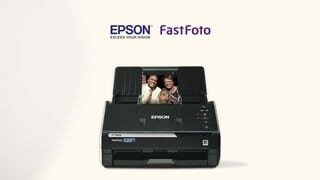

- Model:
- B11B237201
- SKU:
- 6280709
Rating by feature
- Value
Rating 4.3 out of 5 stars
- Quality
Rating 4.7 out of 5 stars
- Ease of Use
Rating 4.7 out of 5 stars
Customers are saying
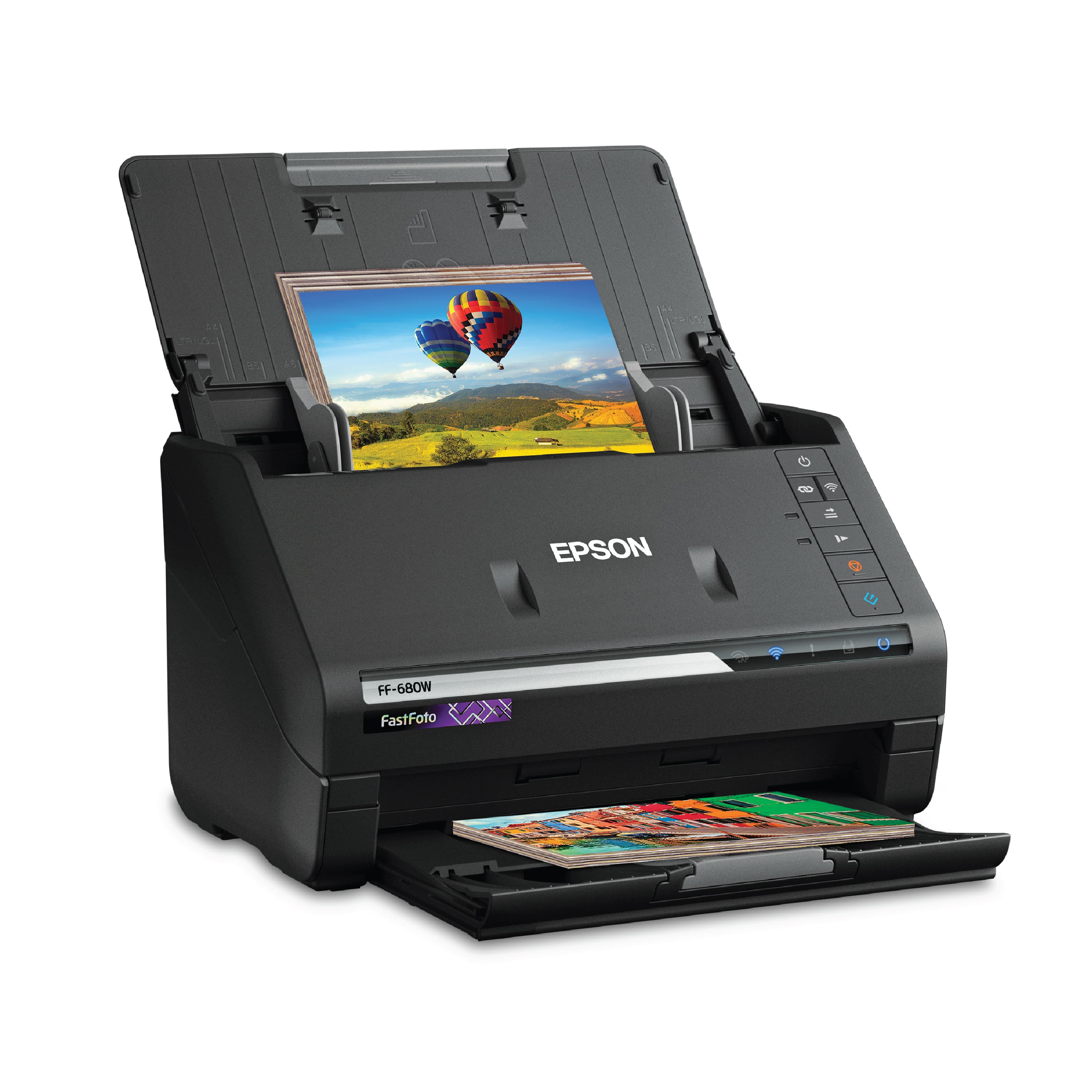
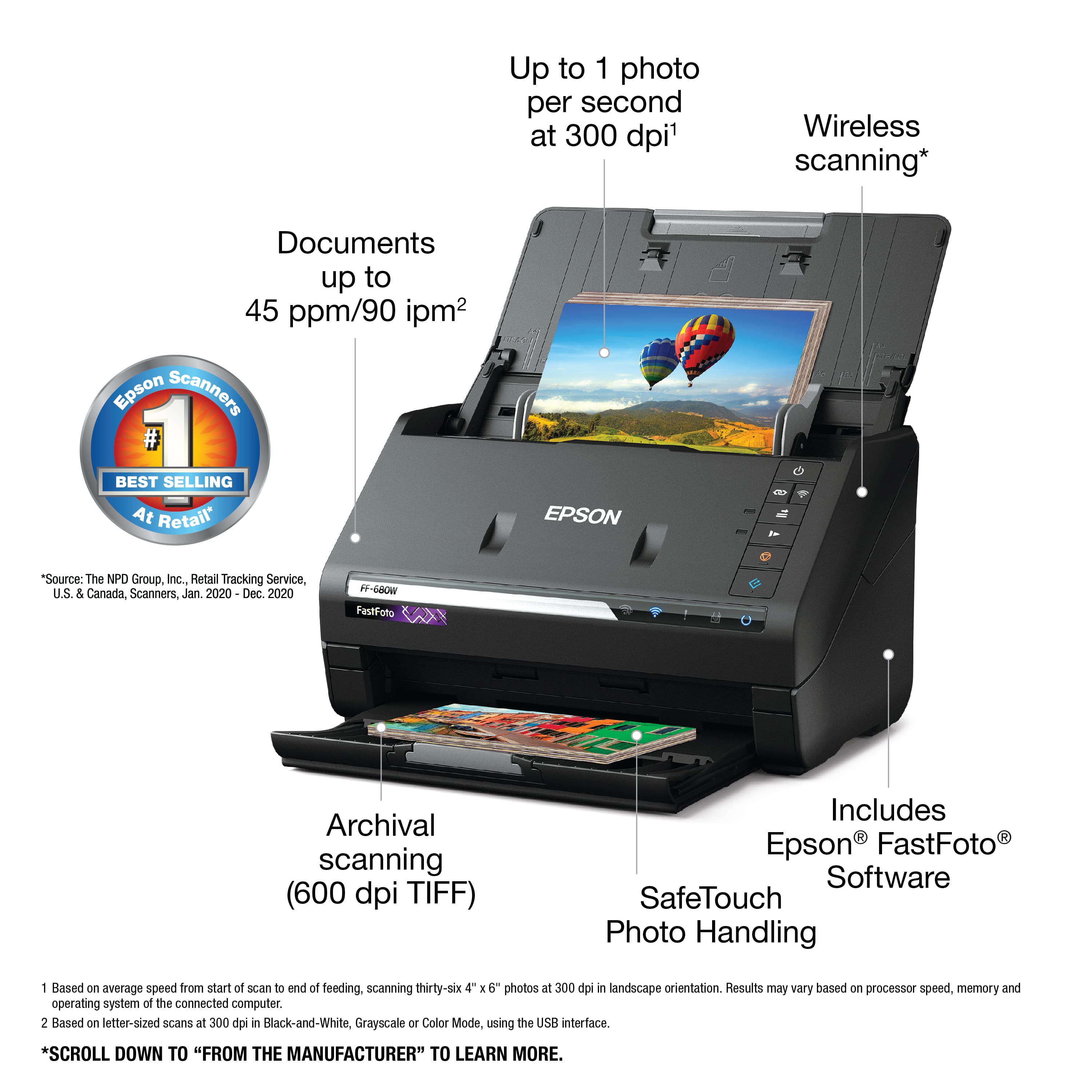
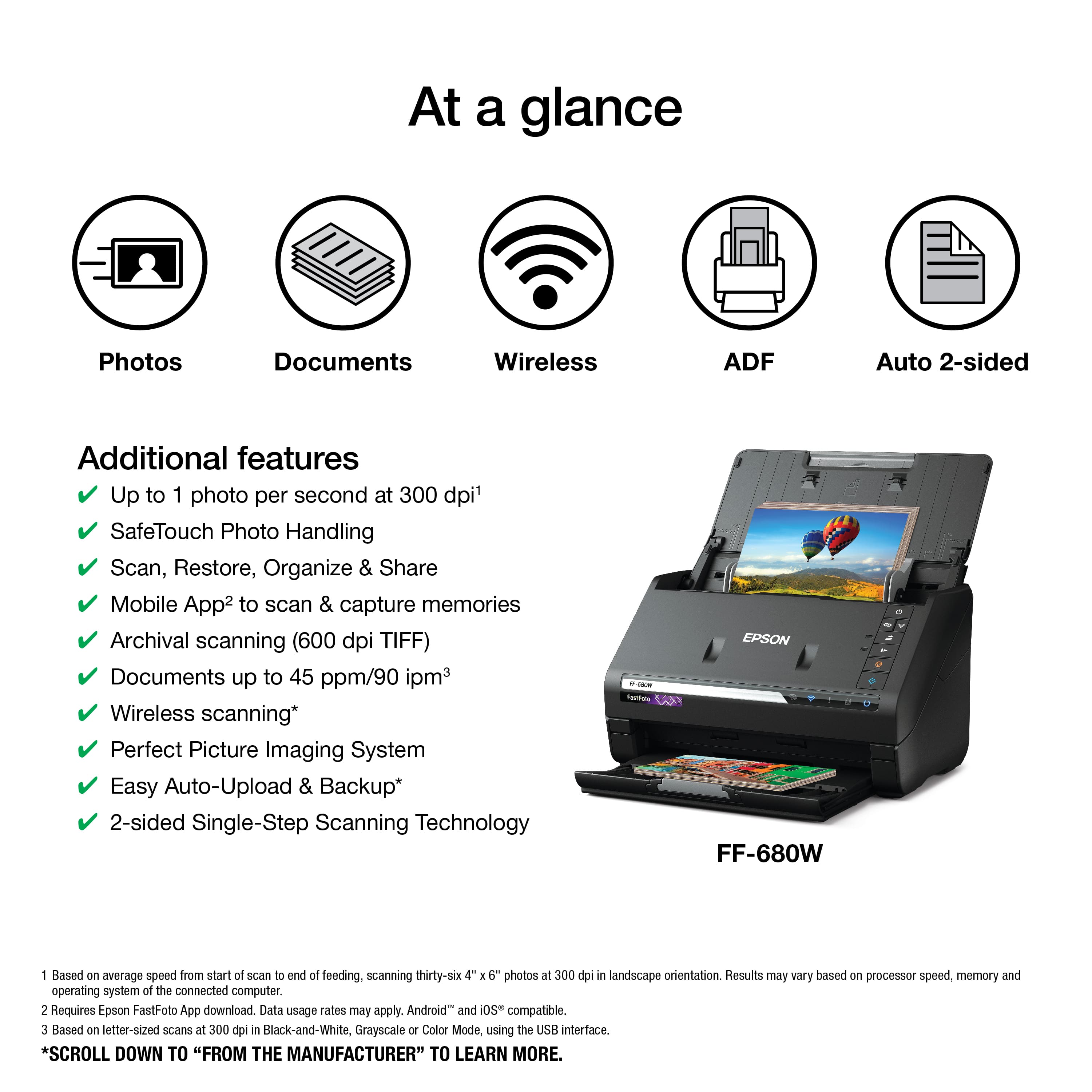
Customers enjoy the FastFoto FF-680W Wireless High-speed Photo Scanning System for its scanning speed, ease of use, and image quality. The included software and compact size are also appreciated. Some customers have expressed concerns about the price, occasional paper jams, connectivity issues, and compatibility with certain types of photos.
This summary was generated by AI based on customer reviews.
- Pros mentioned:Scanning speed
Great hardware, poor software
||Posted . Owned for less than 1 week when reviewed.This reviewer received promo considerations or sweepstakes entry for writing a review.I am upgrading from a Fujitsu ScanSnap duplex scanner that I bought in 2008. The Epson is about an inch bigger in every dimension, but otherwise similar in design. I bought this primarily to use as a document scanner, with a one-time need to digitize the hoard of family photos. Like the Epson Workforce series, the equivalent Fujitsus are only "ok" at photo scanning and my old one would jam on glossy paper. The good: The Wifi was fairly easy to set up, and once it is scanning, it's fast! After you fiddle with the settings, you can get some great quality photos and documents. I'm very happy the lamp is LED and shouldn't get tired over time. The Epson hardware is overall fantastic, marred only by a flimsy/rattly catch tray. The bad: The software is a mess. Epson is a printer company first and foremost... and it shows. There are at least four core software apps installed: Epson Event Manager, Epson ScanSmart, Epson FastFoto, and Epson Scan 2 Utility. I also have an Epson Scan 2 from my other Epson printer/scanner. Between the two devices, I have 13 icons under my Start Menu. Rather than a single unified package, you are led to believe that this is a "photo scanner first, document scanner second". The scanner button's default setting is to launch FastFoto, and the other apps are not even mentioned in documentation. When I threw a paper document on the scanner and hit the button, I was actually angered at the poor quality result in FastFoto. I nearly returned this scanner until I dug around and found the other apps. Each app is optimized for certain features, and you must close one before launching another. It makes it slow and cumbersome. There is a several seconds' wait between hitting the scan button and the scanner starting (but once it gets going, it's speedy). Some apps have some settings, while other apps have similar-but-different settings. Epson ScanSmart forces you to navigate a menu to save after every scan. For documents, I ended up using the older "Epson Scan 2" app from my other printer - a clunkier UI but faster experience. The silver lining is, I haven't hit any bugs or crashes yet. It's just a poor UX design. The Fujitsu user experience is more unified. One software package. Save the settings first, press the button, scanner immediately runs, file is automatically saved. Repeat steps 2-4 to your heart's content. I am happy with this scanner overall, and it's a 3.5 of 5. Because of the photo capability, I will be keeping it and expect it to last a decade like my last one. I will be shopping around to see if there are better software packages that I can use it with.
I would recommend this to a friendBrand response from Epson
Posted .Hello mjgiro, thank you for taking the time to write this review on the Epson FF-680W. We appreciate your feedback, and we'll pass it along to the relevant departments to help improve our products. If you ever need assistance, your FastFoto scanner, includes free lifetime technical support, and our support team can be reached by phone at (562) 276-4382, Monday - Friday, 7 am - 4 pm PT; or by email at https://epson.custhelp.com/app/ask/p_model_name/Epson%20FastFoto%20FF-680W. Once again, thank you, and have a beautiful day. Sincerely, Bobby D. - The Epson Team.

- Pros mentioned:Scanning speed
Good but the "Band" is ruining Scans
||Posted . Owned for 1 month when reviewed.This reviewer received promo considerations or sweepstakes entry for writing a review.So far the speed and options have been pretty good. The BAD is that when I scan 8 1/2 x 11 pictures, there is always some line or band artifact. The Band issue just started. It's on the same spot for every picture and just dark enough to be annoying. especially at this price point. **Note - I clean the glass pretty regularly
No, I would not recommend this to a friend Think about it.
||Posted .This reviewer received promo considerations or sweepstakes entry for writing a review.I have not used it yet. I need a lesson. I am afraid of damaging priceless family photos. It would be nice if they offered classes at BB on how to use the various equipment that they sell. So, it's been over a year and is still unused. To drag it back to the store seems unnecessary. Why are they demonstrating some of the appliances and equipment that they sell. You would sell more.
I would recommend this to a friend- Pros mentioned:SoftwareCons mentioned:Price
Good not great a little pricey
||Posted . Owned for 10 months when reviewed.This reviewer received promo considerations or sweepstakes entry for writing a review.Well it does what it’s supposed to do but be prepared for this to take a looooong time if your trying to add your family photos to your computer. The software is great for labeling and categorizing each stack of photos. It’s very expensive though which is my main complaint
I would recommend this to a friendBrand response from Epson
Posted .Hello Erich, we're sorry to hear about the disappointing experience you had with your FF-680W. The FastFoto scanner is backed by a 1-year limited warranty and includes free lifetime technical support. Additionally, Epson provides useful information on troubleshooting scan problems, including FAQs and self-help tools, on the product support website at www.epson.com/Support/Scanners/FastFoto-Series/Epson-FastFoto-FF-680W/s/SPT_B11B237201#questions. If you need further assistance, our Epson Support Team would be happy to help you and can be reached at (562) 276-4382; Hours: Monday - Friday, 7 am - 4 pm PT; Sincerely, Sam - The Epson Team.
- Pros mentioned:Scanning speed
Documents yes, photos, no thanks.
||Posted . Owned for 2 weeks when reviewed.This reviewer received promo considerations or sweepstakes entry for writing a review.What I like… as a document scanner, it’s amazing! Super fast, great quality and handles a ton. What I don’t like… photo scanning. Sheesh, it adds a ton of noise to to the photos, even at the highest quality. Not impressed. The software for the photos is garbage. Facebook does a better job of dealing with photos and will even be less degraded. If it wasn’t so good as a document scanner, it would go back to the store. I would only recommend this for documents or if you never put on your glasses again to see a photo. Disclaimer, I use a Mac; exclusively. Maybe it’s better for PC, but I doubt it. Also, I rarely write reviews, but people should know before spending $600.
No, I would not recommend this to a friendBrand response from Epson
Posted .Hello Cody, thank you for your feedback on the FF-680W scanner. Epson also offers helpful information, including FAQs and self-help tools, on the product support web page at https://epson.com/Support/Scanners/FastFoto-Series/Epson-FastFoto-FF-680W/s/SPT_B11B237201#questions. Your scanner includes a 1-year Limited Warranty and free lifetime technical support. If you need any assistance, our Epson Support Team would be happy to help you and can be reached at (562) 276-4382; Hours: Monday - Friday, 7 am - 4 pm PT; Sincerely, Sam - The Epson Team.
- Pros mentioned:Scanning speed
Love/hate
||Posted .This reviewer received promo considerations or sweepstakes entry for writing a review.I bought this to scan my brothers life worth of photos as he is no longer here with us. I was excited to get all his photos scanned and all digitalized. The quickness of the scanning is very handy. The quality of the scan isn’t amazing but it isn’t horrible until I got like really deep into my pile. Then I started having problems. I tried to run the sheet through when I was supposed to, and I cleaned the parts when I was supposed to, I even wiped all the photos off lightly. Then it would have problems grabbing the photos. I would have to try to restart and clean and do all sorts of things over and over and did a update as well. I tried to call Best Buy to exchange this item but they denied me
No, I would not recommend this to a friendBrand response from Epson
Posted .Hello, we're sorry about your disappointing experience with the FF-680W scanner. Epson considers all feedback to improve the performance and quality of our products. Epson provides helpful information, including FAQs and self-help tools, on the product support web page at https://epson.com/Support/Scanners/FastFoto-Series/Epson-FastFoto-FF-680W/s/SPT_B11B237201#questions. Additionally, your scanner includes a 1-year Limited Warranty, plus free lifetime technical support. Please get in touch with our support team directly at (562) 276-4382 between 7 am - 4 pm (PT), Monday - Friday if you need assistance.
Sincerely, Sam - The Epson Team
Finiky, but still awesome.
||Posted . Owned for 2 months when reviewed.This reviewer received promo considerations or sweepstakes entry for writing a review.I am a huge fan of this scanner, but there are issues with it... First, the good. This thing scans fast and with excellent quality. It's ability to auto-correct for color and dirt is great. I even auto-corrects if a picture gets pulled in at an angle. I will literally take a stack of mismatched sizes, textures, etc and process them almost always without a hitch... almost. The biggest problem with the scanner is the FastFoto software. It's buggy. For example, if you're scanning a pile of pictures and one misfeeds, the scan will pause and tell you there's a jam. Unfortunately, when you resume scanning, it may or may not have forgotten about the previous pictures it scanned. Sometimes it might forget the previous 1 or 2, other times it forgets about all of them and you have to start over. Another example is again if there is a misfeed, it keeps telling you to fix it and retry. But there's no way to abort it. Sometimes a picture just wont feed. Usually this is because for some reason the picture is triggering the multi-feed detector and it's aborting... even if there is only one picture loaded. When it gets in this predicament, it's stuck in an endless loop. The only option is to retry. And, if you think you're speedy enough to kit the "try again" button and then the cancel button before the loop cycles, you're rewarded with all pictures being lost from the entire batch. Yep -- canceling a scan doesn't just cancel the problem picture, it cancels the entire batch. So, if you've scanned 30 pics and the last one is causing trouble and you manage to hit the cancel button before it disappears, all 30 of the scans are lost and you have to start all over again. I think the root of these problems, besides bad software design, is the scanner's multi-feed detection system. There are some photos that for some reason trigger this detector and bring the whole project to a halt. And, there's no way to force it to continue when you know good and well there's only one photo loaded so it can't possibly be a multifeed. And this isn't with dirty, ragged pictures. I'm talking about pristine pictures with nice crisp edges. It's definitely more finicky than it needs to be. There really need to be an option to "force" it to continue. So far, I'm about 4000 scans in with this scanner and overall am very pleased with it, but I have to tell you, the user experience with the software can be a little frustrating.
I would recommend this to a friendBrand response from Epson
Posted .Hello mm20, thank you so much for taking the time to write this review. We appreciate your feedback on the Epson scanning software, and we'll forward this information the relevant department for review. Additionally, your FastFoto FF-680W is backed by a 1-year Limited Warranty and includes free lifetime technical support. If you ever need assistance, our support team can be reached by phone at (562) 276-4382 or by email at https://epson.custhelp.com/app/ask/p_model_name/Epson%20FastFoto%20FF-680W; Hours: Monday - Friday, 7 am - 4 pm PT. Once again, thank you. Kind Regards, Bobby D. - The Epson Team.
Great hardware, sloppy support software
||Posted . Owned for 1 week when reviewed.This reviewer received promo considerations or sweepstakes entry for writing a review.This scanner is solid. Its sheet feed mechanism is remarkably robust. I have thrown a few highly questionable stacks of photos at it. They intermix sizes, paper stock weight and surface coating. The sheet feeder swallowed all but the most indigestible and did it without chewing them up. Epson discovered that slick, thick Polaroid prints needed special handling and rather than dropping the problem on users unadmitted, provided a solution for it. Our household wireless system is more complex than most, and as has been true for some other household equipment, Epson's one-button-connect scheme didn't work. Epson's inclusion of a USB wireless sign-up method worked flawlessly. And then I engaged the enemy. The first skirmish with Epson's FastFoto support software was minor. The photo display directory doesn't provide an option to track changes in the "scanned photo images" directory, a minor nuisance. The photo directory display update is extremely slow when saving to a thumb drive on the network, even on a desktop machine that is much faster than the usual installation. The directory update operation sped up when I moved the destination to a hard drive, but the real problem is that FastFoto smashes through the image file set completely update after every scan batch. Moreover, it provides nothing like the familiar File Explorer sort order or directory view presentations. Performance issues aside, File Explorer maintained the image file set more conveniently. The engagement expanded. I want to scan the contents of about 100 business envelopes, each of which contains between three and thirty photos. Envelope numbering begins at 100, so using a Settings > Organization > File Prefix Name value string of "100" produced a first file named "100_0001_a.jpg", as suggested by the example text just below the entry line. The file naming scheme was simple but adequate, so I unchecked the "Prompt me to describe each batch of photos before scanning" box. All was well until I made my first goof. I chose to delete a gaggle of inverted images and to pass the photos through the scanner again in the correct order, but first, I had to reset the file counter to 1. The file naming subsystem of the operator interface offers no obvious way to reset or override the appended image number, which is an amateur oversight. It tells me that no one in Epson's software or test groups ever used the scanner for real work. So, what to do? Renaming the file prefix to itself seemed to reset the counter until on envelope #66, it didn't. Thereafter, I tried and failed to reset the counter to 1 with several seedy tricks and the image number increased undaunted. This is a serious shortage. It also contradicts the helpful example given immediately below the entry line, which clearly shows that the image count after a file name prefix change will begin with '0001'. Finding a solution to the image counter problem consumed far too much time. I thought that the ever-increasing value might be in the registry, but I deliberately limited myself to 15 minutes, during which nothing credible came up. I then ripped FastFoto out as completely possible using Revo Uninistaller and reinstalled the latest download again. THE NEW INSTALLATION DID NOT RESET THE IMAGE COUNTER! Lacking some perverse evasion in the registry, the problem is either in the scanner itself or in an Internet link to a shadow Epson server somewhere. I have no control over either resource. (Epson's support site put me into a deceptive and useless circle of links.) My only option is to break my numbering scheme, which if it works, only adds to the waste of time I have already invested on Epson's problem. If a broken numbering scheme doesn't reset the image counter, I will have to write a script of some kind to ride herd on Epson's mess.
No, I would not recommend this to a friendBrand response from Epson
Posted .Hello JackTheLabRat, thank you for taking the time to share your feedback on the Epson FF-680W. We'll forward this information to the relevant departments to help improve the performance and quality of our future products. If you need further assistance, your FastFoto scanner includes free lifetime technical support, and our Advanced Support Team can be reached directly at 1-800-241-5794 between 7 am - 4 pm (PT), Monday - Friday. Once again, thank you. Sincerely, Bobby D. - The Epson Team.
Good scanner for an upgrade
||Posted . Owned for 3 weeks when reviewed.This reviewer received promo considerations or sweepstakes entry for writing a review.The reason for 3 stars is the FF-680 would not connect to my internet and does not come with a manual. I am learning as I go. The Geek Squad deserves a 5 star rating for helping me and they are the only reason I did not return the scanner. I would recommend this scanner for someone who is looking to upgrade.
I would recommend this to a friendScans ok
||Posted .This reviewer received promo considerations or sweepstakes entry for writing a review.The scanner is just OK. It did damage a few of my old photos that weren’t in the best shape to begin with. If you have perfectly printed photos then it does a great job. Found the auto tune for color wasn’t always the best also and just stayed with the original rather than the “edited” version. All in all I couldn’t justify the price for a mediocre result and returned the product.
No, I would not recommend this to a friend- Pros mentioned:Scanning speed
Easy, fast, BUT scan quality is not great
||Posted . Owned for 2 weeks when reviewed.This reviewer received promo considerations or sweepstakes entry for writing a review.The scanner is fast. The software interface is decent. Makes scanning a lot of photos pretty easy and straightforward. BUT, the quality of the scans and the auto-correct are sub-optimal. Blacks are grey, and grain is added. And other than some broad corrections options, no detailed correction settings are available. For quick mass archiving, it's okay...but if you want quality scans of your photos, this is not the machine
No, I would not recommend this to a friendBrand response from Epson
Posted .Hello DJB12, we're sorry to hear you're having trouble with the Epson FF-680W scanner. We're here to help. Epson provides useful information to help troubleshoot most problems with scanned image quality in the FAQs at www.epson.com/s/SPT_B11B237201#faq-8796127275084. You can also contact our support team by phone at 1-800-241-5794, Monday - Friday 7 am - 4 pm (PT); or by email at https://epson.custhelp.com/app/ask/p_model_name/Epson%20FastFoto%20FF-680W. Kind Regards, Bobby D. - The Epson Team.
- Pros mentioned:Scanning speed
Not for MAC OS Sonoma 14
||Posted . Owned for less than 1 week when reviewed.This reviewer received promo considerations or sweepstakes entry for writing a review.Super cool machine, scans super fast and does everything you could want with your photos. BUT the software is NOT compatible with MAC OS Sonoma 14 latest update AT ALL! I had to return it since all I have are MAC computers.
I would recommend this to a friend - Pros mentioned:Scanning speed
Worked great when it worked
||Posted . Owned for 2 weeks when reviewed.This reviewer received promo considerations or sweepstakes entry for writing a review.Kept dropping network connection. THen, when I put in document to scan, it just sat there and flashed the ! light. Which means that something isn't right, but I couldn't figure out what the problem was. Too expensive to be so unreliable, so I returned it. But the one photo I was able to scan was great!
No, I would not recommend this to a friendBrand response from Epson
Posted .Hello mkmcpa, we apologize for the connectivity issues that you had experienced with the Epson FF-680W. Epson takes into consideration all feedback to improve the performance and quality of our products. Hopefully, we can assist you with a future product. Sincerely, Bobby D. - The Epson Team.
- Pros mentioned:Scanning speed
Hit and miss
||Posted . Owned for 2 weeks when reviewed.This reviewer received promo considerations or sweepstakes entry for writing a review.This scanner is just kinda’ meh. Setup is a bit if a pain. Scan quality is mediocre. Its fast and gets the job done, but its not going to knock your socks off.
No, I would not recommend this to a friend - Pros mentioned:Scanning speed
Lots of scanning in a little time
||Posted . Owned for 3 weeks when reviewed.This reviewer received promo considerations or sweepstakes entry for writing a review.The Epson FastFoto FF-680W can automatically scan a lot of pictures in little time; but, the images are not as clean and crisp as a quality flatbed scanner. If you have a lot of pictures, though, this is the way to go.
No, I would not recommend this to a friendBrand response from Epson
Posted .Hi RS1977, thank you for taking the time to write a review of your Epson FastFoto 680W. We appreciate and value your feedback. We will forward your feedback to the relevant Epson department as we are always looking to improve the performance and quality of our products.
Sincerely, Matt S. – The Epson Team.
Scanner Pauses For Long Time At Higher DPI Setting
||Posted . Owned for 2 weeks when reviewed.This reviewer received promo considerations or sweepstakes entry for writing a review.Great design...but expensive and pauses for long durations when scanning. It runs much slower when scanning at higher dpi settings. The pausing is the worse part about it. Paused on me for approx 3 minutes a few times. Tried it on different computers, both pc and mac....same thing....pausing at higher dpi setting. Also make sure you change settings depending what kind of picture you're scanning (eg. polaroid, standard). Found it to be very sensitive to those settings as well.
I would recommend this to a frienderratic white borders around scans
||Posted . Owned for 5 months when reviewed.This reviewer received promo considerations or sweepstakes entry for writing a review.Big problems with erratic white borders around borderless photos. Impossible to keep track of their numbering system which doesn't seem to be the order in which I scanned the photos. Third problem is that my computer doesn't always find the scanner due to apparent conflicts with my other Epson scanners and printers. I'm finding it difficult to use this product. Tech support told me to use the latest drivers, which I already was doing. Was sent a new scanner. Works a little better but still with the same above problems. Never a full project with no white borders. Disappointed.
No, I would not recommend this to a friendBrand response from Epson
Posted .Hello Carole, we sincerely apologize for the disappointing experience you had with our customer support team and the FF-680W. Epson takes into consideration all feedback to improve the performance, quality, and support of our products. We'll forward your feedback to the relevant department for review. Please give us another chance to assist you, by calling our Advanced Support Team directly at 1-800-241-5794 between 7 am - 4 pm (PT), Monday - Friday. Kind Regards, Kevin- The Epson Team.
- Cons mentioned:Jamming
Scanner
||Posted . Owned for 1 month when reviewed.This reviewer received promo considerations or sweepstakes entry for writing a review.Work good enough though it is quite pricy. Only problem is the papers can get jam from time to time.
No, I would not recommend this to a friendBrand response from Epson
Posted .Hello Rudie, we're sorry to hear about the paper jam issue on the FF-680W scanner. Epson takes into consideration all feedback to improve the performance and quality of our products. Epson provides useful information, including FAQs and self-help tools, on the product support web page at https://epson.com/Support/Scanners/FastFoto-Series/Epson-FastFoto-FF-680W/s/SPT_B11B237201#questions. Additionally, your scanner includes a 1-year Limited Warranty, plus free lifetime technical support. If you need any assistance, our Epson Support Team would be happy to help you and can be reached at (562) 276-4382; Hours: Monday - Friday, 7 am - 4 pm PT; Sincerely, Sam - The Epson Team.
It's ok, not great.
||Posted . Owned for 1 month when reviewed.This reviewer received promo considerations or sweepstakes entry for writing a review.Not as great as I expected it to be. I found it difficult to set up, but I am older and not as savvy as some. The images are a little darker than I expected and not as crisp. I used many for a Shutterfly book but they certainly didn't turn out as well as the photo's I used from my iPhone. Actually, when I take a picture on my phone of a paper photo, it turns out better than these scanned photo's. But scanning is so much faster.
No, I would not recommend this to a friendBrand response from Epson
Posted .Hello [SCREEN NAME], thank you for your purchase and for taking the time to share your experience. We'll pass along your feedback to the relevant departments to help improve future Epson scanners. Your FastFoto FF-680W is backed by a 1-year Limited Warranty and includes free lifetime tech support. If you ever need assistance, our support team can be reached by phone at (562) 276-4382 or by email at https://epson.custhelp.com/app/ask/p_model_name/Epson%20FastFoto%20FF-680W; Hours: Monday - Friday, 7 am - 4 pm PT. Once again, thank you. Kind Regards, Bobby - The Epson Team.
- Cons mentioned:Price
Good unit . But there are others with more options
||Posted . Owned for 1 month when reviewed.This reviewer received promo considerations or sweepstakes entry for writing a review.. instructions for operating the unit and there is no help screen overall product is not worth the money
I would recommend this to a friendBrand response from Epson
Posted .Hi Clay, thank you for sharing your experience and regret to hear that the scanner does not meet your expectations. We will forward your feedback to the relevant Epson department as we are always looking to improve the performance and quality of our products. Should you have any questions or concerns, our Epson Support Team would be happy to help and can be reached at (562) 276-4382; Hours: Monday – Friday, 6am – 8pm PT; Saturday, 7am – 4pm PT. Regards, Matt. – The Epson Team.