Customer Ratings & Reviews




- Model:
- V11HA90020
- SKU:
- 11089997
Rating by feature
- Value
Rating 4.2 out of 5 stars
- Quality
Rating 4.4 out of 5 stars
- Ease of Use
Rating 4.5 out of 5 stars
to a friend
Bright, Loud, and not sharp
||Posted . Owned for less than 1 week when reviewed.This reviewer received promo considerations or sweepstakes entry for writing a review.Was looking to "upgrade" my aging Optoma CinemaX P1 projector and the reviews all seemed to point to the Epson. Unfortunately, it failed to live up to the expectations. Cliff notes: The LS800 is huge, bright, annoyingly loud, and struggles with 4k sharpness. Pros: * Bright * Good colors * Has Android TV (limited - no netflix) Cons * Fans are annoyingly loud (could hear them over my surround sound) and resonate at a lower frequency than I've heard from fans. They are OK at about 30% brightness and lower - but then.... why did you buy a 4000 lumen projector? * Can't really do 4k. Sure it accepts the input, but it butchers the fine detail. I understand it's not a true 4k projector.... but neither was my Optoma. I've uploaded a comparison photo illustrating my point. * Not a lot of adjustment. You get very, very basic adjustments in the settings. I updated the firmware and it didn't help. Warp adjustment is just corners. Focus is a manual lever (more on this later). Picture / color controls are OK, though not what I'd expect from a projector in this price range. * Focus is a lever and not uniform across the image. My older Optoma has fine tune motorized focus. This more expensive projector has a lever. Alright so I'm being a bit nitpicky since focus is a set and forget type of thing, but taking the lever out of it - I couldn't get a clear focus across the screen. Focus the top middle? then the bottom gets fuzzy and vice versa. Edges were always slightly fuzzy. I triple checked the projector level, and wall angle, etc. I'm hoping I just got a bad unit (fan and clarity), so I'm going to exchange this for a new unit. I'll update my review if that's the case, but I'm a bit disappointed given all the hype from reviewers and such. The detail may be fine for most, but unless you need the brightness - you could just get a cheaper projector with better image quality.
No, I would not recommend this to a friendBrand response from Epson
Posted .Hello Mister2, we appreciate your feedback on the Epson EpiqVision Ultra LS800 projector. Epson considers all feedback to improve the performance and quality of our products. Epson also provides helpful information on FAQs and self-help tools on the product support web page at https://epson.com/Support/Projectors/LS-Series/Epson-LS800B/s/SPT_V11HA90120#questions. Additionally, your projector includes a 2-year Limited Warranty plus free lifetime technical support. Please contact our support team directly at (562) 276-4382 between 7 am - 4 pm (PT), Monday - Friday, if you need further assistance.
Sincerely, Sam - The Epson Team
Overall great!
||Posted . Owned for 1 month when reviewed.This reviewer received promo considerations or sweepstakes entry for writing a review.Great projector, beautiful picture, difficulty mamaging surround sound from projector, also had difficulties purchasing a large enough and high quality screen. Satisified after a few hiccups, overall great!
I would recommend this to a friendJust Do It!
||Posted . Owned for 2 weeks when reviewed.This reviewer received promo considerations or sweepstakes entry for writing a review.Don't regret making the investment and purchasing this unit! The scale and quality of the picture on my wall is astonishing! For scale this is a 8 ft open wall.
I would recommend this to a friendFantastic pair
||Posted . Owned for 1 month when reviewed.This reviewer received promo considerations or sweepstakes entry for writing a review.I’ve had several projectors, epson 4010, Ben q 7050i, and now the epson ls800. It’s amazing out of the box. Only drawback is not enough color control. Epson does an amazing job. Even better paired with the silver screen.ill let the photo speak for itself
I would recommend this to a friendIncredible!
||Posted . Owned for less than 1 week when reviewed.This reviewer received promo considerations or sweepstakes entry for writing a review.We messed up when we first installed the screen and the image was not great, with some help we got it installed correctly and the image is unbelievable. Crisp, clean, and the colors are unmatched. We love it.
I would recommend this to a friendGreat projector
||Posted . Owned for 2 weeks when reviewed.This reviewer received promo considerations or sweepstakes entry for writing a review.Great image on a plain wall and the sounds is good without additional speakers.
I would recommend this to a friendGreat projector.
||Posted . Owned for 2 weeks when reviewed.This reviewer received promo considerations or sweepstakes entry for writing a review.Great projector. Picture clear. Only downside is on off button is too sensitive. During set up having to move projector kept turning it off.
I would recommend this to a friendEpson short throw projector
||Posted . Owned for 1 month when reviewed.This reviewer received promo considerations or sweepstakes entry for writing a review.Unbelievable quality. Purchased the 100” screen as well and it’s perfect.
I would recommend this to a friendHome theater
||Posted . Owned for 1 month when reviewed.This reviewer received promo considerations or sweepstakes entry for writing a review.Very pleased with the results after the wait for the screen!!!!!!
I would recommend this to a friendWorks in daylight! Impressed.
||Posted . Owned for 2 weeks when reviewed.This reviewer received promo considerations or sweepstakes entry for writing a review.Works in daylight. Impressive. Speaker sounds great too. Truly shocked. Short review but truth.
I would recommend this to a friend
Beautiful Projector, Some Missing Features
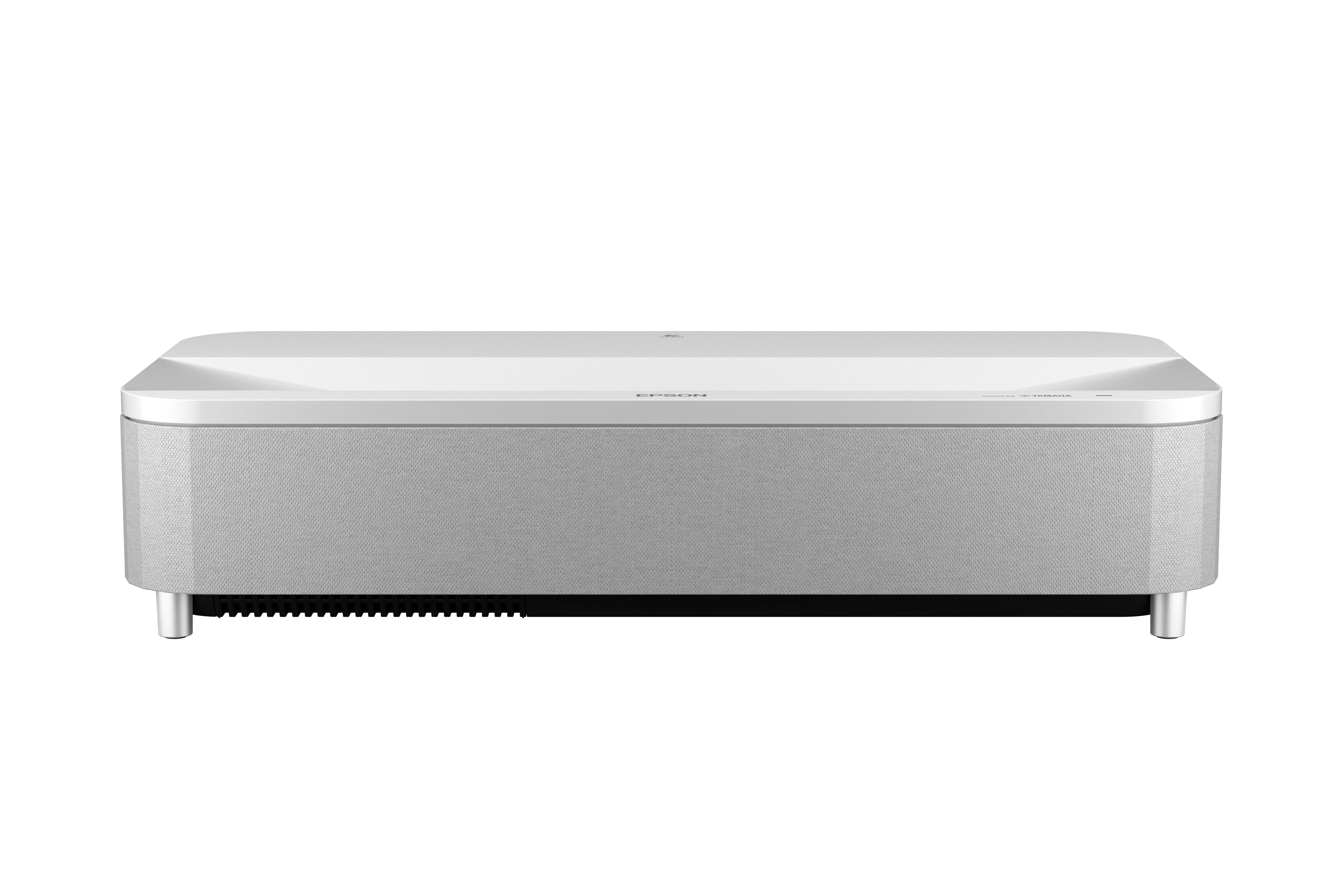
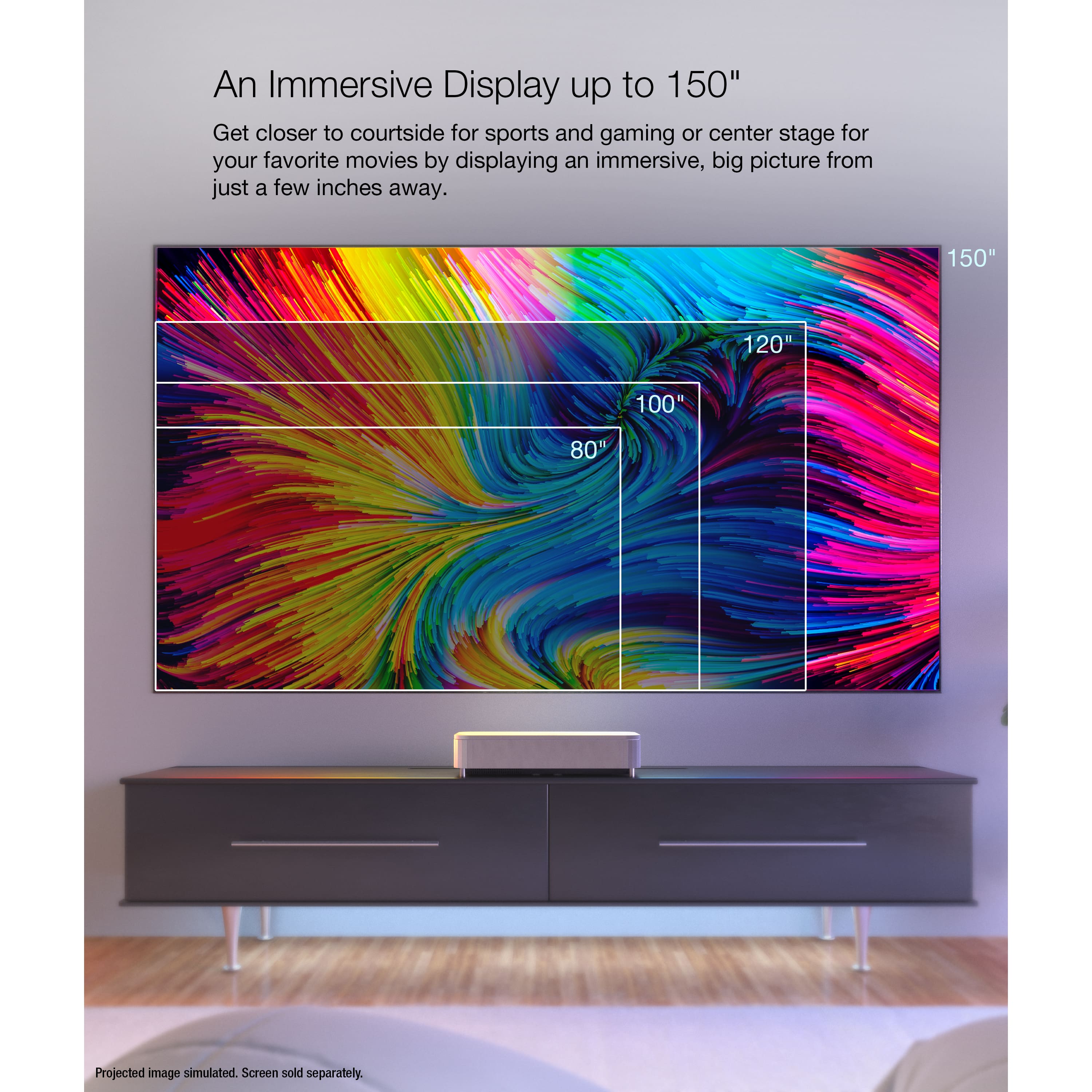
|Posted .This reviewer received promo considerations or sweepstakes entry for writing a review.There’s a lot to like about the Epson LS800. It’s an ultra short throw projector that gives you a huge, bright, and crisp screen without the hassle of mounting and running long cords. It doesn’t eliminate all of the hassles associated with going with a projector and it’s missing some features I really wish Epson would have included for the price, but overall I’m happy with it as a home cinema solution for my basement. Getting the LS800 unboxed, it was a lot bigger than I was expecting, or at least a lot bigger than Epson’s marketing material makes it look. At 27.4” wide x 6.2” tall x 13.4” deep it fits on my IKEA BESTA stand, but takes up a good amount of the top space. I set it up in my basement, whose ceilings are around 90” high, and ended up having to take the legs off my stand so I could put my screen at a reasonable height. Something to keep in mind when you’re planning for this. Getting my soundbar setup with this was also a challenge as there was not enough room on my TV stand for both the soundbar and the projector to sit. I ended up mounting the soundbar on the wall underneath the screen and while it can interfere slightly with the projector beam, it can be corrected using the software. Epson offers ALR screens to pair with the LS800, but they start at $2K for a 100” screen, making the cost of a complete setup from Epson around $5500. Since I was setting this up in my basement where I could control the lighting I chose to go with a more basic screen from Silver Ticket Products using a gray material instead of white for better contrast, though I found while getting the projector setup that the large bezels prevented the projector from hitting the bottom half inch of the screen material. Not a huge deal, but if you’re looking at screens for this I’d recommend looking for something with a low profile frame. Once I had the projector and my screen placed I turned it on and started adjusting the image. The projector has a knob at the front that allows you to adjust the angle of the image to raise it up if needed and the front feet are adjustable to correct any tilt in the image. It’s best if you can keep the projector as flat as possible on your surface and position your screen accordingly as using the knob to increase the angle introduces a keystone effect that needs to be corrected in software. The lens zoom adjustments are all digital rather than mechanical on other traditional projectors, so correcting a bad image does mean you’re throwing away some of your resolution. I used Epson’s onscreen menu to correct my screen corners and ended up pulling the projector far enough away from the wall that the screen went slightly beyond all 4 corners per Epson’s instructions. There was also another way to correct the screen with an app, but I didn’t use that. The onscreen method works really well and is very intuitive to use. I was able to get a nice square image with very little effort. The LS800 advertises “4K PRO-UHD Resolution”, but the native resolution is 1080p and Epson uses a pixel shifting technology to achieve a 4K output from there. I know this has its detractors and you’ll often hear it referred to as “faux-K”, but on my 100” screen everything looked plenty sharp to me and 4K content looks suitably high-res. Watching higher resolution streaming shows and lower resolution TV broadcasts was a great experience on the LS800.The image on my gray screen material is very bright and looks great even with some lights on. Both SDR and HDR content look fantastic You get 3 HDMI ports, one of which supports ARC and another is a dedicated gaming input. The HDMI inputs are only 2.0, so no 4K/120, VRR, or ALLM, though 1080p/120 is on the table. The ARC port is also NOT eARC, which is another disappointing omission. I wish Epson had found a way to include this and the more gaming-centric features in the LS800 especially because its gaming capabilities are one of the selling points. Despite the omission of those items, gaming on my Xbox Series X was a good experience and I didn’t notice any input lag while playing on it. The LS800 comes with Android TV built in, which was exciting to me since I regularly use a Chromecast with Google TV on my other TV, but it’s an older version of the software. Frustratingly, Netflix is not available to download on Epson’s implementation of Android TV. I don’t know why this is, maybe some kind of licensing issue, but it’s annoying for sure. On top of that, Android TV will only output 2 channel stereo sound even if you have a 5.1 system hooked up to the ARC port, so I would recommend bringing your own streaming device. I have primarily been using my Xbox. I was excited to test the built-in speaker on the LS800 as it looks very substantial and the Yamaha branding was promising, but I came away disappointed. It certainly sounds better than most TV speakers do, but given the size of the front speaker grill I was expecting something approaching a compact soundbar in quality and it doesn’t get there. I was going to stick with my Samsung soundbar setup regardless and I imagine most people considering this projector will also have a dedicated sound setup. I think the LS800 is a great short throw projector with just a few disappointing omissions. Most of the worst qualities can be solved by adding an external receiver/sound system and a separate streaming device. A projector is still the most economical way to get a screen larger than 85” and this is a great option if you don’t want to mess around with ceiling brackets, junction boxes, and long HDMI cables and still want a high quality image.
I would recommend this to a friendBest UST for the money
||Posted . Owned for 1 month when reviewed.This reviewer received promo considerations or sweepstakes entry for writing a review.So.much clearer and brighter, smaller and better throw ratio than ls500.
I would recommend this to a friendTailgating Projector
||Posted . Owned for 3 weeks when reviewed.This reviewer received promo considerations or sweepstakes entry for writing a review.I give 20 Stars I uses it to promote my business in tailgating.
I would recommend this to a friendEpson projector
||Posted . Owned for 3 months when reviewed.This reviewer received promo considerations or sweepstakes entry for writing a review.Great projector for the living room application. Easily offset though. It projects light outside of the screen. Unsure on how to correct that.
I would recommend this to a friendGreat Living Room Projector with Some Caveats
Posted .This reviewer received promo considerations or sweepstakes entry for writing a review.I am replacing a Sony VZ1000ES (premium UST) with the Epson LS800, which is integrated into Savant. I will say that the picture quality and brightness of the LS800 are unmatched from any UST for daylight viewing. Dark viewing is pretty good as well, but it isn't quite as sharp as some others on the market. The LS800 has the shortest throw of any UST on the market as well, which is one of the main reasons I purchased this unit. The unit has ARC, but be aware that HDMI 3 does not work with ARC. Also, to use HDMI 3, the projector boots into a Game OS and you cannot make any adjustments or changes to the projector outside of volume. Pros: -Bright, and will look like a TV most of the time when paired with a ALR (CLR or Fresnel) screen -Super short throw, so it can be used on just about any furniture flush to the wall -Actual 120hz at 1080p from HDMI 3, makes PC gaming awesome -Very easy to setup and adjust -Aesthetics, looks really nice on a stand Cons: -Price, at this price there should be more options and customizability -Only IR control -HDMI 3 does not work with ARC -No default HDMI, so every time the projector boots it will go into the smart screen (suspend works as intended though) -3 HDMI, should be 4 HDMI if ARC can't work on HDMI 3 -Projector settings are separate from Google settings, so there is two settings buttons...
I would recommend this to a friendGlitches
||Posted . Owned for 3 weeks when reviewed.This reviewer received promo considerations or sweepstakes entry for writing a review.picture is ok but creates a halo / white shadow from its light bleeding about 4 inches outside the screen even when only using physical movement and no zoom, on elitescreen clr 3 123" fixed. Operating system is glitchy as u can’t default it to open fire stick from the receiver
No, I would not recommend this to a friendPricey but impressive in many ways
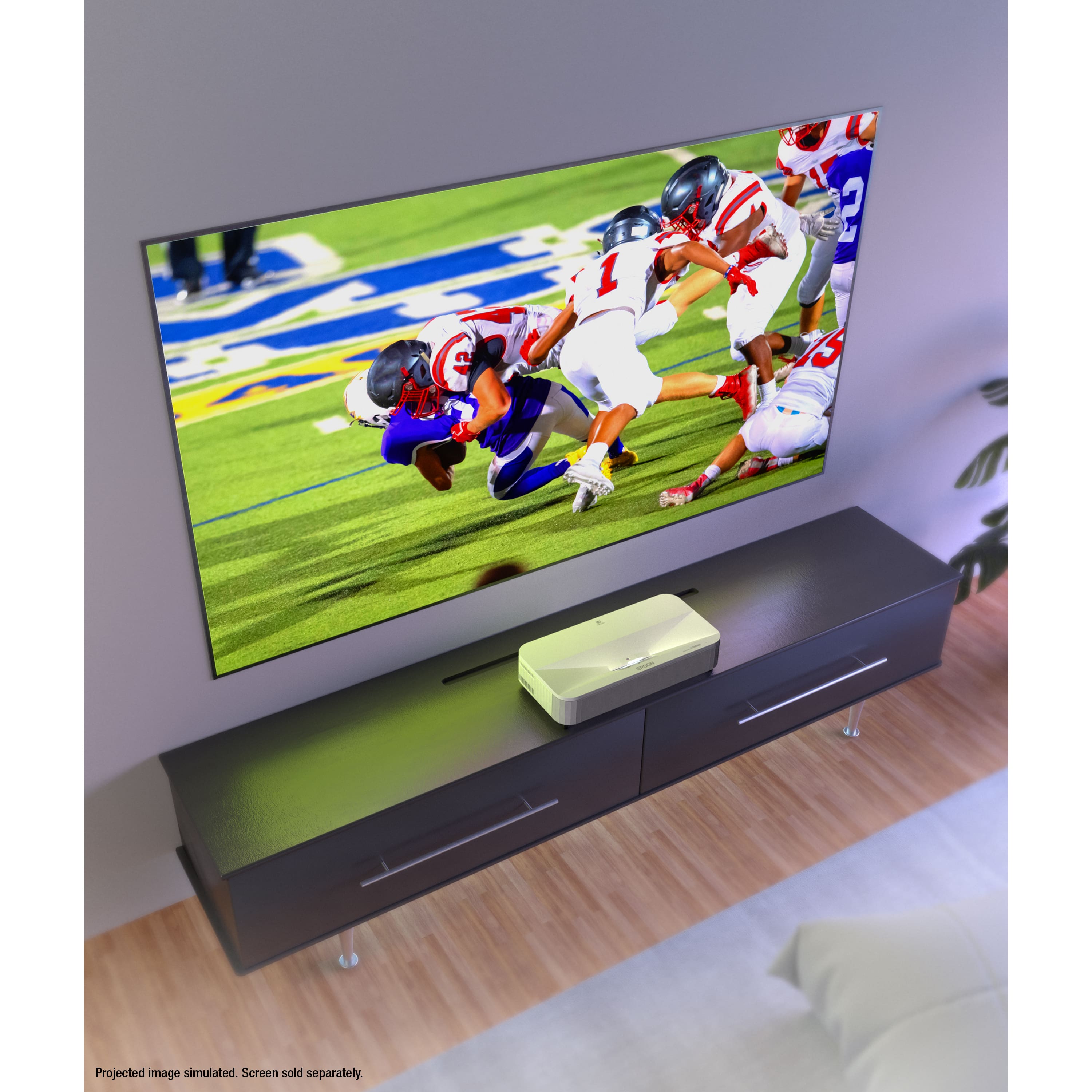
|Posted .This reviewer received promo considerations or sweepstakes entry for writing a review.I grabbed this because I have a great 125" motorized projection screen and an Optoma UHD60 projector that I love using for some movies and gaming once in a while. I have a gorgeous OLED TV so I'm used to a really high-quality picture. The Optoma has been flawless and looks gorgeous, so I knew this would have some stiff competition. It's very well boxed, but unlike so many things that are boxed well, this was very easy to get OUT of the box. It's surprisingly hefty but easy enough to place where you want it. I like the removable side panel to get at the controls and ports, so they're out of sight even if you're looking at it from the back. I have an Xbox Series X, a PlayStation 5, an Apple TV 4k newest model in 2022, a media center PC, Nintendo Switch, multi camera security NVR, Sony UBP-X700/M blu-ray player, and a Tablo all hooked into a Yamaha RX-A4A AVR. That's got two HDMI outs, one that goes to my OLED, and one to my Optoma. To begin testing, I started with my new HP Spectre X360 using a Thunderbolt to HDMI cable to output 4k content to the projector. My screen is NOT fixed, it isn't rigid, it's not ALR. But the open concept great room that shares my dining and kitchen area all have blackout shades so I can darken as needed. But I know this screen will not do the picture justice. Since it is not tensioned, I have some variations in the surface that are obvious when things have straight lines displaying, or when the camera is panning on whatever the content I'm showing. It makes it look as if my screen is waving like a flag in the wind. The UST projecting up on the uneven screen makes these uneven surfaces glaringly obvious when you're looking for it. But for testing, it will do. I was surprised with the brightness of the picture. I probably shouldn't have been, my Optoma is 3000 lumens and this is 4000. It should be brighter. I played a few sample movies at 4k and was pleased with the results. Good brightness levels at all the default settings. Brightness defaults to half bright, so the brightness was impressing me even though it was only mid-way through the settings, not in torch mode. I played some with the cinema settings, but even "vivid" didn't throw it into torch mode. I did not have a cable long enough (other than the 50 foot one I have running under the great room and up a floating half wall in the back where the Optoma is mounted) so I had to use two new cables I got for temp use for this - one 10 foot HDMI 2.1 cable, and one 5 foot HDMI 2.1 HDMI extension cable. I wired it into my receiver then. Since my Yamaha AVR can support both outputs at once, I did some Comparisions with things showing side by side, the OLED and the projector. Then later I disconnected the OLED TV and plugged both projectors in, so I could watch a movie, then turn one projector off and the other on, and direct compare everything. I'll post a few photos. Initially I was VERY disappointed. Picture didn't look nearly as good as it had previously with the laptop. I tried some Horizon Zero Dawn on the PS5 and it was totally unplayable and looked horrible. Since I had a better picture with the laptop, I figured I had to be dealing with an issue with the way it was cabled, using an extension even if it was supposedly fully HDMI 2.1 compliant. So, I ordered a new 15-foot HDMI for same day delivery from an online retailer and replaced the cables. Fortunately, that made a difference, and suddenly the picture from the Epson looked better again. I had issues with the PS5 with HDMI on until I adjusted the HDMI settings in the Epson settings menu, and then things started to pop again. Yes, the blacks are disappointing, but this is a projector, not an OLED. I'm hoping that, if I decide to keep this projector, that I'll get a better screen designed for an UST that will not be a simple white screen and do better on the blacks without sacrificing TOO much of the brightness. My media center though looks absolutely horrible when I enable HDR on it with the projector, although it looks great with HDR enabled on the OLED or even the Optoma projector. The Epson projector here simply turns all the whites to a dingy grey. Even after the HDR adjustment I did for the PlayStation 5, it just doesn’t look good. But if I leave it with HDR off on the PC, things look good. Yes, the text at 4k is obviously not great to look at, but subtitles look clear on TV and movie content. Video gaming was tested using Horizon Forbidden West via the Yamaha, and it looks good. I've included a few photos of that as well. Again, this is on my Elite motorized projector that doesn't have any special screen features... This should be vastly improved in a better screen. I love the silence as well. I'm used to my older Epson I used to have, or the Optoma now, having fan noise, especially when turning things off. I've had no noise at all from this. It's simply amazing compared to what I'm used to from projectors. I ran it for the last 17 hours straight, bingeing a show while I did other things around the house. Never a hiccup, never an issue. And no heat. NONE. All the surfaces were completely cool to the touch. The Optoma used to become a small heater, and in summer you could tell the difference when it was on for a while. It DOES shut the picture off though if something gets too near the projector. Doesn't even have to be between the projector and the screen, even being "behind" the projector and reaching around will be enough to have it kill the picture and put up a small warning saying that the picture is disabled until whatever is in the way is moved. I don't use the system for the smart TV kind of functions, so I have nothing I can attest to how well the apps run on it. For me I use my new Apple TV 4k for things like Philo and Tablo. Everything else is just direct content, MKV files, game consoles, UHD discs. Even with the lights in my great room turned on and bright as day inside, the picture is surprisingly watchable on my generic white screen. You can see in one of my photos the setup page when it is first turned on, and how clear it is and how bright the room was at the time. I also put in other photos showing the concurrent display to my 65 inch LG CX OLED and this, side by side. That should help put things into perspective considering how amazing the OLED picture is. This does not look at all bad side by side. Playing 4k UHD content from the Sony disc player gives a gorgeous picture as well. So as I've mentioned my Yamaha AVR a few times, it's probably obvious that I have a surround sound system, a full Dolby Atmos setup in my room. So I won't use the speaker on this. But I have to say, during my initial testing when I was plugged into my laptop, the sound was surprisingly full from this unit, not at all tinny or muddled. It was capable of reproducing quite a sound field. Focus is straight forward with the sliding knob under the removable cover on the side. I'm not a fan of that though, I would have FAR preferred a geared knob so that you could have some better fine tuning option, an easy way to do very incremental changes in the setting. You just can't do that with a sliding knob. My Optoma is on a custom mount I had a friend weld, hanging out over my couch from a half wall separating the kitchen from the great room. If I convert to this one, it would be nice to have no more things hanging in the air. This one is easy to position since I had a media table in that spot anyway, I just had to move some of my Lego pieces that were on display to make room for this. It has adjustment feet to let you tweak angles. So it shouldn't be too hard to get the picture straight and leveled. But as I said, you can't just use a standard hanging screen for this, unless it is tensioned, since otherwise it's like watching a movie on a flag as the breeze blows. I'll put up with it for now, until I find what I want to replace it with. And that's another downside of this kind of projector. To get the best picture, it's going to take quite an investment in the screen. The ones I'm looking at now are more expensive than my Optoma projector was new. I'm looking at screens that will be as expensive as a high end OLED TV. So you really have to not mind the investment not just in the projector, but the screen as well. This is not a cheap setup. But if you are willing to spend the money, I have to say that it is an impressive picture. Is it worth the total cost of the projector and a screen to do it justice? I'm not too sure about that. Considering how great my Optoma UHD60 is with this standard drop down projection screen, to make this work to its fullest will be about three times as much. I don't think the picture is three times better though. But the simplicity of not having a ceiling mount and a ridiculously long cable running through the basement under the floor to where a projector is hanging in the back of the room helps make the expense a bit more tolerable.
I would recommend this to a friendExceptional Home Theater Experience
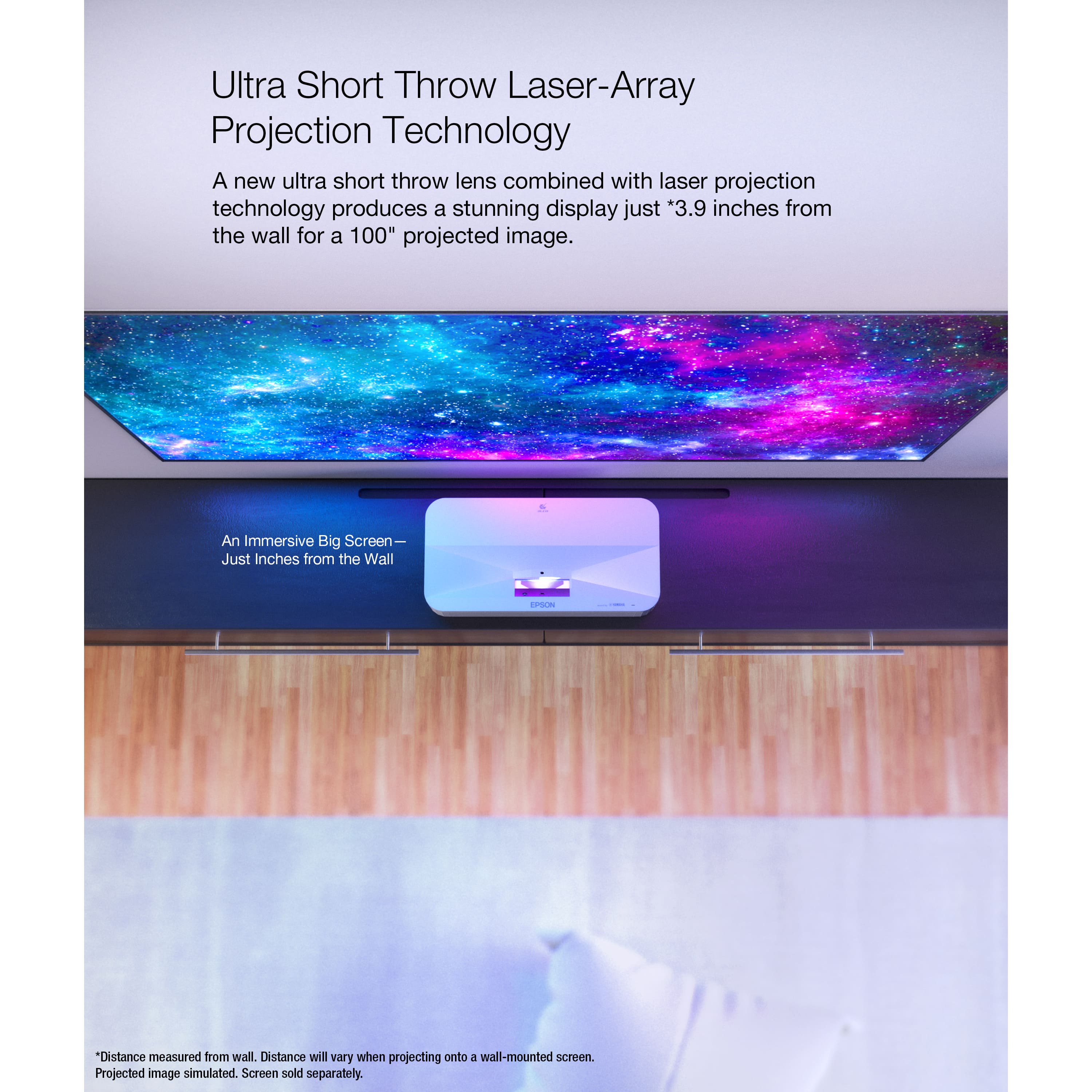
|Posted .This reviewer received promo considerations or sweepstakes entry for writing a review.----- SUMMARY ----- Verdict: The Epson LS800 delivers everything you need in a projector and more. The image quality is phenomenal, and with its high brightness, it’ll still look great in a brightly lit room. It also offers short input lag for an excellent gaming experience, and the Yamaha sound system is way better than anything I’ve heard out of a projector. It’s hard to find any faults in the Epson LS800. This projector is at the top of its class and can be a true TV replacement in a variety of spaces. Pros: - Sleek design - Easy setup and placement - Android TV interface - Clear and vibrant image - Short input lag for gaming - Good sound quality Cons: - None ----- DETAILS ----- Design & Setup: The Epson LS800 has a minimalist design with a sleek, low-profile body. It’s available in black or white. I like that the design gives it a subtle, modern look. For a device at the focal point of your space, it’s nice to see elegance rather than an eyesore. It’ll fit right into most decor and rooms. The design features adjustable feet, manual focus adjustment, a power button (although a remote control is included as well), a power indicator light, and a built-in sound system (more on that later). As for the available ports, there are three HDMI 2.0 ports (one that’s HDMI ARC and one that’s designated for low input lag gaming), three USB-A ports, a service port, and two audio outputs (optical and 3.5mm) for external speakers. The setup is quite simple. You just put the projector where you want it, connect the cables, and turn it on. You’ll likely need to fine-tune it. Thankfully, Epson makes that easy with an easy-to-use settings interface as well as an Epson Setting Assistant phone app that automatically adjusts the image based on a picture you take of a projected dot grid. I had to make some adjustments because I’m just projecting to a white wall (for now) and the wall is uneven. I was very impressed that the app helped me correct the uneven image in about a minute. With the integrated Android TV operating system and included remote, you’ll go through some simple first steps like connecting to Wi-Fi and downloading some streaming apps. Placement of the LS800 is significantly easier than many short-throw projectors on the market because of its small throw distance. Just 6.8” from the wall or screen to the rear of the projector will get you a 120-inch image. For a 100-inch image, that distance only needs to be 3.8 inches. Features & Performance: The Epson LS800 has a bright 4,000-lumen laser projection system with 4K PRO-UHD pixel shift technology. Together these produce a phenomenal image that’s clear and vibrant, even in spaces with a lot of ambient light. After watching some sports and movies, it indeed looks like a 4K display. Since the projection is so bright, I was glad to find out that there’s a safety feature that uses sensors to shut down the laser if any part of your body is in front of it. This effectively avoids any possibility of it shining in your eyes. With the mentioned Android TV operating system as well as Chromecast integrated into the LS800, the streaming experience is excellent. You have access to the Google Play store, so the app options are endless. That not only includes video streaming apps like Hulu but also music streaming apps like Spotify or fitness apps like Peloton. Voice search with Google Assistant is also possible using the remote. Engineered by Yamaha, the sound system has a 10-watt subwoofer and two full-range 5-watt speakers. You could certainly get by with just the projector as your sound source. It’s an immersive audio experience and an impressive feature of the LS800 on its own, but if you’d like to connect an external sound system, you can with its HDMI ARC support, S/PDIF optical output, or Bluetooth. If you want to use the projector as a Bluetooth speaker, you can do that too. As a gamer, I was excited to test out the sub-20ms input lag times that Epson advertises for the LS800. Though I’ll be using this projector mostly for TV and movies, I admittedly would’ve been disappointed if the gaming performance wasn’t good. After putting a few games to the test, there’s no way you could be disappointed. I was blown away the second I started playing Forza Horizon 5 with its beautiful scenery and detail. Playing a fast-paced game like Halo Infinite multiplayer was a blast as well. Having a huge, high-quality display with an extremely fast reaction time is a sight to see. The LS800 will take your gaming experience to the next level. ----- WHAT’S IN THE BOX ----- 1 x Epson LS800 Projector 1 x Power Cable 1 x Remote 2 x AAA Batteries 1 x Quick Setup Guide 1 x Warranty Information
I would recommend this to a friendExcellent Projector
||Posted . Owned for 2 weeks when reviewed.This reviewer received promo considerations or sweepstakes entry for writing a review.excellent graphics for a projector especially at 120in in daylight and at night
I would recommend this to a friendEpson LS800
||Posted . Owned for 3 weeks when reviewed.This reviewer received promo considerations or sweepstakes entry for writing a review.Great video quality for the money , best throw ratio on the class
I would recommend this to a friend