Customer Ratings & Reviews
- Model:
- B11B198011
- SKU:
- 9599259
Rating by feature
- Value
Rating 4.5 out of 5 stars
- Quality
Rating 4.6 out of 5 stars
- Ease of Use
Rating 4.4 out of 5 stars
Customers are saying
Customers regard the Perfection V600 Photo Scanner as user-friendly and easy to set up, even for those who are not tech-savvy. They appreciate the high-quality scans and the scanner's ability to handle various media, including negatives, film slides, and old photos. However, some customers have concerns about the outdated software, compatibility issues, the scanner's large size, occasional defects, and the time-consuming scanning process.
This summary was generated by AI based on customer reviews.
- Pros mentioned:Scan quality
Getting it together
||Posted . Owned for 3 weeks when reviewed.This reviewer received promo considerations or sweepstakes entry for writing a review.Works well. To get the best resolution is a little slow but you’re not spending thousands. This photo is from a slide that’s seventy years old
I would recommend this to a friend - Cons mentioned:Software
A $350 brick — Useless
||Posted . Owned for 3 weeks when reviewed.This reviewer received promo considerations or sweepstakes entry for writing a review.My visiting daughter (graphic designer who’s experienced with installing software) and I (experienced IT professional) spent many hours trying to get this scanner to sync with the needed Silverfast software, to no avail. Error message received on scanner and software with every attempt. Silverfast IT support is only available via submitting an online ticket and Epson’s phone support is offered only during normal business hours. A couple days after receiving the scanner, my husband had a medical emergency that’ is ongoing and has involved ER visits, hospitalizations, and multiple surgeries. I had all this on top of trying to get keep up with work, too, working early morning hours before heading to the hospital and working late hours when I got back. There was no time or mental energy to give a thought to attempting to get the scanner working or even returning it during the brief BestBuy return window. I have now joined my husband on the ‘ongoing health crisis’ merry go round and can’t imagine when, on a workday, I will have time for an extended IT support call with Epson. My guess is that when I make that call, they will say I need to contact Silverfast, and when I then contact Silverfast, they will say I need to contact Epson. Result: I now own a $350 brick. I chose this scanner despite its old technology because I read a few very good reviews. Now I wish I hadn’t bought it with its outdated technology that has to be cajoled into working with a different software than the legacy one that is packaged on a cd that comes with the scanner. Downloading and installing the “new” software feels like an experience from 15 years ago. The Epson support page for the scanner instructs you to select your computer’s OS from the following choices: Windows 95, Windows 3.1, Windows NT 4.x, Mac System 8, Mac System 7. Really?!? If the scanner is good enough to keep selling, it’s good enough to update the user experience, from support page to software download, installation, and sync.
No, I would not recommend this to a friend - Pros mentioned:Scan quality
I'm very happy with this Epson photo scanner.
||Posted . Owned for 1 month when reviewed.This reviewer received promo considerations or sweepstakes entry for writing a review.I inherited many old negatives, photos & slides. So I'm scanning & making flash drives to give to my sisters & other relatives. I'm excited because so far the quality has been great as the slides I've done are very old.
I would recommend this to a friend Travels well
||Posted .This reviewer received promo considerations or sweepstakes entry for writing a review.We buy these scanners to scan alignment prints for large commercial display graphics printers. This is only scanner that works for this application. We travel extensively with these scanners and they last for years. Pretty tuff in my estimation.
I would recommend this to a friend- Pros mentioned:Scan quality
An excellent flat bed scanner.
||Posted . Owned for 1 year when reviewed.This reviewer received promo considerations or sweepstakes entry for writing a review.An excellent flat bed scanner. Its a rarity to find a scanner of this quality at this price point.
I would recommend this to a friend Scans true to my paintings
||Posted . Owned for 1.5 years when reviewed.This reviewer received promo considerations or sweepstakes entry for writing a review.I use the scanner for a scanning, my watercolor paintings. And it does a beautiful job.
I would recommend this to a friend- Pros mentioned:Scan quality
An amazing scanner!
||Posted . Owned for 1.5 years when reviewed.This reviewer received promo considerations or sweepstakes entry for writing a review.I mainly use this scanner for scanning film photography, and for that it works amazingly.
I would recommend this to a friend Good Scanner
||Posted . Owned for 3 weeks when reviewed.This reviewer received promo considerations or sweepstakes entry for writing a review.It's doing a great job so far, I haven't been able to use it a lot but what I did do turned out very well. Not a big problem getting setup, I even lost the CD but downloaded what I needed and worked just fine.
I would recommend this to a friendBest Affordable Scanner
||Posted . Owned for 3 weeks when reviewed.This reviewer received promo considerations or sweepstakes entry for writing a review.Film photography was getting a little expensive for me so I decided to scan my own negatives which led me to purchase the v600 scanner. It was in my price range and I liked the color. Best decision I have ever made, I have more freedom on how my negatives are scanned and the scanner hasn’t disappointed me yet.
I would recommend this to a friend- Pros mentioned:Scan quality
This scanner will cut off the edge of the photos
||Posted . Owned for 4 months when reviewed.This reviewer received promo considerations or sweepstakes entry for writing a review.The big problem with this scanner is the inability to scan the edges.... you must move the photo or document away from the edge... this is very time consuming. If you put the photo against the edge it will crop 1/4 inch of the photo or document. So if it is a small photo you will lose a good portion of the photo. It is a good scanner especially for slides. But the edge problem is a deal breaker for me. They even admit to the problem on their web site.
No, I would not recommend this to a friendBrand response from Epson
Posted .Hello cyberdoc, thank you for sharing your experience with the Perfection V600 scanner. Your feedback is important to us, and we'll forward this information to the relevant departments to help improve future Epson products. If we can help you with anything else, our support team can be reached by phone at (562) 276-4382 or by email at https://epson.custhelp.com/app/ask/p_model_name/Epson%20Perfection%20V600%20Photo; Hours: Monday - Friday, 7 am - 4 pm PT. Regards, Bobby - The Epson Team.

V600 crops prints & improperly orients 35mm slides
||Posted . Owned for 1 week when reviewed.This reviewer received promo considerations or sweepstakes entry for writing a review.Epson has apparently discontinued the V370, so when my latest V370 broke (hardware), I was forced to buy the V600 at nearly twice the price. As others have reported, prints get cropped if placed as directed in the corner of the scanning bed. Worse, when I tried to scan standard 35mm slides, the scanner indiscriminately scans them in the wrong orientation (landscape/portrait) -- even though they are standard 35mm and placed in the holder as directed. In some cases I could fake out the scanner, and reposition the slide in the holder (contrary to the instructions on the holder) after the preview scan, but this is not a viable solution given the number of slides I want to scan. I got a response from Epson Tech fairly quickly, but three rounds of resetting options, running tests and taking screen shots -- and hours later, there is no solution, just more variations of the problem. Oddly, the scanner will sometimes "read" a slide correctly in one test, then in the next change the orientation of the very same slide in the very same position from landscape to portrait or the other way around. Sometimes the scanner will read the full image but still mis-orient the scan (as in preview #2 in the photo). As for the V370, I wore out two (fog under the glass; platen scrapes the bottom), each after less than 2 years, and two were defective out of the box, so the conclusion is that the hardware is junk. But at least it was relatively inexpensive, and I never had any of the software issues I read about in reviews; I considered it worth the price for the number of scans I got. The V600, at nearly twice the prices is a complete fail. I won't ever get to find out if the hardware is any more durable than the V370 because I don't expect to keep this. None of the 5 scanners (4 V370s and 1 V600) from 3 different vendors came in a box sealed with more than standard packing tape. 2 Photos: A: Slides positioned in the holder as directed. B: Resulting preview (incl. preview #2 showing full image but image still cropped as portrait vs. landscape)
No, I would not recommend this to a friendBrand response from Epson
Posted .Hello Patty, we are sorry to hear that we were not able to resolve this issue. For further assistance, please contact Epson Support and include your name and support ticket number, if available. Ask to be escalated to our Epson Advanced Support Team. Please call (562) 276-4382; Hours: Monday – Friday, 6am – 8pm PT; Saturday, 7am – 4pm PT. Thank you for your patience. Sincerely, Leo – The Epson Team.
Crops photos automatically!!
||Posted . Owned for less than 1 week when reviewed.This reviewer received promo considerations or sweepstakes entry for writing a review.I'm only giving this two stars, because I've discovered it will crop the edges of photos when lined up with the edge of the glass, as you would when making a xerox copy (see pic). I dug around in the manual and it says, if this happens, to move the picture about 3 to 6 mm from each edge when scanning. I thought the idea of butting up pics and docs into the top right corner (where the arrow is) was to keep it aligned! I find this extremely annoying, and fortunately, I've had this less than a week, so it's going back a.s.a.p.
No, I would not recommend this to a friendBrand response from Epson
Posted .Hi Riggs, thank you for sharing your experience. We strive to improve the performance and quality of our products and will forward your feedback to the relevant Epson department.Thanks for considering Epson.
Sincerely, Matt – The Epson Team.
Don't buy if using new/recent MacOS versions
||Posted . Owned for 1 week when reviewed.This reviewer received promo considerations or sweepstakes entry for writing a review.I purchased the Epson Photo V600 from Best Buy about 14 days ago and found almost immediately that Digital ICE does not work with my new iMac that is running MacOS 11 Big Sur. In fact, Digital ICE did not work with the last version of the MacOS 10.5.5 Catalina. I was pleased when I learned that Silverfast was offered for free to correct this problem; however, it's the cheapest version of Silverfast, Silverfast SE and it's outdated (rev 8.8.0.24) from November 2020. So my software is six months old, and my scanner is seven days old. When I tried to update it to the latest version, which is now Silverfast 9 SE without paying the full price, which is $99, there is no discounted rate for registered users, which I am. However, since Epson made a deal with Silverfast, then there's no discounted updates or discounted upgrades. It's like we're not really registered users -- Epson is the registered user, and we received a gift. I don't want a gift -- I want a scanner that works as advertised. The selling point of this scanner is the Digital ICE dust and scratch removal, as it's promoted on both the Best Buy and Epson websites. They even have the Digital ICE logo emblazoned on the bottom left of the front of the scanner. I am very disappointed and displeased, and if I cannot get a discounted version of this update or a discount on an upgrade to SE Plus, for example, then I am going to return it Best Buy as I have nine days left to return it, which I am certainly going to do. I'd rather wait for Epson to come out with a new version of an affordable flatbed photo scanner than have one that doesn't work as promoted. If you have a Mac that's running Catalina or Big Sur, then I recommend that you consider an alternative. Otherwise, be prepared to shell out more than $100 to update it, and even more to upgrade it. I don't understand why Epson continues to sell this product when Digital ICE stop working on the MacOS years ago as well as offering an outdated version of Silverfast that can be updated or upgraded at discount.
No, I would not recommend this to a friendBrand response from Epson
Posted .Hello ChargedSarge, we sincerely apologize for the frustrating experience you encountered with the Epson V600 scanner. Epson takes into consideration all feedback to improve the performance and quality of our products. If we can help you with anything else, you can reach our support team at (562) 276-4382 between 7 am - 4 pm (PT), Monday - Friday. Hopefully, we can assist you with a future product. Sincerely, Sam - The Epson Team.
Perfect Film!
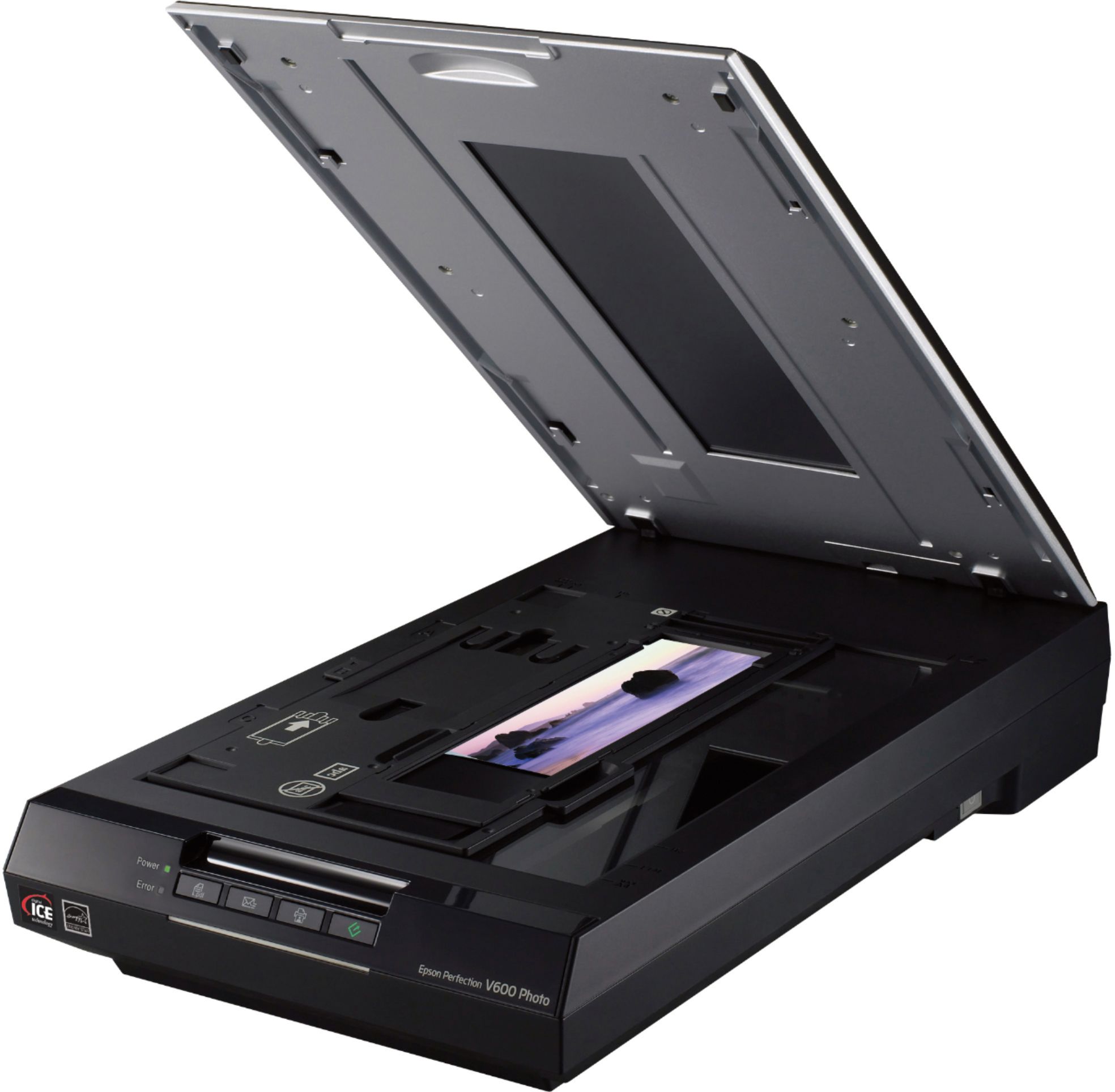
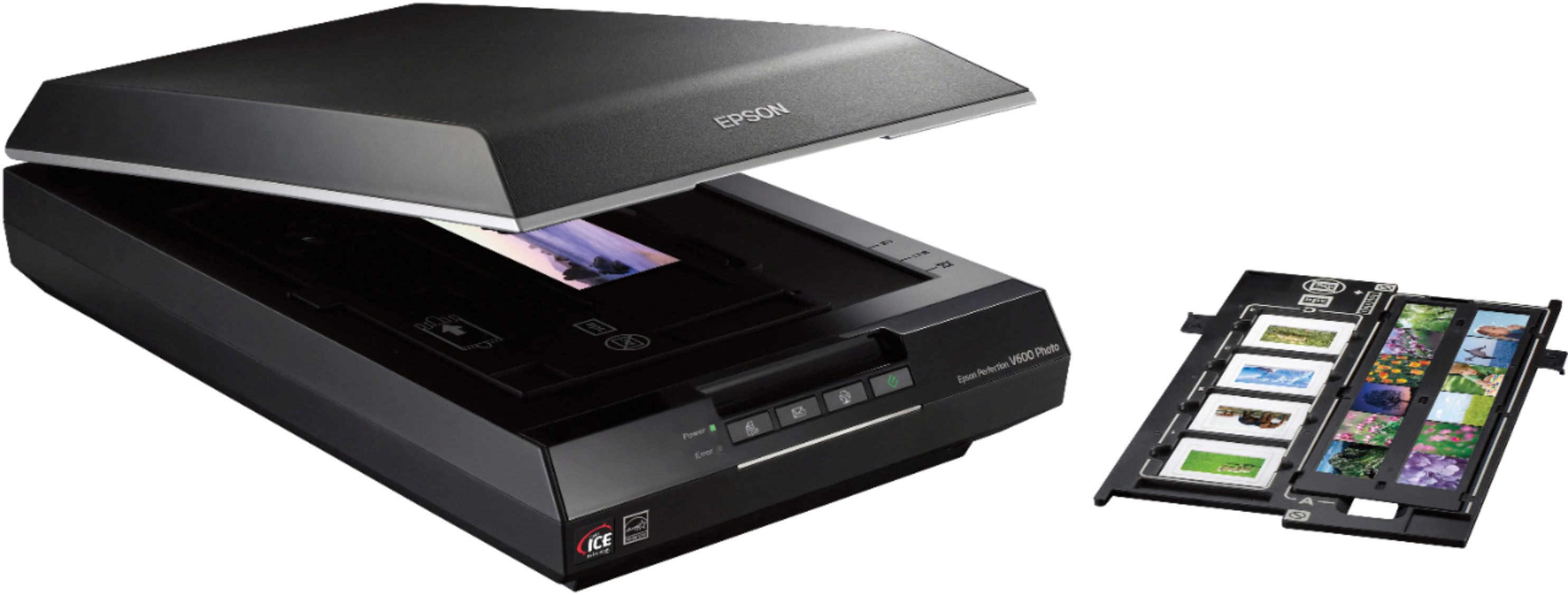
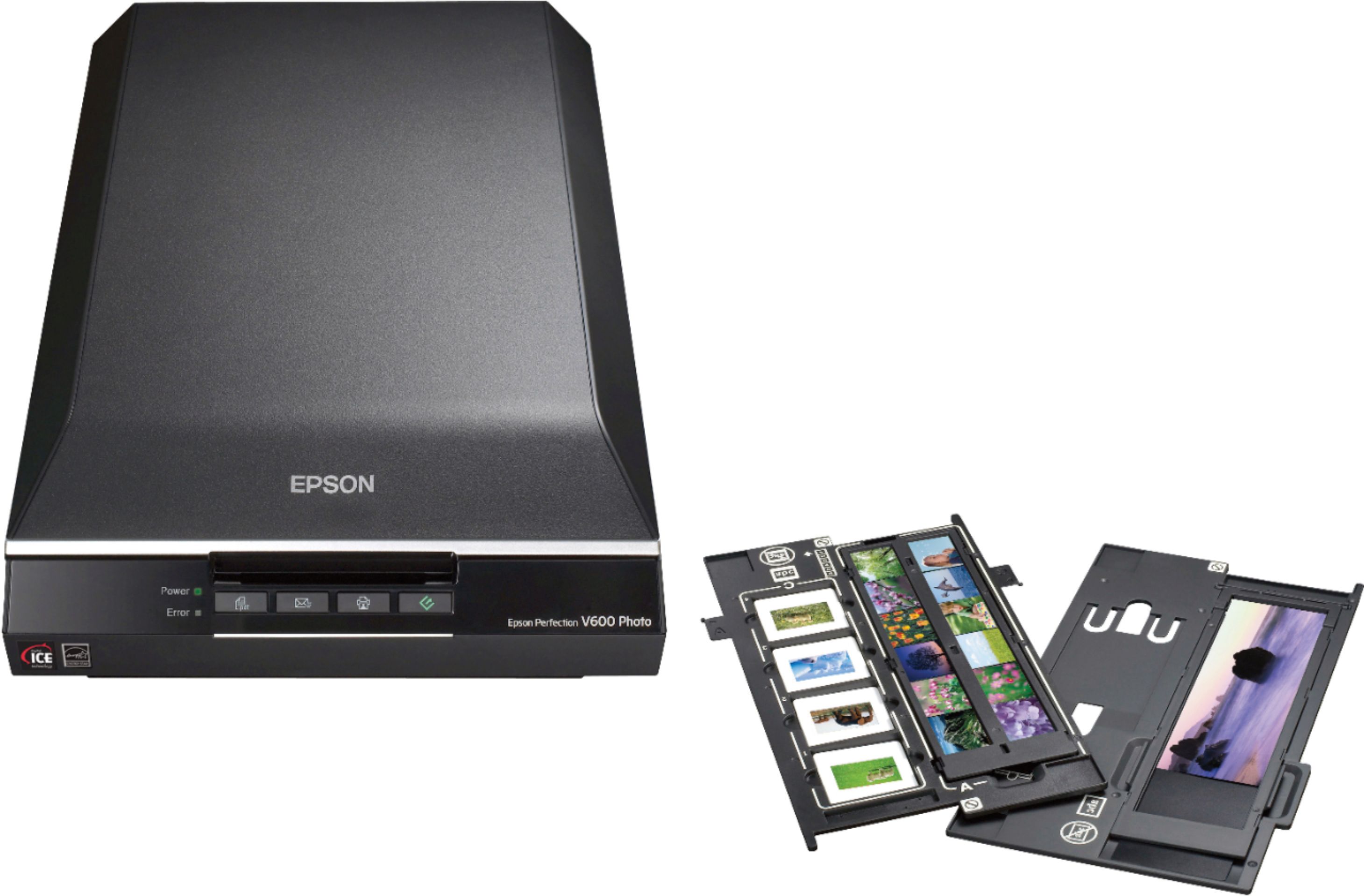
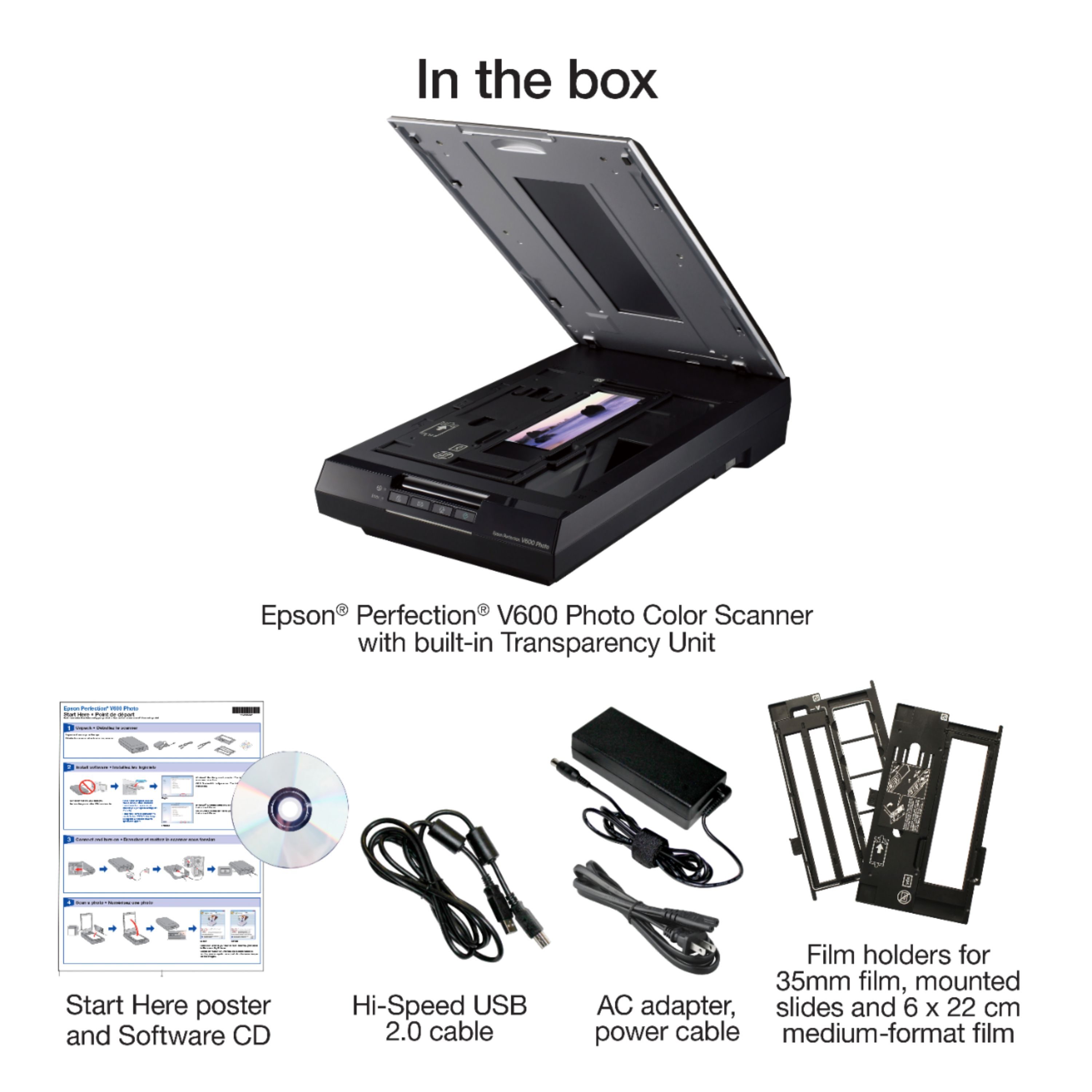
||Posted . Owned for 1.5 years when reviewed.This reviewer received promo considerations or sweepstakes entry for writing a review.Love this for scanning 35mm film. It comes with holders for 35mm as well as 120 film. You can also scan slides and Polaroids/Instax film.
I would recommend this to a friendnice scannner
||Posted . Owned for 3 weeks when reviewed.This reviewer received promo considerations or sweepstakes entry for writing a review.does a nice job, faster than my older one, still learning its operations
I would recommend this to a friendWARNING: NOT COMPATIBLE WITH MAC
||Posted . Owned for 6 months when reviewed.This reviewer received promo considerations or sweepstakes entry for writing a review.$300 for a scanner and after a few months of test scans preparing for holiday orders, I'm ready to make final scans, but the app now has a big line through it and gives me the following error (see screenshot attached): "EPSON Scan.app" needs to be updated." The developer of this app needs to update it to work with this version of macOS. Contact the developer for more information. So I can't even use the scanner. It wants me to contact Epson to tell them to update their app. What a waste of money and time. I'm beyond frustrated.
No, I would not recommend this to a friendBrand response from Epson
Posted .Hi Best Buy Customer, we thank you for your feedback and apologize for the disappointing experience you’re having with your Epson V600 Scanner. The scanner is MAC 10.15 compatible and you may download and install the driver from your product support site https://epson.com/Support/Scanners/Perfection-Series/Epson-Perfection-V600-Photo/s/SPT_B11B198011?review-filter=macOS+10.15.x .Should you need further assistance, we’d be happy to help. You can call Epson Support at (562) 276-4382 between 6am – 8pm (PT), Monday – Friday, or from 7am – 4pm (PT) on Saturdays. Sincerely, Matt . – The Epson Team
Not for artists...
||Posted .This reviewer received promo considerations or sweepstakes entry for writing a review.Artists be warned... If you are going to be scanning large artwork or photo this scanner is Not for you. Just bought it and scanned a piece of art a little larger that the platen. There was a darkening around the edges...after several tries. If you need to make multiple scans to recombine in Photoshop it won't work well. Very disappointed... wast of money for my needs.
No, I would not recommend this to a friendBrand response from Epson
Posted .Hello Artist, we're sorry to hear about the trouble you've experienced with the Epson V600. Your Perfection scanner includes free lifetime technical support, and we're here to help. Epson provides useful information in the FAQs at www.epson.com/s/SPT_B11B198011#faq-8796127275084 to help you address most issues with scanned image quality. You can also contact Epson Support directly at (562) 276-4382 between 7 am - 4 pm (PT), Monday - Friday. Kind Regards, Bobby - The Epson Team.
- Pros mentioned:Ease of use, Scan qualityCons mentioned:Software
real good scanner
||Posted . Owned for 1 month when reviewed.This reviewer received promo considerations or sweepstakes entry for writing a review.I purchased this scanner specifically for digitizing slide photos. At a resolution setting of 600 it takes 6 minutes to scan 4 slides, if that is normal then everything is great... I had 1000 slides to digitize. That's 100 hours to complete this task, it took more than that because I wasn't there all the time and missed my 6 minute cycle many times and added more time to my 100 hours. Did I say this was slow at digitizing slides? I digress, focus - the digital pictures came out pretty good, because I didn't have the ability to view the slides on a screen, hence this purchase, I couldn't tell if the slide was slightly out of focus or the scanner made them out of focus (Most of them came out crystal clear) my guess would be the photographer was out of focus. Size copying - The Artificial Intelligence of the programming sometimes would crop a slide that required no cropping because of darkness on the slide, very frustrating because even if you turned the slide it would still crop it. I didn't waste time trying to figure that out. Ease of use - The programming made the use of this machine very easy, press a button on the scanner then confirm that is what you want and the program takes over. Yeah! Quality of scanned slides - I would say that the quality in color transfer and image capture was excellent, as long as the slide was perfect. Over exposed slides would scan overexposed and the photo correction program included is not intuitive AT ALL to help you in making the photo look normal. I would suggest getting a good photo correcting program that you have used before and know how to use to help you. Overall - I enjoyed using this scanner once I realized its' shortcomings, and would recommend it to anyone who doesn't have to get a big job done by tomorrow. It IS a good scanner, copying photos are the best and the resolution choices are fantastic especially for the price. (With all due respect, it IS "Photo" scanner not a dedicated slide scanner).
I would recommend this to a friend - Pros mentioned:Scan qualityCons mentioned:Software
Scanner Works Great, Software is Antiquated
||Posted .This reviewer received promo considerations or sweepstakes entry for writing a review.I purchased this scanner for multiple reasons. I enjoy photographing on both 35mm and medium format film, and wanted to be able to save money when processing by scanning my own negatives. This scanner does a great job at scanning both, and offers a good amount of dynamic range from the negatives (DMax of 3.4). Other more expense scanners offer a DMax of 4.0 (And maybe higher), but at a significant price increase. The next and main reason I bought this scanner was to scan my immediate family's library of 35mm film, as well as my extended family's one-of-a-kind photo prints dating back to the early 1900s and, even some earlier, I believe. The scanner does a great job and produces great scans. Probably as good as the average person will need, and even does will under professional scanning (how I am using it). While it's not the very best you can get, it's certainly well geared towards enthusiast/semi-pro level scanning and archiving. If you need the absolute best for archival, you need to look into a commercial scanner, or the V850. This will definitely get the job done for the vast majority of people, including those looking to shoot on film still today. The Epson software is horribly out of date, though, so don't expect that aspect to blow your mind. It works though, and that is what is important. I believe the software is from the early 2000's, and looks like it. It does run and work fine on my 2014 5K iMac, running macOS 10.13.4 (latest at the time of this review), so you should be good to go on any modern platform of macOS or Windows.
I would recommend this to a friend - Pros mentioned:Ease of use, SpeedCons mentioned:Software
Solid scanner but outdated software
||Posted . Owned for 7 months when reviewed.This reviewer received promo considerations or sweepstakes entry for writing a review.The hardware is great. Color quality is consistent, it's pretty fast, and it's easy to use. However, the software is really outdated. I'm using it on my Mac. Had to download Silverfast SE in order for it to work on my current operating system. Silverfast works well, especially its dust removal filters, but it's so hard to use. The design is just not user-friendly and it's really frustrating. Opting instead to use the built-in scanning software on my Mac, Image Capture.
I would recommend this to a friend