Customer Ratings & Reviews
- Model:
- B11B198011
- SKU:
- 9599259
Rating by feature
- Value
Rating 4.5 out of 5 stars
- Quality
Rating 4.6 out of 5 stars
- Ease of Use
Rating 4.4 out of 5 stars
Customers are saying
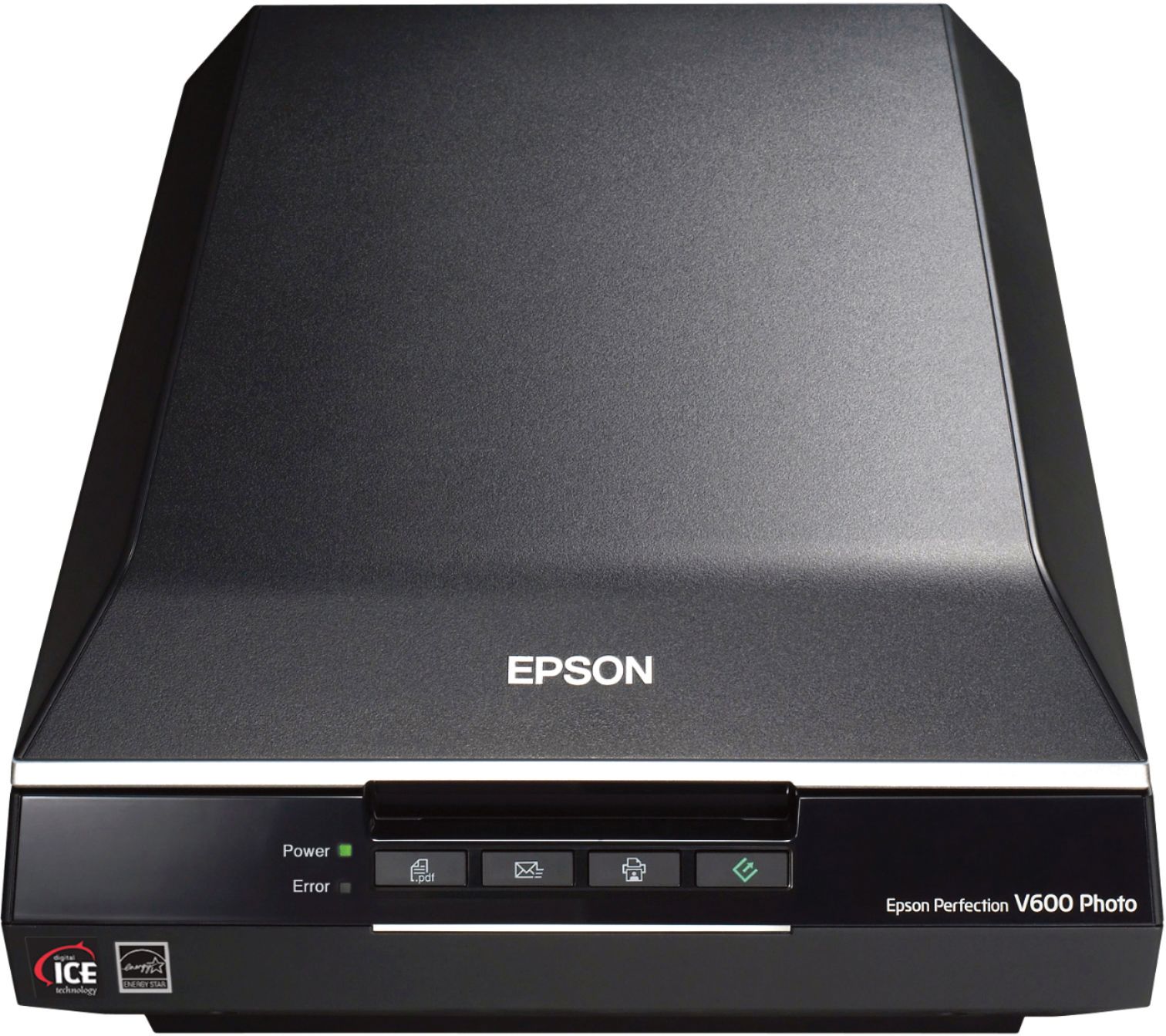
Customers regard the Perfection V600 Photo Scanner as user-friendly and easy to set up, even for those who are not tech-savvy. They appreciate the high-quality scans and the scanner's ability to handle various media, including negatives, film slides, and old photos. However, some customers have concerns about the outdated software, compatibility issues, the scanner's large size, occasional defects, and the time-consuming scanning process.
This summary was generated by AI based on customer reviews.
Do Not Buy
||Posted . Owned for 1 month when reviewed.This reviewer received promo considerations or sweepstakes entry for writing a review.The printer never worked. Yellow error code blinking. I tried troubleshooting by updating my Mac, installing and reinstalling software, and buying a new USB port. I called Epson for help, and they are sending me a refurbished replacement. I owned it for less than 2 months. This is the second product I purchased from Best Buy that has not worked.
No, I would not recommend this to a friendLike it, but....
||Posted .This reviewer received promo considerations or sweepstakes entry for writing a review.I did alot of research before settling on this. I do like it, however, unless you use the Easy Photo Scan (photo scanning w/o any corrections), it's pretty slow. The Digital ICE Technology (restoration) does a pretty good job of removing dust particles, "scratches", etc., but the process is time consuming, yet rewarding. I'm still glad I purchased it, because I have lots of old photos that need restoring.
I would recommend this to a friend- Pros mentioned:Price
Seems to be working fine.
||Posted .This reviewer received promo considerations or sweepstakes entry for writing a review.Wireless would have been better, but overall, a very nice machine for the price.
I would recommend this to a friend Scanner only lasts for a year and a half
||Posted . Owned for 1.5 years when reviewed.This reviewer received promo considerations or sweepstakes entry for writing a review.These scanners work good for about 1 1/2 years then the scans start to get bright lines across the scanned pictures mainly in the sky or lightly colored areas. Plan on replacing before the 2 year geek squad plan runs out. This is my second scanner with the same trouble.
No, I would not recommend this to a friendBrand response from Epson
Posted .Hello Brad, we're sorry to hear about your disappointing experience with the V600 scanner. Epson considers all feedback to improve the performance and quality of our products. Epson provides helpful information, including FAQs and self-help tools, on the product support web page at https://epson.com/Support/Scanners/Perfection-Series/Epson-Perfection-V600-Photo/s/SPT_B11B198011#questions. Additionally, your scanner includes a 1-year Limited Warranty, plus free lifetime technical support. Please reach our support team directly at (562) 276-4382 between 7 am - 4 pm (PT), Monday - Friday if you need any assistance.
Sincerely, Sam - The Epson Team.
- Cons mentioned:Software
Unhappy
||Posted . Owned for 3 weeks when reviewed.This reviewer received promo considerations or sweepstakes entry for writing a review.Thought I was getting everything I wanted (scanner for photos and slides). Software was too old to pair with my newer computer!!
No, I would not recommend this to a friendBrand response from Epson
Posted .Hi Unhappy, we apologize that you are having issues with your scanner. Drivers for the latest operating systems for your scanner are available for download at: https://epson.com/Support/Scanners/Perfection-Series/Epson-Perfection-V600-Photo/s/SPT_B11B198011. If you need further assistance, the Epson Support Team would be happy to help and can be reached at (562) 276-4382; Hours: Monday – Friday, 7 a.m. to 4 p.m. (PT). Sincerely, Dylan – The Epson Team.
- Pros mentioned:Scan quality
Great scanner
||Posted .This reviewer received promo considerations or sweepstakes entry for writing a review.Really good quality does great on negatives and pictures.
I would recommend this to a friend Nice scanner but not calibrated to upper rt corner
||Posted . Owned for 3 weeks when reviewed.This reviewer received promo considerations or sweepstakes entry for writing a review.This is a nice scanner but it is not calibrated to the upper right corner as some others have described here. Works with Windows 10 and scanning software is good. Debating on returning it or always having to reposition documents away from corner.
No, I would not recommend this to a friendBrand response from Epson
Posted .Hi RGSMAN, we thank you for your feedback and apologize for the alignment issue that you are experiencing with your Perfection V600. Please consult the online user's guide on how to properly place the photos or documents on the flatbed at https://files.support.epson.com/pdf/prv6ph/prv6phug.pdf. If the problem persists, please call our support team further assistance, we’d be happy to help. You can call Epson Support at (562) 276-4382 between 6am – 8pm (PT), Monday – Friday, or from 7am – 4pm (PT) on Saturdays.
Sincerely, Matt. – The Epson Team
Skews images
||Posted . Owned for 1 week when reviewed.This reviewer received promo considerations or sweepstakes entry for writing a review.I'm scanning documents, and they always come out skewed. When I use Photoshop to straighten one edge, the others get skewed. I don't think Adobe is doing... but I could be wrong. Also, I was hoping that since the scanner can't connect wirelessly, it could at least connect to a wifi router. No go. Returning,
No, I would not recommend this to a friendBrand response from Epson
Posted .Hi MLBB, we're here to help. Based on your description, the skewing issue may be related to paper feed. Epson provides useful information to help you troubleshoot paper feed problems in the FAQs at www.epson.com/s/spt_b11b232201#questions. Your Epson V600 scanner also includes free technical support for the life of the product, so if you'd like to speak to someone from our support team, please call (562) 276-4382 between 7 am - 4 pm (PT), Monday - Friday. Kind Regards, Bobby D. - The Epson Team.
Pain in the neck - had to replace
||Posted . Owned for 3 weeks when reviewed.This reviewer received promo considerations or sweepstakes entry for writing a review.Was not able to connect to imac. Had to send back to epson and get new one. Big pain in the neck. Boxing back into original container, bring to fed ex, epson sent wrong label for shipping. Had to wait for them to resend. One screw up after another. Finally got it to connect. Have not used it yet, waiting to get software lessons and learn how to scan negatives before I begin big project (scanning negatives from 60s-70s-80s).
No, I would not recommend this to a friendCould not scan.
||Posted . Owned for 2 weeks when reviewed.This reviewer received promo considerations or sweepstakes entry for writing a review.I could not get scanner to work with two different Windows 10 computers nor my Wife's iMac. I tried all the YouTube and other Internet trouble shooting "solutions." Had to return item without scanning a single thing. Perhaps Epson Drivers need updating. The unit powered on normally but that is all it did. BestBuy made the return to the store painless however.
No, I would not recommend this to a friendBrand response from Epson
Posted .Hello WannaBe, we're sorry to hear about your trouble with the V600 scanner. Epson considers all feedback to improve the performance and quality of our products. We'll forward this information to the appropriate department for review. If we can help you with anything else, our support team can be reached by phone at (562) 276-4382; Hours: Monday - Friday, 7 am - 4 pm PT. Hopefully, we can assist you with a future product.
Sincerely, Sam - The Epson Team.
defective
||Posted . Owned for less than 1 week when reviewed.This reviewer received promo considerations or sweepstakes entry for writing a review.I don’t know if mine that I got was defective or what, but I had issues from the start immediately. Wouldn’t scan/preview whatsoever. Had to restart the scanner about 10 times for it to register. Then, it wouldn’t scan my B&W film and kept freezing up and not responding. I had to bring up Task Manager in order to shut it down numerous times. Would not recommend.
No, I would not recommend this to a friendBrand response from Epson
Posted .Hello chris, we're sorry to hear you're having trouble with the Epson V600. Your Perfection V600 scanner is backed by a 1-year Limited Warranty and includes free lifetime tech support. We would like to hear more about the issues you're experiencing with the Epson software. Please reach out to our Advanced Support Team for assistance at 1-800-241-5794 between 7 am - 4 pm (PT), Monday - Friday. We look forward to hearing from you. Sincerely, Bobby - The Epson Team.
As Advertised
||Posted . Owned for less than 1 week when reviewed.This reviewer received promo considerations or sweepstakes entry for writing a review.As Advertised. When all you have is a print, this works great. If you have film strips or slides, a flat bed scanner is not as good.
I would recommend this to a friendMixed about the accessories
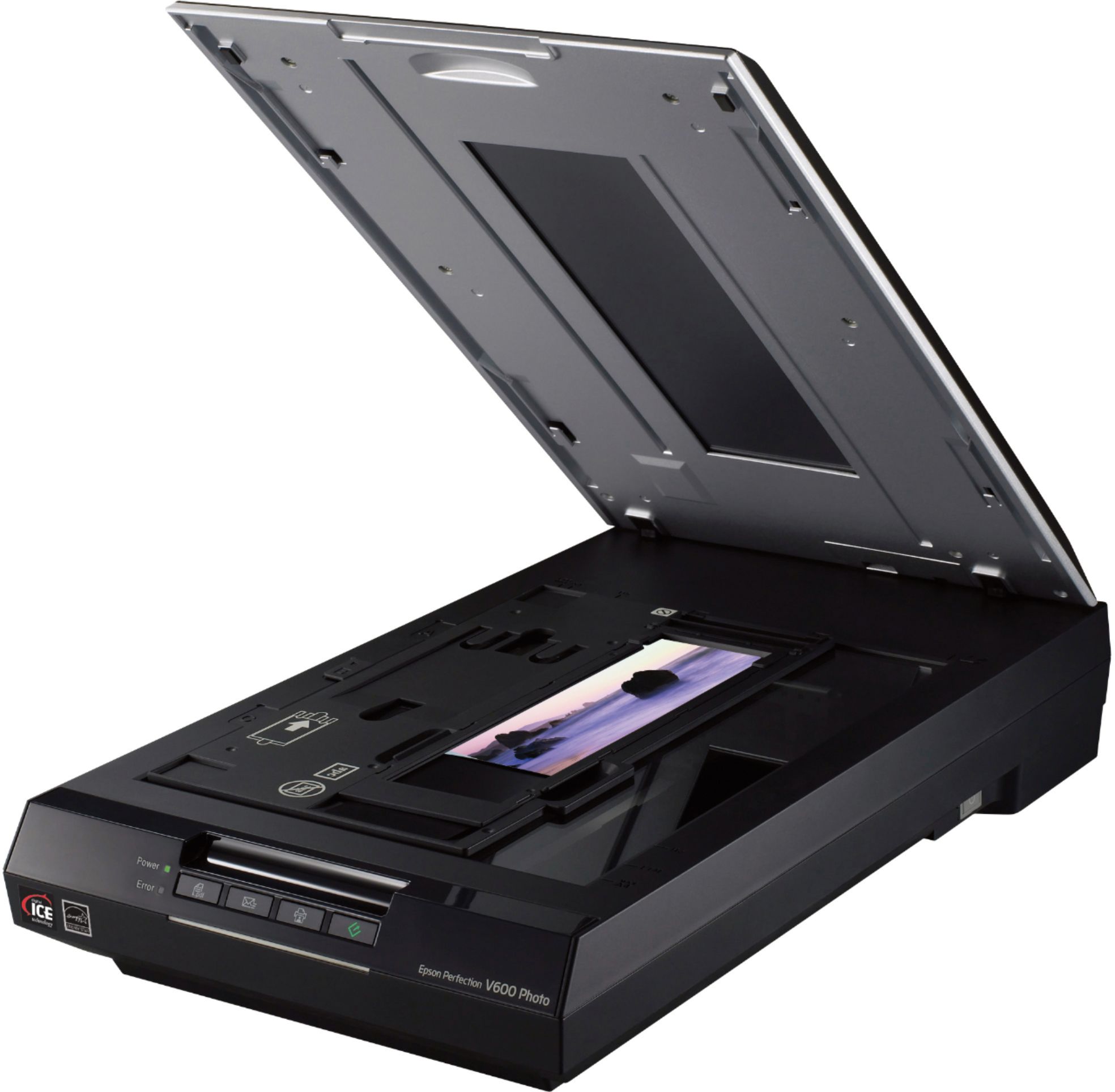
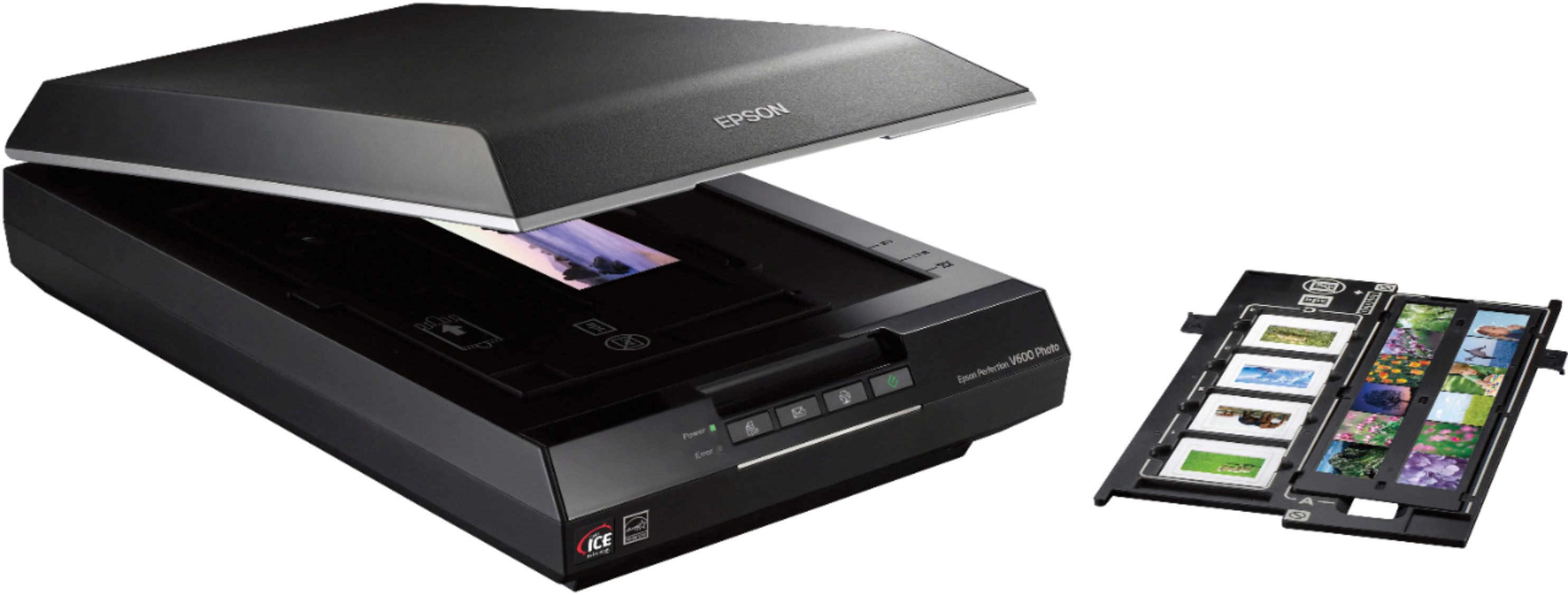
||Posted .This reviewer received promo considerations or sweepstakes entry for writing a review.The film attachments are cheap and easy breakable.
No, I would not recommend this to a friend- Cons mentioned:Software
NOPE
||Posted . Owned for 3 weeks when reviewed.This reviewer received promo considerations or sweepstakes entry for writing a review.CRAP. COULD NOT GET SOFTWARE TO WORK. HAD TO RETURN. DO NOT BUY IF YOU OWN A MAC.
No, I would not recommend this to a friendBrand response from Epson
Posted .Hi Kellerzach1982, thank you for sharing your experience. We strive to improve the performance and quality of our products and will forward your feedback to the relevant Epson department(s). Should you have questions or need assistance, the Epson Support Team would be happy to help. You can reach them at (562) 276-4382; Hours: Monday – Friday, 7am – 4pm PT. Sincerely, Tony – The Epson Team.
Not User Friendly - Long Time to Scan
||Posted .This reviewer received promo considerations or sweepstakes entry for writing a review.Having been a consummate photo-taker before the digital age, I was very excited about the prospect of scanning my older photos to a digital format, so I ordered this scanner after reading the reviews. Well maybe because I'm a Mac user, but I found that this product was not easy to set up out of the box and had to do loads of online research just to set it up, let alone start scanning. When I finally was able to get it working, it took an inordinate amount of time to scan. My old HP all in one, actually does a better and faster job of photo scanning. So I have opted to get my photos professionally scanned and gave this product to someone who only has a few photos to scan.
No, I would not recommend this to a friendWon't work with my mac
||Posted . Owned for less than 1 week when reviewed.This reviewer received promo considerations or sweepstakes entry for writing a review.Yet another Epson scanner that refuses to work with my mac (running big sur 11.4). At least the epson v19 I bought connected more than once. This one flashes a big orange error light whenever I try to connect it to my computer. I tried restarting my computer, resetting the print queue, restarting the scanner, etc., and nothing worked. Downloaded the latest drivers from Epson. I don't know why Epson refuses to make their mac software better.
No, I would not recommend this to a friendBrand response from Epson
Posted .Hello Kelly, we’re sorry to hear that you’re having issues with your Epson V600 Photo Scanner. We suggest trying a different USB cable or connecting the scanner directly to your computer if you’re using a USB hub. Your product’s support page at www.epson.com/Support/Scanners/Perfection-Series/Epson-Perfection-V600-Photo/s/SPT_B11B198011?review-filter=macOS+11.x#manuals also includes useful information like FAQs and the User’s Guide to help you troubleshoot any connection problems. Additionally, your scanner comes with free lifetime tech support. If you need further assistance, our Epson Support Team would be happy to help. Please call (562) 276-4382 between 7 am - 4 pm PT, Monday - Friday. Sincerely, Sam - The Epson Team.
Slow scan nice quality
||Posted . Owned for 1 week when reviewed.This reviewer received promo considerations or sweepstakes entry for writing a review.Scan bed should be bigger and scan faster. Its a bed so no advance fewtires like stitchines
No, I would not recommend this to a friendBrand response from Epson
Posted .Hello Cliff, we apologize for your disappointing experience with the Epson V600 Photo Scanner. Epson considers all feedback to improve the performance and quality of our products. Epson also provides helpful information on FAQs and self-help tools on the product support web page at https://epson.com/Support/Scanners/Perfection-Series/Epson-Perfection-V600-Photo/s/SPT_B11B198011#questions. Additionally, your scanner includes a 1-year Limited Warranty plus free lifetime technical support. Please contact our support team directly at (562) 276-4382 between 7 am - 4 pm (PT), Monday - Friday, if you need further assistance.
Sincerely, Sam - The Epson Team
nice if you want to do pictures
||Posted .This reviewer received promo considerations or sweepstakes entry for writing a review.i called for support of why it would not work with quickbooks they could not help me, called quickbooks and they could not hellp me that was the reason why we purchased it, if i get no help or answers i don't want it
No, I would not recommend this to a friendGreat scanner
||Posted . Owned for 1 month when reviewed.This reviewer received promo considerations or sweepstakes entry for writing a review.I love it! Still learning how to use all the features.
I would recommend this to a friendEPSON V600
||Posted . Owned for 3 weeks when reviewed.This reviewer received promo considerations or sweepstakes entry for writing a review.great product - but some degree of confusion in operating it
I would recommend this to a friend