Customer Ratings & Reviews


- Model:
- B11B226201
- SKU:
- 5689001
Rating by feature
- Value
Rating 4.6 out of 5 stars
- Quality
Rating 4.7 out of 5 stars
- Ease of Use
Rating 4.7 out of 5 stars
Customers are saying
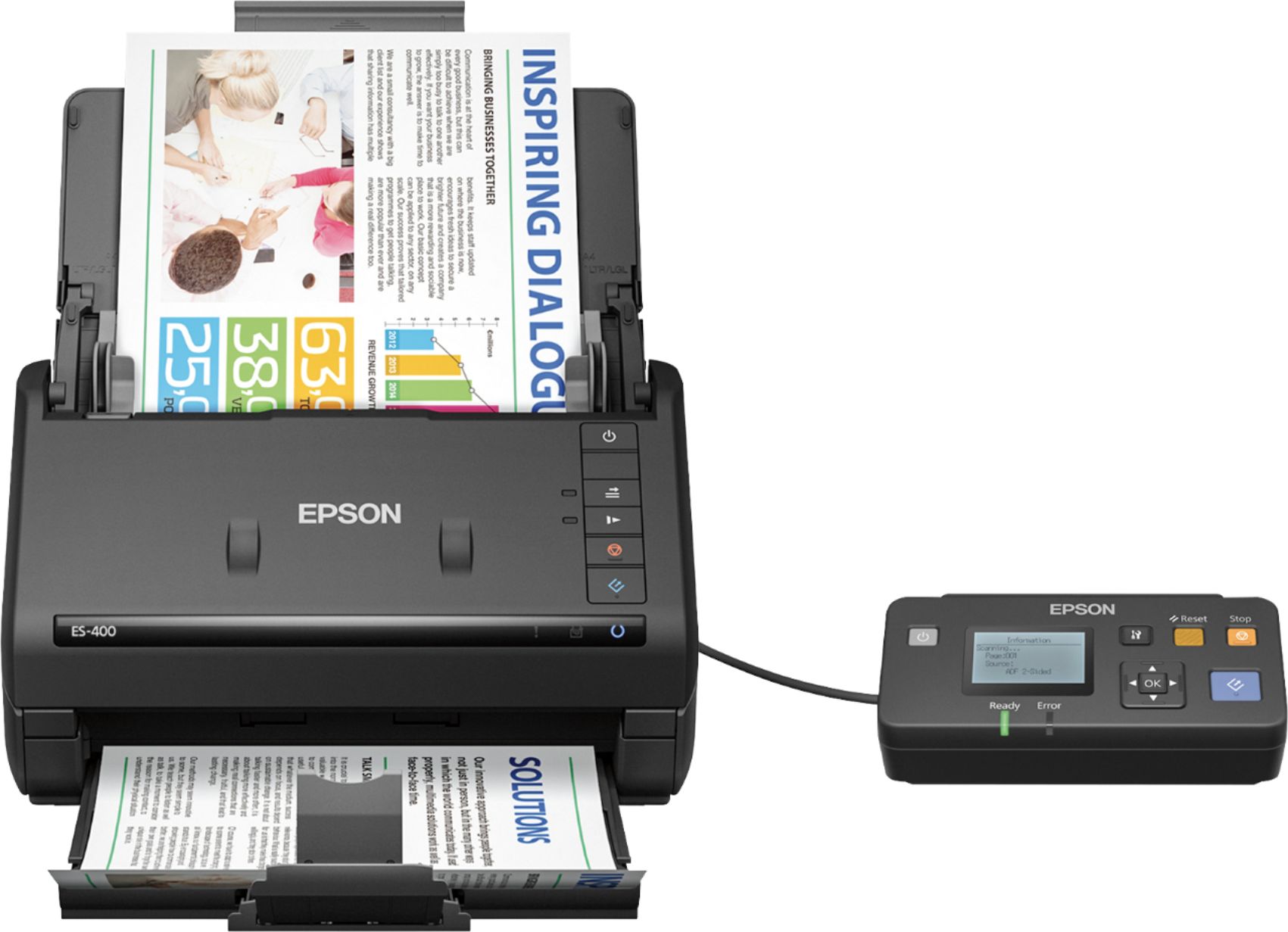
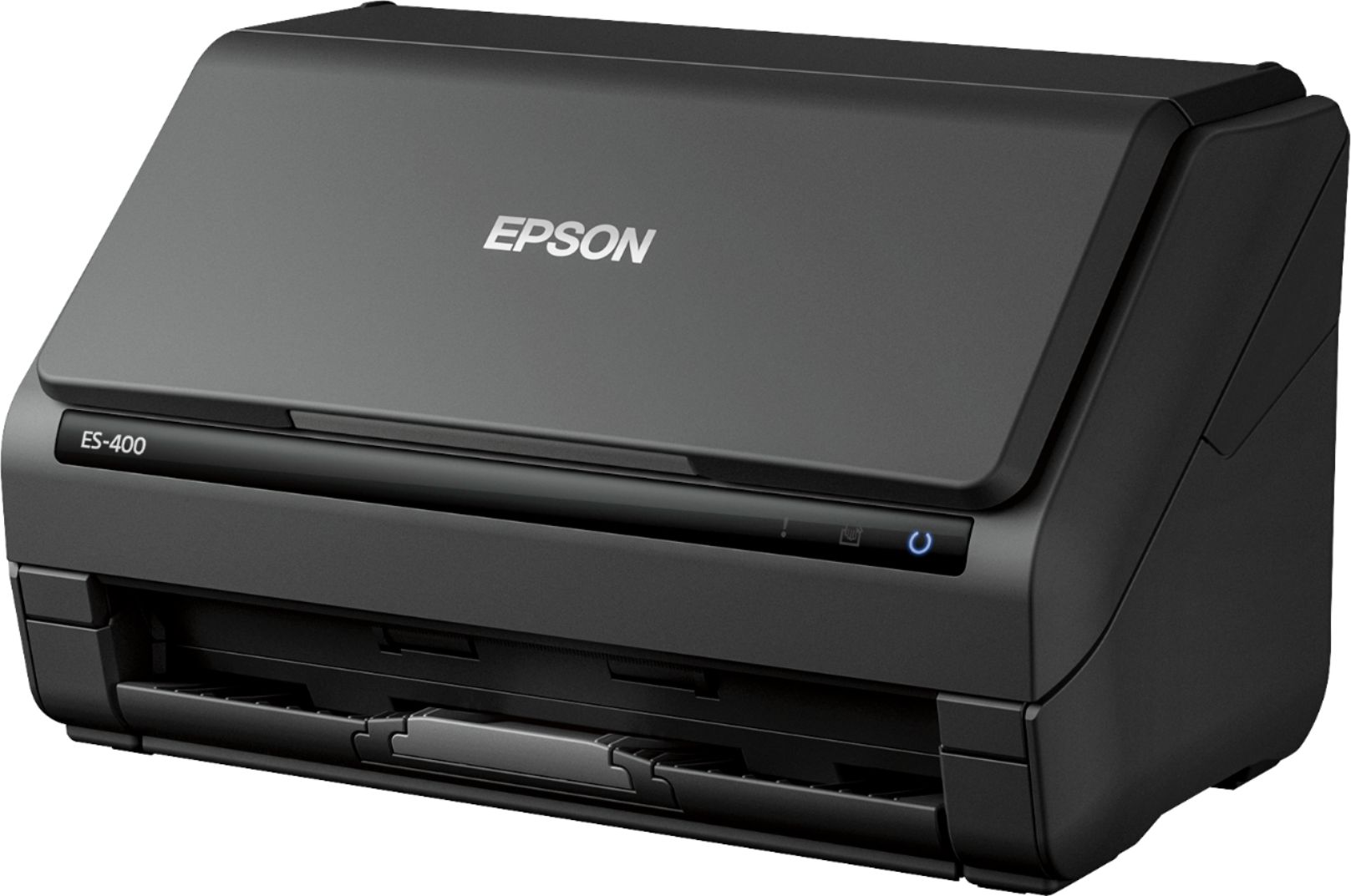
Customers frequently mention the Workforce ES-400 Document Scanner's impressive scan speed and ease of use. Its compact size and reliable performance are also frequently praised, while some users point out occasional software issues and concerns about paper handling. A few customers also noted the lack of wireless functionality.
This summary was generated by AI based on customer reviews.
Fast, accurate and small footprint. Expensive.
||Posted . Owned for 1 month when reviewed.This reviewer received promo considerations or sweepstakes entry for writing a review.Fast, accurate and has a small footprint. Expensive even when on sale. Cheesy in that the item does not do wireless unless you purchase a separate outrageously overpriced wireless adapter. The packaging does not clue you into this problem.
I would recommend this to a friendBrand response from Epson
Posted .Hi JPen, thank you for taking the time to write a review of your new WF ES-400. We appreciate your business, and value your feedback. The WF ES-400 do not support wireless and no wireless adapter option for this model. Your scanner includes free technical support for the life of your product, feel free to contact us at (562) 276-4382; Hours: Monday – Friday, 6am – 8pm PT; Saturday, 7am – 4pm PT. Kind Regards, Matt – The Epson Team.

Major problems with this Epson
||Posted .This reviewer received promo considerations or sweepstakes entry for writing a review.I've had this scanner for 6 months and I've had nothing but problems with it. I get two different scanner errors and the only way to continue is to reboot the computer and scanner. I'm rebooting every half hour! I've called Epson 6 times and they have done everything from having me download new drivers, clean my registry, and tell me that it is a Microsoft issue. I called Microsoft, paid $149 for support, to then be told it is NOT a Microsoft issue. Microsoft even stayed on the line when I call Epson back to confirm to them that it was NOT a Microsoft issue. Epson finally replaced the scanner with a REFURBISHED one....are you kidding me! I will never purchase an Epson product again.
No, I would not recommend this to a friendSolid scanner for moderate volume
||Posted .This reviewer received promo considerations or sweepstakes entry for writing a review.Does it's job but looking for something that can better handle the volume of a business environment. Disclaimer- wrote this review because Best Buy offered me points to do so.
I would recommend this to a friend- Pros mentioned:Scan speed, Setup, SizeCons mentioned:Software
Epson ES-400 Scanner
Posted .This reviewer received promo considerations or sweepstakes entry for writing a review.Let me start by saying that I have been using this scanner for a littler over a week now. It has its pros and cons, like anything does, and I will walk you through them a bit. First the pros of this scanner. One of the things I love most about this scanner is that it will do a two sided scan with one run. I dont have to worry about figuring out what way to turn the page around to get the other side just right. The second thing I really like is that is has a button to scan things slowly (such as gas receipts) so the paper doesnt get all torn up. My third thing is that it fold up really nicely so that when its not in use it doesn't look huge or take up a lot of space. Also the physical setup was very easy. You just plug the usb cable into your computer, and the power into the wall. I had everything all setup in under ten minutes. Now even though I love most things about this scanner it does have its downsides. One thing I've found thats a little annoying is that it wont scan a driver license. I needed to make a copy of mine for an application, and every time I tried to scan it I got an error that there was a jam. The second thing I have some issue with is the software. Yeah it works well, looks okay, and gets the job done. However there are different options that I had no clue what they did and took some web searching to find the answer. Aside from the two cons this scanner is a great product. It has a lot of potential for any scanning need. I would recommend this for anyone at home or a business. NOTICE! This is a review for the Epson ES-400 Duplex Document Scanner that I received free of charge to do a beta test and review.
I would recommend this to a friend scanner does it's job
||Posted . Owned for less than 1 week when reviewed.This reviewer received promo considerations or sweepstakes entry for writing a review.This product is an average scanner. We scan a ton so the real review should come in a few month after it has been used heavily and we can know if it will last.
I would recommend this to a friendBrand response from Epson
Posted .Hi Alli, thank you for taking the time to write a review. We hope you enjoy your new Epson WF ES-400. Should you have questions or need assistance, the Epson Support Team would be happy to help and can be reached at (562) 276-4382 between 6am – 8pm (PT), Monday – Friday, or from 7am – 4pm (PT) on Saturdays. . Cheers, Matt – The Epson Team
Ok scanner
||Posted . Owned for more than 2 years when reviewed.This reviewer received promo considerations or sweepstakes entry for writing a review.Did not really care for this scanner. We use scanners at work and this one doesn’t stay connected.
No, I would not recommend this to a friend- Pros mentioned:Ease of use, Scan speedCons mentioned:Wireless
Fast, sooo Fast
Posted .This reviewer received promo considerations or sweepstakes entry for writing a review.I’m a mac person and I personally hate it when there are functions on products that do that work well or are super hard to set up on my mac. I have a small office and I also am have been working on scanning family pictures to digital slowly for the past few years. The highlight for me with the ES-400 scanner is the fact that I can stack 40-50 photos and the scanner will auto-feed and scan them in at a much higher quality that I should ever need. Pro’s: - Unfolds easily so that dust and debris don’t fall in while not in use. (It’s literally lift the top and slide out the bottom and scan) - Duplex in full color, and will save to a pdf in the correct order. - It’s fast, soooo fast, I put a piece of paper in and hit scan, and it almost feels like the paper is just dropping through - I placed 5 pages front and back and I counted one-one hundred …… and it took 6 seconds to have a pdf with all 5 pages front and back. - It comes with software to convert into searchable pdf’s - Worked just fine on my mac - Very Clear, I zoomed in on the pages I scanned and they were flawless. - I was able to place 15 Photos and scan them in beautifully (The paper base adjusts easily to fit nearly everything. Con’s: - Not Wireless - My biggest complaint is the wording “scan to online storage accounts — intuitively scan to Dropbox, SharePoint, Google ……. - Yes, it’s easy to setup to scan directly to share boxes. However the attached computer needs to be on. I thought that meant I could set it up and it would upload documents automatically. But I need to boot up the computer if I want to do that. (Not an issue in an office or where you always have the computer on) - I’ve always been a fan of the sleek and stylish, this Scanner is boxy. It’s not bad and once in the office blends right in, but my initial impression was “that looks awfully boxy, This is why I gave it 4 stars) - I had to download and install the mac drivers before plugging it in (easy to find but it still took me another 3 minutes to install) Overall I’m really impressed with the simple yet robust capability, the quality of image, and the speed at which it scans on both sides. I also really appreciate the auto-feed with the ability output in the document/photo type of your choice. This is a review for the Epson ES-400 Duplex Document Scanner that I received free of charge to do a beta test and review.
I would recommend this to a friend Okay for the money
||Posted .This reviewer received promo considerations or sweepstakes entry for writing a review.I purchased this scanner and promptly returned it. The interface is not simple and took some getting used to. I would recommend the Fujitsu Scansnap
No, I would not recommend this to a friendBrand response from Epson
Posted .Hi Erik, we're sorry to hear you were not satisfied with your Epson ES-400 scanner. Epson takes into consideration all feedback to improve the performance and quality of our products. Hopefully, we can assist you with a future product. Sincerely, Eddie – The Epson Team.
- Cons mentioned:Software
Not worth it
||Posted .This reviewer received promo considerations or sweepstakes entry for writing a review.Scanner has features but software fails to communicate. Software and hardware is outdated
No, I would not recommend this to a friend Did not work out of the box
||Posted . Owned for 1 week when reviewed.This reviewer received promo considerations or sweepstakes entry for writing a review.After numerous hours trying to connect this scanner, I found a note buried in the FAQ online to buy a USB 2.0 hub. Once the hub arrived(several additional days to wait) and reconnected the scanner, the scanner work. Not sure how Epson sells a product that does not work out of the box.
No, I would not recommend this to a friendBrand response from Epson
Posted .Hi Joelan, we apologize for the issues that you had experienced during setup. Your Epson ES-400 scanner includes a 1-year Limited Warranty and free lifetime technical support. If you ever need assistance again, Epson provides useful information, including FAQs and software utilities, to help you troubleshoot most scanning problems on the product support page at www.epson.com/support/es400. You can also contact our support team by phone at (562) 276-4382, Monday - Friday, 7 am - 4 pm PT; or by email at https://epson.custhelp.com/app/ask/p_model_name/Epson%20WorkForce%20ES-400. We're here to help. Sincerely, Bobby D. - The Epson Team.
Drives would not connect
||Posted .This reviewer received promo considerations or sweepstakes entry for writing a review.Tried to connect to my computer and the drivers would not recognize the scanner. Tried all of the trouble shooting suggestions and still did not work. Return this scanner and purchased the wireless version the 500 and no problems at all. Set up was a breeze.
No, I would not recommend this to a friendBrand response from Epson
Posted .Hi Donald, we apologize that you are having issues with your scanner. Your Epson ES-400 includes free technical support for the life of your product. Our Epson Support Team would be happy to help and can be reached at (562) 276-4382; Hours: Monday – Friday, 6am – 8pm PT; Saturday, 7am – 4pm PT. Sincerely, Leo – The Epson Team.
- Pros mentioned:Ease of use, Scan speed, Size
Get organized
Posted .This reviewer received promo considerations or sweepstakes entry for writing a review.This is a review for the Epson ES-400 Duplex Document Scanner that I received free of charge to do a beta test and review. The Epson ES-400 Document Scanner has a small compact design that is perfect for a small home office. It is light in weight and can get you organized with a touch of a button. Upon opening the package I liked that there weren't too many parts to get me going. The instructions were straightforward and easy for me to follow and I was up and running in no time. I just visited the Epson website and downloaded the driver on my windows computer. I used this scanner to organize some old paperwork that was taking up too much space combine them into one file. I also scanned a couple of credit cards just to see how the looked. They came in clear. The options were endless. I used the Document Capture Pro software that came with the driver installation to customize different scan jobs. I was able to save to my computer, email directly with a little email configuration and even upload to my google drive. The Epson ES-400 Duplex Document Scanner was able to produce high-quality scans that came in color and also be able to scan double sided without me having to reinsert the papers. Time frame for scanning was pretty quick and I was informed of the progress of my scan through the interface on my computer. The scanner did not jam up and there are options to adjust the pages that may or may not scan crooked. Overall I would recommend this product to get organized quickly.
I would recommend this to a friend - Pros mentioned:Ease of use, Scan speed, Size
Quick and Simple
Posted .This reviewer received promo considerations or sweepstakes entry for writing a review.Set up for this scanner is really easy. The directions point you where to go to download the software. There’s minimal unpacking, with just a few pieces of tape and cardboard to remove. I personally prefer going to the Epson sight to download the software because you don’t have to worry about losing the disk. There are a lot of great options in the main Epson scan screen from image type (I.e. black & white), resolution, scanning side, and rotating. There are also advanced settings that allow you to choose to fill the edges, correct document skew, and remove hole punches. This scanner worked out great for me because I had just moved and needed to scan a lot of insurance paperwork and other documents. I first tried a stack of papers with about ten pages total. The scan was finished in under a minute. It was also great for receipts since you can adjust the size of the paper holder. This scanner works a lot faster than my old HP scanner/printer combo. I will definitely use this process more of my partner’s business paperwork. It greatly simplifies the process and takes up very little space. Files are automatically saved into the documents folders. You can change the save file in the main option page along with what type of file you want it to save is. Overall the printer has a lot of great settings that make it simple and quick to use. This is a review for the Epson ES-400 Duplex Document Scanner that I received free of charge to do a beta test and review.
I would recommend this to a friend - Pros mentioned:Ease of use, Scan speed, Size
Beta Testers Review of ES-400 Document Scanner
Posted .This reviewer received promo considerations or sweepstakes entry for writing a review.Upon opening and removing the ES-400 Duplex Document Scanner I noticed the unit was small and compact which is great for home, small office or cubicle. The included instructions were very easy and simple to follow. After downloading the required software and drivers from Epson's website the installation was less than 10 minutes and I was up and running. I first started using this device in my home for scanning different types of documents. Scanning the document was easy and the included software was easy to use. A couple of pluses to the software was that it had the ability to send the scanned documents to different locations like for example google doc’s, thumb drive, network drive. You can scan the document as a PDF, word document or jpg. After testing the device at home I took it to work and tried it on a few documents. I found scanning with the device was easy and I was able to scan up to 50 pages double sided. The Double sided scanning is great. One added feature I found useful was the ability to scan a document and request the devices to not scan blank pages which help alot and reduced my time scanning. This device fit perfectly on my desk and didn't take much room at all. I would recommended picking up this device if you are looking for a small compact scanner that could also be great for traveling. This is a review for the Epson ES-400 Duplex Document Scanner that I received free of charge to do a beta test and review.
I would recommend this to a friend - Pros mentioned:Scan speed, Size
Fast, Easy to Use Scanner
Posted .This reviewer received promo considerations or sweepstakes entry for writing a review.This is a small scanner, so it’s easy to find room for it. It uses an USB 3.0 cable, that is a little short if you want to place the unit on a shelf. The scanner is backwards compatible with USB 2.0 as well. As with many items you buy today, it doesn’t come with a disc or full user manual, but the user guide gives you the website link to download both. Software installed quickly, just make sure you do not plug in the scanner before it instructs you to, or you might have a conflict with the driver. I was using Windows 10 and there were no issues. By using the Detailed Settings, you can save custom setups for resolution, single or double sided scanning, Doc size, and other settings. Even without saving a custom setup, the scanner remembers the last scan settings to use next time. The same is true for Destination settings; it will remember last directory and the prefix for the scans. It doesn’t let you save custom destination settings, but I don’t think that this is a big deal. Scan was so fast, compared to any scanner this size that I have used, and double fast since it does both sides at once. This is a great option for going “paperless” and getting organized. “This is a review for the Epson ES-400 Duplex Document Scanner that I received free of charge to do a beta test and review.”
I would recommend this to a friend - Pros mentioned:Scan speed, Setup, Size
Great, Fast Scanner
Posted .This reviewer received promo considerations or sweepstakes entry for writing a review.I have to say, i thought it was weird that they still made scanners. Many people these days have an All-in-One Print/Scan/Copy however using this device has definitly shown me the difference between the AIO and a dedicated scanner. This scans quite fast(especially if comparing to a glass top scanner) and can do many pages at once. The unit is also quite small, so it can easily fit on desk/shelf without looking like a bulky peice of tech. Setup was very easy however please note that you will need to download the software from Epson(no CD included) so make sure you have an internet connection somewhere to get the files needed. From open box to install complete is only about 10-15 minutes. DO NOT PLUG IN THE USB UNTIL AFTER YOU INSTALL THE SOFTWARE! I installed the unit on both my windows 10 machine, and my macbook bro 2016. Both went easily and without issue My favorite feature is that i can save mulitple scans into one pdf. This would be great if you need a digital copy of a case file, or taxes, or some other group of files. It also is great that it can do double sided pages. This is a review for the Epson ES-400 Duplex Document Scanner that I received free of charge to do a beta test and review
I would recommend this to a friend - Pros mentioned:Ease of use, Scan speed, Size
Quick Setup and Clear Scans
Posted .This reviewer received promo considerations or sweepstakes entry for writing a review.It hardly took more than a few minutes to unpack, install, and connect the scanner. It has scanned everything I put through it from pictures to receipts to documents and the quality is clear and good quality. I don't see any warping in the images, or loss of quality or detail to the words, letters, number, and other information that I need to see in the scans. It is also faster than prior scanning devices I have had. I can push through several pages of a document and have it ready to email within a few minutes. It is compact and when I need desk space, I can disconnect it and fit it in my desk drawer. But most days, it stays out and is ready to use. It hasn't felt bulky or gotten in the way of anything. It has not frozen up or gotten lines or smudges or any distortions to the images of the documents and pictures and receipts I have scanned when using it. I can select the folder in my computer where the scans will be stored as well for easy finding. This is a review for the Epson ES-400 Duplex Document Scanner that I received free of charge to do a beta test and review.
I would recommend this to a friend - Pros mentioned:Ease of use, Scan speed, Size
Wonderful Little Scanner
Posted .This reviewer received promo considerations or sweepstakes entry for writing a review.Out of the box this little scanner is wonderful. I had it unpacked and setup in less than 30 minutes and that included having to go to Epson to download the software. The footprint is very small and when folded up it has a very study feel to it. When open it doesn't take up much room either. Scans documents very quickly and even when doing a quality scan it does it quickly. The quality of the scans are very good and the software does a fantastic job correcting for imperfections. The software is very easy to use and understand. Just pick the settings that best suit your needs and you are on your way. I personally chose to make all my documents searchable PDF's which makes searching and organizing bills and statements very easy. Overall I'm very happy with this little scanner. I'm very impressed and would definitely recommend it to anyone looking for a good scanner for a home business or even a small office. This is a review for the Epson ES-400 Duplex Document Scanner that I received free of charge to do a beta test and review.
I would recommend this to a friend - Cons mentioned:Wireless
Disappointed
||Posted .This reviewer received promo considerations or sweepstakes entry for writing a review.Didnt work well told it was wireless and bbn it wasn't
No, I would not recommend this to a friend - Pros mentioned:Ease of use, Reliability, Scan speed
Overall great scanner
Posted .This reviewer received promo considerations or sweepstakes entry for writing a review.Let me start by saying that the only scanner experience I have had is scanning pictures to my computer with my HP printer. The packaging was able to withstand delivery perfectly, with no issues. The scanner felt sturdy and we'll built, if a tiny bit bulky for just a scanner. Stills not very bulky though. Setup was very easy (I have pc and not mac). Just download the software and youre basically ready to go. The instruction manual was very straight forward and made figuring this thing out very easy, which is and big plus for me. The main thing I was so impressed with was it's speed! It's unbelievably fast! The only drawback I'd see is that it's not wireless, however for me that's no issue as if I'm scanning documents I'd prefer to be next to my computer anyway. Overall, I'd say it's worth the price if yourequired looking for a reliable, durable, and speedy scanner! This is a review for the Epson ES-400 Duplex Document Scanner that I received free of charge to do a beta test and review.
I would recommend this to a friend