Customer Ratings & Reviews

- Model:
- B11B253201
- SKU:
- 6319727
Rating by feature
- Value
Rating 4.3 out of 5 stars
- Quality
Rating 4.4 out of 5 stars
- Ease of Use
Rating 4.3 out of 5 stars
Customers are saying
Customers have good things to say about the WorkForce ES-60W Wireless Mobile Color Sheetfed Document Scanner, especially its ease of use and fast scanning speed. The compact size and lightweight design are also appreciated, along with its long battery life and overall performance. However, some customers have expressed concerns regarding connectivity issues, software functionality, and the design of the USB port.
This summary was generated by AI based on customer reviews.
small jobs only
||Posted . Owned for 1 month when reviewed.This reviewer received promo considerations or sweepstakes entry for writing a review.its a good scanner if you only need to scan 1 page every now and again. But if you need to scanner multiple pages at once this is not the scanner for you
No, I would not recommend this to a friendBrand response from Epson
Posted .Hello ThatgirlHurd, we're sorry to hear about the disappointing experience you had with your ES-60W scanner. Epson takes into consideration all feedback to improve the performance and quality of our products. Your scanner includes a 1-year Limited Warranty, plus free lifetime technical support. Additionally, Epson provides useful information, including FAQs and self-help tools, on the product support website at www.epson.com/Support/Scanners/ES-Series/Epson-WorkForce-ES-60W/s/SPT_B11B253201#questions. If you need further assistance, please reach our support team directly at (562) 276-4382 between 7 am - 4 pm (PT), Monday - Friday. Once again, thank you. Sincerely, Sam - The Epson Team.

- Pros mentioned:Scan speed, SizeCons mentioned:Connectivity
Lightweight
Posted .This reviewer received promo considerations or sweepstakes entry for writing a review.First and foremost the size and weight of this little guy is amazing!! I could fit it in my purse if I wanted to. Literally weighs next to nothing. So that was a huge plus for me. It scans relatively fast, although you have to go thru 2 screens to get it to save to which location you like (You can alter that in settings. Epson offers other programs to purchase i.e receipt program etc) Setup was easy, plugin and download the files. Wifi is needed so that is a bit of a downfall at some times for me but overall it is a great product! This is a review for the Epson WorkForce ES-60W Wireless Portable Document Scanner that I received free of charge to do a beta test and review
I would recommend this to a friend It's basic, works on Windows 10 not Windows 11
||Posted . Owned for 8 months when reviewed.This reviewer received promo considerations or sweepstakes entry for writing a review.FYI It doesn't work on Windows 11. It works if you are scanning in basic documents, size 12 font. The quality comes out like a library photocopier... If you want crystal clear images with smaller fonts and straight edges then go with a flatbed. I only needed it for basic purposes but I wouldn't use this for more detailed images with charts and graphs or smaller fonts.
I would recommend this to a friendBrand response from Epson
Posted .Dear Reviewer, we appreciate your business and are sorry to hear you are not completely satisfied with your purchase. Your Epson ES-60W includes free technical support for the life of your product. Please reach out to our Epson Support Team for assistance at (562) 276-4382 between 7 am - 4 pm (PT), Monday - Friday. Sincerely, Tony - The Epson Team
- Pros mentioned:Battery life, Size

Perfect mobile scanner that's also fit for a desk
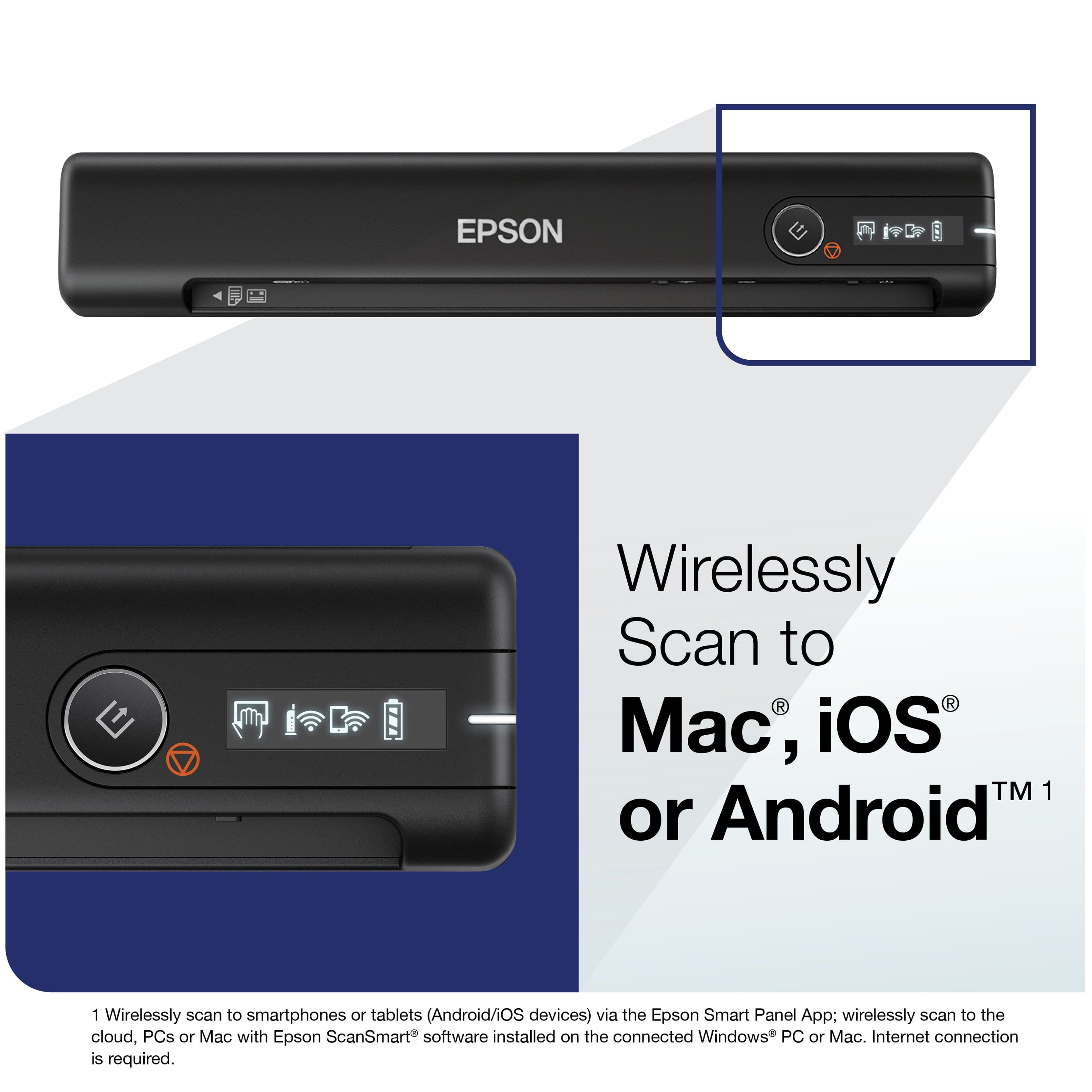
|Posted .This reviewer received promo considerations or sweepstakes entry for writing a review.The scanner is perfect for its intended audience, those mobile workers and students who need to scan. There is even a case for those tied to a desk. Like most printer/scanner MFP’s, this can scan cards and letter size paper. But unless you have a sheet feeder on you MFP, those typically cannot scan legal or longer paper sizes. With this scanner, now you can. It will even scan a nearly 6’ long banner should a need arise. Try that with a flatbed scanner. Even if you are 100% desk-bound, this a great scanner. It takes up so little room in a desk drawer. Or you can stick it to the top or side of your printer with some Velcro so it’s ready to use all the time. But this is meant to live its life on the road, and it excels in that environment. The scanner is very light at less than a ½ pound, it’s not noticeable in my laptop bag. If you use an iOS or Droid tablet/phone instead of a laptop, it works with those as well over WIFI. It has a battery, so no cables are needed. Charging the scanner from 0% to 100 takes about 3 hours. It comes with a standard droid type USB cable for charging and use if you don’t want to use the Wi-Fi. No special chargers to keep track of, which is perfect a portable scanner. Setup is quick and easy. The download, setup and registration took just under 10 minutes with my 100Mbps Internet connection. You will need to enter the serial #, the software does not pull it from the scanner automatically. The serial number is on the box end and the bottom the scanner. Unlike my laptop and other devices, the serial number is in a large easy to read font. Nice. At the end of the setup, the installer checks for updates. There were two updates available. It would be nice if the installer downloaded the latest software to begin with to save this step. The update download and install only added another 1½ minutes. The OCR software works well. I scanned several documents and there were only a few minor mistakes. This is not marketed as or meant to be a photo scanner, but the scans look good. More than good enough for logos, diagrams, and other basic picture needs. The only real downside is the lack of a case. This leaves the scanner vulnerable to getting the lint, dirt and other debris you may find in a laptop bag after some time. A thin and light case or sleeve (a sock?) to keep the gunk out should be included or made available for a portable device. I’ve used many portable scanners over the years working in IT. This one is the best I’ve used so far. It’s a great balance of features, performance and cost. I believe it’s at the top of a very short list.
I would recommend this to a friend - Pros mentioned:Ease of use, Scan speed, Size
High on quality, small on everything else
|Posted .This reviewer received promo considerations or sweepstakes entry for writing a review.Tl;dr: This fast, small scanner delivers high quality single sided scans quickly and easily to your PC, tablet, or phone. Pros: Incredibly compact Fast Sharp Easy to use Wireless or wired Cons: Single sheet only Single sided Ease of Use: The Epson WF-60W scanner is made for portability. It’s perfect for auditors, financial planners, sales professionals, and others who visit clients and have to collect a small amount of paperwork with signatures. Installing the software is a breeze. You first connect to the scanner with the included USB cable. This is also used to charge the scanner or configure it for wireless usage. When scanning, you can use the USB, have it use an infrastructure WiFi network (i.e. hotspot) or have it create its own network. It does have to be connected to a PC before you can use it wirelessly with a phone. After the initial set up, scanning to your phone or other device is just as easy as using a PC. Through either a device or your PC, the scanner allows for single sheet scanning or combining multiple sheets into a single document. Multiple sheets includes scanning 2 sides of a single sheet of paper. There’s only a single scanning element, requiring the paper to be turned over for the 2nd pass. Once the documents are scanned, the PC software gives the option to make it searchable using Nuance’s OCR technology. In my usage, the OCR was fairly accurate, allowing easy navigation of larger documents. Speed was very impressive, scanning a full page in under 5 seconds. It also handled scanning an ID in 2 single passes without any hiccups, automatically resizing the page dimensions to only the ID size. Quality: Scan quality was on par with the desktop scanners that I’ve used at home and all in one scanners I’ve used at work. Images are clear and sharp with little noise. Conclusion: You can’t beat the size of this scanner. If you’re regularly scanning business cards, IDs, or documents and you need high quality, this fits the bill nicely. While it would be nice to have double sided scanning in a portable scanner, the single side likely keeps the price down for what’s a somehwhat niche market. The wireless aspect helps in future proofing as people transition to phones, tablets, and other devices without a USB port.
I would recommend this to a friend - Pros mentioned:Battery life, SizeCons mentioned:Connectivity
Sleek and portable, some features lacking.
Posted .This reviewer received promo considerations or sweepstakes entry for writing a review.From the moment I opened the packaging, I was stunned with the size of this scanner. It's sleek and compact - I could easily imagine throwing it in my backpack while traveling for work, at a conference or trade show or the like without added bulk. It's wireless connectivity, though it leaves some to be desired (discussed further below) even eliminates the need for packing a cable. The scanner did not come packaged with its necessary software. Users are instead instructed to access the Epson website to download the drivers and various utilities that enable scanner use. This is a bit inconvenient, but easily overcome. Upon downloading and installing the software, I was met with a wireless configuration process that was not exactly straightforward. It seems that the scanner can be configured for wireless use only when connected via cable, and it can only remember one network at a time. Meaning if you want to use the scanner at home and the office, you'll need to connect via USB and reconfigure it to each wireless network with each transition. For a scanner boasting portability, this seems like a missed opportunity to shine and makes its use a bit more tedious than I'd prefer. Once configured and connected, I tried my first scan and found the results to be underwhelming. Upon investigation, I found that the default scan mode is 'auto,' meaning the device will determine whether the document being scanned is in color, grayscale or black and white. For this document, it automatically selected black and white which resulted in terrible image quality. Had I not dug into the configuration, I'd have been left to believe the scan quality was just that bad. I'd encourage any buyers to change the 'automatic' mode to another one to ensure suitable scanning at all times versus having to change it and rescan when you find the automatic determination to be inappropriate. Battery life was impressive, having now scanned dozens of documents including multi-page files without recharge. It seems ruggedly built with no creaking when pushed or squeezed, but I do wish that it came with a carrying case or sleeve to protect it. Again, for a device marketed for its portability, protection of it should have been a consideration. Instead, you're left to purchase an aftermarket case. All in all, I'd consider this a solid buy for the price. A few features that could have been improved on or better thought out by the manufacturer, but I'm excited to make use of it. This is a review for the Epson WorkForce ES-60W Wireless Portable Document Scanner that I received free of charge to do a beta test and review.
I would recommend this to a friend - Pros mentioned:Battery life, Ease of use, Scan speed
This is perfect for everyone (home, school, work)
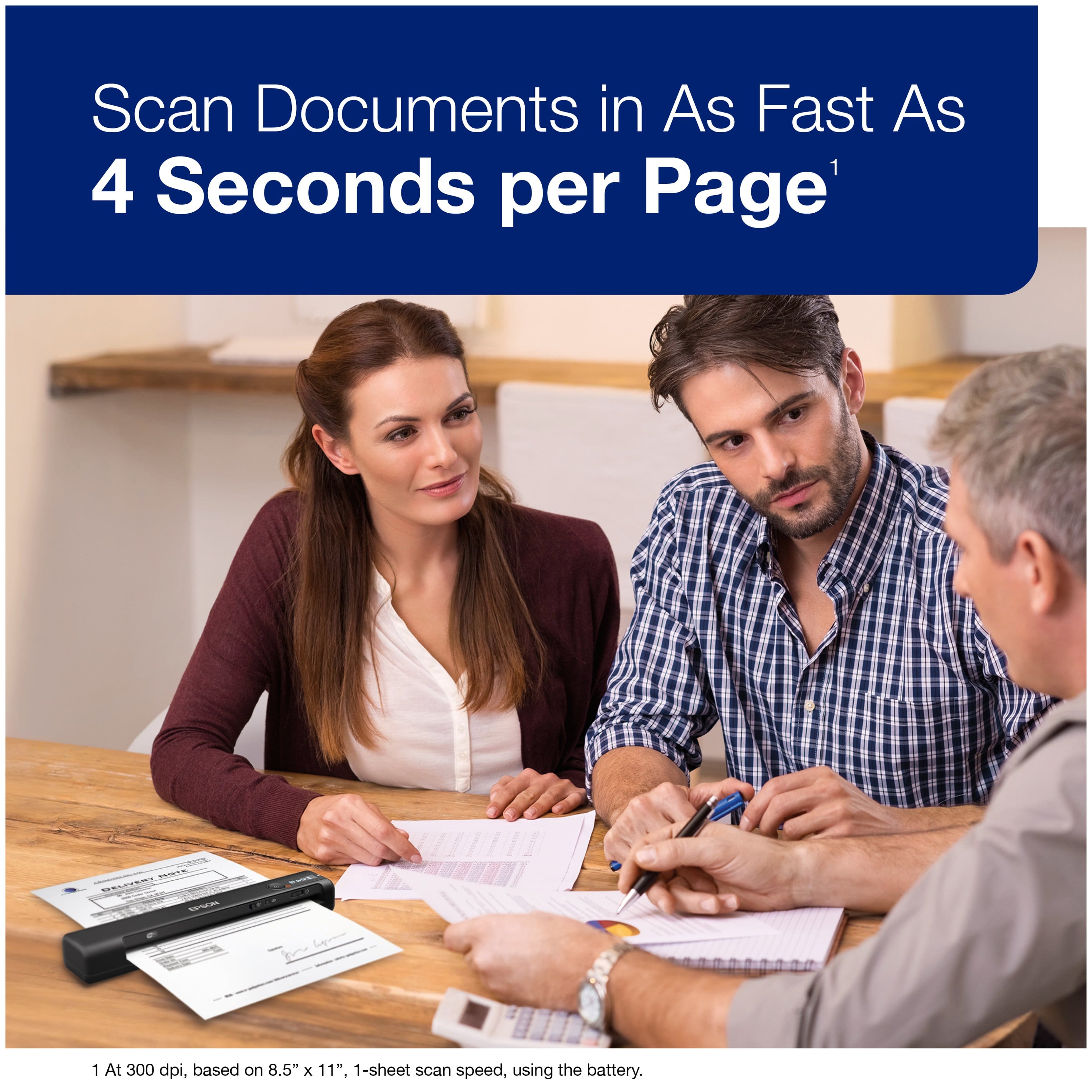
|Posted .This reviewer received promo considerations or sweepstakes entry for writing a review.Every one of us needs to have a scanner like this around the house; whether it is for office use, school use, or just everyday use scanning in papers you need for life but want to declutter paper. It might be school papers, papers from when you buy a car, copies of invoices, maybe work related papers. There are a million things that come to mind, receipts from a business lunch, receipts for parking in a garage and you'll get reimbursed or need for taxes. I just keep realizing that once scanned I think it is fair to say most places accept this and welcome an electronic version. I'm so ready to stop having papers to file for standard household life. Anyway, setup of this was not hard. I chose to use my MAC to set it up. I downloaded the driver and software package and had the scanner running in a matter of a few minutes. You can also setup your scanner via the Apple App Store software, which I also did without any drama. I was able to scan from the app or my computer, and had only one minor frustration and that was with very hard creases in paper that would tend to get the scan buggered up. As the scanner was used more this was less of an issue and the paper was very dry as the humidity level in our house was at 30% when doing this. As the humidity level rose inside, it also got better as the paper was less apt to stay with a heavy crease. The one thing I was amazed about for the price point is the OCR that happens. When I scanned a copy of a car contract, it knew it was a contract and led the file name with the word contract. Very cool. But I could also scan to email, word, excel, dropbox, and more. And I could choose to use PDF as a document, or as a picture file. Very handy. The battery life is not going to last you for days of scanning but for my testing I found I could scan quite a few pages and still had battery left. I would assume for a traveling salesperson you'll have more than enough battery to get through the day. And it does charge with a micro USB cable (included) although some cords with a larger surrounding to hold onto won't fit into the space provided which is frustrating although I know the do this so the plug doesn't break the port when plugged in and something is resting on it or it gets banged around. You'll need to supply charger, you only get the cable, not the charger. I used a Samsung Galaxy charger, and an Iphone charger, both worked fine. The LCD display is helpful to see the status. The buttons are clearly laid out and work easily for turning it on/off, and scanning. It is so handy to take this scanner and sit down with papers or pics from an old photo album and just start scanning. This one scans only one side and one sheet at a time, no auto doc feeder but it is worded think this has a real ADF - it does not. One sheet at a time and only one side at a time. But since it scans fast (300 dpi which is adjustable) I was able to scan multiple pages at less than the 4 second rated speed. Perfect! If you think taking a picture on your phone and considering that a scan, you'll see your images are an aberration because of the way the phone camera distorts the image of a flat piece of paper. This software has been carefully engineered to give you a full set of options for the scanner, your scan jobs, and the output of these scan jobs. Every one of us needs one of these in our life for the reasons I've descried previously (work, school, home). Small and easy to store away although like me, you will leave it out and plugged in so it is real easy to go and start scanning stuff from the mail each day without having to hunt for it, charge it, etc. Another successful product from Epson! Thank you Epson!
I would recommend this to a friend - Pros mentioned:Scan speed, Size
Lightweight, quick scanning
Posted .This reviewer received promo considerations or sweepstakes entry for writing a review.I am so happy with the Workforce Es-60W portable scanner . This device is so light but definitely comes in handy . Setup is simple and can be done in minutes , make sure to have a computer ready for quick , effortless setup. I first scanned my Bills and these went through quickly , very quickly and I saved directly to my cloud on android . I have been able to use the scanner daily with literally no issues . I was suprised tl feel how lightweight the scanner is it felt no more heavier than carrying my phone . The scanner is easy to use in any room of my house . It is small and takes up very little desk space and I am able to get what I need since need in minutes. This is a review for the Epson WorkForce ES-60W Wireless Portable Document Scanner that I received free of charge to do a beta test and review.
I would recommend this to a friend - Pros mentioned:Battery life, Scan speed, Size
Okay for road warriors
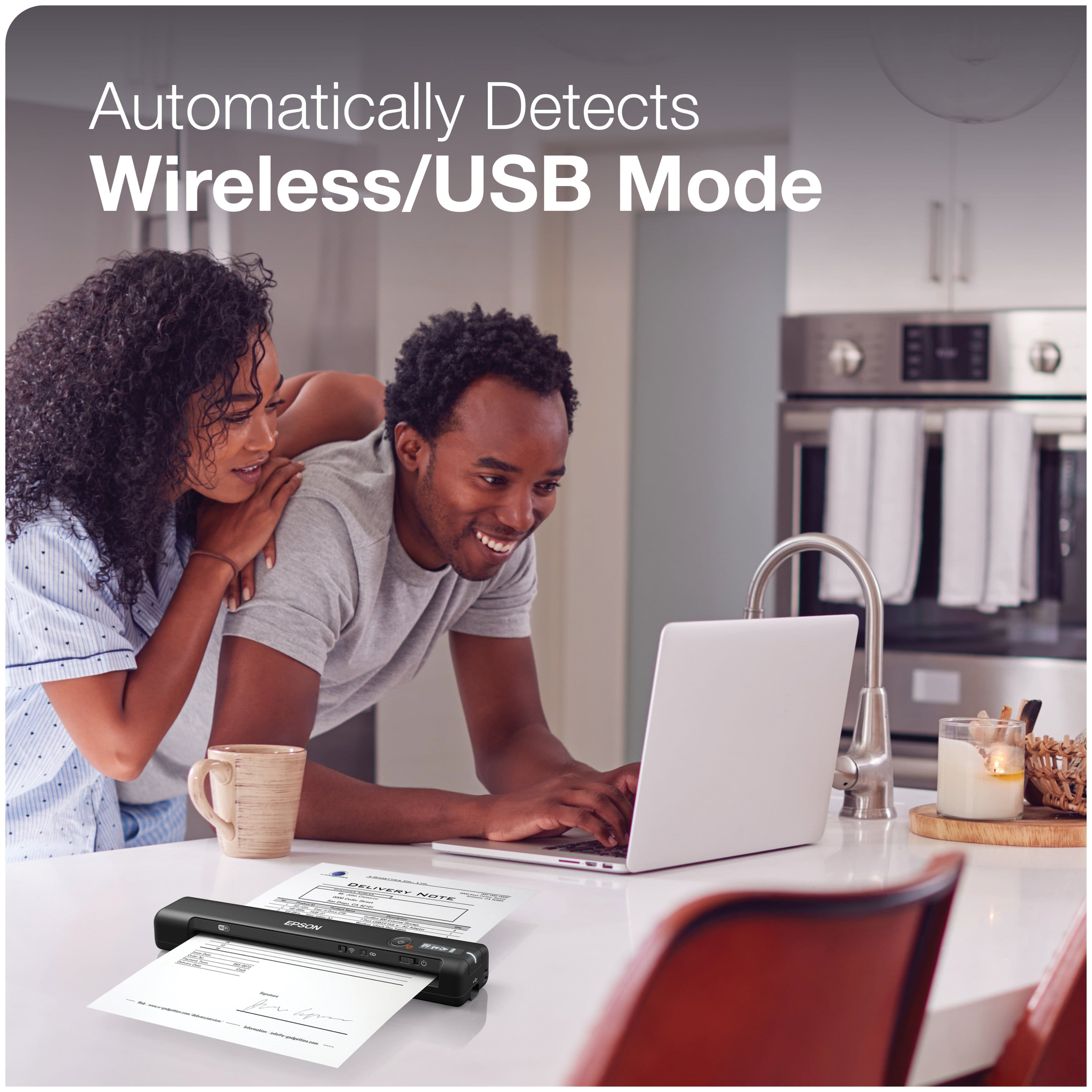
|Posted .This reviewer received promo considerations or sweepstakes entry for writing a review.The Workforce ES-60W is small, fast and light. It is defiantly made for mobile professionals. Overall it was easy to set up, but the associated software seems a little unpolished or something from the 90’s that was written for Windows 95! I did like that I could use it with either wireless or USB connection without having to select either. It just connects either way by itself. When feeding a document in, it senses the page and pulls it in just a bit to get it ready to scan. I scanned the same page several time, and no matter how carefully I fed the document in, it would become slightly askew in the feeder and was reflected in the output. It was not enough to make it horrible, but you wouldn’t want to pass off the scan as a professional document. The scanner itself fits nicely alongside my laptop in my backpack and keeps a charge for quite some time, but as I said, you can always use the USB connection. It is well made and fairly easy to use. I installed on both a MAC and Windows 10 laptop and didn’t see any discernible difference in use or performance. I would not recommend this if you need to scan professional documents for distribution, but if you need something to scan receipts or other documents on the road, you could do a lot worse that the Workforce ES-60W.
I would recommend this to a friend NO DUPLEX
||Posted .This reviewer received promo considerations or sweepstakes entry for writing a review.I really don't know how good this product is. I bought it because in the specification it said Duplex Scan Function Yes. Well to my surprise it does not Duplex. I filtered for duplex and this pops up. I just don't understand why it is so hard to display the correct information under specifications. Going back to the store asap!
No, I would not recommend this to a friendBrand response from Epson
Posted .Hi DPDP, we're sorry to hear about your disappointing experience with your ES-60W scanner. Epson also offers helpful information, including FAQs and self-help tools, on the product support web page at https://epson.com/Support/Scanners/ES-Series/Epson-WorkForce-ES-60W/s/SPT_B11B253201#questions. Your scanner includes a 1-year Limited Warranty, plus free lifetime technical support. If you need assistance, our Epson Support Team would be happy to help you and can be reached at (562) 276-4382; Hours: Monday - Friday, 7 am - 4 pm PT; Sincerely, Sam - The Epson Team.
Could not connect to my computer
||Posted .This reviewer received promo considerations or sweepstakes entry for writing a review.I purchased a brand new Windows 10 HP laptop from Best Buy. About a week later I purchased this scanner, which I couldn't find the driver to get it to work. I contacted Epson and worked with their tech support and they could fine the right driver either. Finally they concluded that something is wrong with my brand new computer. I ended up buying an all in one and installed it without any issues.
No, I would not recommend this to a friendBrand response from Epson
Posted .Dear Valued Customer, we're apologize for the setup issues that you had encountered with the WorkForce ES-60W. Epson takes into consideration all feedback to improve the performance and quality of our products. If we can help you with anything else, our support team can be reached by phone at (562) 276-4382, Monday - Friday, 7 am - 4 pm PT; or by email at https://epson.custhelp.com/app/ask/p_model_name/Epson%20XP-4100. Otherwise, we’ll make sure your feedback gets to the right departments to help improve the performance and quality of our products. Sincerely, Bobby D. - The Epson Team.
Epson bar code scanner
||Posted . Owned for 3 weeks when reviewed.This reviewer received promo considerations or sweepstakes entry for writing a review.I am very disappointed after being it into work and finding out that ALL of the instructions are in Spanish with NO English. I returned it and showed the sales rep and he couldn’t believe that there’s no English instructions. Waisted time, gas and didn’t get my job completed. NOT HAPPY!!!
I would recommend this to a friendBrand response from Epson
Posted .Hi Jimbo, we apologize for the disappointing experience you encountered with the Setup guide for the ES-60W Scanner. Epson takes into consideration all feedback to improve the performance and quality of our products. If we can help you with anything else, you can reach our support team at (562) 276-4382 between 7 am - 4 pm (PT), Monday - Friday. Hopefully, we can assist you with a future product. Sincerely, Kevin - The Epson Team.
Clunky installation. Returned.
||Posted . Owned for 1 week when reviewed.This reviewer received promo considerations or sweepstakes entry for writing a review.Installation not user friendly. Long time to update firmware. Interface with computers versus smart phones not well explained. Issues getting it to work with either resulted in me returning it the next day. In this day and age I’d expect much clearer instructions and more intuitive interface.
No, I would not recommend this to a friendBought this 10.07.21 stopped working fatal error 1
||Posted . Owned for 1 month when reviewed.This reviewer received promo considerations or sweepstakes entry for writing a review.Bought this 10.07.21 stopped working fatal error 11.28.21
No, I would not recommend this to a friendBrand response from Epson
Posted .Hello pandemicbuyer, we're sorry to hear about your disappointing experience with the ES-60W scanner. Epson takes into consideration all feedback to improve the performance and quality of our products. Epson offers helpful information, including FAQs and self-help tools, on the product support web page at https://epson.com/Support/Scanners/ES-Series/Epson-WorkForce-ES-60W/s/SPT_B11B253201#questions. Additionally, your scanner includes a 1-year Limited Warranty, plus free lifetime technical support. If you need any assistance, our Epson Support Team would be happy to help you and can be reached at (562) 276-4382; Hours: Monday - Friday, 7 am - 4 pm PT; Sincerely, Sam - The Epson Team.
- Pros mentioned:Battery life, Scan speed, Size
Great scanner!
|Posted .This reviewer received promo considerations or sweepstakes entry for writing a review.The Epson Workforce ES-60W wireless scanner is a surpurb portable scanner. The first thing you’ll notice is how light and slim the device is, which makes it truly portable and easy to carry around. The set up was pretty easy, all you have to do is plug your scanner into your computer with the supplied usb cable and then go to epson.com and download the software. The scanner comes with a built-in rechargeable battery, that’s charged by the included usb cable. I was using a MacBook Pro with my scanner, so after I installed the software Everything was up and ready to use. I gave it a test run and was amazed at how fast this device scans. It scans documents in around 4 secs and sends it to the computer for a preview. The image came through very crisp and sharp with no issues at all. From the computer’s software, you have the option to save the file locally, or send it through an email, export to word, excel and other programs. Epson really made it very easy and user-friendly to operate. There is also another way to set up the scanner if you don’t have a computer. If you have a tablet or smart phone you can download the Epson app and use it wirelessly through the app. This, is where things start to go downhill for Epson. I used my new iPad Pro 11” to download the app and set it up through there. First off, like most apps for the new iPad, it doesn’t fit the screen correctly. This isn’t a deal breaker, as it’s just a matter of an update. My biggest disappointment is the lack of features the app has. There is no option to export it to word or excel, in fact the options are very limited. You can save the file to your device in a folder inside the app itself, that’s about it. I would’ve liked to see more export options here, especially seeing how many you get with the computer software. Overall, the wireless scanner is an impressive device, when using with a laptop or pc. While it still produces the same clear image results on a tablet, the lack of features on the app really wastes the capabilities of what the scanner can do. I would definitely recommend the Epson wireless scanner to anyone though, as it truly is an amazing portable scanner.
I would recommend this to a friend Not easy to use
||Posted . Owned for 3 weeks when reviewed.This reviewer received promo considerations or sweepstakes entry for writing a review.So far I haven't been happy with this. It is not real easy to use. If I hadn't thrown the box away I would return it.
No, I would not recommend this to a friendBrand response from Epson
Posted .Hello Printer, we regret to hear your experience has been disappointing. Your Epson ES-60W scanner comes with a 1-year Limited Warranty and free lifetime technical support. If you need assistance, Epson provides useful information, including self-help tools and FAQs, to help troubleshoot problems with scanning and connectivity on the product support at www.epson.com/s/SPT_B11B253201. You can also contact our support team by phone at (562) 276-4382, Monday - Friday, 7 am - 4 pm PT; or by email at https://epson.custhelp.com/app/ask/p_model_name/Epson%20WorkForce%20ES-60W. We appreciate your business and we're here to help. Sincerely, Bobby D. - The Epson Team.
Wireless Connection Failure
||Posted .This reviewer received promo considerations or sweepstakes entry for writing a review.After using a USB-connected Epson scanner for over 4 years, it finally quit working. We purchased this Epson wireless scanner to break the USB connection, but after attempting installation six times, we gave up and decided to return the item. Every time ended in failure. We followed the instructions from the box, then followed directions from Epson website using troubleshooting option.
No, I would not recommend this to a friendBrand response from Epson
Posted .Dear JT3Halls, thanks for taking the time to write a review. We’re sorry to hear that you’re having issues with your WF-ES60W wireless set up and regret to heat that you returned the scanner. I will forward your feedback to the relevant Epson department as we strive to improve the performance, ease of setup and quality of our products. Thanks for considering Epson. Sincerely, Matt S. – The Epson Team.
- Pros mentioned:Ease of use, Scan speed, Size
Very good features
Posted .This reviewer received promo considerations or sweepstakes entry for writing a review.This portable scanner has very good features going for it. It is very light and easy to carry around. It does not take lots of space on my office desk or in a drawer. It has an inbuilt battery which charges through a USB. I found the interface very user friendly and easy to install. I was able to scan business cards, photos, receipts and documents in a very short time. I have scanned and sent purchase receipts and orders to my office. They were very clear with no black areas. Very fast and efficient. Being able to scan with the OCR option makes documents searchable. This is a review for the Epson WorkForce ES-60W Wireless Portable Document Scanner that I received free of charge to do a beta test and review.
I would recommend this to a friend - Cons mentioned:Connectivity
Did work with out wyfi
||Posted .This reviewer received promo considerations or sweepstakes entry for writing a review.Didn’t work without wyfi could not use it mobile on the road with my phone
No, I would not recommend this to a friendBrand response from Epson
Posted .Hi Best Buy customer, we apologize that you are having issues with your ES-60W. Click on this link for the user's guide on how you can use your scanner.
https://files.support.epson.com/docid/cpd5/cpd52481.pdf
Please call if you have further questions on setting up and using the scanner.
Our Epson Support Team would be happy to help and can be reached at (562) 276-4382; Hours: Monday – Friday, 6am – 8pm PT; Saturday, 7am – 4pm PT. Sincerely, Leo – The Epson Team.
- Pros mentioned:Scan speed, Size
Easy and Simple for Business and Personal Use!
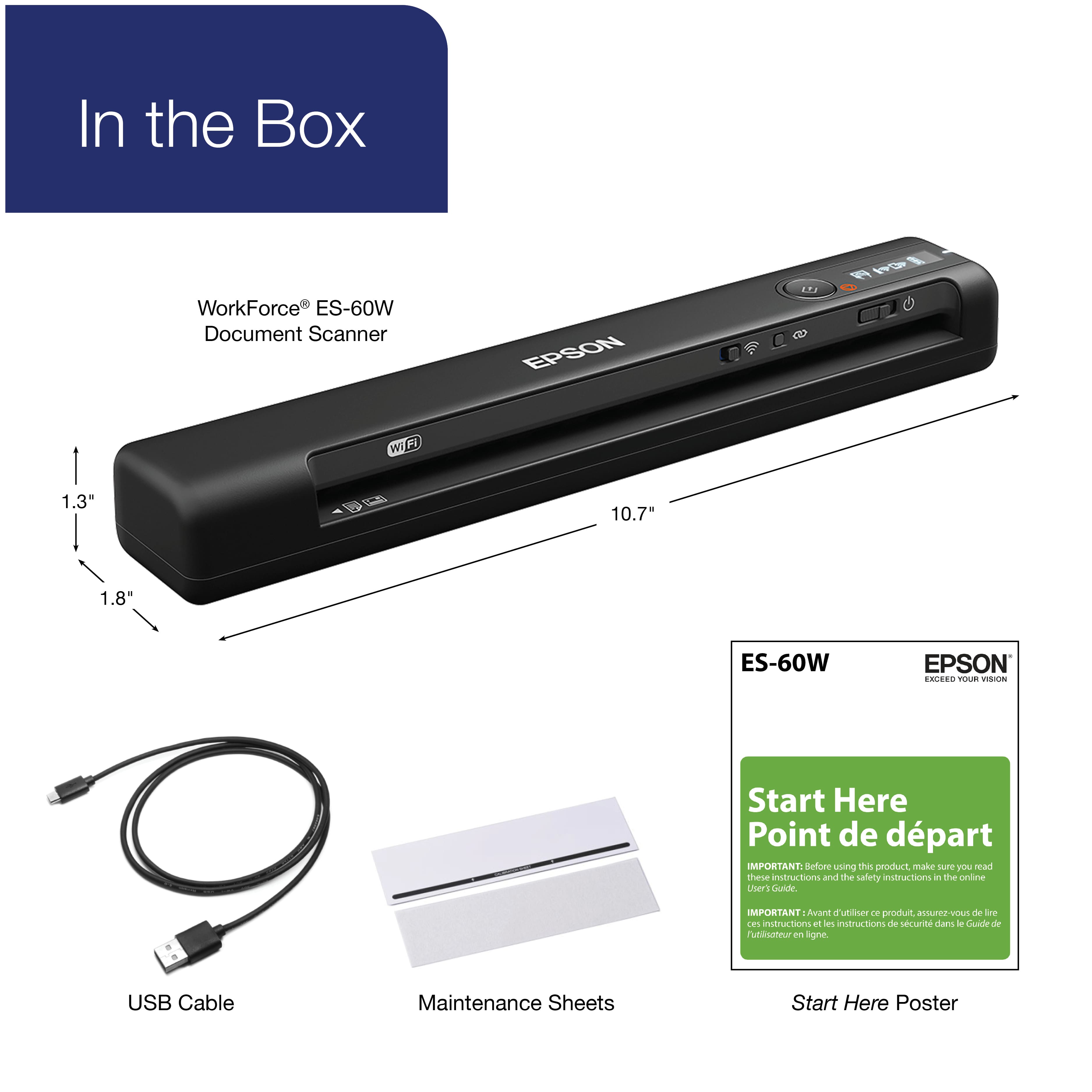
Posted .This reviewer received promo considerations or sweepstakes entry for writing a review.I was immediately surprised when received the Epson WorkForce ES-60W Wireless Portable Document Scanner in the mail because the packaging was so lightweight! I am impressed by how small and lightweight the Epson WorkForce ES-60W Wireless Portable Document Scanner is! It is PERFECT for on-the-go scanning of receipts, documents and photographs when traveling for business or leisure. In my opinion, I think the Epson WorkForce ES-60W Wireless Portable Document Scanner would be the perfect device for Genealogists to use when needing to scan important family photographs or documents. I think it is also perfect for scanning receipts if you want to keep track of household expenses or business expenses if you are a business owner. The Epson WorkForce ES-60W Wireless Portable Document Scanner was SUPER EASY it setup! I downloaded the Epson DocumentScan App on my Android Phone, connected the scanner to my phone via the Wi-Fi, and I was immediately able to scan documents and even a Driver's License! The Scanner offers multiple Scan Settings and Save Settings. You have the options save Scans in PDF and JPEG formats. You can adjust the Scan Settings to fit the specific item you are intending to scan [Letter, Plastic ID Card, etc..,] or you can allow the Scanner to. Auto-Detect the correct Scan Settings for you. Overall, I am very impressed with the Epson WorkForce ES-60W Wireless Portable Document Scanner. It has worked perfectly for me so far. Scanning documents, photographs, and other items has never been faster! I was able to scan a Driver's License in about 4 seconds flat with the Epson WorkForce ES-60W Wireless Portable Document Scanner! No more having to struggle to scan multiple items using a Flatbed Scanner/Printer Combo! The Epson WorkForce ES-60W Wireless Portable Document Scanner is so simple to setup and use! Perfect for Business or Household use! The Product Packaging Includes: ·Epson WorkForce ES-60W Wireless Portable Document Scanner ·USB Cable ·Two Setup Guides featuring multiple languages. ·Warrenty & Notices Information ·Calibration Sheet ·Cleaning Sheet This is a review for the Epson WorkForce ES-60W Wireless Portable Document Scanner that I received free of charge to do a beta test and review.
I would recommend this to a friend