Customer Ratings & Reviews

- Model:
- C11CD10201
- |
- SKU:
- 4667001
Customer reviews
Rating 4.3 out of 5 stars with 817 reviews
(817 customer reviews)to a friend
Customers are saying
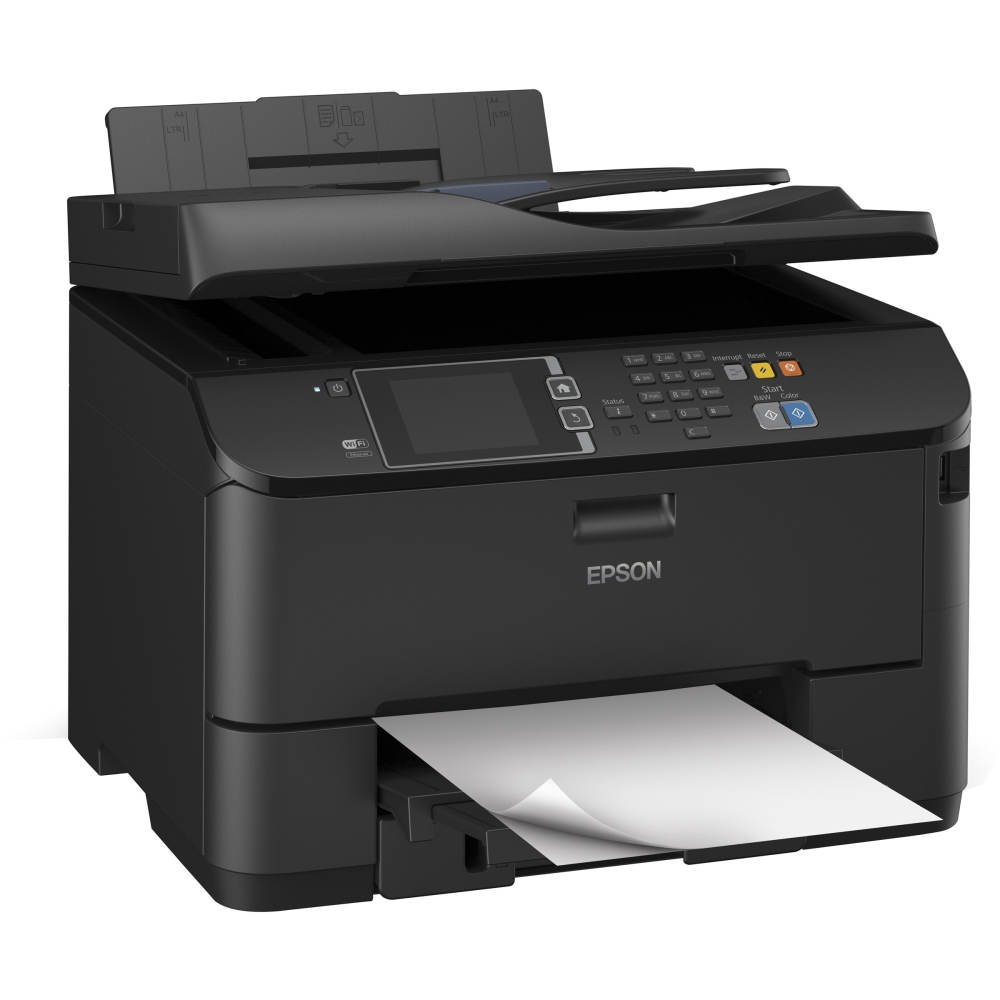
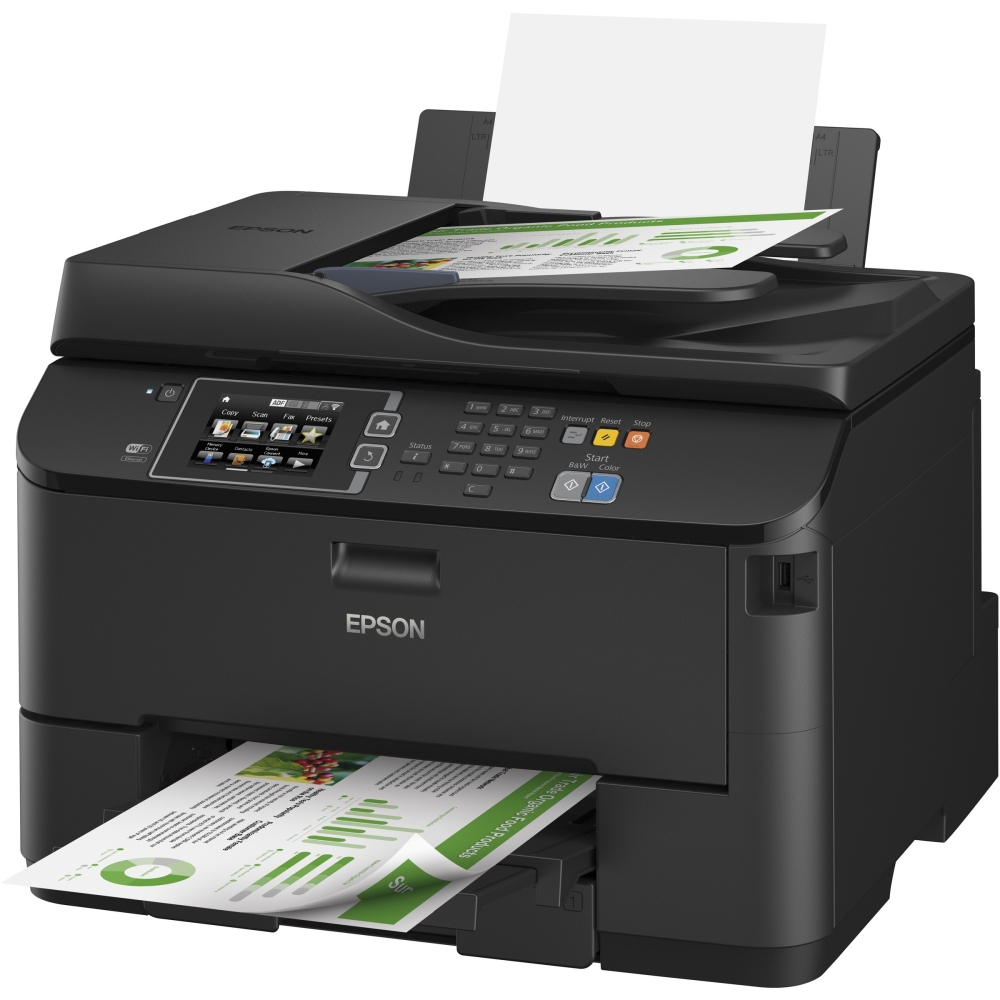
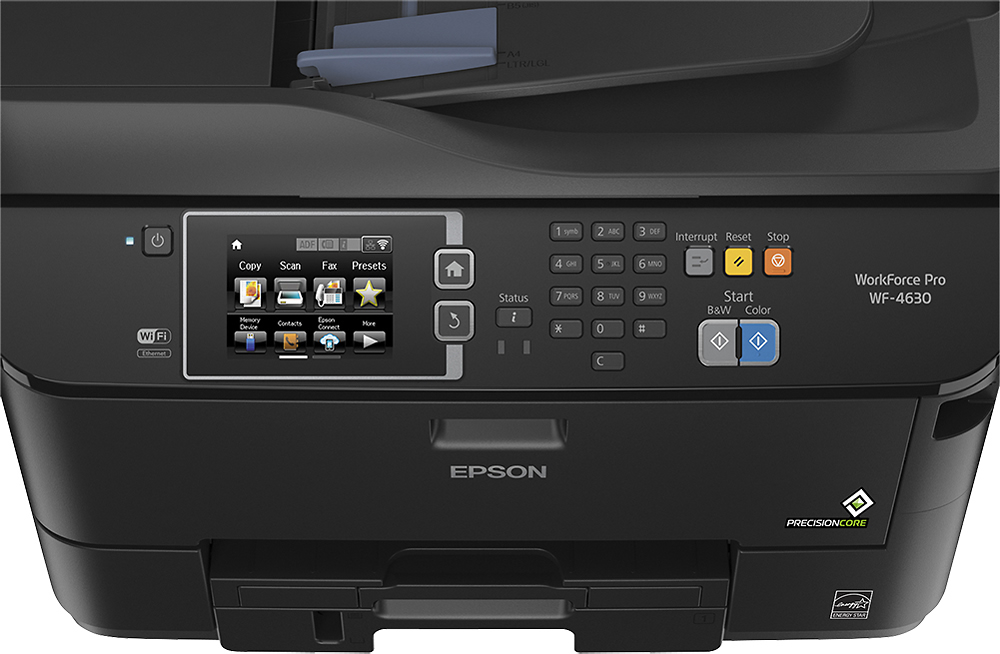
Customers are positive about the WorkForce Pro WF-4630's print quality, ease of use, and wireless functionality, with many praising its performance and convenient setup. They also appreciate the scanner's capabilities and find the printer to be reasonably priced. However, customers are negative about the printer's large size and have expressed some concerns regarding its long-term reliability and occasional hardware issues. Some users experienced malfunctions after a period of use.
This summary was generated by AI based on customer reviews.
- Pros mentioned:Print quality
Rated 5 out of 5 stars
This printer works quite well
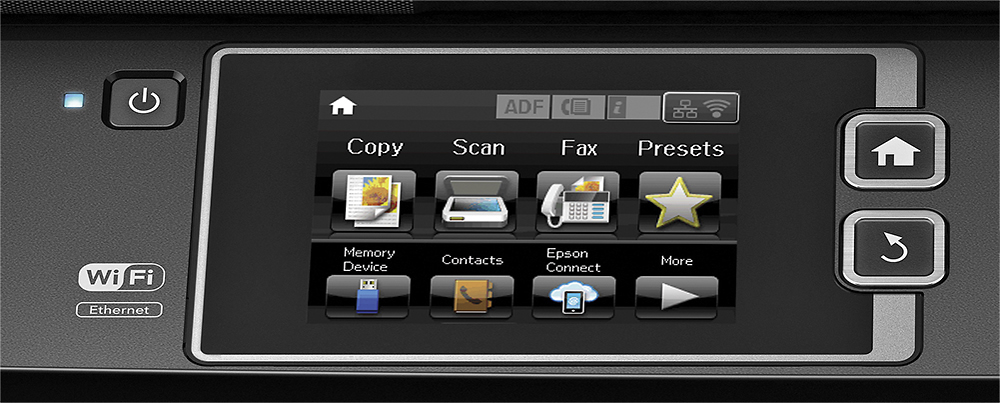
Posted .This reviewer received promo considerations or sweepstakes entry for writing a review.Maybe I'm jaded as the printer I was replacing was 5 years old and printers are much improved but frankly I had it with HP printers-even new they were slow, when I wanted to print they would start doing some maintenance and used a great deal of ink. I am very impressed with the Epson WF-4630. It is very fast, prints almost immediately and has a very friendly and large touch screen. Set up (using a wired connection) was a breeze. It holds a great deal of paper and prints very well. I highly recommend it!
I would recommend this to a friend - Pros mentioned:Print quality
Rated 5 out of 5 stars
Fast and quality
Posted .This reviewer received promo considerations or sweepstakes entry for writing a review.Really quality, fast printer, great price! It's a nice looking machine and prints super fast!
I would recommend this to a friend - Pros mentioned:Print quality, Wireless
Rated 5 out of 5 stars
Great printer
Posted .This reviewer received promo considerations or sweepstakes entry for writing a review.The printer was easy to set up, instructions were easy to follow. Print quality is awesome and it is all wireless.
I would recommend this to a friend Rated 4 out of 5 stars
Rough Start but Looks Like a Winner
Posted .This reviewer received promo considerations or sweepstakes entry for writing a review.The local store was out so they had one shipped to me direct. It was a rough start because there was no disc shipped as there should of been, and no getting started sheet as there was supposed to be. So, I had to find documentation online; finally got the software downloaded, had to restart that because the Epson site was too slow at first. It takes a while to get it all installed, and then I could not scan using the control panel on the printer... called support tonight and we did figure out it was MalwareBytes not letting it work... got that resolved, and installed it on the other two computers, and my ipad and iphone sees the printer without any other apps as the documentation implied it would.. It is a little bit of a steep learning curve, but I go this brand because Lexmark no longer makes injets for the home market. I had my previous printer over 5 years. I can only hope this one lasts that long...
I would recommend this to a friend- Pros mentioned:Print quality, Wireless
Rated 5 out of 5 stars
Great printer works everytime
Posted .This reviewer received promo considerations or sweepstakes entry for writing a review.Works smooth and perfect print everytime. First time for a wireless and loving it
I would recommend this to a friend - Pros mentioned:Ease of use, Print quality
Rated 5 out of 5 stars
As good as laser printer
Posted .This reviewer received promo considerations or sweepstakes entry for writing a review.Easy to set up. Prints fast and very crisp clear prints.
I would recommend this to a friend - Pros mentioned:Price
Rated 5 out of 5 stars
All the features for a great price
Posted .This reviewer received promo considerations or sweepstakes entry for writing a review.Did a lot of online research, especially Consumer Reports. It has the 3 things I required: All-in-One, Wi-Fi and separate color cartridges. And the best part is the price!!! Very affordable. Less than 30 minutes and it was on my WiFi network and set up as the default printer on our home PC and 3 laptops.
I would recommend this to a friend - Pros mentioned:Print quality
Rated 5 out of 5 stars
Great Product
Posted .This reviewer received promo considerations or sweepstakes entry for writing a review.I was concerned going from a color laser printer to a inkjet...but, this Epson WorkForce Pro WF-4630 is fast, WiFi connect was easy and print quality is very good. Now, to see how long initial ink cartridges last. I would recommend this AIO printer for it's overall price, speed and options value!
I would recommend this to a friend Rated 1 out of 5 stars
Too big, too heavy and drinks too much ink
Posted .This reviewer received promo considerations or sweepstakes entry for writing a review.After reading rave reviews about this printer's versatility and economical ink usage I finally bit the bullet and purchased one. Big mistake! This beast drinks twice as much ink as my previous printer and it mixes color with the black, even when you select black only. If one of the cartridges is empty it will not print or allow access to the copier, scanner or fax machine until it is replaced. Now, I am getting an error message (x-097). the Epson rep said the printer will have to be replaced! Seriously? I'm not going to bother shipping this thing back and receive another ink sucker in return. This beast is going to the recycle bin and I'll consider it a lesson well learned. This is the last Epson product I will ever buy. Buyer beware!
No, I would not recommend this to a friend- Pros mentioned:Ease of use
Rated 5 out of 5 stars
Easy Install and Use
Posted .This reviewer received promo considerations or sweepstakes entry for writing a review.Great printer, and was very easy to install. The Epson install sequence was a little lengthy, but it set everything up on my network and explained how to print from phones or laptops on the network.
I would recommend this to a friend Rated 1 out of 5 stars
Do Not Buy This
Posted .This reviewer received promo considerations or sweepstakes entry for writing a review.This is an Epson Inkjet. Constantly running the head cleaner to get rid of banding. Aligned the print heads several times, still get the banding. Color is nice, but the quality is poor. Like an old inkjet. Black marks on the corners of pages when printing double sided. Small text can get fuzzy, almost looks like double printed. I should not have to go through 100's of pages to find the errors, or which there are many. Saving printing presets is confusing. Setting the scanner has been a pain, still does not work the way it should. Very slow printing when printing double sided. Takes twice as long as my old laser printer. I would not recommend buying this!
No, I would not recommend this to a friend- Pros mentioned:Print quality
Rated 2 out of 5 stars
Ink guzzler and nozzle-clogging contraption
Posted .This reviewer received promo considerations or sweepstakes entry for writing a review.I bought this printer to replace an old but trouble-free HP all in one printer (it was getting tough to get cartridge replacement for it) because of it's features despite my gut feelings. I had Epsons before but I always had this nozzle clogging issues with them. I thought maybe they would have solved it by now. Also, don't be fooled by the size of it's ink cartridges. They are huge, but they don't really hold that much ink. Initially, the print quality was good and so was the scanner part. But as time went by, the ink was already running out in less than a month and started to leave streaks and in I didn't even used more than half a rim of paper. I've already bought some new replacement ink cartridge in XL size and I used about 3/4th of it already using it to unclog most of the nozzles. Since this printer is sill under warranty, I will send it back to Epson for a replacement (hopefully), and going back to the more reliable HP printers.
No, I would not recommend this to a friend - Pros mentioned:Ease of use
Rated 4 out of 5 stars
Good product for money
Posted .This reviewer received promo considerations or sweepstakes entry for writing a review.This printer is easy to set up, easy to use and works with my IPhone, IPad, and both laptops.
I would recommend this to a friend Rated 1 out of 5 stars
Worse printer ever
Posted .This reviewer received promo considerations or sweepstakes entry for writing a review.I've never had so many problems with a printer. Not sure why it has so many stars. Click on the 1 star reviews and you'll see other reviews like this. This printer according to support is not compatible with many things. I am UNABLE to print anything PDF with pictures without my printer taking 1 hour and 10 papers later. My printer prints out inch by inch on each sheet and it takes like 1 hour for my printer to "think". The problem is even worse when I'm printing a photo in my pictures folder. It sometimes won't even finish printing at all. I know it's not the machine because this one is a replacement of my other. My original machine broke on me for NO reason and took them 2 replacement printers for me to get a good one. It was fine the first couple weeks but now it's starting to act like the other one. I've tried calling support but they are no help this time because my printer according to them is working fine. What a waste of money! I'm trashing this piece of junk and going elsewhere. Never again will I get an Epson. It constantly tells me my printer is offline when the printer itself is connected.
No, I would not recommend this to a friendRated 2 out of 5 stars
Developed print quality issues after 15 months
Posted .This reviewer received promo considerations or sweepstakes entry for writing a review.My wife bought me the Epson WorkForce Pro WF-4630 as a gift in December 2014 (I did some research and helped select the printer). It worked as expected until about 15 months later, at which time it developed print quality issues that I was never able to resolve. When I started having problems, any printed pages with colors would have streaks across the page. I tried all the troubleshooting tips suggested by Epson, including cleaning the print heads (multiple times, which uses a tremendous amount of ink) and aligning them. These steps didn't help, so I contacted Epson support, and they told me to try the same things I had already tried, or to bring the printer to a factory-authorized service center. The only way I could get acceptable color output was by using the highest-quality print settings, which of course uses the most ink, but it still wouldn't be good enough to print photos on photo paper. Note that I've never used non-Epson ink cartridges. The printer was outside of the one-year warranty and I didn't want to pay to have it serviced, so I did more research online and found videos on YouTube showing how to manually clean the print nozzles (not easy to do), which I tried (multiple times) but it made little difference. As I was researching this, I learned that clogged print nozzles were a common issue for this printer, and it was difficult to resolve. Since I don't need high-quality output for most of what I print, I put up with the problem for a few more months. I finally did contact the nearest authorized service center to discuss the problem, and I was told that I would probably need to replace the print head, which would cost almost as much as the printer did originally. Rather than invest any money fixing a printer that might start having problems again, I plan to replace it soon. Fortunately, the AMEX card used to purchase the printer provides extended warranty protection, and AMEX has refunded the original cost of the printer, so at least we didn't lose any money. However, I'm not sure what to do with the printer once I get a new one (not another Epson); I don't want to sell or even donate a printer that doesn't work well, but I don't want it to end up in a landfill either (especially given its size). Another thing I never liked about the printer is that it starts warning you about low ink months before you actually run out, meaning you have to put up with a blinking status light on the printer and low ink warning dialogs when you print. Other than the premature low ink reminder, I like the functionality of the printer, but given the print quality issues, I can't recommend it.
No, I would not recommend this to a friendRated 1 out of 5 stars
Maybe Mine is a lemon?
Posted .This reviewer received promo considerations or sweepstakes entry for writing a review.It's been a few months since I bought this printer and it's been a terrible experience. So when I came back here to re-read the reviews, I was surprised to see so many positive experiences. I would give it a minus 1 star if possible. The color is very weak, I've had several color printers over the years and this is the worse by far. It looks like a color picture that was left out in the sun too long. Yes, cartridges are new. And the paper feed is horrible. To print two pages, it uses at least 20 pages of paper. The first inch is on one page, then there might be a few inches on another page, I've only been able to get one sort of acceptable copy and I had to hand feed a single sheet into the printer to get it. Completely unacceptable. I need to find out if I have any recourse to return this lemon, I wound up not using it when I first purchased it and now I am sorry.
No, I would not recommend this to a friendRated 1 out of 5 stars
Slow as Molasses
Posted .This reviewer received promo considerations or sweepstakes entry for writing a review.Your better off getting the Epson Xp-820. This poor boy misses the boat! When printing a mix of black and color print, it delays between black and color. What a pain. I'll do 50 copies on the 820 and when they're completed, the 4630 has done maybe 15. I, now, only use the 4630 for envelops and it's loader is limited to only about 20. If you don't get the envelops in just right they will slip and not feed through. 4630 touts about the amount of paper you can put in the tray but when you get done coping it will be next month!
No, I would not recommend this to a friendRated 2 out of 5 stars
Great Options, bad printer
Posted .This reviewer received promo considerations or sweepstakes entry for writing a review.The printer had a lot of nice options that my HP didn't have. Setup was easy, but it took a while to get through the cloud setup and stuff. Then after a month and half the black started smudging and streaking across the page about every inch of text down the page. Called support, ran the printer through 3 nozzle cleanings. This did not fix it. They promptly sent me a refurbished printer. This one made it short of four months before it started doing the same thing. I am now working with Epson Support again to get another printer. The nozzle cleaning goes through what seems to be a quarter of the ink for two cleanings.
No, I would not recommend this to a friend- Cons mentioned:Reliability
Rated 1 out of 5 stars
Do not buy this printer
Posted .This reviewer received promo considerations or sweepstakes entry for writing a review.My Answer is DO NOT BUY THIS PRINTER!! My printer started giving me this error )x97 and when I called Epson they said because my printer is out of warranty they wouldn't replace it. I have had this printer for a year and a half and it's rarely used, in fact I just replaced the ink for the first time. So not only am I out a printer but I am out the $100 for the new ink! I would think that a printer should last longer than the ink cartridge and I think that Epson should stand by their products if this is a know problem.
No, I would not recommend this to a friend - Cons mentioned:Reliability
Rated 1 out of 5 stars
Died within months. >:-(
Posted .This reviewer received promo considerations or sweepstakes entry for writing a review.How does this printer have an average rating of over 4 stars and over 669 ratings? After a few months I got the dreaded "0x97" error, and most online search results say that it's an unfixable hardware error that requires replacement of the printer. Some others give complex annoying instructions to reset the waste ink pad counter. This is a big expensive printer with expensive ink, and it's junk in less than a year. I relied on these reviews and didn't see any of the horrible ones till I got the error message and googled it, at which point I realized that many people think Epson printers are designed to fail after a few thousand pages. What a pain. It died in the middle of a big work print and now I have to get a new one. Frustrating!
No, I would not recommend this to a friend