Customer Ratings & Reviews

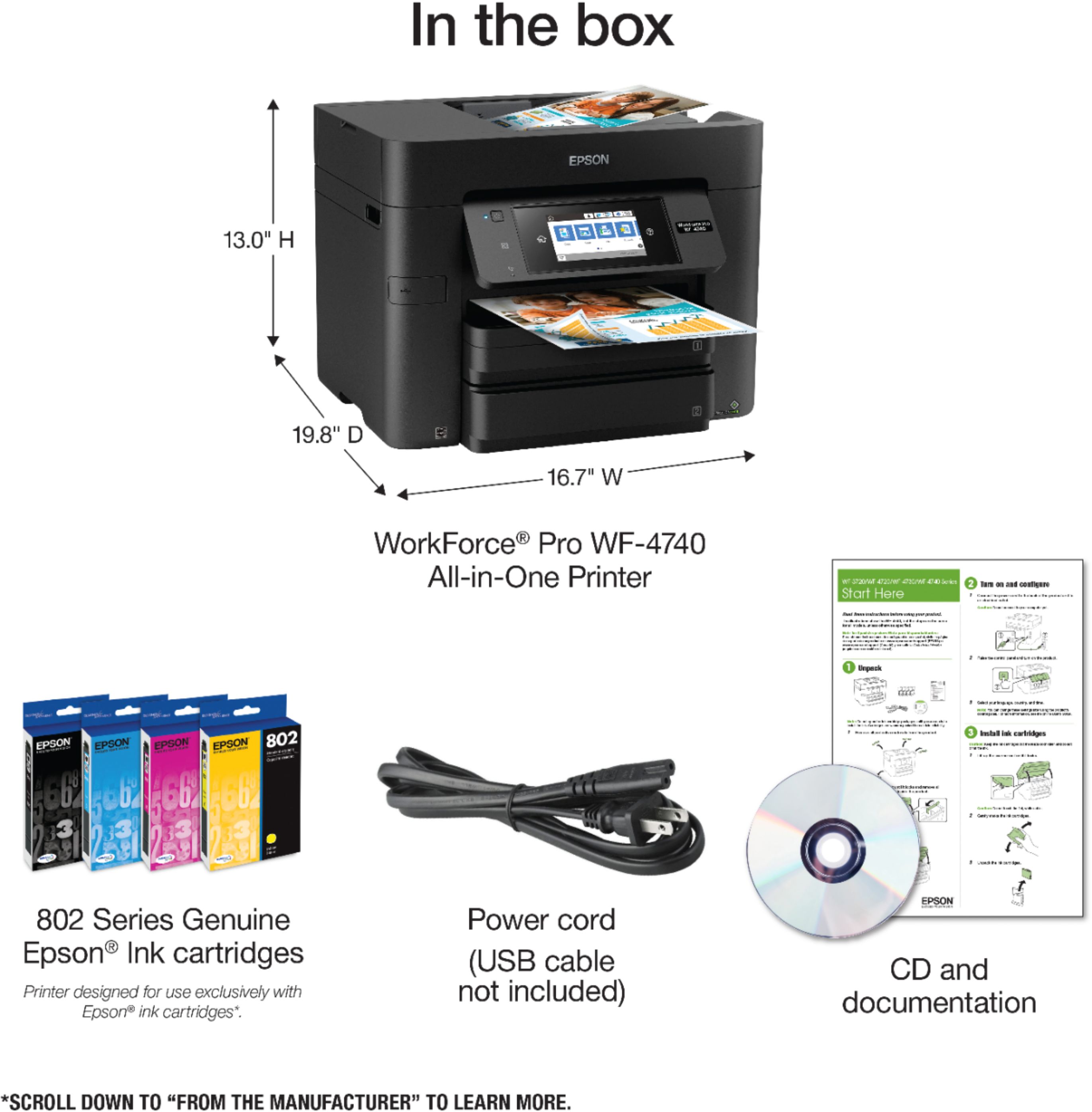


- Model:
- C11CF75201
- |
- SKU:
- 5732906
Customer reviews
Rating 4.2 out of 5 stars with 775 reviews
(775 customer reviews)Rating by feature
- Value3.6
Rating 3.6 out of 5 stars
- Quality3.8
Rating 3.8 out of 5 stars
- Ease of Use3.9
Rating 3.9 out of 5 stars
Customers are saying
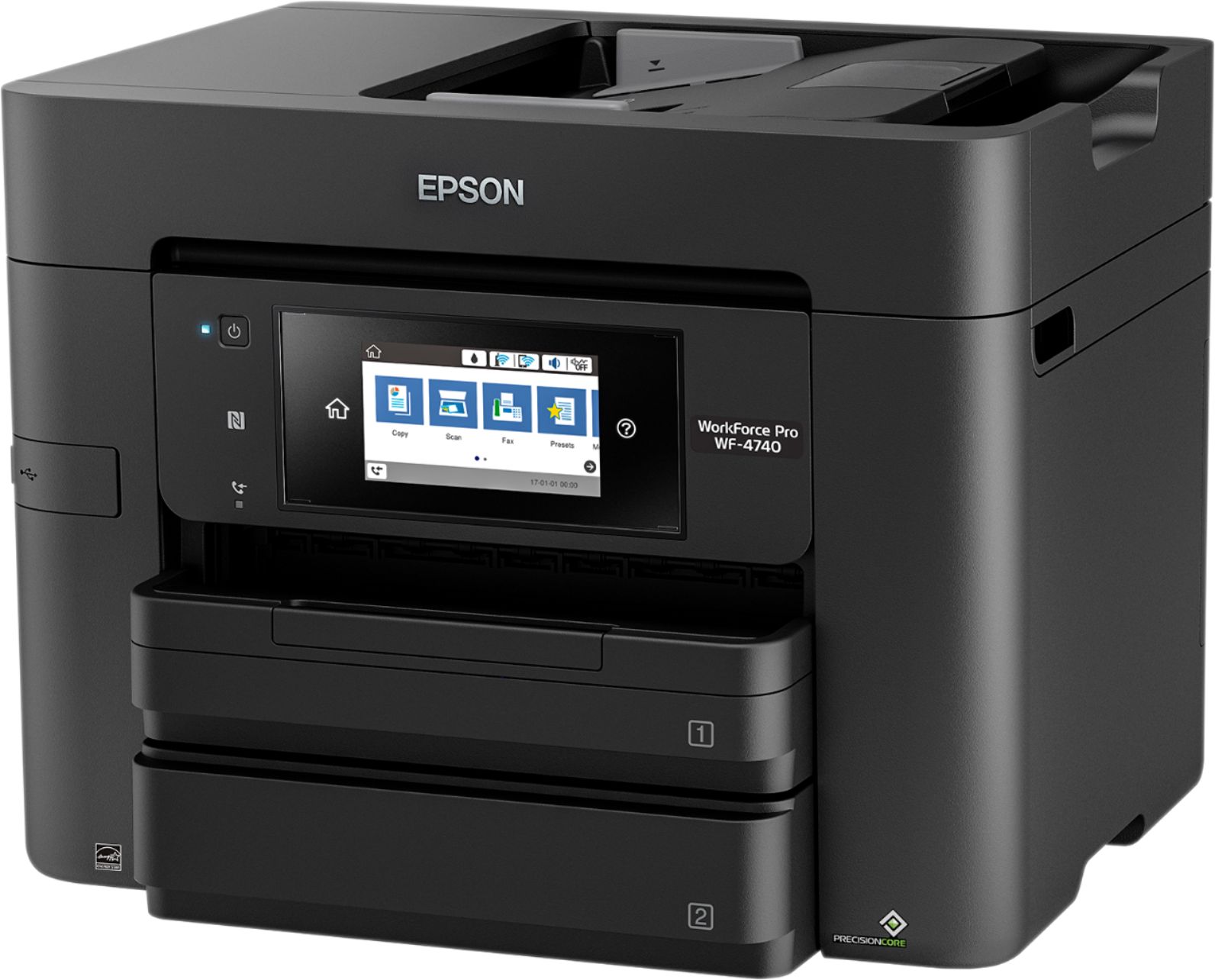
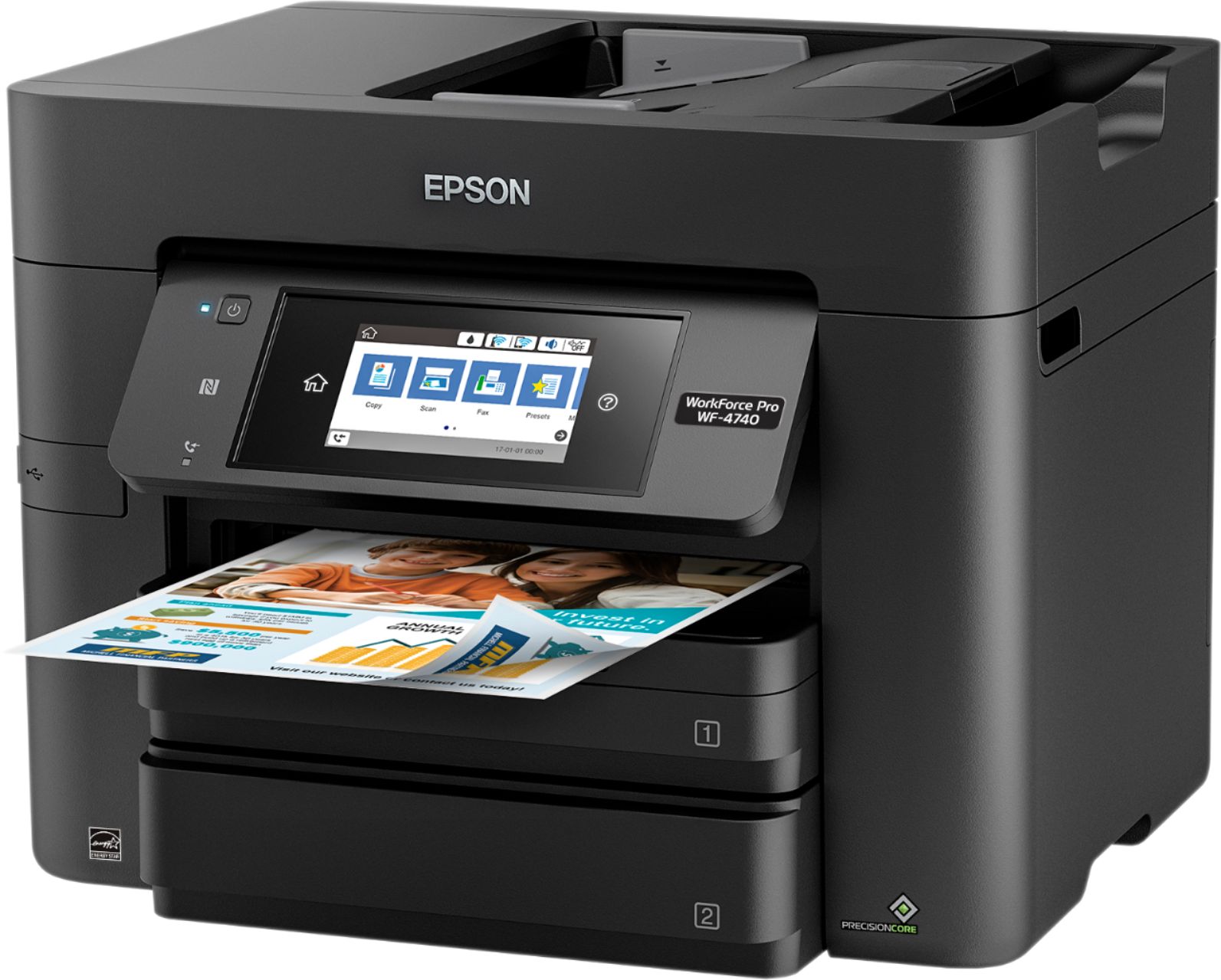
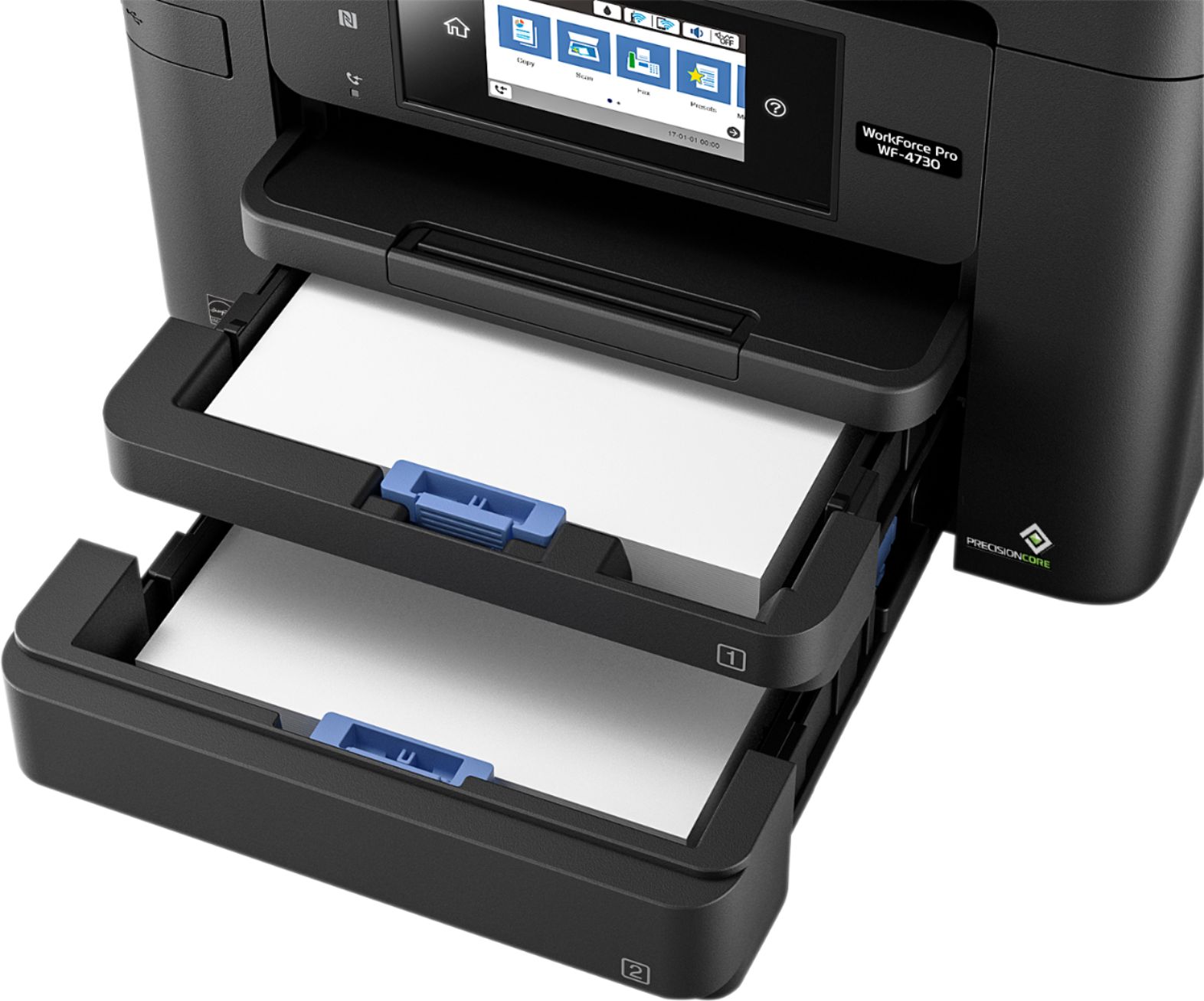
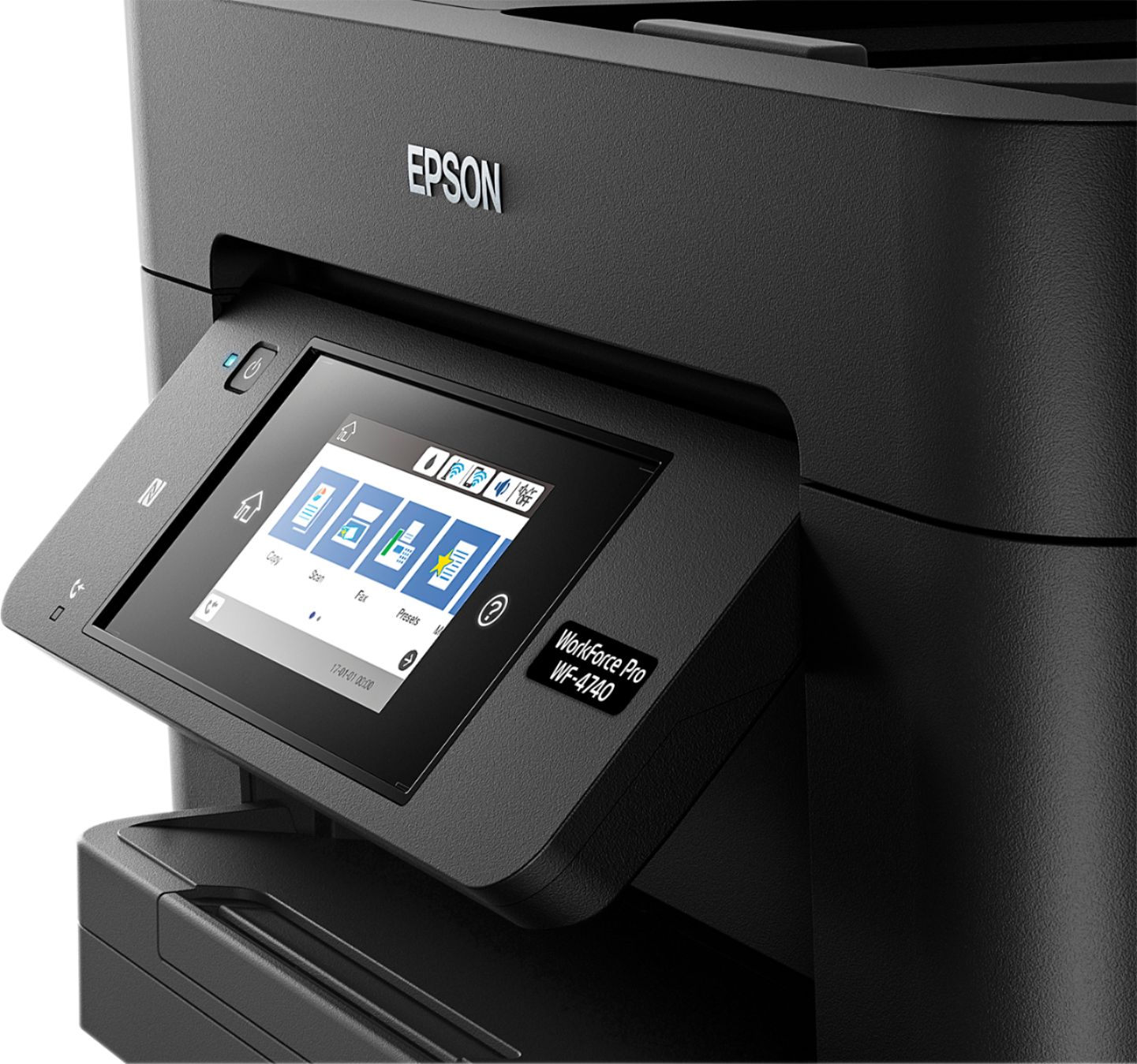
Customers love the WorkForce Pro WF-4740's print quality and ease of use, frequently praising its straightforward setup and convenient paper trays. Many appreciate its compact size and wireless functionality, finding it a good value for the price. However, some users have reported issues with the scanner's reliability and occasional malfunctions after extended use.
This summary was generated by AI based on customer reviews.
- Pros mentioned:Ease of use, Print quality
Rated 5 out of 5 stars
Great printer for home or small business
Posted .This reviewer received promo considerations or sweepstakes entry for writing a review.This is a review for the Epson WorkForce Pro WF-4740 All-in-One Printer that I received free of charge to do a beta test and review. I was given an opportunity to try out this printer and so far I have been impressed right out of the box. I am familiar with Epson brand products and have used many different ones in the past, so I wasn't expecting anything less than an absolute quality product. Unboxing and setup were very easy. Ink cartridge installation was just as simple, and the instructions manual was very clear and not inundated with useless jargon or hard to follow guidelines. So far, I have found nothing to report that would be considered a reason not to buy this product. Compared to several other printers on the market, this one is by far the best choice for brand name quality, and the overall performance one would expect from a company who has been making and selling quality electronics for many years. Overall, my experience with the printer has been beyond satisfactory and I am sure that anyone who buys this printer will experience similar results and will be glad they made the purchase.
I would recommend this to a friend - Pros mentioned:Paper trays, Print quality
Rated 5 out of 5 stars
Excellent All-In-One Printer
Posted .This reviewer received promo considerations or sweepstakes entry for writing a review.First impressions: Out of the box, not too much foam to tear apart, was easy to pull out and set up. All the protective tape over seams and moving parts ensured that everything was in working order and flawlessly packaged. Setup and connecting to my wireless network was simple, as well as setting up Epson Connect app to print from anywhere. Operation: Large capacity paper trays that can accommodate legal size stock makes this a versatile everyday printer. Printing is lightning fast whether it is B&W or color, and I have not experienced any jamming as yet. Lines and depth of color are intense and crisp, and the high page capacity of the ink cartridges leads me to believe that this will require fewer cartridge changes than my previous printer, the HP Photosmart 7500 Series. Aesthetics: Small footprint and compact design looks great on the desk, and the touchscreen operation is intuitive and glitch free (so far). This is a review for the Epson WorkForce Pro WF-4740 All-in-One Printer that I received free of charge to do a beta test and review.
I would recommend this to a friend - Pros mentioned:Print quality
Rated 5 out of 5 stars
Efficient printer
Posted .This reviewer received promo considerations or sweepstakes entry for writing a review.This printer is easy to setup with network or directly to PC out of the box. The size is just about right for office or home printing and comes with all necessary cables. As for the printing, EPSON claims to print about 900 pages for black and so far I have done around 75 to 100 prints and ink status is about 95% left. For color around 40 prints and ink stats still shows full, so I believe its yield is around what EPSON advertised so far. It does both side printing and scanning and also provides several resolution options for clear or economic prints/scans. I am impressed by the connectivity and speed on document transfer to it over network. Its has full support for phone and tablets printing as well as specific customization available through it EPSON app. So far no printing problems have occurred nor it froze. I have not found anything negative about this printer. This is a review for the Epson WorkForce Pro WF-4740 All-in-One Printer that I received free of charge to do a beta test and review.
I would recommend this to a friend - Pros mentioned:Paper trays, Print quality
Rated 5 out of 5 stars
Great for office
Posted .This reviewer received promo considerations or sweepstakes entry for writing a review.The Epson WorkForce Pro WF-4740 is one of the best printers that I've used in my office. The speed of this printer is amazing compared to other printers that I've used in the past. It has no problems printing out 50 plus pages in 3 minutes or less, which what really attracts me to this printer. The quality isn't reduced either, it prints in resplendent condition. I've been impressed at the quality printer that Epson has produced. The printer holds plenty of paper without having to steady reload during the day. The Epson also prints on both sides of the paper to help save money and environment. The best option on this printer though is the size of the touchscreen, its over 4 inches so you can see it without having to get right up on it. If your looking for a great printer for your office or home this is the one for you, you will not be disappointed. “This is a review for the Epson WorkForce Pro WF-4740 All-in-One Printer that I received free of charge to do a beta test and review.”
I would recommend this to a friend - Pros mentioned:Paper trays, Print quality
Rated 5 out of 5 stars
Very nice printer
Posted .This reviewer received promo considerations or sweepstakes entry for writing a review.This is a review for the Epson Workforce Pro WF4740 All-in-One Printer that I received free of charge to do a beta test and review. I received this printer on Friday June 30, 2017. It was packed very securely in a very impressive box which at first was a little intimidating. When I unpacked it, I was surprised that it used the same small footprint as my current printer, but is much more upscale. Made with quality and very good looking. The set up was much more easy than any other printer I a have owned. Took me 30 seconds to hook-up to my Wi-Fi. This unit prints beautifully, very fast and I love the fact it has 2 paper bins. The easy read screen is a plus also. The duplexing is great and faster than any printer I've owned. For business or home use, I would have to say this would be a great asset. I highly recommend this printer to whomever wants quality prints.
I would recommend this to a friend - Pros mentioned:Print quality, Setup
Rated 5 out of 5 stars
Fast, good quality printer!
Posted .This reviewer received promo considerations or sweepstakes entry for writing a review.After recently installing this multi-function printer, I quickly found it to be the nicest one I have owned. Out of the box to fully functioning took about 10-15 minutes. It was much simpler to setup than equivalent HP models I've owned within the last 2 years. I normally toss installation instructions and go right to the vendors site, download the newest firmware/applications and start from there The LCD screen on the front of the printer was very intuitive and allowed me to setup my wifi in a few taps. From there the printer was online and after installation of drivers I was sending full color pages in a few clicks It's also so simple my 8 year old daughter was making copies of her school work by simply following the prompts on the LCD panel without asking me questions. Speed of the prints/copies was also more than I expected from a inkjet printer
I would recommend this to a friend - Pros mentioned:Ease of use, Print quality
Rated 5 out of 5 stars
Easy to use, for home or office
Posted .This reviewer received promo considerations or sweepstakes entry for writing a review.This printer was extremely easy to setup, with an on-screen walkthrough of each step. The touch screen interface was very fluid and easy to use. It was similar to the touchscreen of a smartphone rather than that of most printers. The pictures and documents I have printed have been of a surprisingly high quality. The use of a two tray system allows printing of two different types of paper without having to make any adjustments to the printer. This, as well as it’s very high speed, made printing work for school a breeze. It even has a function where you can email documents to the printer from anywhere, I don’t even have to be at home to print my homework! This is a review for the Epson WorkForce Pro WF-4740 All-in-One Printer that I received free of charge to do a beta test and review.
I would recommend this to a friend - Pros mentioned:Print quality
Rated 4 out of 5 stars
Great printer, but ink is hard to find.
Posted .This reviewer received promo considerations or sweepstakes entry for writing a review.So far the printer has been great. Unpacking and physical setup was easy. Installing the drivers were horribly slow. They downloaded quickly, but still took around 15-20 minutes to complete the install on an i7 with a Solid State Drive (SSD). There was minimal bloatware with the software but they always include the annoying "spy on you to improve their product" which was easy to exclude yourself from. The print quality was really nice, no banding or streaking. Scan quality is fair and faxing worked as advertised. Despite a small pause at the start of each print job, it is relatively quick at printing. My biggest complaint about this printer is the lack of ability to get ink cartridges. The only places you can purchase this ink is directly from Epson and order it from Best Buy. Best buy does not even stock the ink in their stores. So you have to plan ahead. If you run out of ink mid print job, it is a 2-5 day wait for more ink to arrive. Despite their claim that the cost per page is cheaper than others, it certainly does not show in the cost of these cartridges. If Epson were able to "convince" other big box stores to stock the ink, then certainly it would be much closer to 5 stars.
I would recommend this to a friend - Pros mentioned:Paper trays, Print quality
Rated 5 out of 5 stars
Great Product
Posted .This reviewer received promo considerations or sweepstakes entry for writing a review.I received this printer about a week ago. It was your typical set up. Install the drivers from the CD and plug it in to the wall. The functionality of this printer is great. One of the features that stands out is that it has two trays for paper. Another feature that more Epson printers are including is the ability to print directly from any device. I need to try more option on this printer but as of now it works GREAT. This printer is fast! The print quality is great at 4800 dpi. The scanner works as you'd expect. This is a review for the Epson WorkForce Pro WF-4740 All-in-One Printer that I received free of charge to do a beta test and review.
I would recommend this to a friend - Pros mentioned:Print quality
Rated 5 out of 5 stars
Impressed
Posted .This reviewer received promo considerations or sweepstakes entry for writing a review.This is my first Epson printer ever. I have owned a few Lexmarks and Konica Minoltas and have used a variety of large office printers for years. Overall, I am very happy with this printer. Here are some pros/cons/would have been nice to haves. Pros: - Cloud services: keep track of your prints, scans, etc. just like your office printer - Print speed is decent - Two trays for paper - Love the touchscreen feature and the adjustability of the screen angle - Love the ability to scan and email it directly to your account - When a device tries to connect, needs permission first time. Good for shared WiFi networks. - USB scanning/printing available - Double sided printing - Ink saving option - No paper jams (yet... fingers crossed)!! - Email printing capabilities! Cons: - Can't find/use secure wireless networks. Maybe it's just me, but it makes private home networks hard to use with this printer if you can only connect to open wireless networks that require no passwords. The good thing though, is that whenever a device tries to connect, it needs permission the first time. So not every device on the network can directly print to it on an open network. - Ink cartridges very hard to install (I ended up putting my entire body weight on it to put down on the cartridge to push them in. It definitely felt as if I was going to break it at one point). - Email hard to setup. Sometimes stuck in setup mode for a very long time. Restarted printer twice Would have been nice to have: - USB and phone jack cables included in the package. Not a big deal since it's a wireless printer, but in case wireless fails and one needs to default back to wires, it would be nice to have these wires included in the package. - Support for 11x17 paper - I understand that it's a compact printer, but would have been nice to print bigger things. - The cartridge opening can only be opened when the scanning bed is closed, which may take a new user a bit of time to figure out. Labels on the printer would have been nice as not everyone goes through the instruction menu in details - The stickers on the cartridge - it definitely felt as if more stickers should have been removed on the cartridge besides the little yellow tabs (especially since the first 10 min of unpacking includes removing what felt like 100 pieces of blue tape from the printer that were put in to prevent the printer from moving during shipping). Good thing I read the instructions first, or else there would have been ink all over the place. It would have been nice for the instructions to go on the cartridge too for people that skip the instruction menu. Not tested: - Fax (no landline setup) - Other types of paper (cardboard/postcard/card/other sizes besides 8.5x11) This is a review for the Epson WorkForce Pro WF-4740 All-in-One Printer that I received free of charge to do a beta test and review.
I would recommend this to a friend Rated 4 out of 5 stars
Great Design but Learning Curve
Posted .This reviewer received promo considerations or sweepstakes entry for writing a review.This is my 1st Epson after having owned several HP Printers over 25 years between my Wife and I as we have two well equipped home offices. I liked the HP's but it seems they have been failing earlier over the past few years so I wanted to give Epson a try. Out of the box the 4740 did not have any documentation at all. Just the machine, cord and ink. I also noticed the plastic casing had both color flaws and a noticeable blemish above the USB port. All of this made me think I had a lemon and took it back for another of the same model. The 2nd Box did contain a starter manual and the software CD. The color flaws remain and most will not notice so I accept that as an Epson quality issue that does not impact performance. For those who do not want to read this entire review I will give my biggest negative takeaway right away before the positives. Perhaps it is because Epson menus are just different than HP and I have a learning curve but I find the interface Menus to be incredibly long to make simple changes. For example it took me 7 screens to change the paper size in one of the trays. 2nd complaint is the settings for paper have so many details that if they do not match exactly with your PC you get an error. After much frustration the Epson help line had to walk me through the screens but even they had to pause and go ask others for instructions. The on-line manual is 318 pages! As a comparison the HP 8720 Manual is 185 pages. Despite all of this I still gave the 4740 4 stars as the POSITIVES are important to me and my needs and are as follows: 1) Two large paper trays mean separate places for photo paper and regular paper that require less filling than most other Home Printers 2) Large 4" interface screen is great for operation 3) attractive modern design but still small enough for most locations 4) Fast print speeds especially for photos 5) Ink cartridges are easier to install than HP due to packaging design 6) Wireless set up is logical and simple. 7) Print quality overall is excellent 8) Epson Support help was timely and helpful
I would recommend this to a friend- Pros mentioned:Print qualityCons mentioned:Scanner
Rated 3 out of 5 stars
Wireless connection is a nightmare
Posted .This reviewer received promo considerations or sweepstakes entry for writing a review.I am pretty tech savvy, yet I had massive trouble getting the printer to connect to my network. Part of the problem is that the printer only works on the 2.4 GHz band and my computer operates on the 5 GHz band. Wi-Fi Direct should have fixed that incompatibility, but the printer refused to work correctly when attempting to connect. Scanning to computer is still non-functional. Document Capture as well. Using the touch-pad on the Epson itself will send a scanned document to a network file on your computer, but you can't do it from the computer itself. That's a huge pain in the rear. The printer works flawlessly when you can get it to work. Printing is fast and documents look amazing. I am keeping the printer in the hopes that a firmware update will fix the problem.
I would recommend this to a friend - Pros mentioned:Print quality
Rated 2 out of 5 stars
2 months old quit working
Posted .This reviewer received promo considerations or sweepstakes entry for writing a review.I bought the Epson WF-4740 exactly two months ago and now it is not working. I picked Epson because I had previously only used HP all in one printer/copier and eventually the feed feature would stop working. I purchased this for a small business. We do mostly black and white copies and occasionally colored flyers. Initially we were very happy. The speed of printing and copying was great but then started seeing print quality going down. Switched different type paper and still same problem. We have also gone thru 3 purchases of all ink, not counting the ink that came with it. I have never gone thru that much ink...EVER! The printed quality is unacceptable/ smeared in. Ran all tests and cleaned everything and not better. Now the printer will not function at all. Thankfully I purchased the added protection and will be heading to exchange today. Not sure what I will get tho. Very frustrated!
No, I would not recommend this to a friend - Pros mentioned:Print quality
Rated 4 out of 5 stars
This printer does it all!
Posted .This reviewer received promo considerations or sweepstakes entry for writing a review.As a mom who homeschools her two boys I needed a printer that would work as hard as I do. This Epson printer does just that. I print around ten pages a day mostly worksheets and other school work, but this printer was able to keep up. My favorite feature by far is the ability to print things wirelessly from my cell phone. I can be comfortably sitting on my couch upstairs and with just a few clicks my boys have exactly what they needed. I haven't used the fax feature yet but I know that it will come in handy once the school year starts and we will need to send documents to the school district. Using the copy machine feature is easy to use and has a clear print with no odd book binding shadows. If you need a printer for home or even a small business this would be a great choice. It might be a bit difficult for somebody who is not familiar with technology, but there are tons of tutorials that can be easily found online. “This is a review for the Epson WorkForce Pro WF-4740 All-in-One Printer that I received free of charge to do a beta test and review.”
I would recommend this to a friend - Pros mentioned:Print quality
Rated 5 out of 5 stars
Commercial-Ready Powerhouse
Posted .This reviewer received promo considerations or sweepstakes entry for writing a review.If you're looking at this printer, you're looking for a strong work horse to have in the office or home. I can confidently say you've found a contender, as this printer has brought me up to speed on the impressive capabilities available today. My first impression was upon unboxing where not only was it safely secured, but thoughtfully packaged with convenient handles even on the plastic. The instructions for setup were crystal clear and well written. I set up the printer in the same room as my computer, but not connected physically. While I wanted to test out the wireless capabilities, due to its size it was not appropriate to fit on my desktop like my smaller printer. What I loved most about setup was the touchscreen. I'm used to office printers having terrible touchscreens that require multiple taps and low accuracy. This screen felt like it was responding before I even pressed down, and acccuracy was impressive. The printer hooked up to my Wi-Fi and synced a firmware update with ease. My computer found it instantly, no installion of the included software required for immediate functionality. My print tests were extremely impressive. I tried several online calibration test pages. The first one I printed out in a way scared me, I pressed print and before I could turn and walk two feet it was ready for me. The print speed was astounding, and calibration excellent. I also have to commend the double sided scanning capability, it's a feature I've looked for in many printers as I aim to digitize all my records. Overall, this was a fantastic and capable machine. My only note for reviewers will be to ensure the size is appropriate for your space, this is a commercial-ready printer and is built as such. Since it's advertised that way, I can say this printer exceeded all expectations even for the price. This is a review for the Epson WorkForce Pro WF-4740 All-in-One Printer that I received free of charge to do a beta test and review.
I would recommend this to a friend - Pros mentioned:Print quality
Rated 5 out of 5 stars
Fast and sleek, great for small business use
Posted .This reviewer received promo considerations or sweepstakes entry for writing a review.This is my first Epson printer and overall I'm very impressed. What stood out to my husband and me the most about this printer was the fast printing speed, which is great for me as a small business owner. It claims to print 24 pages per minute in black and 22 pages per minute in color. It also has double sided printing features that help to save paper and also has trays for multiple paper sizes which comes in handy. The printer has multiple features for printing, scanning and faxing with a scan resolution 1200 x 2400 dp/ppp. And of course it's wireless which makes it easy to print from any room in your home or office without the hassle of cords. The printer also claims to use less ink than other printers which saves you money - this was really attractive to us and speaks to the great value of this printer. When we received the printer, it was very easy to get it out of the box and setup was very smooth without any problems. Right away we were amazed at the fast printing speed -- it works leaps and bounds above our previous printer in both speed and quietness. I'm still exploring all of the advanced features of the printer, but overall I am very impressed and happy with the product. I also like the sleek design of the product -- my previous printer was wider, and I like how the Epson is more tall and skinny so it takes up less room on my printer stand. I would recommend this product to anyone who is looking for highly professional print capabilities at a good price. This is a review for the Epson WorkForce Pro WF-4740 All-in-One Printer that I received free of charge to do a beta test and review.
I would recommend this to a friend - Pros mentioned:Print quality, Setup
Rated 5 out of 5 stars
Great Printer
Posted .This reviewer received promo considerations or sweepstakes entry for writing a review.I Hooked up this printer in less then 10 mins.. Very easy setup. Pros: Easy Setup Very Attractive 2 Paper trays Fast Printing Cost of ink Cons: A Little Loud (not too bad) No real Documentation I would HIGHLY recommend this product. it would work in a home or office work area. This is a review for the Epson WorkForce Pro WF-4740 All-in-One Printer that I received free of charge to do a beta test and review.
I would recommend this to a friend - Pros mentioned:Paper trays
Rated 5 out of 5 stars
Great Printer for Small Home Office
Posted .This reviewer received promo considerations or sweepstakes entry for writing a review.The Epson WorkForce Pro WF-4740 printer is a great printer for anyone that is looking for an all in one printer. Epson always makes it easy to unpack their printers as everything is taped well so nothing can be broken. The installation of the software was very easy. I did mine wirelessly. All you have to do is plug the printer in and install the software in your computer. I followed the prompts and it connected flawlessly. The functionality of this printer is great. One of the features that stands out is that it has two trays for paper. This allows you to print bigger jobs without having to refill the paper in the middle of the job. Another feature that more Epson printers are including is the ability to print directly from any device. This is especially useful when you are away from your home but want to print something for your family. The most impressive feature is that it should be more efficient than a laser printer. Since I only have had this printer for about a week I am nowhere near knowing if this is true. I have really enjoyed this printer so far and can't see a reason why I would go to anything else. This is a review for the Epson WorkForce Pro WF-4740 All-in-One Printer that I received free of charge to do a beta test and review.
I would recommend this to a friend - Pros mentioned:Ease of use, Print quality
Rated 5 out of 5 stars
Epson top of the line quality
Posted .This reviewer received promo considerations or sweepstakes entry for writing a review.Easy set up. Easy to use. Lightning print speed. Great quality printing. Epson's main focus are printers. You can see this in the quality of the quality of each page printed. I have not used the fax function but the copier is also high quality. Epson has been doing this a long time I hope they continue to put out great products like the WF-4740
I would recommend this to a friend - Pros mentioned:Print quality
Rated 5 out of 5 stars
Super useful multipurpose printer from Epson
Posted .This reviewer received promo considerations or sweepstakes entry for writing a review.I have been in the market for a new printer for a while now. just not able to zero in on one yet. I came across this printer and this was like ready to use. Product came in the nice package with stickers on all the moving parts. It was difficult to look for all the stickers, however, I liked it protected as compared to broken. I jumped right in. plugged in the power cable and configured it with a wifi. duration to connect with laptop 2 minutes. then I connected the USB, which I found with my other printer and downloaded the drivers and software for some extra features. Printed the test page, crystal clear. and no smudging. the ink dried right away. printed a photo on my HP photo paper glossy finish 4x6 size. great quality. Cons: the printer tray feels a little cheap. I have setup first tray for 4x6 photo paper as there is no slot to put that in tray 2. and when I print the test paper it prints on the tray 1, which is not the A4 size. Bottom line, with little or no issues, this is an awesome printer. great value for money. “This is a review for the Epson WorkForce Pro WF-4740 All-in-One Printer that I received free of charge to do a beta test and review.”
I would recommend this to a friend