Customer Ratings & Reviews
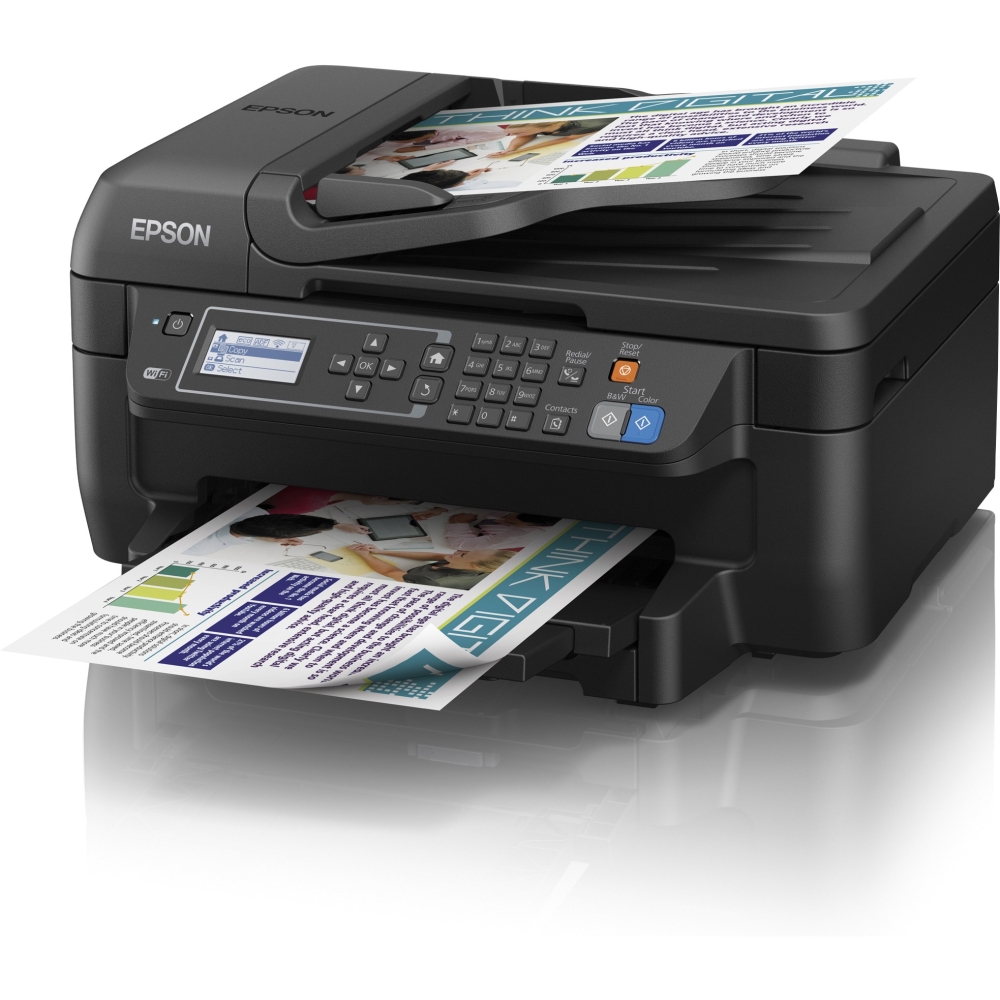
- Model:
- C11CD77201
- |
- SKU:
- 7985008
Customer reviews
Rating 4.2 out of 5 stars with 1289 reviews
(1,289 customer reviews)to a friend
Customers are saying
Customers express satisfaction with the WorkForce WF-2650 Wireless All-In-One Printer's print quality, ease of use, and wireless functionality. Many also appreciate its affordable price and compact size. However, some users note that the printer can be noisy during operation and that the scanning functionality could be improved. A few customers reported occasional reliability issues.
This summary was generated by AI based on customer reviews.
- Pros mentioned:Print quality, Wireless
Rated 4 out of 5 stars
Bare Bones with Quality
Posted .This reviewer received promo considerations or sweepstakes entry for writing a review.This one isn't bad. It's pretty bare bones: the paper tray is 150 sheets, the screen is black and white and not a touch screen, the cartridges are small, and there is no wired networking plug. For being so cheap it is nice that it has wifi, double-sided printing, and printing from tablets and phones.
I would recommend this to a friend Rated 1 out of 5 stars
Not worth it
||Posted .This reviewer received promo considerations or sweepstakes entry for writing a review.Product didn't work after replacing ink for the first time. Ink did not last long and we did not get many pages printed before it ran out.
No, I would not recommend this to a friendRated 1 out of 5 stars
Too flimsy
||Posted .This reviewer received promo considerations or sweepstakes entry for writing a review.Got this to replace a 3620, returned it right after setting it up. Went with another 3620.
No, I would not recommend this to a friendRated 1 out of 5 stars
piece of junk
||Posted .This reviewer received promo considerations or sweepstakes entry for writing a review.Eats through ink . Wont print black only. Always have to reset it to work
No, I would not recommend this to a friend- Pros mentioned:Ease of use, Print quality
Rated 4 out of 5 stars
easy to use
Posted .This reviewer received promo considerations or sweepstakes entry for writing a review.This is the first wireless printer that I've purchased and it's worked great so far. It was easy to set up and prints and copies well. I've had it for about two months and not had any problems with it.
I would recommend this to a friend Rated 1 out of 5 stars
Ink Sucker
||Posted .This reviewer received promo considerations or sweepstakes entry for writing a review.If you like buying ink lots of it buy this printer.
No, I would not recommend this to a friend- Pros mentioned:Price, Print quality
Rated 5 out of 5 stars
Awesome printer for the price!
Posted .This reviewer received promo considerations or sweepstakes entry for writing a review.I love this printer. It is reasonably priced, and is perfect for my college dorm room. I love that it can do double sided printing, and scanning/copying.
I would recommend this to a friend - Pros mentioned:Print quality
Rated 4 out of 5 stars
Fits all my printing needs
Posted .This reviewer received promo considerations or sweepstakes entry for writing a review.This was an affordable printer as a college student and the quality is nice for the price. I have used it for black and white and color printing. The only slight issue I have had so far is changing the ink cartridges the on-screen prompts were confusing. Other than that it was easy to set up wi-fi printing.
I would recommend this to a friend - Cons mentioned:Noise level, Reliability
Rated 1 out of 5 stars
Worst Printer EVER
Posted .This reviewer received promo considerations or sweepstakes entry for writing a review.I've had many, many printers over the years as a self-employed business owner. This is by far the worst printer I have ever had to work with! I bought it because it looked similar to my old all in one Epson, but they've complicated every single command, it is slow to respond, sucks gallons of ink, wont print in black when a colored one is out, commands are non-intuitive and response to them is spotty anyway, is extremely loud, cheaply made, completely unreliable, and I could go on and on. I was warned by my tech guy to not by it, and by the salesperson at the store, but I had a misplaced trust in the Epson name and the look of the thing was sooo misleading. I HIGHLY RECOMMEND THAT YOU DON'T BUY THIS ONE!
No, I would not recommend this to a friend - Pros mentioned:Wireless
Rated 5 out of 5 stars
App capabilities are fantastic!
Posted .This reviewer received promo considerations or sweepstakes entry for writing a review.The integrated WiFi was a snap to configure. I use my Galaxy S5 Android phone to scan and print with the Epson iPrint App and Cloud printing on Google Chrome on my Macbook Air; all of which were quick to set up and easy to use. When using the fax function, the printer also has speakers to hear the dial tone and sends you a notice when it has been sent. I am very pleased with my purchase.
I would recommend this to a friend - Pros mentioned:Print quality
Rated 3 out of 5 stars
Always something...
Posted .This reviewer received promo considerations or sweepstakes entry for writing a review.I don't seem to be able to catch a break with this Epson 2960 printer. It's finicky and runs out of ink very, very quickly. I usually only print one page at a time, but I have replaced the black ink cartridge twice in the 4 months I have owned it. I have printed only once in color (ONE WORD!) and now I get messages that ink in the color cartridges are low. It prints very nice-looking documents, but I just think that there has to be a more user-friendly and less finicky home printer out there.
No, I would not recommend this to a friend - Pros mentioned:Print quality
Rated 3 out of 5 stars
Quality copies but loves Ink
Posted .This reviewer received promo considerations or sweepstakes entry for writing a review.The 2650 prints quality copies but is very thirsty for ink. The cartridges are expensive and empty quickly. You are currently limited to Epson brand cartridges. Some ink companies are advertising "coming soon" for the generic types. Wi-Fi and Cloud works great. My printer stopped working recently. Epson honored warranty, will be sending me another free of charge. Look at the Brother line if you want a more economical ink printer.
No, I would not recommend this to a friend Rated 5 out of 5 stars
Stunning print quality, including photos
Posted .This reviewer received promo considerations or sweepstakes entry for writing a review.I wasn't expecting much from an $80 printer, and assumed the "PrecisionCore" stuff was just marketing hype, but the output of this printer is just stunning. I printed out a few pages of text with illustrations and was very surprised at the clarity, but when a friend and I printed some photos we were blown away! We have both owned "photo printers" but they didn't even come close to the quality of these prints. Holding the pictures was almost like virtual reality, and I'm not exaggerating.
I would recommend this to a friend- Pros mentioned:Print quality, Wireless
Rated 5 out of 5 stars
Wireless printing!!!
Posted .This reviewer received promo considerations or sweepstakes entry for writing a review.Quick setup! Quality is perfect. Wireless printing and scanning is amazing with the app on the iPhone. A must have!
I would recommend this to a friend - Pros mentioned:Print quality
Rated 2 out of 5 stars
Disappointed
Posted .This reviewer received promo considerations or sweepstakes entry for writing a review.I purchased this printer due to the local availability and decent reviews. This printer replaced an older HP all-in-one that was falling apart after years of heavy use and is a poor replacement. Once it gets started the print speed is good but it takes forever to decide it wants to print, clicking and whirring the whole time. Additionally, the scan speed via the top loader is quite slow. Next time I think I will go back to a tried and true Dell or HP printer. No more Epson printers for me.
No, I would not recommend this to a friend Rated 4 out of 5 stars
Overall Good, But Don't Run Out Of Ink
Posted .This reviewer received promo considerations or sweepstakes entry for writing a review.Overall, much better than my previous 2 HPs. However, if you run out of ink, the whole machine grinds to a stop. Scanner, Fax, etc will not work at all. Called Epson support, they confirmed it will not work. mw
I would recommend this to a friend- Pros mentioned:Ease of use
Rated 5 out of 5 stars
4 in 1 Great
Posted .This reviewer received promo considerations or sweepstakes entry for writing a review.I am very happy with my purchase! it works great, no issues installing or printing wireless. love it, it is making my job easier!
I would recommend this to a friend - Pros mentioned:Print quality
Rated 2 out of 5 stars
frustrating
Posted .This reviewer received promo considerations or sweepstakes entry for writing a review.This 3-in-1 prints fast, doc feeder and 2 sided printing is awesome and was easy to install. After that I don't have much good to say about it. It uses black ink quickly, changing size of paper is a pain in the neck, as well as copying and scanning different sizes, I can usually figure it out after a few minutes of trouble shooting but my family struggles every time. We had an Epson CX6000 before this one and loved it so we stayed with Epson, but no so sure we will continue to stay with Epson if the newer printers are going to operate like this one.
No, I would not recommend this to a friend Rated 4 out of 5 stars
call you're provider
Posted .This reviewer received promo considerations or sweepstakes entry for writing a review.Ken it does work without the analog. I was wondering the same thing, till I called my service provider (optimum ) and the worked me through getting it to work. I had to hook my phone up to the printer and printer up to my modem. Hope this helps!
I would recommend this to a friendRated 4 out of 5 stars
Great little budget printer/scanner/fax
Posted .This reviewer received promo considerations or sweepstakes entry for writing a review.I bought this machine mainly for scanning. It's a great scanner. I love the fact that it has a feeder. As a printer, it's a good printer for printing text documents. I haven't tried printing photos, but I did not buy this printer to do that.
I would recommend this to a friend