Customer Ratings & Reviews
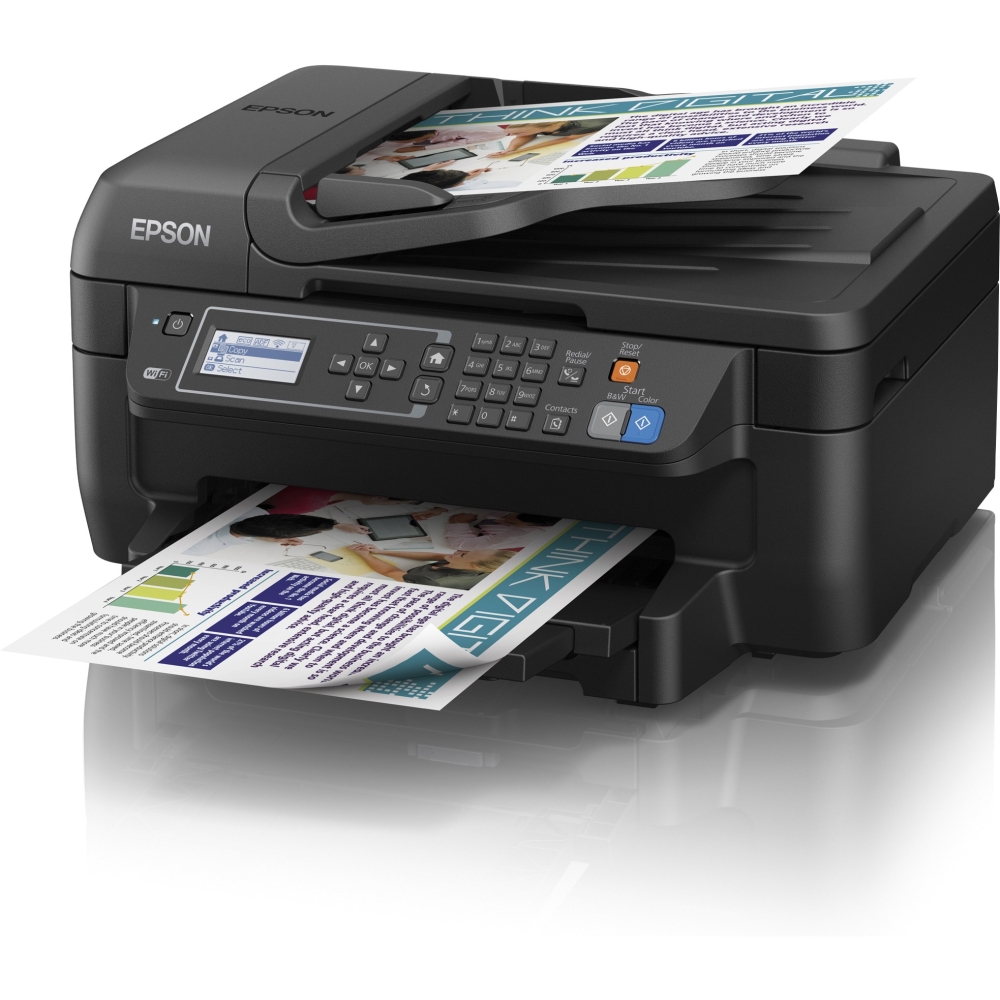
- Model:
- C11CD77201
- |
- SKU:
- 7985008
Customer reviews
Rating 4.2 out of 5 stars with 1289 reviews
(1,289 customer reviews)to a friend
Customers are saying
Customers express satisfaction with the WorkForce WF-2650 Wireless All-In-One Printer's print quality, ease of use, and wireless functionality. Many also appreciate its affordable price and compact size. However, some users note that the printer can be noisy during operation and that the scanning functionality could be improved. A few customers reported occasional reliability issues.
This summary was generated by AI based on customer reviews.
- Pros mentioned:Ease of use, Wireless
Rated 4 out of 5 stars
Great all in one.
Posted .This reviewer received promo considerations or sweepstakes entry for writing a review.This all in one is easy to set up, and network in to your existing network. My only issue with it, is that it is only wireless.
I would recommend this to a friend Rated 2 out of 5 stars
Customer Service Support Issues
Posted .This reviewer received promo considerations or sweepstakes entry for writing a review.First off, I could not get the wireless to work so I called customer support. The first person I spoke to was very rude, and very hard to hear because she had a very heavy accent. After much patience on my part, we were able to get it to print wirelessly on some microsoft documents. However, it would not print a microsoft publisher document. So I called again only to once again, struggle to understand them. Then I was told it was a Microsoft issue. Much to my dismay, Microsoft presented the same type of communication issue and then said they could troubleshoot it for a fee of $99.99. I long for the day when customer service was not such a nightmare. After 2 and half hours of this, I will need to return the printer to the store. Good luck!
No, I would not recommend this to a friend- Pros mentioned:Print quality
Rated 4 out of 5 stars
Great features, goes through ink quickly
Posted .This reviewer received promo considerations or sweepstakes entry for writing a review.Overall this is a great printer for basic at home use. The quality is very good and the speed is OK. The WIFI feature has made many of my tasks easier. Cons: It can be a little aggravating to get to the ink refill setting. It goes through ink a little quicker than my former printers. Generic refills are not very expensive but name brand refills are very pricey.
I would recommend this to a friend - Pros mentioned:Ease of use, Print quality
Rated 4 out of 5 stars
Great printer!
Posted .This reviewer received promo considerations or sweepstakes entry for writing a review.The printer is easy to install and has great print quality.
I would recommend this to a friend Rated 5 out of 5 stars
Love this printer!
Posted .This reviewer received promo considerations or sweepstakes entry for writing a review.I am very please with my purchase. I love being able to print anything directly from my phone, even if I am not near my printer and without the printer having to be connected to a computer. This was definitely worth it.
I would recommend this to a friend- Cons mentioned:Noise level
Rated 1 out of 5 stars
Hated this machine
Posted .This reviewer received promo considerations or sweepstakes entry for writing a review.Purchased for home use and was so not user friendly and loud, I switched it to my office and purchased an HP. My secretary is a whiz at this stuff. She couldn't even get the epson official ink to be recognized with this machine, so it wouldn't print. When it did accept the ink, it went through 2 or more cartridges a week (old HP only used 1 every 2 weeks). Would not print due to paper type also. Loud, inefficient, not cost effective, and is not user friendly. I gave this one away and bought another HP.
No, I would not recommend this to a friend - Pros mentioned:Ease of use, Print quality
Rated 5 out of 5 stars
great small printer
Posted .This reviewer received promo considerations or sweepstakes entry for writing a review.Very easy to setup and use! It is very quick for how small it is and the scanner is easy to use as well!
I would recommend this to a friend Rated 5 out of 5 stars
Overall this is a great buy for home.
Posted .This reviewer received promo considerations or sweepstakes entry for writing a review.I bought this one after my small-in-one 410 zonked out. It has all the functionality you could need in the home and small office. I'm sure it'll last for years.
I would recommend this to a friend- Pros mentioned:Print quality
Rated 1 out of 5 stars
Replacing Cartridges is a nightmare
Posted .This reviewer received promo considerations or sweepstakes entry for writing a review.The copy, scanning, and printing functions work very well; However, every time I have to replace the ink cartridges, which is VERY OFTEN, I have to realign, clean, reprint everything due to lines in the printouts. Then I spend an hour on the phone with their product support. Epsom's email support is useless, but the phone does help. Never again.
No, I would not recommend this to a friend Rated 1 out of 5 stars
It,,WAS,,printing good,until
Posted .This reviewer received promo considerations or sweepstakes entry for writing a review.So I bought my printer on Nov19, 2014. I am a Real Estate agent and had printed a bunch od documents. Well I replaced the ink cartridge and then I printed a doc to check and make sure it was printing ok. Well. It did not,then I scanned a doc and the same thing,not good. I called best buy and since i did not get the insurance and it is past the 15 day period ,I was told i will need to send it back to the manufactor. Personally I dont even know if i want a replacement of the same printer. I mean when its working well,then its great but if its a defect or something id rather just buy a whole different printer. I will do another review once I get this situation settled.
I would recommend this to a friend- Pros mentioned:Ease of use, Print quality
Rated 5 out of 5 stars
Love it
Posted .This reviewer received promo considerations or sweepstakes entry for writing a review.Easy to use, cheap and ink very affordable.. Everyday use
I would recommend this to a friend - Cons mentioned:Reliability
Rated 1 out of 5 stars
hate it
Posted .This reviewer received promo considerations or sweepstakes entry for writing a review.I never hated a printer as much as this one. I'm getting on the roof and throwing it as far as can. It's not Best Buys fault. I would return it but I will be more satisfied seeing it shatter in pieces in the driveway. then I'm going to run over it, for a month.
No, I would not recommend this to a friend - Pros mentioned:Price
Rated 4 out of 5 stars
Good Printer for Office
Posted .This reviewer received promo considerations or sweepstakes entry for writing a review.Printer/Scanner/Copier works great. Wifi capabilities make it simple to use and set up. Good price as well. Well worth the money
I would recommend this to a friend Rated 1 out of 5 stars
Not impressed
Posted .This reviewer received promo considerations or sweepstakes entry for writing a review.The only positive is that setup was relatively quick and smooth. Went downhill quickly from there. Printer jammed on the 5th page of a 20 page job. Printer continually would jam and it took me over an hour to finally get all 20 pages printed satisfactorily. It appears something in the printer is damaging the leading edge of the paper and causing the jams. Taking it back same day, will try a different manufacturer.
No, I would not recommend this to a friendRated 1 out of 5 stars
Epson 2650 wireless printer
Posted .This reviewer received promo considerations or sweepstakes entry for writing a review.This unit is the PITS! It falls out of my wireless network constantly, I cannot get it to make a copy, it tells me I have the wrong size paper and loops into an endless loop of border vs borderless when I've only used 8 1/2 x 11 paper from staples. I changed the M and Y ink cartridges yesterday printed 10 pages and today it tells me the M is low! Save your money this unit is not worth it. I'm trashing my after 4 months for a better model from another manufacturer.
No, I would not recommend this to a friendRated 1 out of 5 stars
Ink Guzzler
Posted .This reviewer received promo considerations or sweepstakes entry for writing a review.I purchased this item after reading reviews that it was very good with ink. Apparently the model i got was different then the one that i read about. The black ink would only last through about 150 pages or around a month. Then it would not let you print at all when the ink levels got low, no matter what color is low. I could not find away to override this feature. Then it got to where the feeder woulld jam. I would try to feed severl items to scan, and it would pull the first paper in Ok, but then it would try the others and start to pull to hard on one side and not the other and become uneven. leading to a jam. It would also jam the printing paper often after 3-4 months of use. the paper would be tore in the middle on all finshed paper. The wifi would not stay connected and the password to the wifi would have to be reenter after it enters sleep mode. It would also freeze up many times when coming out of sleep mode to print. Over all, this thing sucks. I Think i will go back to one of the traditional printers.
No, I would not recommend this to a friendRated 1 out of 5 stars
Purchased for my company.
Posted .This reviewer received promo considerations or sweepstakes entry for writing a review.This printer is the most frustrating printer I have ever used. It constantly has communication errors even thought it has full bars on the wifi. It constantly has to be turned on/off to get to connect. It constantly cancels jobs on its own in the middle of print jobs wasting paper and ink which means wasted money on the bottom line. I have tried updating drivers with no avail and to top it off the product support is basically non existant
No, I would not recommend this to a friend- Cons mentioned:Scanning
Rated 1 out of 5 stars
Sucks!!
Posted .This reviewer received promo considerations or sweepstakes entry for writing a review.Bought this 3 days ago and its going back today. Errors out if you scan more than 6 pages as a pdf. Has a huge line thru jpg scans and sucks up black ink. Its as bad as an HP
No, I would not recommend this to a friend - Pros mentioned:Print quality
Rated 5 out of 5 stars
Great Value
Posted .This reviewer received promo considerations or sweepstakes entry for writing a review.I was concerned because the price dropped dramatically, but the printer is top quality. The duplexing feature works very well and save on paper. Prints are of high quality.
I would recommend this to a friend - Pros mentioned:Wireless
Rated 5 out of 5 stars
Great for a small business.
Posted .This reviewer received promo considerations or sweepstakes entry for writing a review.For my small business needs, this printer is excellent and Best buy matched the advertised price on the Epson website. I can print from anywhere with my Epson iPrint app.
I would recommend this to a friend