Customer Ratings & Reviews

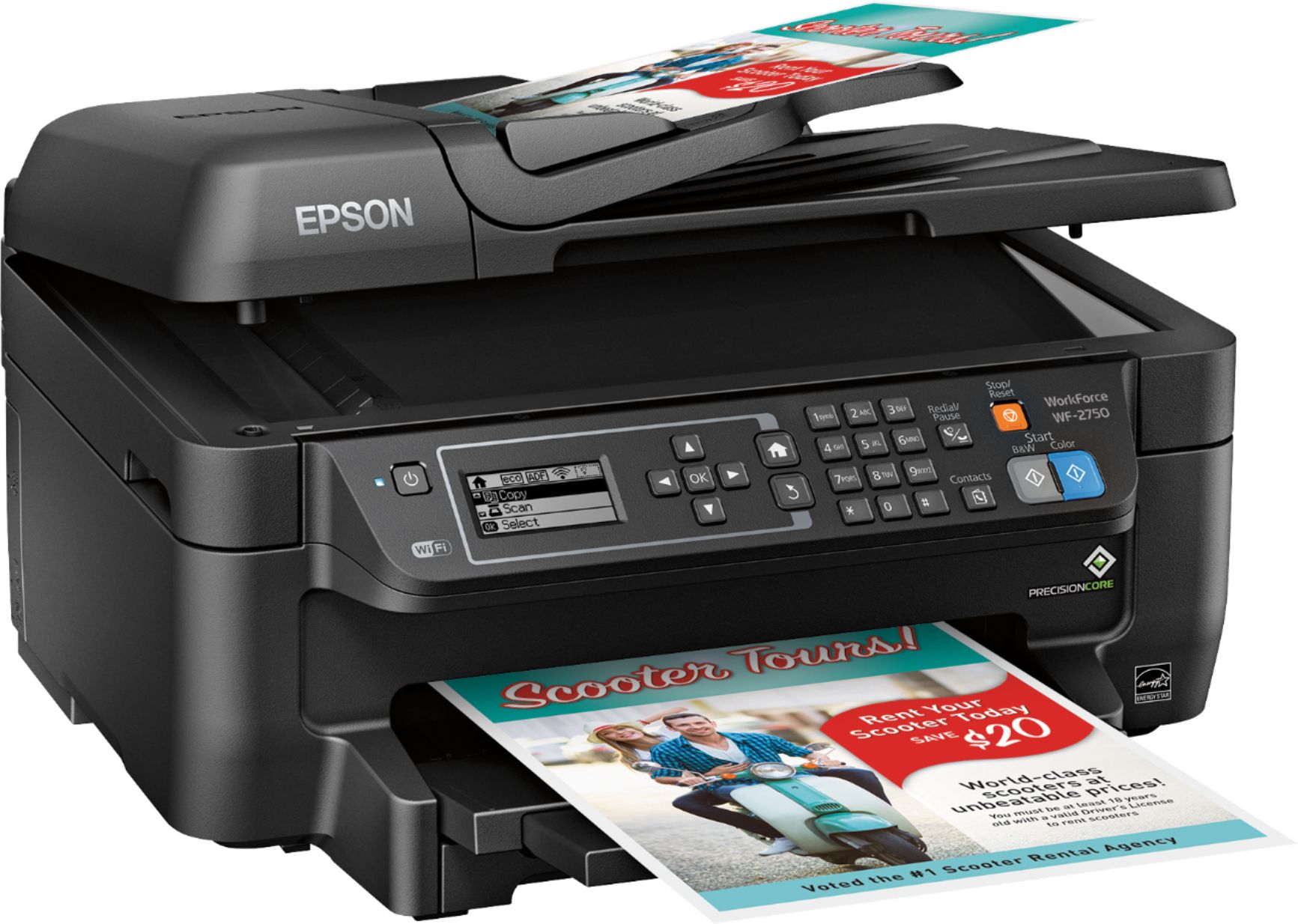
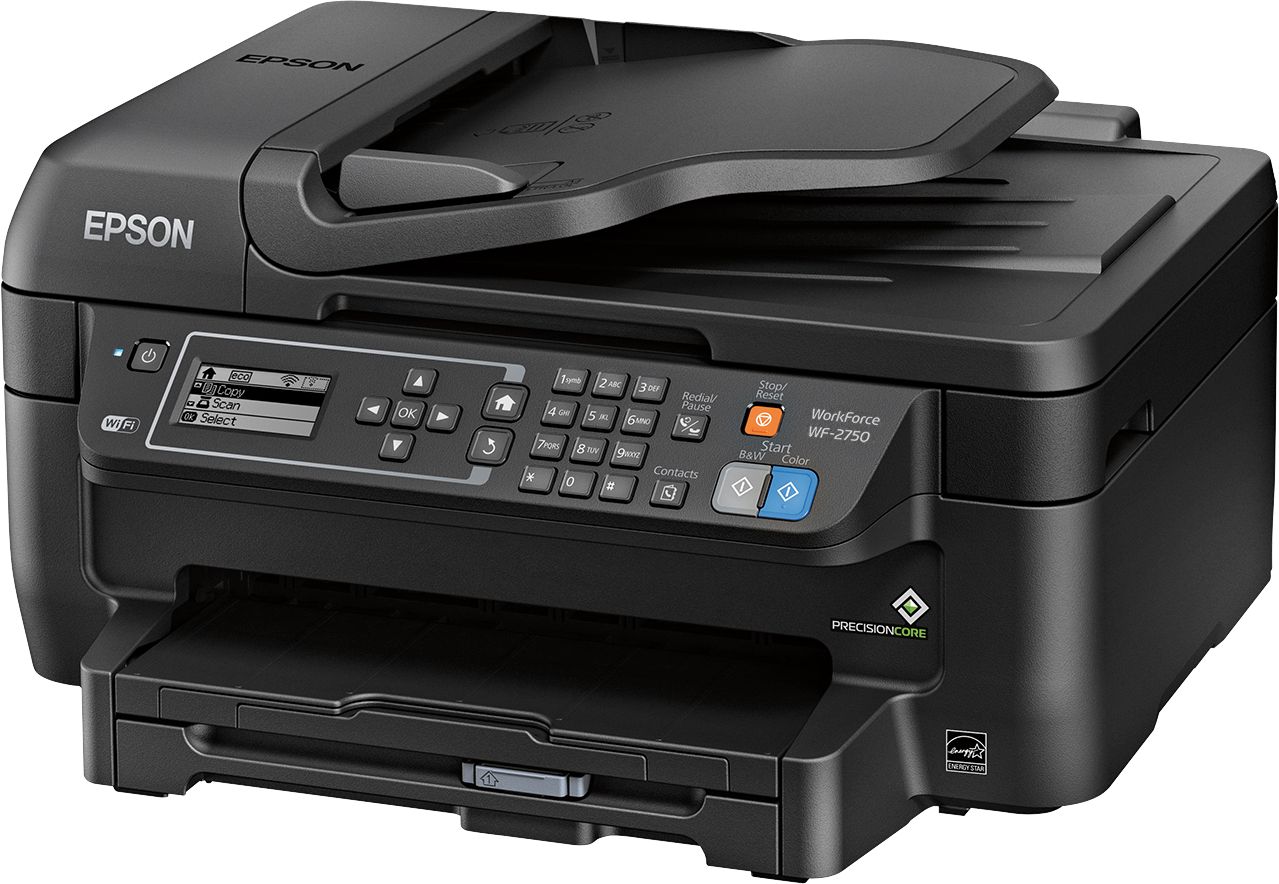
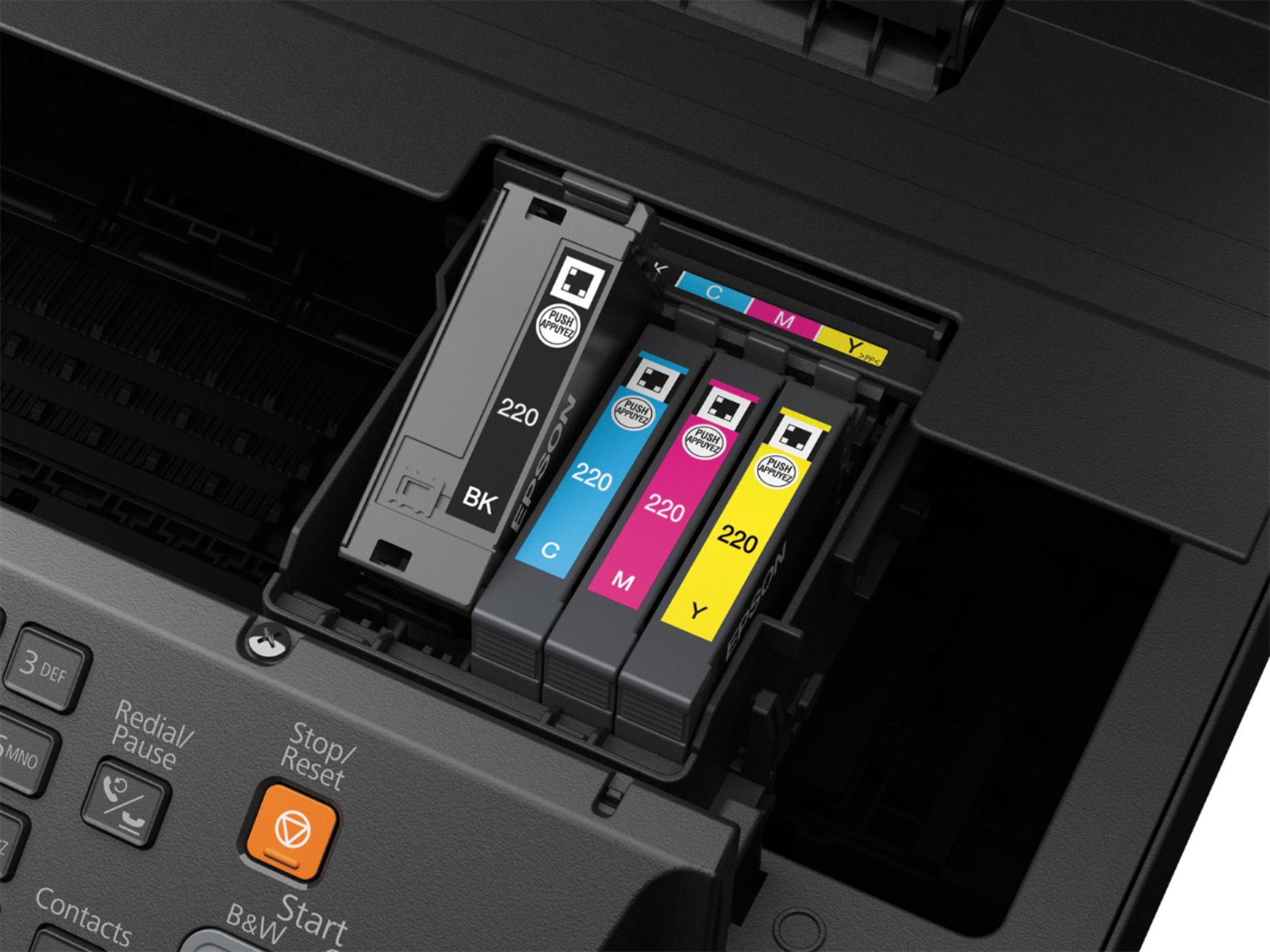
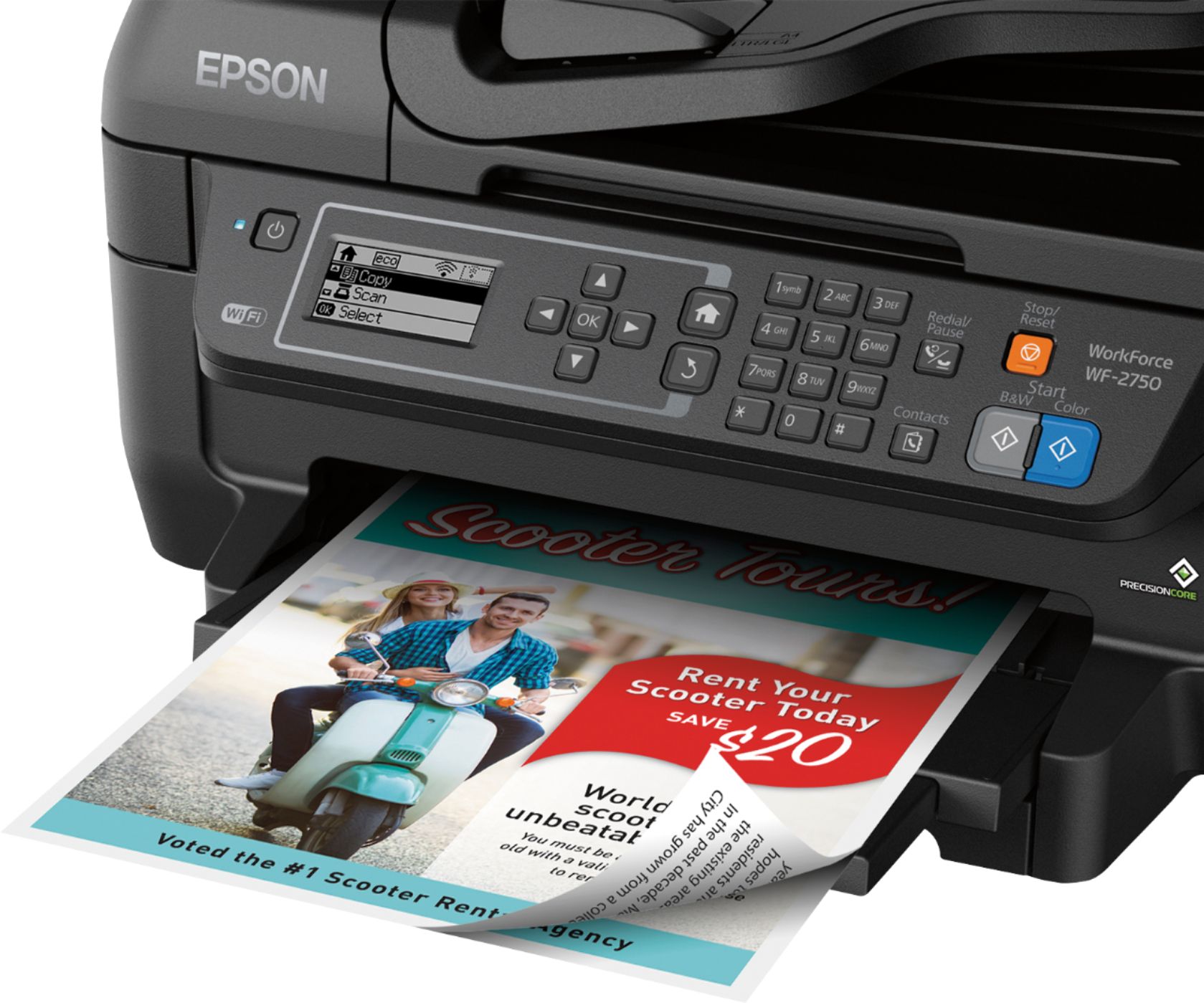
- Model:
- C11CF76201
- |
- SKU:
- 5117200
Customer reviews
Rating 4.3 out of 5 stars with 241 reviews
(241 customer reviews)Rating by feature
- Value4.1
Rating 4.1 out of 5 stars
- Quality3.8
Rating 3.8 out of 5 stars
- Ease of Use3.8
Rating 3.8 out of 5 stars
Customers are saying
Customers regard the WorkForce WF-2750 Wireless All-In-One Printer highly for its impressive print quality and ease of use, praising its straightforward setup and convenient wireless functionality. Many appreciate its compact size and the value for its price. However, some users noted that the printer can be louder than expected and occasionally experiences paper jams.
This summary was generated by AI based on customer reviews.
- Pros mentioned:Print quality, Setup
Rated 5 out of 5 stars
Very good printer for the price!
Posted .This reviewer received promo considerations or sweepstakes entry for writing a review.This is a review for the Epson WorkForce WF-2750 that I received free of charge to do a beta test and review. I just have to say this is a very nice printer. When i got the printer it was very easy to setup. All I did was put in the ink and it calibrated for some time. I then setup the wifi. It was very easy and fast. It was much better then the way HP has it. I also have another 400$ epson printer and the print quality looks the same. This printer also has a fax and two scanners. The 400$ printer one had one flat bed scanner and no fax. It has normal printing speeds too. Overall for only $70 this printer is a very good value and it will be hard to find something better on this price point. I would 100% recommend this printer for a home use.
I would recommend this to a friend - Pros mentioned:Print quality, Setup
Rated 4 out of 5 stars
Great printer with everything you need
Posted .This reviewer received promo considerations or sweepstakes entry for writing a review.This printer is great for filling majority of your printing needs. The setup was pretty straightforward.The ink cartridges were very easy to put in and setting the wifi up was very simple and straight forward. It only had the basic printing noises no excess noises were heard. The printer did everything as promised. My kids have really enjoyed printing and copying things that they need for school. I'd recommend this to a home with light-to-medium usage. This is a review for the Epson WorkForce WF-2750 that I received free of charge to do a beta test and review.
I would recommend this to a friend - Pros mentioned:Print quality, Setup
Rated 5 out of 5 stars
WF-2750 REVIEW
Posted .This reviewer received promo considerations or sweepstakes entry for writing a review.This is a review for the Epson WorkForce WF-2750 that I received free of charge to do a beta test and review. I am so excited to have this printer! This printer does everything I could ask for from a I printer. This printer does use ink cartridges which will cost a little more over the long run but does get in with this printer at the lower upfront cost compared to the ecotank printers. From what I found the ink cartridges are about 12-17 dollars each. The eco tank refills are roughly 40-percent less expensive. The printer prints fast enough for home use and can be set for double sided printing automatically. The printer uses special print head technology that yields fantastic results in print quality of both color and black and white prints. The quality of print is comparable to laser printer quality. The setup is easy to complete! The software contained with the printer makes it a breeze!
I would recommend this to a friend - Pros mentioned:Print quality, Setup
Rated 5 out of 5 stars
Great printer for my home office
Posted .This reviewer received promo considerations or sweepstakes entry for writing a review.This is a review for the Epson WorkForce WF-2750 that I received free of charge to do a beta test and review. I am currently using the Workforce 2750 in my home office. Set up was very easy- I was able to connect to my wi-fi network in no time, and hooking into the phone line for faxing was quick and easy. Installing the ink cartridges was quick and there was no mess. The printer ran through it’s “start up” process and I was off and running. My photo print was ok, but I wasn’t using the printer for that, I was using it to print documents and those came through clear, with a more professional looking finish than I anticipated. There was no ink blotting as I have seen with other printers. Printing via the wi-fi from my phone and tablet worked just as well. I would certainly recommend this printer to anyone looking for a quality, inexpensive print/scan/fax solution for a home office.
I would recommend this to a friend - Cons mentioned:Noise level
Rated 4 out of 5 stars
Decent Printer for Price
Posted .This reviewer received promo considerations or sweepstakes entry for writing a review.This is a review for the Epson WorkForce WF-2750 that I received free of charge to do a beta test and review. I've used the printer for about two weeks now and have not had any problems printing or scanning. Software was easy to installed and successfully downloaded new firmware from Epson's site. The printer was a little bit noisy for the location I installed it, but the printer had a setting for a quiet mode. The device did print a bit slower in quiet mode, but that's fine for my use.
I would recommend this to a friend - Pros mentioned:Print quality, Setup
Rated 4 out of 5 stars
Value for Money.. Works well
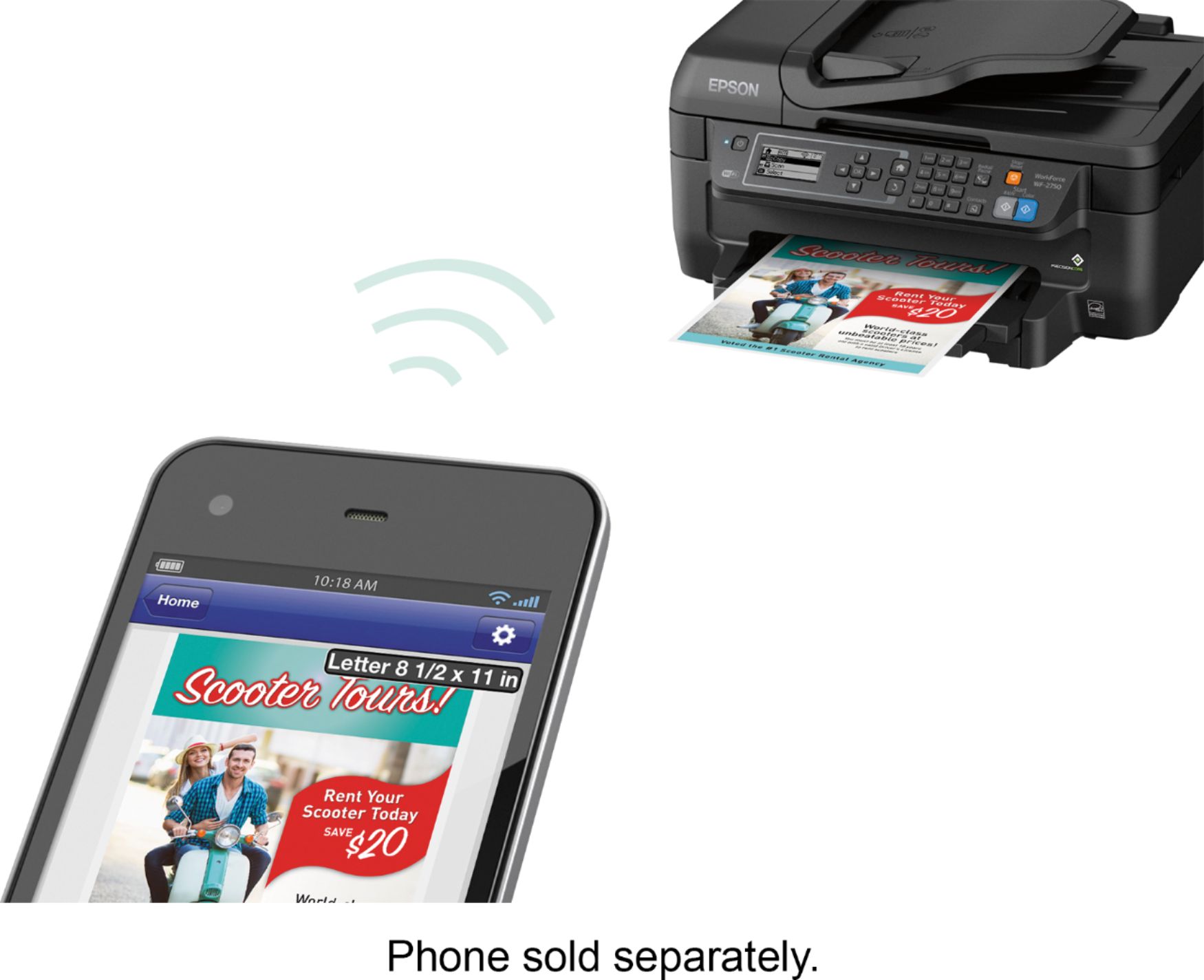
Posted .This reviewer received promo considerations or sweepstakes entry for writing a review.after much analysis i finally purchased this one.. it has scan . copy , print and fax and is very affordable. The print quality is good and we can even send prints over wifi via phone. It had automatic feeder and two side printing a well. The setup was easy and toner ink is separate for each so i need not buy whole pack if one ink goes dry.. i think i would recommend this is all home users who plan to start some business in future
I would recommend this to a friend - Pros mentioned:Ease of use
Rated 5 out of 5 stars
Big Difference
Posted .This reviewer received promo considerations or sweepstakes entry for writing a review.Shipped on time. Easy to set up to my desktop with my usb cable. Could not figure out the wireless set up so I called Epson support and they were incredible, so much better than others! The girl called me back after fixing my wireless to my iPad and giving me instructions about freeing up storage space on my cell, then she fixed that connection. All free and super patient and friendly. What a difference from the others. So far working very well.
I would recommend this to a friend - Pros mentioned:Print quality, Setup
Rated 5 out of 5 stars
Great All-in-one Printer
Posted .This reviewer received promo considerations or sweepstakes entry for writing a review.This is a review of the Epson Workforce WF 2750 that I received free of charge to do a beta test and review on. The set-up for the Epson Workforce WF 2750 was simple and quick to do. This all in one printer, prints with lightning speed and the ink dries quickly without smudges, unlike other printers that I have used. The fax and scanner also work very quickly and very well compared to other scanners I have used. I would recommend the Epson Workforce WF 2750 to any and everyone who is in the market for an all in one machine.
I would recommend this to a friend - Pros mentioned:Print quality
Rated 4 out of 5 stars
Excellent Printer
Posted .This reviewer received promo considerations or sweepstakes entry for writing a review.This is a review for the Epson WorkForce WF-2750 that I received free of charge to do a beta test and review. Upon receiving this printer I was impressed with it's appearance. It was easy to set-up and the wireless connectivity was easy! Everyone in the house uses this printer wirelessly and the connection to each computer was flawless. I was impressed with the speed of printing, and the quality of the prints. Photos come out in high quality on regular paper, and the ability to use the printer without color ink is a huge plus! I use this printer in tandem with a laser printer by brother, and I prefer to use the Epson because of the higher quality prints. It prints just a tad slower than the Brother printer, but its worth it. The copy part of the printer works flawlessly as well. Copies anything almost instantly! Overall, a great printer, and worth the money!
I would recommend this to a friend - Pros mentioned:Print quality
Rated 5 out of 5 stars
Excellent entry-level printer
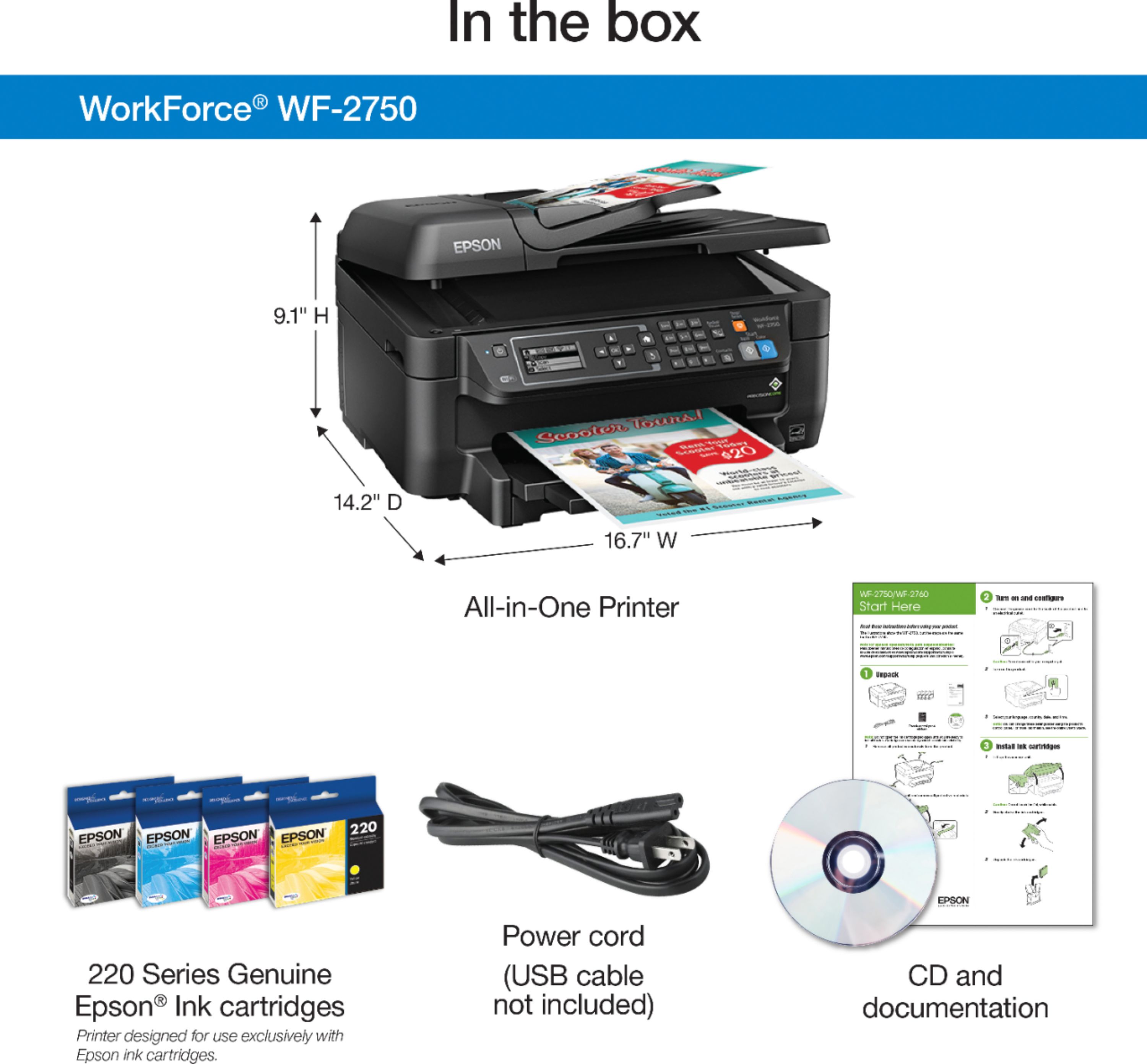
Posted .This reviewer received promo considerations or sweepstakes entry for writing a review.The Epson - WorkForce WF-2750 Wireless All-In-One Printer is an excellent choice for someone that needs a basic, no-frills ink-jet printer. Setting up the printer takes no more than 10 minutes and is very easy to do when referring to the included one page "Start Here" pamphlet. The pamphlet illustrates and explains 6 easy to follow steps (5 steps if you don't need to set up the fax). If you need more details, a Quick Guide is also included. There are even video links that may be helpful if you're having issues with set up. In regard to print quality, the WorkForce WF2750 claims to give laser-quality performance, but in my opinion, it's close but doesn't quite match laser quality printing. That being said, images and text are still very crisp. Colors are bright and do not bleed on high quality photo paper. The printer is fairly quiet and fast - especially when comparing to my 4-year-old Canon. The ink dries instantly and won't smudge. My favorite features are the wireless printing option, which is now standard on any decent printer, and the auto two-sided printing. I am amazed at how quickly this printer can print two-sided documents! Wireless printing is done easily with WiFi Direct for network-free printing. It's also available for both Apple and Android devices. Overall, for the price and performance, it's hard to beat the WorkForce WF275 All-In-One Printer. I highly recommend this printer for anyone that needs a good, solid, entry level printer for work, school, or printing at home/office. “This is a review for the Epson WorkForce WF-2750 that I received free of charge to do a beta test and review.”
I would recommend this to a friend - Pros mentioned:Print quality
Rated 5 out of 5 stars
WorkHorse 2750
Posted .This reviewer received promo considerations or sweepstakes entry for writing a review.I have been using the Epson WF-2750 printer for over 2 weeks now, and it is a great everyday printer for the home office. I also have the HP Officejet 8600 which was much more expensive, but the WF-2750 has all of the same features. It is a great value for the price. I was able to unbox the printer and have it 100% up and running in less than 15 minutes. This includes setting up my Android to print and scan. It was quick and the apps are very user friendly. My tablet does not have a CD drive and I was able to download the drivers from Epson’s website easily. Pros: - Easy setup - Print quality is excellent - Scanning is quick and great resolution - Quiet operation (other printers wake up the entire house) - Paper tray / feeder work well. No paper jams! - Wireless printing and scanning is very fast. Cons: - Ink is expensive at the local stores. I checked other models from Epson in the same category, and they were less expensive. I am not sure why this one is considerably higher. Online the ink is more affordable. I would recommend this printer to anyone who needs a workhorse printer. Yes I think they should change the name. I have printed hundreds of pages, scanned over 400 documents and I have not had a single issue. This is a review for the Epson WF-2750 that I received free of charge to do a beta test on it and provide and unbiased review.
I would recommend this to a friend - Pros mentioned:Print quality
Rated 5 out of 5 stars
WF2750 review.
Posted .This reviewer received promo considerations or sweepstakes entry for writing a review.This is a review for the Epson Workforce WF-2750 that I received free of charge to do a beta test and review. First I want to explain my thinking of how a printer should arrive, be packaged and easy of setup and quality for the cost. The printer arrived ahead of schedule and was in good shape upon arrival. As I opened the box I was looking for how it was packed and if there was enough material to protect the printer. I am happy to say the printer is well packed. As I removed the printer I see that it is protected well. When I was ready to set it up. It was one of the easiest printers I have ever set up. Took longer to unbox it, then set it up, configure, and print my first page. I appreciate the easy ink cartridge install and everything is color coded. The printer is light and small in size. Just right for a desktop printer. The real test of any printer is how does the printout look. Well I am very pleased with the quality and the very fast print speed. I have an older printer that I paid 4 times the cost of this printer and it put it to shame. Looking at cost of replacement ink cartridges I am happy to see the cost is below what I am paying now for about the same number of printed pages. As for the quality, price (if I had paid for it) speed and overall performance I give the Epson WF-2750 a Thumbs up.
I would recommend this to a friend - Pros mentioned:Print quality
Rated 5 out of 5 stars
Great Printer
Posted .This reviewer received promo considerations or sweepstakes entry for writing a review.I've been using this printer for a week now and I think the quality of the color prints is very good, not quite photo quality but close enough. The wifi set up was very easy and I love that the instructions are printed on paper that's included in the box with the printer. I love hassle free printers. When I opened the box, followed the quick instructions and It was up and printing within a few minutes. Very easy to set up the Wi-fi feature. Which makes it great as I can print directly from my smartphone easily. I can also print from my laptop to without any direct connections when it is connected to (a) my network. I've tried many different printers and this Epson is so wonderful so far compared to others. Has the automatic double side option I love. Prints somewhat fast. Very Quiet. A must have, I highly recommend.
I would recommend this to a friend Rated 4 out of 5 stars
Solid mid-range printer for a very good price
Posted .This reviewer received promo considerations or sweepstakes entry for writing a review.This is a review for the Epson WorkForce WF-2750 that I received free of charge to do a beta test and review. First impressions: The printer arrived packed securely and neatly. The unit is average sized for a modern all-in-one. It lacks a bit of heft that usually coincides with quality. The paper tray must be expanded or else your printouts will fall on the floor, and the paper tray is a bit flimsy, which makes me concerned with leaving it out all the time. Time will tell how well it's built for longevity. I set up the unit using only the front panel controls on the unit itself, I did not use the setup software. Setup was straightforward and painless with one exception being WiFi connectivity. This unit does not have a 5Ghz radio, so I had to enable 2.4Ghz on my wireless router to connect the printer. The initialization process takes 4-5 minutes, not a big deal. I was able to connect from a Mac, Windows 10, iPhone, and Android devices all with relative ease. The Android required downloading Epson's app, the other 3 platforms were able to automatically find the printer and load the drivers. Google Cloud Print makes printing from anywhere a breeze. Loading the Epson software adds some in-depth functionality. This unit prints fast, and the quality is generally fairly good. I wish inkjet printer manufacturers would stop advertising "laser quality" or "as good as a laser" though, because it's just not. While the text quality is pretty good on this, my 15 year old laser printer still beats it. Black is blacker and text is sharper on a laser but for most uses, the text quality on this printer should be up to par. For what it is, overall, the print quality is good on this printer. Business-type color printouts are handled well, and it does an acceptable (though not superb) job on photos. For casual photo prints on both plain and coated paper, this printer will do a fine job. If you need extremely high-quality photo printing, look to a dedicated photo printer. Duplex printing is convenient, though be aware -- if you print two sides of fairly heavy coverage the paper can get a little saturated and bleed a bit. The scanner works well and the quality was very good. The copier, both color and B/W, works as expected. Copies look good. Text loses a bit of sharpness and colors lose a bit of saturation, fine lines are lost, etc., however that is standard for any copier so no surprise here. I did not test the fax function as I do not have a phone line. The printer is a bit louder than I thought it would be, considering how whisper quiet many printers have gotten. The noise level may be partially due to the thin plastic body and general lack of heft I mentioned earlier, there isn't much thick or dense materials to the unit's construction to block or absorb noise. At this price point it is a respectable performer and should hold up to light to medium duty usage. It provides a lot of functionality in a reasonable footprint.
I would recommend this to a friend- Pros mentioned:Ease of use, Print quality
Rated 5 out of 5 stars
Great printer
Posted .This reviewer received promo considerations or sweepstakes entry for writing a review.This is a review for the Epson WorkForce WF-2750 that I received free of charge to do a beta test and review.” This is a great printer, works as described, easy to set up, easy to use. Prints high quality photos as well. I am very pleased with the printer and would recommend this printer to anyone.
I would recommend this to a friend - Pros mentioned:Ease of use, Print quality
Rated 5 out of 5 stars
great printer
Posted .This reviewer received promo considerations or sweepstakes entry for writing a review.This is a review for the Epson WorkForce WF-2750 that I received free of charge to do a beta test and review.” This is a great printer, works as described, easy to set up, easy to use. Prints high quality photos as well. I am very pleased with the printer and would recommend this printer to anyone.
I would recommend this to a friend - Pros mentioned:Print quality
Rated 5 out of 5 stars
Great printer
Posted .This reviewer received promo considerations or sweepstakes entry for writing a review.I have been using the Epson WorkForce WF- 2750 for a couple of days now. Setting it up was not complicated. I read the instructions and removed all the unnecessary plastic covers. Putting in the inks and warming them up were also a very easy task. It came with a cd to run on my laptop so I could get the necessary installation files. After setting it up I decided to start printing. The first picture was a picture of my brother and it was super clear and quick. I used the wifi printing because it made things easier and quicker for me personally. Then I printed a document to see how legible the words would be and if I would run into any problems but I did not. I would absolutely recommend this printer to anyone who is seeking one. “This is a review for the Epson WorkForce WF-2750 that I received free of charge to do a beta test and review.”
I would recommend this to a friend - Pros mentioned:Print quality
Rated 5 out of 5 stars
Great product for the price
Posted .This reviewer received promo considerations or sweepstakes entry for writing a review.I received this printer as part of a beta test. After I installed and set up this printer I put it through a lot of vigorous tests. First test was just a simple scanning of a document. Printed exact as the original both on the scanner glass and through the author feed. Next was a photo print job from scan and from my laptop as well. This printer has true laser quality when it comes to photos. Crisp and radiant colors. This printer faxes well with no issues. It responds quickly to wifi print jobs as well as cloud print projects. The only downside is that the printer does not have USB link is not available so rather than a direct link from a camera or tablet is not possible without wifi liking or cloud prints. Overall I would highly recommend this product to anyone.
I would recommend this to a friend Rated 4 out of 5 stars
A very good budget multi-function printer
Posted .This reviewer received promo considerations or sweepstakes entry for writing a review.This is more of an initial impression than a review since I've only had this printer for about a week. When looking for a printer, decide on its primary function and then do your research based on that. Pros: * Has Wifi * It scans, copies, faxes and print * Cheap multi-function printer (device itself) Cons: * Not the cheapest to operate (ink). Build Quality: 4/5 stars Setup: 4/5 stars. A bit frustrating to work with the keypad to punch in my SSID password. Print Quality: Black...5 stars, Color...3 stars Copy Quality: Black...5 stars, Color...3 stars (it didn't get the colors right, but close enough for most uses) Scan Quality: 5 Stars (option to change the resolution) Scan Software: 3 Stars. The interface feels dated and the crop/image selection tool doesn't get very close. iOS App: 5 stars. Works great and I find it very convenient to be able to print from my iPhone. FAX: Have not tested. No telephone line. According to Consumer Reports, the cost for printing is: Ink cost/month ($) 9.8 Text cost ($) 0.057 4x6 photo cost ($) 0.7 8x10 photo cost ($) 1.95
I would recommend this to a friend- Pros mentioned:Print quality
Rated 5 out of 5 stars
This Epson Printer
Posted .This reviewer received promo considerations or sweepstakes entry for writing a review.This is a review for the Epson WorkForce WF-2750 that I received free of charge to do a beta test and review. first and foremost the printers set up is a little confusing when putting in the ink cartridges but thats the only thing thing i struggled with. now with that being said the printer is wonderful and the colors when printing is clear to my eyes. i love the wireless printing option and the interface is unobtrusive. the instruction manual and the start up guide are simple and helpful
I would recommend this to a friend