Customer Ratings & Reviews


- Model:
- 899-00077-02
- SKU:
- 6373516
Rating by feature
- Value
Rating 4.5 out of 5 stars
- Quality
Rating 4.6 out of 5 stars
- Ease of Use
Rating 4.5 out of 5 stars
Customers are saying
Customers value the Portal Mini's ease of use, particularly for seniors, and its impressive sound quality for video calls. Many appreciate the straightforward setup process and the added convenience of integrated Alexa functionality. However, some users experienced connectivity challenges and noted the lack of a battery for portability.
This summary was generated by AI based on customer reviews.
Just ok
||Posted . Owned for 3 weeks when reviewed.This reviewer received promo considerations or sweepstakes entry for writing a review.It is cool but limited in what you can do with it.
I would recommend this to a friendNot worth it!
||Posted .This reviewer received promo considerations or sweepstakes entry for writing a review.Really not worth it!! We were excited and purchased five for our family households. Once we setup the first two we realized it was just another tablet, same thing viewed from your phone. It does not really move with you. A waste.
No, I would not recommend this to a friend- Pros mentioned:Screen size, Video calling

Sweet Facebook Product
|Posted .This reviewer received promo considerations or sweepstakes entry for writing a review.This impressed me more than I thought it would. That is mainly because it does much more than just video your friends. One thing I did not know it had but now use everyday is built in Alexa. One of my favorite features is that when you’re video calling it will focus on on whoever is in the frame. The video quality is great and it allows you to use all of the overlay filters. The addition of a shutter cover is nice because you know that no one is watching you. I would recommend setting this up in a living room or family room that seems like where it is most useful. This product is not without flaws though. This mainly has to do with its requirement to be plugged in. It’s not a huge downfall but it does limit where it can be placed which bring me to the next downfall. If placed up against a wall it seemed to create a horrible echo. It works best when I’m an open area with nothing behind it since that is where the speaker is. I still recommend this product for families or friends who live far away from each other. It makes it simple, and fast to connect with them. This product will work regardless if the other party has one or not they just need messenger or WhatsApp. The screen was a nice size to have a group call of about 2-3 devices.
I would recommend this to a friend BAD Product from facebook. Super Slow
||Posted . Owned for 3 months when reviewed.This reviewer received promo considerations or sweepstakes entry for writing a review.Bad product. All of a sudden Whats app incoming and outgoing calls stopped working. After raising multiple request and working with portal team also, issue yet not resolved. Its a worst product.
No, I would not recommend this to a friendNot for me
||Posted . Owned for 2 months when reviewed.This reviewer received promo considerations or sweepstakes entry for writing a review.I thought this would be fantastic for us to use to be able to video chat with the family and use much like the virtual assistant Alexa or Google play. Sadly this was not the case. All the apps I had on my previous virtual assistant were not available on this device. I decided to return it and get one with the same capabilities as an Alexa or google device to meet our needs.
No, I would not recommend this to a friend- Pros mentioned:Sound quality
Solid Entry Level Device; Improvements Needed
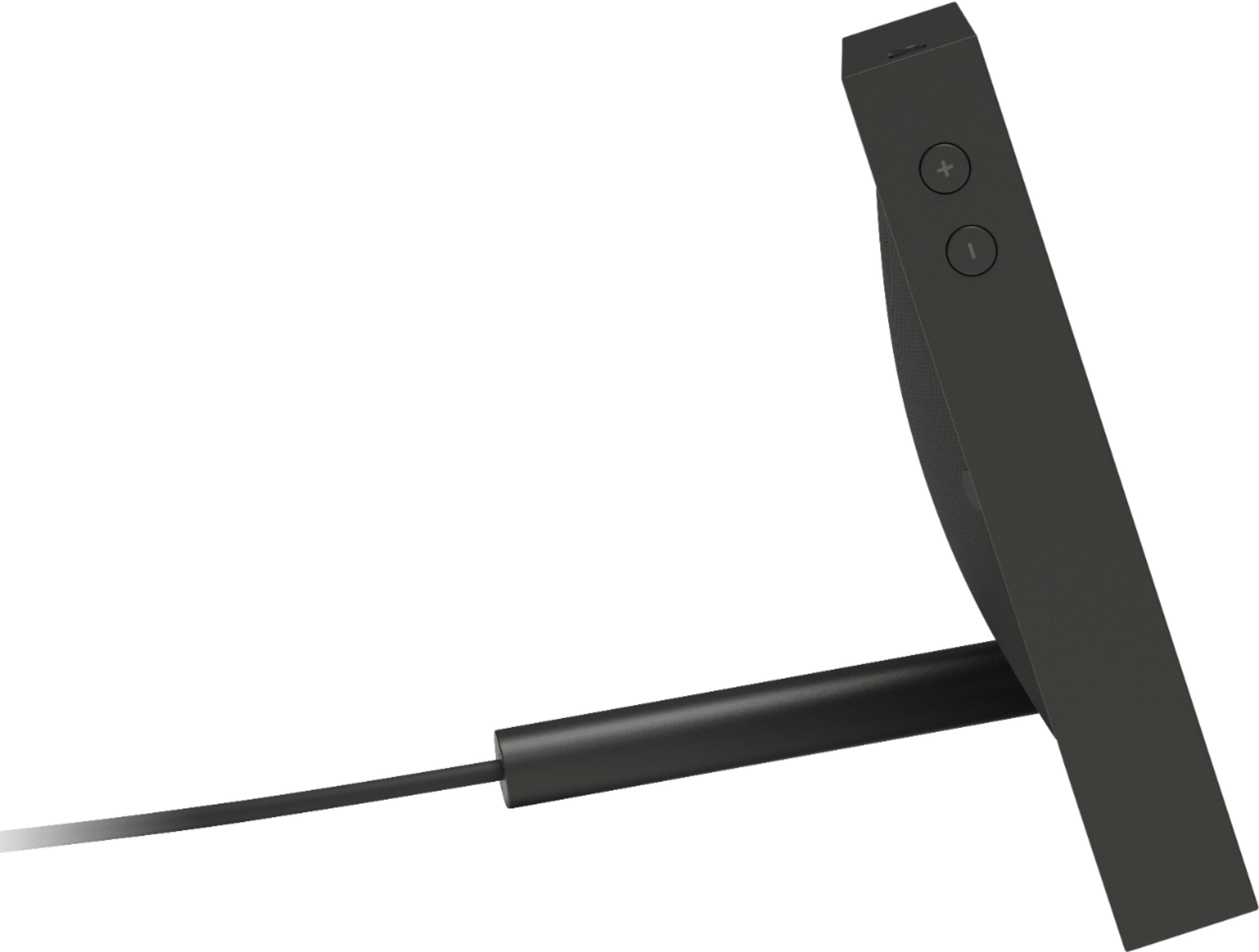
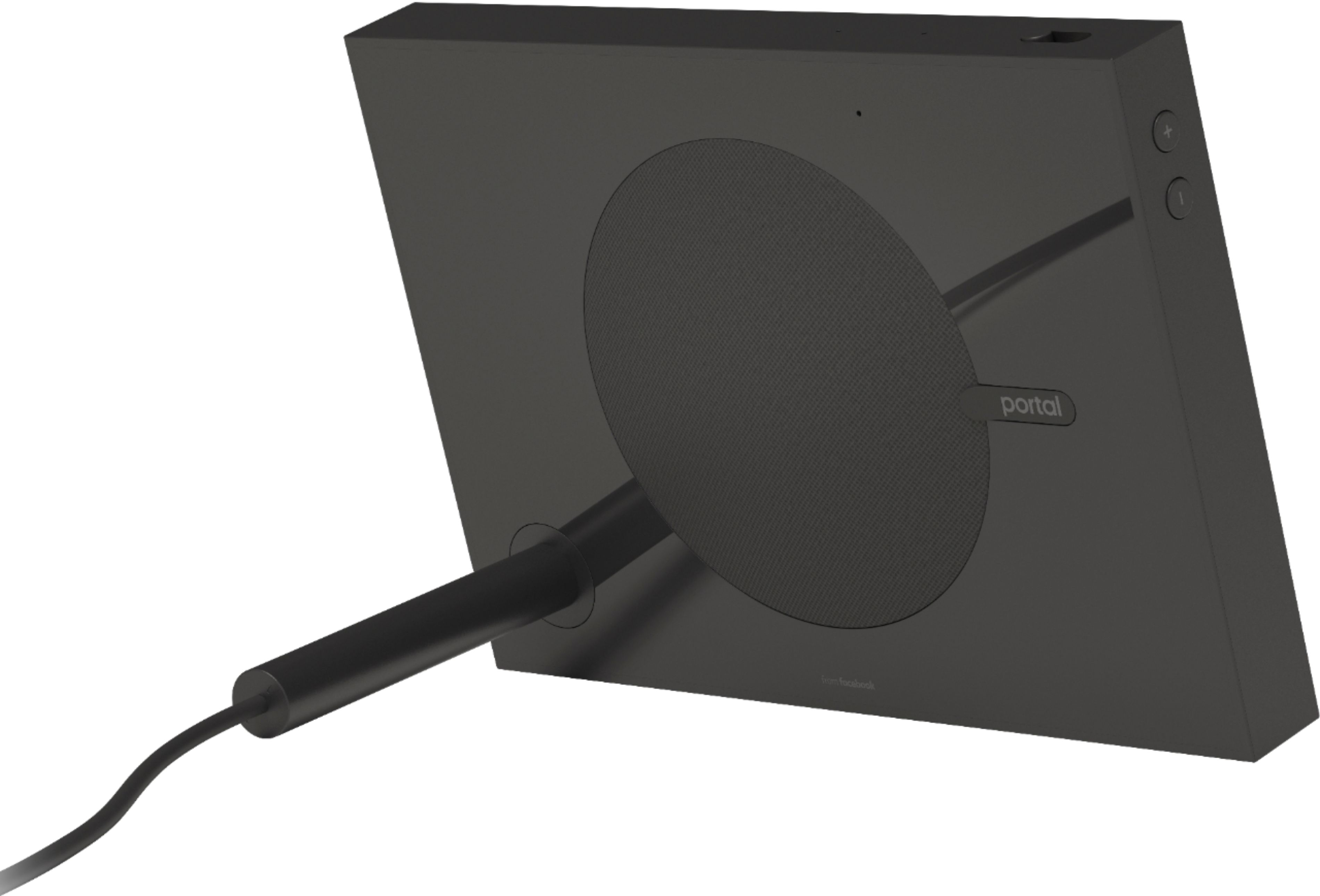
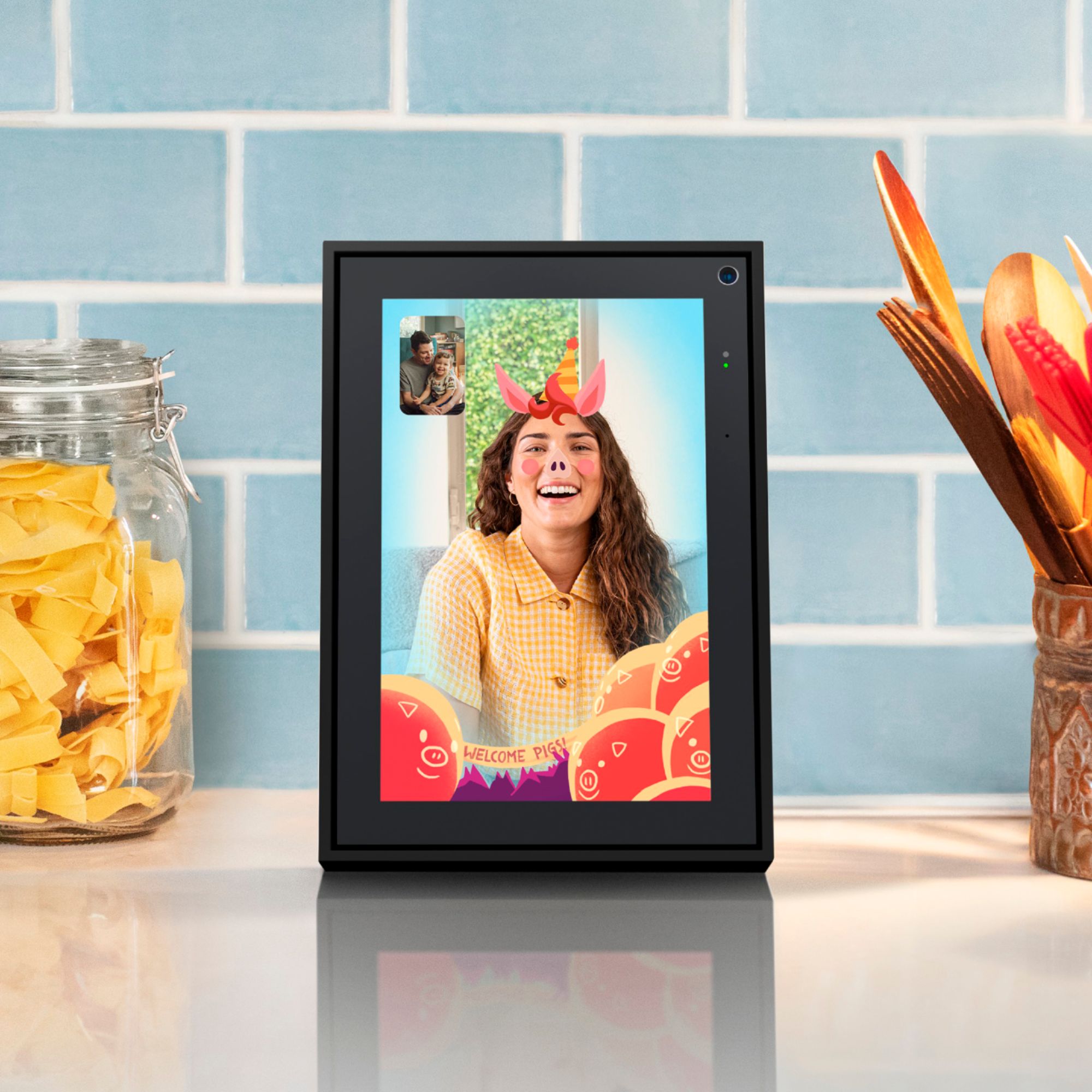
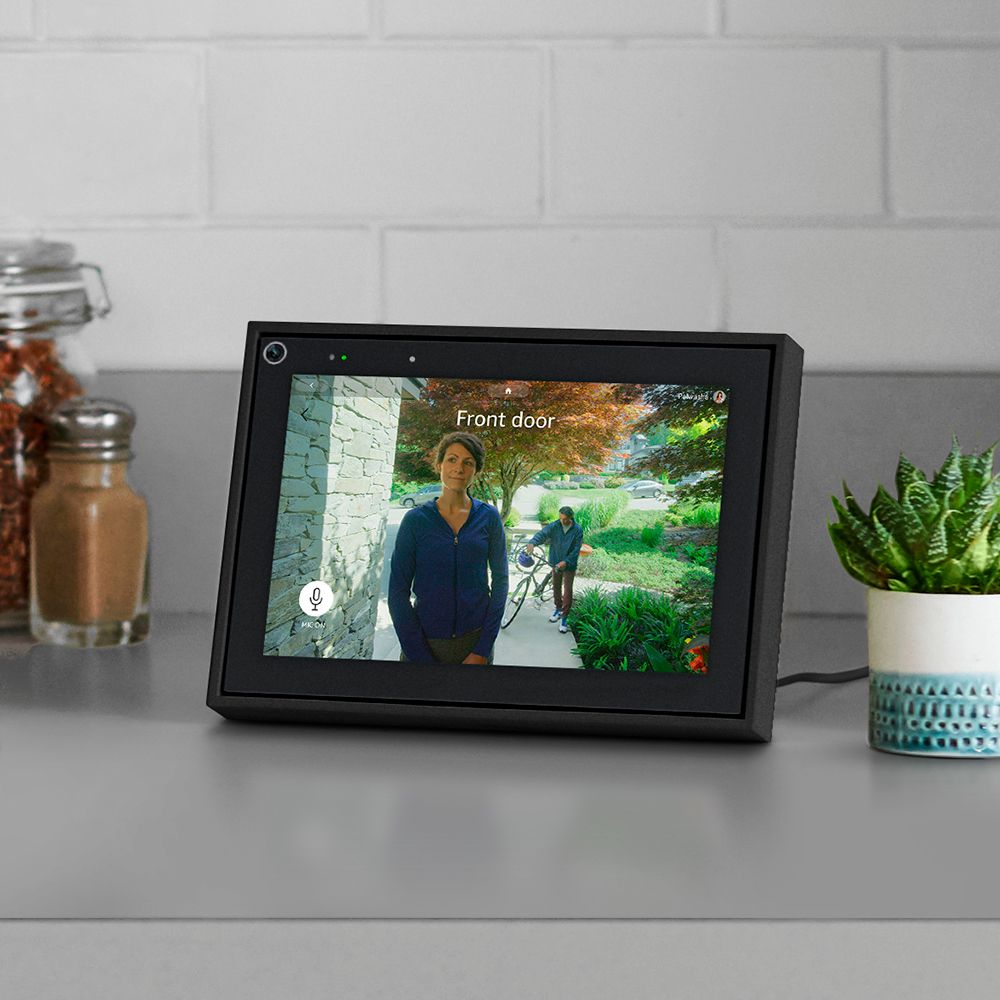
|Posted .This reviewer received promo considerations or sweepstakes entry for writing a review.I really wanted to love this Portal, but after spending over a week with this device, I'm just not quite there. While there is a great amount of potential, and some things to like, it seems as though Facebook rushed the product development process in order to get a device into the marketplace. The current model is not going to satisfy the true audiophile or technophile. However, for the novice user, or someone looking for an entry level device for video communication, such as a grandparent, this may very well meet their needs. Prior to setup, you'll need to connect the power supply, which also serves as the kickstand support. I do like this design, as it is sturdy and stable in both portrait and landscape modes. Setup was relatively straightforward and took approximately ten minutes. The on-screen prompts easily guide you through the setup process, which essentially consist of choosing your language, connecting to WiFi, giving your Portal a name, and connecting to your Facebook account. You will need to make sure you have access to a second device (phone, tablet, computer, etc.), as part of the connection process requires you to verify and connect the Portal by going to facebook.com/device and entering a unique code from the Portal screen. Video calls can be made via Messenger and WhatsApp by simply stating the wake phrase "Hey Portal" followed by who you want to call and on what platform. For instance, "Hey Portal call Bob Smith on Messenger". The microphone is sensitive, and did a great job of picking up my voice even from farther distances. Video quality is average, with audio quality rating about the same. The camera seems very sensitive to lighting conditions, so it may take some placement adjusting to find the ideal location. I found the video to be a bit blurry at times. One thing I was impressed with is the pan and zoom features of the Smart Camera. While a little slow to respond, the Smart Camera will automatically adjust the field of view to capture all persons in the room by zooming in and out as needed. The pan feature works very well. When moving around the room, the Smart Camera will track and follow, keeping you consistently in the frame. Smart Sound is supposed to enhance the voice of the person speaking, while also minimizing background noise. I did not find this feature to work well. More often than not, the audio seemed to sound distant and unclear, almost as though you were in a box. This was utilizing two Portal devices, so it was not the fault of using two different types of devices. One of the features I love most about the Portal is having Alexa built in. This is definitely one area where Portal shines, and for me, derives its greatest value. This feature alone may be worth the price point. Alexa functioned flawlessly in all aspects. There were no issues with voice recognition, and each voice command was executed properly. You can ask Alexa to find a specific recipe, or video, or internet search, and have the results displayed on-screen. So if you are considering an Alexa-enabled device, at a decent price, Portal is worth considering. While you can connect Portal to several of your favorite audio streaming services such as Spotify, Pandora, iHeart Radio, and Amazon Music, overall audio quality is mediocre. Portal did not deliver the crisp, clean, clear sounds I would expect, and want. Music seemed to have a persistent "static" sound, and I found no way to adjust bass or treble levels. The only sound adjustment that can be made is volume. The photo frame feature will display your Facebook and Instagram photos, and does so quite nicely. While I wasn't overly impressed with the video quality mentioned earlier, the picture quality within the photo frame feature is actually quite good. Photos are clear and bright. You have the ability to choose which photos or albums, if any, that you want displayed. The ability to add additional photos is also an option, as well as the scroll transition time. Also part of the picture frame feature, is the ability to see which of your Messenger and WhatsApp contacts are available. Photo frame is automatically started when the device is not in use on a video call. You do have the option to set a timer to place the device in sleep mode. I should also point out, while the device is in sleep mode, it will auto-detect motion and power on when movement is detected. For instance, while at work Portal places itself into sleep mode, but when I walk in the door it detects motion in the room and powers on. It should be noted however, if you have disabled the camera by sliding the privacy switch, this feature will not work. Story Time, a feature my 5 year old daughter loves, allows you to use the Smart Camera and AR to place yourself into approximately fifteen children's stories, such as Pete the Cat, and Three Little Pigs. This feature can be used standalone, or during a video call. Sure it's gimmicky, and not a reason itself to purchase this device, but it is a fun little addition. Photo Booth allows you to take photos and have those sent directly to your contacts via Messenger or WhatsApp. There is an "apps store" of sorts, however this is severely lacking in content snd choices. As of this review there are 33 apps / website shortcuts that can be added to the interface. These include CNN, FOX News, Food Network, ABC News Live, Reddit, YouTube, NPR, and a few more. Hopefully this library continues to grow, as for now, your choices are quite limited. However, the built in browser, and Alexa, allow you to access a wealth of information. I found the 8" touchscreen to be responsive, without being overly sensitive. The adaptive screen does a great job of adjusting to ambient light so the display is always at the optimal viewing brightness, without being overly bright. Within the settings menu you can control such things as the Portal name, Wi-Fi, Bluetooth, date and time, night mode, automatic screen brightness, accounts, accessibility, and privacy settings. Speaking of privacy, the camera and microphone can be disabled by way of a physical switch on top of the Portal. Video calls are also encrypted. There is an associated app for iPhone and Android, however the functionality of this app is incredibly limited. You can initiate a call from the app, directly to the Portal, control Super Frame settings, control Favorite contacts, and send pictures from your phone's camera roll directly to Portal. There is also a help section. Overall, there are other devices on the market with far greater functionality and more impressive features. It really comes down to choosing the device that is right for you. Am I in love with Portal? No. Do i hate it? No. I will continue to use Portal for some of my video calling, and I will certainly continue to use Alexa. It will be interesting to see what changes and improvements are made in the next generation Portal.
I would recommend this to a friend - Pros mentioned:Sound quality
So much more than just video calls
|Posted .This reviewer received promo considerations or sweepstakes entry for writing a review.This muti-faceted device does so much more than simply making video calls. It also acts as an electronic slide show picture frame, showing pics you upload, plays music and recorded TV shows, has news channels, includes apps and even has Playtime stories for the kids. And, when you add Alexa, you can use her to respond to your various commands. So, there are really quiet a lot of features packed into this 8” unit. When you first plug it in (it only works when plugged in), it walks you through the setup and various options, including selecting the language, choosing a name for the unit and connecting to wifi. Once connected, it downloads and installs the latest version of the software. A neat feature of the unit is that part of the power cable is strengthened so that it acts as a kick stand for the Portal. You can obviously call someone else who has a Portal device, but you can also call friends using Facebook Messenger or Spotify. And you can tell Portal to make the call for you by simply saying “Hey Portal, call . . .” I’m not sure exactly how it works, but the AI-powered Smart Camera follows you around the room during your video sessions, so you don’t walk out of the frame as you do with most other devices. And you can use the unit in either the portrait or landscape mode, whichever you prefer. You’ll want to make sure that the friends you’ll be doing visual calls with have the latest version of Messenger and that they have the Camera Enabled in their settings. After making numerous calls to both Portal and non-Portal owners, I was very impressed. The visual quality was consistently good and the sound quality was excellent The same goes for the sound quality when you’re playing music on this device. There’s nothing tinny about the sound coming from this versatile device. When you get more than you bargained for, what’s not to like? Highly recommended.
I would recommend this to a friend Don't buy it if you looking for a "smart" device
||Posted . Owned for 1 month when reviewed.This reviewer received promo considerations or sweepstakes entry for writing a review.Initially I thought this was good fit for me, since I really want alexa and a digital picture frame. But man after a week, my whole family hated this thing, the digital picture frame function worked alright but holy xxx, built-in Alexa? Did FB got a dumb down version of Alexa or something? Failed 8 out of 10 times when I ask it to doing simple thing like turn of my TV, on the other hand I have a echo show that works 100%.
No, I would not recommend this to a friend- Pros mentioned:Ease of use, Sound quality
cool product
|Posted .This reviewer received promo considerations or sweepstakes entry for writing a review.Very nice product. The quality of the calls are super clear. The sound is great as well. You can use this portal as a speaker and to watch youtube videos. The set up was super easy.You can also use it as a digital photo frame because you can slideshow your Instagram pictures. When using on video calls the Camera moves along with you (super cool feature too) Definitely thinking about getting one for my mom who lives in mexico. Overall its a great little gadget. Downside is that you must have a FB account, Its not like messenger that could be use with out actually having an active FB account. But no biggie still pretty cool.
I would recommend this to a friend Not sleek, poor quality
||Posted .This reviewer received promo considerations or sweepstakes entry for writing a review.Poor quality, bulky, display not great either. Not compatible with most Google apps, so basically not very useful. Returned it.
No, I would not recommend this to a friendNot A Fan
||Posted . Owned for 1 week when reviewed.This reviewer received promo considerations or sweepstakes entry for writing a review.Can't load my Ring app or all my telephone contacts on it so what's the point? You're forced to create a Facebook account so that you can use it and I didn't really like that. I ended up trading my in for the Echo Show 8.
No, I would not recommend this to a friendNot Good Idea
||Posted .This reviewer received promo considerations or sweepstakes entry for writing a review.do not buy this product.do not buy this product.do not buy this product.do not buy this product.
No, I would not recommend this to a friendNot Worth
||Posted . Owned for 2 months when reviewed.This reviewer received promo considerations or sweepstakes entry for writing a review.Not liked it and returned to the store. I wouldn’t recommend anyone.
No, I would not recommend this to a friendSound
||Posted .This reviewer received promo considerations or sweepstakes entry for writing a review.Sometimes the sound from the person you talking with it’s muffle
No, I would not recommend this to a friendReturned Portal
||Posted . Owned for 1 month when reviewed.This reviewer received promo considerations or sweepstakes entry for writing a review.Why do we have to get a gift certificate for a return?
No, I would not recommend this to a friendNot needed after purchase
||Posted . Owned for 1 month when reviewed.This reviewer received promo considerations or sweepstakes entry for writing a review.Wanted more of a photo display with wireless transfer from phone
No, I would not recommend this to a friend- Pros mentioned:Sound quality
Game changer!
|Posted .This reviewer received promo considerations or sweepstakes entry for writing a review.I have not really been a fan of Facebook messenger. There are lot of other good chatting apps like WhatsApp, Snapchat that are being used by most of the people. This portal device is slowly changing my usage pattern. I have started using Facebook messenger to talk to people and I love the person tracking in built software in this device. You can use the Portal app from your phone or tablet, but you’ll have to watch as your family members enjoy the Portal's greater convenience on the other end. It has a round, hand-sized speaker on the back, a really good camera, an omnidirectional four-microphone array, and a large charger plug that doubles as a stand. You can turn off the camera and mics with a switch. Setup was pretty simple. To set it up, you plug it in, turn it on, connect your Facebook account, and start chit-chatting with your Facebook contacts. Although you need a Facebook account to use the Portal, you can also call your WhatsApp contacts. The mics do a great job of picking up your voice; you don't feel the need to shout as you move around the room. Portal is Alexa-enabled, so I use portal sometime to play music as it has a pretty good speaker. When the Portal isn't in use, it becomes a digital picture frame. Clarity of pictures is really good on the device. You can draw photos easily from your Facebook or Instagram accounts, or add photos from your phone via the Portal app. Facebook has addressed privacy concerns by letting us disable the microphone or cover the camera by flipping a physical switch. We don't need to open a new Facebook account solely to use the Portal, but if we still have one, the Portal is a very nice thing to have. I would definitely recommend this to my friends.
I would recommend this to a friend - Pros mentioned:Video calling
Better than I expected!
|Posted .This reviewer received promo considerations or sweepstakes entry for writing a review.When I first started seeing the Portal advertised I did not think it was a device I needed. After receiving it and using it, I can honestly say i was wrong! I really enjoy using this device. Setup was a breeze, although, if you do not have a facebook account, then you must create one. This device also links with Amazon's Alexa, which is also great! When I first turned on the device, I was walked through setup. After that, I started calling people! The video quality is amazing! I am sure that varies by internet connection, but at my house, where I have high speeds, the quality was great! The way the camera "follows" you when you move around the room is really cool too! I like the ability to cover the camera and disable the microphone when the device is not in use. However, if you are using the built in Alexa, then you have to leave the mic enabled. The device also has a touch screen allowing you to select contacts from the screen, or, you can just say Portal! During the time when the screen is not in use, the Portal shows pictures you have recently uploaded to facebook, or pictures you were tagged in on facebook. This is amazing because it eliminates the downfall of a digital photo screen. It constantly updates with new pictures so that you do not have to upload new ones to a memory card! You can also select specific albums to pull photos from in your facebook albums! If you are worried about account security, you can keep the feature enabled that requires you to use a phone or computer to log in with a special code before making changes to the Portal. All in all, the device is fun to use and will definitely keep you connected to people you care about!
I would recommend this to a friend - Pros mentioned:Setup
Immersive Calls, Netflix through Browser
|Posted .This reviewer received promo considerations or sweepstakes entry for writing a review.Portal takes about 5 minutes to setup. All you need is a Facebook account, and, if you are going to use Alexa, an Amazon account. Once you are setup, all you need to do to make a video call is to click on a Contact on the home screen and a call is made to that person. Nothing could be easier! The call is actually initiated through the Messenger app (or alternatively Whatsapp). I’ve had the opportunity to many calls with Portal, both Portal to Portal and Portal to/from phone or tablet I’ve previously used FaceTime and Googles Duo. Portal produces the most immersive calls mainly because of the way the camera can focus on and track multiple people in the entire room. Portal is sometimes rated low in terms of video sources, apps, and integration. However, Portal uses both Amazon Alexa and its own “Hey Portal” as smart assistants. And unlike Amazon's and Google's devices, Portal will stream anything that can be streamed in a browser not requiring Location Services. In my case, that includes Tablo, ATT Now, Netflix, etc. It even allows you to set up a shortcut on the Home page to start each one of these sources.
I would recommend this to a friend Does not work
||Posted . Owned for 1 month when reviewed.This reviewer received promo considerations or sweepstakes entry for writing a review.Defective Product, Does Not Work, I bought 3 for gifts 1 works and 2 do not. The 15 day return has expired and now I’m stuck with them.
No, I would not recommend this to a friend