Customer Ratings & Reviews


- Model:
- B0C8BZDJCT
- SKU:
- 12678910
Rating by feature
- Battery Life
Rating 4.7 out of 5 stars
- Durability
Rating 4.8 out of 5 stars
- Display
Rating 4.6 out of 5 stars
Customers are saying
Customers commend the product for its exceptional overall performance as a learning tool and its intuitive ease of use. Users also appreciate the convenient size, reliable battery life, and accessible parental controls that make it suitable for children. While the device is highly regarded, some customers have noted concerns regarding limited storage capacity and the frequency of advertisements or paywalls within certain applications. Additionally, a few users have reported that the device may experience slower speeds over time.
This summary was generated by AI based on customer reviews.
poor quality
||Posted .This reviewer received promo considerations or sweepstakes entry for writing a review.says it comes with free subscription for amazon kids , when you set it up it says your not eligible for the free subscription!!! I bought 3 for 3 grandkids
No, I would not recommend this to a friendBrand response from Amazon Devices Customer Support
Posted .Hi HayesTV,
Thank you for bringing this to our attention, and I sincerely apologize for the frustration you've experienced with the Amazon Kids+ subscription eligibility issue. I can completely understand how disappointing this must be, especially since you purchased three tablets for your grandkids based on the advertised free subscription offer.
The Fire 7 Kids tablets do come with a 6-month free subscription to Amazon Kids+, so you should absolutely be eligible for this benefit. The error message you're receiving during setup is not normal and needs to be resolved. This could be due to several reasons:
A technical glitch during the registration process
Account settings that need adjustment
Previous subscription history on the Amazon account being used
A system error that needs manual correction by customer support
I strongly encourage you to contact Amazon Customer Service at 1-800-280-4331 or through your Amazon account. They can verify your purchase, manually activate the free 6-month Amazon Kids+ subscriptions for all three tablets, and ensure your grandkids can access the full content library they're entitled to. Have your order information ready when you call, as this will help expedite the process.
You paid for tablets that include this subscription benefit, and Amazon's support team should be able to get this sorted out for you quickly so your grandkids can enjoy their tablets as intended.
Thank you for your feedback – it helps us identify where the setup process needs improvement.
Needs better connection to wifi
||Posted . Owned for 3 weeks when reviewed.This reviewer received promo considerations or sweepstakes entry for writing a review.It doesn’t connect to WiFi as easy as other devices… I have to be right next to any WiFi I’m using… but all other devices work
I would recommend this to a friendBrand response from Amazon Devices Customer Support
Posted .Hello JulieM! Thank you so much for taking the time to provide feedback on your new Fire tablet! I am so sorry that you are experiencing connectivity issues with it. You can double check to make sure that you have the latest software version, which may address this, by navigating to Settings>Device Options>System Updates. If you have any pending updates, you can tap Check Now or Install and after a power cycle, this may fix your issue. If it does not, you can also try forgetting the Wi-Fi in your Settings>Internet>Internet Preferences and then reconnect it to see if the connection improves. If none of these tips resolve your problem, then I would recommend contacting Amazon Customer Support at 888.280.4331 for further assistance. I do hope this helps improve upon your experience some and that you have a fantastic day!
Titus
||Posted . Owned for 3 weeks when reviewed.This reviewer received promo considerations or sweepstakes entry for writing a review.I was not well guided in purchasing this product. I thought I had bought a ready-to-use item. But It was only when I sent it out overseas as a gift did I find out that it was not loaded with the kids games, that I had to subscribe with amazon. I was not told that at the store.
No, I would not recommend this to a friendBrand response from Amazon Devices Customer Support
Posted .Hi Titus,
Thank you for sharing your feedback about the Fire 7 Kids Tablet. We're sorry to hear about the confusion regarding the Amazon Kids+ subscription and that you weren't informed about the setup requirements at the store. We understand how frustrating it is to send a gift overseas only to discover it wasn't ready to use as expected.
The Fire 7 Kids Tablet includes a 6-month Amazon Kids+ subscription, which provides access to thousands of ad-free books, games, videos, apps, and more. However, the subscription does require activation and setup through the Amazon Parent Dashboard or during the device's first-time setup process. The content isn't pre-loaded on the device itself—it becomes accessible once the subscription is activated and the device is connected to Wi-Fi.
We recognize that this wasn't clearly communicated at the point of purchase, and we appreciate you bringing this to our attention. For future reference, you can activate and manage the Amazon Kids+ subscription by visiting the Amazon Parent Dashboard or by following the setup prompts when the tablet is first turned on.
We value your feedback, as it helps us improve both our product communication and the in-store experience for customers.
Worst purchase ever !!!!
||Posted . Owned for 2 months when reviewed.This reviewer received promo considerations or sweepstakes entry for writing a review.It’s like you are playing in the cage. You can’t do anything. My kids are crying all the time because they cannot access the tablet. It’s freezing all the time.
No, I would not recommend this to a friendBrand response from Amazon Devices Customer Support
Posted .Hello,GAURAVKUMARP. Thank you for your feedback on the Fire 7 Kids tablet. I'm sorry to hear about the frustration you and your kids are experiencing with freezing issues on the device.
Regarding the freezing, here are some troubleshooting steps that may help resolve the performance issues: First, ensure the tablet is fully charged and connected to a strong Wi-Fi network, as low battery or weak connectivity can cause lag and freezing. Next, try restarting the device by holding the power button for 40 seconds until it shuts off, then turning it back on. You can also check for any available software updates by going to Settings > Device Options > System Updates, as updates often include performance improvements. Additionally, clearing unused apps or content can free up storage space, which may improve responsiveness. If issues persist, Amazon Customer Service is available 24/7 at 1-888-280-4331. I hope this helps!
- Cons mentioned:Speed
No good
||Posted . Owned for 3 weeks when reviewed.This reviewer received promo considerations or sweepstakes entry for writing a review.The volume is no good, charges very slow, and dies quickly.
No, I would not recommend this to a friendBrand response from Amazon Devices Customer Support
Posted .Hi Perfectgift, thank you for providing feedback on the Amazon Fire 7 Kids tablet. I am sorry to see the experience you have had with this so far.
Here are a few things to check and try:
Lowering the screen brightness significantly conserves battery life;
Force close any apps that are running in the background but not actively being used;
Make sure your Fire 7 Kids tablet is running the latest software version;
Always use the original charging cable and ensure it's fully plugged in;
Enable the built-in power saving mode if available on your device.
If these steps do not help and you are still experiencing issues, you can reach out to Amazon Customer Support 24/7 at 1-888-280-4331. Thank you again for your feedback and have a great day!
Beware: HORRIBLE return policy
||Posted . Owned for 1 month when reviewed.This reviewer received promo considerations or sweepstakes entry for writing a review.BEWARE of best buy horrible return policy! I tried to return this unopened brand new (4 wks after I bought it) Apparently it is “unreturnable.” They only give you 15 days to return. Why would someone not just get it off Amazon?! I will not be shopping at Best Buy any longer.
No, I would not recommend this to a friendGood for learning
||Posted . Owned for less than 1 week when reviewed.This reviewer received promo considerations or sweepstakes entry for writing a review.I like it and my child really loves it as well but it is a little slow and it does freeze
I would recommend this to a friendBrand response from Amazon Devices Customer Support
Posted .Hi JaleighaS,
Thank you so much for taking the time to share your feedback about the Fire 7 Kids Tablet! We're thrilled to hear that both you and your child are enjoying it for learning.
We appreciate you mentioning the performance concerns regarding the speed and occasional freezing. While the Fire 7 Kids is designed to be a durable and affordable learning tablet for children, we understand that performance is important for a smooth experience. These issues can sometimes be improved by ensuring the tablet has the latest software updates and managing the number of apps running in the background.
If the freezing continues to be a concern, please don't hesitate to reach out to Amazon Customer Service at 1 888-280-4331 for additional troubleshooting support. We want to make sure you and your child have the best possible experience with the device.
Thank you again for your honest review and for choosing the Fire 7 Kids Tablet for your child's learning journey!
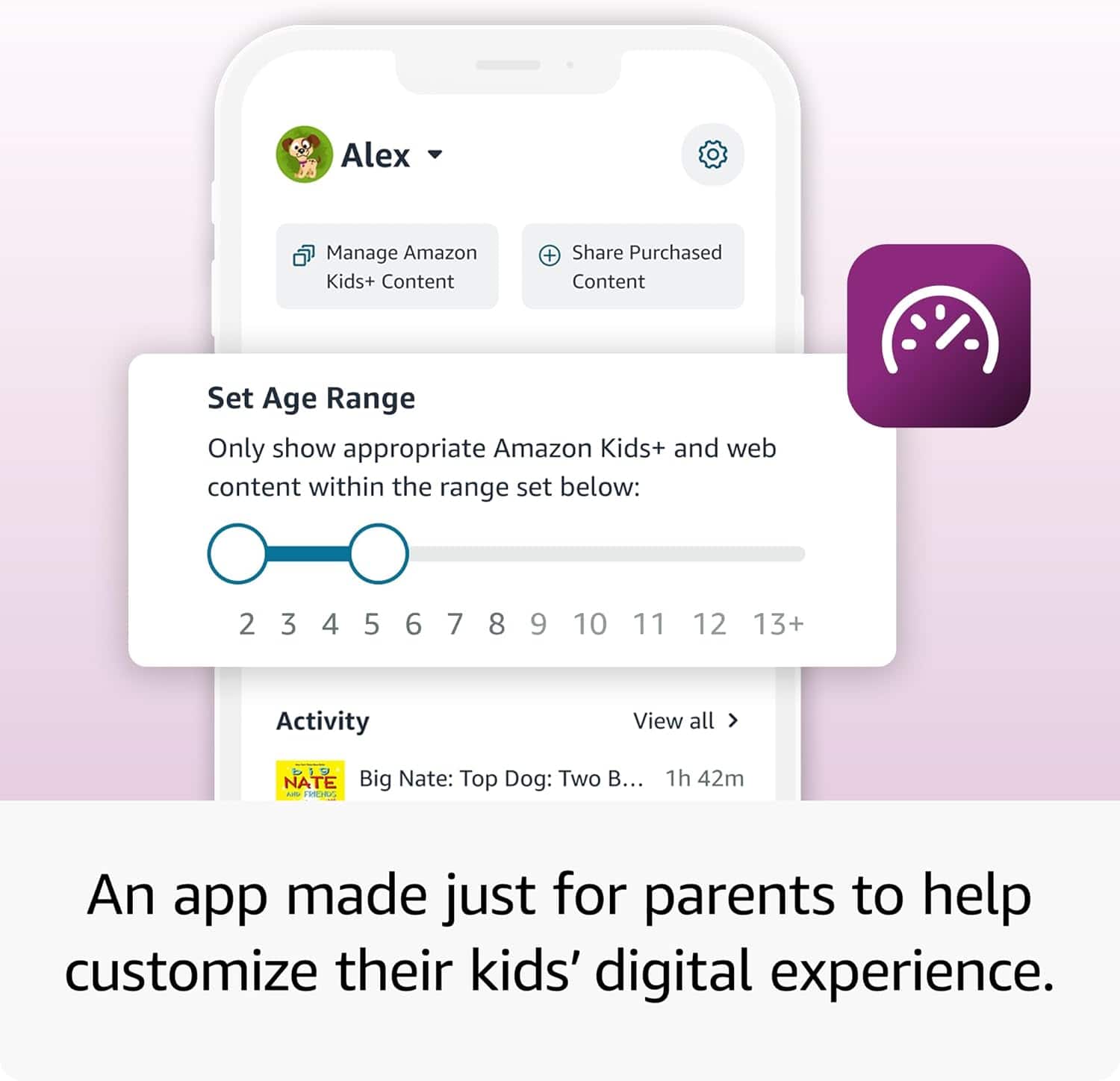
- Pros mentioned:Parental control
Great for kids
||Posted .This reviewer received promo considerations or sweepstakes entry for writing a review.Perfect for kids especially if you don’t want to necessarily get an iPad and it has great parental control
I would recommend this to a friend Pretty Much Junk
||Posted . Owned for 1 month when reviewed.This reviewer received promo considerations or sweepstakes entry for writing a review.Not worth the money. Kid's profiles will not load half the time and you cannot get hardly anything to save onto an SD card so internal memory fills up quick. I got what I paid for, I would not recommend this for anyone to buy.
No, I would not recommend this to a friendBrand response from Amazon Devices Customer Support
Posted .Hi Donald,
Thank you for taking the time to share your feedback about the Fire 7 Kids tablet. I'm sorry to hear that you've been experiencing these frustrating issues with the Kids+ profiles not loading consistently and the SD card storage limitations affecting your experience.
The profile loading issues you're describing shouldn't be happening, and I understand how disruptive this must be for your child's use of the tablet. Here are some troubleshooting steps that may help:
For profile loading issues: Try restarting the tablet by holding the power button for 20 seconds, then turning it back on. You can also try removing and re-adding the child's profile in the Parent Dashboard.
For SD card storage: While the Fire 7 Kids does have limitations on what can be stored on SD cards (primarily photos, videos, and some downloaded content), you can manage storage by going to Settings > Storage and removing unused apps or clearing app caches.
If these steps don't resolve the issues, I'd encourage you to reach out to our support team at 1-888-280-4331 or through the Amazon app. They can help troubleshoot further or discuss options that might work better for your needs.
Your feedback about these limitations is valuable and helps us understand where improvements are needed. I appreciate you sharing your honest experience.
Gamer
||Posted .This reviewer received promo considerations or sweepstakes entry for writing a review.Super slowDon't care for this tablet.Should I got a samsung
I would recommend this to a friendBrand response from Amazon Devices Customer Support
Posted .Dear ObedL,
Thank you for your review of the Fire 7 Kids tablet. We understand your frustration with the device's performance. The Fire 7 is designed as an entry-level tablet for basic kids' activities and learning apps, but you're right that it may not be the best choice for more demanding games and applications.
If you're still within the return window, we'd encourage you to visit your local Best Buy where our team can help you find a tablet that better matches your needs and performance expectations. While Samsung tablets typically offer faster performance for gaming, they also come at a higher price point.
Your feedback is valuable in helping other customers make informed decisions. Please don't hesitate to reach out for additional assistance or product recommendations.
Bad experience
||Posted . Owned for 2 weeks when reviewed.This reviewer received promo considerations or sweepstakes entry for writing a review.I had the worst service ever when it came to this item. I bought it for Black Friday it I got damaged and I returned. It couldn’t get it for the same price I bought it for.
I would recommend this to a friendWithout warranty/ you are out of luck
||Posted . Owned for 8 months when reviewed.This reviewer received promo considerations or sweepstakes entry for writing a review.Bought for my granddaughter's birthday. Didn't buy best buy warranty. It stopped working after a few months. Tried to get repaired best buy refused to repair or replace because i didn't send more on their warranty. Tried to call manufacturers. They need security number. We didn’t register tablet so they can't do anything. Best buy can't tell me the number even though i bought from them. Don't recommend product or best buy anymore.
No, I would not recommend this to a friendBrand response from Amazon Devices Customer Support
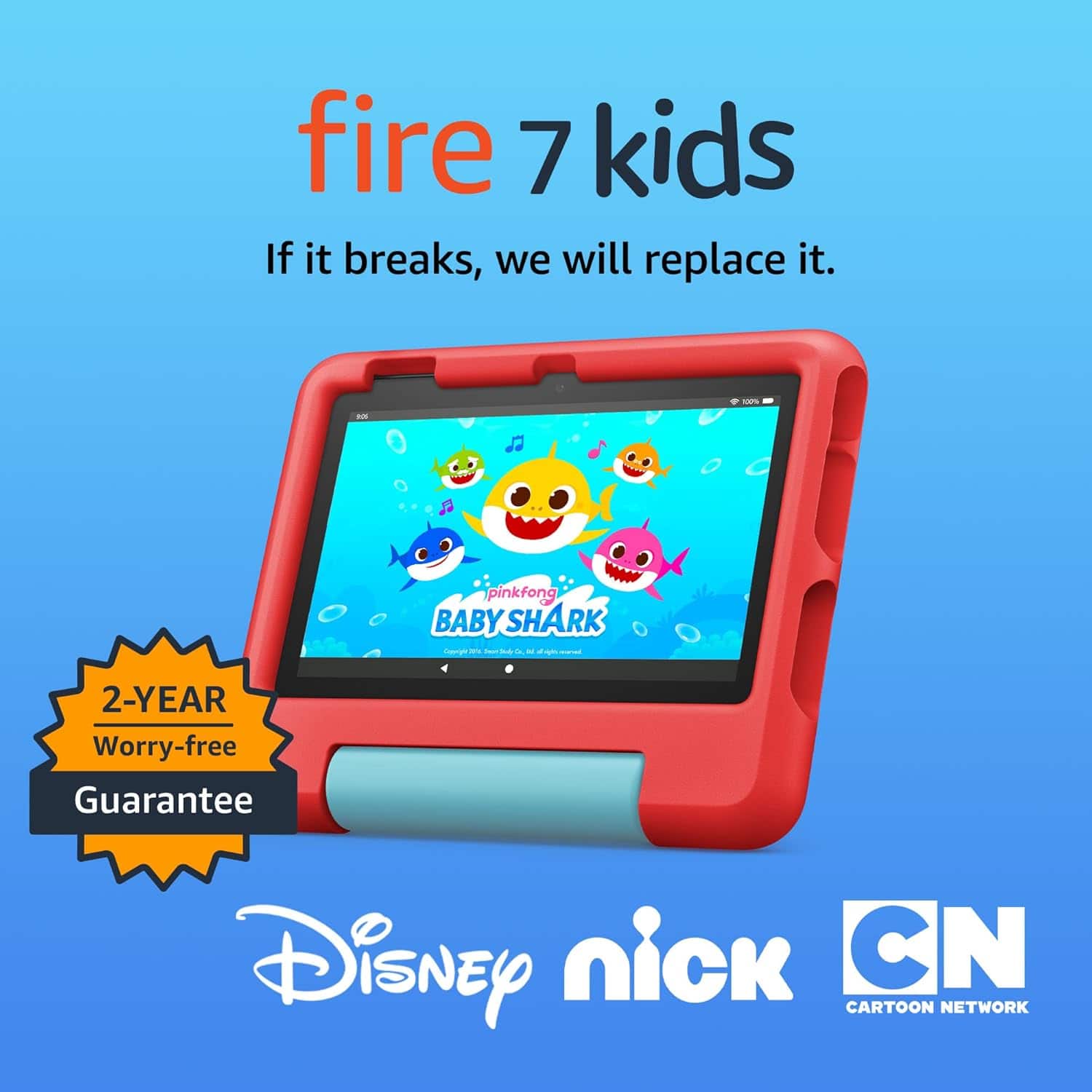
Posted .Hello! I am so sorry to hear about the trouble you are having with your Fire Kids tablet. This device comes with a 2 year worry free guarantee being a Kids tablet. You should be able to just contact Amazon Customer Support at 888.280.4331 to troubleshoot and to see what options are available to you. As for the security number, that Amazon is asking for, if it is the S/N (serial number) of the device, you can find it in the device settings by navigating to Settings>Device Options>About Fire Tablet. If you are unable to turn the tablet on whatsoever, that may be a challenge if it was never set up on an Amazon account. We always recommend following the setup procedure to login with an existing Amazon account or to set it up on a new free Amazon account for this exact reason. It saves your S/N to your account profile while also allowing you to have a backup of your device and a way to download new apps from the AppStore. I do hope that there is anything else that can be done in order to get your granddaughter's tablet working again for her. I am terribly sorry again for the trouble and I hope you have a great day!
- Cons mentioned:Storage capacity
Not recommended at all
||Posted . Owned for 2 months when reviewed.This reviewer received promo considerations or sweepstakes entry for writing a review.Very little space You can not do anything with that tablet I regret that I bought it
No, I would not recommend this to a friendBrand response from Amazon Devices Customer Support
Posted .Hello EdithP. Thank you for taking the time to leave a review on the Fire 7 Kids Tablet. I am sorry to hear about your experience with the device. If the device has run out of storage, I recommend adding a microSD card for up to 1 TB of additional storage (microSD card sold separately). Some apps may require installation on internal storage. App or feature updates may impact available storage. I hope this information is helpful, and if you have any further questions about the device, I recommend calling Amazon customer service, available 24/7 for assistance. You can reach us at 1-888-280-4331. I hope this helps, have a great day!
Tablet
||Posted . Owned for 1 month when reviewed.This reviewer received promo considerations or sweepstakes entry for writing a review.Operative System slow, isn’t a good device. Me ain’t take again.
No, I would not recommend this to a friendBrand response from Amazon Devices Customer Support
Posted .Hi AdrianhMOrozco,
Thanks for your feedback. We're sorry the Fire 7 Kids Tablet has not met your expectations. If the device still seems slow, try restarting the device, closing unused apps, checking for software updates, or freeing up storage space — these steps often help. If you're still having trouble, Amazon Customer Support is here to help 24/7 at 1-888-280-4331. Thank you again, have a good day!
Not good item
||Posted . Owned for 1 month when reviewed.This reviewer received promo considerations or sweepstakes entry for writing a review.I wouldnt recommended these item. It freezes and its feature is limited.
No, I would not recommend this to a friendBrand response from Amazon Devices Customer Support
Posted .Hello AlfredoC,
I am sorry to hear your Fire 7 Kids is not working smoothly. There are a few things to try if it continues to freeze, try holding down the power button for 40 seconds to force a restart. If that doesn't work, try charging it for at least 30 minutes, especially if the battery is low. If the issue persists, consider a factory reset as a last resort, after backing up important data. If these steps do not help and you are still experiencing issues, you can reach out to Amazon Customer Support 24/7 at 1-888-280-4331. Have a nice day!
Bad service on this one
||Posted . Owned for 3 weeks when reviewed.This reviewer received promo considerations or sweepstakes entry for writing a review.It was default and i wanted to get another one but was not offered the service just giving the run around.
No, I would not recommend this to a friendBrand response from Amazon Devices Customer Support
Posted .Hi Vonmay45,
Thank you for sharing your feedback about the Fire 7 Kids tablet. I'm sorry to hear that you received a defective device and then experienced frustration when trying to get a replacement—that's not the service experience you deserve, especially when dealing with a faulty product.
When a device is defective right out of the box, you should absolutely be offered a straightforward replacement or refund without any runaround. Here's what I recommend:
Contact Amazon directly at 1-888-280-4331 or through the Amazon app. Since the tablet was defective, Amazon's one-year limited warranty should cover a replacement at no cost to you. Our support team can help arrange this and ensure you get a working device for your child.
If you purchased from Best Buy, you can also return to the store with your receipt and request a manager if the initial associate isn't able to help with an exchange.
Your feedback about the service experience is valuable and helps us identify where our support processes need improvement. A defective device should result in a quick, hassle-free resolution, not a runaround.
Not the best
||Posted .This reviewer received promo considerations or sweepstakes entry for writing a review.Very slow and lagging. Tablet has a mind of its own while using
No, I would not recommend this to a friendBrand response from Amazon Devices Customer Support
Posted .Hello YashawntaB! Thank you for your feedback and review of your experience with your Fire 7 Kids tablet. This is our entry level product that does in fact have our entry level processor in it but it should not be hindering your experience like this. I would recommend a couple ways to troubleshoot this. You can first see if you have numerous apps running in the background which would be slowing down the processor and causing the lag you are speaking of. You can see this from the home screen by tapping the multitask icon at the lower right of the screen. From there you can swipe up individual apps that you are no longer using at the moment or you can swipe all the way over and tap Close All. This should help free up some space. Another thing you can check is to see if you need any updates or if an update is pending. You can do this by going to Settings>Device Options>System Update. If there are any updates pending, it will download and install it and possibly restart your tablet. Finally, sometimes a simple power cycle can work to help your experience. Hold the power button for a few seconds and then tap Restart. If none of these tips help improve your experience, then I would contact Amazon Customer Support directly at 888.280.4331 for further troubleshooting. You also have a 2 year worry free guarantee with your Kids tablet. I hope this all helps improve your experience some and thank you again for your time and feedback. Have an amazing day!
Bad choice
||Posted . Owned for 2 weeks when reviewed.This reviewer received promo considerations or sweepstakes entry for writing a review.Not happy with this item. Would not recommend to anyone
No, I would not recommend this to a friendBrand response from Amazon Devices Customer Support
Posted .Thank you for your feedback ElizabethF, I am sorry to hear you are not happy with this product.
basic
||Posted . Owned for 3 weeks when reviewed.This reviewer received promo considerations or sweepstakes entry for writing a review.this product did not work in australia at all..returned
No, I would not recommend this to a friendBad news
||Posted . Owned for 1 month when reviewed.This reviewer received promo considerations or sweepstakes entry for writing a review.My daughter hates it , constant glitching she can’t even watch a YouTube video without full glitching
No, I would not recommend this to a friendBrand response from Amazon Devices Customer Support
Posted .Hi SimoneN,
Thank you for your feedback on the Fire 7 Kids tablet. I am sorry to hear it is glitching. Glitching on an Amazon Fire 7 tablet is often fixed by a forced restart (hold power for 40 secs), checking for software updates, or freeing up storage. A factory reset is the next step, but be sure to back up data first. If these steps do not help and you are still experiencing issues, you can reach out to Amazon Customer Support 24/7 at 1-888-280-4331.