Customer Ratings & Reviews
- Model:
- B0C8BZDJCT
- |
- SKU:
- 6563873
Customer reviews
Rating 4.6 out of 5 stars with 261 reviews
(261 customer reviews)Rating by feature
- Battery Life4.7
Rating 4.7 out of 5 stars
- Durability4.8
Rating 4.8 out of 5 stars
- Display4.6
Rating 4.6 out of 5 stars
Customers are saying
Customers find value in the Fire 7 Kids tablet's durability and appreciate its size, making it suitable for young children. Positive feedback also highlights the device's battery life and lightweight design. A common concern, however, centers around the limited storage capacity.
This summary was generated by AI based on customer reviews.
- Cons mentioned:Speed
Rated 2 out of 5 stars
Worse
||Posted . Owned for 3 months when reviewed.This reviewer received promo considerations or sweepstakes entry for writing a review.This is okay. It very slow. Although for a little ,id the kid gets dd because tapping and nothing hapoening. Not sure if i ever get one of these. I will never reccomend. The battery life sucks too.
This review is from Fire 7 Kids - 7" Tablet (2023) 16GB with Amazon Kids+ (6 Month Subscription) - Purple
No, I would not recommend this to a friendBrand response from Amazon Devices Customer Support
Posted .Hi TyleeO,
We are sorry you are not satisfied with the Fire 7 Kids Tablet. The slowness you mention may be due to your wifi connection, or your device may require a software update you can check for in the tablets settings.For further troubleshooting, you can call Amazon customer service, available 24/7 for assistance on the device. You can reach us at 1-888-280-4331!
Hope that helps!
- Pros mentioned:Parental control
Rated 1 out of 5 stars
Great for kids
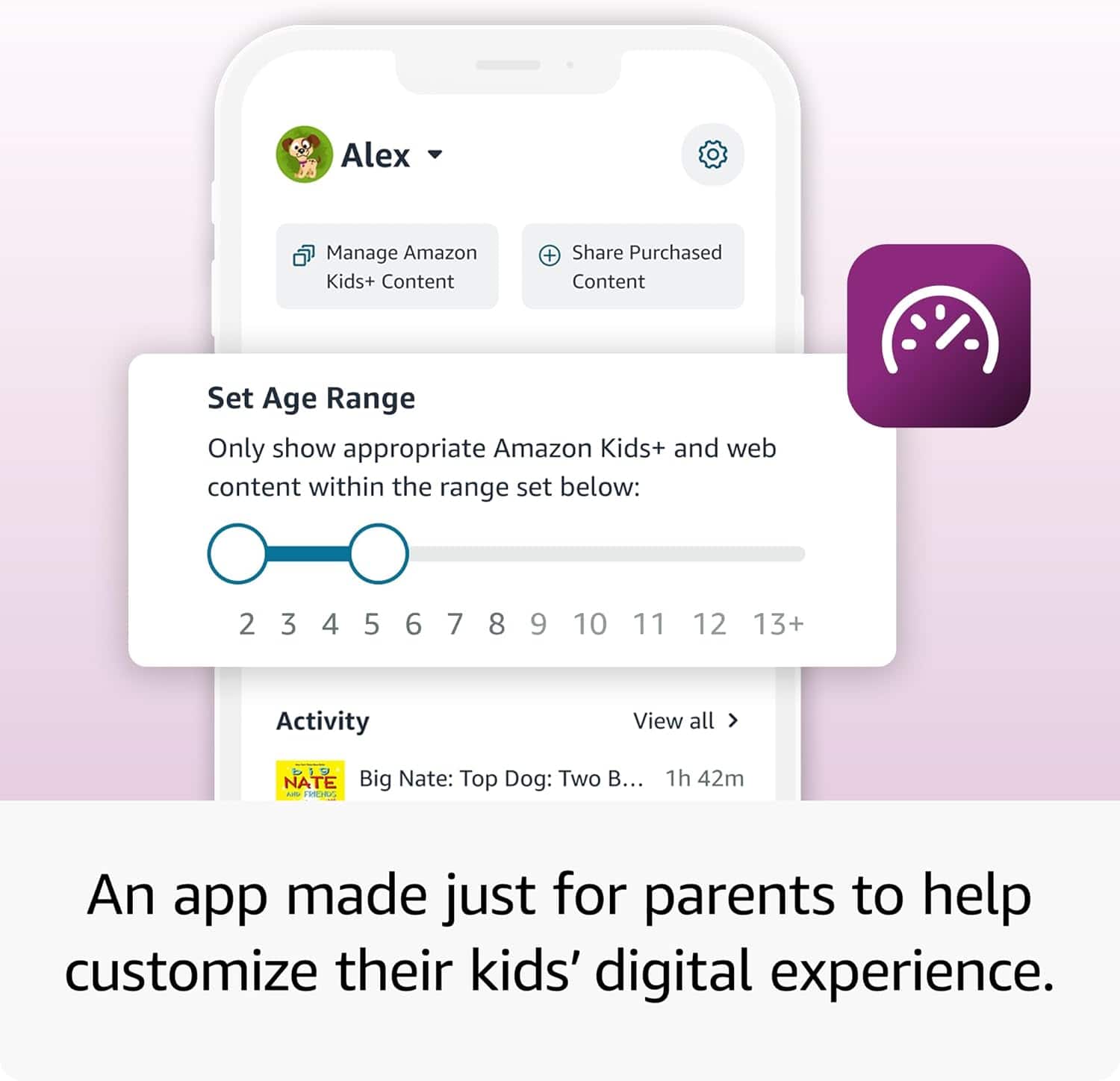
||Posted .This reviewer received promo considerations or sweepstakes entry for writing a review.Perfect for kids especially if you don’t want to necessarily get an iPad and it has great parental control
This review is from Fire 7 Kids - 7" Tablet (2023) 16GB with Amazon Kids+ (6 Month Subscription) - Purple
I would recommend this to a friend Rated 3 out of 5 stars
Needs better connection to wifi
||Posted . Owned for 3 weeks when reviewed.This reviewer received promo considerations or sweepstakes entry for writing a review.It doesn’t connect to WiFi as easy as other devices… I have to be right next to any WiFi I’m using… but all other devices work
This review is from Fire 7 Kids - 7" Tablet (2023) 16GB with Amazon Kids+ (6 Month Subscription) - Blue
I would recommend this to a friendBrand response from Amazon Devices Customer Support
Posted .Hello JulieM! Thank you so much for taking the time to provide feedback on your new Fire tablet! I am so sorry that you are experiencing connectivity issues with it. You can double check to make sure that you have the latest software version, which may address this, by navigating to Settings>Device Options>System Updates. If you have any pending updates, you can tap Check Now or Install and after a power cycle, this may fix your issue. If it does not, you can also try forgetting the Wi-Fi in your Settings>Internet>Internet Preferences and then reconnect it to see if the connection improves. If none of these tips resolve your problem, then I would recommend contacting Amazon Customer Support at 888.280.4331 for further assistance. I do hope this helps improve upon your experience some and that you have a fantastic day!
Rated 2 out of 5 stars
Tablet
||Posted . Owned for 1 month when reviewed.This reviewer received promo considerations or sweepstakes entry for writing a review.Operative System slow, isn’t a good device. Me ain’t take again.
This review is from Fire 7 Kids - 7" Tablet (2023) 16GB with Amazon Kids+ (6 Month Subscription) - Purple
No, I would not recommend this to a friendBrand response from Amazon Devices Customer Support
Posted .Hi AdrianhMOrozco,
Thanks for your feedback. We're sorry the Fire 7 Kids Tablet has not met your expectations. If the device still seems slow, try restarting the device, closing unused apps, checking for software updates, or freeing up storage space — these steps often help. If you're still having trouble, Amazon Customer Support is here to help 24/7 at 1-888-280-4331. Thank you again, have a good day!
Rated 2 out of 5 stars
Not good item
||Posted . Owned for 1 month when reviewed.This reviewer received promo considerations or sweepstakes entry for writing a review.I wouldnt recommended these item. It freezes and its feature is limited.
This review is from Fire 7 Kids - 7" Tablet (2023) 16GB with Amazon Kids+ (6 Month Subscription) - Purple
No, I would not recommend this to a friendBrand response from Amazon Devices Customer Support
Posted .Hello AlfredoC,
I am sorry to hear your Fire 7 Kids is not working smoothly. There are a few things to try if it continues to freeze, try holding down the power button for 40 seconds to force a restart. If that doesn't work, try charging it for at least 30 minutes, especially if the battery is low. If the issue persists, consider a factory reset as a last resort, after backing up important data. If these steps do not help and you are still experiencing issues, you can reach out to Amazon Customer Support 24/7 at 1-888-280-4331. Have a nice day!
Rated 2 out of 5 stars
Not the best
||Posted .This reviewer received promo considerations or sweepstakes entry for writing a review.Very slow and lagging. Tablet has a mind of its own while using
This review is from Fire 7 Kids - 7" Tablet (2023) 16GB with Amazon Kids+ (6 Month Subscription) - Purple
No, I would not recommend this to a friendBrand response from Amazon Devices Customer Support
Posted .Hello YashawntaB! Thank you for your feedback and review of your experience with your Fire 7 Kids tablet. This is our entry level product that does in fact have our entry level processor in it but it should not be hindering your experience like this. I would recommend a couple ways to troubleshoot this. You can first see if you have numerous apps running in the background which would be slowing down the processor and causing the lag you are speaking of. You can see this from the home screen by tapping the multitask icon at the lower right of the screen. From there you can swipe up individual apps that you are no longer using at the moment or you can swipe all the way over and tap Close All. This should help free up some space. Another thing you can check is to see if you need any updates or if an update is pending. You can do this by going to Settings>Device Options>System Update. If there are any updates pending, it will download and install it and possibly restart your tablet. Finally, sometimes a simple power cycle can work to help your experience. Hold the power button for a few seconds and then tap Restart. If none of these tips help improve your experience, then I would contact Amazon Customer Support directly at 888.280.4331 for further troubleshooting. You also have a 2 year worry free guarantee with your Kids tablet. I hope this all helps improve your experience some and thank you again for your time and feedback. Have an amazing day!
- Cons mentioned:Storage capacity
Rated 1 out of 5 stars
Not recommended at all
||Posted . Owned for 2 months when reviewed.This reviewer received promo considerations or sweepstakes entry for writing a review.Very little space You can not do anything with that tablet I regret that I bought it
This review is from Fire 7 Kids - 7" Tablet (2023) 16GB with Amazon Kids+ (6 Month Subscription) - Purple
No, I would not recommend this to a friendBrand response from Amazon Devices Customer Support
Posted .Hello EdithP. Thank you for taking the time to leave a review on the Fire 7 Kids Tablet. I am sorry to hear about your experience with the device. If the device has run out of storage, I recommend adding a microSD card for up to 1 TB of additional storage (microSD card sold separately). Some apps may require installation on internal storage. App or feature updates may impact available storage. I hope this information is helpful, and if you have any further questions about the device, I recommend calling Amazon customer service, available 24/7 for assistance. You can reach us at 1-888-280-4331. I hope this helps, have a great day!
Rated 1 out of 5 stars
Without warranty/ you are out of luck
||Posted . Owned for 8 months when reviewed.This reviewer received promo considerations or sweepstakes entry for writing a review.Bought for my granddaughter's birthday. Didn't buy best buy warranty. It stopped working after a few months. Tried to get repaired best buy refused to repair or replace because i didn't send more on their warranty. Tried to call manufacturers. They need security number. We didn’t register tablet so they can't do anything. Best buy can't tell me the number even though i bought from them. Don't recommend product or best buy anymore.
This review is from Fire 7 Kids - 7" Tablet (2023) 16GB with Amazon Kids+ (6 Month Subscription) - Purple
No, I would not recommend this to a friendBrand response from Amazon Devices Customer Support
Posted .Hello! I am so sorry to hear about the trouble you are having with your Fire Kids tablet. This device comes with a 2 year worry free guarantee being a Kids tablet. You should be able to just contact Amazon Customer Support at 888.280.4331 to troubleshoot and to see what options are available to you. As for the security number, that Amazon is asking for, if it is the S/N (serial number) of the device, you can find it in the device settings by navigating to Settings>Device Options>About Fire Tablet. If you are unable to turn the tablet on whatsoever, that may be a challenge if it was never set up on an Amazon account. We always recommend following the setup procedure to login with an existing Amazon account or to set it up on a new free Amazon account for this exact reason. It saves your S/N to your account profile while also allowing you to have a backup of your device and a way to download new apps from the AppStore. I do hope that there is anything else that can be done in order to get your granddaughter's tablet working again for her. I am terribly sorry again for the trouble and I hope you have a great day!
Rated 2 out of 5 stars
basic
||Posted . Owned for 3 weeks when reviewed.This reviewer received promo considerations or sweepstakes entry for writing a review.this product did not work in australia at all..returned
This review is from Fire 7 Kids - 7" Tablet (2023) 16GB with Amazon Kids+ (6 Month Subscription) - Blue
No, I would not recommend this to a friendRated 2 out of 5 stars
My son tablet
||Posted . Owned for 1 month when reviewed.This reviewer received promo considerations or sweepstakes entry for writing a review.It’s was good up till 3 days ago . Its went out on my son
This review is from Fire 7 Kids - 7" Tablet (2023) 16GB with Amazon Kids+ (6 Month Subscription) - Blue
No, I would not recommend this to a friendBrand response from Amazon Devices Customer Support
Posted .Hi Tiaw,
I am sorry to hear your Fire 7 Kids tablet is not working. There are a few things you can try to get it back on: Make sure that your environment isn't too hot or too cold (tablets are sensitive to extreme temperatures), next disconnect your device from charging equipment, such as the power adapter and cable. If you're using a wireless charging dock or mat, remove the tablet. Then, Press and hold the power button for 40 seconds or until your device restarts, reconnect your device to charge; plug in the cable to the power adapter and your device then plug the adapter into an outlet. The LED on most wireless chargers is solid white when charging. If your tablet still isn't charging, you may be eligible for a warranty replacement. You can reach Amazon at 1-888-280-4331. I hope this information is helpful, thank you!
Rated 1 out of 5 stars
Beware: HORRIBLE return policy
||Posted . Owned for 1 month when reviewed.This reviewer received promo considerations or sweepstakes entry for writing a review.BEWARE of best buy horrible return policy! I tried to return this unopened brand new (4 wks after I bought it) Apparently it is “unreturnable.” They only give you 15 days to return. Why would someone not just get it off Amazon?! I will not be shopping at Best Buy any longer.
No, I would not recommend this to a friendRated 1 out of 5 stars
Horrible
||Posted . Owned for 6 months when reviewed.This reviewer received promo considerations or sweepstakes entry for writing a review.Do not waste your money. Horrible slow lagging product even when buying a sd card for more memory still full. Horrible quality
This review is from Fire 7 Kids - 7" Tablet (2023) 16GB with Amazon Kids+ (6 Month Subscription) - Purple
No, I would not recommend this to a friendBrand response from Amazon Devices Customer Support
Posted .Hello NatashaF! Thank you so much for your review and feedback on your experience with your Fire tablet. I am so sorry to hear about the lagging issues you are running in to with your tablet. This is our entry level device in our lineup and does have the lowest processor speed by comparison, but this should still not be hindering your experience like this. One thing you can do to troubleshoot is to ensure that you do not have too many apps running in the background. This can slow down your tablet processor and causing some of this lag. You can find this by tapping the multitask icon in the lower right of the screen. This will bring up all of your running apps. You can individually swipe up each app you are not using at the moment or you can swipe all the way over and tap Close All. This should free up some processing power and give you a smoother experience. All Kids Fire tablets come with a 2 year worry free guarantee from Amazon directly. You can contact Amazon Customer Support at 888.280.4331 for further troubleshooting. I hope this helps improve your experience with your device and hope that you have a fantastic day!
Rated 1 out of 5 stars
Disappointing.
||Posted . Owned for 1 month when reviewed.This reviewer received promo considerations or sweepstakes entry for writing a review.Slow, unintuitive and frustrating. Avoid it, there are better options out there.
This review is from Fire 7 Kids - 7" Tablet (2023) 16GB with Amazon Kids+ (6 Month Subscription) - Purple
No, I would not recommend this to a friendBrand response from Amazon Devices Customer Support
Posted .Hello, MarkT. Thank you for taking the time to leave a review on the Fire 7 Kids Tablet. I am sorry to hear about the issues you are experiencing with the device and have some recommendations to try and help. I recommend ensuring that the tablet is on the latest software update. To check for updates, open settings, select device, then updates, and check for any software updates. I also recommend clearing out any apps that may be running in the background. Select the square button at the bottom of the screen and swipe up to close any apps running in the background. You should also ensure you have a strong Wi-Fi connection, as this can also cause lag with the device. If you have any questions or need further assistance with the device, I recommend contacting Amazon Customer Support at 888-280-4331. Thank you again, have a great day!
Rated 1 out of 5 stars
Not like
||Posted . Owned for 2 months when reviewed.This reviewer received promo considerations or sweepstakes entry for writing a review.Did not like it actually im just going to return it today
This review is from Fire 7 Kids - 7" Tablet (2023) 16GB with Amazon Kids+ (6 Month Subscription) - Purple
No, I would not recommend this to a friendRated 1 out of 5 stars
No good
||Posted . Owned for 3 weeks when reviewed.This reviewer received promo considerations or sweepstakes entry for writing a review.The volume is no good, charges very slow, and dies quickly.
No, I would not recommend this to a friendBrand response from Amazon Devices Customer Support
Posted .Hi Perfectgift, thank you for providing feedback on the Amazon Fire 7 Kids tablet. I am sorry to see the experience you have had with this so far.
Here are a few things to check and try:
Lowering the screen brightness significantly conserves battery life;
Force close any apps that are running in the background but not actively being used;
Make sure your Fire 7 Kids tablet is running the latest software version;
Always use the original charging cable and ensure it's fully plugged in;
Enable the built-in power saving mode if available on your device.
If these steps do not help and you are still experiencing issues, you can reach out to Amazon Customer Support 24/7 at 1-888-280-4331. Thank you again for your feedback and have a great day!
- Pros mentioned:Ease of use, Size
Rated 5 out of 5 stars
Amazing tablet!
Posted .This reviewer received promo considerations or sweepstakes entry for writing a review.perfect size for my toddler, easy for her to use and the case is perfect for her clumsiness.
This review is from Fire 7 Kids - 7" Tablet (2023) 16GB with Amazon Kids+ (6 Month Subscription) - Purple
I would recommend this to a friend - Pros mentioned:Ease of use
Rated 5 out of 5 stars
Grandma strikes again!
Posted .This reviewer received promo considerations or sweepstakes entry for writing a review.I bought this item for my 3 year old grandson and he absolutely loves it! He was able to learn very quickly how to maneuver his new tablet. This tablet gave him a sense of smartness and belonging. Thank you Best Buy! You've done it again.
I would recommend this to a friend - Pros mentioned:Overall performance
Rated 5 out of 5 stars
Martha Whetsell
Posted .This reviewer received promo considerations or sweepstakes entry for writing a review.I am very satisfied and so is my to granddaughter.
This review is from Fire 7 Kids - 7" Tablet (2023) 16GB with Amazon Kids+ (6 Month Subscription) - Purple
I would recommend this to a friend - Pros mentioned:Overall performance
Rated 5 out of 5 stars
Tablet
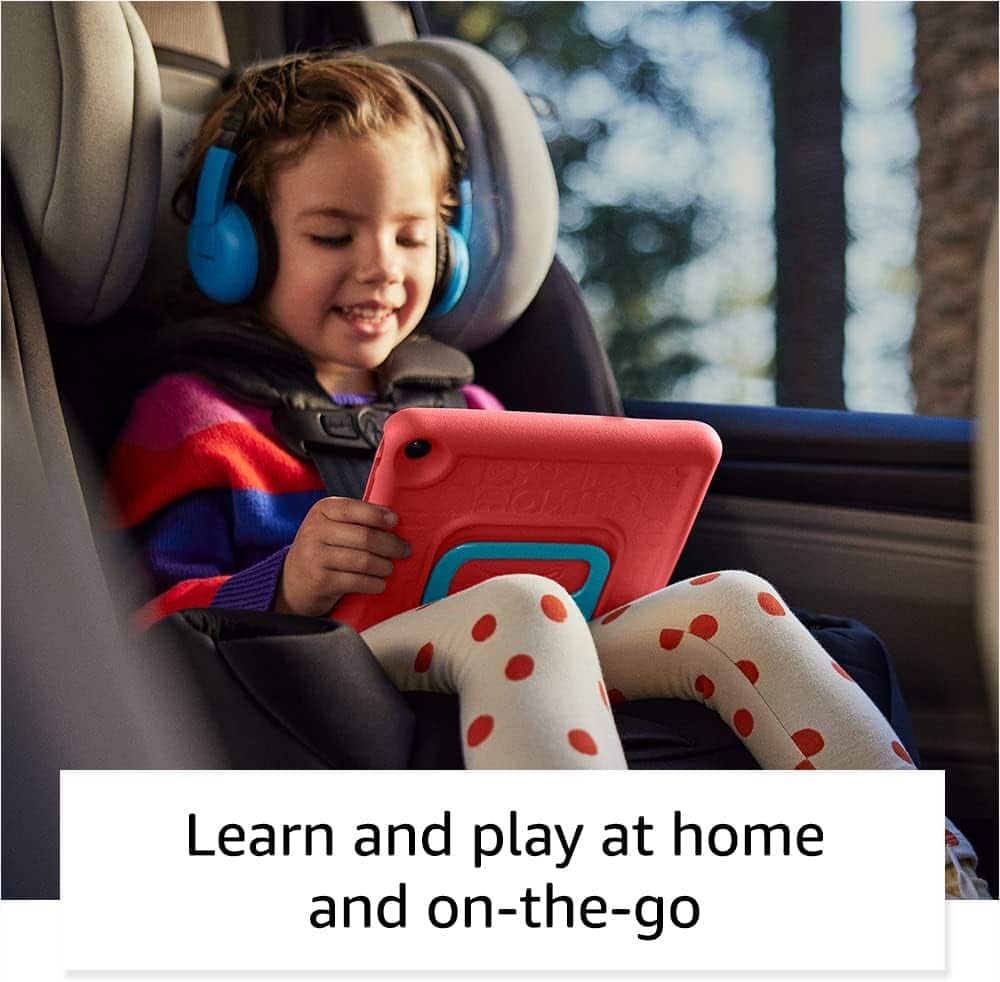
Posted .This reviewer received promo considerations or sweepstakes entry for writing a review.Exactly what we expected. Worked good for our 2 year old on our long car ride for vacation.
This review is from Fire 7 Kids - 7" Tablet (2023) 16GB with Amazon Kids+ (6 Month Subscription) - Purple
I would recommend this to a friend Rated 3 out of 5 stars
Sakibs experience
Posted .This reviewer received promo considerations or sweepstakes entry for writing a review.Kid friendly and easy to use for kids and you can be assured what content your children is watching
This review is from Fire 7 Kids - 7" Tablet (2023) 16GB with Amazon Kids+ (6 Month Subscription) - Purple
I would recommend this to a friend