Customer Ratings & Reviews
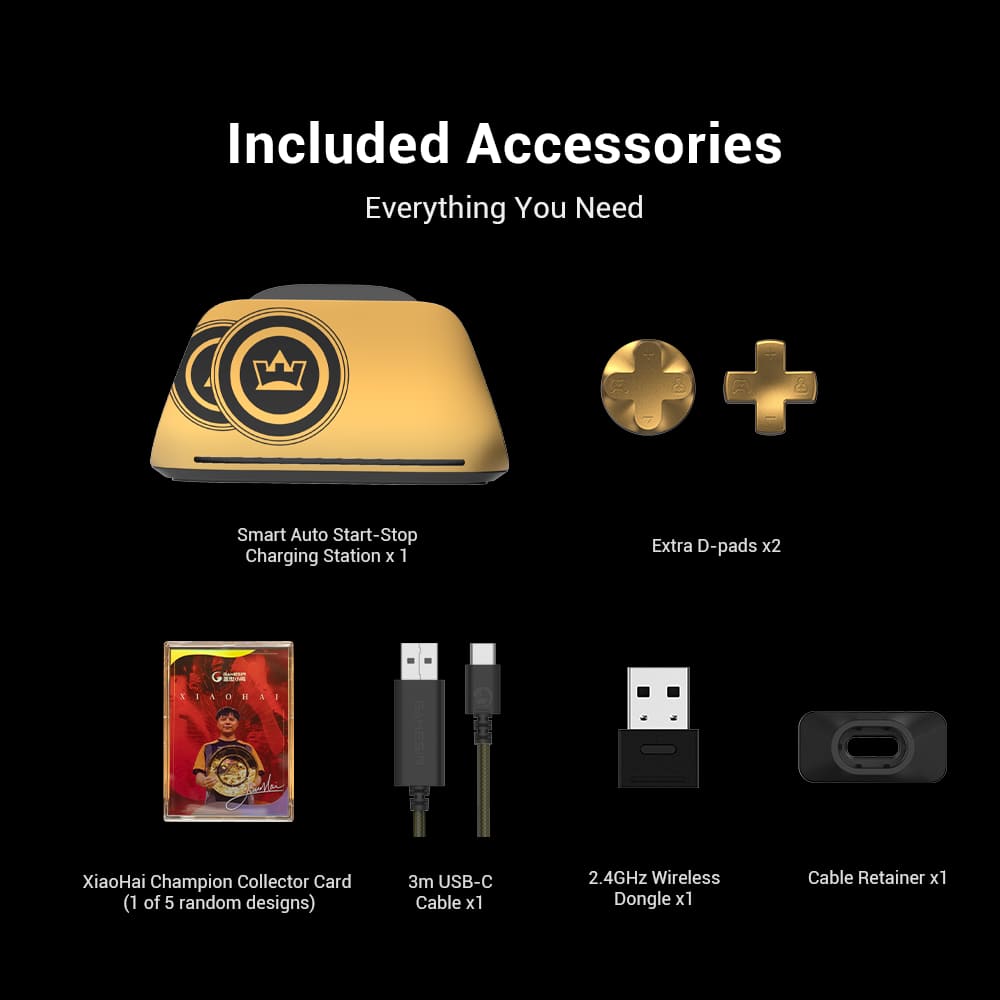
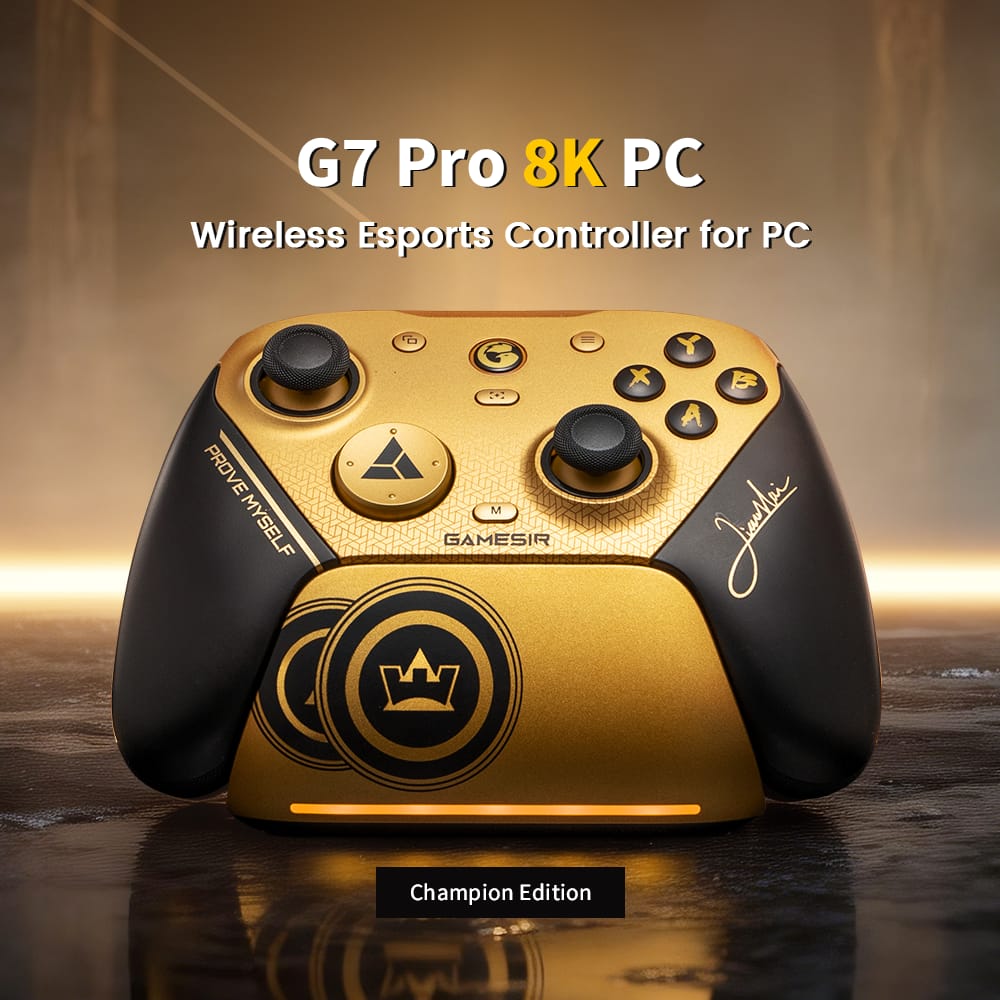
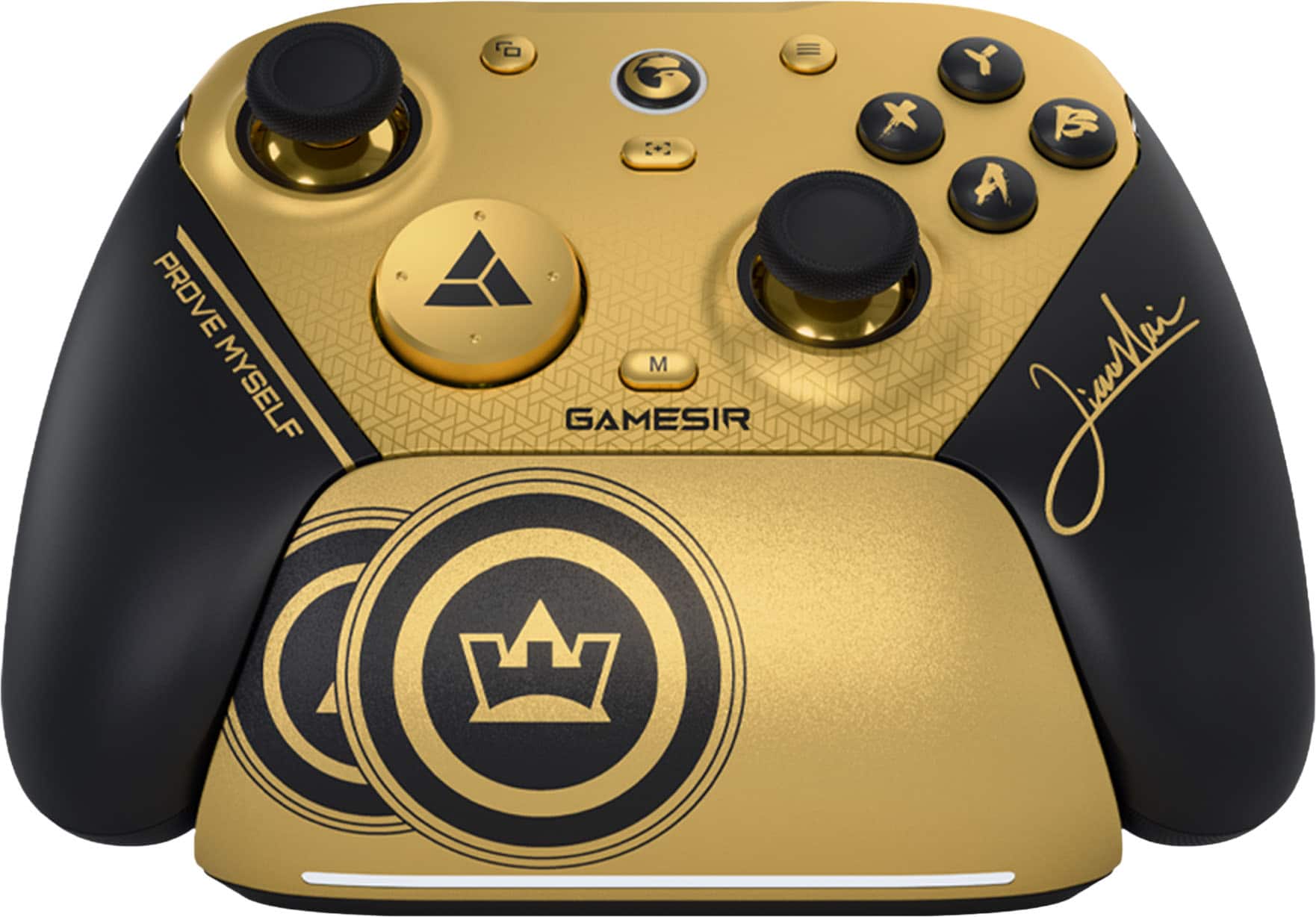
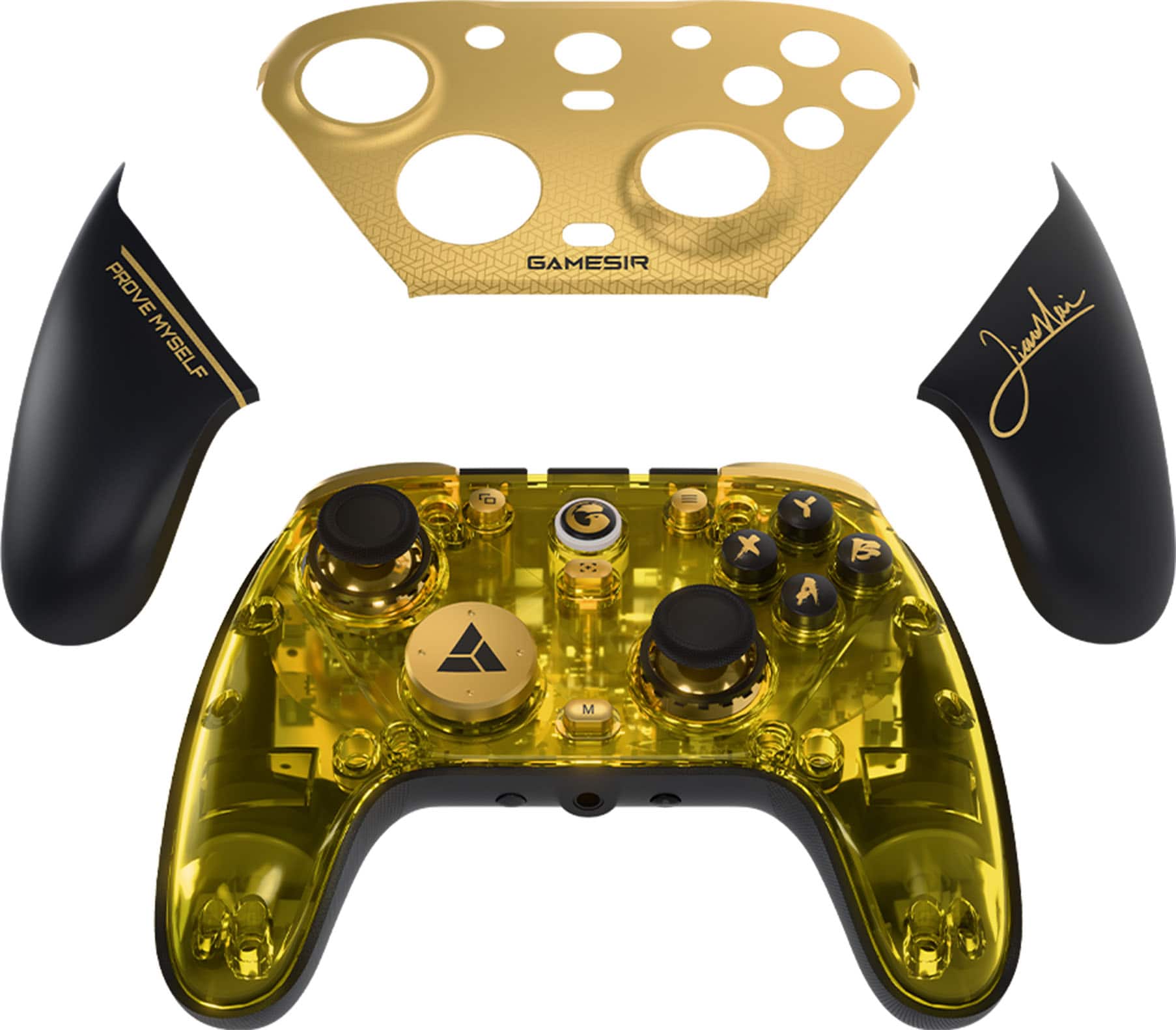
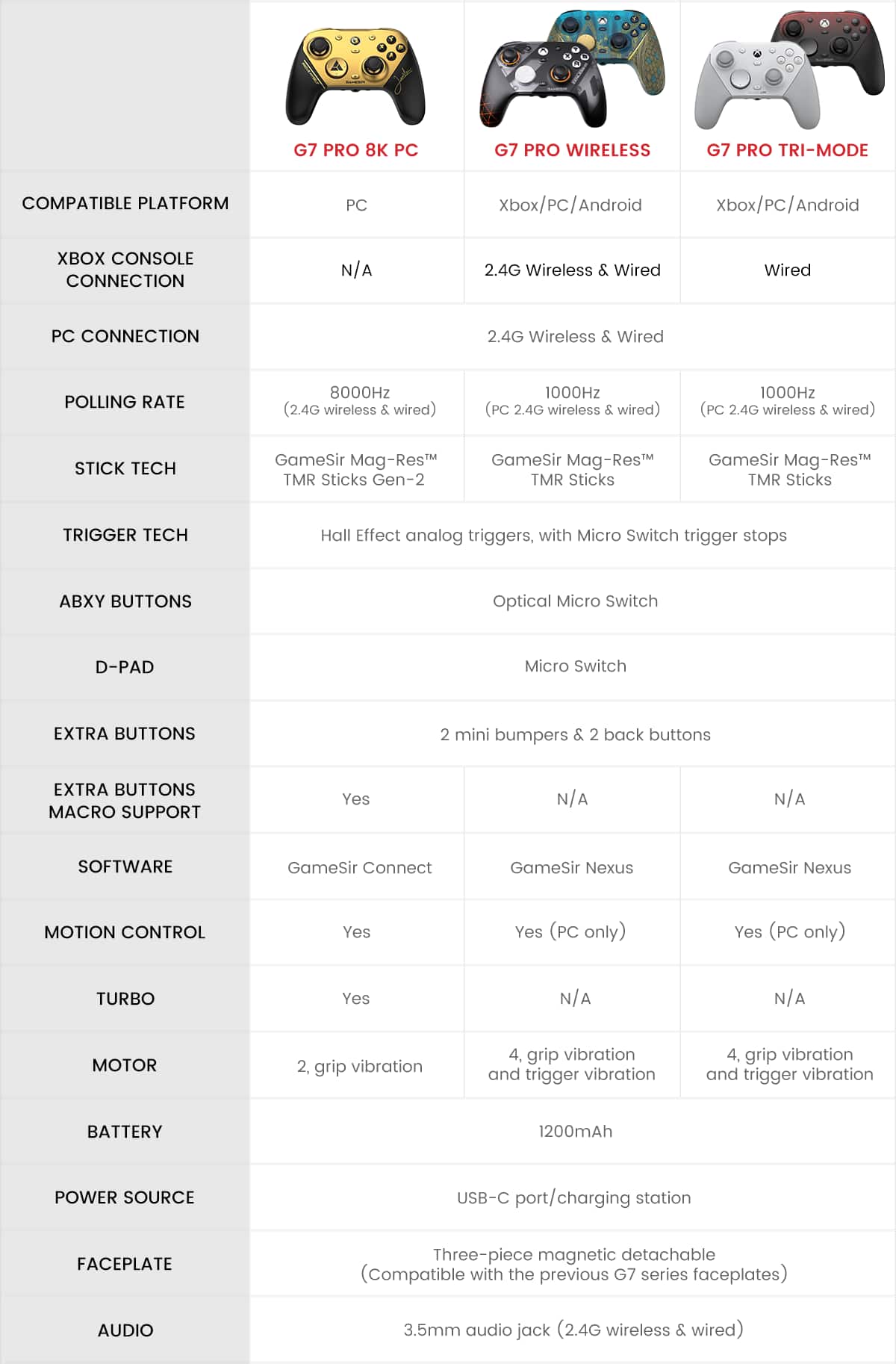
- Model:
- G7 Pro 8k BG
- SKU:
- 6671814
Rating by feature
- Value
Rating 4.8 out of 5 stars
- Quality
Rating 4.9 out of 5 stars
- Ease of Use
Rating 4.8 out of 5 stars
Customers are saying
Customers regard the product's build quality and responsiveness very highly. Many appreciate the extensive customization options and comfortable ergonomics, noting how well it fits in their hands. Users also confirm that the polling rate lives up to expectations and that they experience no stick drift.
This summary was generated by AI based on customer reviews.

A Champion's Controller
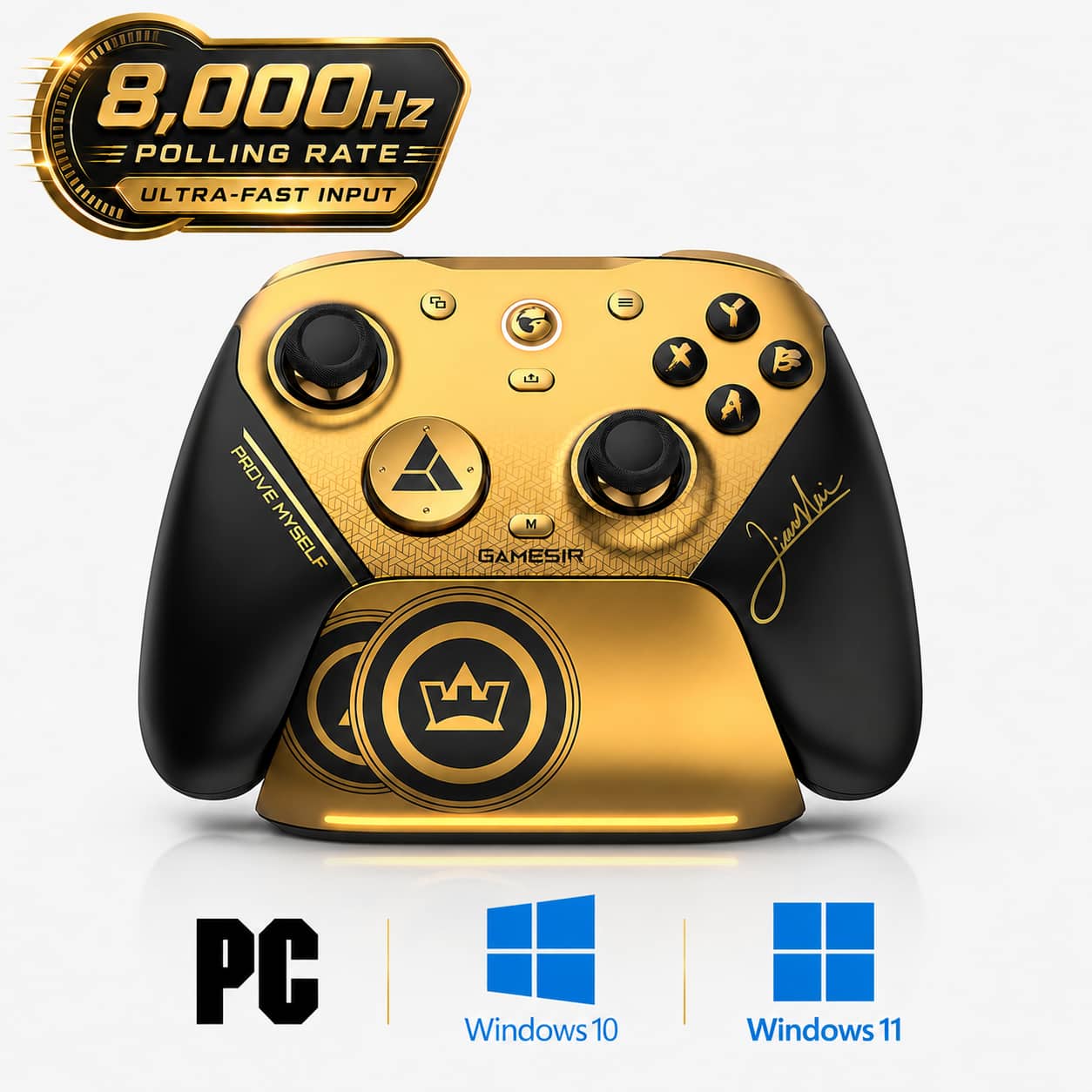
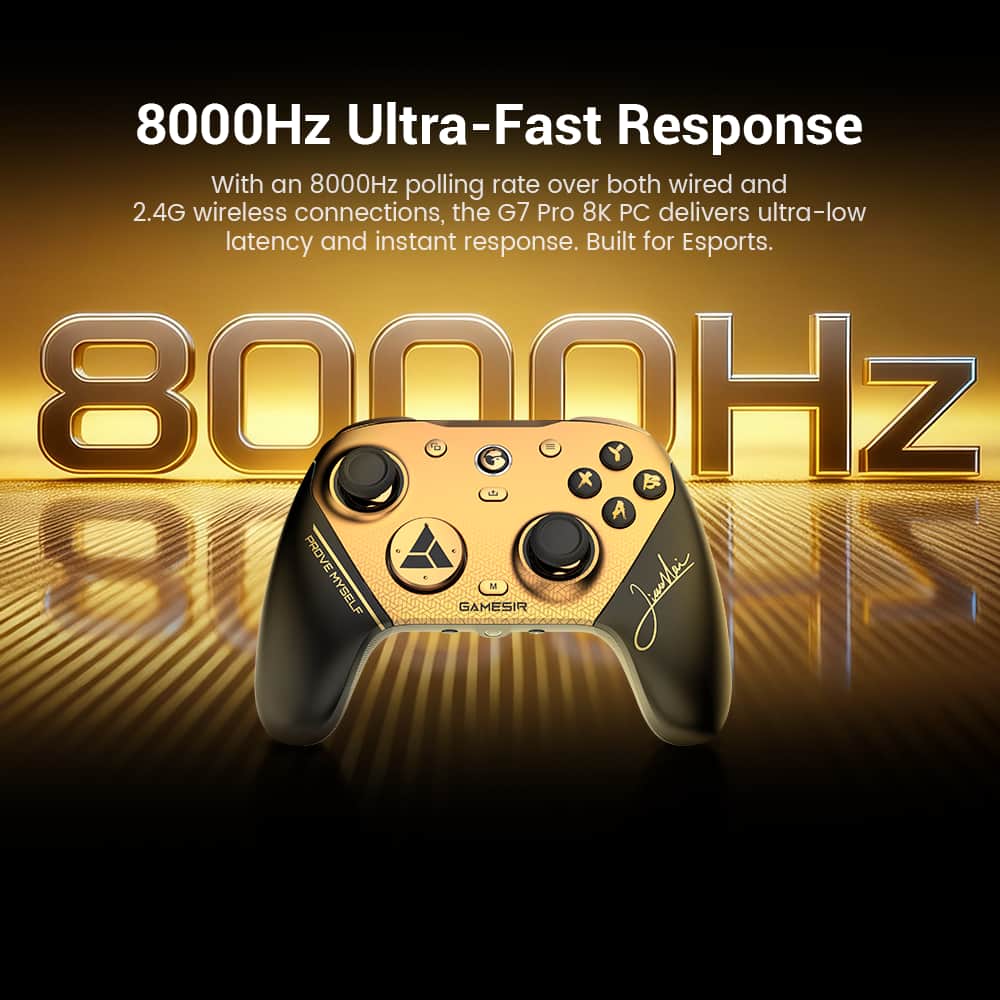
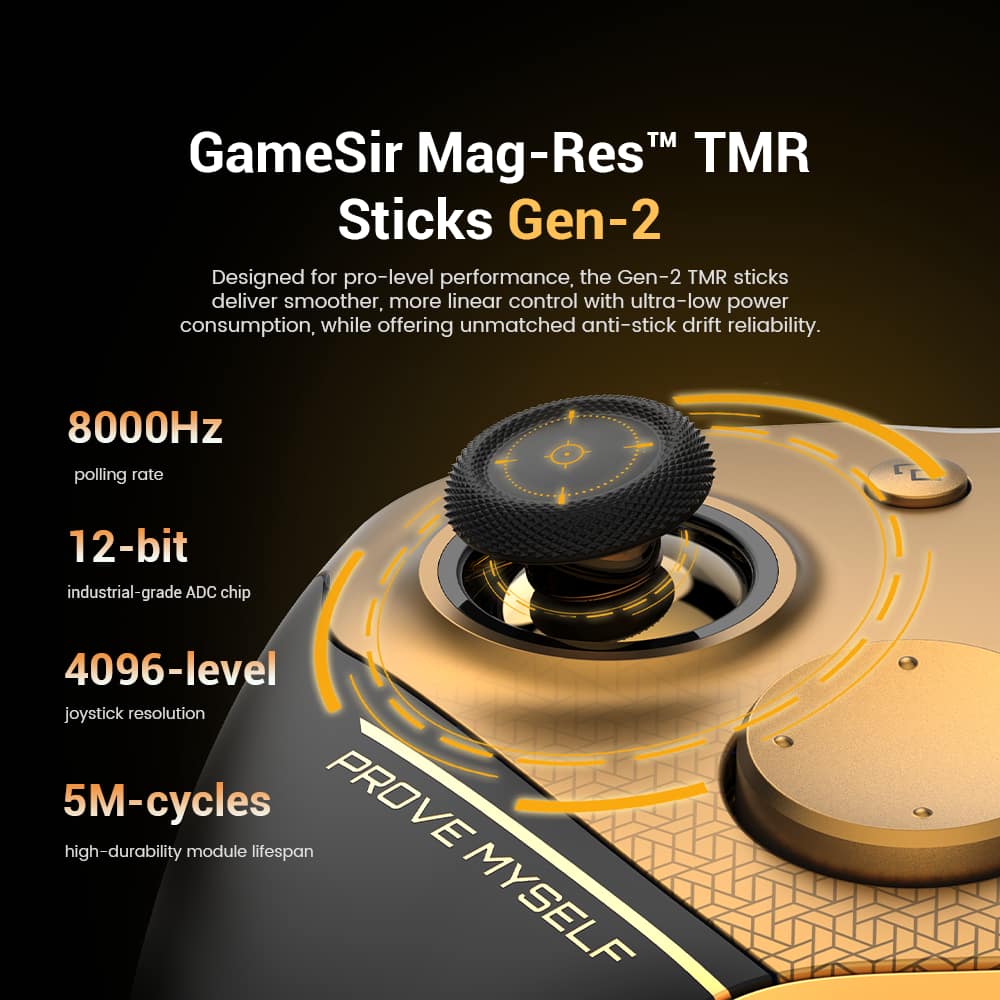
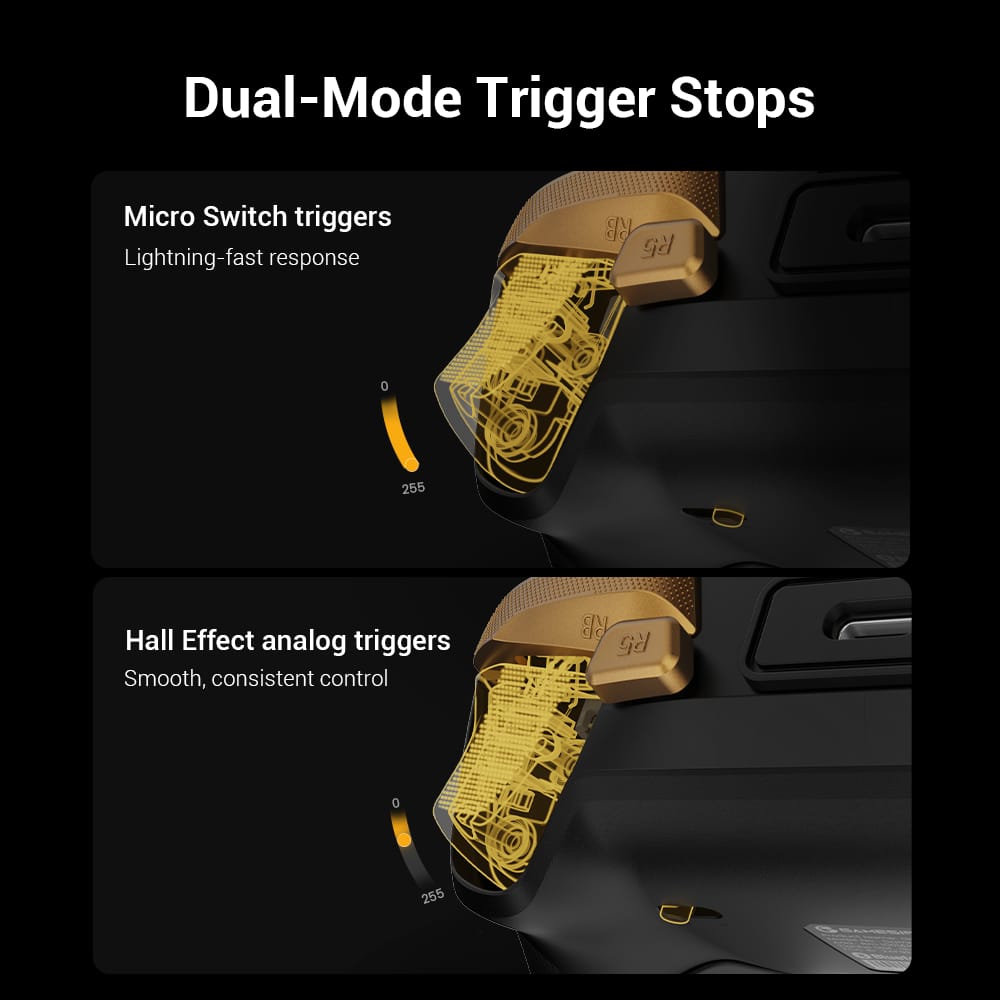
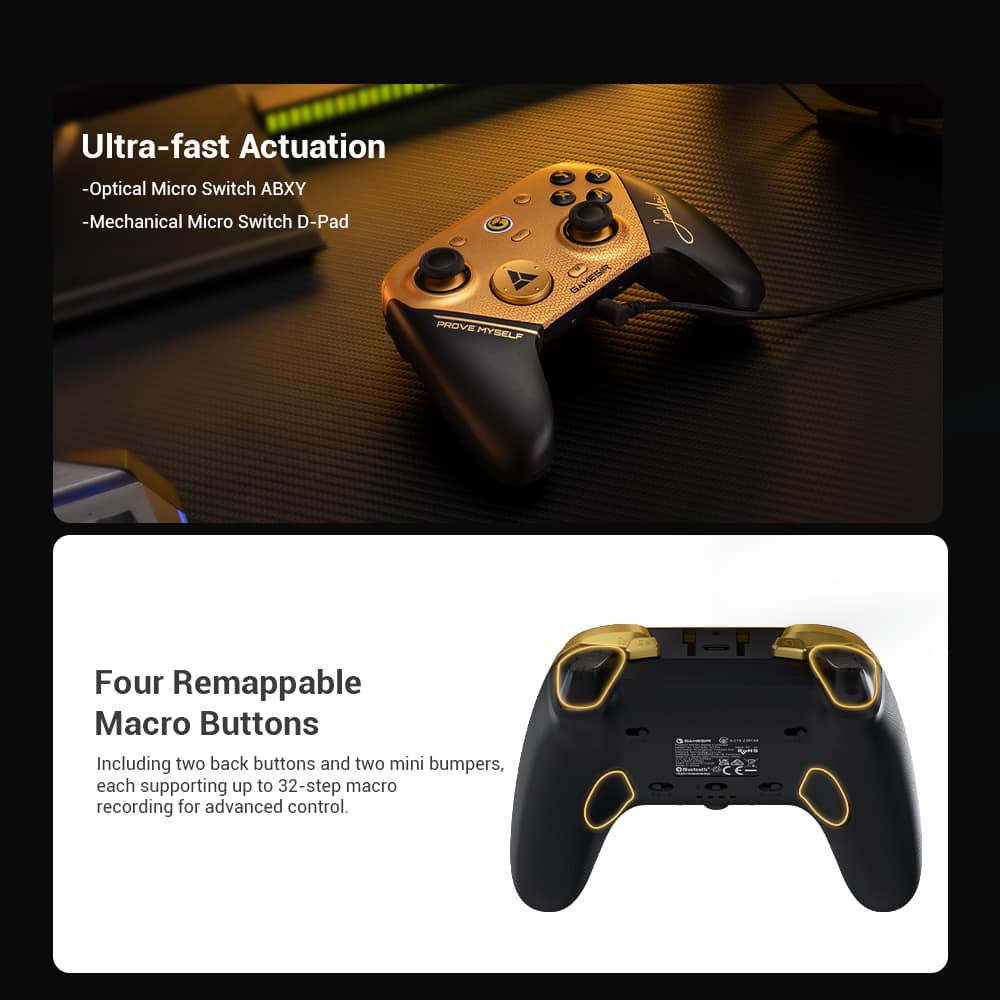
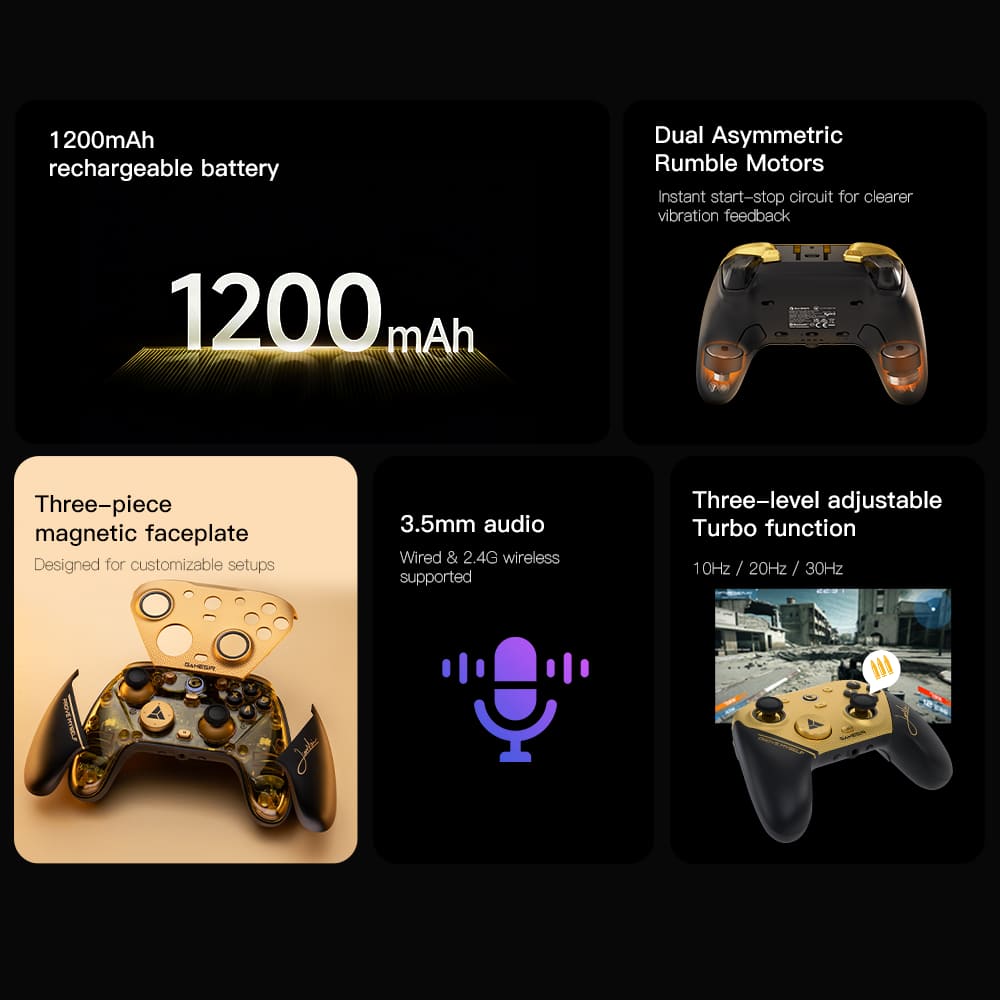
|Posted .This reviewer received promo considerations or sweepstakes entry for writing a review.Having hit the market nearly a decade ago with what feel like the first controllers to advertise “no more stick drift” as their marketing tagline, GameSir has built up their reputation in recent years with a push for quality and innovative new product designs (seriously, look up GameSir’s Pocket Taco controller for mobile phones, also available through Best Buy). While the G7 Pro 8k doesn’t push the envelope as far as PC and console controllers are concerned, the ubiquitous segment faces quite a lot of competition that includes longstanding first-party offerings, so a controller like this needs to be at the top of its game to be worthwhile. Thankfully, this one delivers with an advanced type of joystick sensor that’s finally made its way down from the expensive and exotic pads to reasonably-priced ones like this. - Unboxing and Setup GameSir’s packaging for the G7 Pro is impressive for such a modestly-priced controller. A premium unboxing with the controller, alternative D-pads, and charging stand prominently on display with protective rings for the control sticks makes a great first impression. Underneath, the 2.4GHz USB receiver is pre-synchronized and ready to go; indeed, within 60 seconds of opening the box I had the receiver plugged in and I was ready to go, with the XInput-compatible controller making the process effortless for all the default controls. The pogo-pin-equipped charging stand is delightful. The stand includes a compartment on the bottom just big enough to store the additional D-pads, and inside there’s a USB-A port for the receiver to eliminate the need to use an additional port on your PC. The controller docks in an upright position when charging - a lovely choice by GameSir to have it displayed on your gaming desk. - Performance While I’m definitely not the kind of gamer who would be able to tell the difference between 1000Hz and 8000Hz polling rates, what I can say is that the GameSir G7 Pro is just as responsive and accurate as any official Xbox controller I’ve used on PC or console, including the high-end “elite” gamepads that I’ve preferred using for the last decade. The control sticks are incredibly precise as well, exhibiting no perceivable deadzone “slop” nor dullness near any of the cardinal directions that can plague cheaper gamepads. Part of what makes the sticks so precise is the use of TMR (tunnel magnetoresistance) joysticks, which are the next evolution from Hall effect joysticks. Both will not exhibit stick drift over time as neither are potentiometer-based (physical contact) solutions, and both work similarly on an electrical level, but TMR sensors work by measuring the resistance of a current across their sensors rather than the voltage of a current like Hall effect sticks do. Resistance is easier to measure for a precise value than voltage, which means an equally or more accurate reading is possible using far less power than a Hall effect stick, so you get the best of both worlds: increased precision and increased battery life. All the action buttons (except the triggers) and d-pad use microswitches similar to what you’d find on a computer mouse, so every button is clicky with incredibly short throws for rapid inputs. These feel great to use and all have consistent actuation pressure. The triggers have somewhat shorter throws than I was expecting, but like the sticks feel very accurate and precise, and toggles on the back of the controller can switch these from analog triggers to button-click type switches on the hardware level. Fantastic stuff. The G7 Pro supports three connection methods: 2.4GHz wireless via the USB dongle, Bluetooth, and a wired connection. The range and latency of the 2.4GHz connection is as flawless as first-party controllers, and while my testing with Bluetooth was limited, I found it performs about equally to all my other Bluetooth-connected gamepads - which is to say there’s definitely a frame or two of latency introduced, but that’s par for course and it’s no worse off for it. For what it’s worth I cannot tell a difference in performance between 2.4GHz and a direct wired connection, but I’m sure some eSports pros will, and for that I’m glad GameSir allows the option. - Comfort & Customization The G7 Pro’s controller layout and grip doesn’t blaze any new trails, nor does it need to. With quality rubberized grips and a good contour to the usual Xbox style control pad, the G7 Pro feels great and should accommodate most every PC gamer’s hands. Those seeking a swapped left stick and d-pad arrangement will need to look elsewhere, of course. Swapping the d-pad out for one of the other included varieties is dead easy - simply pull up on the center faceplate and you can lift the d-pad straight up and out of the controller Two extra sets of buttons adorn the back and top of the controller for L4, R4, L5, and R5 input. L4 and R4 rest naturally under the middle finger on the grip of each hand, and L5 and R5 rest on the side of the pointer fingers when the triggers are in their idle position. These are not mapped to any standard XInput controls and will respond as additional joystick buttons to be configured in your game, or can be remapped in the GameSir app to be a duplicate of an existing XInput control or assigned a macro. I found that L4 and R4 grip buttons were comfortable enough to use with regularity, while L5 and R5 felt a little bit out of the way to reach. L4 and R4 can be physically disabled using sliders on the back of the controller, which I found made the grip better overall. Adding to your ability to customize the controller and your gaming setup is the inclusion of a 3.5mm combined headphone and mic jack on the bottom of the controller, making for an additional sound device configurable in Windows for certain games and applications. The onboard DAC seems to be of decent quality, with no noticeable hissing or other sound quality issues that can be present on cheaper hardware. The output might be a little weaker and flatter than onboard audio options, but I did not extensively test this to be certain. - Bottom Line The GameSir G7 Pro 8k is an excellent PC controller that has finally taken up the mantle once occupied by my old, well-used “elite” Xbox gamepad. This is a quality gamepad for which I have few if any criticisms that wouldn’t be for anything besides perhaps a bit of a gaudy look and an endorsement from an eSports gamer I don’t recognize. Whether the 8k polling rate is worth the $10 price premium over the standard G7 Pro is up to you, but in either case the G7 Pro comes recommended!
I would recommend this to a friendGameSir does Great Competitive Controllers
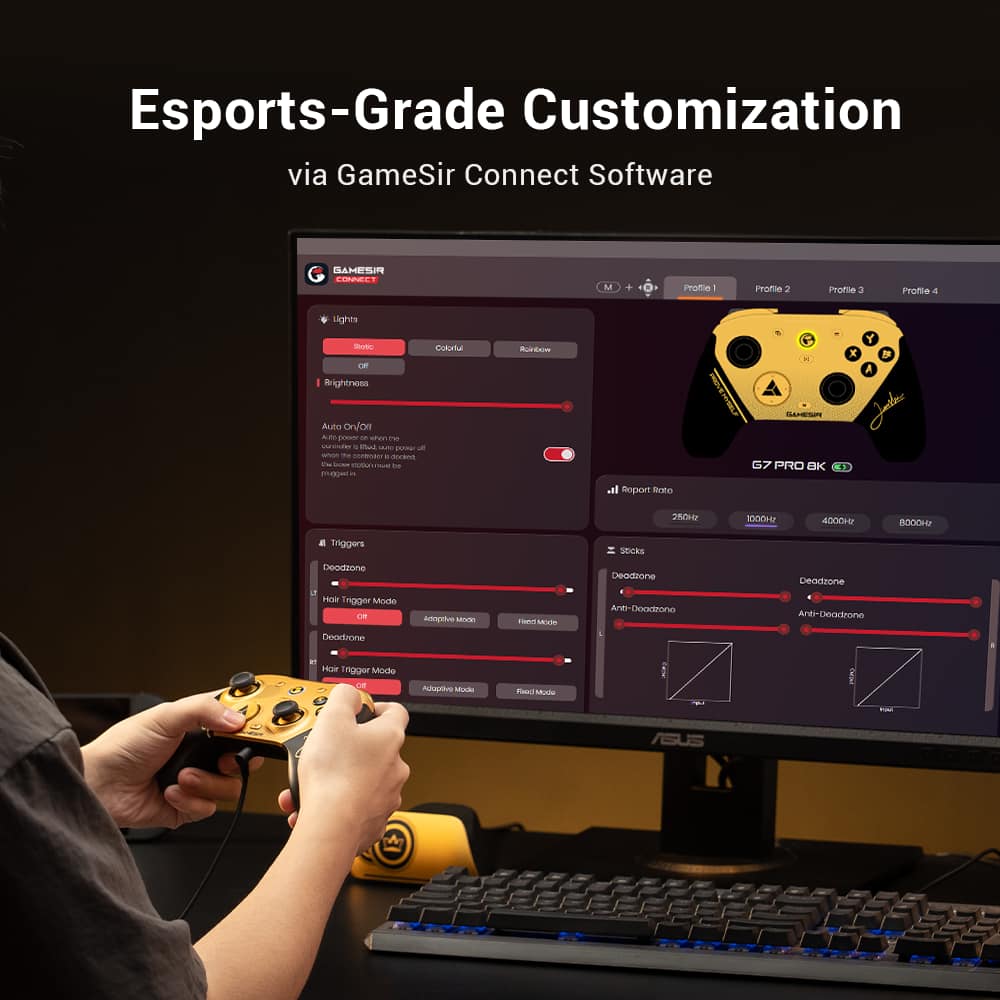
|Posted .This reviewer received promo considerations or sweepstakes entry for writing a review.I wanted a wireless gaming controller for a new gaming PC setup, specifically I wanted one with Hall-Effect joysticks to hopefully avoid the dreaded stick drift. I was considering different brands when I saw that GameSir was releasing the G7 Pro 8K which was wireless with both hall effect joysticks and triggers. Pros: - Plug & Play. - Smooth Hall-Effect Joysticks and Triggers. - Included Charging Dock. - Easy to Use Software. Cons: - Controller face gets slick when sweaty due to smooth plastic. Out of the Box: I was pleasantly surprised that just plugging in the wireless dongle and turning on the controller worked, as I was expecting to need software just to use the controller. Though the re-mappable buttons 4 & 5 were not mapped to anything, which would require the GameSir Connect app to map. The Dock functions as both a charging dock and a plugin for the wireless dongle, on the bottom is a compartment which has a USB-A port for the dongle. This is very convenient if you have a setup where the PC is hidden away or a distance from where you will be sitting while gaming, say for a media PC setup. The provided USB-A to USB-C cable is 3M (9.8ft) long, which provides plenty of cable length to position the Dock in your ideal spot. Included are 2 additional D-Pad plates that can be swapped out for your preference. The one installed is less of a D-Pad, a round disk with raised dots on each point. The other 2 are a traditional D-Pad and a rounded D-Pad. All work similarly, just for preference and style. Software: I will be honest that I had a bit of an issue to get the GameSir Connect to detect the G7 Pro 8K at first after installing it. I had installed it from the Windows Store and opened it with the controller on the Dock. Couldn’t detect it. That’s when I realized, the controller was not technically on, it was charging. Took it off the charger, and the familiar sound of a new device plugging in came out of my speakers. Just remember to have the controller on, as the software will not detect it if charging or powered off. After taking the controller off the charger, I had no issues adjusting the settings and updating the firmware. The GameSir Connect app allows for configuring the Buttons, Sticks, Motion, Triggers, Vibrations, and Lights. Buttons allows you to set the Remappable buttons or adjust the D-Pad behavior. Sticks manages the Deadzone area, curve and resolution for each joystick separately. Triggers does the same except for the triggers, also allowing for setting a hair trigger which makes the trigger fully engage within a set range 100% regardless of how far you’ve pulled it. Vibrations manages the vibration in the grips, allowing you to test each. Lights manages the light on the center button of the Controller and the Dock, allowing for some customization of the lights. Motion provides mapping of controls to the 6-axis gyroscope built into the controller, which allows physical tilting of the controller to be an input for the game. This is a great accessibility feature I think more controllers should have, even though this one mainly adds it for the competitive side. Additionally, on the Home screen are options for storing Profiles to the controller, up to 4 profiles can be stored with different settings. There are also options to increase the Report Rate (Polling Rate) from 250Hz, 1000Hz, 4000Hz, and 8000HZ. This will have an impact on input lag, if you notice any then increase the Polling Rate. Build & Feel: I was split on the materials used in the construction of the controller, the textured grips and buttons/joysticks all feel good. The textured grips are rubberized, providing an easy to grip surface. The triggers and buttons also have a good texture that provides extra grip which is helpful while gaming. But I found the top and sides with the smooth plastic felt slick after it got sweaty from a few rounds of a competitive game, though it didn’t impact my grip on the controller. I would have preferred some kind of texture over the smooth plastic. Even with the duality in textures, I found using the controller comfortable and easy. The controller fits like most xbox controllers, same button placement except for the 2nd set of remappable buttons which are on the front of the controller between the triggers and bumpers. Both remappable buttons are placed in a way that they are easy to access, though I found the buttons on the bottom to be more natural to reach but after enough games I had no issues with front buttons. Wireless Connection: One of the big features of the G7 Pro 8K is the 8K polling rate, which increases the number of times the device communicates with the PC. The default setting was 1000Hz, which felt like any other controller to me. Stepping the polling rate up to 4000Hz, I could notice just a slight difference when playing fast paced shooters, like Halo or Arc Raiders. Stepping up to 8000Hz felt much smoother, you could feel the controls connect much quicker and smoother to your actions in game. The best way to check this is to play a few games on 8000Hz, then drop it back down to 250Hz. The difference is massive. Dock: The included Dock does double duty, acting as a charging stand for the controller while not in use and providing a place to plug-in the wireless dongle with some reach from the computer. On the bottom of the Dock is a little compartment that has a USB-A port in it for the wireless dongle. The included cable is 3M (9.8ft) long, which provides plenty of length to place in your ideal placement for easy access and connection. The controller fits right onto the dock, you know charging has started when the light on the controller and dock glow green for a few seconds. Conclusion: If you’re looking for an upgrade from a standard Xbox controller that works with the PC, the GameSir G7 Pro 8K is a solid choice, that provides competitive features at a competitive price. Hall-Effect Joysticks and Triggers make the G7 Pro 8K a considerable choice over the standard Xbox controller, as many have dealt with the dreaded stick drift over and over. Plus, the included Dock, provides charging and reach for the wireless dongle well beyond a standard wired controller. This being my first GameSir controller, has me already hooked and a fan going forward.
I would recommend this to a friendAll the features for less
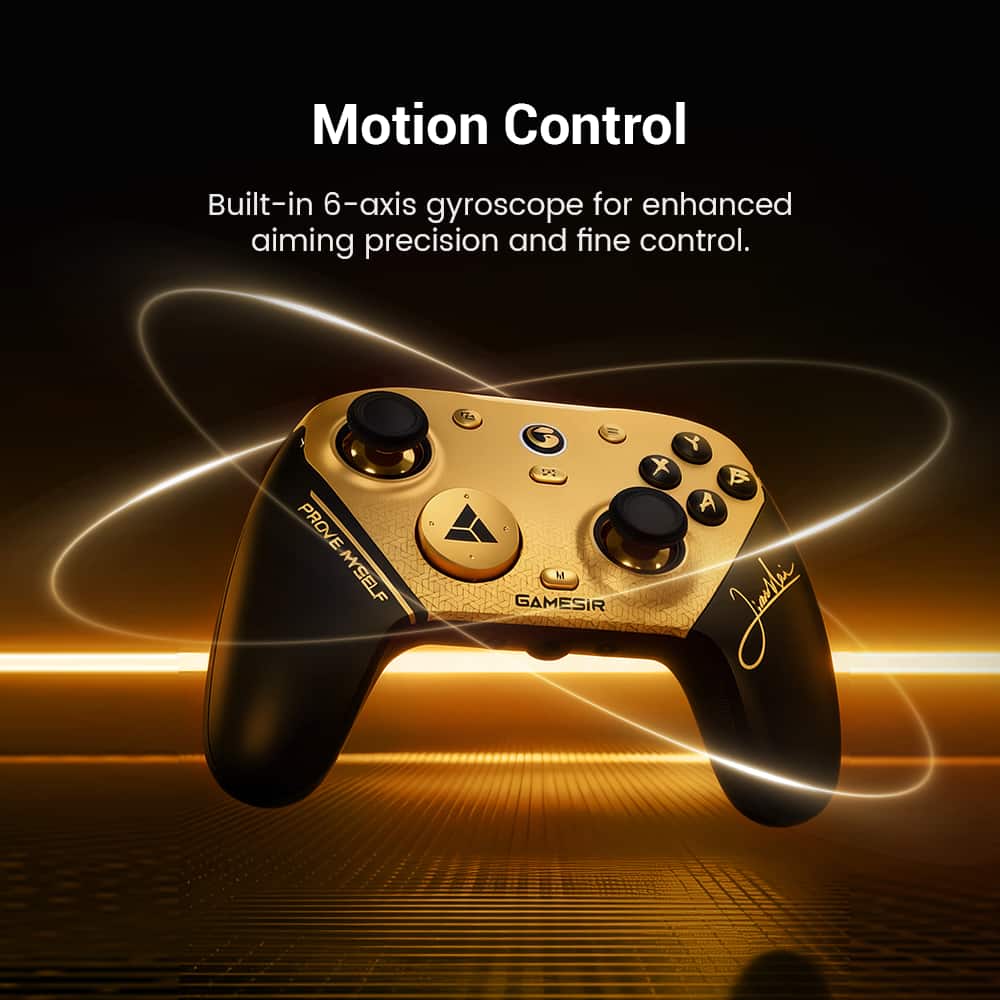
|Posted .This reviewer received promo considerations or sweepstakes entry for writing a review.I am truly shocked at how much is in this controller compared to some others that cost nearly twice as much. The only thing is that this particular one is PC and Bluetooth devices only. Also, I had to look up who the signature even is, but it still looks unique. You can still go on their site and order different faceplates if you want to really change things up. Personally, I wish it didn’t feel uncomfortable with the magnetic pieces off of it. Because I like the see-through design underneath it. This has the TMR Gen-2 thumbsticks, so highly unlikely to start drifting, but giving you the tools to calibrate and refine the deadspace even more. The Hall Effect triggers feel really smooth, giving refined sensitivity but you can flip the switch and make them instant micro-switches. Along with all the other buttons being micro-switched as well. They feel like clicking a mouse or some types of keyboards. There are 4 paddle buttons, though the R5/L5 being by the bumpers is a change up compared to what I am used to. It’s not bad, just different. However, it can allow for 2 functions with 1 finger rather easily. On top of that, with the GameSir Connect app, you can remap most of the buttons to be whatever you want them to be. You can set them to be usual mouse buttons, keyboard keys, keypad keys, any of the other controller buttons or build 32 steps macros into the buttons. Tired of that one game process that requires you to open the menu, click a button then another button just to activate something. Now, you can just program it to one of the buttons and make it a single click. How about those games where you have to spam a certain button over and over? Well, by holding the M button, then pressing any of the standard buttons, you can have instant turbo at 3 different speeds pending the cycle of the main button. It does not work for the added paddle buttons, however, you can just set those to a macro of the same button and enable the loop through the Connect software. The reason it doesn't work directly on the paddles is because that is how you can quickly map a new button or macro to them as well. For example, hold the M button, press R5, then press ↑ ↑ ↓ ↓ ← → ← → B A Start, then the R4 button again and you have your favorite cheat code saved to R5. Of course, that is just an example, but fun that it can be done just like that. In comparison to other controllers of the same style, this one feels slightly smaller and lighter, but stacking them together, it must be ever so slightly. It is still comfortable for many hours that I have put it through this week. A few other things, it has a built-in 3.5mm audio jack with a quick mute button and LED to show. However, it is just opposite of the pairing button, so it's easy to get confused. It comes with interchangeable D pads, so you can pick your preferred style. It has a plastic piece on the USB-C port that is great supporting the included USB cable, of matching color, to prevent that common wear on those ports. However, if you use any other cable, it might not fit. The good thing is, it can be removed. There are also switches on the bottom to lock out the R4/L4, in case you don’t want to accidentally keep clicking them. Oh, and as I am wrapping this up, I forgot it has gyro motion as well. So, with whatever button you set up for it, you can just tilt the controller to do fine motions that could be twitchy with your thumb. Overall, I am truly impressed by what all this controller has to offer. This particular one is not branded for consoles, probably because of the built in turbo functions. But, for PC and many other Bluetooth devices, it works perfectly.v
I would recommend this to a friendPremium feeling controller
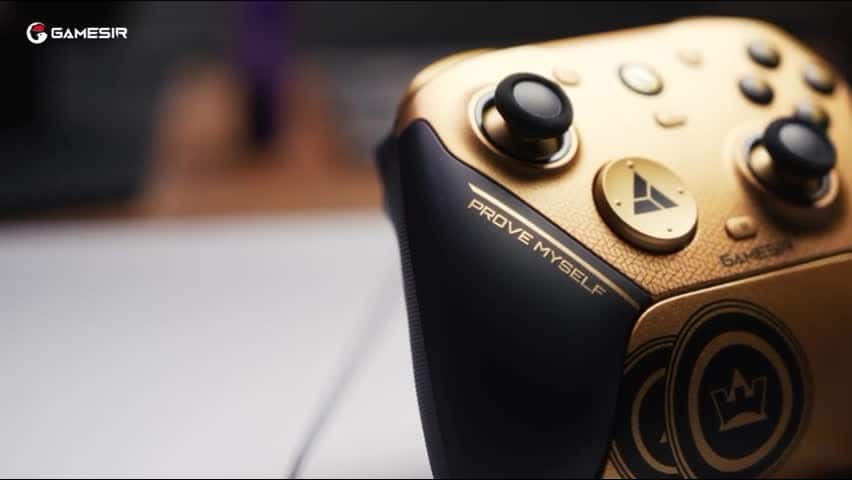
|Posted .This reviewer received promo considerations or sweepstakes entry for writing a review.I really like this controller. The controller uses the Xbox button layout and works seamlessly with my Windows PC. It can connect via either USB dongle or Bluetooth. Connecting via Bluetooth, it was recognized as a Xinput controller on my system. It's a smidge small, but it's weighted perfectly for my taste. The buttons are all well positioned and easy to press, and the buttons have just the right amount of resistance to them. Aesthetically, the controller looks quite striking. The black and gold color palette looks terrific. The charging dock also looks good on my desk and is very easy to use. The panels on the grip of the controller are held in place magnetically and pop off a little too easily. The controller comes with a couple interchangeable Dpads, but I couldn't figure out how to get the one it came with off. It appears to be very sturdily attached. There was no noticeable lag when using the controller. I was able to dash around in my roguelite without dying once. Battery life is "okay." I was able to get through a day's worth of gaming before I had to recharge. I wish it lasted a bit longer, but this is adequate for my needs.
I would recommend this to a friend- Pros mentioned:Responsiveness
8k Polling rate
||Posted . Owned for 2 months when reviewed.This reviewer received promo considerations or sweepstakes entry for writing a review.The responsiveness on this controller the 8K polling rate and the TMR sticks I never get stick drift.
I would recommend this to a friend - Pros mentioned:Build quality, Responsiveness
Excellent
||Posted . Owned for 2 weeks when reviewed.This reviewer received promo considerations or sweepstakes entry for writing a review.Build quality very good, mouse click buttons and analogs responsive. 10/10
I would recommend this to a friend Absolutely elite.
||Posted . Owned for less than 1 week when reviewed.This reviewer received promo considerations or sweepstakes entry for writing a review.Saw that gamesir is finally sold in stores and had to immediately pick it up. I've long been a razer lover and it won't immediately replace my razer as my razer is still cross platform for my Xbox, but man that 8k polling rate? The input latency (or lack thereof) is amazing. The software is also great. 2 separate d pad changes as well.
I would recommend this to a friendGreat Upgrade For Competitive FPS
||Posted . Owned for 1 week when reviewed.This reviewer received promo considerations or sweepstakes entry for writing a review.Love the look and feel of this controller. Response time is the best I've experienced. For the price the value definitely surpasses my expectations. There are so many trash controllers at a higher price that it makes no sense not to invest in this product. Just my opinion. The one and only flaw imo is that the back paddles are a little shallow for my hands, I wish they were more like the DSE ones but it takes no time to adjust.
I would recommend this to a friend- Pros mentioned:Build quality, Ergonomics

A little disappointed
|Posted . Owned for 1 week when reviewed.This reviewer received promo considerations or sweepstakes entry for writing a review.I’ll start by saying that this controller FEELS good and I really do want to like it, but I’ve had two now and had to replace the first one in the first two week due to a sticky trigger. The second one I’m planning to return because it randomly decides to disconnect from my pc using the wireless dongle. Good build quality but not up to snuff.
No, I would not recommend this to a friend - Pros mentioned:Responsiveness
PLEASE BUY!!!
||Posted . Owned for 1 week when reviewed.This reviewer received promo considerations or sweepstakes entry for writing a review.Best controller I’ve ever used!!! The buttons feel responsive and so clickity like you’re clicking on a mouse and on top of that having 4 extra customizable buttons is amazing and so useful! This is my second gamesir controller and I will continue to use theirs. For this price point no one should be buying another controller honestly because they just feel perfect in every way possible.
I would recommend this to a friend BEST CONTROLLER
||Posted . Owned for 1 month when reviewed.This reviewer received promo considerations or sweepstakes entry for writing a review.I won't lie. This controller is probably the best on the market. The next gen tmr sticks feel great and the gold makes it look really nice. The paddles and buttons are extremely nice and comfortable. Only issues is that the USB port is now disconnecting constantly so I may need to replace it. Other than that, the controller is perfect.
I would recommend this to a friend- Pros mentioned:Customization
Fastest controller on the market
||Posted . Owned for less than 1 week when reviewed.This reviewer received promo considerations or sweepstakes entry for writing a review.Best controller ever. Ive have scuffs and battlebeavers and astro c40s. This blows them outta the water and cost wat less. You can fulky customize it with their website too . Ill never buy another controller ever.
I would recommend this to a friend - Pros mentioned:Customization
Awesome!
||Posted . Owned for 2 weeks when reviewed.This reviewer received promo considerations or sweepstakes entry for writing a review.Love this controller! I have the gamesir g7 pro that came out last year and it’s very similar. I can’t feel the difference in the pulling rate but it operates the same just different software. I love all the customizations and the gold color is really nice. My fav controller so far
I would recommend this to a friend - Pros mentioned:Build quality
Great Quality for Price
||Posted . Owned for 2 weeks when reviewed.This reviewer received promo considerations or sweepstakes entry for writing a review.The controller is high quality and great for first-person shooting games. So far I’ve experience no issues with the joystick input or buttons. If this controller lasts two years or more, I’ll be a Gamesir customer for a long time.
I would recommend this to a friend - Pros mentioned:Polling rate
Best Controller Ever!
||Posted . Owned for 1 week when reviewed.This reviewer received promo considerations or sweepstakes entry for writing a review.I had the previous controller, but this one looks great. I don't care for the Xbox compatibility, so I rather get the 8K polling rate. I tested with my AppleTV, but Bluetooth is so laggy.
I would recommend this to a friend - Pros mentioned:Ergonomics
Like it
||Posted . Owned for 1 month when reviewed.This reviewer received promo considerations or sweepstakes entry for writing a review.Very silky,The rocker algorithm is good, the TMR rocker is silky and responds quickly, and the mold is suitable for hand feeling
I would recommend this to a friend Really good
||Posted . Owned for 1 month when reviewed.This reviewer received promo considerations or sweepstakes entry for writing a review.Fantastic controller qirh smooth response and zero stick drift. 4 extra programmable buttons . I love the screenshot button built into the controller
I would recommend this to a friend- Pros mentioned:Responsiveness
Ótimo controle
||Posted . Owned for 1 month when reviewed.This reviewer received promo considerations or sweepstakes entry for writing a review.Resposta ótima, é um controle incrível, ótimo layout, simplesmente incrível
I would recommend this to a friend - Pros mentioned:Responsiveness
Amazing!
||Posted . Owned for less than 1 week when reviewed.This reviewer received promo considerations or sweepstakes entry for writing a review.I was blown away by this controller. I don't game competitively, just casually. And this controller feels amazing and is so responsive i never realized what I was missing out on.
I would recommend this to a friend - Pros mentioned:Responsiveness
Awesome
||Posted . Owned for 2 weeks when reviewed.This reviewer received promo considerations or sweepstakes entry for writing a review.Awesome controller extremely responsive and no problem connecting to any of my devices
I would recommend this to a friend