Customer Ratings & Reviews
- Model:
- 010-01311-00
- SKU:
- 3939015
to a friend
Customers are saying
Customers are pleased with the video quality and ease of use of this dashcam. Many appreciate its compact size and the helpful GPS feature, although some users mention challenges with battery life and the length of the power cord. A few customers reported issues with memory card compatibility and the suction cup mount.
This summary was generated by AI based on customer reviews.
Great product
||Posted .This reviewer received promo considerations or sweepstakes entry for writing a review.I think that it is a great product and it help me as I go to work and home.
I would recommend this to a friend- Cons mentioned:Freezing
Falls off and overheats...
||Posted .This reviewer received promo considerations or sweepstakes entry for writing a review.My wife loved the camera at first, however after a week it began to lose suction and fall off the windshield while she was driving. That problem got worse as time wore on, but the camera also began overheating and freezing during operation as well, making it totally worthless. Best Buy was great about taking it back though.
No, I would not recommend this to a friend - Cons mentioned:Battery life
It's ok
||Posted .This reviewer received promo considerations or sweepstakes entry for writing a review.I wish the screen was larger. The battery life could be longer, too
No, I would not recommend this to a friend - Pros mentioned:Video quality
ok product
||Posted .This reviewer received promo considerations or sweepstakes entry for writing a review.Pretty good camera whish it linked to another camera.
I would recommend this to a friend - Pros mentioned:Ease of use, GpsCons mentioned:Memory
Amazing video quality...Easy to use
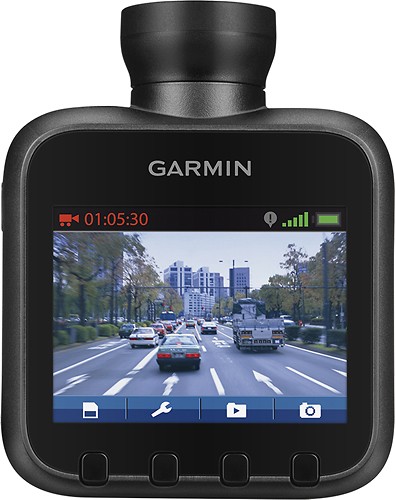
Posted .This reviewer received promo considerations or sweepstakes entry for writing a review.This is my first dash cam that I purchased and I didn't want to have to keep buying cheap ones when they failed so I decided to do some research and buy a quality dash cam that would last me a long time. I ended up choosing the Garmin Dash Cam 20 because of the 1080p video recording, GPS location features, and the ability to record nonstop while you drive. This dash cam has all the features that I would want and then some. This cam is also very easy to use right out of the box. There have been some reviews about having issues with locking up and I did experience that but that was I inserted a 64gb card when I was not supposed to. I finally went back and read the instructions and realized that it only takes up to 32gb cards. After I switched that out, it has run very smoothly with no issues.
I would recommend this to a friend - Cons mentioned:Cord length
Two big design flaws
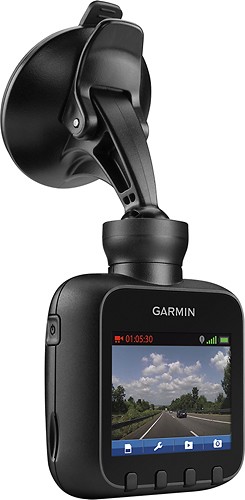
Posted .This reviewer received promo considerations or sweepstakes entry for writing a review.Two important things to know before buying: the camera can only be mounted such that it hangs down from the windshield (it cannot be mounted on the dashboard), and the power cable is WAY too short to be of any use. If it could be mounted on the dashboard, the short power cord would be adequate. Unfortunately, for a device that's going to most commonly be mounted toward the top of the windshield, the included cord is way too short and will be dangling straight down the window. Garmin does sell a 16-foot cord for an additional cost, but for an already-overpriced camera I shouldn't have to buy anything extra in order for the camera to work in a fairly typical use case. I'm returning mine.
No, I would not recommend this to a friend - Pros mentioned:Video qualityCons mentioned:Cord length
Power cord TOO short
Posted .This reviewer received promo considerations or sweepstakes entry for writing a review.Really nice camera. Movie and update support look super. BUT be aware, you will be dangling the power card over your car radio, dash and windshield. Garmin recommends professional installation. I have a small car and the power cord is six feet too short. A previous dash camera had three feet too much power card; I could handle that.
No, I would not recommend this to a friendBrand response from GarminProductExpert
Posted .Thank you for your review. We are sorry to hear your Garmin Dash Cam 20 vehicle power cable may not be long enough for your vehicle. Garmin does have a vehicle power cable for your Dash Cam 20 which reaches 16' 4" (5 m). That vehicle power cable is specifically labelled "Power Cable (5 m)".
Regarding the Dash Cam 20 and professional installation, this is not recommend as it is a recreational device. It can be placed about anywhere on the windshield by the user.
Please visit www.garmin.com/support to reach out to Garmin Customer Care if you need any additional assistance.
Thank you for your review. {CW}
- Pros mentioned:Gps
would not buy another
Posted .This reviewer received promo considerations or sweepstakes entry for writing a review.this dash cam has several issues that would prevent me from buying another. the most annoying being the fact that it does not overwrite the files beginning with the oldest first. when I open the sd card on my computer it is a mish mash of random files, with some older files still there and some newer files gone and this is with NO incidents being recorded thus protected. I also do not like the field of view when recording. It is too far and too wide which leads to poor video quality. I do not need to record such a large image only what is immediately in front of the vehicle. On the rare occasion that something happens in the peripherals it is too far away and not very clear to be of any use. The only advantage this dash cam has over some of the others is the gps information that is recorded with the video. Time, Date, Speed, etc;
No, I would not recommend this to a friendBrand response from GarminProductExpert
Posted .Thank you for your review on your Garmin Dash Cam 20. We are sorry to hear your device has experienced some difficulties and would like to take the opportunity to help.
Regarding the random saved video files, we would encourage you to visit www.garmin.com/support to reach out to Garmin Automotive Customer Care to see what options and troubleshooting can be done to help.
In regards to the poor video quality from your Garmin Dash Cam 20, we would encourage you to check and/or change the resolution of the recordings to fit your needs. You may use the steps below to go through this process.
1. power the dash cam on
2. select the wrench icon
3. select Recording Mode
4. select the resolution you wish to use
5. follow any additional on screen steps.
We are sorry to hear of the rare situation where the peripherals are too far away. We would encourage you to use Garmin Express to update its firmware. Garmin Express can be downloaded and installed to a compatible computer by visiting www.garmin.com/express.
Please visit www.garmin.com/support to reach out to Garmin Automotive Customer Care if you need further assistance. You may contact us 1-800-800-1020 to speak with us by phone.
Again, thank you for your review and feedback on your Garmin Dash Cam 20. {CW}
- Pros mentioned:Video quality
Exceptional Quality
Posted .This reviewer received promo considerations or sweepstakes entry for writing a review.The quality of this little guy is exceptional; Beyer than anything I expected. This is my first dash cam and I'm glad I chose Garmin as my first option. Thank you Best Buy!!!
I would recommend this to a friend - Pros mentioned:Ease of use, Video quality
Best In Car Camera hands Down
Posted .This reviewer received promo considerations or sweepstakes entry for writing a review.BEST In Car Records crystal clear and is very easy to use and setup. I bought a 32 gb micro card and it works great. Worth every penny.
I would recommend this to a friend Helpful for insurance companies
Posted .This reviewer received promo considerations or sweepstakes entry for writing a review.I like the audio recording when I forget to turn on my cell with a police interview while in the car. Extra memory is vital for travel safety. Gives insurance companies much more to work with information that is unsubstantiated. Also records my speed while driving which is essential.
I would recommend this to a friendGood cam but...
Posted .This reviewer received promo considerations or sweepstakes entry for writing a review.I just bought mine today and so anxious to mount it on my windshield... After few hours of driving around, I found a little problem (well at least for me)... I hope Garmin made their mount where it's easy to attach and detach the cam to its mount... Who would leave something valuable in plain sight of strangers??? So, this cam is going back to its shelf and getting the NuviCam instead... =)
I would recommend this to a friendBrand response from GarminProductExpert
Posted .Thank you for your time to write a review about the Garmin Dash Cam. We’re sorry the device did not meet your expectation regarding the mounting. We hope to receive a review on your experience with the nüviCam. If you have any questions please contact our product support team at www.garmin.com/support.
~JH
Good camera but....
Posted .This reviewer received promo considerations or sweepstakes entry for writing a review.I'm a truck driver doing 11hr shift so I wanted to record my whole shift without overlapping , with a 32GB card you can do it with the camera set to 720p which records about 17.5hrs it's more then enough, on the 1080p mode I can only get 6.5hrs . Well on 720p the camera locks up randomly, doing it after 5hrs of recording or 8min , I had to reboot the camera every time. So I returned it and ordered another one,thinking that it was a problem with the first one but to my surprise it was the same problem on the second one, I called Garmin costumer support , they were not very helpful and only offer me an exchange , at that point I didn't take my chance with a 3rd one. Moving on to find something else. Conclusion , if you only consider recording in 1080p this would be a good camera , it's compact and has good features but at that price I want everything to work as advertise.
I would recommend this to a friendIt's nice.
Posted .This reviewer received promo considerations or sweepstakes entry for writing a review.It has great pictures. It comes with a tiny 4 GB memory card. I replaced it with a 32 GB card.
I would recommend this to a friend- Cons mentioned:Freezing
Didn't last a week
Posted .This reviewer received promo considerations or sweepstakes entry for writing a review.Worked great for 4 days then live view got choppy and froze up within 4 minutes of turning on. Would not shut off until about 30 minutes later after trying many times. Did not seem overly warm and it was on a rainy day so overheating should not be the problem. May have occured when the 32gb card started to overwrite. I did not format the card when I put in so I will try that before returning it. Also I updated the software so maybe that will help. Next road trip is tomorrow so will see how it goes then.
No, I would not recommend this to a friend Road Monitor That Inspires Road RAGE!
Posted .This reviewer received promo considerations or sweepstakes entry for writing a review.If you want this to work then NEVER turn your car off! Exchanged the first one (benefit of the doubt) and the second one failed to record. Had high hopes as a commuter on the reliability of this product but was SORELY and FRUSTRATINGLY DISAPPOINTED! NOT worth the cost in gas to exchange it - don't bother purchasing one!
No, I would not recommend this to a friendBrand response from GarminProductExpert
Posted .Thank you for your review. We are sorry to hear you have experienced difficulties with your Dash Cam 20 devices.
Regarding the recording, by design, the Dash Cam 20 will automatically begin recording when connected a power source. However it will also record about an hour of video while running off battery.
If your Dash Cam 20 continues to not function correctly, we would encourage you to use Garmin Express to ensure it has the most current version of firmware. Please visit www.garmin.com/express to download and install this free program to a compatible operating system on a compatible computer.
Please visit www.garmin.com/support to reach out to Garmin Customer Care if you need further assistance.
Again, thank you for your review. {CW}
Stuck on Logo screen
Posted .This reviewer received promo considerations or sweepstakes entry for writing a review.After just 1 week of use my dash cam 20 is stuck on the Garmin logo screen. If i power it off, it just automatically comes back on again and stays on, stuck on the logo screen. So I let the battery drain, recharged it, and the same thing happens again. Stuck on logo screen. Oh well, back to Best Buy for a refund.
No, I would not recommend this to a friendBrand response from GarminProductExpert
Posted .Thank you for taking the time to write a review for your Dash Cam 20, I’m sorry to hear about the troubles. I understand you have returned your device, however I would like to respond to your review with some suggestions and troubleshooting.
At times we may be able to resolve the issue by connecting it to the computer and performing a software update. Additional resources include our Service Center to help you troubleshoot any problems with your Garmin device. Our online repair center is available at this following link https://my.garmin.com/rma/en-US/repair/repairLanding
We always look forward to hearing from our customers. To take advantage of our free customer support we would like to ensure the Dash Cam 20 is satisfactory for you. Our Customer Service team at can be reached at: http://www.garmin.com/support
<MC>
Quality product
Posted .This reviewer received promo considerations or sweepstakes entry for writing a review.This was the best dash cam ever. I bought it June 2015 and it’s just now starting to go out April 2022
I would recommend this to a friend- Cons mentioned:Battery life
Battery does NOT charge
Posted .This reviewer received promo considerations or sweepstakes entry for writing a review.Cam works as it should. However it shut down cze battery will not charge. It is showing a charge sign but don't pass the red color and eventually shuts down. I am returning it first thing in the morning and will order another one and see if it was just one defected unite or if it is a common problem. Will be updating , if u don't see an update just stay away. I am a dash cam pro and though garmin will be a good name of a dash cam.
No, I would not recommend this to a friendBrand response from GarminProductExpert
Posted .Thank you for your feedback! After speaking with our support teams, I'm not seeing this being reported as a common issue or defect, so I am confident your replacement product will work properly and look forward to seeing the updated review! Thanks again! -JPK
Will not work with mac
Posted .This reviewer received promo considerations or sweepstakes entry for writing a review.It's a great dash camera but it will not work with macs. This camera captures videos in AVI file format which is not supported by QuickTime.
No, I would not recommend this to a friendBrand response from GarminProductExpert
Posted .Thank you for your review. We are sorry to hear you are not able to play your videos from your Dash Cam 20 using the Apple QuickTime program on your Mac.
For future reference, Garmin has a program called Dash Cam Player and created a Mac version of this program, which can be downloaded and installed from the following link http://www.garmin.com/en-US/shop/downloads/dash-cam-player. The supported OS X is Mavericks (10.9) or newer. if you need help with playing videos on the Dash Cam Player, please view the following Garmin FAQ link - https://support.garmin.com/support/searchSupport/case.faces?caseId={fad76230-07b2-11e4-eaba-000000000000}.
We would encourage you to visit www.garmin.com/support to reach out to Garmin Customer Care if you have any questions about the Dash Cam Player or your Dash Cam 20.
Again, thank you for your review. {CW}