Customer Ratings & Reviews

- Model:
- GCST16S1WSS
- |
- SKU:
- 10863216
Customer reviews
Rating 4.5 out of 5 stars with 349 reviews
(349 customer reviews)Rating by feature
- Performance4.7
Rating 4.7 out of 5 stars
- Cook Settings4.6
Rating 4.6 out of 5 stars
- Quality4.5
Rating 4.5 out of 5 stars
- Pros mentioned:Ease of use
Rated 5 out of 5 stars
Easy to use
||Posted . Owned for 2 months when reviewed.This reviewer received promo considerations or sweepstakes entry for writing a review.This one works great and looks nice in my kitchen. Controls are easy to use.
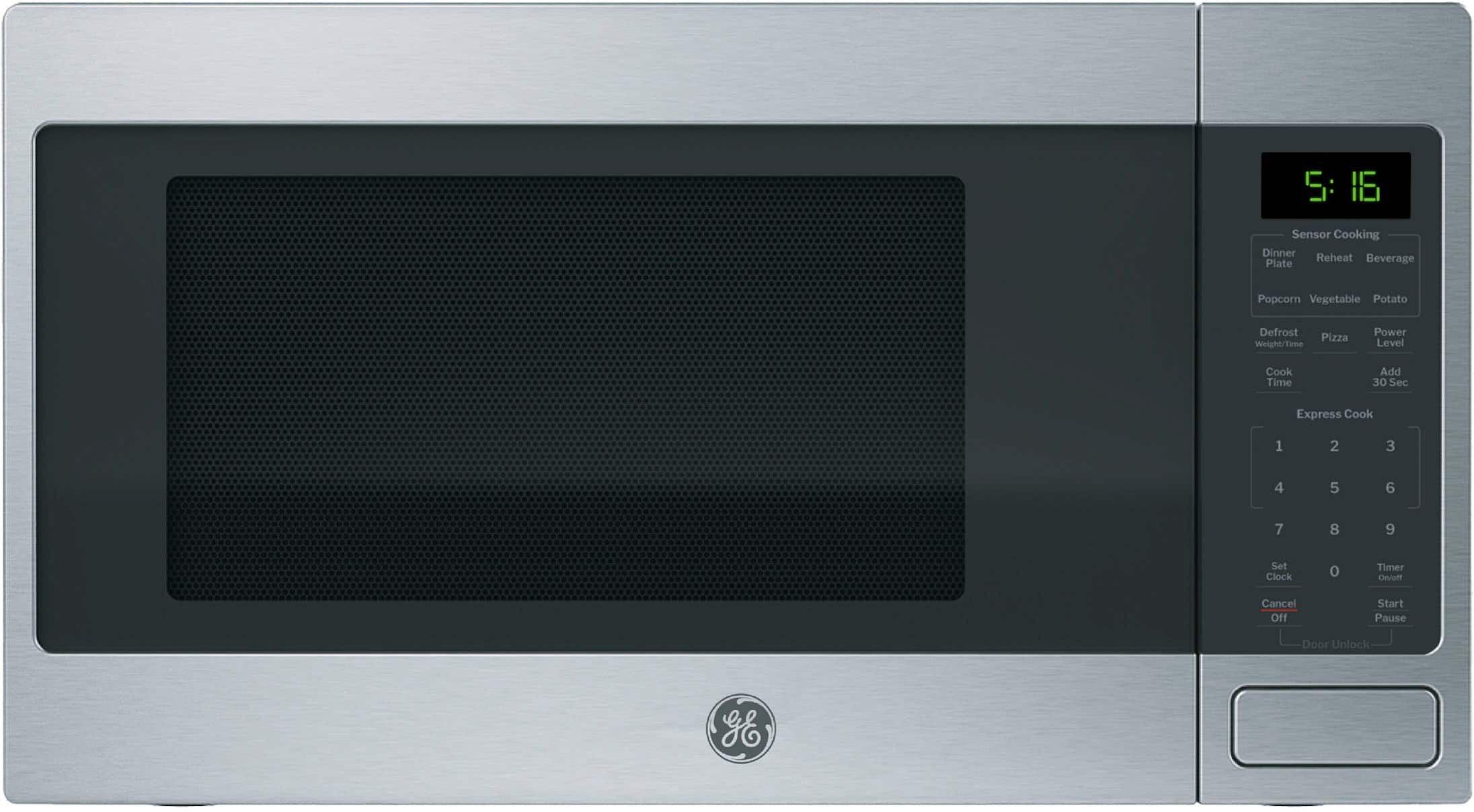
This review is from GE - 1.6 Cu. Ft. Countertop Microwave with Sensor Cooking and Defrost - Stainless Steel
I would recommend this to a friend - Pros mentioned:Ease of use
Rated 5 out of 5 stars
GE Countertop Microwave
||Posted . Owned for 1 month when reviewed.This reviewer received promo considerations or sweepstakes entry for writing a review.Extremely easy to use and operate, Nice looking unit easy to read controls. Just a good overall microwave..
This review is from GE - 1.6 Cu. Ft. Countertop Microwave with Sensor Cooking and Defrost - Stainless Steel
I would recommend this to a friend Rated 5 out of 5 stars
Love It
||Posted . Owned for 3 weeks when reviewed.This reviewer received promo considerations or sweepstakes entry for writing a review.Heats up fast, and is large enough for all your re-heat needs
This review is from GE - 1.6 Cu. Ft. Countertop Microwave with Sensor Cooking and Defrost - White
I would recommend this to a friend- Pros mentioned:Overall performance
Rated 4 out of 5 stars
Good solid customer service out front the shop
||Posted .This reviewer received promo considerations or sweepstakes entry for writing a review.Props to the employees who I.d.ed me out front and put it in the van. It works fine so far thanks!
This review is from GE - 1.6 Cu. Ft. Countertop Microwave with Sensor Cooking and Defrost - Stainless Steel
I would recommend this to a friend - Pros mentioned:Overall performance
Rated 5 out of 5 stars
Great Microwave for great price.
||Posted .This reviewer received promo considerations or sweepstakes entry for writing a review.Works perfectly! Way better than the one we previously had.
This review is from GE - 1.6 Cu. Ft. Countertop Microwave with Sensor Cooking and Defrost - Stainless Steel
I would recommend this to a friend - Pros mentioned:Overall performance
Rated 5 out of 5 stars
Great microwave
||Posted . Owned for 1 month when reviewed.This reviewer received promo considerations or sweepstakes entry for writing a review.I’ve used it now for a few weeks and it’s great!! No complaints. I recommend.
This review is from GE - 1.6 Cu. Ft. Countertop Microwave with Sensor Cooking and Defrost - Stainless Steel
I would recommend this to a friend - Pros mentioned:Overall performance
Rated 5 out of 5 stars
GE 1.6 Microwave
||Posted . Owned for 1 month when reviewed.This reviewer received promo considerations or sweepstakes entry for writing a review.so far everything works as it should. no problems.
This review is from GE - 1.6 Cu. Ft. Countertop Microwave with Sensor Cooking and Defrost - Stainless Steel
I would recommend this to a friend - Pros mentioned:Overall performance
Rated 5 out of 5 stars
Great microwave
||Posted . Owned for 3 weeks when reviewed.This reviewer received promo considerations or sweepstakes entry for writing a review.Very good microwave. Fit perfectly. Exactly what we needed.
This review is from GE - 1.6 Cu. Ft. Countertop Microwave with Sensor Cooking and Defrost - Stainless Steel
I would recommend this to a friend - Pros mentioned:Overall performance
Rated 5 out of 5 stars
Nice Microwave oven
||Posted . Owned for 1 month when reviewed.This reviewer received promo considerations or sweepstakes entry for writing a review.Microwave is working as expected. No problems so far. Perfect for what we need. And it looks good on the counter too!
This review is from GE - 1.6 Cu. Ft. Countertop Microwave with Sensor Cooking and Defrost - Stainless Steel
I would recommend this to a friend Rated 5 out of 5 stars
GE microwave
||Posted .This reviewer received promo considerations or sweepstakes entry for writing a review.Lots of space inside. Cooks fine. a little noisy but not too bad
This review is from GE - 1.6 Cu. Ft. Countertop Microwave with Sensor Cooking and Defrost - Stainless Steel
I would recommend this to a friendRated 5 out of 5 stars
new microwave
||Posted . Owned for 2 weeks when reviewed.This reviewer received promo considerations or sweepstakes entry for writing a review.very satisifed with this microwave,glad i ourchased it
This review is from GE - 1.6 Cu. Ft. Countertop Microwave with Sensor Cooking and Defrost - Stainless Steel
I would recommend this to a friend- Pros mentioned:Ease of use
Rated 5 out of 5 stars
Microwave picky
||Posted .This reviewer received promo considerations or sweepstakes entry for writing a review.Works great, easy to use and heats evenly. Would definitely recommend
This review is from GE - 1.6 Cu. Ft. Countertop Microwave with Sensor Cooking and Defrost - Stainless Steel
I would recommend this to a friend Rated 4 out of 5 stars
Besides Unnecessary Lock Feature, Microwave Works
||Posted .This reviewer received promo considerations or sweepstakes entry for writing a review.The microwave has worked great so far. I don't give it 5 starts because it has this weird feature in which the door locks after the cycle has finished so you have to click stop in order to unlock it. This is not a very intuitive step and since I have it in my short term rental unit, I feel like people are going to end up breaking it for a feature that is unnecessary.
This review is from GE - 1.6 Cu. Ft. Countertop Microwave with Sensor Cooking and Defrost - Black Stainless Steel
I would recommend this to a friend- Pros mentioned:Overall performance
Rated 5 out of 5 stars
Well worth it
||Posted . Owned for 1 month when reviewed.This reviewer received promo considerations or sweepstakes entry for writing a review.This one surpass my expectations great Microwave , it replaced my power XL
This review is from GE - 1.6 Cu. Ft. Countertop Microwave with Sensor Cooking and Defrost - Stainless Steel
I would recommend this to a friend - Pros mentioned:Overall performance
Rated 5 out of 5 stars
reliable and efficient
||Posted .This reviewer received promo considerations or sweepstakes entry for writing a review.Better than expected. Specifically like the LOC feature.
This review is from GE - 1.6 Cu. Ft. Countertop Microwave with Sensor Cooking and Defrost - Stainless Steel
I would recommend this to a friend Rated 5 out of 5 stars
Looks awesome
||Posted . Owned for 6 months when reviewed.This reviewer received promo considerations or sweepstakes entry for writing a review.This was a great solution fornour design and retrofit
This review is from GE - 1.6 Cu. Ft. Countertop Microwave with Sensor Cooking and Defrost - Stainless Steel
I would recommend this to a friendRated 5 out of 5 stars
GE Microwave
||Posted . Owned for 1 month when reviewed.This reviewer received promo considerations or sweepstakes entry for writing a review.This product is just what we needed. Awesome price!
This review is from GE - 1.6 Cu. Ft. Countertop Microwave with Sensor Cooking and Defrost - Stainless Steel
I would recommend this to a friend- Pros mentioned:Overall performance
Rated 5 out of 5 stars
Best Buy for the save
||Posted . Owned for 3 weeks when reviewed.This reviewer received promo considerations or sweepstakes entry for writing a review.Really great product….my daughter and granddaughters were in a mess when their microwave but thanks to Best Buy problem solved
This review is from GE - 1.6 Cu. Ft. Countertop Microwave with Sensor Cooking and Defrost - Stainless Steel
I would recommend this to a friend - Pros mentioned:Power
Rated 5 out of 5 stars
Good Deal
||Posted . Owned for 1 week when reviewed.This reviewer received promo considerations or sweepstakes entry for writing a review.This microwave is a great value for its capacity. Lots of power.
This review is from GE - 1.6 Cu. Ft. Countertop Microwave with Sensor Cooking and Defrost - Stainless Steel
I would recommend this to a friend - Pros mentioned:Ease of use
Rated 5 out of 5 stars
microwave
||Posted . Owned for 1 month when reviewed.This reviewer received promo considerations or sweepstakes entry for writing a review.very easy to set up. what i was looking for. settings are easy to use.
This review is from GE - 1.6 Cu. Ft. Countertop Microwave with Sensor Cooking and Defrost - Stainless Steel
I would recommend this to a friend