Customer Ratings & Reviews
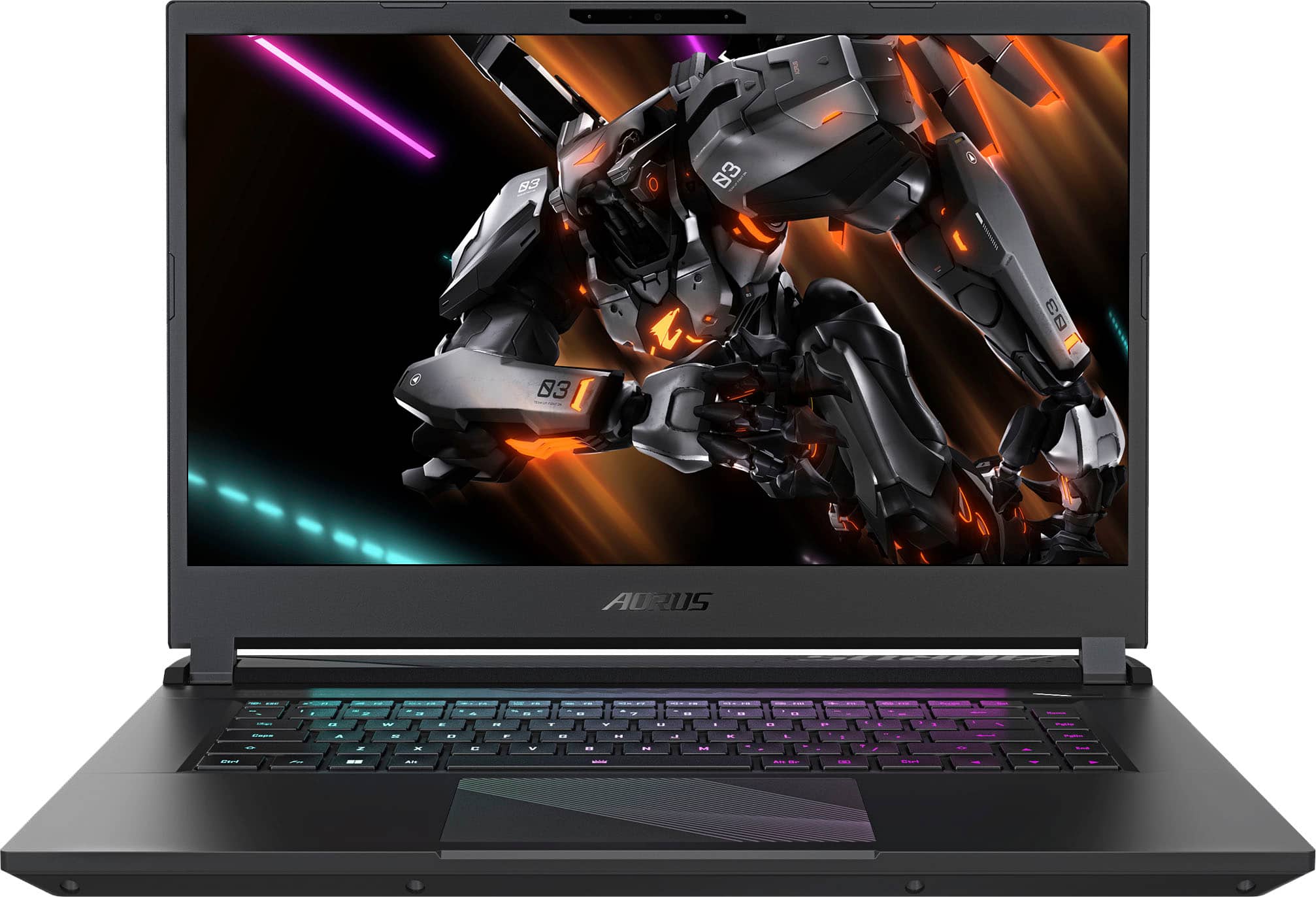
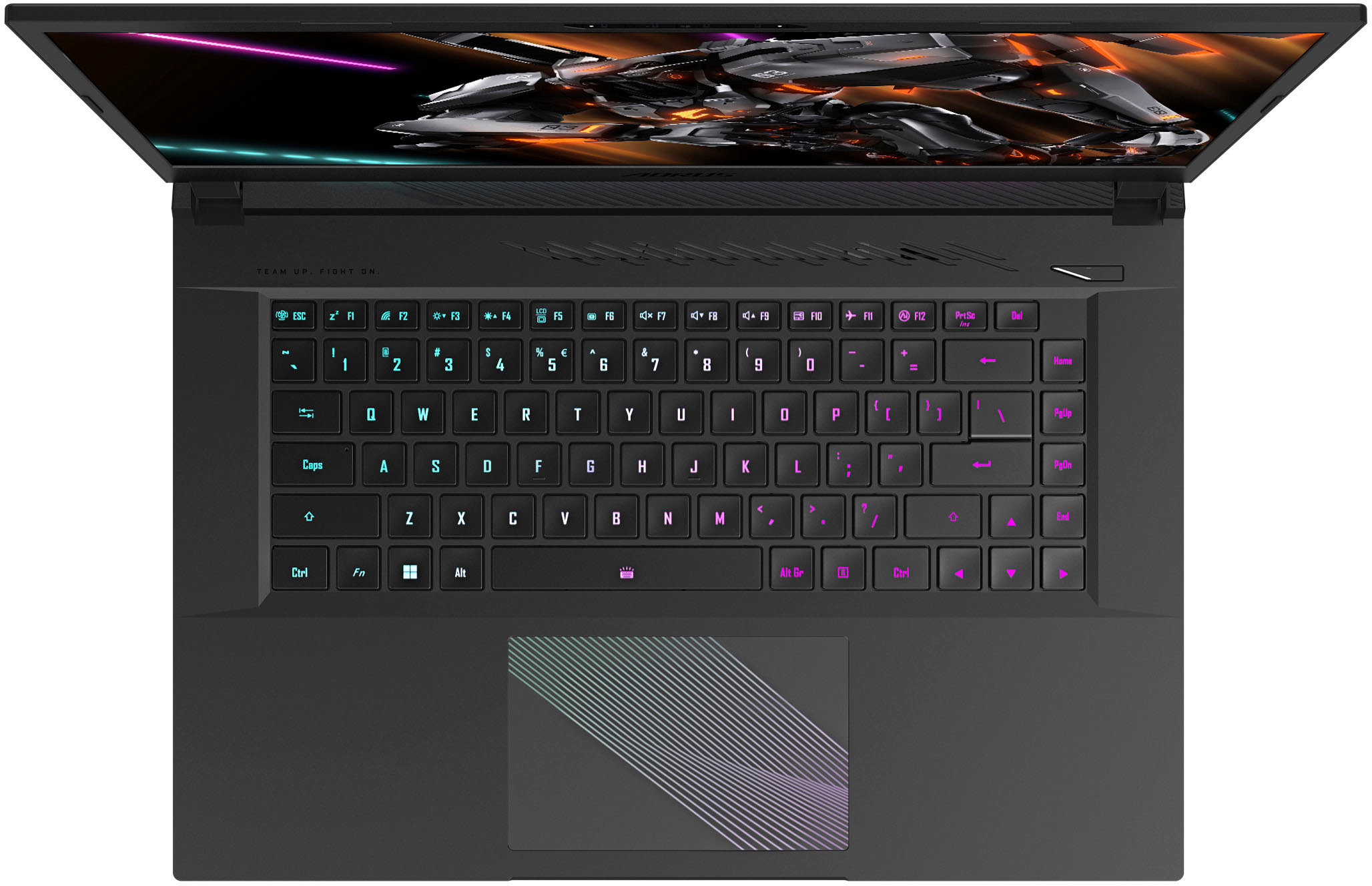
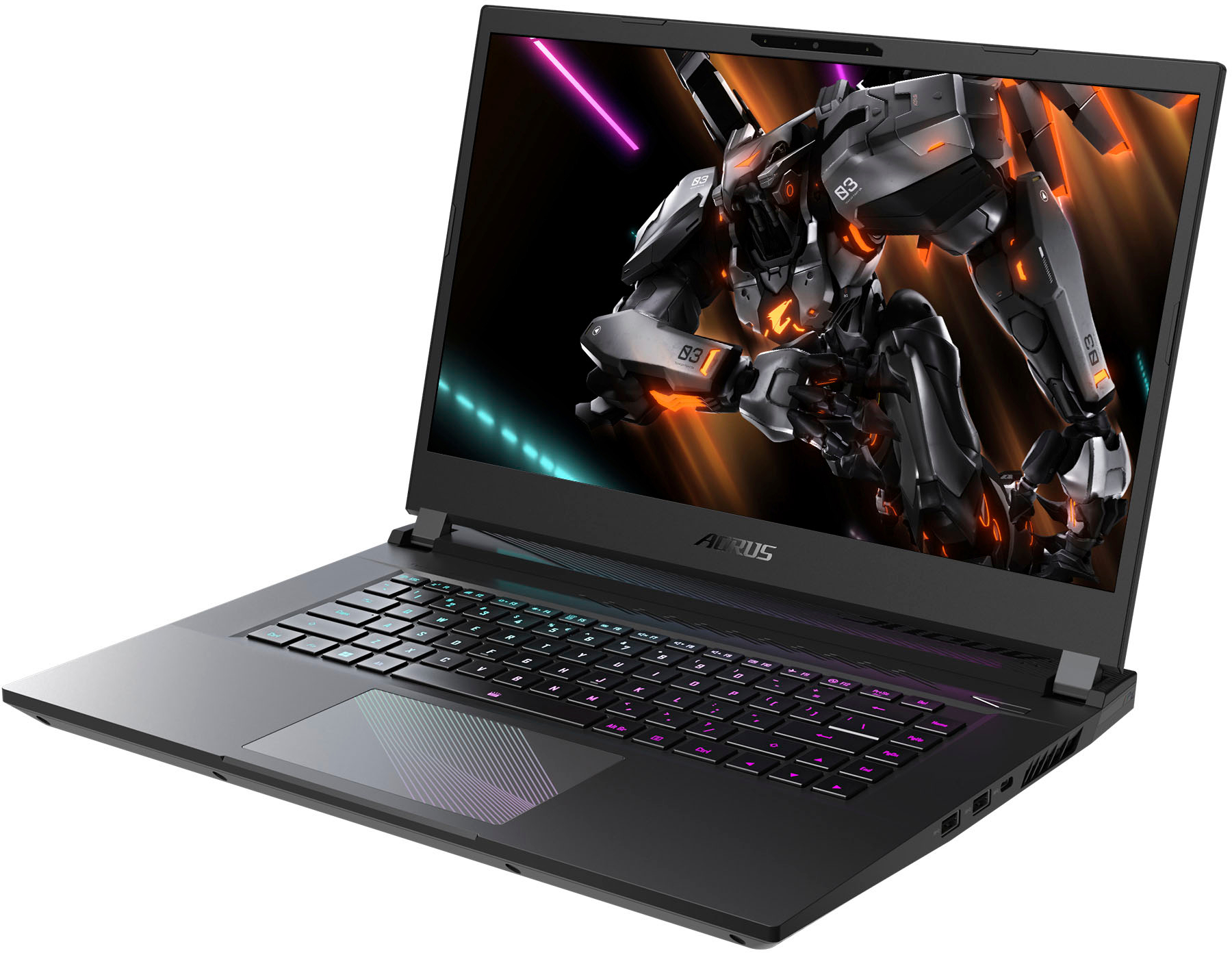
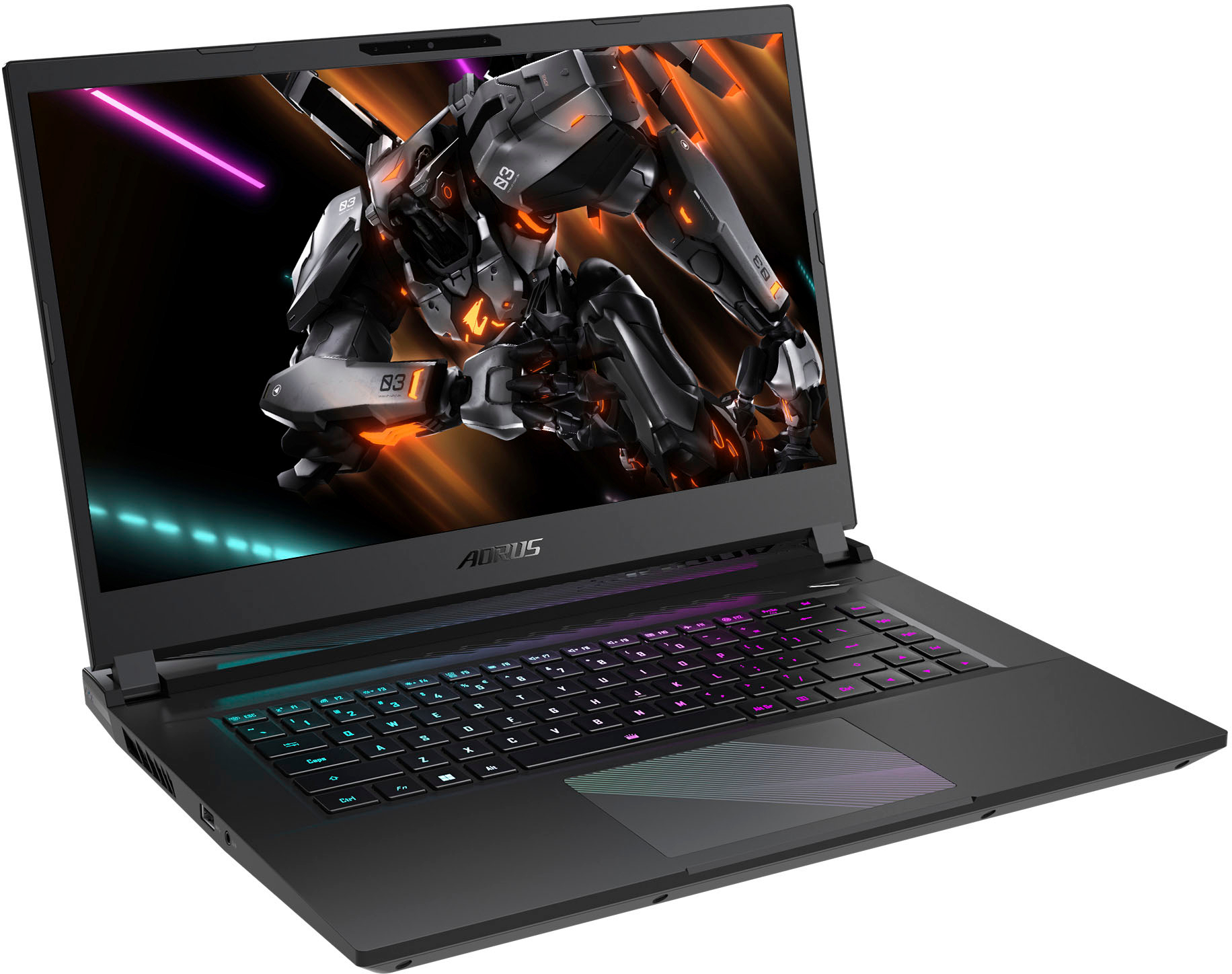









- Model:
- AORUS 15 BMF-52US383SH
- SKU:
- 6534579
Rating by feature
- Battery Life
Rating 4.3 out of 5 stars
- Speed
Rating 4.5 out of 5 stars
- Display
Rating 4.6 out of 5 stars
Customers are saying
Customers recognize the AORUS 15.6" gaming laptop's strong performance and upgradable RAM as significant advantages, along with its good graphics and generally solid build quality. However, some users point to the noticeable fan noise and relatively short battery life as drawbacks. Concerns were also raised regarding the laptop's boot times and its weight.
This summary was generated by AI based on customer reviews.
- Pros mentioned:Build quality, Ram
Awesome budget friendly laptop
||Posted . Owned for 1 month when reviewed.This reviewer received promo considerations or sweepstakes entry for writing a review.This PC is awesome, been using it for a month now, it gets even better once you upgrade the RAM on it. It supports DDR5 5200mHz SO-DIMM RAM and it became a beast once I put 2x16gb sticks of Crucial RAM on it, more than I'll ever need but leaves extra room for smooth performance. It only cost 80$ for that upgrade and it was an easy install. You do need a T6 Torx Tool and some kind of guitar pick to open it up but it doesn't take long. The lock for the RAM that was originally there was so hard to take out I thought I would give up and not risk breaking it, but it came out with a bit of downforce close to where the lock got stuck, not sure why but I'm guessing it's the tape was gluing it very well on the board. The 1080p 144hz display is well built with no creak sound and barely any backlight. At this price point it is a laptop that feels premium and is very sturdy, although the case being a dark grey makes your fingerprints very visible even when you try to avoid it. My personal favorite detail is probably the touchpad with the holographic colored effect. The Gigabyte control center is very useful and gives you lots of control. The only problem I had so far is related to the BIOS. I'm still not sure if it is a hardware or software problem, but when I try to warm reboot my PC it gets stuck on the BIOS. If I do a cold restart it boots up normally with no problem. I'm guessing the BIOS is new cause I can't find any help online, no BIOS looks like mine. It doesn't have a Boot Priority option so I can't even change that to try and solve it, and I'm not currently living in the U.S. so I'm guessing Best Buy can't help me. But oh well, cold restarts are better anyways. But I wish this hadn't happened.
I would recommend this to a friend - Pros mentioned:Graphics
Nice
||Posted . Owned for 1 month when reviewed.This reviewer received promo considerations or sweepstakes entry for writing a review.It's pretty nice. Graphics are good, I can run games with ray tracing. (Only have a couple right now) better lasts a pretty good while, don't have like everything open at once though. Doesn't stuffer when I'm online or anything.
I would recommend this to a friend - Pros mentioned:Performance
Better than expected
||Posted . Owned for 2 months when reviewed.This reviewer received promo considerations or sweepstakes entry for writing a review.It works well and hasnt slowed me up at all so far. It runs a little loud and a little hot but it does run great.
I would recommend this to a friend - Pros mentioned:Build quality, RamCons mentioned:Boot time

A Great Gaming Laptop with a Couple of Misses
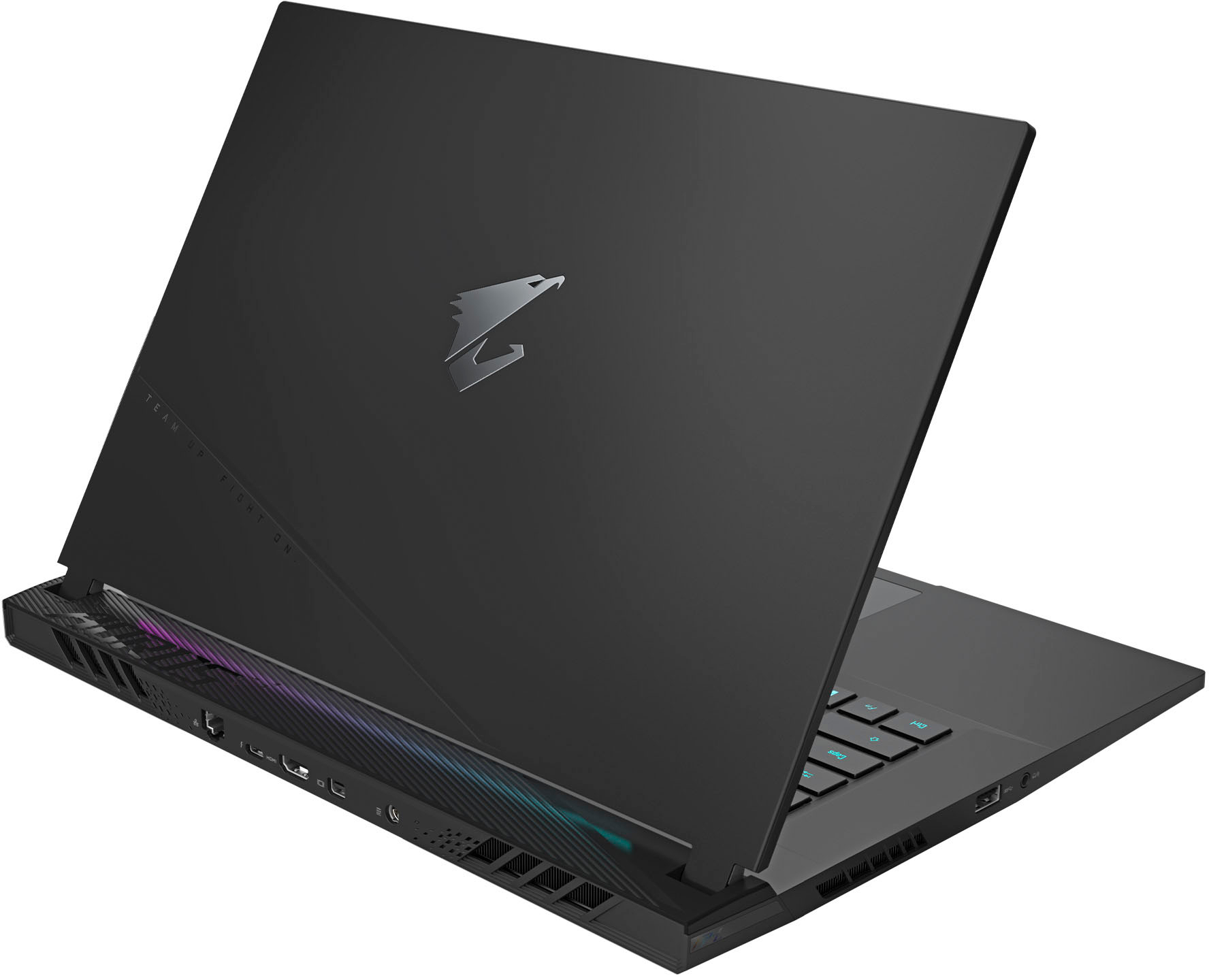
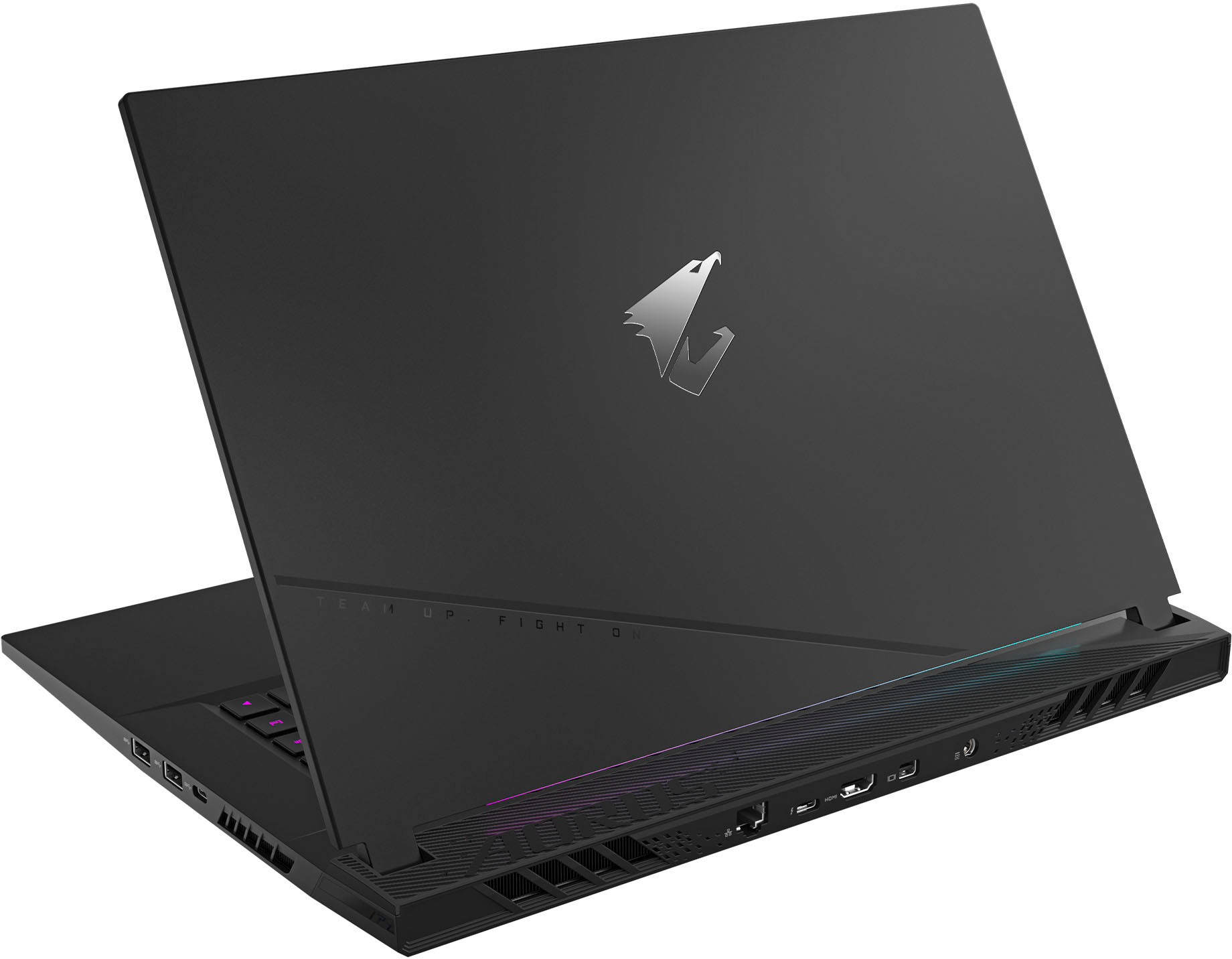
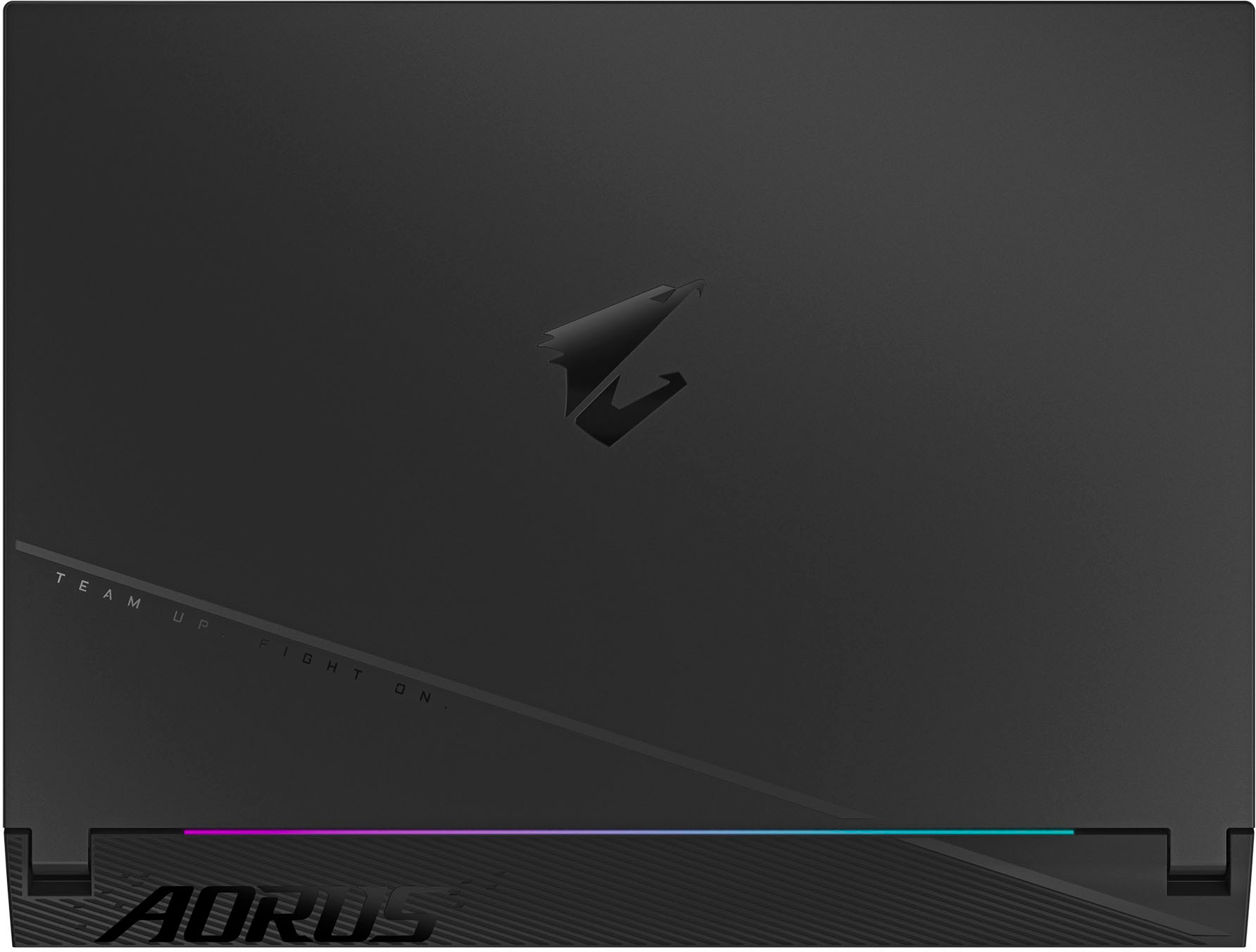
|Posted .This reviewer received promo considerations or sweepstakes entry for writing a review.The Gigabyte Aorus 15 is a good entry level gaming laptop with the potential to be great. It has a couple of component choices that take away from the experience but they’re nothing that cant be fixed with a few more bucks and a YouTube video. More on that in a bit. The Aorus has what I consider amazing build quality. I have had a couple of gaming laptops before that were much more expensive ad did not feel as quality or as solid, had massive back light bleed, or all the above. It has no chassis flex, no creaking, and most everything feels like metal, even the non metal bits. It a nice looking matte black color with a nice gloss Aorus logo in the center of of the lid. It has an RGB strip in the bottom of the monitor that reflects off the cooler and the can match or be different that the RGB keyboard. While it looks very nice, it IS a finger print magnet, but nothing a damp cloth wont take off. The laptop is easy to maintain and mostly easy to work on as the internal components are smartly laid out and the expansion slots are easy to find. My biggest knock is they used Torx T6 screws to put the bottom shell on instead of more common #1 or #2 Phillips screws. Unless you have a purpose built electronics kit the likelihood of you having a Torx driver lying around isn't that great. Oddly enough the internals ARE held together with #0 and #1 Phillips. It weighs in a roughly 5.5lbs, and combined with the big CPU GPU cooler it is not the most portable laptop, but its nowhere near as bad as a lot out there. It comes with a pretty chonky 240w power brick that is able to power the i5-13500H and RTX 4050 very well, and when not plugged in allows the MUX switch to run the integrated graphics and give you a reasonable 6-7hr web-surfing time and 3-4 streaming time. Gaming on a gaming laptop while on battery is generally a terrible idea and it proved true on this one as well. FPS suffers heavily running on integrated graphics and unless you drop settings to as low as they’ll go and the battery dies pretty quick after about an hour and a half or so in my testing. It has a 99Wh battery which is as big as airlines allow so you can fly and frag if you so desire. The laptop has a 15” 144hz panel that for some reason is labeled both 144hz and 165hz on Gigabytes product page, but I have not found any screen overclocking feature and Windows says its 144hz so that's what I’m going with. Gigabyte again doesn’t inform us if its TN or IPS instead saying its TUV Rhineland certified, but judging by the poor side viewing angle I’m willing to say its a TN panel, which seems fairly common at this price range. Its also NOT G-Sync or Free Sync compatible so something to be aware of. I noticed screen tearing the most when in smokey environments in fast paced games, or in foggy environments. Most other game play situations were crystal clear and I really REALLY had to be looking for any screen tear just so I could nit pick about it. It also has no noticeable back light bleed (at least on my model). The RTX 4050 is the bottom of the NVIDIA GPU lineup, however it doesn’t perform as such in modern games. My other laptop has a Ryzen 5900HS and a RTX 3060 and the i5-13500H / RTX 4050 easily outpaces it. At 1080p, running the same balanced settings in MW2 and Shadow of the Tomb Raider bench tests I was easily getting another 25-35 fps on this laptop with its bigger 15” display vs my other laptop with its 14” screen. Part of this is the i5-13500H being better than the 5900HS, but the 4050 is improved over the 3060 by a noticeable amount. All games I played were playable and ran smoothly for the most part, however this is where the laptops first shortcut shows its head. If you are just doing average tasks like browsing the web, looking at e-mail, etc, 8GB or ram is fine. But the fact it is a gaming laptop with only 8GB of ram really hurts it. Its sluggish in Windows menus when trying to open Edge, type to your friends in Discord, download games, let alone trying to get a game up and going. Once in game the game play is fine, but graphically heavy games have problems loading all textures in menus. For example, looking at my guns, camos, operators, or the Battle Pass in MW2 caused many textures to fail to load, giving a lump of mud appearance on everything. Game play was normally fine as those textures are prioritized as they should be but every now and then there would be some hitching that wasn't network related as more information was being loaded into the ram. Same issues in the menu and Item Shop in Fortnite. Task Manager shows just doing basic Windows tasks eats up 40-60% of the available ram. Games immediately sent it to 100%. Luckily Windows is fantastic at ram management and gives the game priority while shutting down and shifting priority away from other tasks you don’t need at the time. It really sucks they couldn’t include at least 16GB but I understand why at this price point. It is an easy upgrade even if you don’t know much about the internals on computers and whether you want to just get one 8GB stick or go for 32GB, you have 2 REAL SO-DIM slots instead of some of the ram being soldered to the motherboard like many laptops are guilty of. I stuck another 8GB stick in and Windows and a few background tasks immediately jump ram usage to 45% (so near the old total ram amount) and MW2 jumped it to 73% and Fortnite jumped it to 85%. Other AAA games were within this range as well. So if you throw ram at this laptop it will benefit. Textures immediate load as they should, games run even better with no more hitching and stuttering, etc. Frame rates went from an average of 134 to 148 in MW2 and from 127 to 149 in Tomb Raider. VERY impressive.. Next on the list is the 512GB gen 4 m.2 SSD. 512GB is not a lot of room anymore with games easily taking 50+GB and some well over 100GB. Many people would knock it, and I’m one of them, however I understand at this price point. I applaud Gigabyte for at least including another 2280 length m.2 slot so you can easily pop in another drive unlike many other laptops that cost even more that require you to buy an external housing to flash your operating system and all the drives contents onto a new drive before replacing it , or just losing everything and starting from scratch. However before you go buy another drive ask yourself how what all will be on your PC. I currently have 15 games ranging from AAA titles eating up 100GB to a few Indy games barely over 500MB and still have 90GB free. Even if you end up needing more room, if you have fast internet you can quickly get them again. If not, unlike current gen consoles, you can use a standard external hard drive to easily expand your gaming storage instead of having to buy a special designed SSD cartridge in the case or an expensive gen 4 m.2 with a heat-sink. I ended up putting in a 1TB gen 3 SSD, bringing total capacity to 1.5TB and now have more room than I will need for a long time. The laptop also includes a genuine Intel AX211 WiFi 6E card instead of off brand card. This card proved very fast getting 400-600MB/s on my 1gig internet. It never dropped nor did I experience really any more lag than with a wired connections. Speaking of, this laptop actually includes a real Ethernet port so if you are in a situation that allows you to plug in to get faster and more stable internet you will be able to without buying a USB to Ethernet adapter like many other laptops require. When it comes to a clean Windows install, Gigabyte deserves some credit here. Other than standard Microsoft programs, the only things installed were Gigabyte Control Center and Network Dragon, and NVIDIA Control Center. Network Dragon can be uninstalled, as you don’t need anything monitoring your internet while you play a game, as you really shouldn’t be doing any major background tasks while gaming in the first place. Control Center is decent. You go there to adjust the computers mode from gaming to battery saver to anything in between, adjust fan curves and RGB settings, etc. Its light and the settings are not buried in dozens of sub menus like one of my other laptops. The one of two thing that annoys me is that even though I can turn the track pad off to keep from bumping it while using a mouse, I cant disable the Windows key without installing a third party program or editing the Windows registry. I use the left Alt key to ping items in-game, and I kept hitting the Windows key instead and pulling me out of the game! Super simple thing they could fix in a future Control Center update. The other thing that bugged me was the lack of disabling the RGB turning off. If you don’t use the keyboard in 60 seconds or so, the back-lighting turns off. Again there should be an option to enable always on if you’re plugged into an outlet. Last on the list is how the PC runs… or doesn’t? This laptop has an amazing processor and a stupid fast Gen 4 m.2 SSD. Yet for some reason this laptop takes an ETERNITY to turn on, restart, and even enter and exit the BIOS menu. I have 0 idea why this is a thing, but it reminds me of a PC with an old spinning hard drive. You can turn it on and literally go get a cup of coffee before it gets to the Windows log in screen. I believe this is squarely on Gigabytes shoulders and hopefully a future update will fix this issue. In conclusion, for $1,000 you get a very well built laptop with an amazing processor, a surprisingly great GPU, and can easily upgrade the ram, SSD, and WiFi cards. That price tag limits you to a screen without G-Sync / Free Sync, the bare minimum ram to run, and a OK size SSD and a sluggish boot sequence. Are these problems? Yes. Will they reduce your enjoyment of the product? For most people who are new to PC gaming or buying this for their kids, I say no. Other than the screen and the boot sequence the problems can be fixed with $100 and a couple YouTube videos or you can always take it to Best Buy and have them do it for you.
I would recommend this to a friend - Cons mentioned:Battery life, Boot time, Fan noise
Solid entry level gaming laptop that's upgradeable
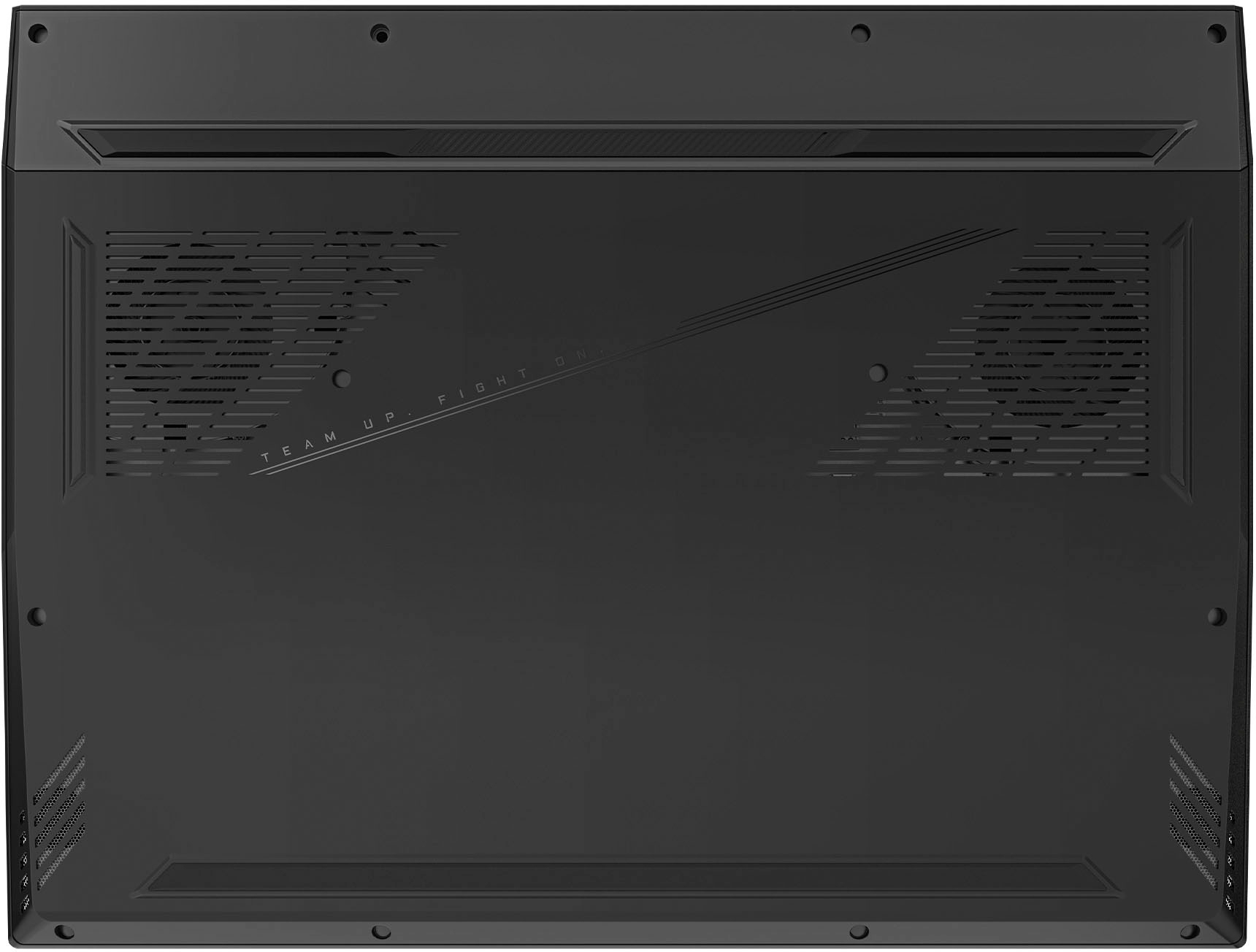
|Posted .This reviewer received promo considerations or sweepstakes entry for writing a review.The 15BLF is the entry-level model in AORUS gaming series of thin and light laptops. It features a 15.6 inch 16:9 QHD display with a resolution of 2560 by 1440 on a 165 Hertz panel. It comes preloaded with windows 11 home edition and features an Nvidia GE force RTX 40 series laptop GPU. This model has a 13th generation Intel Core i5-13500H series processor. It supports up to 64 gigabytes of DDR5 memory but comes preinstalled with just 8 gigabytes. More on that later… The Intel I5 13th generation processor also features an integrated video chip resulting in two video controllers internal to the laptop. These can be toggled using the provided MUX software switch technology, the purpose of this configuration is the integrated video consumes less power when the discreet NVIDIA video controller is disabled. For situations when performance of the video is not a necessity you can change the configuration to either optimize performance or for longer battery life. This is achieved easily through the provided control panel software. The 512 Gigabyte hard drive is a type 2280 SSD NVMe form factor occupying one of the two PCIe slots. As with the onboard memory, the extra slot means you can increase the amount of storage or install faster hardware. Or both. The battery size is rated at 99Wh which under the best conditions should give you 8 hours of use. My findings were varied because of different types of use. Heavy duty gaming on battery alone you might get two hours. If you’re using it for productivity, you can expect 8 to 9 hours. Most gamers know that if you’re playing a video game you should be plugged in. And on that thought while this has a very fast Wi-Fi controller, it also has built in Ethernet and a wired connection is always the best way to go. Pro tip, if you don’t use Wi-Fi or the Ethernet NIC – disable them in the BIOS, if possible, along with anything else you don’t plan on use. This should free up resources and may extend your battery life a bit longer. In addition to gaming, I used this laptop for productivity purposes. I installed Microsoft Office and used all the apps, I also installed OPS, Adobe premiere and Photoshop. All performed well, I was able to edit photos and videos, made use of the office software for business work, connected to a laser printer and a scanner that all configured quickly and worked perfectly. I suspect that the Quick-Sync technology embedded In the Intel processor can be credited for the excellent video encoding and decoding I experienced while editing videos. So if you are a digital creator, take note that this laptop can serve a dual purpose. Depending on the performance setting you’ve selected in the Gigabyte Control Center software the fan noise can be quite loud in the highest performance setting. That’s not unusual, gaming laptops get very hot. Gigabyte did an excellent job with the cooling piping across the CPU and GPU, and the fans are fast spinning 72 blade rotors. They do an excellent job at ingress and egress of air, the hot air is expelled out the back of the system away from the user. I’ll also note that the area below the keyboard is kept cool, which is a sign of excellent heat distribution management. If you’re using productivity software applications, you'll hardly notice the fans coming on at all. They generally only get loud when CPU & GPU are heavily taxed. The engineers did a great job on the thermals, but I will say I wish the frequency level of the fan noise was lower in pitch. Again, not a dig against this manufacturer, many laptop fans have a high pitch sound to them. It would be nice if they could figure out a way to lower the sound frequency while keeping the amount of air volume the same. Fast moving air isn’t the important part, it’s the volume of air moved around which is important. The boot up time from a cold power on was rather long. I went through the BIOS firmware setup thinking there might be a quick start option. There was not. Perhaps this will be fixed in a later firmware update, but for now I will have to deal with a longer than usual boot up time. Restarting from within windows (warm restart), seems to be OK or about average. But overall, it’s still slow in comparison to other computers I’ve used. From a cold start it takes some time to get into windows, and the lack of on-screen progress indicators made me wonder at first if there was a problem. There wasn’t, that was just the normal startup time. The facial recognition using Windows hello is excellent, it recognized me with and without eyeglasses on. It also recognized me from different angles in different depths. The 4050 GPU does a pretty good job at handling graphics, I would prefer going up one level to the 4060 but it is an inexpensive gaming laptop and going up to the next level would add a lot more cost. You would notice an increase overall in your gaming satisfaction. The 4060 is a more robust higher performance GPU, but besides costing more it also consumes more wattage which would result in a shorter battery life. So, nothing’s ever free… The 4050 GPU is much better than its predecessor (the 3050), and significantly better than GPUs from a few years ago that were more expensive. So really, again - nothing to complain about. The GIGABYTE Control Center is fundamental to getting the most out of this laptop. Once you're in the Windows operating system you should launch this application and keep it always open in the background. It gives you full control over the special features that this laptop offers. Take time to learn and figure out all its many features. This is where you will control the performance profiles of your CPU and GPU. It provides a feature called the AI Boost, a unique future that will continuously monitor your game usage and modify the settings so that the hardware is optimized for each game title. Microsoft Azure AI technology is powering this and will automatically and dynamically optimize the CPU and GPU power for different applications using deep learning on the Microsoft Azure network. The 4050 GPU manages an average increase of 25% over last year’s 3050 GPU. It has 6 gigabytes of GDDR 6 memory its bandwidth is 192 gigabytes per second at 40 watts. Again, if this were the 4060 GPU the performance would be much higher but also the amount of energy used would be much greater (and it would cost much more). The Intel Core I5 dash 13500 H processor has 18 megabytes of cash and up to 4.7 gigahertz. It has 12 total cores four of which are performance cores and eight are efficiency cores total number of threads is 16 and processor base power is 45 watts. It will map up to 64 gigabytes of ram, with a Max speed of 5200 MTS. Its integrated processor graphics is an iris XE graphics eligible, with a Max dynamic frequency of 1.45 gigahertz. The audio is provided via DTS: X ultra-audio technology which produces an immersive 3D audio experience when using Microsoft spatial sound. Combined with compatible headphones you can experience multi-channel and object-based audio for enhanced gaming accuracy. The NVIDIA GeForce RTX 4050 GPU is based on the AD 107 chip and uses the ADA Lovelace architecture offering 25160 shaders on 6 gigabytes of GDDR 6 dedicated memory with an effective clock speed of 16 gigabytes per second. On the 96-bit memory bus, the total graphics power (TGP), can be set to 35 to 115 watts thus producing different performance levels. The boost clock depends on TGP settings and ranges from 35 watts up to 115 watts with dynamic boost enabled. The 4050 features 80 tensor cores and supports DLSS3 including frame generation which can have a big impact on games. Aorus laptops are the first on the market to be equipped with the Microsoft Azure AI technology, which is the basis of Ai Boost. AI Boost learns over time how to best optimize your gaming experience by continually fine-tuning the GPU and CPU settings. The control panel also provides real-time monitoring of the vital system components in terms of temperature and usage to optimize performance. Speaking of performance gamers often like to tweak their system. For those that feel comfortable doing this you can go to the Intel website and obtain utilities for the 13th generation Intel Core processors. Similarly you can go to the NVIDIA website and download utilities from them directly as well. Just remember these are not necessarily tested by GIGABYTE on their platforms, so you’ll be on your own if you have a problem. But you have the opportunity to tweak performance even further. For example using intel's extreme tuning utility you may be able to overclock the processor. Again be forewarned that this may void your warranty, or cause other issues. Check with your retailer or manufacturer before doing anything like this. It’s possible to damage internal components by pushing them beyond their normal ranges. In summary this is a terrific laptop in this category, that I can recommend for many reasons. It’s not only affordable at a gaming computer, but it’s multipurpose and can be used for an everyday computer as well. It’s not overly flashy so you don't look like you're playing video games when you're at work. But at lunchtime you can put on your headphones and disconnect for a little while. Games played: Battlefield 5 Dying light two CS: GO Grand Theft Auto 5 Winter tales Cyberpunk 2077 Marvel’s Spiderman remastered. Hogwarts legacy Ran at just about 40 FPS Cyberpunk 2077 ran at 53 FPS. Warhammer 3 ran at 35 frames per second. Witcher 3 ran at 39 FPS. Dead Space ran at 18.4 FPS. A plague requiem ran at 47 FPS Apex legends ran at 53 FPS Call of Duty Modern Warfare 2 ran at 42.8 FPS
I would recommend this to a friend - Pros mentioned:PerformanceCons mentioned:Battery life, Fan noise, Weight
Good mid range gaming laptop
|Posted .This reviewer received promo considerations or sweepstakes entry for writing a review.This laptop excels in some areas but falls short in others. The best things are the fact that has fast refresh rate, no glare monitor and fast PCI SSD though only half a terabyte. Gigabyte makes excellent motherboards and other PC components, so I expected this laptop to be excellent as well but unfortunately it is just overall good due to how heavy it is, very loud fan when under heavy use. The fan has 4 setting ranging from Eco the most quiet to Turbo the loudest with a custom setting that can be loud depending on the adjustments. The sound is not as clear as it should be at high levels. The bezel size is larger than the monitor which makes it difficult to fit in a back pack for 15.6 in laptops, however, a laptop bag fits it quite well. The connections on the back are very convenient for LAN, HDMI, DP, USB-C and USB3 so that there is no need for a docking station which makes it for a very good business laptop. The keyboard light has several settings and colors for most tastes and also has quick access buttons on the right. I'd recommend using an external keyboard for more comfortable playing or use a Game controller for better comfort. All games play smooths with a bit delay while playing high GPU demand first shooter games. This is a heavy laptop so it is best suited for heavy office use or desktop gaming. Battery life for games is about two hours with non-stop play as I tested it. As I see it, this is a very good business laptop and good mid-range gaming laptop. Memory and CPU are average.
I would recommend this to a friend - Pros mentioned:Graphics, RamCons mentioned:Fan noise
Entry level budget RTX40 series gaming
|Posted .This reviewer received promo considerations or sweepstakes entry for writing a review.The GIGABYTE AORUS 15 is a good entry level budget gaming laptop with a modern cpu and graphics card. The overall design is nice and has a good sturdy feel and the available ports should be plenty for on the go. In anticipation of Diablo IV tested D3 with all setting maxed out and was easily able to run >144fps thanks to the RTX4050 and the 6GB of video ram and the 13th gen i5 13500 processor. When under load the fans are loud but that is expected to keep the temps down, but when not under load the laptop is very quiet. Bootup is a little on the slow side, but that can be addressed with a few minor upgrades. The screen is clear and bright and the sound is decent for this formfactor. The 1080p webcam is great and will support Windows hello, so you can utilize facial recognition to bypass password entry. The bundled Gigabyte control center software is very helpful with keeping the drivers up-to-date as well as providing you with quick and easy customization options and controls. One drawback though is the lack of number pad, but that is somewhat expected with the footprint. As spec'd his laptop twill get you started, but to get the most out of it does require some additional hardware upgrades as it is limited on the storage space and available RAM, but the expansion ports are available when you are ready to do so.
I would recommend this to a friend - Pros mentioned:Build qualityCons mentioned:Battery life
Heavy on Gaming, Light on Price!
|Posted .This reviewer received promo considerations or sweepstakes entry for writing a review.I’m a pretty big gamer and love playing on all platforms. PC gaming has always been one of my favorite platforms to play on because of its flexibility and performance options. I have a mid-level gaming PC and thought this Gigabyte Aorus 15 would be a great extension of that to use on the couch or on trips and I’ll break down how well it worked for me in this review. I’ll give my overall impressions first and then break it all down. Overall Impressions: The Gigabyte Aorus 15 BMF packs some decent specs in a well-priced package and shouldn’t be overlooked by PC gamers looking for a competent gaming laptop on a budget. Between the 13th generation i5 13500 and the RTX 4050 6GB, this laptop has enough power for most games and other tasks as well. Coming in at about 5.5 lbs, it’s hefty, but not too heavy to travel with if you’re serious about your games. I’d recommend the Gigabyte Aorus 15 to any mobile gamer that’s on a budget without reservation. Design/Build Quality: The Gigabyte Aorus 15 is a big, thick, and heavy laptop. Its all-black finish isn’t too much of a fingerprint magnet which I appreciate, but it doesn’t do a whole lot for the aesthetics. If you’re looking for something flashy that shows off your gaming pedigree then you’re probably going to want to get some decals, stickers, or skin for this laptop because it’s unremarkable otherwise. Personally, I enjoy the low-key look of it, but I’m a huge introvert and others may think it’s pretty boring when it’s not powered on. When it’s powered on you’ll get to flaunt the RGB light strip underneath the LCD and on the keyboard itself. The laptop is built from plastic and what feels like metal. There is a bit of flex on the monitor lid, but overall the laptop feels solid and hefty. The keyboard feels nice and the overall build quality seems to be better than average. The trackpad is good, if not really good, and is better than quite a few other laptops I’ve owned. Gaming Performance: You’re probably wanting to know how well games run on the Aorus 15, so let’s get to it. The Aorus 15 is a competent budget gaming laptop with its Nvidia RTX 4050, 512GB SSD, and 8GB of DDR5 memory paired with a 1080p 15.6 inch 165hz display. I tried several games on the Aorus 15 and had a pleasant experience playing most of them. 512GB of storage gives you plenty of room for a couple of big games, your OS and some smaller games as well, but upgrading the m.2 NVMe is also super easy if you’d like to do that in the future. Biomutant - 60FPS+ Doom 2016 - 100FPS+ Shadow of the Tomb Raider - 45FPS+ with RTX ON and 80FPS+ with RTX OFF Borderlands 3 - 120FPS+ Assassins Creed Origins - 75FPS+ New World - 50FPS+ in most areas Ark Survival - 50FPS+ on Epic settings in most areas Halo Infinite - 100FPS+ Forza Horizon 5 - 60FPS+ This laptop isn’t built for hardcore gaming, it’s built for the more casual gamer that doesn’t want to spend several thousand dollars on a gaming laptop or maybe just wants something to serve as an extension of their gaming PC. I’d also recommend adding another 8GB stick of DDR5 right away if you plan on playing more modern games. As a matter of fact, Forza Horizon 5 warned me about not having enough system memory during its benchmark, so I think shipping this laptop out with only 8GB, even on their lower-end model was a mistake. Luckily upgrading the memory is 9 screws away and is super easy to do as both memory slots and m.2 slots are readily accessible from the bottom of the laptop. The Gigabyte Control Center allows you to customize everything from the fan profiles, keyboard colors, and other laptop features in a single pane which is pretty great. The Aorus 15 does get quite loud when under load, but no louder than other gaming laptops I’ve used. During normal usage, you won’t hear the fans or the laptop at all though. Sound is powered by DTS: X-enabled speakers that sound great but of course, a good pair of headphones would most likely serve you better, but the laptop puts out pretty decent sound. The 15.6-inch 165hz screen is crisp, clear, and bright, although view angles tend to suffer at an angle since I believe the panel is based on TN technology to be able to get to this high of a refresh rate. If you’re looking for OLED black levels with this unit then you’re going to be disappointed, but I think most people will like this display just fine. Usability/Features/Battery Life: The Aorus 15 comes with a couple of USB ports in the back and side of the unit, providing USB-A and C connectivity. It also packs an HDMI 2.1 port which is nice and a Mini-DP as well. The Aorus 15 comes with Wifi 6E, Bluetooth 5.2, and a 99-watt-hour battery that will garner you some play time, but when gaming I wouldn’t expect more than a couple of hours of unplugged usage. The Aorus gets loud and a little warm, but never too hot. The included RGB lighting is a fun feature if you’re into it as well, but I can’t for the life of me figure out how to keep it on as it seems to turn off after about a minute of not using the keyboard.
I would recommend this to a friend fast reasonably priced gaming laptop+a few caveats
|Posted .This reviewer received promo considerations or sweepstakes entry for writing a review.Arrived nicely double boxed. Got laptop out, and not sure if alloy or plastic construction, but it felt solid with no flex in the body. Even the lid had little flex, and maintained it's position perfectly. Did the usual setup, and Windows updates. When using, the keyboard had a nice feel, with good travel. RGB back light can be set for different effects. Trackpad performed equally well. Speakers were adequate, not much bass, but with headphones audio came alive. The screen was bright - I set to about 60%. Even though the resolution is only 1080P, the display was quite sharp. I was wondering how day to day performance would be with only 8Gb installed ram. However, with the 13th Gen I5 - 12 core, and 4.7 max frequency, this thing was very fast. Now wanted to see what the Nvidia RTX 4050 would do on gaming. I installed a little older game I like - Doom, to see how it would do. I put all settings to high and started the game. FPS went to 144 and stayed there. The game was very smooth, no blurring or pixelation. This is a quick gaming machine. All is not perfect, however. With only a 512 SSD, and no slot for a Micro SD card, storage is very limited. I also had an issue with the Gigabyte Control Center not opening up. The control center is necessary for keyboard and other functions. Did an uninstall, re-installed - and more of the same. I did finally get the control center to open and run. Even with that, I did not see a battery charge setting to limit charge level. But even at full charge, the battery will not last long on gaming.
I would recommend this to a friendSolid-performing well-built budget gaming laptop
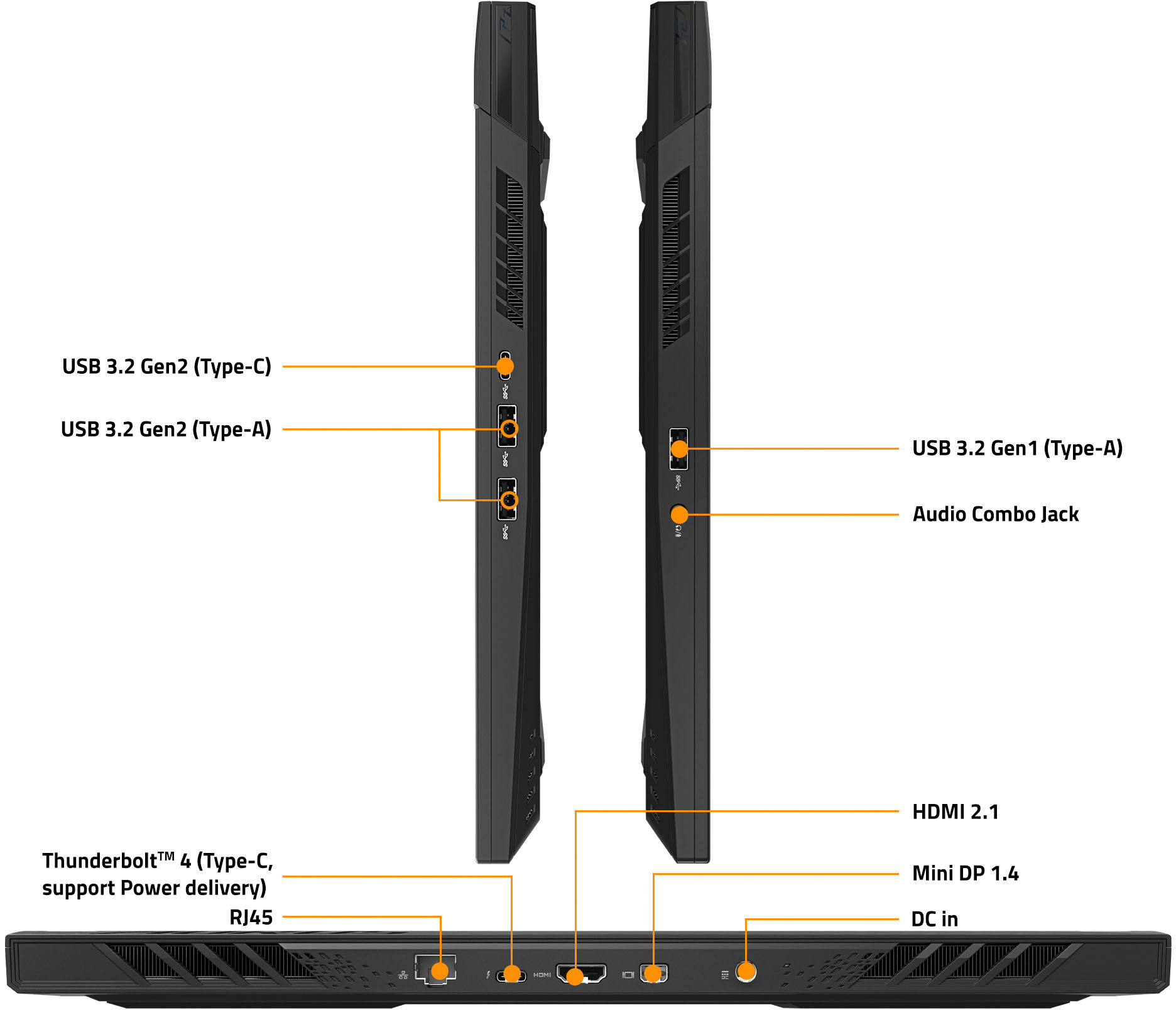
|Posted .This reviewer received promo considerations or sweepstakes entry for writing a review.The GIGABYTE - AORUS 15.6" FHD Gaming Laptop - Intel i5-13500H - 8GB DDR5 - NVIDIA GeForce RTX 4050 - 512GB SSD is a solid performer for this category / price range. The 15.6" 1080P fast refresh screen looks sharp and bright. Beautiful display. Windows 11 looks great on it and pretty much everything else! The laptop case feels sturdy and looks great in my opinion with the matte black finish and RGB effects. I believe it is all plastic construction but has the appearance of a metal alloy. The backlit keyboard has a nice solid tactile feel to it with decent travel distance. The track pad is ample sized and feels and works great. The built-in FHD 1080p webcam does a nice job for meetings or recording yourself and the microphone picks up audio clearly. For 8 GB of memory the laptop does a decent job running applications and games. The system feels fast and responsive. You can expand the memory to 64GB, but it seems to handle things quite well with just 8 surprisingly. I'd recommend at least bumping the memory to 16 GB for more breathing room when running multiple applications at the same time or large games. Running everyday software like Office or browsing the web on this PC is fast and responsive! The Core 13th gen i5 scored well with an outstanding single core performance for 3D gaming. The 512 GB SSD performed extremely well in the benchmark tests I ran. User Benchmark rated it at 262%! Assuming you're a gamer just note that with today’s game sizes your drive could fill up quick, but it should be enough room to install several that you play regularly. The laptop does have an additional M.2 SSD slot for adding an additional SSD which is really a nice option! The cooling system seemed to handle the heat quite well. Fan noise is noticeable while gaming but not loud enough that you will find it super annoying most likely. The system comes with software that lets you adjust the fan speed for different situations. Plenty of airflow areas on the bottom, sides and back which is nice. The built-in speaker audio quality is decent. Not extraordinary, but with the included software that turns on the advanced sound features and processing, it allows you to tweak the EQ to your liking. The stock settings are a little too bright for my taste, but the EQ allowed me to take out some of the mid-range and tweak the bass. The laptop comes with a DTS:X® Ultra Audio Technology license for better audio quality, which is nice. The NVIDIA GeForce RTX 4050 GPU 6GB GDDR6 did well in my tests. It's a mid-range GPU but will provide a smooth gaming experience for most games available today at 1080p resolutions. I tested the system with several games, and all performed smoothly and very playable. Fortnite gameplay with the settings on EPIC was averaging between 100-120 fps without raytracing on. With raytracing it dropped to around 80-90 fps. Honestly, I have a hard time telling the difference between regular and ray-traced modes visually speaking. Borderlands 3 with all the settings cranked was averaging 140-160 fps. Tomb Raider was around 110 fps after running its built-in benchmarking. New World with the settings on max was around 90 fps average. The only thing I noticed due to the 8 GB memory was extra load times between games and at the start of games. Adding an extra 8 GB or more of RAM should alleviate this small issue. Battery life when not gaming is quite good. I was able to get about 8 hours of video playback with the system in power saving mode and the screen brightness at about 40%. The system charges back to full from 8% in about an hour and a half which is really quick in my experience. For gaming, depending on the game, you can expect about 1.5-2 hrs. of battery life, which is normal for a gaming laptop. As far as ports go, there is a good selection of them. Left side : 1 x USB 3.2 Gen1 (Type-A) 1 x Audio combo Jack Right Side : 2 x USB 3.2 Gen2 (Type-A) 1 x USB 3.2 Gen2 (Type-C) Rear side: 1 x Thunderbolt™ 4 (Type-C, support Power delivery) 1 x HDMI 2.1 1 x Mini DP 1.4 1 x RJ45 1 x DC in The power adapter is slim but has some size to it. Better than some gaming laptops I've owned. The laptop itself is not too bulky for a gaming laptop, but not super thin either. The laptop is rated around 5 lbs. but is balanced well and feels comfortable when you must move it around. In my opinion this gaming laptop has enough power and capabilities to satisfy most gamers on a budget! RAM is cheap right now, so adding an extra 8 GB should still make this a budget laptop price range if you want to speed up some load times for larger games. It'll handle any day-to-day tasks with ease and run most modern games you throw at it with smooth framerates at 1080p resolution. The only reason I'm giving it 4 stars instead of 5 is the 8GB of memory. 16 would've knocked it out of the park :)
I would recommend this to a friend- Pros mentioned:Build quality, Performance
Great gaming laptop with 1 weakness
||Posted . Owned for 2 weeks when reviewed.This reviewer received promo considerations or sweepstakes entry for writing a review.There are a lot of great things about this laptop and the weakness that holds it back. Pros - Great performance with 140w 4050 - Good build quality - Solid keyboard - Highly customizable RGB keyboard - Ports on back is convenient Cons - Screen is dim and has poor color accuracy If it wasn’t for the screen I would have kept the laptop as it’s a great performer as has excellent BQ at its price point. If you are planning to dock it to a monitor it’s definitely a good option or if you aren’t picky about the screen.
I would recommend this to a friend - Pros mentioned:PerformanceCons mentioned:Fan noise
Performs great for the price.
||Posted . Owned for 1 week when reviewed.This reviewer received promo considerations or sweepstakes entry for writing a review.Great entry level gaming PC. Its sturdy, plenty of performance to be able to play games.... just make sure you adjust setting appropriately. Fan is a little loud when it comes on but otherwise a good buy.
I would recommend this to a friend - Cons mentioned:Battery life, Fan noise
Not bad for the price.
||Posted . Owned for 1 month when reviewed.This reviewer received promo considerations or sweepstakes entry for writing a review.A very good performance. Although, the battery drains very fast. You'll habe to keep it plugged while playing. Also, the fan can get a nit loud at times, but it doesn't bother me much. Overall, it does the job.
I would recommend this to a friend - Pros mentioned:Ram
Great Laptop for Work and Games
||Posted . Owned for 3 months when reviewed.This reviewer received promo considerations or sweepstakes entry for writing a review.This is a really good gaming laptop, good for on the move travelling. I move around for work and I use this to play games, talk to my friends and family, and for work purposes. Overall, it works really well and can run my games smoothly with the right output of ram. I've run into a few issues with the lighting and keyboard disabling but it was nothing I couldn't figure out through a little bit of research. I would highly recommend this laptop to anyone who moves around often or is just looking for a good laptop to play games with friends!
I would recommend this to a friend - Pros mentioned:Performance
Best price for gaming all around performance.
||Posted . Owned for 1 month when reviewed.This reviewer received promo considerations or sweepstakes entry for writing a review.This computer is pretty good to run most of the game. Medium settings is awesome but put on ultra setting it will run. It heats up. The best thing when it heats up is when you have setting easy control button to blow out maximum throttle. It is noisy but better than the older models. It helps to cool off at maximum throttle and you can hit again to turn it off to watch movie or homework.
I would recommend this to a friend Great for the Price
||Posted .This reviewer received promo considerations or sweepstakes entry for writing a review.I have been gaming on this laptop for over a year now. In order to play some games, such as Escape From Tarkov. You will need to upgrade the ram, Other than that setback, this is an amazing, budget friendly gaming laptop.
I would recommend this to a friend- Pros mentioned:Performance
Great gaming laptop
||Posted . Owned for 4 months when reviewed.This reviewer received promo considerations or sweepstakes entry for writing a review.Great design, fast, plays games very well, would definitely recommend to students like myself looking for something reliable for school, but with the ability to let you take a break and play some games with no issues
I would recommend this to a friend - Pros mentioned:Ram
Good laptop
||Posted . Owned for 1 week when reviewed.This reviewer received promo considerations or sweepstakes entry for writing a review.Pretty good does everything i want. Just need to upgrade ram and storage which crucial has a kit for which is nice. Cyber punk rins 100fps plus with fram generation on
I would recommend this to a friend Satisfied first time owner of a laptop
||Posted . Owned for 3 weeks when reviewed.This reviewer received promo considerations or sweepstakes entry for writing a review.Good product. Had some difficulty with internet and sound working. Between GeekSquad phone and in-person support the problem was resolved. Satisfied with my first time purchase of a laptop. Appreciate the laptop keyboard being centered and not left justified because of the number pad, unlike other gamer set ups. It is comfortable to type and the screen is a generous size.
I would recommend this to a friend- Pros mentioned:Graphics
Great Entry Level Gaming Laptop
||Posted . Owned for less than 1 week when reviewed.This reviewer received promo considerations or sweepstakes entry for writing a review.Good entry level gaming Laptop with desent graphics video card
I would recommend this to a friend