Save up to 50% on 3-Day Sale deals.Ends 12/7.Shop now

Skip to content
Gift Ideas
Main Content

Customer Ratings & Reviews
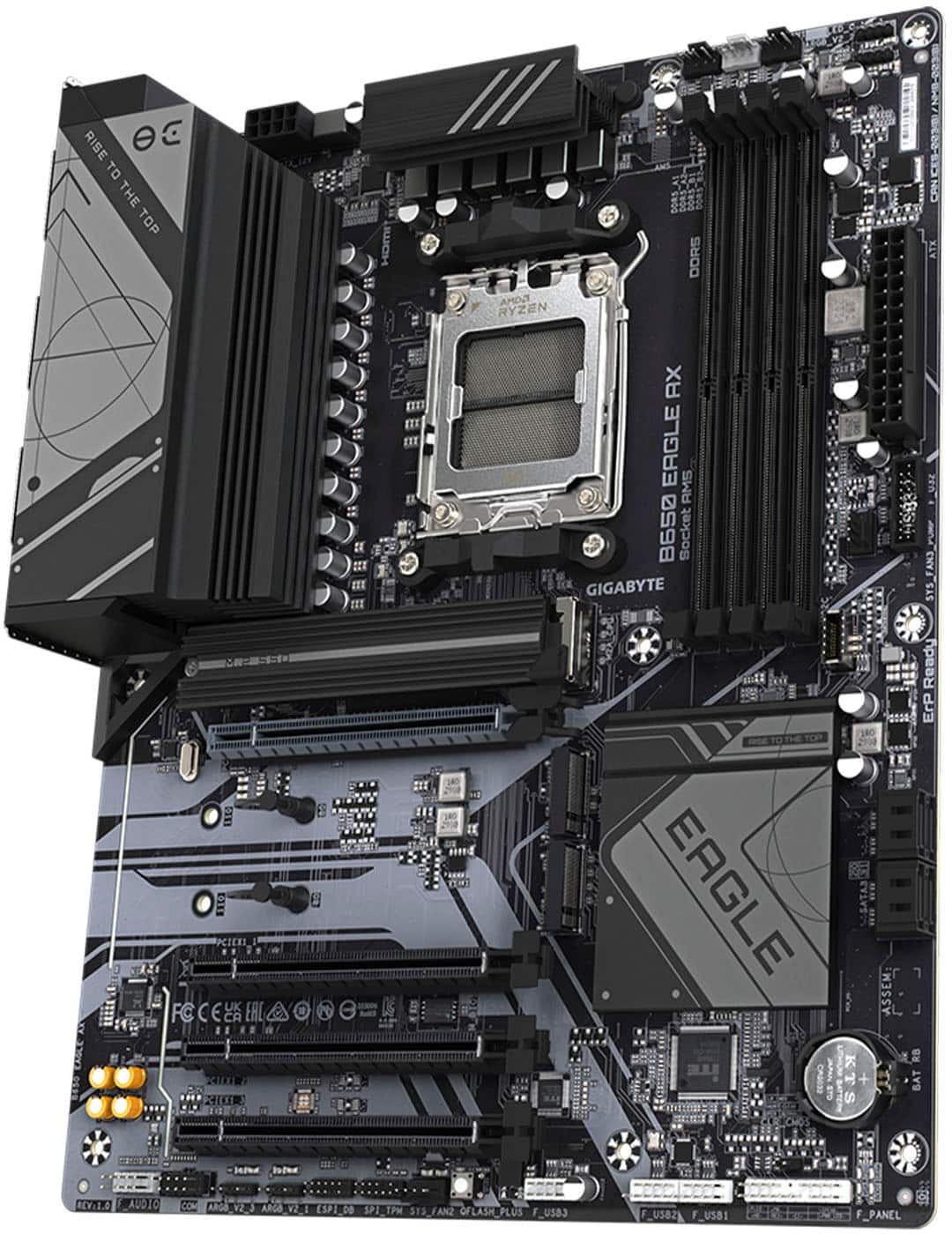
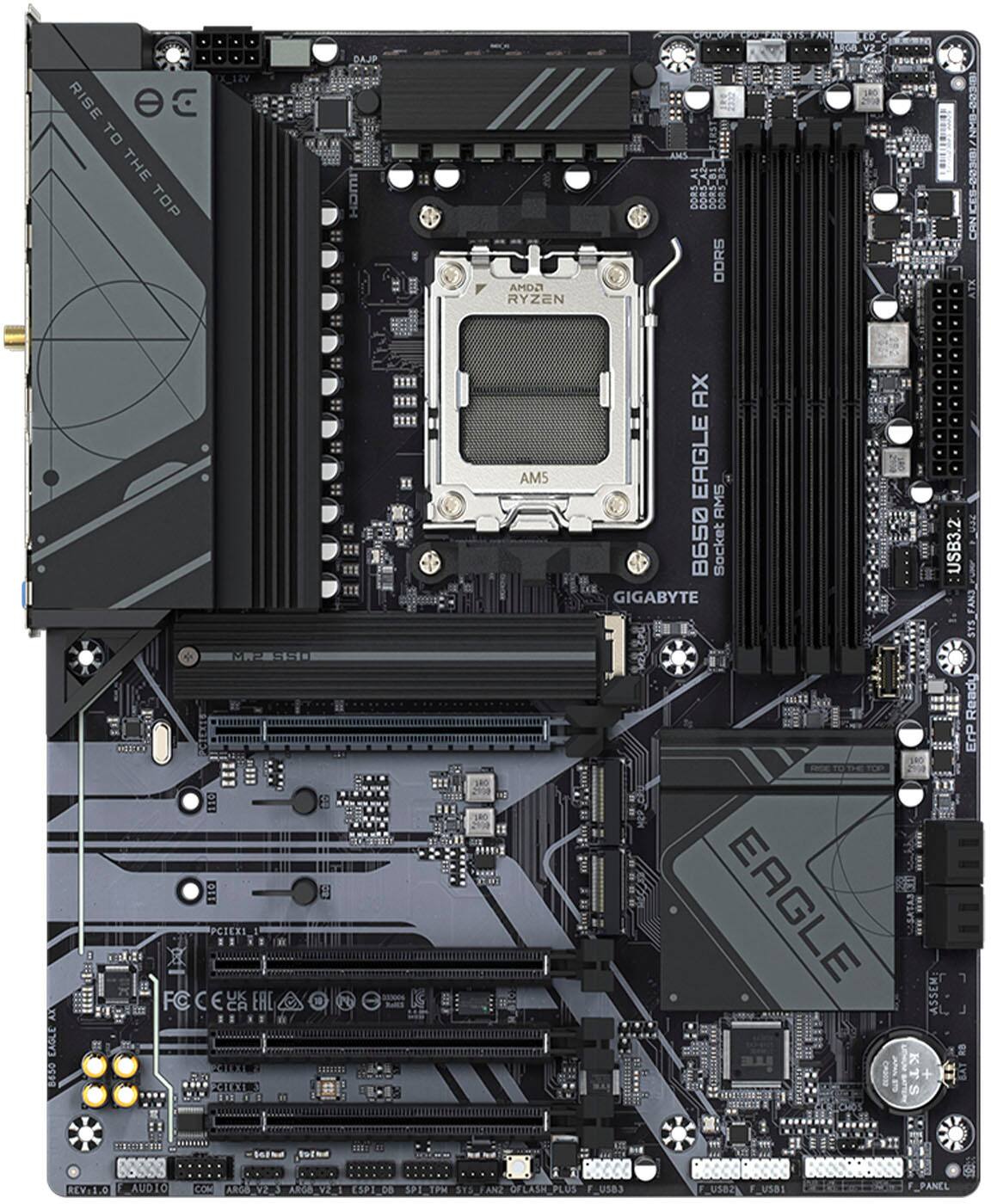
Your price for this item is $179.99

Customer reviews

Rating 4.6 out of 5 stars with 264 reviews

Rating Filter

Rating by feature

  • Value

    Rating 4.7 out of 5 stars

  • Quality

    Rating 4.5 out of 5 stars

  • Ease of Use

    Rating 4.5 out of 5 stars

Pros mentioned filter

Cons mentioned filter

94%would recommend to a friend

Customers are saying

Customers highly value the B650 Eagle AX motherboard's overall performance and its built-in Wi-Fi 6E for a lag-free wireless experience. The multiple M.2 slots and ease of use are also frequently praised, along with its competitive price point. While some users noted a preference for fewer USB 2.0 ports, the positive feedback on performance and features outweighs this minor concern.

This summary was generated by AI based on customer reviews.

The vast majority of our reviews come from verified purchases. Reviews from customers may include My Best Buy members, employees, and Tech Insider Network members (as tagged). Select reviewers may receive discounted products, promotional considerations or entries into drawings for honest, helpful reviews.
Page 12 Showing 221-240 of 264 reviews
  • Rated 5 out of 5 stars

    Computer

    |
    |
    Posted . Owned for 1 week when reviewed.
    This reviewer received promo considerations or sweepstakes entry for writing a review.

    Works beautifully. Easy to connect. Lots of fun!!!

    I would recommend this to a friend
  • Rated 4 out of 5 stars

    Overall good

    |
    |
    Posted . Owned for 2 weeks when reviewed.
    This reviewer received promo considerations or sweepstakes entry for writing a review.

    Good motherboard. Caused minimal issues. Would recommend.

    I would recommend this to a friend
  • Rated 5 out of 5 stars

    perfect switch from am4

    |
    |
    Posted . Owned for 1 month when reviewed.
    This reviewer received promo considerations or sweepstakes entry for writing a review.

    beast of a motherboard. handles everything with top speeds.

    I would recommend this to a friend
  • Rated 5 out of 5 stars

    Absolute beast of a motherboard

    |
    |
    Posted . Owned for less than 1 week when reviewed.
    This reviewer received promo considerations or sweepstakes entry for writing a review.

    Great board! I absolutely love the ports. Setup was seamless.

    I would recommend this to a friend
  • Rated 5 out of 5 stars

    new build

    |
    |
    Posted . Owned for 1 week when reviewed.
    This reviewer received promo considerations or sweepstakes entry for writing a review.

    i just got this nice motherboard for a new build works perfect

    I would recommend this to a friend
  • Rated 5 out of 5 stars

    Great purchase

    |
    |
    Posted . Owned for 1 week when reviewed.
    This reviewer received promo considerations or sweepstakes entry for writing a review.

    Great motherboard! Good for cable management as well

    I would recommend this to a friend
  • Rated 5 out of 5 stars

    Motherboard

    |
    |
    Posted . Owned for 1 week when reviewed.
    This reviewer received promo considerations or sweepstakes entry for writing a review.

    Works amazing I love it. Worked right out of the box!

    I would recommend this to a friend
  • Rated 5 out of 5 stars

    Motherboard

    |
    |
    Posted . Owned for 3 weeks when reviewed.
    This reviewer received promo considerations or sweepstakes entry for writing a review.

    Very easy too install and a very good priced motherboard.

    I would recommend this to a friend
  • Rated 5 out of 5 stars

    Good choice in motherboards

    |
    |
    Posted . Owned for 2 weeks when reviewed.
    This reviewer received promo considerations or sweepstakes entry for writing a review.

    Never had an issue with gigabyte boards, good board good IO

    I would recommend this to a friend
  • Rated 1 out of 5 stars

    I regret purchasing

    |
    |
    Posted . Owned for 3 weeks when reviewed.
    This reviewer received promo considerations or sweepstakes entry for writing a review.

    I would not recommend the B650 Eagle. The motherboard was completely dead on arrival and would not boot up into BIOS despite all the troubleshooting I did and hours of online guides and chat GPT helping. Tried to return and exchange for a new one and they had nothing at the store but used/open box, letting me know it is a frequently returned motherboard. Don't waste your time and get something a little more expensive like a tomahawk to save yourself a second trip to the store.

    No, I would not recommend this to a friend
  • Rated 2 out of 5 stars

    Good, unlucky

    |
    |
    Posted . Owned for 1 week when reviewed.
    This reviewer received promo considerations or sweepstakes entry for writing a review.

    It’s a really good motherboard just main came with a over tightened m2 screw and now facing power problems. But solid over for its price.

    I would recommend this to a friend
  • Pros mentioned:
    M.2 slots
    Cons mentioned:
    Usb 2.0
    Tech Insider Network Member

    Rated 5 out of 5 stars

    Solid B650 w/ PCIe 5 and multiple M.2 slots.

    |
    Tech Insider Network Member
    Posted .
    This reviewer received promo considerations or sweepstakes entry for writing a review.

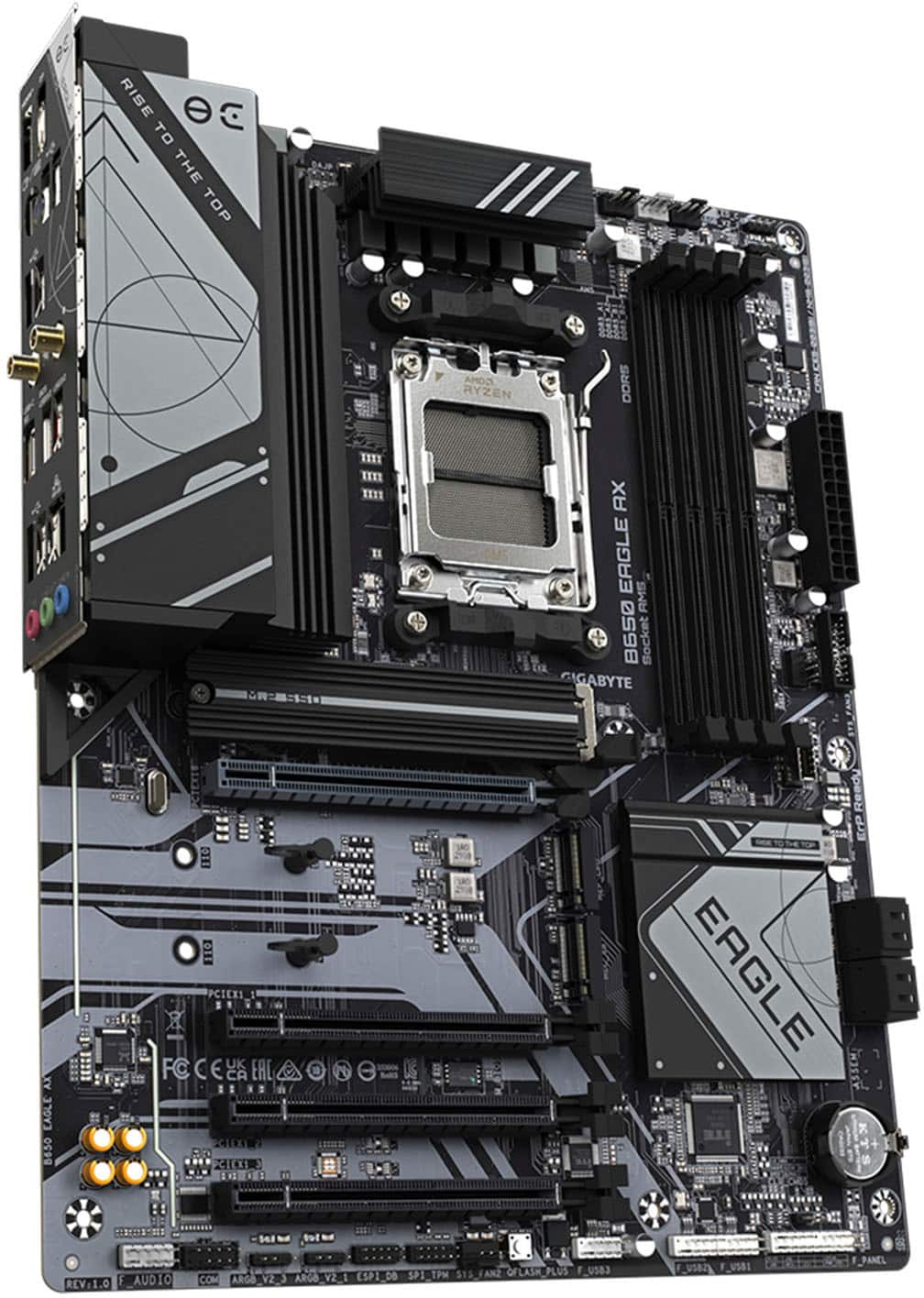
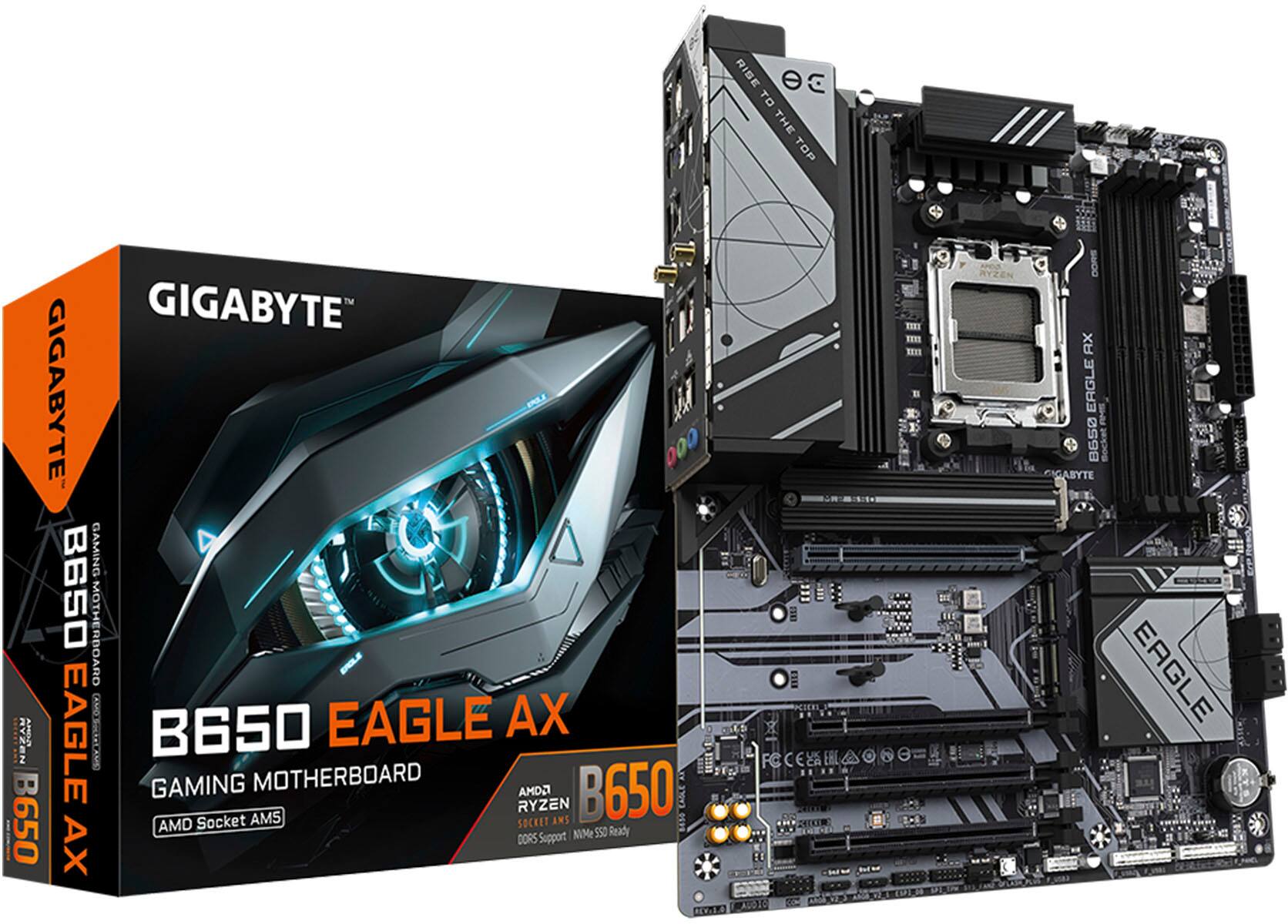
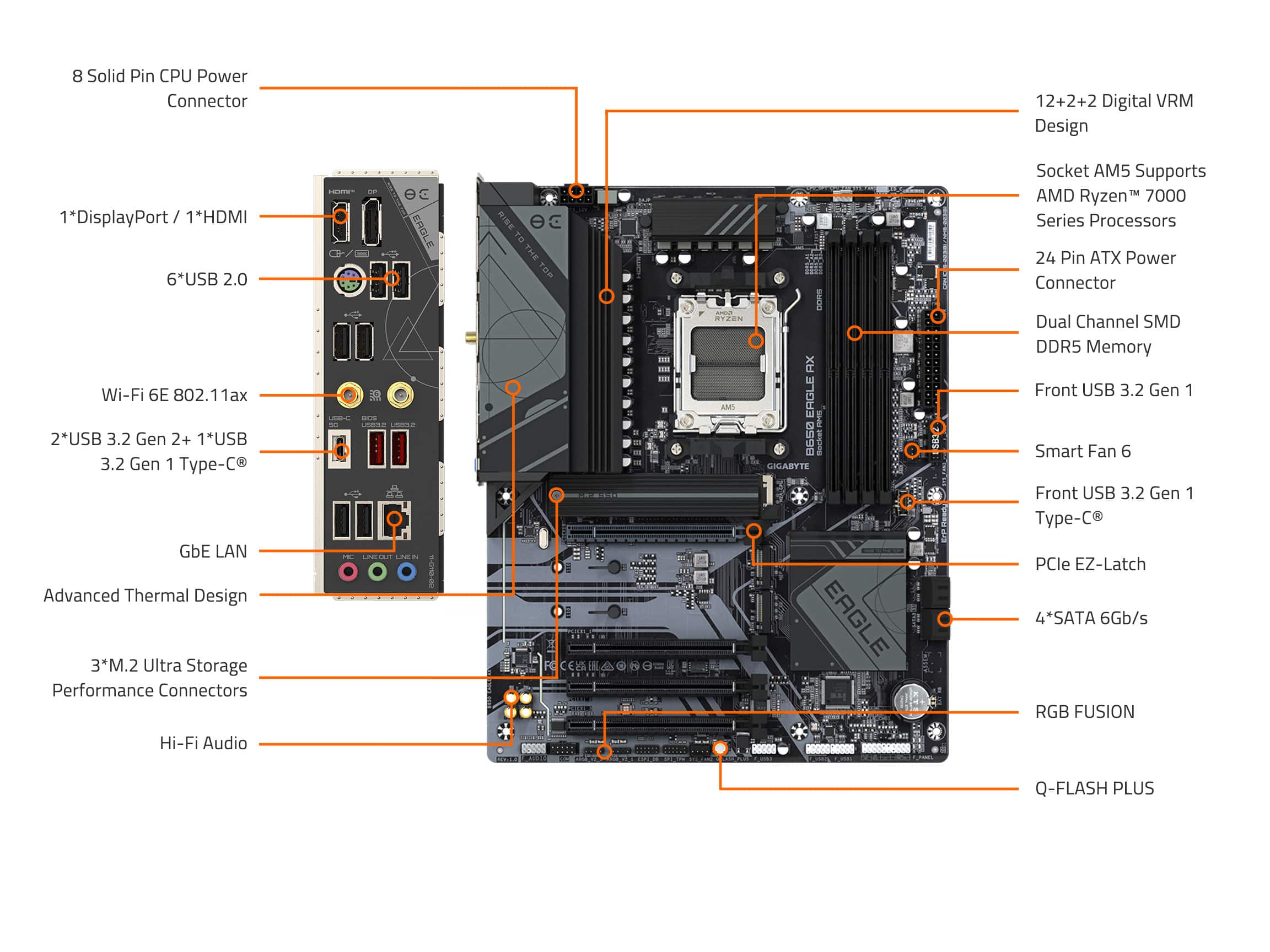
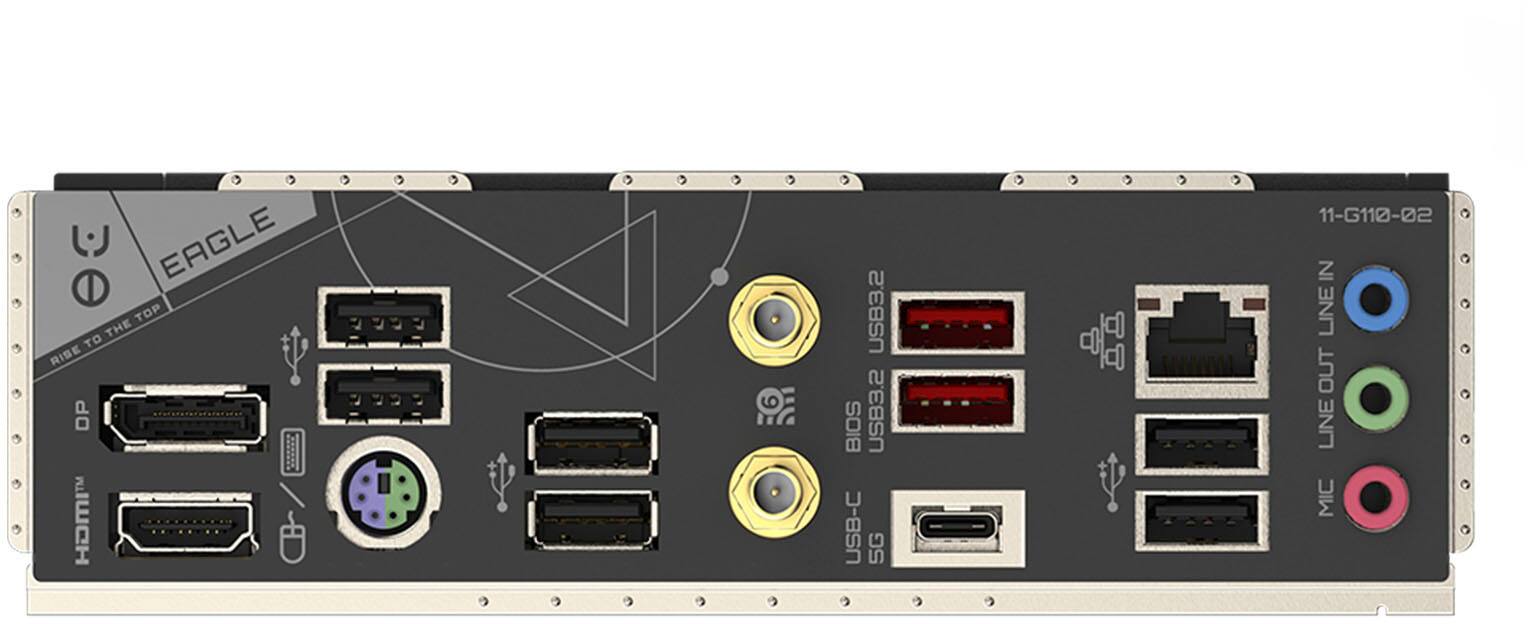
    Gigabyte’s B650 Eagle AX is a late term B650 chipset board. Based on Gigabyte’s existing B650 layout, and functionally similar to the Eagle non-ax, the Eagle AX brings a few tricks up its sleeve that make it an excellent sub $200 B650 board. First of all, as with a lot of mid-range to lower end boards these days, you have fairly sparse pickings inside the box. A quick start guide that directs you to Gigabyte’s website takes the place of a detailed manual. Inside the box you’ll find 1 m.2 screw, 2 SATA cables, and 2 wifi antennas. This, plus the board itself, wrapped in an anti-static bag, complete the contents of the box. The board itself is solidly mid-tier. The B650 is a sufficient chipset for Ryzen 7000 builds as long as you don’t require the additional PCIe lanes of it’s bigger brother. Gigabyte’s implementation includes Gen 5 to the GPU x16 slot and 1 M.2 slot (the one below the CPU). Gen 5 speeds on this board definitely work, as I was able to get 12GB a second to my Crucial T700 - this is all assuming you’re using a normal Ryzen 7000 series, not the 8000 APUs, as they’re limited to PCIe gen 4. The main PCIe slot worked great with my 7900 GRE, with no issues (PCIe Gen 4, but no GPUs have Gen 5 yet). The other PCIe m.2’s are a mix of CPU connected (PCIe 4.0x2) and chipset connected (PCIe 4.0x4). These slots were saturated with my SP UD90’s pretty well, as they’ll max out at Gen 3 x4 speeds of around 4GB a second. The other PCIe slots beyond the 16x gen 5 are chipset connected and there is no bifurcation support (you can’t make an 2*8x set of slots from the 16x). These only support gen 3.0 and run at 1x, which is only 1GB a second bandwidth, so don’t expect to plug at 10Gbit NIC into this board, the slots are of limited use. The back panel is nice, with an integrated IO shield. I love this feature, as I use an open bench for my main rig, and have no way of mounting it. You get 1 HDMI, DP for the integrated CPU graphics. Next to that is a combo PS2 port - useful for extreme overclockers and anyone looking for interrupt keyboards over USB polling - if none of that made sense then this is a useless port for you. Flanking that port are 4 USB ports that are chipset connected Next to the ports to the side, you’ll find the WiFi antennas, boasting an AX compatible card. On the other side of those are the CPU connected USB 3.2 Gen 2 and Gen 1 ports. Strangely, the USB-C found in this row is only Gen1, limiting it to 5Gb/s. The last ports are a set of USB 2.0, a 1Gb LAN, and mic/out/in analog audio jacks. This array of connectivity is pretty basic in my opinion, but it’s adequate for many. USB 2.0 should be regulated to just a couple ports in my opinion, so to see the vast majority of them 2.0 is disappointing. 1Gb Lan isn’t overly surprising, despite the proliferation of 2.5Gb. The star of the show is the AX WiFi, supporting up to 160MHz channel widths on the 6GHz band. The chip in use is Realtek’s RTL8852CE in m.2 form factor (hidden under the IO shield and heatsink. Unfortunately I am unable to test the full 6Ghz channel, due to only having WiFi 6 5GHz 80MHz channels. I was however able to max out my Gb internet using the WiFi, which was impressive. The included antennas are decent and offer great signal. I did have one issue, where the card would disappear after sleep. I don’t know exactly why that was occurring, but I believe it is a regression in the F31b bios. F30 seemed to reliably sleep and not lose the WiFi after resuming. The board supports an array of headers and connections. The Gen 5 m.2 slot has a generous heat spreader installed, and includes a tacky thermal pad to transfer heat from your super fast drive installed here. The other M.2 slots have no heatsinks, but they do have quick release clips. These are a bit more fiddly than I’ve dealt with on other motherboards, but they’re still better than losing a tiny m.2 screw (which strangely, the PCIe 5 slot uses a screw and standoff instead of these quick releases). There is a generous helping of RGB headers, both at the top and bottom of the board (3 ARGB and 1 RGB) - although the board itself lacks any lighting. There is a USB-C front panel connector (limited to 5Gb/s) as well as a USB-A 3.2 (5Gb/s) front panel connector. Front panel audio, COM port, and 3 more USB 2.0 headers are available. 4 SATA ports round out connectivity. There are 5 fan connectors, including the CPU fan. In fact, if you like the Arctic brand of AIO’s, the CPU_OPT, CPU_FAN, and SYS_FAN1 are adjacent to let you cleanly plug a Freezer III in. The board sits somewhere between the UD series, and Gaming series. The gaming lineup sits just below the Aorus line, so this is the mid-tier of Gigabyte’s designs. Honestly it offers a lot, even in the VRM area. While not the top of the line VRM, I found even powering a 7950x3d, VRM temps didn’t get above the 60C. Maybe that might be different if I had a 7950x, but I found the 12 phase VRM stayed quite cool w/ the x3D chip. The heatsinks on the VRM are fairly large, and have decent surface area. Gone are the days of poorly designed VRM heatsinks. Gigabyte boasts up to 7600 DDR5 support, which on Ryzen 7000 is mostly out of the reach of most chips. It’s possible an 8000 series monolithic chip’s memory controller could hit those speeds, but honestly Ryzen’s sweet spot is 6000MHz, and my Corsair 96GB kit ran easily at CL32 6000. I haven’t dialed in the timings 100% yet, but it feels perfectly stable even at the CL32 6400 MHz XMP profile. Be sure to pay attention to the board markings, as they do identify which channels to use (they are marked ‘first’), which are slot A2 and B2. The memory trace design and stability of the board’s PCB are top notch. The BIOS is gigabyte’s standard affair. You’ll find easy/advanced mode, easy XMP access, favorite settings, etc. AMD’s CBS and PBS menus are accessible. Software wise, Gigabyte’s Control Center (GCC, not to be confused with the open source compiler), The board works fine with Ryzen Master as well, so if you want to overclock a bit you’re fine. I found my experience w/ the 7950x3d was just taming its heat, but was able to hit over 35k in Cinebench R23 w/ just a bit of undervolt curve optimizer tuning. Overall this board sports a lot of performance and stability, which is being held back by limited connectivity features. You have at most 6 USB 3 ports (with only 2 USB-A being 10Gb/s), and 12 USB 2.0 Ports. B650 has a limited amount of PCIe lanes that it gets divided up, and it’s very obvious here that compromises were made to focus on WiFi, and the core PCIe 5.0 lane implementation (20 lanes). Of course, if all you are looking for is a blazing fast M.2 slot and 16x graphics slot, a 7800x3D + RTX 4090 would perform just the same as on a much more expensive board. What you give up w/ this board are just some of the niceties of connectivity and expansion beyond that. I feel like this board is a decent balance for most gamer style builds.

    I would recommend this to a friend
  • Rated 1 out of 5 stars

    Nothing but problems

    |
    |
    Posted . Owned for 2 weeks when reviewed.
    This reviewer received promo considerations or sweepstakes entry for writing a review.

    Massive BIOS issues out of box. Seems to be a common problem with B650 boards. I’ve never had this much difficulty setting up a new PC. Definitely cannot recommend it.

    No, I would not recommend this to a friend
  • Pros mentioned:
    Overall performance, Wi-fi
    Tech Insider Network Member

    Rated 5 out of 5 stars

    Full featured, great performer for less

    |
    Tech Insider Network Member
    Posted .
    This reviewer received promo considerations or sweepstakes entry for writing a review.

    I have built many PCs over the years and when on a limited budget I used to overclock quite a bit to squeeze the most performance out of those components that could safely allow it. Gigabyte has always been one of the top 3 motherboards in my builds, usually more on the budget side, but still a strong performer. This GIGABYTE - B650 EAGLE AX (Socket AM5) AMD B650 ATX DDR5 Wi-Fi 6E Motherboard is no exception. It is actually a great midrange gaming motherboard. My current setup is by no means the highest performer, but it is very stable, runs cool and quiet and has plenty of headroom for higher performance with a more expensive CPU and GPU. I gutted an older 8-core AMD FX system and reused my trusted Antec 900 black case that has plenty of fans and airflow and clearance for a sizeable CPU cooler. The smart fan 6 headers works great with my case where I can manage the speed of the fans to make the case quieter. I paired this motherboard with an AMD Ryzen 5 7600X CPU that works well for even the most demanding gaming, multimedia, streaming and business apps use. It also has flexibility and room for overclocking to get even more performance without overspending. For the time being I am using a Cooler Master Hyper 212 Black edition but later on I am looking to upgrade to the Noctua NH-U12A that will help keep temps down when overclocking. Also I installed 2x16 GB sticks of Crucial Pro DDR5-6000 memory that automatically picked up the right timing settings and can also be overclocked thanks to this motherboard’s support of AMD EXPO technology. Gigabyte equipped this motherboard with upgraded power with digital VRM with 12*2+2 phases which run cool and provide very stable voltages to the CPU and memory buses. This motherboard provides plenty of internal and external connectivity options. With its impressive next gen PCIe 5.0 and 2 PCIe 4.0 M.2 slots for high-speed SSD drives you won’t have to worry about storage. You can even do RAID0 striping for increased capacity and performance or RAID1 mirroring for redundancy. Additionally there are plenty of USB ports, USB 3.2 ports, USB C ports both rear and front and wondering why there is still a PS2 mouse/keyboard port…In terms of network connectivity, you got the typical 1 GbE Ethernet port as well as Wi-Fi 6E supporting 2.4/5/6 GHz wireless frequencies and the latest Bluetooth 5.3. Overall, this GIGABYTE - B650 EAGLE AX (Socket AM5) AMD B650 ATX DDR5 Wi-Fi 6E Motherboard is a great mid-range gaming MoBo that punches above its weight, with some features only found in much more expensive motherboards.

    I would recommend this to a friend
  • Rated 2 out of 5 stars

    Would not recommend

    |
    |
    Posted . Owned for less than 1 week when reviewed.
    This reviewer received promo considerations or sweepstakes entry for writing a review.

    It took me 12 hours to install Windows 11 because there were no instructions in the box and had wifi disabled in bios

    No, I would not recommend this to a friend
  • Rated 1 out of 5 stars

    GIGABYTE - B650 EAGLE AX (Socket AM5) AMD B650 ATX

    |
    |
    Posted .
    This reviewer received promo considerations or sweepstakes entry for writing a review.

    The mother board doesn’t work too out the box and start putting everything to and my pc over heated

    No, I would not recommend this to a friend
  • Pros mentioned:
    Overall performance, Wi-fi
    Tech Insider Network Member

    Rated 5 out of 5 stars

    Feature-Rich Mobo for Next-Gen AM5 Systems

    |
    Tech Insider Network Member
    Posted .
    This reviewer received promo considerations or sweepstakes entry for writing a review.

    The Gigabyte B650 Eagle AX motherboard positions itself as a strong contender for high-performance AMD Ryzen 7000 series systems. Gigabyte touts the B650 Eagle AX's ability to deliver unparalleled performance, making it suitable for demanding tasks undertaken by gamers and content creators. Stability is a key component of any performance-focused platform, and the B650 Eagle AX boasts a robust 12+2+2 phase digital VRM solution. This design ensures a steady flow of power to the CPU, even during heavy workloads. Storage options are plentiful with three M.2 slots, with one leveraging the cutting-edge PCIe 5.0 standard. This translates to significantly faster data transfer speeds, beneficial for applications and games that rely on rapid loading times. Additionally, the motherboard offers support for DDR5 memory, ensuring compatibility with the latest RAM technology and maximizing system responsiveness. The B650 Eagle AX caters to a well-connected environment with a high-speed USB-C port and reliable Gigabit Ethernet. Built-in Wi-Fi 6E offers a lag-free wireless experience. Thermal management is addressed through Gigabyte's advanced thermal design, which effectively dissipates heat to maintain optimal system temperatures during operation. This allows me to push their systems without compromising stability due to overheating. For anyone who prioritize aesthetics, the B650 Eagle AX provides support for addressable RGB LED strips, enabling customization to match individual preferences. A standout feature is Q-Flash Plus, a utility that facilitates BIOS updates without requiring CPU, memory, or graphics card installation. This is a significant time-saving feature, particularly for anyone who frequently update their system firmware. In conclusion, the Gigabyte B650 Eagle AX motherboard presents a compelling option for anyone building next-generation AM5 systems. Its focus on performance, extensive storage options, comprehensive connectivity, and robust thermal design make it a well-rounded solution for demanding users.

    I would recommend this to a friend
  • Pros mentioned:
    M.2 slots, Price
    Tech Insider Network Member

    Rated 5 out of 5 stars

    Wonderful board, exactly what it needs to be

    |
    Tech Insider Network Member
    Posted .
    This reviewer received promo considerations or sweepstakes entry for writing a review.

    All the features with less cost. I've been building PCs for almost 3 decades and much of that has been with AMD powering my machines, this generation has been no different. Packaging: Much as expected it's a rectangular cardboard box with the board inside and a minor amount of literature. I will say this is where it falls a little short, there's no manual. I guess maybe I'm old school but I really appreciate the paper motherboard manual because while everyone has a phone these days, when you're elbow deep in a PC sometimes having the hard copy in front of you is beneficial. But beyond that it comes with the antennas for the wireless and some SATA cables Hardware Installation: Again as you'd expect, the board is ATX form factor and fits appropriately. I will say I'm a huge fan of the integrated IO shield. One less thing to draw blood on or like many of us have done, forget to install. The board does have 3 m.2 slots and they use the twist lock plastic things instead of those super tiny screws so that's great (except for the one with the heatsink, still tiny screw). The one with the heatsink does support PCIE 5.0 for the fastest NVME drives. The other two slots are limited to either 1x PCIE 4X4 or 2x PCIE4x2 drives so be aware of the limitation. Software installation: I will say that AMDs driver pack is a nightmare. If you try to do a mix of raid and non-raid configurations you're going to be in for a world of hurt and honestly without a fix in the future for this crazy stuff it may be the reason I go back to Intel. That said it's not gigabyte's fault and does not detract from the board in any way. Just be aware of that limitation. Future: The board already has received a bios update to support the latest as yet unreleased Ryzen 9000 series, so the future proofing is great on this and it'll be a good way to save money over the newest chipset boards if you don't need those features. Overall All in all this is a great board and well worth the price if you're aware of the limitations

    I would recommend this to a friend
  • Pros mentioned:
    M.2 slots, Overall performance
    Cons mentioned:
    Usb 2.0
    Tech Insider Network Member

    Rated 5 out of 5 stars

    Excellent AM5 choice that doesnt hold you back!

    |
    Tech Insider Network Member
    Posted .
    This reviewer received promo considerations or sweepstakes entry for writing a review.

    I wanted a motherboard that could pull the most out of my Ryzen 9 7950X CPU and still maintain under load, provide max wattage without failure and within my thermal limits with the VRMs and this one is one of the best out there! Using an AIO of course on most boards do not help with cooling the VRMs so its crucial that you have good cooling there on the motherboard itself. This comes with a high quality heat sink specifically for this purpose which is perfect for pushing the limits like I wanted to do. It has 6 USB 3.2 ports and ability for 12 USB 2.0 ports which worked fine for me though some may want more 3.2 ports these days it didnt bother me. Something else people may want to note is that this only has gigabit ethernet on board weather this affects you or not is up to your own internet connection but me personally I am using WIFI 6e through a TP link router and this motherboard of course supports the full signal in this regard with wifi 6E as well. It supports DDR5 ram which I am running 32gb of no problems to speak of. 3 M.2 slots with 1 of them being the new PCIe 5.0 compliance to get you into the future well. Ryzen has confirmed that they will be supporting the AM5 socket still through 2027+ which should be at the very least 1 more entire generation into the future supported by this as well. Numbers wise in Cinnebench 2024 running on a loop to stress test modules and thermals I was sitting at about 85c without any throttling to speak of which beats out my last motherboard by a good amount though I had VRM cooling issues on that one. Scores for my 7950x were hitting 2118 or so on this. Needless to say if you’re in the market for a B650 and need the best performance for the bottom dollar with decent support into the future you cant ask for anything more here.

    I would recommend this to a friend
  • Pros mentioned:
    M.2 slots, Overall performance
    Tech Insider Network Member

    Rated 5 out of 5 stars

    Handles gaming, No overheating issues.

    |
    Tech Insider Network Member
    Posted .
    This reviewer received promo considerations or sweepstakes entry for writing a review.

    This is a solid motherboard with tons of ports that would make you happy being a PC gamer. B650 Eagle AX takes care of all my needs for the use cases. It’s a motherboard so you must be somewhat tech savvy to use this part in a build. This is a Ryzen B650 board that supports AMD socket AM5, DDR5, and NVme. Wireless AX stays strong with my initial testing, comes with two Wifi Antennas. HDMI and DisplayPort is supported in this ATX form factor design. The PCIE 5.0 slot has a new latch that makes it easier to push down and take the GPU out. There are 8 USB ports on the back of the board all of which have various speeds. The motherboard also has 8 channel HD audio, Raid 0 &1, 4x Sata 3 ports, 3x M.2 SSD, 4x Dimms slots for RAM, Dual Channel DDR5 support, 1x PCIe 4.0 x 16 with 3x PCIe expansion slots, large Heatsink with M.2 thermal guards. The board stays cool in a normal sized case, no issues with overheating from my first testing. It’s a great motherboard overall and it works just fine for me. This is a gaming motherboard so all the features you need as a PC gamer are here with enough future proof ports. It’s ultimately designed for long sessions in a bigger rig. It handles Ryzen chipset very well and I’m impressed about the performance the board puts out. The phase on the board looks well put together for the price it is so I truly am satisfied with the amount of power and ports this board has. I am not an overclocked anymore so I will not test that side of the motherboard these days. It handles what I need it to do and that’s to play games the way it is meant to be. The board here has a lot of slots for ports when gaming with the latest AMD chips. It’s worth every penny if you want to build a new PC rig.

    I would recommend this to a friend