Customer Ratings & Reviews
- Model:
- B650 EAGLE AX
- SKU:
- 6582206
Rating by feature
- Value
Rating 4.7 out of 5 stars
- Quality
Rating 4.5 out of 5 stars
- Ease of Use
Rating 4.5 out of 5 stars
Customers are saying
Customers are impressed with the B650 EAGLE AX motherboard's overall performance, built-in Wi-Fi, and multiple M.2 slots for storage. Users also appreciate its ease of use, reasonable price, and VRM capabilities, making it suitable for both beginners and experienced builders. The BIOS is user-friendly, and the motherboard offers good compatibility with new-generation components. Some users have expressed a desire for faster ethernet speeds.
This summary was generated by AI based on customer reviews.
- Pros mentioned:Overall performance
B650 EAGLE AX
||Posted . Owned for 5 months when reviewed.This reviewer received promo considerations or sweepstakes entry for writing a review.Awesome motherboard haven’t had any issue definitely recommending it to a family and friends
I would recommend this to a friend Great Board
||Posted . Owned for 1 month when reviewed.This reviewer received promo considerations or sweepstakes entry for writing a review.It was just exactly what I was looking for, fit just right.
I would recommend this to a friendBanger Motherboard
||Posted . Owned for 11 months when reviewed.This reviewer received promo considerations or sweepstakes entry for writing a review.Supports all parts I need and then some. 100% would recommend to a friend
I would recommend this to a friend- Pros mentioned:Price
Good motherboard
||Posted . Owned for less than 1 week when reviewed.This reviewer received promo considerations or sweepstakes entry for writing a review.Perfect B650 motherboard if you trying to build a computer while also trying to save a little extra money
I would recommend this to a friend - Pros mentioned:Overall performance
Great board
||Posted . Owned for 1 month when reviewed.This reviewer received promo considerations or sweepstakes entry for writing a review.Quality motherboard. Got it to pair up a Ryzen 7 9700x and RX 7800xt for gaming.
I would recommend this to a friend new pc build is phenomenal
||Posted . Owned for 1 month when reviewed.This reviewer received promo considerations or sweepstakes entry for writing a review.got most of the parts online and the rest in store and everything was very smooth and customer service was very nice helping me with things i didnt know waiting for the 9800x3d cpu so i can complete my build so winning this giftcard would be so generous on helping me
I would recommend this to a friendEasy setup lots of room
||Posted . Owned for 3 weeks when reviewed.This reviewer received promo considerations or sweepstakes entry for writing a review.Lots of room for cable management, and plenty of accessories from mobo post stands to extra screws. Would purchase again for sure.
I would recommend this to a friendGreat Motherboard!
||Posted . Owned for 2 months when reviewed.This reviewer received promo considerations or sweepstakes entry for writing a review.It’s a great motherboard and did everything I needed it to do. The Wi-Fi dongles at the back can be a bit loose or sometimes don’t work properly, but I connect via Ethernet, so it didn’t matter for me.
I would recommend this to a friendBest AM5 Budget mobo
||Posted .This reviewer received promo considerations or sweepstakes entry for writing a review.Came shipped with no damage, worked perfectly out of the box, ram goes in A2,B2, for WiFi driver use the Realtek ones intel didn’t work for me. Overall best AM5 budget mobo
I would recommend this to a friendGood motherboard for its price!
||Posted . Owned for 1 month when reviewed.This reviewer received promo considerations or sweepstakes entry for writing a review.It’s a really good motherboard, very future proof! Only thing is youd def have to buy a fan port bc theres only 3 led ports for fans
I would recommend this to a friendMOTHERBOARD
||Posted . Owned for 1 week when reviewed.This reviewer received promo considerations or sweepstakes entry for writing a review.This was not hard to put in and very good quality.
I would recommend this to a friend- Pros mentioned:Overall performance, Wi-fi

Versatile: performance, connectivity and ease use
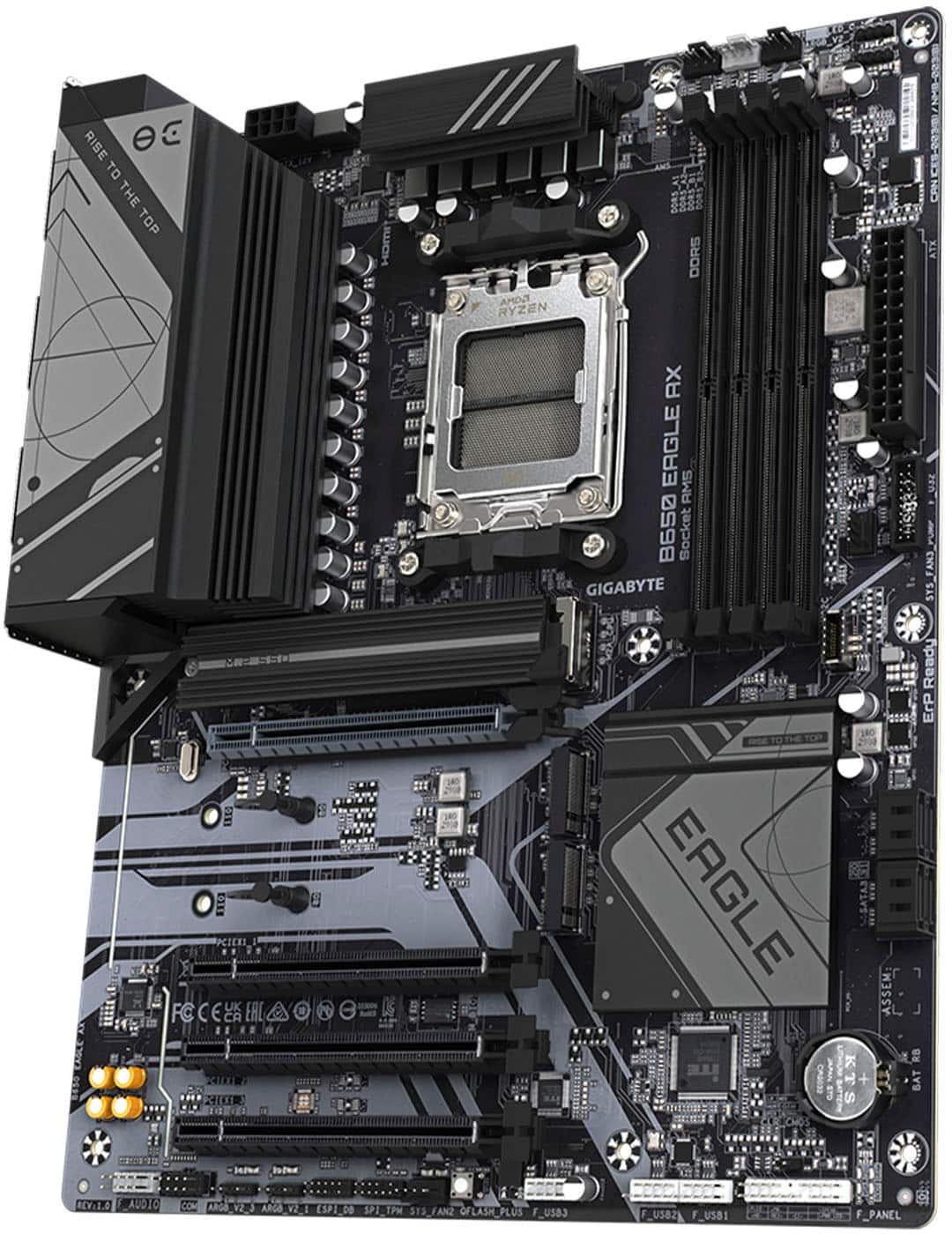
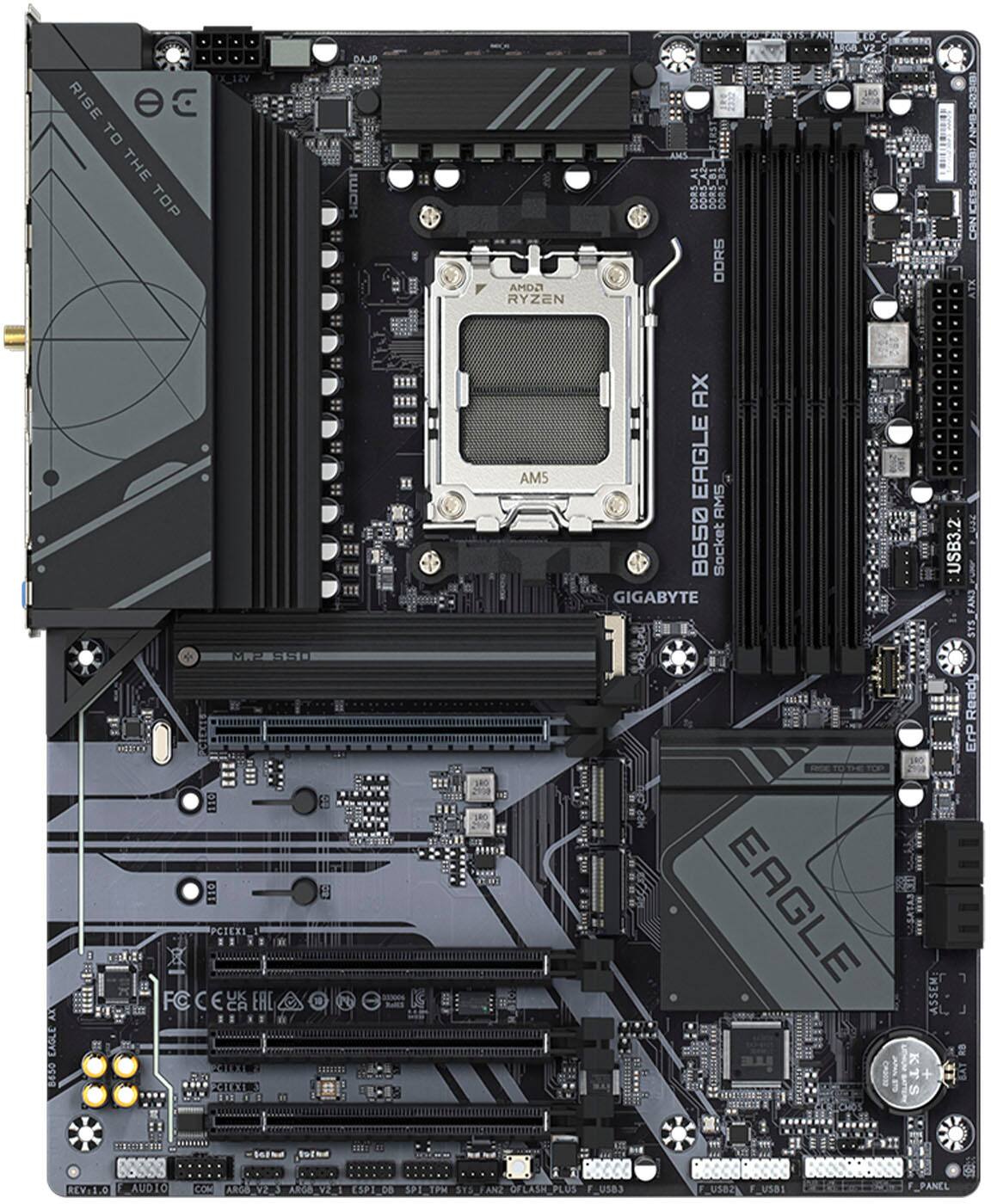
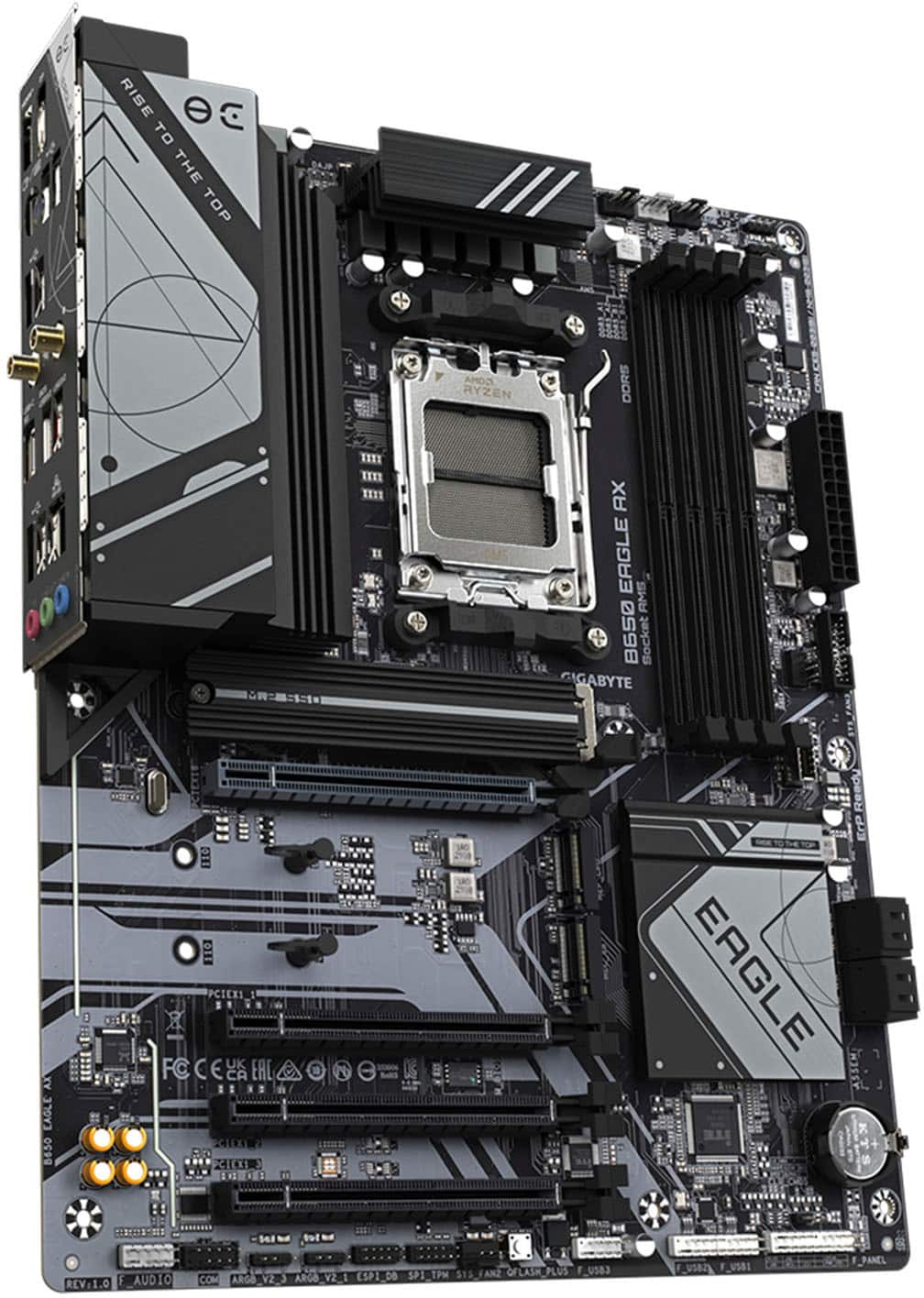
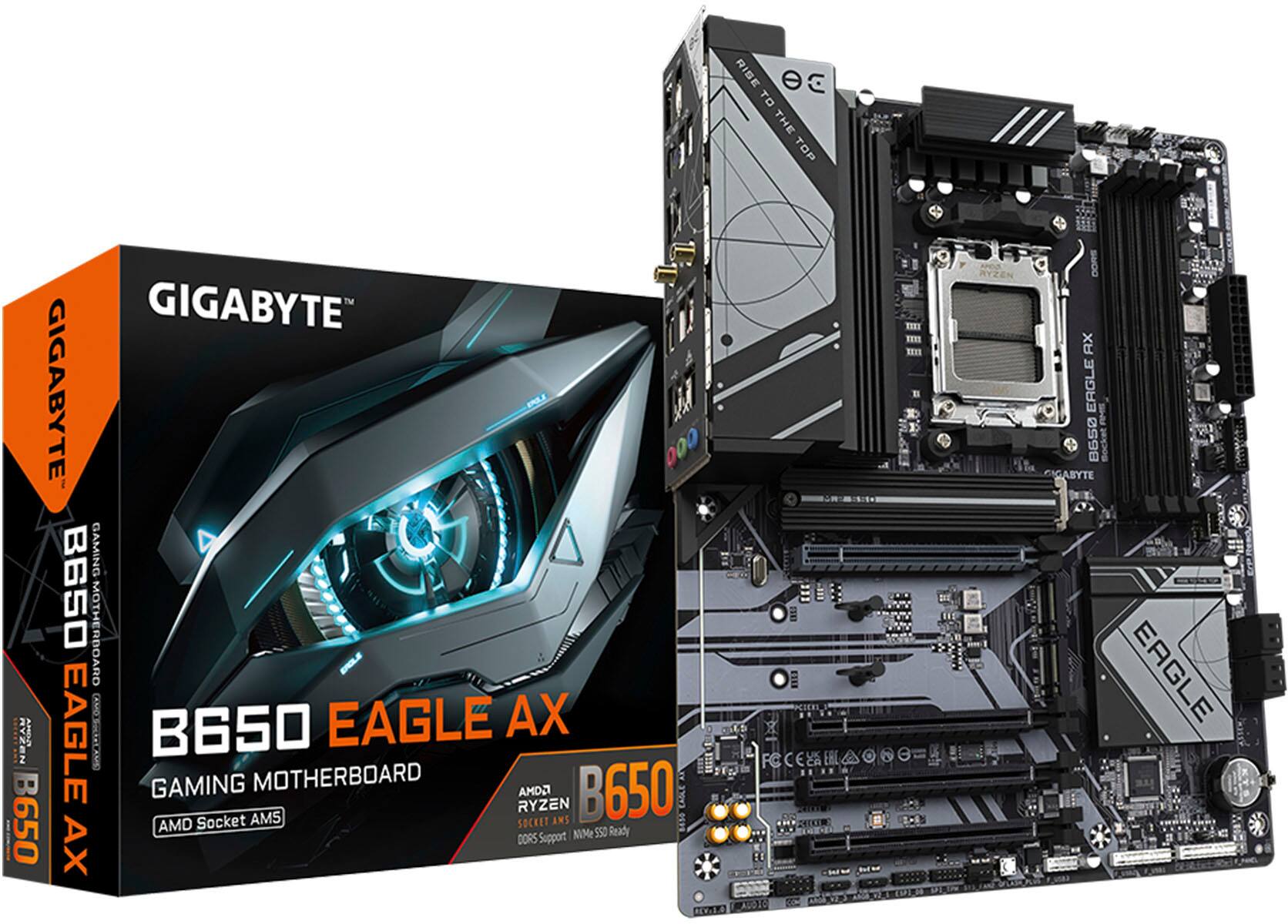
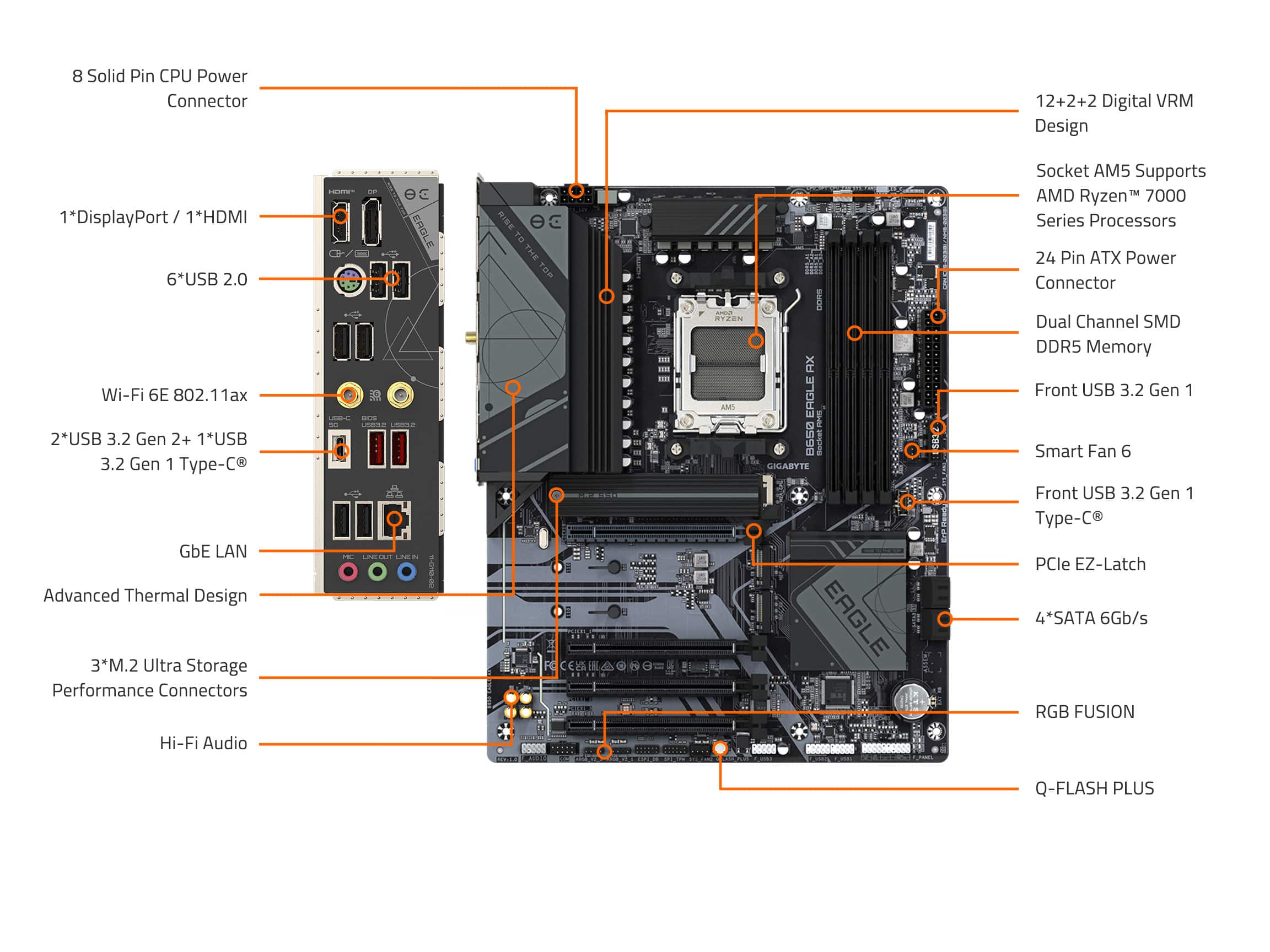
|Posted .This reviewer received promo considerations or sweepstakes entry for writing a review.The Gigabyte B650 Eagle EZ motherboard has great features, it performs well and it is versatile, I am using it to play as well as editing and video rendering, so let me explain why this motherboard does great as short as possible. This is not my first build so it was fairly easy to put it together as well as the setup; I already had an ATX motherboard that I was able to use. Once the build was complete, it worked great. The B650 Eagle AX features a robust 12+2+2 phases digital VRM solution, ensuring stable power delivery to the CPU. For an advanced PC the motherboard has a socket AM5 chipset that is compatible with the AMD Ryzen 7000, Ryzen 8000 and Ryzen 9000 Series processors, so it provides unparalleled performance. In other words, expect much faster and great performance. As for connectivity and networking, it is fast with Wi-Fi 6E supporting 2.4/5/6 GHz carrier frequency bands and GbE LAN chip that provide seamless connectivity. I like that it also has Bluetooth 5.3 so it has a great range and fast data transfer. As for display options, it has one HDMI and a DisplayPort and I am using both, plus it has different USB connections including USB C port. One of the most important things for me is memory support and I like that it has dual channel DDR5 7600 support with 4 DIMM sockets that allows for faster data transfer and improved multitasking with up to 192 Gb of system memory. Storage is also important for me and the B650 motherboard is ready for high speeds and since it has M.2 thermal guard, it makes certain to have optimal performance while being stable. I like that it has the EZ Latch for the graphic card so it is easier to install and replace in the future if needed. As for the Q Flash Plus, this allows BIOS updates without installing the CPU, memory, or graphics card. It is Versatile, the B650 Eagle AX is designed for gaming, and its strong VRM and memory support make it suitable for it. And it has a smooth performance and low latency. And it does not stop there, since I do both editing and rendering 4k videos the fast storage options and stable power delivery, it's ideal for my content. The video rendering and editing tasks are easy and smooth due to its capabilities. Overall, the Gigabyte B650 Eagle AX has it all, performance, ease of use and connectivity. Whether you're a gamer or a content creator or both like I do, this motherboard has you covered.
I would recommend this to a friend Damaged but replaced
||Posted . Owned for 2 weeks when reviewed.This reviewer received promo considerations or sweepstakes entry for writing a review.I ordered a open box version of this montherbord it was damaged the cpu pins on the bord had been bent because the cpu cover was not on it was moving around in the box freely but it was easy to get a replacement board but it cost 30$ extra because I could only get a new one
I would recommend this to a friendOpen Box "Excellent" B650 Eagle Ax
||Posted . Owned for 1 week when reviewed.This reviewer received promo considerations or sweepstakes entry for writing a review.A number of these motherboards have the screw that holds down the M.2 heat shield over tightened. The open box one i bought the screw was completely stripped from the last person trying to get it off. Best Buy was generally unhelpful after reporting the issue, GIGABYTE was equally unhelpful. Since i was stuck with the product i ended up having to use a Dremel tool to etch a flat head notch into the screw and after a TON of pressure and torque able to get the stupid thing off.
No, I would not recommend this to a friendSold as New, turned out to be open-box and damaged
||Posted . Owned for 3 weeks when reviewed.This reviewer received promo considerations or sweepstakes entry for writing a review.Sold as new with the retail price only to find out it was an open box purchase and it came damaged! Some pins for the cpu was bent making the motherboard useless. Make sure your purchase is actually new to avoid the hassle of having to return a buy another motherboard.
No, I would not recommend this to a friendBad Purchase...
||Posted . Owned for 1 month when reviewed.This reviewer received promo considerations or sweepstakes entry for writing a review.I bought the motherboard, in an open box because the review said that it was in excellent condition, which is not true, it is damaged in the part where the processor is installed.
No, I would not recommend this to a friend- Pros mentioned:Ease of use
Great value in a gaming board, great VRM cooling
|Posted .This reviewer received promo considerations or sweepstakes entry for writing a review.I had a good time building with the Gigabyte B650 Eagle AX. It’s a pretty hefty board and I feel like my build will last a good long time because of some good decisions that Gigabyte made. Build Quality and Design: The board is really well-built with a multi phase VRM solution that has a massive heatsink over the VRMs. (see my picture of it during installation) The heatsink extends over to the IO area and covers a large portion of the board. I think that it will sufficiently transfer the heat during heavy use as I found during my initial stress test and benchmarking. Temperatures didn’t go over 73 degrees in my very basic build and would have been better if my case had the full array of fans it could support. Another thing is... the NVMe are labeled as to whether they are CPU or Southbridge connected! That’s so convenient! I know that you can look it up, but when you’re trying to just get something built, that saves a minor amount of frustration, and that’s just great! Connectivity and Expansion: This motherboard has good connectivity for a gamer board. It has one PCIe 5.0 and two PCIe 4.0 M.2 slots. The 5.0 NVMe has a huge heatsink for those boards that don’t already include one. It also includes multiple USB ports, including USB 3.2 Gen 2. The box says that it only supports USB 3.2 Gen 1 USB C, but it’s wrong. It does support gen 2 because I was able to get typical 10MBps data rates from the built in USB C port. There’s an HDMI and DisplayPort on the IO but they will only work if you have a “G” processor. There’s 4 SATA as well, but really with 3 NVMe on there you only care about that if you’re a game hoarder (like me!). I would have really liked USB 4 and I also would rather not have any USB 2.0 or PS2 on the back of the motherboard at this point. It’s really getting to the point where these legacy ports are just taking up space where you could have more useful ports. Ease of Use: I really like the clips that the board has for the 5.0 PCIe 16x port. I was able to give it enough pressure from the back of the 6950XT that I was putting in the slot. One of the pain points is taking cards out of your case for testing or replacement, and it was fairly easy with Gigabyte’s solution. But they only put it on the 5.0 slot and not the other three slots! I didn’t have any issues with crashing during the time I had this board, but I kept everything at stock. The 7600x I installed with 6950XT seemed to be very happy with the setup. Conclusion: I'm happy with my build with this board. It was fairly easy and the board has good heat solutions for the components that matter. I recommend it for someone that wants a good value for a board that has gaming connectivity needs. AM5 is turning out to be a real champ!
I would recommend this to a friend - Pros mentioned:Wi-fi
High performance quality on a budget
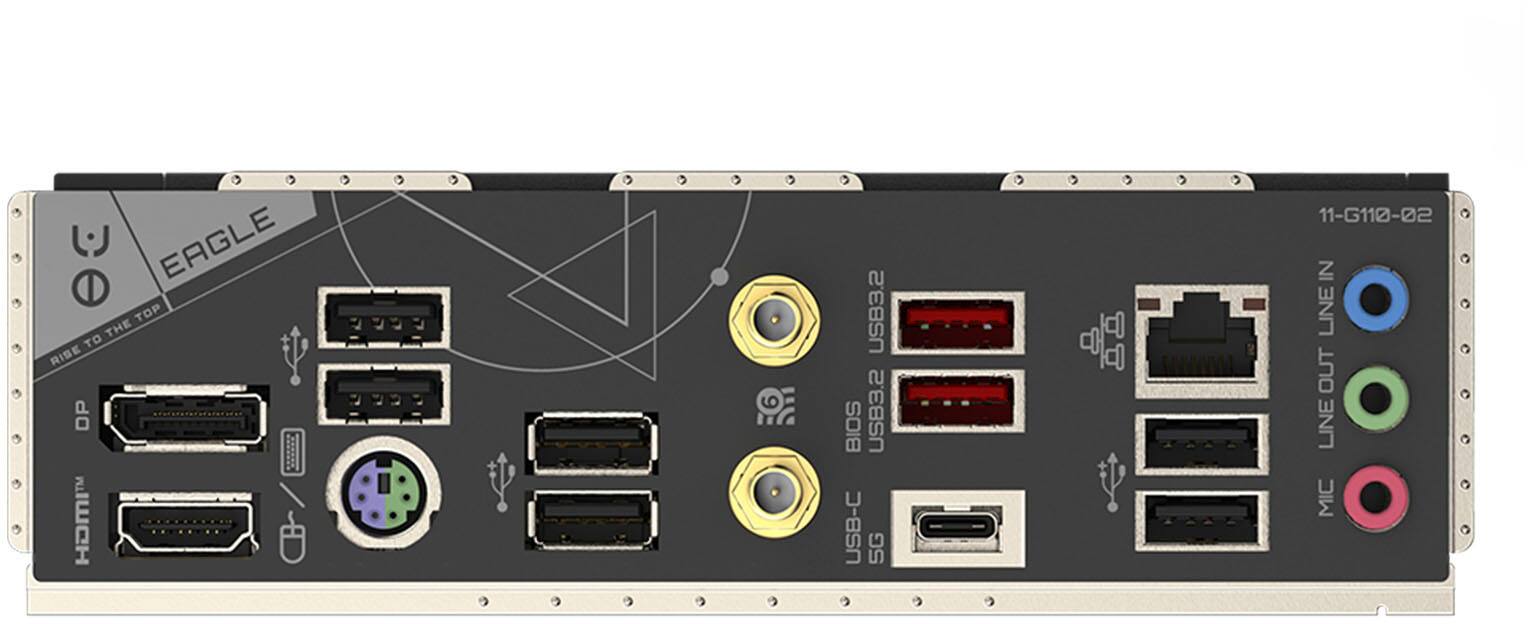
|Posted .This reviewer received promo considerations or sweepstakes entry for writing a review.I've recently had the pleasure of upgrading my budget PC build with the GIGABYTE B650 Eagle AX AMD AM5 DDR5 Wi-Fi 6 motherboard, and it has been an impressive experience. This motherboard is not just a robust performer but also has a visually appealing design. The aesthetics of the B650 Eagle AX are quite striking for what seems like a budget board target. The dark gray to black PCB board with light grey graphics adds a sleek and modern look to any build. It feels incredibly durable, giving you confidence in its longevity and reliability while building a rig or making any upgrades in the future. There are plenty of fan headers for pc case fan connectivity, ARGB and LED headers to light up your build and give it your personal flair. The design makes it easy to connect all your PC parts, including RAM sticks and all pin connectors, without any hassle. In terms of connectivity and expansion, the B650 Eagle AX is quite impressive. It features a PCIe 5.0 M.2 and two PCIe 4.0 M.2 connectors, making it perfect for high-speed storage. Additionally, there are four full-size PCIe slots for GPUs and other add-ons. This is a great feature since many high-end motherboards often include smaller slots that can be limiting. The thermal heatsink design for the M.2 SSD and the MOSFETs are on par with higher end boards ensuring efficient heat dissipation and maintaining optimal temperatures. In terms of ports, the B650 Eagle AX doesn't disappoint. It comes with six USB 2.0 ports, two USB 3.2 ports, and one USB-C 3.2 port. Additionally, it has one DisplayPort and one HDMI port, which is particularly useful if you decide to use an integrated graphics CPU like the AMD Ryzen 5 8500G that I am currently using with this board. But this board is compatible with AM5 7000 series and up depending on how much you wish to invest in this board for your build. The inclusion of Wi-Fi 6E and Gb LAN ensures lightning-fast connections with no drops, which has been a game-changer for my online activities and gaming. The Smart Fan 6 header interface is a fantastic feature that allows you to customize a dual fan curve for optimal cooling and quiet operation. I have a PC case with six fans and an AIO radiator, and this motherboard fit perfectly with no issues. The customization options for my fan pump and system fans kept my PC rig at optimal temperatures with little to no fan noise. One feature that caught my eye was the Q-Flash Plus, which enables BIOS updates before installing the CPU, RAM, and GPU. However, I did encounter some difficulties getting this feature to work properly. Instead, I opted to download BIOS updates directly from the manufacturer’s website the old-fashioned way, which worked seamlessly. The motherboard read and updated the BIOS, and I was able to boot and POST with almost zero issues. The easiest way to avoid any headaches is if you utilize the Q-Flash plus before full install of any components, make sure to go to Gigabyte support page and enter your motherboard’s serial #. That will take you directly to the BIOS and Drivers that you need because there are several B650 Eagle models that are very close in comparison. If you do not get the right one, the BIOS updater will not be able to read the file. Once you have completed the installation and downloaded all the software and driver updates, the BIOS settings page offers ample customization and fine-tuning features for your motherboard. The interface is user friendly and offers opportunities to max out the power and performance of your motherboard in conjunction with AMD chips and hardware that you choose to install. Overall, the GIGABYTE B650 Eagle AX AMD AM5 DDR5 Wi-Fi 6 motherboard is an excellent choice for anyone looking to build or upgrade their PC at a great value. It has appealing aesthetics personally for a budget marketed motherboard, a very durable pcb board build, and ease of installation make it a standout option for a beginner or seasoned PC installer. The extensive connectivity, high-quality thermal design, and customizable cooling options enhance its appeal even further. Despite the minor hiccups with the Q-Flash Plus feature that I personally experienced, this motherboard delivers exceptional performance and is a worthy investment for any PC enthusiast.
I would recommend this to a friend - Pros mentioned:Wi-fi
Excellent! Pleasantly suprised!
|Posted .This reviewer received promo considerations or sweepstakes entry for writing a review.If you're buying this, then I assume you already know to an extent what you're doing. You're an enthusiast and you're building an AMD PC. Keeping that in mind, I'm just going to name a few things that I think are important, some pros and cons, and why I would highly recommend this to my family members. So yes, this is a b650 not a b670. Yes, you also get fewer lanes, but unless you're maxing out all the m.2 slots and pcie slots, you won't really notice the difference. That's where you get the savings from. That aside, everything else is almost like the older brother; you get lots of USB ports, USB3.2 ports, USB C port, you can find the specs on the spec sheet. It has all the modern features, the argb / led headers, the wifi antennas. A really nice touch that I was impressed with are the heat sinks that it comes with; the M.2 slot and the MOSFET/io heat sinks, surprisingly effective. Externally, it has a steel/gun-metal like finish, beautiful when you enclose it in a black case. All the positives aside, the few cons I just can't shake was the manual was a little sparse. Although everything is pretty self explanatory, a few things like CMOS error codes or understanding the Q Flash better would've been nice. There's a Q code to follow up to the online manual, but still, maybe just being a little picky. My other problem that may just be me because it looks like no one else had this problem was the motherboard didn't come with any standoff screws. Is it just me? Almost all my other boards I've ever gotten I always get stand off screws in case it doesn't come with it in the case. But otherwise the product itself is a really straight forward, effective, efficient, speedy and cool motherboard. I did not try any overclocking that will be at your own risk, but for what it's worth, I did notice the VRM / Northbridge etc were well cooled so I imagine you can get some decent numbers if you know what you're doing. Excellent Motherboard
I would recommend this to a friend Costs have been soaring - does this Eagle fly?
|Posted .This reviewer received promo considerations or sweepstakes entry for writing a review.***Introduction:*** I was initially excited to receive the Gigabyte B650 Eagle AX motherboard because I haven't had a gaming PC in about six months. My last build was a B550 with the previous generation's 5900X, and having built about a dozen PCs with Gigabyte boards, I thought I knew what to expect. ***Packaging and First Impressions:*** Straight away, I noticed how little came in the box. I’m used to seeing a plastic wiring organizer to make plugging in case wiring easier, specifically for the power LED, reset switch, and power-on switch. Gigabyte calls this the "G Connector," and not having it proved to be a pain during the build. The board’s minimalist and basic look appeals to me, especially since I wanted a stealthy gaming rig which could be powered on while not disturbing anyone. The black and gray color scheme is perfect for that. ***Build Quality and Features:*** The board is clearly more budget-friendly, with only one M.2 heatsink included. What really indicates it's a budget board is the fact that the bottom PCIe slots are all x1, and there’s a decent amount of flex due to fewer PCB layers. During installation, I appreciated not having to put a backplate on the board, as having one integrated was a nice touch. I installed the CPU, M.2 drive, and CPU cooler on the board before putting it into the case. The screw slots aligned perfectly with the motherboard standoffs, making the installation flat and easy. ***Connectivity and Headers:*** The board has a minimal number of fan headers—fortunately, five was all I needed, as that’s all the Eagle provides. There are only two RGB headers, which might not be enough for some builds. My rear RGB case fan’s cable wasn’t long enough for a clean look, but the dark case helped hide the wiring. The board includes a USB Gen 3.2 A key header, which is convenient for cases with top-side USB-C. Although I didn’t use any SATA drives, the board has enough for modern needs, and RAID is supported in the BIOS. ***BIOS and Software:*** The BIOS UI is a bit convoluted, even in "Easy Mode." Finding settings requires digging through menus and often restarting at the beginning instead of using a back button. Fortunately, the Gigabyte Control Center (GCC) Windows app allows adjustments to several settings, but troubleshooting issues like non-functioning wifi required some effort. Initially, wifi didn’t work, so I had to use a dock from my laptop to share internet via Ethernet cable to get the necessary drivers. This was a significant inconvenience. Additionally, I encountered problems installing AMD drivers from their auto-discovery tool. ***Conclusion:*** Overall, I believe the PC will perform well once all the issues are resolved, but some aspects of the motherboard feel half-baked. Despite the initial setup challenges, the build looks nice, and I’m happy with it. The GCC app makes adjusting RGB and downloading motherboard updates easy, but do some research beforehand to avoid unnecessary uninstallations. All things considered, I would rate the Gigabyte B650 Eagle AX four stars.
I would recommend this to a friend