Customer Ratings & Reviews
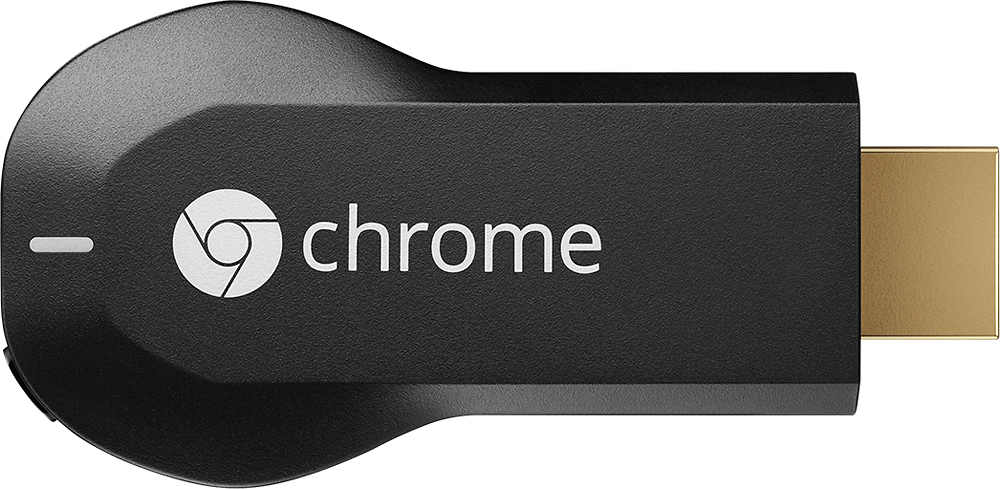
- Model:
- H2G2-42
- |
- SKU:
- 9071056
Customer reviews
Rating 4.4 out of 5 stars with 18768 reviews
(18,768 customer reviews)Rating by feature
- Value4.7
Rating 4.7 out of 5 stars
- Quality4.8
Rating 4.8 out of 5 stars
- Ease of Use4.6
Rating 4.6 out of 5 stars
Customers are saying
Customers consistently note the Chromecast's ease of use, excellent streaming capabilities, and reasonable price as significant advantages. Many also appreciate its simple setup and compact size. However, some users mention challenges with compatibility and connectivity issues. A few also point out limitations in app support and occasional lag.
This summary was generated by AI based on customer reviews.
- Pros mentioned:Price
Rated 5 out of 5 stars
Cheap dongle with a lot of Potential
Posted .This reviewer received promo considerations or sweepstakes entry for writing a review.This is a no brainer for those who were thinking about purchasing a second set-top box for another room/tv in the house. Its price, size, and promise of future support is tremendous. And even though the device itself is limited to only a handful of apps, Netflix and Cast tab (via Chrome Browser) are enough to warrant the purchase.
I would recommend this to a friend - Pros mentioned:Ease of use
Rated 5 out of 5 stars
Excellent product
Posted .This reviewer received promo considerations or sweepstakes entry for writing a review.Although not as sophisticated as standalone Android TV sticks, the Chromecast is still very functional and fun to use.
I would recommend this to a friend - Pros mentioned:Ease of useCons mentioned:App compatibility
Rated 5 out of 5 stars
Great for entertainment
Posted .This reviewer received promo considerations or sweepstakes entry for writing a review.Setup is easy and fast if you know your way around your wifi connection. Easily makes watching Netflix, YouTube and Google Play on the TV a snap. Just wish there were more apps out there to supporting Chromecast.
I would recommend this to a friend - Pros mentioned:Setup
Rated 5 out of 5 stars
Works for what it is intended for
Posted .This reviewer received promo considerations or sweepstakes entry for writing a review.Got a RCA Internet Music System (also from BestBuy.com) and partnered it up with the Google Chromecast. Connected the RCA analog audio out from my TV to the line-in of the RCA system. Can watch and listen to any video and music streamed from the RCA system via the web to the Chromecast inlcuding HTML5 videos played from Chrome (for Android). Also tested with Netflix, Hulu Plus, Crunchyroll, YouTube, and Google Play Music. Chromecast setup was super easy. Only con is that the Chromecast runs hot so watch out for that. Hopefully it doesn't fry any circuits to itself and my TV's HDMI port. For around $235 (RCA system + Chromecast), I just converted my 7 year old Vizio TV into a smart TV with a sound system. Not bad :-)
I would recommend this to a friend - Cons mentioned:Compatibility
Rated 4 out of 5 stars
Nice product but lacks features
Posted .This reviewer received promo considerations or sweepstakes entry for writing a review.I was really excited when google announced chromecast, i believed it was a great concept and will finally be a useful addition to my LED TV. Since the time i purchased my TV, i had to connect my laptop through HDMI cable to view youtube and netflix and i wasn't happy to say the least. So i was eagerly waiting for chromecast. After using chromecast for last 3 months, i will say i was little disappointed not because it doesn't do what it suppose to do but with lack for features and functionality. It only supports youtube, netflix and now hulu on iOS devise. If you want to play videos or music from some other source then you are stuck. If anyone is looking to play only netflix and youtube then purchase this product else look for alternatives
No, I would not recommend this to a friend - Pros mentioned:Streaming
Rated 5 out of 5 stars
Exceptional device, loved it much!
Posted .This reviewer received promo considerations or sweepstakes entry for writing a review.Ok so I bought chromecast recently, I have xbox one, PS3 and a Wii U plus a samsung SMART TV and a samsung S4 phone (the TV and phone pair very well) so I did not have much a need for a streaming device as I can play netflix, you tube, hulu, browser on the smart tv or any console! BUT this is still handy and a smart little device! The main benefit was when it came to streaming music and videos on my device. I used plex media server and everything is a breeze now! Use PLEX Media Server. If you don't already have it, here's the link: http://www.plexapp.com/getplex/ The benefit came to my wife who has an iphone. She can now share anything she has on the iphone on tv. For 35 bucks this is a steal for this type of service.
I would recommend this to a friend Rated 4 out of 5 stars
Great streaming stick
Posted .This reviewer received promo considerations or sweepstakes entry for writing a review.Works great with Youtube, Netflix, from my cellphone or my laptop, and the list of apps that allows to connect to the Chromecast continues to increase. The only thing missing is direct connectivity like the Roku does. You still need some other device with access to the internet to send content to the Chromecast.
I would recommend this to a friend- Cons mentioned:Compatibility
Rated 3 out of 5 stars
Not bad, not great
Posted .This reviewer received promo considerations or sweepstakes entry for writing a review.After some frustrating trouble shooting, I called the service center to get assistance. Found out that the Chromecast device doesn't work very well with apple products (ipad or iphone). That was disappointing b/c that's what I bought it for. Works OK once it gets going but has trouble finding the devices a lot of the time
No, I would not recommend this to a friend - Pros mentioned:Ease of use
Rated 5 out of 5 stars
easy!
Posted .This reviewer received promo considerations or sweepstakes entry for writing a review.Perfect for my son who likes to download movies and play them for everyone on his tv. Easy to set up and use.
I would recommend this to a friend - Pros mentioned:Ease of use
Rated 5 out of 5 stars
Great product
Posted .This reviewer received promo considerations or sweepstakes entry for writing a review.This product is like magic. You now can use your smartphone as a remote to stream everything you want to watch.
I would recommend this to a friend - Pros mentioned:Ease of use
Rated 5 out of 5 stars
great product
Posted .This reviewer received promo considerations or sweepstakes entry for writing a review.Bought the chromecast to use it with my new Samsung tab s tablet. It works great! Really easy to use and set up
I would recommend this to a friend - Pros mentioned:Price
Rated 5 out of 5 stars
Little Wonder!
Posted .This reviewer received promo considerations or sweepstakes entry for writing a review.What a cool little device for such an amazing price point. I use it with a Yamaha receiver and it works great.
I would recommend this to a friend - Pros mentioned:Ease of use
Rated 5 out of 5 stars
Great Streaming device
Posted .This reviewer received promo considerations or sweepstakes entry for writing a review.I love this better than apple TV it is much easier to use I love that I can mirror my phone on my TV screen..
I would recommend this to a friend - Pros mentioned:Streaming
Rated 4 out of 5 stars
Great product for what it does
Posted .This reviewer received promo considerations or sweepstakes entry for writing a review.Glad I got a gift card for Christmas because I think this product is somewhat overpriced for its limited capabilities…you can only use it with a handful of apps so the price seems a little much. I also spent over half an hour setting it up because my TV is so old it doesn’t have a USB port. There was no instruction manual so I tried to charge it with the wall charger it came with, only to later realize it has to remain plugged into the wall in order to use it (adding another cord to my outlets). Once I figured this out I was able to set it up in just a few minutes. I really like being able to watch Netflix so easily on my older HD tv! As I mentioned, set-up is not as seamless if you have an older TV…and mine only has one USB port so I have to rotate if I want to watch a DVD…but as far as streaming the apps it says it does, I’m very satisfied! The quality of the streaming is really great!
I would recommend this to a friend - Pros mentioned:Ease of use
Rated 5 out of 5 stars
Future of TV
Posted .This reviewer received promo considerations or sweepstakes entry for writing a review.Google has knocked it out of the park with this little gem of a device. The chromecast is one of the most innovative devices I have seen yet from Google. They have really figured it out - we don't want a device that requires us to use select buttons on an awkward remote to fill in information on our TV screens - we all have mobile devices that can blow traditional remotes out of the water. We have 2 Apple TVs and Chromecast, and the Chromcast is getting way more use at our house. It just works. Buy it - you won't be disappointed.
I would recommend this to a friend - Pros mentioned:Streaming
Rated 5 out of 5 stars
Great for watching netflex
Posted .This reviewer received promo considerations or sweepstakes entry for writing a review.Kids love this for watching netflex on the TV instead of their ipad.
I would recommend this to a friend - Pros mentioned:Ease of use, Price
Rated 5 out of 5 stars
Great, easy to use!
Posted .This reviewer received promo considerations or sweepstakes entry for writing a review.Super easy to set up and use. All of my devices are linked now and we can broadcast to the TV with a click of a button. Bought it after using it at my brother's house. Went out, bought myself one and also one for my dad. highly recommend. fraction of the price of other similar devices - no brainer!
I would recommend this to a friend - Pros mentioned:Ease of use
Rated 5 out of 5 stars
works great
Posted .This reviewer received promo considerations or sweepstakes entry for writing a review.great product, take it with me when i travel. just hook it up to hotel room tv and can watch what i want
I would recommend this to a friend - Pros mentioned:StreamingCons mentioned:Connectivity
Rated 4 out of 5 stars
Great Product
Posted .This reviewer received promo considerations or sweepstakes entry for writing a review.Great Product. Perfect for Netflix streaming. only problem is that my ipod wont alwayse connect right away to it. i also use it to stream notes from my school web work to my tv from my laptop and it connects perfectly with my Microsoft Surface
I would recommend this to a friend - Pros mentioned:Ease of use
Rated 5 out of 5 stars
Woks perfectly!
Posted .This reviewer received promo considerations or sweepstakes entry for writing a review.Yes, it works as advertised and even more - everytime I use this little device I love it more and more!
I would recommend this to a friend