Customer Ratings & Reviews
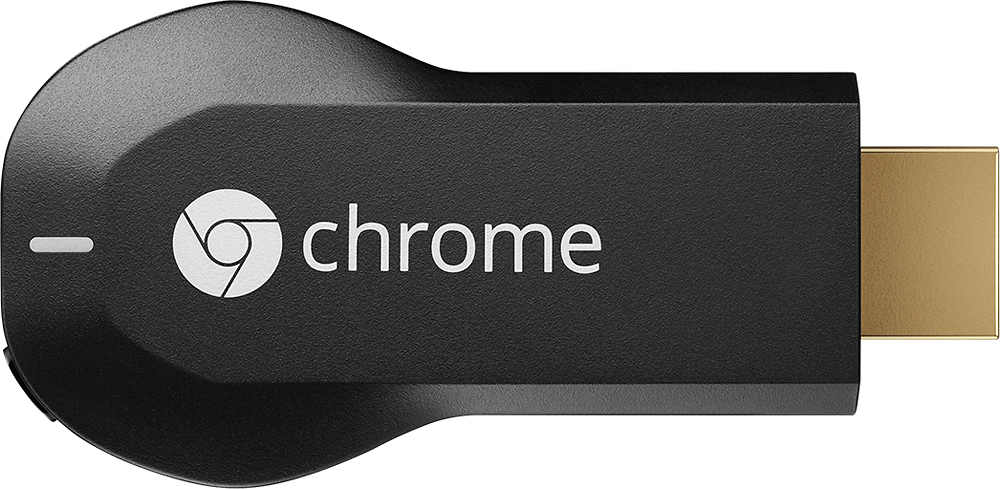
- Model:
- H2G2-42
- |
- SKU:
- 9071056
Customer reviews
Rating 4.4 out of 5 stars with 18768 reviews
(18,768 customer reviews)Rating by feature
- Value4.7
Rating 4.7 out of 5 stars
- Quality4.8
Rating 4.8 out of 5 stars
- Ease of Use4.6
Rating 4.6 out of 5 stars
Customers are saying
Customers consistently note the Chromecast's ease of use, excellent streaming capabilities, and reasonable price as significant advantages. Many also appreciate its simple setup and compact size. However, some users mention challenges with compatibility and connectivity issues. A few also point out limitations in app support and occasional lag.
This summary was generated by AI based on customer reviews.
Rated 4 out of 5 stars
Good for casting, not much else.
Posted .This reviewer received promo considerations or sweepstakes entry for writing a review.This device is good at what it does, but quite limited. Casting is nice but often has lag or offset audio/video if you have a slow connection. It would be nice if it also had a GUI like the Fire TV stick.
I would recommend this to a friendRated 5 out of 5 stars
Money well spent, or lack of
Posted .This reviewer received promo considerations or sweepstakes entry for writing a review.I had the privilege of purchasing the chromecast for $22.99 online and picking it up at the store. The product itself exceeded my expectations, it loaded up to my Visio TV and connected to my Samsung tablet, Galaxy Note 4 and iPad. Great product
I would recommend this to a friendRated 5 out of 5 stars
What I've been waiting for!
Posted .This reviewer received promo considerations or sweepstakes entry for writing a review.I am so glad I kept putting of getting a pc-to-tv transmitter. Instead of paying over $100, I can use this little device to watch any video I can watch online. Rather than pay a small ransom for cable every month, this one-time payment device allows me to watch programs on my big screen when they come up on the web. I can't speak to how it runs Netflix or Hulu, since I run those through a different device. I imagine it works as well. If you are looking for a way to run your computer to your tv, like I was for years, here is your answer. Still, I would not recommend it for running games to the big screen, as the tiny bit of lag can lead to big frustrations. For that, I would recommend running a cable, or one of the pricier wireless products. For my purposes, I could not be more thrilled with the chromecast.
I would recommend this to a friend- Cons mentioned:Compatibility
Rated 3 out of 5 stars
A nice idea but...
Posted .This reviewer received promo considerations or sweepstakes entry for writing a review.This seemed like such a convenient and economical way of getting videos and TV shows to a TV without paying a cable or satellite company a lot of money each month. One of the selling points of this device is that one can use one's own existing computer, tablet or smartphone to control it -- no need for yet another remote. BUT, difficult as it is to believe, the one smartphone that cannot be used to control this Google product is an Android-based phone, a phone running a Google operating system: the Chromecast device can be *set up* using an Android-based phone, but the only video content that can be sent to the Chromecast from an Android-based phone is some YouTube videos -- and even that only by using a Beta version of the Chrome browser. I installed the Chromecast extension on the Chrome browser on a Windows machine and could send online videos to the Chromecast (and see them on the TV), but there was no way of pausing or rewinding using my Nexus 4 smartphone (a Google product) as there was on the Windows computer (three rooms away from the TV). I hope that Google solves this incompatibility soon, but in the meantime I think I'll be replacing this device by a Roku 3. (I see that the only choices I have for whether I would recommend this product to a friend are "Yes" and "No," but I wish there were an option to leave it blank or for "It depends," i.e., in this case, depends on what smartphone my friend has.)
No, I would not recommend this to a friend - Pros mentioned:Ease of use
Rated 5 out of 5 stars
Love it!!
Posted .This reviewer received promo considerations or sweepstakes entry for writing a review.Bought this so I could watch netflix in the kitchen. I have a wall mount tv with a Joey from Dish network mounted behind it. I wanted to keep the clutter to a minimum and out of all the options out there, this fit the bill best. Once I connected it, it was a simple matter to set up from my iPad. Once set up, it took a couple minutes to connect with the app, but once it completed the connection, I'm sitting here watching my classic Dr. Who. I highly recommend it for someone who want to stream Netflix and not have yet another device to set up and run wires for.
I would recommend this to a friend - Pros mentioned:Streaming
Rated 5 out of 5 stars
Great product for a cheap price
Posted .This reviewer received promo considerations or sweepstakes entry for writing a review.Got the last Chromecast within 100 miles of me and it took less than 5 minutes. Streaming high quality youtube or netflix videos is as easy as pressing a button in chrome.
I would recommend this to a friend Rated 4 out of 5 stars
Great Product
Posted .This reviewer received promo considerations or sweepstakes entry for writing a review.As with most Google devices this one is quite simple but brilliant. I was originally against any product like this, Apple TV, Rogue, all of them. I have a smart TV, a PS3 so I had all of the necessary means to watch Netflix and such on my TV and could care less about YouTube (but could still watch it on my TV). At the price point though I picked one up anyway on a whim. The thing is many of the streaming services consider streaming to an app like those on smart TVs or devices (such as iPhone) a premium that they make you pay for. That same content is available via a web browser on your computer for free (ad supported). If you pay for Netflix and want to stream it on your dumb TV then you are better off with something like Apple TV which has a remote and most of the apps that support Chrome are also on those devices. What you get with this that you don't get with any of those other devices is the ability to "cast" anything on your computer's Chrome browser to your TV. It really is simply a mirroring device but the fact that many of the services that you have to pay to view via an app is available for free on your computer makes this device unique. I have watched a ton of older TV shows that otherwise I would have had to pay for to see on my TV. The only downsides are you are limited to resolutions that are meant for a computer screen so even though its computer screen HD quality its not 60" TV HD quality, there also is no (at least that I have found) Dolby sound. Many people complain there is no remote but when you come to terms with what it really is you realize the logistics don't allow for one and you just keep your laptop close. Setup couldn't be easier on the device you are up and running within minutes. Like any streaming device it does require a decent internet connection and network speed.
I would recommend this to a friend- Pros mentioned:Setup
Rated 5 out of 5 stars
Well worth the price if you use it.
Posted .This reviewer received promo considerations or sweepstakes entry for writing a review.An 85% approval rate is pretty good. This is very useful for watching videos with the apps but also for watching videos that are usually only accessible on your PC. PBS shows for example. Set up is a snap. The gizmo can even find your WEP code for your wireless network (Kinda scary, but it IS Google.) We don't use it often since we've got a Sony Blu-ray with a jillion apps but sometimes it's very useful. And it will probably just get better.
I would recommend this to a friend Rated 5 out of 5 stars
Love It!
Posted .This reviewer received promo considerations or sweepstakes entry for writing a review.This device is simply awesome. A lot of the negative reviews here are from people who don't really understand how to use this device or who don't even really know what it is. Using the Chrome browser, you can control multiple Chromecasts. I have a Chromecast in the living room, and I cast one Chrome tab to that TV. I have another in the kitchen. I cast another Chrome tab to that. Then I can open another Chrome tab and do some web surfing, all from the same computer. I use one at work to cast my entire desktop to a projector. This is especially nice for presentations as I don't have to be wired directly to the projector. Furthermore, by casting the entire desktop, I can project whatever program I want, such as Firefox, PowerPoint, etc. The only issue I have with it is the mobile Chromecast app. The mobile app only works with Youtube, Netflix, and Google Play for now, so I don't get all the great features that come with the desktop Chrome browser. Other than that, it's a great product and more apps will soon be released for it, which will make it even better.
I would recommend this to a friendRated 4 out of 5 stars
Different kind of streaming
Posted .This reviewer received promo considerations or sweepstakes entry for writing a review.The only way to use this is with a smartphone or tablet. It basically takes what you can view on your phone and puts it on the TV. Simple, but different from other streamers like a ROKU.
I would recommend this to a friend- Pros mentioned:Setup
Rated 4 out of 5 stars
Good idea but needs more polish
Posted .This reviewer received promo considerations or sweepstakes entry for writing a review.There is no app to setup with a iPod yet so you must visit https://cast.google.com/chromecast/setup?platform=ios other than that setup was easy. Also you can't stream a chrome tab with ios yet. Also the youtube and netflix apps don't work on a PS Vita just Android and iOS and PC so far. The real drawback is you go to a hotel that shows a login webpage you can't connect as chromecast does not let you use it's own web browser it just mirrors your devices.
I would recommend this to a friend Rated 5 out of 5 stars
everyone need one of these
Posted .This reviewer received promo considerations or sweepstakes entry for writing a review.i love it. havent seen a bad review yet. although ther is a newer model, this one is stil relivent. the main differenve between this and the ne moel is lag time. the newer model is muh qicker and the APP is much smoother
I would recommend this to a friend- Pros mentioned:Ease of use
Rated 3 out of 5 stars
its the cheapest way to turn your tv smart
Posted .This reviewer received promo considerations or sweepstakes entry for writing a review.For the money, this is the easiest and pretty decent solution for making your TV a smart tv. The volume is a little problematic on some apps.
I would recommend this to a friend Rated 5 out of 5 stars
For 35.00 you can't get much more utility
Posted .This reviewer received promo considerations or sweepstakes entry for writing a review.This is a no frills, reliable and fun streaming device. It's great for a bedroom TV to pop on some tunes as you clean the house. Wouldn't say it's a Roku, FireTV or AppleTV replacement but a wonderful secondary streaming device.
I would recommend this to a friend- Pros mentioned:Ease of use
Rated 5 out of 5 stars
Dutiful piece of hardware
Posted .This reviewer received promo considerations or sweepstakes entry for writing a review.I am very pleased with how easy this was to set up and connect. I am able to allow my daughter access through her cell phone which eleviates having to leave the laptop to cast new material. Tablets, phones, and other devices work well too.
I would recommend this to a friend - Pros mentioned:Ease of use
Rated 2 out of 5 stars
It's works -sometimes
Posted .This reviewer received promo considerations or sweepstakes entry for writing a review.It definitely works sometimes,but depending on your wifi it may cut in and out. The quality of the picture has to be adjusted as well. From my experience it never plays all the way through(a movie) unless you fix it from the computer/device constantly. You can't have multiple tabs open or it will run slowly. The pictures on the chrome cast homepage are beautiful though. It's easy to set up but it won't work on windows vista or lower.
No, I would not recommend this to a friend - Cons mentioned:Compatibility
Rated 1 out of 5 stars
Not fun.
Posted .This reviewer received promo considerations or sweepstakes entry for writing a review.I was excited to get Google Chrome as a gift. Getting it initially set up was a little cumbersome, but after about an hour it was all set. I was immediately disappointed at the very limited amount of apps it was compatible with. Not at all what I was expecting- shame on me for buying into how easy and fun it looked on the commercials. It just doesn't do much. Got the YouTube app up and it worked well, but there really weren't a lot of other options I was excited about. The next day I realized that all of our electronic devices (laptops, phones, IPad) were having issues connecting to our WiFi. Started to trouble shoot and figured out that the Google Chrome had done a soft reset to our router. Our home network had been overwritten, with permissions and passwords changed so we couldn't even access our own WiFi. Essentially the only way to connect to our WiFi now was through the new Google Chrome network, which was only available within about 10 feet of our TV...when it worked at all. Bottom line, I wound up spending 4 HOURS on the phone with IT support for our router fixing the problem....INCREDIBLY frustrating. I immediately erased the Google Chrome drive and will be returning it to Best Buy ASAP. Terrible experience. Will NEVER purchase this again.
No, I would not recommend this to a friend - Pros mentioned:Setup
Rated 4 out of 5 stars
Was easy to setup and works great from Iphones
Posted .This reviewer received promo considerations or sweepstakes entry for writing a review.I was very pleased with ease of initial setup and ease of getting smart phones connected. However still experiencing difficulty streaming from PC. Reports 'plug in not supported'. Evidently if Quicktime or Silver light are on your machine it won't support streaming. Funny I thought the chromecast fetched the content from the web directly. Overall quite satisfied with product and will probably be more so once I figure out the PC streaming issue.
I would recommend this to a friend - Cons mentioned:Compatibility
Rated 2 out of 5 stars
not ready for prime time
Posted .This reviewer received promo considerations or sweepstakes entry for writing a review.I bought this device because of the lameness of my LG-GoogleTV and so I could watch showtime-anytime. the Youtube app streams nicely but running showtime requires a plugin called Widevine. This plugin fails to work in a 64 bit browser so for now chromecast can't play the showtime app. Considering that Google owns Widevine I expected better integration. Google: please get your act together. I should have paid a bit more for a ROKU.
No, I would not recommend this to a friend Rated 3 out of 5 stars
Save your money-very limited use-
Posted .This reviewer received promo considerations or sweepstakes entry for writing a review.I was hopeful for this device and expected to own 2-3 three of them. Wasted my money on just one. I own Apple Tv, Negear Push2TV, Roku and Bestbuy Rocket Fish Miracast. The Chromecast has potential, I guess, but is mostly I can't do that. If you are looking for a way to play your purchased Google movies, Neflix and You Tube, and THAT's ALL, from your closed WiFi network, this might be for you, and minus Google movies via Apple. At present, only Netflix and You Tube can be streamed via Apple devices. This might be for you. But if you have other needs, it's not ready. SO SAD. If you want to use it at a hotel or other secure open wifi, it won't work. THE WAY IT WORKS From what I can tell, the device seems to be a smaller version of a media streamer, e.g. Roku player. I think it works independently of of the tablet, phone or computer that you set up the wi-fi it works through. However, even if your phone is connected to a wi-fi connection, the Chromecast won't connect if it is not truly an open connection or it does not connect through a secure password. E.g. if you connect though a network that requires you do enter the password via a browser after provider connection, it wont connect. Although its claimed someone reverse engineered the device and could play media off the device, it seems the the Chromecast actually accesses the internet and not the controlling device. WIFI REQUIRED, NOT WI FI DIRECT-DOESNT WORK ON PUBLIC NETWORKS Despite its small size, this is not a Miracast device and it needs to access the internet independent of the alleged source device. It's unlikely to work on an open secure wi-fi system, and unlike Apple TV, which can still stream source media even if internet is down, Chromecast can not stream if the internet is not working. NO PROFESSIONAL APPLICATIONS I was hoping to project powerpoint and business applications, but it cant be done, not even through Chrome browser. The most you can do is stream Chrome internet media, provided both the device and the computer have internet access.
No, I would not recommend this to a friend