Skip to contentGo to Product Search
Gift Ideas
Main Content

Customer Ratings & Reviews
$369.99
Save $80
Comp. Value: $449.99

Customer reviews

Rating 4.1 out of 5 stars with 2727 reviews

Rating Filter

Rating by feature

  • Value

    Rating 4.0 out of 5 stars

  • Quality

    Rating 4.3 out of 5 stars

  • Ease of Use

    Rating 4.3 out of 5 stars

79%
would recommend
to a friend

Customers are saying

Customers enjoy the Nest Cam 2 Pack for its great camera quality and ease of use. Many users also appreciate the overall performance, easy installation, and clear night vision. However, some customers have expressed concerns about the battery life. Others have noted issues with app compatibility, motion detection range, and connectivity.

This summary was generated by AI based on customer reviews.

The vast majority of our reviews come from verified purchases. Reviews from customers may include My Best Buy members, employees, and Tech Insider Network members (as tagged). Select reviewers may receive discounted products, promotional considerations or entries into drawings for honest, helpful reviews.
Page 123 Showing 2,441-2,460 of 2,727 reviews
  • Rated 1 out of 5 stars

    Useless without subscription

    |
    |
    Posted . Owned for 1 month when reviewed.
    This reviewer received promo considerations or sweepstakes entry for writing a review.

    There are pros to this camera. But they are all nullified by the fact that if you dont have the subscription your video footage is only available for 3 hours. We missed footage of someone taking things from our yard and catching that was the entire point. Im switching to a different camera. 3 hour recording retention is absurd.

    No, I would not recommend this to a friend
    • Brand response from Nest Support
      Posted .

      Hi Jpack, thank you for sharing your review and we're sorry to hear that your experience with your Nest Cam (battery) has been less than ideal when it comes to recording video history. The device does come with a 24/7 live view. Please know that your feedback here is appreciated and that we'll relay this to the right team for future improvements. If you have additional questions about the Nest Aware subscription please don't hesitate to contact us on our Google Help page here: https://support.google.com/googlenest/gethelp Nest

  • Rated 1 out of 5 stars

    Garbage

    |
    |
    Posted .
    This reviewer received promo considerations or sweepstakes entry for writing a review.

    Returned it …… can’t connect to WiFi after change WiFi password & user

    No, I would not recommend this to a friend
    • Brand response from Nest Support
      Posted .

      Hi there, thanks for informing us about the Wi-Fi connectivity issue with your Nest Cam (Battery). We´re sorry for any inconvenience this experience may have caused you.

      If you ever change your mind and consider using Nest Cam (Battery) again, we´ll definitely do our best to work on providing you a better experience. Please feel free to contact us for any inquiries or support concerns you may have by using this link: https://support.google.com/googlenest/gethelp Nest

  • Rated 5 out of 5 stars

    bought multiple times

    |
    |
    Posted . Owned for 1 month when reviewed.
    This reviewer received promo considerations or sweepstakes entry for writing a review.

    These are my third pair and work very well, i also have the recording history on my account. Sometimes they will miss recording people due to wind or animals or other factors. I also bought the solar charger so as not to have to periodically recharge them.

    I would recommend this to a friend
    • Brand response from Nest Support
      Posted .

      Hi there SeanC, we appreciate you for choosing our Google Nest products. You can control and specify what triggers the lights on Nest Cam with Floodlight using the Google Home app. You can choose between the following three settings:
      - Turning on the Motion settings will turn the lights on whenever the floodlight’s motion sensor detects activity. You can also adjust the motion sensitivity setting to determine when the floodlight will turn on.
      - Live viewing will turn the floodlight on automatically whenever you check your camera’s live stream at night.
      - Lastly, if you turn on Camera events, then your floodlight will turn on whenever your camera starts recording.

      You can learn more about how to select the triggers for Nest Cam with Floodlight by visiting this help page: https://support.google.com/googlenest/answer/10500343

      We'd like to learn more about your thoughts and insights on our Google Nest products. You're more than welcome to contact our support team here: https://support.google.com/googlenest/gethelp Nest

  • Rated 1 out of 5 stars

    Garbage

    |
    |
    Posted . Owned for 1 month when reviewed.
    This reviewer received promo considerations or sweepstakes entry for writing a review.

    For $200 i expected a lot i will not lie, but after owning this camera for a little over a month and having an ENTIRE TRUCK disappear from my driveway without a single alert?…My camera covers the whole driveway and it just isnt reliable at all. This product shouldnt have cost me a penny over 90 bucks.

    No, I would not recommend this to a friend
    • Brand response from Nest Support
      Posted .

      Hi JamilyTechy69, thanks for sharing your concerns about the Nest Cam (battery), and we’re sorry to hear your expectations are not met.

      It may be helpful to adjust the wake-up sensitivity of your camera to decide when to wake up and start recording. If the wake-up sensitivity is low:
      - It decreases the range at which the camera can sense activity.
      - It increases the amount of time it takes for the camera to wake up once it senses activity.

      Here's how to adjust the wake-up sensitivity in your camera settings:
      - Open the Home app.
      - Touch and hold your device's tile.
      - Tap Settings > Video > Wake-up sensitivity.
      - Choose the High Low setting.

      If additional help is needed, simply let us know anytime here: https://support.google.com/googlenest/gethelp Nest

  • Rated 2 out of 5 stars

    Camera doesn't like cold weather!

    |
    |
    Posted . Owned for 5 months when reviewed.
    This reviewer received promo considerations or sweepstakes entry for writing a review.

    The camera doesn't really work in the winter in Minnesota.

    No, I would not recommend this to a friend
    • Brand response from Nest Support
      Posted .

      Hi there, SteveH. Thanks for the feedback you shared about the Nest Cam (battery), and we’re sorry to hear it didn’t meet your expectations.

      At temperatures between -4°F (-20°C) and 32°F (0°C), the camera will continue to work, but the lithium-ion battery in your Google Nest camera or doorbell won’t be able to charge. Many devices, including popular models of doorbell cameras and cell phones, use lithium-ion batteries for their high power and long life, but these batteries are also affected by temperatures below freezing. If the battery drains completely, the camera will shut down. For wired installation setups with a Nest Cam (battery), the wires power the camera directly. At temperatures below freezing, the battery won’t charge, but as long as the wired power source is available, the camera can operate in temperatures down to -4°F (-20°C). This link might be helpful: https://support.google.com/googlenest/answer/11830989

      Besides our support articles available online, we also have help always ready for your support needs here: https://support.google.com/googlenest/gethelp Nest

  • Rated 1 out of 5 stars

    Don’t buy

    |
    |
    Posted . Owned for 1 month when reviewed.
    This reviewer received promo considerations or sweepstakes entry for writing a review.

    Awful!!!! Doesn’t like up with Nest app, battery is subpar at best.

    No, I would not recommend this to a friend
    • Brand response from Nest Support
      Posted .

      Hi JMac, thanks for sharing your insights. We´re sorry to hear about your disappointment with the Google Home app, and the battery for Nest Cam (Battery).

      Moving to the Google Home app offers a lot of benefits for you and all previous Nest app users. We wanted to make the Google Home app the one place where you can control all your favorite Nest devices and other smart home devices with the Google Assistant. In the near future, we’ll allow users to set up previous Nest devices and have full control in the Home app.

      Battery life will depend on factors including activity, temperature, and camera settings that you select. You can extend the battery life of your camera by adjusting video quality, length of video clips, time between recorded events, and using activity zones to monitor specific areas. Here are some typical scenarios:
      - Busy - About 1.5 months battery life (about 20 - 25 recorded events per day)
      - Typical - About 3 months battery life (about 9 - 12 recorded events per day)
      - Quiet - About 7 months battery life (about 2 - 4 recorded events per day)

      We recommend checking the frequency of events (per day) that you get with your Nest Cam (Battery). If the short battery life isn´t related to the frequency of events, please consider contacting our support team here: https://support.google.com/googlenest/gethelp Nest

  • Rated 1 out of 5 stars

    Poor technology

    |
    |
    Posted . Owned for 1 month when reviewed.
    This reviewer received promo considerations or sweepstakes entry for writing a review.

    So stupid you have to download different apps. Battery life sucks

    No, I would not recommend this to a friend
    • Brand response from Nest Support
      Posted .

      Hi Tpphill, thanks for letting us know about the issue. We're sorry to hear about your frustration with the Google Home app and battery life for Nest Cam (Battery).

      The new Nest Cameras and doorbells are exclusive to the Google Home app because we wanted to create an integrated experience with other Google Nest speakers and displays. We wanted to make the Google Home app as the one place you can control all your favorite Nest and other smart home devices with the Google Assistant. If you already have some Nest cameras installed in your home, you may transfer them to the Google Home app. Here´s a guide that you can follow: https://support.google.com/googlenest/answer/9893532

      The battery life for Nest Cam (Battery) will depend on factors including activity, temperature, and camera settings that you select. Users can extend the battery life of their camera by adjusting video quality, length of video clips, time between recorded events, and using activity zones to monitor specific areas. Here are some typical scenarios:
      Busy: About 1 month battery life (About 25 - 30 recorded events per day)
      Typical: About 2.5 months battery life (About 13 - 16 recorded events per day)
      Quiet: About 6 months battery life (about 2 - 5 recorded events per day)

      We recommend checking the frequency of events (per day) that you get with your Nest Cam (Battery). If the short battery life isn´t related to the frequency of events, then we may need to have a closer look at your device and understand what may be causing it. We recommend contacting our support team for further assistance by visiting us here: https://support.google.com/googlenest/gethelp Nest

  • Rated 1 out of 5 stars

    Didn’t like

    |
    |
    Posted . Owned for 1 week when reviewed.
    This reviewer received promo considerations or sweepstakes entry for writing a review.

    Terrible quality and doesn’t pick up movement very well for me.

    No, I would not recommend this to a friend
    • Brand response from Google Team
      Posted .

      Hi Chris318, thanks for sharing your feedback about Nest Cam (Battery). We’re sorry to hear that the motion detection feature isn’t working as expected.

      Motion detection for your Nest Cam (Battery) can be affected by changes in the light level, and shadows moving across the frame like when a cloud moves in front of the sun. This also includes other movements within the camera's field of view like trees or bushes swaying. If you're not getting any alerts or notifications, we recommend trying out the steps below:
      1. Change the Activity Zones on your camera. You can delete your existing Activity Zone and create a new one in any area within your camera's field of view. Just make sure that none of the zones you create overlap.
      2. Change the angle of your camera and account for the lighting in the surrounding area.
      3. Restart your Camera.

      We'd like to help you troubleshoot the motion detection issue further with your Nest Cam (Battery). If you´re willing to try, please contact our support team so we can provide further assistance using this link: https://support.google.com/googlenesthelp madebygoogle

  • Rated 1 out of 5 stars

    Camera

    |
    |
    Posted . Owned for 1 month when reviewed.
    This reviewer received promo considerations or sweepstakes entry for writing a review.

    I havn’t been happy with the battery life of this product.

    No, I would not recommend this to a friend
    • Brand response from Nest Support
      Posted .

      Hi Jet9912, thanks for sharing your feedback and experience with the Nest Cam (Battery), and we’re sorry to learn of your disappointment with its battery life.

      Battery life will depend on factors including activity, temperature, and camera settings that you select. You can extend the battery life of your camera by adjusting video quality, length of video clips, time between recorded events, and using activity zones to monitor specific areas. This link might be helpful: https://support.google.com/googlenest/answer/10901611

      Here are some typical scenarios.
      Busy: About 1.5 months battery life (about 20 - 25 recorded events per day)
      Typical: About 3 months battery life (about 9 - 12 recorded events per day)
      Quiet: About 7 months battery life (about 2 - 4 recorded events per day)

      If you still have to charge the battery more often than you’d like, you might want to consider connecting your camera to a power outlet with the included or optional power adapter. Connecting to continuous power will keep the battery charged. Please note that the power adapter included with the Nest Cam (battery) is not weatherproof and not intended for outdoor use and you can use a compatible weatherproof cable (sold separately).

      Or if you’d like you can contact us anytime at the following link so we can have a closer look into this issue: https://support.google.com/googlenest/gethelp Nest

  • Rated 1 out of 5 stars

    Does NOT work with Nest app or products!

    |
    |
    Posted . Owned for less than 1 week when reviewed.
    This reviewer received promo considerations or sweepstakes entry for writing a review.

    I have a full collection of Nest products (thermostat, doorbell camera, indoor and outdoor cameras). Please be aware that this new Google camera does NOT work within the Nest app, and that the Google Home app does NOT support all functions of the Nest products. Not recommended for anyone who has Nest products and hopes to add another camera.

    No, I would not recommend this to a friend
    • Brand response from Nest Support
      Posted .

      Hi there, we appreciate you for being heavily invested with Google Nest products, and thanks for sharing a review about the Nest Cam (Battery). We’re sorry to learn that it didn’t meet your preferences and needs.

      We’re aware that longtime Nest users enjoy viewing their Nest camera feeds from the Nest app and web app, however, our priority with this launch was building a complete experience for our new cameras and doorbell in the Google Home app. We chose to transition to the Home app because this app is designed for the future of the smart home, a single place to set up, manage, automate, and control your home. Most home devices are controlled across multiple apps, but we’re working on making the Google Home app the central controller across all your home devices, including Google devices and devices from other brands. Our team is working on bringing full functionality to the Google Home app so all of your cameras can be set up and controlled in one place.

      We’re always here to help improve your experience. If you have any concerns about the performance and features of Nest Cam (Battery), please visit us anytime here: https://support.google.com/googlenest/gethelp Nest

  • Rated 1 out of 5 stars

    Cannot Connect

    |
    |
    Posted . Owned for 1 month when reviewed.
    This reviewer received promo considerations or sweepstakes entry for writing a review.

    I have tried a million ways with the IR tags, etc. to connect these. Does not work. Keeps vacillating between Google App and Nest app. This was a good product line until Google tried to integrate. BUYER BEWARE!

    No, I would not recommend this to a friend
    • Brand response from Nest Support
      Posted .

      Hello there, DonaldB. It's unfortunate to hear of your experience with the setup of your Nest Cam (battery). We appreciate all your efforts to make it work, and we're sorry for the inconvenience this issue has caused you.

      Setup for the new Nest cameras and doorbells is found, and exclusive to the Home app. The app will guide you on how to connect your camera. If you can't find your Wi-Fi network, or if your camera has trouble connecting to the Wi-Fi, here are a few things you can try to fix the issue:
      - Try to connect your camera again.
      - If possible, move your camera and router closer to each other to improve the signal.
      - Reduce wireless interference: https://support.google.com/googlenest/answer/9276282
      - Try restarting your router.
      - If you have a hidden Wi-Fi network, you'll need to type in the network name (SSID) manually in the app.

      If further assistance is required, we welcome you to contact us anytime here: https://support.google.com/googlenest/gethelp Nest

  • Rated 2 out of 5 stars

    Awful

    |
    |
    Posted .
    This reviewer received promo considerations or sweepstakes entry for writing a review.

    Horrible delay Won’t stay up I have them waited direct even

    No, I would not recommend this to a friend
    • Brand response from Nest Support
      Posted .

      Hi Sylvia, thanks for bringing this issue to our attention. We're sorry to hear that you are experiencing delays with Nest Cam (Battery).

      Delays when streaming video feed with Nest Cam (Battery) are mostly related to possible congestion with your network. A good step to try would be to remove some of the connected devices in your network. This will help free up some bandwidth space and enable you to verify if you will still experience any delays when viewing the live video stream for Nest Cam (Battery). If you do verify congestion, we recommend contacting your Internet service provider to check your connection and upgrade it if needed.

      Alternatively, you may also contact our support team for further isolation and troubleshooting of the issue. You may reach out to us using this link: https://support.google.com/googlenest/gethelp Nest

  • Rated 5 out of 5 stars

    Great security camera

    |
    |
    Posted . Owned for 2 weeks when reviewed.
    This reviewer received promo considerations or sweepstakes entry for writing a review.

    Had this a few weeks and its been working great! It was simple to set up and install on the house and the app is easy to use as well. The charge has been holding out in the inital first few weeks even with the recent cold weather.

    I would recommend this to a friend
  • Rated 2 out of 5 stars

    11 cents to provide a bag to carry my items

    |
    |
    Posted . Owned for 3 weeks when reviewed.
    This reviewer received promo considerations or sweepstakes entry for writing a review.

    Least helpful salesperson I've ever had at Bestbuy in 25yrs.

    I would recommend this to a friend
  • Rated 4 out of 5 stars

    Great and clear

    |
    |
    Posted . Owned for 2 weeks when reviewed.
    This reviewer received promo considerations or sweepstakes entry for writing a review.

    Would give it a 5 if it worked with the old nest ap

    I would recommend this to a friend
    • Brand response from Nest Support
      Posted .

      Hi there Valo, thanks for your insights. We're sorry to hear that the move to the Google Home app from the Nest app didn't meet your expectations.

      We wanted to make the Google Home app as the one place where you can control all your favorite Nest devices and other smart home devices with the Google Assistant. Here are some benefits you can get by using the Google Home app with your Nest Cam (Battery):
      - Automatic security protections such as Suspicious activity detection, 2-Step Verification and Security Checkup.
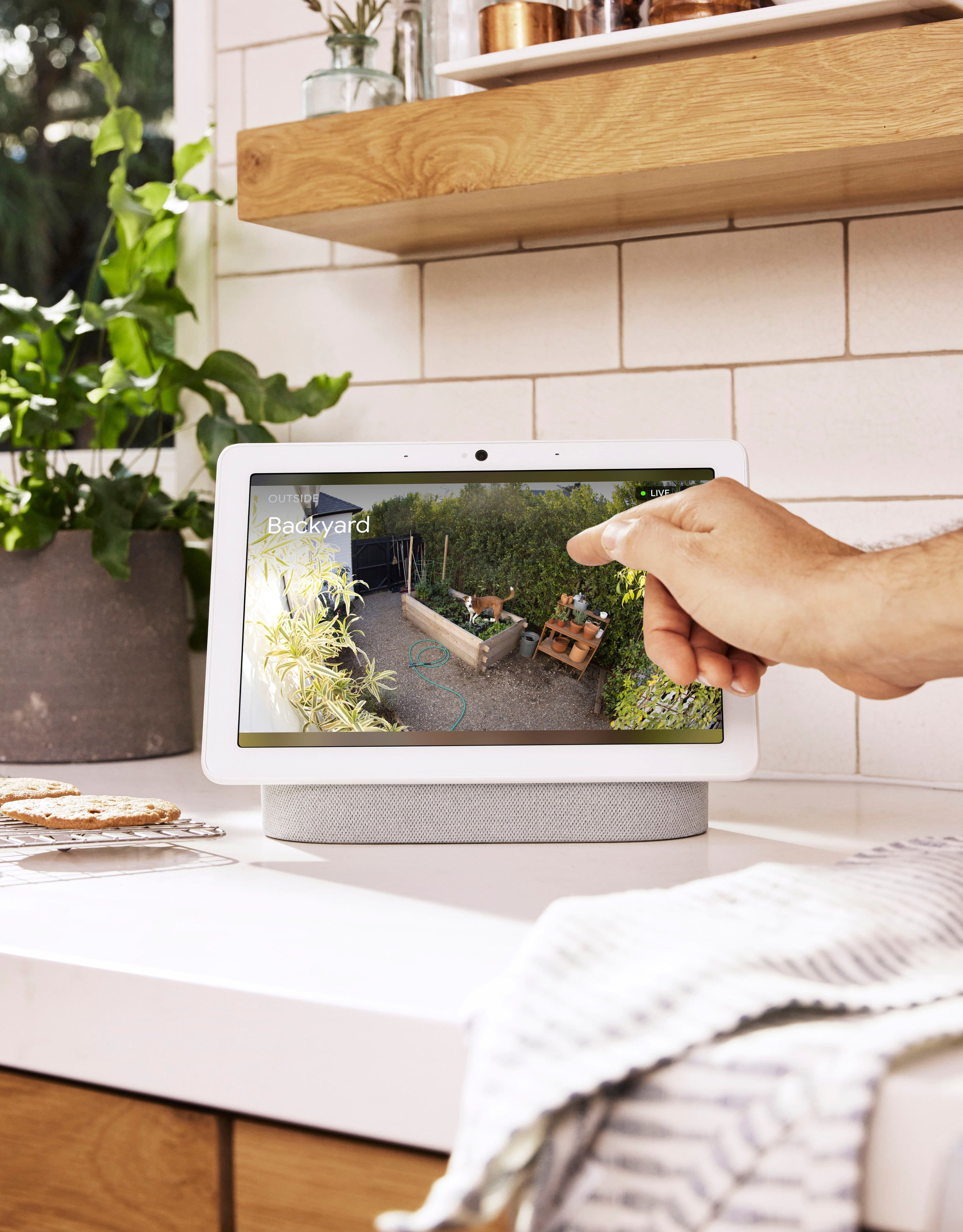
      - Your Google Nest devices and services will work together. For example, if you have a Nest Cam and a Nest Hub, just say, """"Hey Google, show me the backyard camera” to cast your camera stream to your display without any additional setup.
      - One account to sign into both the Nest and Google Home apps.
      - Your homes and home members will be aligned across the Nest and Google Home apps.
      - If you're willing, you may set up your old Nest cameras to the Google Home app. Check out this help article: https://support.google.com/googlenest/answer/9893532

      If you need further help, or would like us to answer any other questions you may still have, please do not hesitate to reach out to us once more, using this link: https://support.google.com/googlenest/gethelp Nest

  • Rated 1 out of 5 stars

    Not good

    |
    |
    Posted . Owned for 4 months when reviewed.
    This reviewer received promo considerations or sweepstakes entry for writing a review.

    Doesn’t quite pick up on a person all the time. It’s a hit or miss

    No, I would not recommend this to a friend
    • Brand response from Google Nest Support
      Posted .

      Thanks for sharing with us, MariaR. We hear your concern with the Nest Cam (Battery) not being consistent with its motion accuracy — we’d be happy to provide some troubleshooting steps to make sure it’s working optimally:

      Set up and use Activity Zones — create a zone around a door if you want a notification when a person walks through it. The person who walks through the door activity zone also creates an event in your video history timeline.

      Turn on Familiar face detection — Familiar face detection teaches your Nest camera how to tell the difference between the faces you know and don't know. Over time, it starts to recognize people you know and send you more helpful alerts.

      Don’t hesitate to reach out to us here: https://support.google.com/googlenest/gethelp? Nest

  • Rated 1 out of 5 stars

    Previous nest camera was better

    |
    |
    Posted . Owned for 2 months when reviewed.
    This reviewer received promo considerations or sweepstakes entry for writing a review.

    It would only record clips. Sometimes the clips wouldn’t play. It was a mess. So many events that i expected to see werent there. I prefer the always recording camera feature the previous best products had. I wouldn’t recommend.

    No, I would not recommend this to a friend
    • Brand response from Nest Support
      Posted .

      Hi there, Lando0824. Thanks for sharing your feedback on the Nest Cam (battery). We hear your concerns about the video recording feature.

      Our goal is to give users more options. With event video history, we wanted our products to help our customers, like you, to understand what’s going on at home easily and highlight the important activity for you. We still offer 24/7 video history on wired Nest cameras/doorbells with a Nest Aware Plus subscription. We continue to invest in the use of both technologies. You’ll get 60 days of events history and 10 days of 24/7 video history if you choose to connect your Nest Cam (battery) to a power cable (sold separately). Visit this support link to learn more about pricing, and what you can get with a Nest Aware subscription: https://support.google.com/googlenest/answer/9233159

      Even if your home’s internet connection is good enough to stream Nest Cam video, you may have difficulty watching the stream if your phone has a poor cellular or Wi-Fi connection. In addition, a range issue or wireless interference can affect the performance of your camera. Sometimes it may pass the connection test during setup, but will struggle to stay connected. Also, your camera may be out of range and can become disconnected due to weak signal. Wireless interference can give you trouble connecting Nest products or other wireless devices. It can also cause slow network communications or intermittent disconnections. So your Nest products might continuously disconnect and reconnect, or they may be slow to respond to app control. For more details, read “Troubleshooting wireless interference” here: https://support.google.com/googlenest/answer/9276282

      For further assistance, visit us anytime at the following link and we’ll do our best to help: https://support.google.com/googlenest/gethelp Nest

  • Rated 1 out of 5 stars

    Shame on Google for Being Cheapskates

    |
    |
    Posted . Owned for less than 1 week when reviewed.
    This reviewer received promo considerations or sweepstakes entry for writing a review.

    I bought this 2 pack thinking that it would be more convenient instead of buying them individually. DO NOT BE FOOLED. At the time of purchase, the 2-pack was $239.99. Buying the cameras individually is $199.99 which comes to $239.98. One cent cheaper is not really saving you anything so it really comes down to the convenience of having to open just one package. What they don't tell you is that when you buy the 2-pack, it only comes with 1 charging cable. So you're really getting less product for the same price and you have to pay an extra $14 to buy another cable. Shameful!

    No, I would not recommend this to a friend
    • Brand response from Nest Support
      Posted .

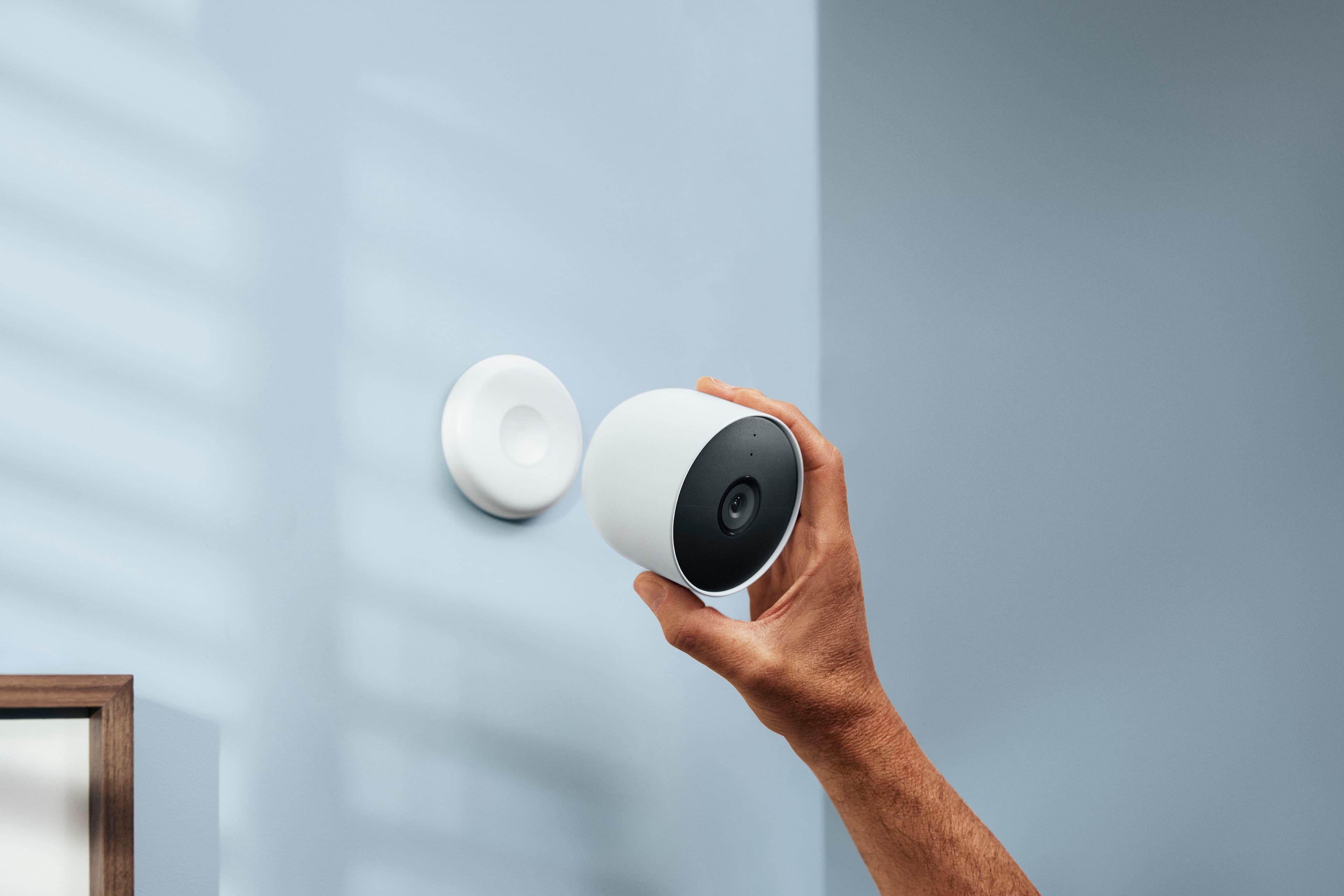
      Hi there hypochondrius, we greatly appreciate your feedback on Nest Cam (battery). We understand that having two charging cables for your cameras can be convenient for you. It only takes around 4-5 hours to fully charge the Nest Cam (battery). The Google Home app can show you how much time you have left until your battery will need to be charged, and the app will also notify you once the camera needs to charge. Simply remove it from the magnetic mount or stand and charge it using the USB-C charging cable. If you want to consider connecting your cameras to a power outlet for continuous power but you only have one charging cable and adapter, we suggest reaching out to our support team anytime so we can figure out a way to help you best, here: https://support.google.com/googlenest/gethelp Nest

  • Rated 1 out of 5 stars

    Worked for 9 days

    |
    |
    Posted . Owned for 2 weeks when reviewed.
    This reviewer received promo considerations or sweepstakes entry for writing a review.

    Worked for about 9 days, then our WiFi was disconnected due to a power outage. I was unable to connect to WiFi after viewing numerous blog posts and You Tube videos. Best Buy's return policy is 14 days. Waste of money!

    No, I would not recommend this to a friend
    • Brand response from Nest Support
      Posted .

      Hi there, WilliamL. We're sorry to hear that you experienced a power outage that affected the Wi-Fi connectivity of your Nest Cam (Battery). It's common to experience a sudden jump in current when power is restored following a power outage and this jump in power, or a power surge, may cause some issues with any plugged-in appliances and devices that do not have surge protectors. We recommend trying to restart your Nest Cam (Battery) to see if it might fix the issue. If restarting doesn’t prove to be helpful, we recommend contacting our support team so we can help check on the issue further using this link: https://support.google.com/googlenest/gethelp Nest

  • Rated 1 out of 5 stars

    Mission impossible

    |
    |
    Posted . Owned for less than 1 week when reviewed.
    This reviewer received promo considerations or sweepstakes entry for writing a review.

    Don't waste your time. You need too have a masters degree in software engineering, a background in mechanical science. If you're not a genius, just walk away from this migraine. Good luck. Im taking them back to bestbuy.

    No, I would not recommend this to a friend
    • Brand response from Nest Support
      Posted .

      Hi there, MartinR. We're sorry to hear that you had some difficulties with the Nest Cam (battery). We'd like to know more details about your experience with the device and help you with setting it up and navigating the interface. If you decide to give the device another go, please don't hesitate to contact us on our Google Help page here: https://support.google.com/googlenest/gethelp Nest