Skip to contentGo to Product Search
Gift Ideas
Main Content

Customer Ratings & Reviews
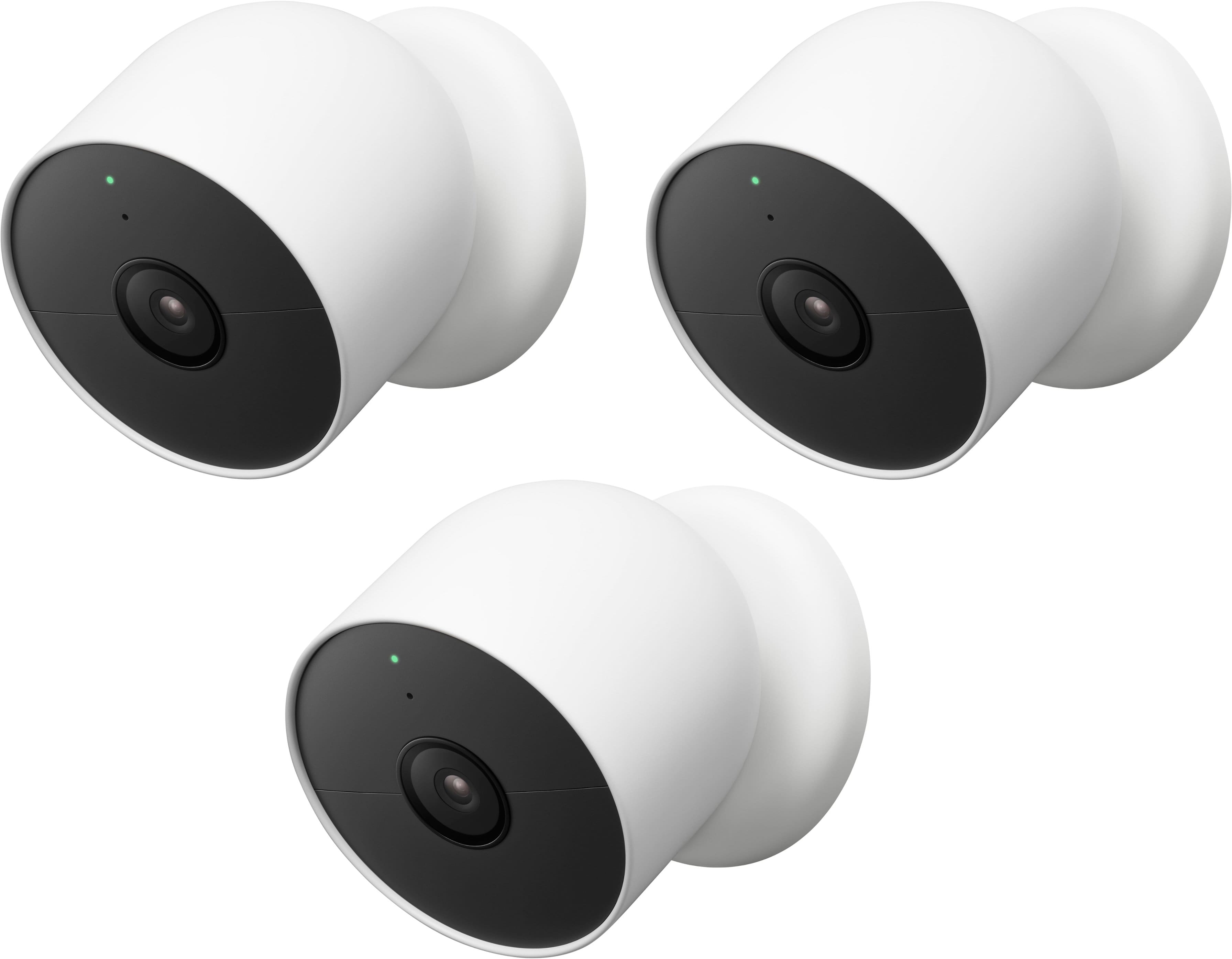
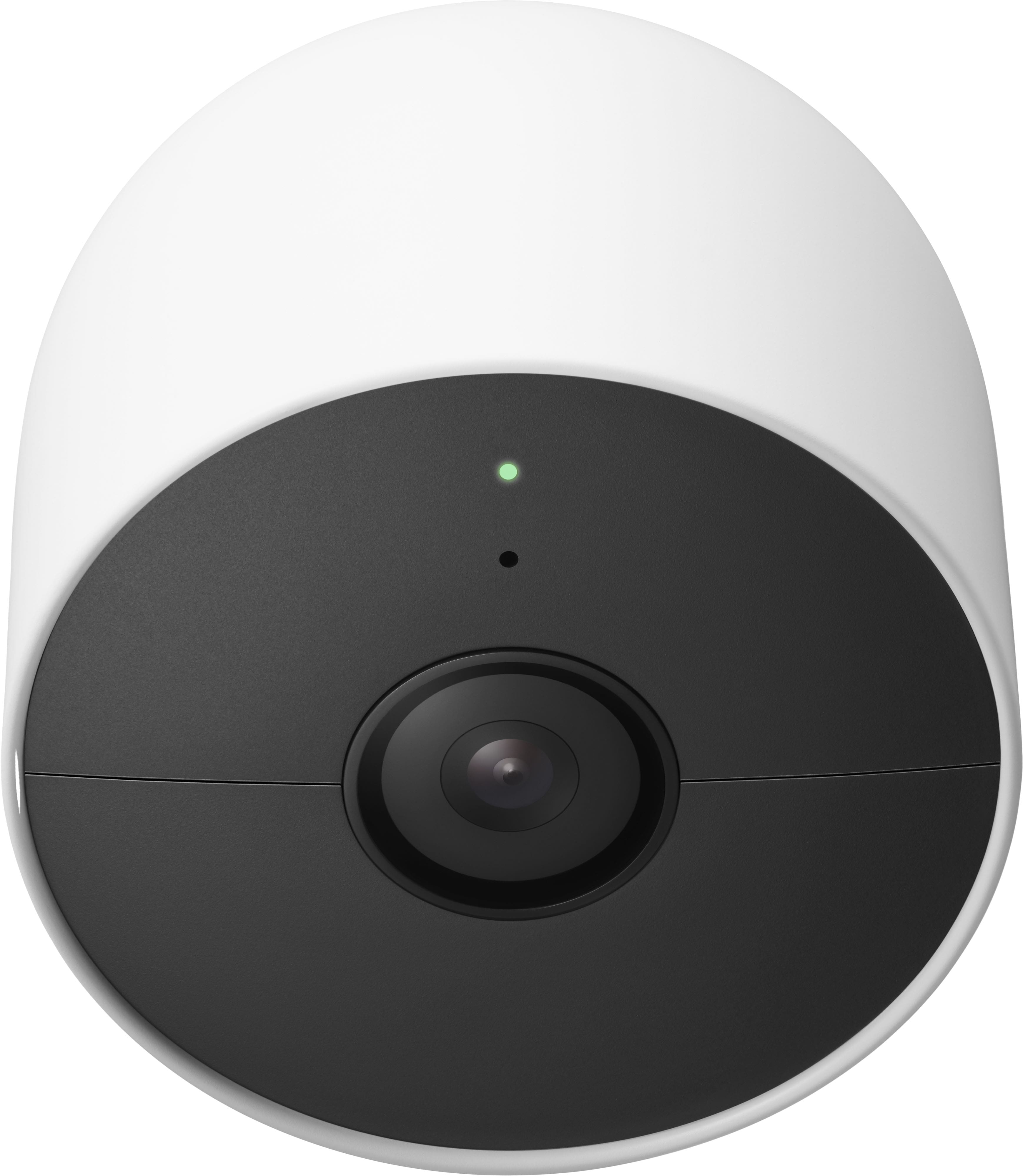
$369.99
Save $80
Comp. Value: $449.99

Customer reviews

Rating 4.1 out of 5 stars with 2727 reviews

Rating Filter

Rating by feature

  • Value

    Rating 4.0 out of 5 stars

  • Quality

    Rating 4.3 out of 5 stars

  • Ease of Use

    Rating 4.3 out of 5 stars

Pros mentioned filter

Cons mentioned filter

79%would recommend to a friend

Customers are saying

Customers enjoy the Nest Cam 2 Pack for its great camera quality and ease of use. Many users also appreciate the overall performance, easy installation, and clear night vision. However, some customers have expressed concerns about the battery life. Others have noted issues with app compatibility, motion detection range, and connectivity.

This summary was generated by AI based on customer reviews.

The vast majority of our reviews come from verified purchases. Reviews from customers may include My Best Buy members, employees, and Tech Insider Network members (as tagged). Select reviewers may receive discounted products, promotional considerations or entries into drawings for honest, helpful reviews.
Page 127 Showing 2,521-2,540 of 2,727 reviews
  • Rated 1 out of 5 stars

    Don’t buy this piece of shii

    |
    |
    Posted . Owned for less than 1 week when reviewed.
    This reviewer received promo considerations or sweepstakes entry for writing a review.

    Shii phucking sucks alien dicc did not work at all tried few times

    I would recommend this to a friend
    • Brand response from Nest Support
      Posted .

      Hi Pookstar, we appreciate you for sharing a review about the Nest Cam (battery). It’s unfortunate to learn that it didn’t work well. We can imagine how hard you tried, and are sorry for the inconvenience it may have caused. We’d like to help and learn on how we can improve your experience, and we encourage you to visit us anytime here for a closer look: https://support.google.com/googlenest/gethelp Nest

  • Rated 1 out of 5 stars

    Doesn’t record

    |
    |
    Posted . Owned for 1 month when reviewed.
    This reviewer received promo considerations or sweepstakes entry for writing a review.

    This camera doesn’t record 24/7. That’s it’s only flaw

    No, I would not recommend this to a friend
    • Brand response from Nest Support
      Posted .

      Hi there Leejay, thanks for contacting our support team. We're sorry to hear about your disappointment with the continuous video recording of Nest Cam (Battery).

      Nest Cam (battery) can accommodate up to 10 days of continuous video recording (CVR) and 24/7 video history if hardwired to power, and subscribed to Nest Aware Plus ($12 a month for all your cameras, speakers, and displays on the same home structure).

      If you have some questions you need help with, our support team would gladly answer them for you. Please feel free to contact our support team using this link: https://support.google.com/googlenest/gethelp Nest

  • Rated 2 out of 5 stars

    Doesn't Load In Google Nest app

    |
    |
    Posted . Owned for less than 1 week when reviewed.
    This reviewer received promo considerations or sweepstakes entry for writing a review.

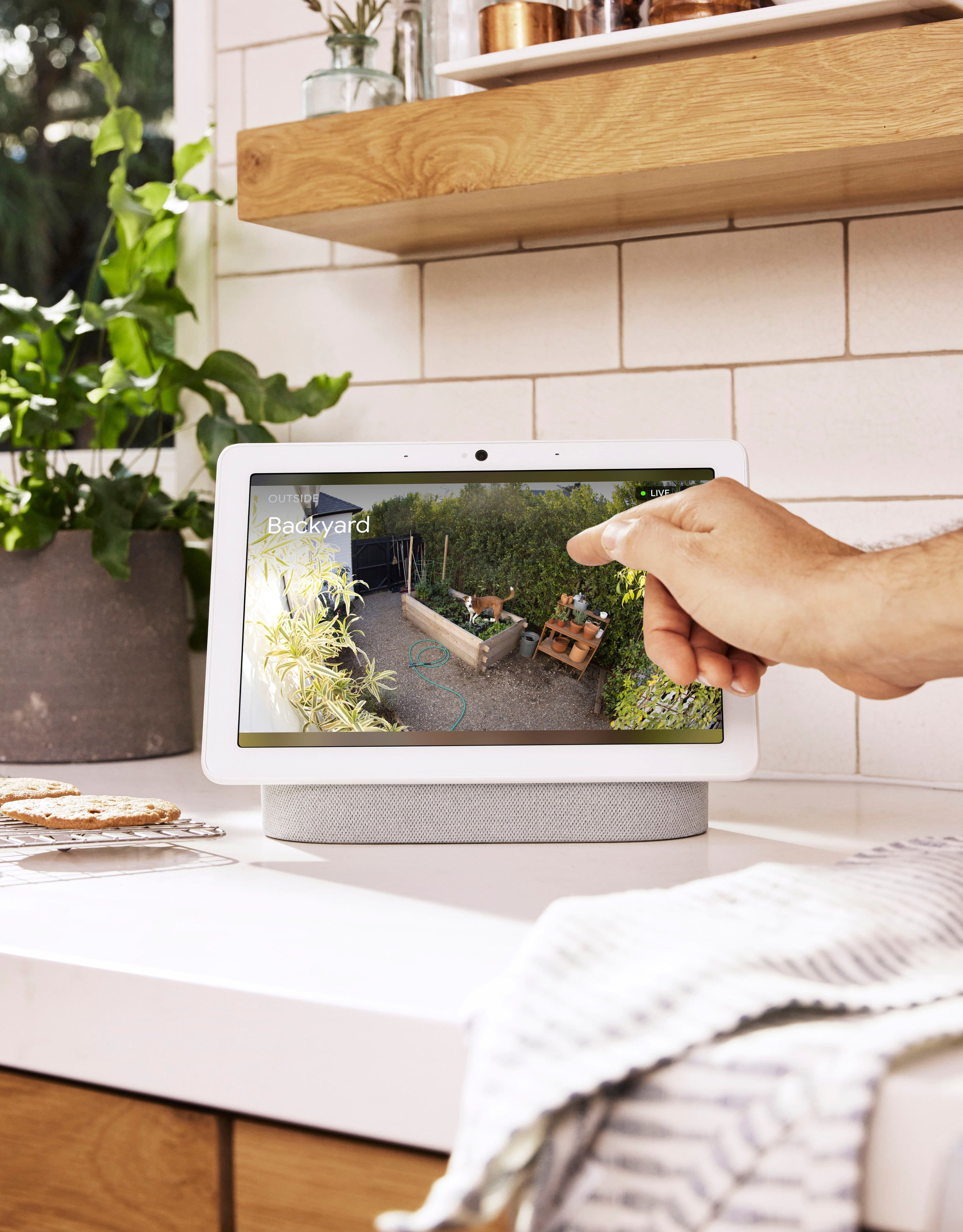
    This Nest (battery) camera will not load in the Google Nest app where all my (5) Nest Hub Max and Nest doorbell are. You have to view and use the camera in the Google Home app.

    No, I would not recommend this to a friend
    • Brand response from Nest Support
      Posted .

      Hi there DonDatta, we appreciate you for investing high on Google Nest devices, and thanks for sharing your feedback with us about the Nest Cam (battery). We understand that longtime Nest users enjoy viewing their Nest camera feeds from the Nest app or web app (browser). However, our priority with this launch was building a complete experience for our new cameras and doorbell in the Google Home app, and to make the Google Home app as the one place you can control all your favorite Nest and other smart home devices with the Google Assistant. While the new Nest cameras and doorbells are exclusive to the Google Home app, users with previous versions of Nest cameras, like you, can view your camera feeds in the Google Home app alongside the new Nest Doorbell and Nest Cams.

      We request for your patience as we’re working on a seamless solution to create a better user experience. Meanwhile, we suggest having the latest version of the Google Home app that may improve camera playback controls to make it easier to play, pause, and navigate between events from the camera history view for cameras set up in the Google Home app. And if you need help with any concerns about the performance and functionality of the camera, You're always welcome to let us know here and we’ll gladly help you the best we can: https://support.google.com/googlenest/gethelp Nest

  • Pros mentioned:
    Camera quality, Night vision
    Cons mentioned:
    Battery life
    Tech Insider Network Member

    Rated 5 out of 5 stars

    Peace of mind

    |
    Tech Insider Network Member
    Posted .
    This reviewer received promo considerations or sweepstakes entry for writing a review.

    We got this camera to replace our wireless Arlo brand ones on our front porch. We were a little hesitant about purchasing another rechargeable battery camera because of how quickly the battery life went downhill on the Arlo one, but for the price, you really can't beat it. My fiance' was able to set up everything in about 30 minutes. It was super easy, and it was almost effortless to sync it up to the Google Home app. The video quality isn't the best out there, but it's decent and clear, and night vision is great. I'm curious to see how the battery life is, but so far we've had it for a little over a week and the battery percentage is at 82%. I'd say if you're looking for a camera to make you feel safe and monitor your house, or even your pets, this is perfect.

    I would recommend this to a friend
  • Pros mentioned:
    Camera quality
    Tech Insider Network Member

    Rated 5 out of 5 stars

    Got my attention in a crowded space!

    |
    Tech Insider Network Member
    Posted .
    This reviewer received promo considerations or sweepstakes entry for writing a review.

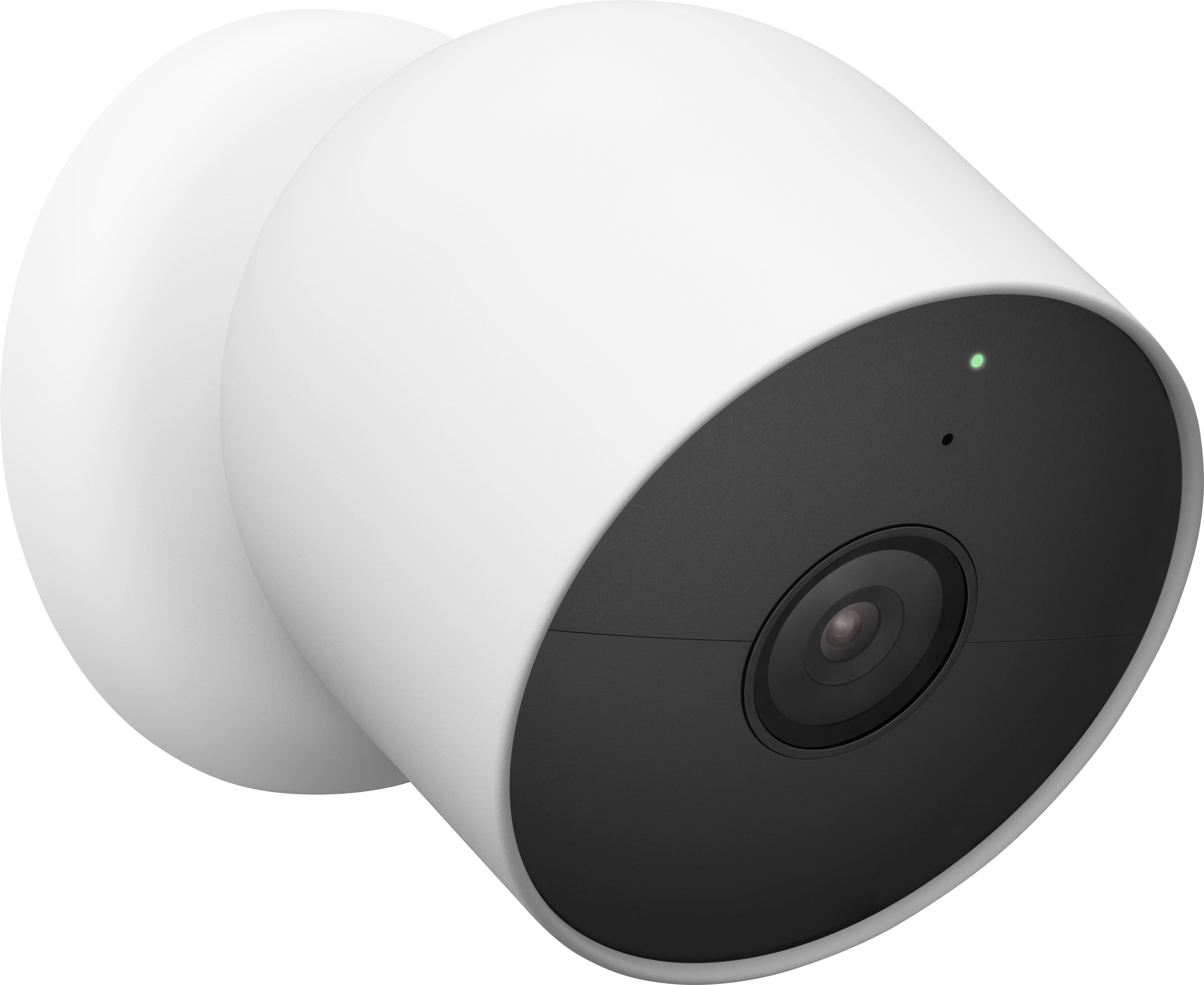
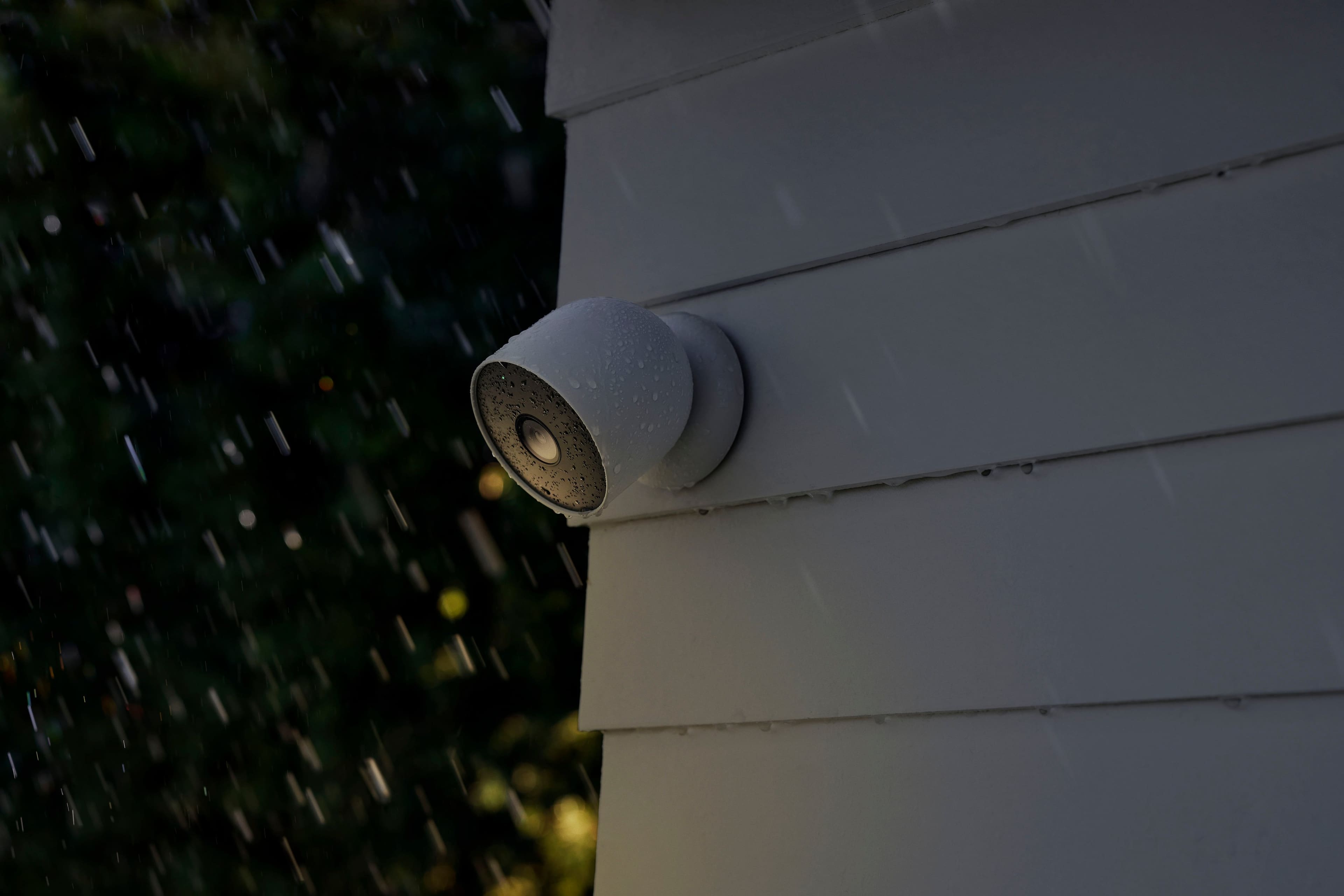
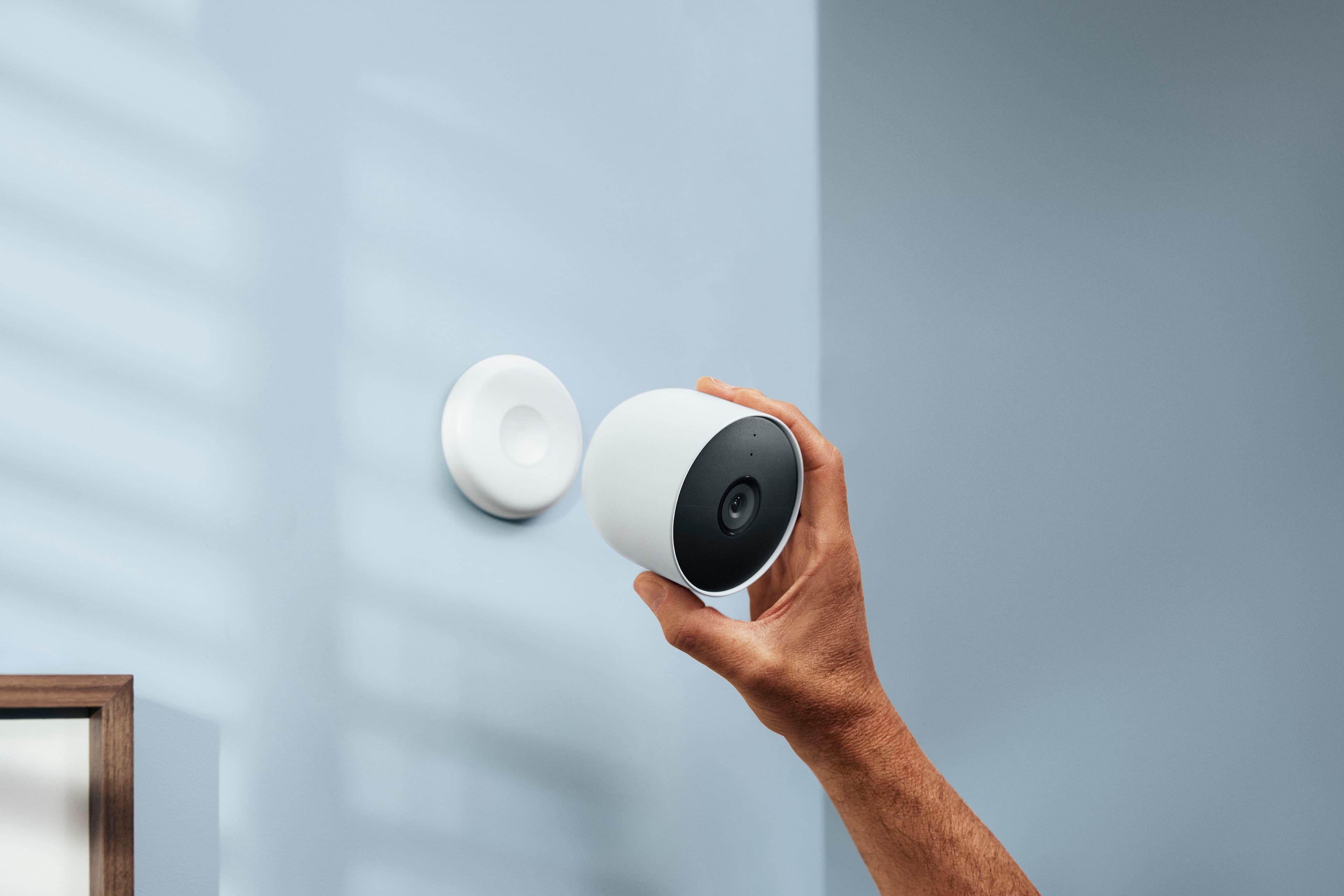
    Over the years I’ve used quite a few different home security camera systems. Wired, wireless, indoor, and outdoor – you name it, I’ve had an experience with it. The Google Nest Cam serves as a nice change of pace, a fresh approach to home security cams. First impressions of the Nest Cam were that it was boxed very well, pristine even, with nice heft for a single cam. Removing the device from the box, I was surprised at the size. It isn’t huge, but it’s definitely not small. It has a matte finish, which is a welcome change and should bode well for outdoor use, in my opinion. The design is simple, sealed, and elegant. One concern I had was there is no cover for the power connection port. For outdoor use, I was expecting there to be some type of silicon cover to seal the port from the outdoor elements. The camera comes with a magnetic base that is very powerful – much more than other cams I have used in the past. It’s strong! To the point where I almost feel comfortable placing it outside. Installing the camera is a breeze. There are a couple of screws along with anchors and a mounting plate. Once the mounting plate is installed, just twist on the magnetic base – done. One thing I love is the range the magnetic mounting provides. In past experiences with other products, the camera shape or the limitation of the magnet prevented me from setting the camera at the desired angle. The design of the Nest cam solves this issue allowing you to position the camera at very acute angles if necessary. The Nest Cam can be configured to your Google Home device list using the Google Home app. If you’ve ever used Google Home, you know it is very easy to add new devices. The app is very straightforward and makes it easy to add and manage devices in your home. The Nest Cam setup is no different. It is not only simple, but it leaves no stone unturned, no question unasked. Very detailed, but very simple is the best way to describe it. If you have other Nest devices in home, you are presented with the opportunity to add the camera to your existing Nest network. This is my first Nest device, so I was presented with the option to create a new network. The Nest Cam doesn’t come with a base station, connecting solely to your wifi for networking and cloud connection and recording. While a base station could offer some perks, namely local recording (although the Nest Cam will record locally if connectivity is lost – 1 hour limit), I think I like this approach – time will tell. The camera performs well. It delivers clear image quality in both good and low-light conditions. Motion also looks pretty smooth and consistent as well. There are some neat features the Nest Cam offers without a subscription such as person, animal, and vehicle recognition (requires a subscription on some other camera services). You can also set up activity zones and specify whether the camera detects all motion or the specifics you define, and you can also define routines based on when you are home or away. Each of these features has a matching notification slider allowing you to tailor the notifications received from the camera via the Google Home app. One thing that stood out to me with regards to notifications and alerts was how quickly/promptly my device was notified when motion was detected. I would say it was at least 3-4 times faster than my other wireless cameras – noteworthy. With a Nest Aware subscription, you can up the ante on your camera’s detection abilities by adding familiar face detection and 30-60 day video history with 24 hour recording for up to 10 days on wired cams. The cost of this service is very competitive, and the current gen Nest Aware package covers all devices for a single fee. Very attractive pricing model, especially with a very competitively priced camera. The app and camera work flawlessly together, and the interface is fluid and smooth showing events, settings, and video without a hiccup. How good is this? It has me considering replacing all my cameras around my home. I just like the build quality, the thoughtful design, the competitive pricing model, and the ease of use. I’m also a sucker for someone who offers me services someone else wants to force me to pay for. The cameras are a little bulky compared to some, and there is a sealed battery, which means no battery replacements, but the price and service structure offset those concerns in my opinion. The Nest Cam (battery) is a wonderful option for anyone looking to easily and affordably add camera security to their home.

    I would recommend this to a friend
  • Rated 1 out of 5 stars

    DO NOT BUY IF YOU HAVE OLDER NEST CAMERAS

    |
    |
    Posted . Owned for 1 month when reviewed.
    This reviewer received promo considerations or sweepstakes entry for writing a review.

    Nice cameras, but if you already have a Nest account THE NEW CAMERAS WILL NOT DISPLAY ON THE NEST DASHBARD. They have to be used on the new google app. So, I have half my cameras on the nest app (which is much better) and all of my cameras on the Google app. If you pay for next protect, these will not apply and you will not get the extra features. If I would have known this I would not have purchased these.

    No, I would not recommend this to a friend
    • Brand response from Nest Support
      Posted .

      Hi there Shaun, thanks for sharing your concern with us and we're sorry to hear about your disappointment with not being able to add the new Nest Cam (Battery) to the Nest app. We can only imagine how frustrating this may have been for you.

      However, we wanted to make the Google Home app as the one place where you can control all your favorite Nest devices and other smart home devices with the Google Assistant. For this reason, we made the new generation of Google Nest devices exclusive to the Google Home app. Here are some benefits you get by using the Google Home app:
      - Automatic security protections such as Suspicious activity detection, 2-Step Verification and Security Checkup.
      - Your Google Nest devices and services will work together. You can use Google Nest smart speakers and displays, or even your phone, to command your Nest Cam (Battery) and other devices.
      - One account to sign into both the Nest and Google Home apps.
      - Your homes and home members will be aligned across the Nest and Google Home apps.
      - If you're willing, you may set up your Nest cameras to the Google Home app. Check out this help article: https://support.google.com/googlenest/answer/9893532

      We value your feedback and we'll certainly look into the information that you provided us since we're always looking for ways that will help us improve the products and features we offer. If you need further help, please feel free to reach out to our support team using this link: https://support.google.com/googlenest/gethelp Nest

  • Pros mentioned:
    Camera quality, Night vision
    Tech Insider Network Member

    Rated 3 out of 5 stars

    Such Potential, But Fails to Compete

    |
    Tech Insider Network Member
    Posted .
    This reviewer received promo considerations or sweepstakes entry for writing a review.

    I've been wanting a camera for my home and have been anxious to get my hands on the Nest Camera Battery. I already have a Nest Doorbell, Nest Protect, and Nest Secure (alarm). With that said, I was certain I would also love the newest Nest addition to my smart home. Design The camera has some heft to it, making it feel like a premium, well-built device. I suspect the battery has a lot to do with its weight, but the included wall mount has a pretty powerful magnet that makes it feel secure with little chance that it will randomly fall from the wall or wherever you install the camera. I do have a stand accessory that allows me to put the camera on my fireplace mantle. Kind of unfortunate that it is separate, but the stand works as described. Video Quality The quality of video is very good. Both regular and night vision modes provide crisp visuals. It is 1080p, so resolution is pretty good. For the size of this product, and price, I would really expect it to be at least 2K if not 4K quality like Eufy cams deliver. Battery Life I've been using this product indoors in my living room for about two weeks. It is currently at 48 percent remaining battery life. One cool thing is that the Google Home app does present the battery life in percent and days. So at 48 percent, it tells me that I have approximately 2 more weeks left on the battery charge. Performance and Usage One thing I am extremely disappointed with is that you have to use the Google Home app to use the camera. It will NOT work with the original Nest app, despite the Nest name. No exceptions. The Google Home app is not as basic/simple as the Nest app. While you can view live video from the app, it will only store 3 hours of activity. For longer activity tracking, you will have to subscribe to the Nest Aware service. Oh, but it will not accept your current Nest subscription from legacy Nest devices. You have to get a new subscription. Such a pain and not a good move, Google. The camera/app sends me alerts whenever motion is detected. One thing I wish it would do is send a image capture in the push notifications like Eufy Cams and the original Nest app do. Overall I do not recommend this product. For the price point, features, and quality, I would recommend another device like Eufy Cam 2C or 2C Pro.

    No, I would not recommend this to a friend
    • Brand response from Nest Support
      Posted .

      Hi there argamando, thanks for being a loyal advocate of our products and for sharing your feedback with us. We do apologize to hear about your disappointment with the Google Home app, and the newer Nest Aware subscription plans.

      The new Nest Cameras and doorbells are exclusive to the Google Home app because we wanted to create an integrated experience with other Google Nest speakers and displays. We wanted to make the Google Home app as the one place you can control all your favorite Nest and other smart home devices with the Google Assistant. If you already have some Nest cameras installed in your home, you may transfer them to the Google Home app. Here´s a guide that you can follow: https://support.google.com/googlenest/answer/9893532

      Also, your Nest Cam (Battery) has full HD resolution with HDR video quality that’s optimized for a clear view in bright sun or dark. Keep in mind that it also helps save battery power. We believe that video resolution is only one factor that impacts video quality, and it shouldn’t be the only deciding factor when choosing a camera.

      For the best experience with your Nest Cam (Battery), we recommend getting the new Nest Aware subscription, as it provides more value for your money with features that include 30 days of Video History, 24/7 continuous recording, access to clips and time lapses and even customizing your own activity zones. The best thing about this subscription is that it will include all your Google Nest devices under one subscription unlike before where you have to pay a monthly subscription for each device. If you already have some Nest cameras installed in your home, you may transfer them to the newer Nest Aware plan.

      If you´re willing to try, please contact our support team so we can provide further assistance and help you with your concerns by using this link: https://support.google.com/googlenest/gethelp Nest

  • Pros mentioned:
    Camera quality
    Tech Insider Network Member

    Rated 3 out of 5 stars

    Smart, Wire-Free, Works best with subscription

    |
    Tech Insider Network Member
    Posted .
    This reviewer received promo considerations or sweepstakes entry for writing a review.

    This camera integrates well into the Google Home ecosystem providing a wire-free solution with 1080p quality video although there’s some room for improvement. // Setup Just like most Google Home products, setup was simple using the Google Home App where you scan a QR code to pair it with the app. // The Camera The camera itself is built well and has a solid construction. It’s quite a bit larger than other cameras on the market possibly due to a large battery and because of its weight it has a very strong magnet that’s used for mounting, allowing you to adjust the camera angle. // Mounting For mounting, it comes with a plate that you can attach to different surfaces and it comes with a couple screws and anchors to attach it to a wall and you could even mount it on a ceiling since the magnet is strong. The convenient thing about this particular Nest cam of course is that it has a built in battery so you can mount it anywhere that’s in range of your wifi without having external power. It comes with a charging cable but it’s a rather short 1 meter cable, however there’s an optional 5 or 10 meter weatherproof cable available as an accessory. // Optional Base There’s also an optional base/stand if you don’t want to mount it to a wall and prefer to place this camera on horizontal surface, like on a table or shelf. The stand has a rubber base, it’s heavy, and along with the weight of the camera there’s very little chance of it tipping over. The stand also comes with an adequate 3 meter power cable to keep the camera powered all the time. The design of the base is a little odd though and it only allows you to have the camera completely horizontal or rotate it 45 degrees downwards. It’s more of a pivot and less of a ball joint which would have provided more viewing angle options. // Video Quality It has 1080p video quality which is sufficient in most cases but it would have been much better with 2K or 4K. It has a 110 degree field of view which works well in plenty of use cases but would have loved to see a slightly wider field of view. Viewing footage in the Google Home app is very well thought out and scrubbing through recorded events is a great experience. // Intelligent The highlight of this camera though is how smart it is in terms of identifying people, animals, and vehicles having little to no false alarms with stuff like insects, shadows, etc… And I very much like the fact that you can create free form activity zones (not just a square but a custom shape) to specify areas in the camera view to get specific notifications. With the intelligent detection, this allows this camera to get great battery life, I’m talking months before having to recharge. // Subscription With the Nest Aware Plus monthly subscription, you can have 10 days of continuous 24/7 recording history but do note that without a subscription, you only get 3 hours of recording and that’s not 3 hours of footage, that’s just the last 3 hour period of time. So if you’re looking for a security camera solution without a monthly fee, you may want to consider other options. // Thoughts This camera is extremely intelligent, it’s built well, has great battery life, and integrates well into the Google Home ecosystem, but I would only purchase this camera if you are OK with the monthly subscription fee,

    I would recommend this to a friend
    • Brand response from Nest Support
      Posted .

      Hi there gwtbike, thanks for sharing a detailed list of your experience. We're sorry to hear that Nest Aware doesn’t quite meet your expectations.

      For the best experience with your Nest Cam (Battery), we recommend getting the Nest Aware subscription, as it provides more value for your money with features that include 30 days of Video History, 24/7 continuous recording, access to clips and time lapses and even customizing your own activity zones. You won't ever have to worry about missing any events as these videos and clips are all saved onto the Cloud. All these features can be viewed and controlled at the tip of your fingertip using the Google Home App. To learn more, check out this help article: https://support.google.com/googlenest/answer/9233159

      We care about your experience, and we'll make sure to pass along some details of your feedback to our product team, since we're always trying to find ways to improve our products and services. For all your support needs with Nest Cam (Battery), please consider contacting our support team by visiting us here: https://support.google.com/googlenest/gethelp Nest

  • Pros mentioned:
    Camera quality, Installation
    Tech Insider Network Member

    Rated 4 out of 5 stars

    Great camera, the audio is ok. App is HORRIBLE!

    |
    Tech Insider Network Member
    Posted .
    This reviewer received promo considerations or sweepstakes entry for writing a review.

    This battery powered Nest camera is pretty nifty. The resolution of video is great. Pictures are crisp and clear. The audio is not great. Things sound grabbled. The set up was pretty straight forward and easy. However, I was disappointed that the camera requires set up with the Google Home app as opposed to the Nest app which I control several things in my home already including other Nest cameras, a thermostat and several smoke detectors. The idea of using a separate app for this one camera means I will probably not use it much at all. The Google Home app is VERY wonky in how it works - sometimes it does just fine...others it will not work at all. Smart home devices are far too important to trust to an app that does not work. Recommend with some reservations

    I would recommend this to a friend
  • Pros mentioned:
    Camera quality

    Rated 4 out of 5 stars

    Great camera w/ better than expected battery life

    Posted .
    This reviewer received promo considerations or sweepstakes entry for writing a review.

    I currently have this camera on top of an 9 ft 4x4 post in battery mode- pointing around the area of my boat. I am very pleased with how long the battery has lasted. Its been going on close to 3 months and the "gauge" is currently at the half way mark. This is more than I expected from a battery powered camera. The picture quality is great for a 1080P camera. The microphone pics up conversations well. I have the settings set to give me the best balance of battery life and performance. The Googe Home app is somewhat clunky but its gotten better over the years. Notifications come up quickly on my phone however viewing them with ease can be a challenge. Im hoping to pick up another camera to monitor our backyard.

    I would recommend this to a friend
  • Pros mentioned:
    Camera quality
    Cons mentioned:
    Motion detection
    Tech Insider Network Member

    Rated 3 out of 5 stars

    Well built, but has its shortcomings

    |
    Tech Insider Network Member
    Posted .
    This reviewer received promo considerations or sweepstakes entry for writing a review.

    The new Google Nest Camera is seemingly well constructed with a heavy, solid-feeling main camera body and base mount. The magnet used for joining the 2 is contained in the base (which I made the mistake of setting face down on my toolbox) and is super strong. The camera body is very minimalist with just a (proprietary) charging port and a metal-threaded tether mount (I actually cobbled together a quick tether with a short piece of wire and 2 solderless connectors). Setup is super quick and easy. Being battery powered, the camera mounts just about anywhere with just 2 screws. And the setup process is similarly painless via the Google Home app and the included QR code. As for performance, picture quality has been very clear and smooth, even at night. Audio is surprisingly sensitive and clear. Live video and historical playback has been quick both on the house wifi or mobile. Battery life seems like it should be really good (I haven’t come close to draining my initial charge with the Home app reporting I have 3 months left after only a week of usage). And event notifications are quick, with little to no delay from the event being recognized to getting pinged on my device. With all that said, not everything is coming up roses. With only the People and Vehicle events enabled, my Google Nest Camera frequently only captures the last couple of seconds an event is within frame or misses them entirely. With the camera mounted above my garage door, facing down my driveway, it regularly misses vehicles pulling out of the garage in the morning or only records the last seconds after someone has walked the full length of the driveway. Also, without the $6/month Nest Aware Subscription, the camera only holds events (that it does actually capture) for 3 hours. So, if a deer dances a jig on your driveway at 1am and you don’t check your phone until you wake at 6am, you’re out of luck.

    No, I would not recommend this to a friend
    • Brand response from Nest Support
      Posted .

      Hey Beuge, we’re glad to hear your feedback, and thanks for sharing your experience with the Nest Cam (Battery). We’re sorry to learn that the camera has issues detecting activities or events, and that the free event-based video history is limited to 3 hours only.

      Nest Cam battery is the first battery camera created at Google Nest which features full on device machine learning which can detect pets, vehicles, people, faces and packages all without any cloud processing, and unlike the previous versions of Nest cameras, all the new cameras come with free 3 hour event-based video history. Previously, event-based recording required cameras to stream video to the cloud continuously while active for event detection algorithms to process the video. With onboard machine learning detection and sensors, event-based recording will begin when the sensor detects activity, and you can receive camera alerts as long as you're signed into the app.

      Battery life will depend on factors including activity, temperature, and camera settings that you select. You can extend the battery life of your camera by adjusting video quality, length of video clips, time between recorded events, and using activity zones to monitor specific areas. You can adjust the video quality in settings to balance high resolution video with longer battery life and lower bandwidth use. Here are some typical scenarios.

      Busy - About 1.5 months battery life (about 20 - 25 recorded events per day)
      Typical - About 3 months battery life (about 9 - 12 recorded events per day)
      Quiet - About 7 months battery life (about 2 - 4 recorded events per day)

      We always listen to what our customers share with us, as we aim to improve our products and services. If there’s anything we can help you with, let us know and we’d be happy to help: https://support.google.com/googlenest/gethelp Nest

  • Cons mentioned:
    Battery life
    Tech Insider Network Member

    Rated 4 out of 5 stars

    Sleek and Wire Free

    |
    Tech Insider Network Member
    Posted .
    This reviewer received promo considerations or sweepstakes entry for writing a review.

    Today there are a large variety of security cameras available on the market and it is nice to finally see Google refreshing their cameras to be more on par with their competitors. I definitely feel this refresh puts this camera in line with competitors. Firstly, the aesthetics are a major part of any security camera as it is something visible to everyone. With the nest camera I feel that Google really gave the product more of a modern look. It is not all about the look though as the mounting was extremely easy and the magnetic base is so much nicer than having to mess with screws every time the camera needs charged. The actual function is the other major component where it is not all positive unfortunately. I personally do like how the camera utilizes the Google home app as I am someone entrenched in the Google ecosystem so having the separate nest app has always been a pain. Then when it comes to the actual video quality it is exactly what you would expect from a 1080p camera to which I would rather have the decreased resolution as opposed to having to charge the battery every month if it were 4K quality. The microphone was exceptional though as I was pleasantly surprised with how clear it picked up sounds. As mentioned, the live feed within the app worked perfect along with the video detection. However, the one item that does come across as a negative for me is only 3 hours of previously saved video as I understand Google is attempting you get you to upgrade to a higher subscription, but 3 hours is not even enough to make it through the night. Overall, this is a great product as the asthetics are top notch with the magnetic mount being an exceptional feature and the usability of the app along with the video and microphone quality being wonderful. However, it seems we will have to continue to wait for the perfect security camera as I just can’t give this product five stars with the high price of the initial product that essentially requires an additional monthly subscription to make it fully achieve its intended purpose. Even if the saved playback was just 12 hours for the free subscription I would not hesitate to recommend this product to everyone, but as it currently sits I would still recommend it to the vast majority of people with the caveat of possibly needing to purchase the nest subscription to which this is the case with basically every security camera today unfortunately.

    I would recommend this to a friend
  • Pros mentioned:
    Camera quality
    Tech Insider Network Member

    Rated 2 out of 5 stars

    Mediocre features not worth premium price

    |
    Tech Insider Network Member
    Posted .
    This reviewer received promo considerations or sweepstakes entry for writing a review.

    Over a handful of years, I've installed different types of Security Cameras. Wired systems from Lorex and Q See. Wireless systems from Arlo Pro, Wyze, Eufy, D-Link and now Google Nest. Unfortunately, the Google Nest Camera Battery runs in the middle of the pack. I'm a little disappointed there isn't a breakthrough 'gotta have' feature. Out of the box, the camera itself is just smaller than a softball. It's got some heft to it, so the battery should last a while. As I'm looking through the Google Home app, I can see that the camera has 98% charge after running it for 5 days. One nice feature in the Google Home app, it estimates the battery life, in my case it shows 12 months. This will vary greatly based on traffic. The base magnetically secures to the camera and can be magnetically mounted. Fortunately, my door and sidelites are steel, so it made mounting easy as can be. Also included in the box is a twist-lock mounting plate and screws in case your mounting situation needs it. The charging cable is proprietary. It's a magnetic contact charger. The included cable is 1 meter in length and connects to the AC adapter via USB, therefore it is not weatherproof. I looked around for the weatherproof version and the 5 meter and 10 meter versions are $35 and $40 respectively. Another nit-pick I have with this charging cable is that it attaches to the camera one way and it's toward the front of the camera and not towards the base of the camera. In my opinion, it highlights the cord instead of hiding the cord. Setup of the camera is done through the Google Home app and not through the Nest app. This is rather unfortunate and confusing as this is advertised as a Nest camera. I believe I made the mistake of plugging in the camera to charge and not immediately setting up the camera since I had to tend to more immediate matters. When I came back to set it up, I had difficulty with the setup and required resetting the camera. I found instructions on resetting the camera, but the instructions were slightly misleading. There is a subtle button on the back of the camera and it requires a surprising amount of pressure to activate. I waited for the confirmation tone to release the button, but instead I had to wait for the yellow light to turn off to release the button before the confirmation tone would occur. This is tricky since the light is on the front of the camera and the button is difficult to push on the back. Once I had it reset, it took another couple tries to get it into the Google Home app. What's nice about this camera is that it's WiFi based, so you can place it anywhere your WiFi reaches. This is opposed to Arlo Pro or Eufy where it's dependent on the location of the base station. So this Google Nest Camera Battery gives you a little more placement flexibility if you have a strong WiFi coverage for your home. The video is clear but is limited to 1080 or lower. Some competing systems can give you 4K. Recorded audio is clear and the 2-way audio is better than I expected. Most other systems event recording is set for a particular amount of time. The Google Nest Camera records for the duration of the event or up to 3 minutes. But the tradeoff is that the recording is only available for 3 hours unless you purchase the subscription package. There are two levels of subscriptions at $6 or $12 per month with a small discount for annual plans. These plans are set up for unlimited devices. For my situation, I'm better off with another brand of cameras. The Google Nest Camera Battery doesn't have any features that make it head and shoulders above any other camera system. The premium pricing of just one of these cameras coupled with the proprietary charging cable could get me into a 2 or more camera system from other brands.

    No, I would not recommend this to a friend
    • Brand response from Nest Support
      Posted .

      Hi bzm3j81, we appreciate you sharing your experience with the Nest Cam (Battery). We’re sorry to learn that your Nest camera didn’t meet your expectations.

      Our priority with this launch was building a complete experience for our new cameras and doorbell in the Google Home app. Our teams are working on enabling the ability to setup and control older Nest cameras in the Home app so users will have one app to control all of their devices, and we’re working on bringing full functionality to the Google Home app because we wanted to create an integrated experience with other Nest and smart home devices.

      You can extend the battery life of your camera by adjusting video quality, length of video clips, time between recorded events, and using activity zones to monitor specific areas. Battery life will depend on factors including activity, temperature, and camera settings that you select. This link might be helpful: https://support.google.com/googlenest/answer/10901611

      As for the image quality, you can adjust the video quality in settings to balance high resolution video with longer battery life and lower bandwidth use. Pixel count is only one factor that impacts video quality, and it shouldn’t be the only deciding factor when choosing a camera. The new Nest Cam has HDR video quality that’s optimized for a clear view in bright sun or dark.

      We always listen to our customer’s feedback as it helps us better understand our customers’ needs and preferences. If you have any questions or if you need any assistance, please let us know and we’d be happy to help: https://support.google.com/googlenest/gethelp Nest

  • Rated 1 out of 5 stars

    Horrible

    |
    |
    Posted . Owned for 1 month when reviewed.
    This reviewer received promo considerations or sweepstakes entry for writing a review.

    Horrible. Had the geek squad install them 1 week later they stopped working. They did not give us the owners manual or warranty info. Adam came out last week and would not do a thing to help me. Worst service ever

    No, I would not recommend this to a friend
    • Brand response from Nest Support
      Posted .

      Hi CarolO, thanks for giving us feedback on Nest Nest Cam (battery), and it’s unfortunate to hear you came across these issues. For any concerns about the installation services or warranty, we encourage you to contact your installer or retailer. On the other hand, we’d like to know more about your experience and learn how we can help. Feel free to contact us anytime and we’ll definitely help you the best way we can: https://support.google.com/googlenest/gethelp Nest

  • Pros mentioned:
    Camera quality
    Cons mentioned:
    Battery life
    Tech Insider Network Member

    Rated 3 out of 5 stars

    Decent camera

    |
    Tech Insider Network Member
    Posted .
    This reviewer received promo considerations or sweepstakes entry for writing a review.

    The google nest camera pairs well with my nest door bell camera. I enjoy using one app to view my cameras. Now, I had to pay for a nest subscription to get smart alert features and activity zones with my doorbell, so I am glad google has these as free features with the this camera. The con is that you only get 3 hours of activity, so if something happens when you are sleeping you may not be able to access the footage. In addition this is not the most discrete camera so if you want something discreet you should look elsewhere. I am using the indoor stand for the camera and placed it on top of a cabinet in my garage. The audio quality is great and it picks up normal conversations, and the activity zones allows me to know if the motion is at my garage car door or the garage door leading into my home. Google is transitioning to the google home app vs the nest app and I think google should allow a video grid where I can see all of my cameras on one page like they had on the nest app. It’s ok to transition to a new app but you need to make sure the functionality is the same or better. I don't see any features on this camera that separates it from anything else on the market. Unless you are deep into the google ecosystem I would recommend other cameras that integrate with homekit, google, and alexa so that you aren't locked in to one ecosystem.

    No, I would not recommend this to a friend
    • Brand response from Nest Support
      Posted .

      Hi there AgentOJ, thanks for sharing details about your feedback with us. We´re sorry to hear that some features for your Nest Cam (Battery) didn't quite meet your expectations. We appreciate your suggestions since we´re always looking for ways to improve our products and services, and we´ll make sure to pass them along to our product team. In the meantime, we'd love to help you out with any support needs you may have with your Nest Cam (Battery) if you can reach out to us here: https://support.google.com/googlenest/gethelp Nest

  • Pros mentioned:
    Camera quality
    Cons mentioned:
    Battery life

    Rated 2 out of 5 stars

    Wireless camera with horrible battery life

    Posted .
    This reviewer received promo considerations or sweepstakes entry for writing a review.

    Overall: While the Google Nest Wireless Camera offers excellent image quality and seamless integration with the Google Home app, its frequent charging requirements can be a significant drawback. Pros: * Superior Image Quality: The camera delivers crisp and clear video footage, even in low-light conditions. * Smart Features: Integration with Google Assistant allows for voice control and easy access to camera feeds. * Google Home App: The user-friendly app provides a centralized hub for managing multiple devices, including the camera. Cons: * Battery Life: The wireless camera's battery life can be short, requiring frequent charging (every 2-3 weeks). This can be inconvenient, especially for those who want continuous monitoring. * Charging Limitations: The need to frequently remove the camera for charging can disrupt its placement and potentially compromise security. Recommendation: While the Google Nest Wireless Camera offers many desirable features, its battery life limitations may not be ideal for everyone. If you're willing to deal with frequent charging, the camera's excellent image quality and smart features make it a solid choice. However, if you prioritize continuous monitoring without the hassle of regular charging, the wired version might be a better option.

    No, I would not recommend this to a friend
    • Brand response from Google Nest Support
      Posted .

      Hey There!
      Thank you for taking the time to share your feedback about your Google Nest Cam Indoor/Outdoor. We appreciate you letting us know that frequent charging is inconvenient.

      To help us improve our products, please fill out this form and share your thoughts: https://google.qualtrics.com/jfe/form/SV_2aStd8wsbcLGvwG Nest

  • Pros mentioned:
    Camera quality
    Tech Insider Network Member

    Rated 4 out of 5 stars

    Pretty good but missing a few things

    |
    Tech Insider Network Member
    Posted .
    This reviewer received promo considerations or sweepstakes entry for writing a review.

    Overall this is a decent camera for the purpose. Installation is a breeze, 2 screws and done, set up is like everything else Google, easy. Camera quality is very good considering it's FHD and not QHD. The zoom feature works really well and can maintain good clarity. Bear in mind due to the resolution you're not going to get that super fine details like plates on cars and such but I didn't have any issues at all. Battery seems to be fine with mine so far. It says I have a week left and has said that since install, it's been a couple if weeks now so all good. The mic on this is one of the best I've heard on a security camera. For me this is the most impressive aspect of the unit. The app is fine too, easy to use but is a separate app to your regular nest app. No biggie for me. Having no local storage is a letdown considering you only get 3 hours of saved video unless you pay extra for a subscription. No time or date overlay which I find odd for a security camera. Maybe Google can fix this with an OTA update. It has a Google logo overlay so time and date should be something simple. Pros: Easy set up Good clarity Great mic Good battery Easy to use Cons Only 3 hours if saved video which feels like an attempt by Google to make you pay for the sub service. Notifications can be flakey No time or date overlay

    I would recommend this to a friend
  • Pros mentioned:
    Camera quality
    Tech Insider Network Member

    Rated 4 out of 5 stars

    pros and cons moving from Nest to Google Home

    |
    Tech Insider Network Member
    Posted .
    This reviewer received promo considerations or sweepstakes entry for writing a review.

    The lead is that this is a nice camera and a welcome addition to my Google Home/Nest ecosystem. I'm very reluctant to get things that don't work with Nest as it's really become the foundation of my smart home platform and I like the Nest and Google Home smartphone applications. The Camera is way smarter than my older Nest cams. I was reluctant to use one that doesn't allow for continuous recording. But the way that this camera stores events and uploads them as it can has allowed me to place it in a location far away from a wifi access point where its useful, and it uploads events and notifies as it can. It can do this well because its doing more on the camera itself than putting everything on the cloud and determining what is happening with cloud-based compute. I was frustrated with the setup... This is the first camera/doorbell that I couldn't setup with Nest and had to use Google Home for and it did not go well. The setup should take 5 - 10 minutes and be scan and go easy but it took several hours and fiddling with my entire home so that the setup process wouldn't fail when it tried to find an assisting device. Once you get past this frustration everything worked well. But config should always be a step easier, not more frustrating that past releases and can't be ignored when scoring the review.

    I would recommend this to a friend
  • Rated 1 out of 5 stars

    Idle

    |
    |
    Posted . Owned for 1 month when reviewed.
    This reviewer received promo considerations or sweepstakes entry for writing a review.

    The camera turned on the idle mode, made many attempts to fix it, but nothing helps. pointless thing and waste of money

    No, I would not recommend this to a friend
    • Brand response from Nest Support
      Posted .

      Hi SerhiiO, we really appreciate the feedback you shared, and we’re sorry to hear that your Nest Cam (battery) went on idle mode. We can imagine how hard you tried, and we appreciate all your efforts to fix it.

      The Nest Cam (battery) will go into idle mode whenever it's running on battery. To stream live video in this case, you'll first need to tap "Live video" for your camera in the Google Home app. If Nest Cam (battery) is wired, the live video will stream without needing to tap the option. It may also be helpful to adjust the wake-up sensitivity of your camera to decide when to wake up and start recording. If the wake-up sensitivity is low:
      - It decreases the range at which the camera can sense activity.
      - It increases the amount of time it takes for the camera to wake up once it senses activity.

      Here's how to adjust the wake-up sensitivity in your camera settings:
      - Open the Home app.
      - Touch and hold your device's tile.
      - Tap Settings > Video > Wake-up sensitivity.
      - Choose the High Low setting.

      We’re always here to help. If further assistance is needed, simply let us know anytime here: https://support.google.com/googlenest/gethelp Nest

  • Cons mentioned:
    Battery life
    Tech Insider Network Member

    Rated 3 out of 5 stars

    Needs improved specs

    |
    Tech Insider Network Member
    Posted .
    This reviewer received promo considerations or sweepstakes entry for writing a review.

    I've owned Nest products long before Google acquired the company. I'd categorize myself as a power-user of Nest devices and believe they are superior to their competitors. I have a Nest doorbell, two thermostats, three smoke/CO2 detectors and two video cameras. I wanted to add this new video camera to my Nest network as will be used a second home. Since there was "Nest" branding all over the packaging, I thought this camera would be an easy addition to my Nest network via the Nest app. That changed when I realized that you can only add this next-gen device to the Google Home app. This is disappointing as the Nest app is superior to the Google Home app. I have extensive experience in website and app usability. The Nest app is far more intuitive than the Google Home app. The Google Home app is cluttered with additional icons which I don't use. The Nest app uses far-better iconography which is clear and intuitive. It also groups icons in various rooms close together along with a video display for easy access to adjust the temperature if needed while I check the app for notifications. The next-gen camera seems to be a great device. It can operate via battery or can be plugged into an electrical outlet. One huge disappointment is the temperature range specs of -4 to 104 degrees. That doesn't cut it when I own homes in the upper midwest where the temps can go down to 40 below and our other home is in Arizona where the temps can reach 120+ degrees. Google is limiting their potential customer base by not engineering the specs to reach into the extreme highs and lows of wether patterns across the country. I wanted to mount this outside to monitor our back patio while we are gone for several months each summer. I'll have to mount it inside. I hope Google makes changes on the specs and the usability (via the Google Home app). In short, this is a great camera but it is only as great as the software and usability that goes along with using it via the app. Google/Nest engineers need to solve this and enable usage through the Nest App.

    No, I would not recommend this to a friend
    • Brand response from Nest Support
      Posted .

      Hi Nabob, thanks for being a long time user of Nest and for sharing your experience with us about your Nest Cam (Battery). We’re sorry to learn of your disappointment with the usability of the Google Home app and with the operating temperature range of the doorbell. We’re listening to our customers' feedback to better understand our customers’ preferences and needs.

      Our teams are working on enabling the ability to setup and control older Nest cameras in the Home app so users will have one app to control all of their devices. We’re also working on bringing full functionality to the Google Home app because we wanted to create an integrated experience with other Nest and smart home devices.

      In the meantime, if you have any concerns about the Nest Cam or any of your Nest devices, let us know and we’d be happy to help you here: https://support.google.com/googlenest/gethelp Nest