Customer Ratings & Reviews

- Model:
- GA02077-US
- SKU:
- 6559342
Rating by feature
- Value
Rating 4.0 out of 5 stars
- Quality
Rating 4.3 out of 5 stars
- Ease of Use
Rating 4.3 out of 5 stars
Customers are saying
Customers are impressed with the Nest Cam's camera quality, ease of use, and overall performance. Many also appreciate the simple installation and clear night vision. However, some customers have expressed concerns about the battery life and app compatibility. Others have noted issues with motion detection range and occasional connectivity problems.
This summary was generated by AI based on customer reviews.
- Cons mentioned:Battery life
What were they thinking????
Posted .This reviewer received promo considerations or sweepstakes entry for writing a review.I agree with most of the other reviews that this camera is a giant leap backwards. Google has owned Nest for 7 years and still can't figure it out. I'm shocked they put this thing out there as a "new" camera. Do yourself a favor and look at a different camera system. Google has run Nest into the ground. Just like others have said buying any of the "new" cameras will force you to use the Google Home app which is complete garbage compared to the Nest app. With the Nest app I can open the app and see all of my cameras instantly. Not so easy with the Google Home app. They try to make it look like a "one stop shop" type of app but in reality they are just trying to sell you more services. Google should be ashamed they put out a product like this and called it "new". The quality is the same as my 6 year old cameras which says a lot. I have been a subscriber to Nest Aware since it came out and products like this make me want to jump ship to a different camera manufacture. I had a Nest IQ 4k Outdoor camera and it went bad just outside of the warranty so they wouldn't do anything for me. The sensor went bad so the video was pink/purple instead of color. A quick search of the problem online and you will see it's a known issue. They suggested I buy this piece of junk in it's place. This is the highest quality outdoor camera they offer and it's a complete travesty. I understand some people will want a battery in the camera and I can see how that would be helpful. But the fact that I can just walk up to the camera, grab it quickly and walk off is a complete joke. If your camera is within arms reach or a jump, someone can just walk off with it. That kind of defeats the purpose of a "security camera". I'm honestly still in shock they are selling this product. One of the largest companies in the world and this is what they come up with after 7 years in the game???? I think that is pretty much a red flag of things to come…… Also, to whomever reads this from Google. Save me the canned "Please contact customer service and we would love to help you" reply. I tried that and you told me to buy this camera. Shame on you!
No, I would not recommend this to a friendBrand response from Nest Support
Posted .Hi JZ007, thanks for taking the time to share your feedback about Nest Cam (battery). We regret hearing your disappointment with the new Nest Cam.
Our long term plan is to use the Google Home app as the one place you can control all your favorite Nest and other smart home devices, and Google Assistant. In the near future, we’ll allow users to set up previous Nest devices and have full control in the Home app. Users with older cameras can view their camera feeds in the Google Home app alongside the new Nest Cams. Our team is working on bringing full functionality to the Google Home app so all of your cameras can be set up and controlled in one place.
We value your feedback, and we’d like to help you the best way possible. You can reach out to us for further assistance anytime here: https://support.google.com/googlenest/gethelp

I love it...
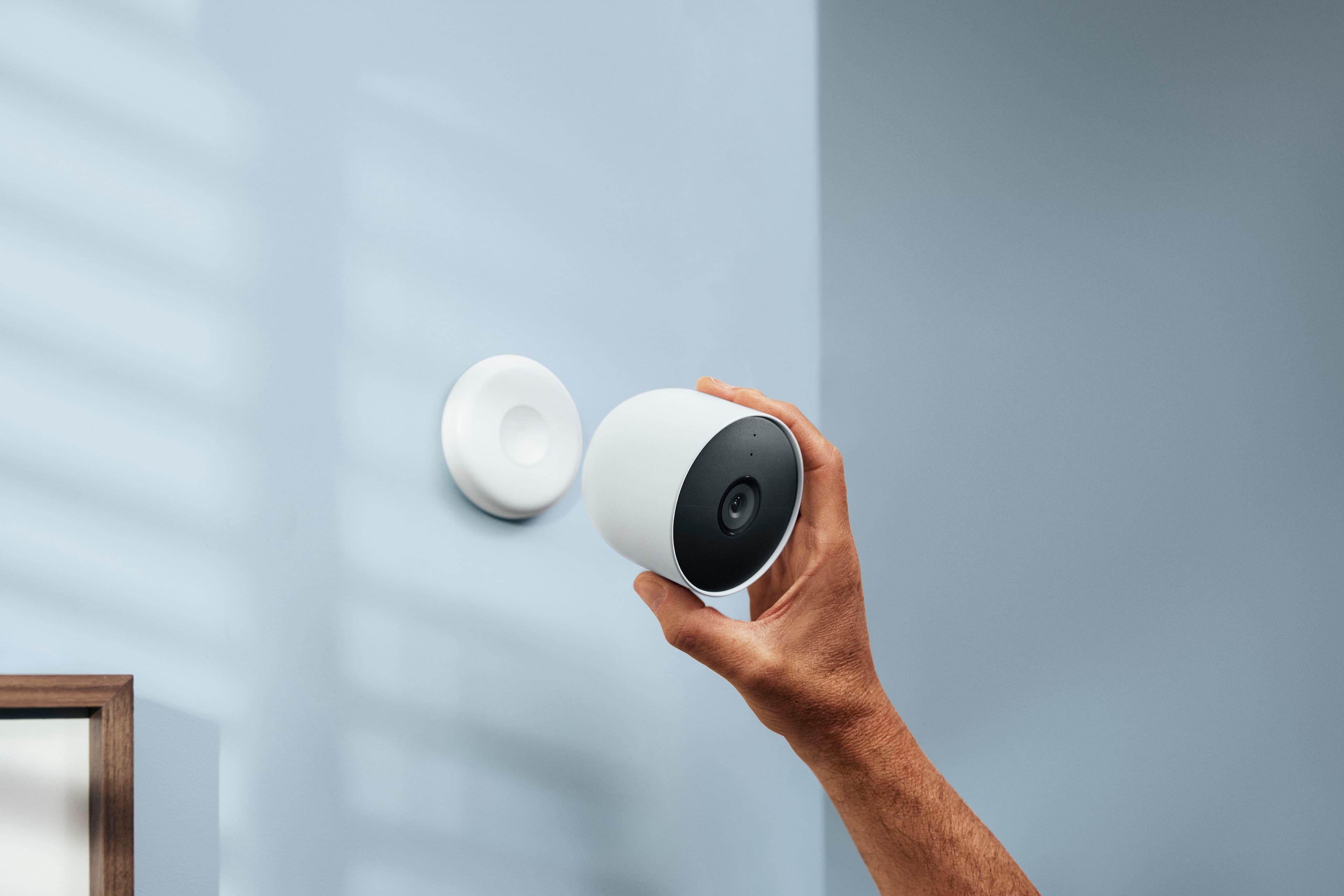
|Posted .This reviewer received promo considerations or sweepstakes entry for writing a review.WOW, this is super clear, and very clean. The camera itself is much bigger in size from what I thought it would be, but once you mount it you will forget about it. The installation is easy, and fast, no issues. The cool features: The camera turns off when it's not on the mount. It charges really fast. Has and option for a stand, and long cable to keep it plugged across a longer distant for mounting. It's battery operated, and it last for a long time on battery from my usage. This is a must have if you need some form of security, and or viewing your home from afar. Create an activity zone for more alerts if you need to. There are no fees when using the record function, and you do not need to use the internet for recording. I love it...
I would recommend this to a friendstable good cams
Posted .This reviewer received promo considerations or sweepstakes entry for writing a review.We've been very happy with these cams. Very easy to setup and stable.
I would recommend this to a friendI’d buy again .
Posted .This reviewer received promo considerations or sweepstakes entry for writing a review.Work well. Batteries last a good bit if not on live feed . Picture quality is good too
I would recommend this to a friendLove it!
Posted .This reviewer received promo considerations or sweepstakes entry for writing a review.Works well. I bought one in January 2020 and the tech said it was burned out after a short period of time. New one works well
I would recommend this to a friendAwesome Cameras
Posted .This reviewer received promo considerations or sweepstakes entry for writing a review.Awesome cameras these things work like a charm and have amazing picture wuality
I would recommend this to a friendGreat camera!
Posted .This reviewer received promo considerations or sweepstakes entry for writing a review.Great camera! Very easy to install & set-up! Add a solar panel so you don’t have to keep taking it down to charge it!
I would recommend this to a friendThere Are Better Cameras Out There
|Posted .This reviewer received promo considerations or sweepstakes entry for writing a review.Setup is easy with the QR Code. The video quality is good, it's only 1080, but that is all that I need. Battery life is also good. I don't like that you can not turn off the LED light and a chime goes off prior to 2 way communication. These features are configurable for other cameras I currently own. The field if vision is also pretty bad. 3 hours of video history is pretty lousy, I can not rely on that if I take a long trip out of town. Basically you're being forced to get a subscription. There are more cons than pros with this camera. This camera would make a great baby monitor, but I wouldn't use it for security.
No, I would not recommend this to a friendBrand response from Nest Support
Posted .Hi there BigRoy, we're glad to hear that you had an easy time setting up your Nest Cam (Battery), and that you liked the video quality and battery life. We apologize for your disappointment with some of its features.
We understand that for most users, a higher resolution is always better. However, video resolution is only one factor that impacts video quality, and it shouldn’t be the only deciding factor when choosing a camera. Your Nest Cam (Battery) has full HD resolution with HDR video quality that’s optimized for a clear view in bright sun or dark. Keep in mind that it also helps save battery power.
An alternative option to control the LED status lights for your Nest Cam (Battery), is to use the Google Home app to control your Nest Cam (Battery) to change the brightness of its LED status light. Here's how:
- Open the Google Home app.
- On the home screen, tap your camera or doorbell.
- Tap Settings.
- Select Video.
- Under “Status light brightness,” choose High, Auto, or Low.
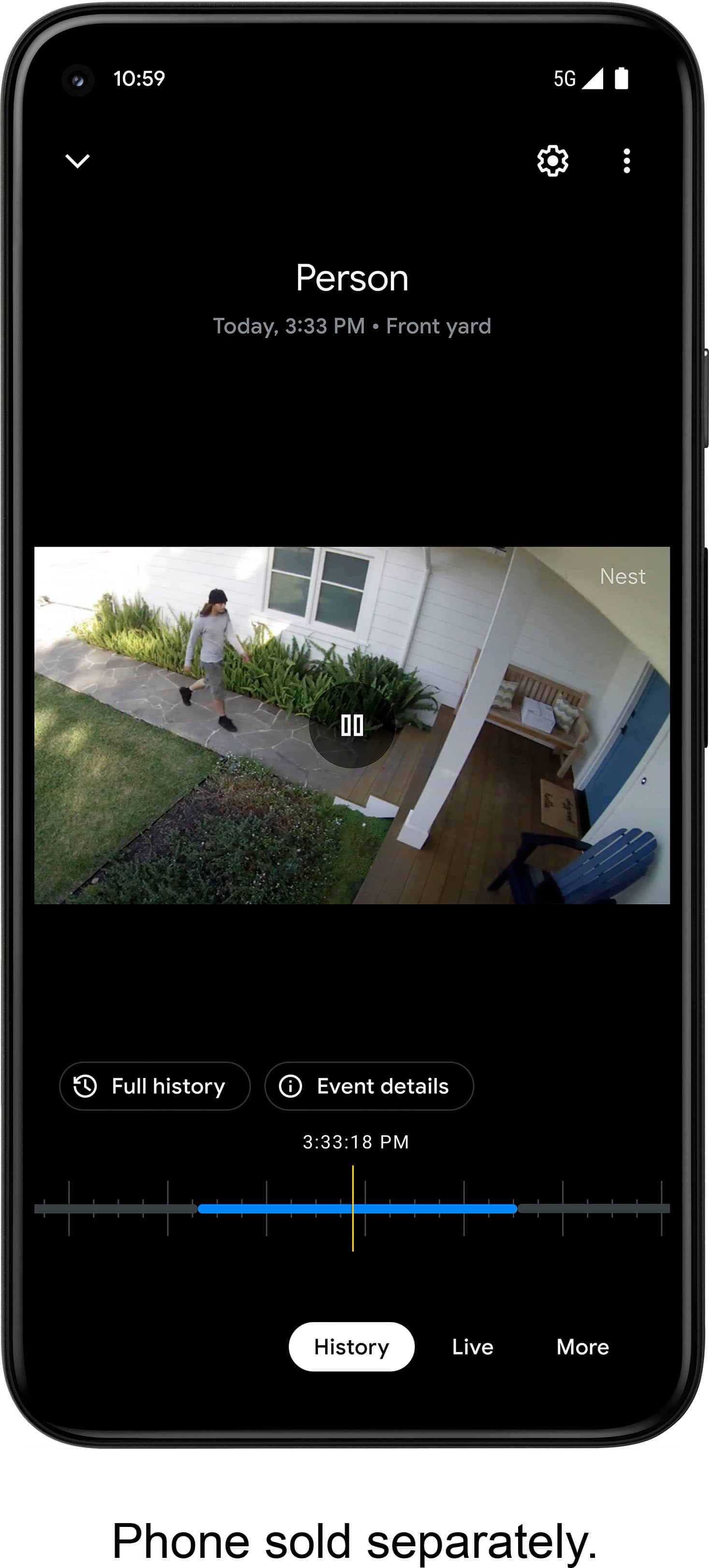
For the best experience with your Nest Cam (Battery), we recommend getting the Nest Aware subscription, as it provides more value for your money with features that include 30 days of Video History, 24/7 continuous recording, access to clips and time lapses and even customizing your own activity zones. You won't ever have to worry about missing any events as these videos and clips are all saved onto the Cloud. All these features can be viewed and controlled at the tip of your fingertip using the Google Home App.
We're always looking for ways to improve your experience. For any other support concerns you may have, please reach out to our support team here: https://support.google.com/googlenest/gethelp
Great camera and long battery life.
Posted .This reviewer received promo considerations or sweepstakes entry for writing a review.Great camera and easy to set up. In order to get the longest battery life I adjusted the settings in app. I truly enjoy how easy setup was. Looking forward to adding more camera to my home.
I would recommend this to a friendnice cameras
Posted .This reviewer received promo considerations or sweepstakes entry for writing a review.These cameras work great and are easy to setup and configure.
I would recommend this to a friendCamera
Posted .This reviewer received promo considerations or sweepstakes entry for writing a review.Excellent quality. Clear and concise viewing of images.
I would recommend this to a friendI love how sturdy this camera is
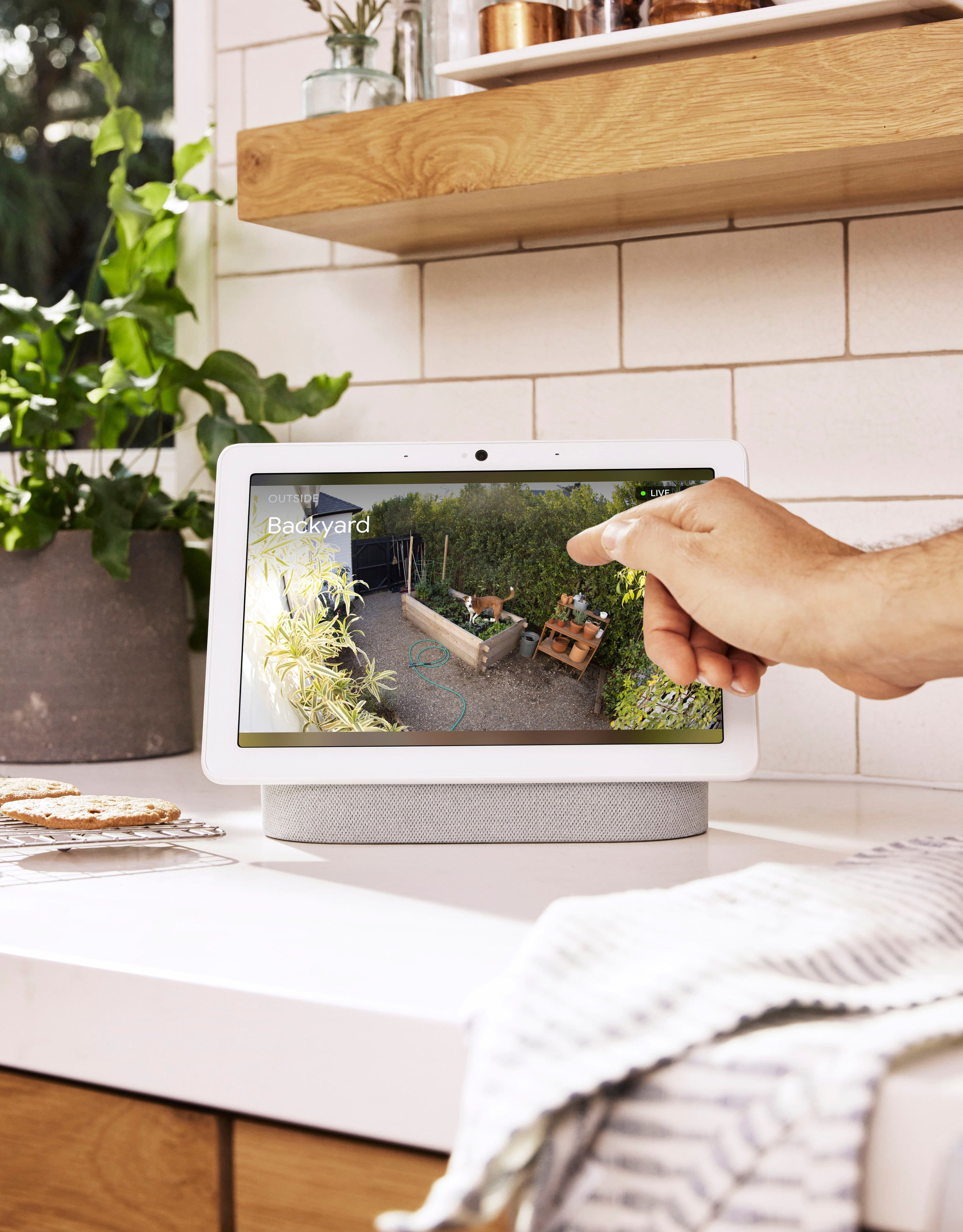
Posted .This reviewer received promo considerations or sweepstakes entry for writing a review.I'm a current nest customer, and I've been waiting forever for a wireless camera from this company. I had Arlo, but was unhappy that I couldn't see between the clips, and my nest subscription allows that. The set up was super easy, and so far, they battery is lasting way longer than the battery on my arlo cameras. I also like the fact that now the camera is integrated into the google home app, so I can now see everything in one place , instead of toggling back and forth depending on the cameras.
I would recommend this to a friendGoogle Nest Cam works great!
Posted .This reviewer received promo considerations or sweepstakes entry for writing a review.They work great! Easy to install. The Nest Cam's integrate easily to the Google Nest system.
I would recommend this to a friendGoogle nest outdoor camera
Posted .This reviewer received promo considerations or sweepstakes entry for writing a review.I tried other outdoor cameras, and this one surpasses them.
I would recommend this to a friendEasye
Posted .This reviewer received promo considerations or sweepstakes entry for writing a review.Easy to install and program I've never done anything like it but I would recommend it for anybody thanks
I would recommend this to a friend- Cons mentioned:Battery life
Not worth the cost or trouble!!!
Posted .This reviewer received promo considerations or sweepstakes entry for writing a review.If you would like your Nest cameras to work well you will need to purchase Nest Aware. Nest Aware has just had a price increase from $60 to $80 a yr. A $20 increase in one year is ridiculous! You can find much cheaper cameras that work just as well without a subscription service. Google Nest cameras are just basic and you can do better! Also, the cameras are battery powered. So be prepared to charge them every few wks...depending on how much they record. For my home that means getting the ladder out along with an extension cord and the Nest charging cable and repeating this action 3 times! Also, be prepared to receive false alerts over car headlights even when your zone is set up not to pick up certain events. Do you self a favor and look at all options before you buy overpriced Google Nest Cameras. They're not worth the trouble and cost!
No, I would not recommend this to a friendBrand response from Nest Support
Posted .Hello Harp. We appreciate your feedback and will take notes of it in order to improve our products.
We’d like to help, so we suggest you can reach out to our support team in order to provide the most personalized help: https://support.google.com/googlenest/gethelp
- Cons mentioned:Battery life
Major Step Back In Quality Product
Posted .This reviewer received promo considerations or sweepstakes entry for writing a review.Google has demolish another great product. If you own the Nest Camera IQ Outdoor 4k you’ll know what I’m talking about. This one has a terrible design! 1. If you want these recording 24/7 you have to obviously have them wired. The wire is facing outwards and over the speaker.  and it’s quite obvious as it loops back towards the wall. 2. This leaves you with an obvious exposed wire that could be easily cut if someone wanted to leave you on a battery setting and expensive charger replacement in order to keep using your camera later. 3. It can be easily taken down as its only secure with a magnetic plate. Also leaving you to spend more money to replace the whole camrea or you have to buy a secure hardware with a additional wire sticking out again. 4. This camera isnt supported on nest app only google home. “The only reason why im still keeping these cameras is because im already on a google eco system which is nice”. Quick off the topic…I’m a google stock holder and this is embarrassing that google keeps discontinuing products without giving it a chance to strive. And this isnt one of those products.
No, I would not recommend this to a friendBrand response from Nest Support
Posted .Hi FJLoza, we appreciate you for sharing your review and we're sorry to hear that your experience with your Nest Cam (battery) didn't meet your expectations when it comes to the design of the device. Rest assured that we'll relay this to the right team for improvements that we can provide in the future. If you need further assistance or have additional questions please reach out to our support specialists and allow us to improve your experience. You can contact us on our Google help page here: https://support.google.com/googlenest/gethelp
- Cons mentioned:Battery life
Very low quality camera but still $180 for what??
Posted .This reviewer received promo considerations or sweepstakes entry for writing a review.Overall the camera is lousy - and at night the whole picture ic cloudy. Basically the camera is useless at night. I have to hard wire the camera as I am not the type to climb a 15 ft ladder to keep charging these in the middle of winter. Hard wiring via POE is only possible via the $30 cable from Wassertein - so factor that into your camera install cost. You need to buy the anti-theft mount as thieves can walk away with the camera (factor that cost as well) - my neighbor just lost 3 of these and the video footage was just cloudy and useless. The magnetic cable connects in a reverse way so the cable looks weird when connected to the camera - almost looks backward. Overall it is not possible to use this equipment for a professional install - you are better of going with Unifi G4 Pro Camera - yes they are expensive but worth it. You get 4K, Full POE to the camera itself, Professional mounting and local DVR and excellent very detailed color video at night. I spent 2.5 weeks with this so called nest camera battery which by the way does not work with the nest application (false advertising by Google). Please save yourself the time and hassle and go with Unifi - their products works and are solid. If you are a professional and need say a 10 camera install - it will cost you close to $2700 with this google nest toy - better to pay $4800 and get a guaranteed to work install with no subscription and better eventing. I really doubt this nest camera battery will out on the market for long - I realize Google just released but because of poor design and overall quality they will trash it.
No, I would not recommend this to a friendBrand response from Nest Support
Posted .Hi NestHaze, we appreciate your feedback. We´re sorry to hear that Nest Cam (Battery) features didn't meet your expectations, for your disappointment with the Google Home app.
We understand that you have enjoyed using the Nest app with your Nest cameras. However, our priority with this launch was building a complete experience for our new cameras and doorbell in the Google Home app. We wanted to make the Google Home app as the one place you can control all your favorite Nest and other smart home devices with the Google Assistant. The new Nest Cameras and doorbells are exclusive to the Home app because we wanted to create an integrated experience with other Google Nest speakers and displays.
Night Vision video quality can be affected by internet speed and other issues, but most Night Vision specific issues are caused by the camera’s infrared light that reflects off a surface near the camera, like a shelf, window, window screen, or wall. Here are some recommended steps that may be helpful with the issue:
- Clean the lens with a soft cloth that’s made for cleaning optics. Dust, thumbprints, and dirt can cause poor image quality.
- Turn your camera so that any nearby surfaces or objects (like a wall) are out of view.
- Use the Google Home app to Zoom and Enhance and crop out surfaces or objects that may be the cause of the glare.
- If a bright white shape along the edge appears while everything else is too dark, there might be a surface that’s too close in your camera’s view (like a wall). Angle your camera so the surface stays out of view.
- Move nearby objects that may reflect the infrared light.
- Check for possible congestion in your network, by removing some of your connected devices and see if the video quality will improve. If you verify the presence of congestion, upgrading your Internet bandwidth may be required.
If you will allow us, we'd like to work on providing you a better experience with your Nest Cam (Battery). Please feel free reach out to our support team here: https://support.google.com/googlenest/gethelp
David's Google
Posted .This reviewer received promo considerations or sweepstakes entry for writing a review.Excellent camera! Glad i made the purchase. Would buy another one
I would recommend this to a friendDisappointed
|Posted .This reviewer received promo considerations or sweepstakes entry for writing a review.I was excited to add to my Nest security cameras with a battery flexibility option The product arrived beautifully packaged, and after the normal issue scanning the 3D barcode (must be a very bright room) I was able to connect it to Google Home app The camera functions as described, but… This camera is not compatible with the legacy Nest app. You can not add this camera to the tiles to view them all and must view only in the Google Home app Yes you can see all of your home automation in the Home app, but the Nest thumbnails is obsolete. According to Google, all new products will not be compatible with the Nest app
No, I would not recommend this to a friendBrand response from Nest Support
Posted .Hi Tony90703, thanks for having the time to share your feedback with us about your Nest Cam (Battery), and we’re sorry that the camera is not compatible with the Nest app.
We’re aware that longtime Nest users enjoy viewing their Nest camera feeds from the Nest app, however, our priority with this launch was building a complete experience for our new cameras and doorbell in the Google Home app. While the new Nest cameras and doorbells are exclusive to the Google Home app, users with previous versions of Nest cameras can view their camera feeds in the Google Home app alongside the new Nest Doorbell and Nest Cams. In the near future, we’ll allow users to set up previous Nest devices and have full control in the Home app.
Your feedback helps us better understand our customers’ preferences and needs and we’ll make sure to share it with the right team. If you need help with the Nest Cam, and with using it effectively in the Home app, please feel free to find us anytime here: https://support.google.com/googlenest/gethelp