Customer Ratings & Reviews

- Model:
- GA02077-US
- SKU:
- 6559342
Rating by feature
- Value
Rating 4.0 out of 5 stars
- Quality
Rating 4.3 out of 5 stars
- Ease of Use
Rating 4.3 out of 5 stars
Customers are saying
Customers highly value the Nest Cam 3 Pack for its great camera quality and ease of use. Many find the overall performance and installation process to be positive aspects of the product. However, some customers have expressed concerns about the battery life. Additionally, a few customers have noted issues regarding app compatibility, motion detection range, and connectivity.
This summary was generated by AI based on customer reviews.
- Cons mentioned:App compatibility, Motion detection
Wireless camera must be wired and no nest aware!
||Posted .This reviewer received promo considerations or sweepstakes entry for writing a review.Total fail. I have had the wired nest camera for 5 years and I loved the nest aware app. Regardless of any motion event, it was the only cameras that would continuously record. I was excited to replace those two wired cameras with these two battery powered wireless cameras but these aren’t even close to the same product I had before. For starters, you can’t use the nest aware app with these cameras. When you install them, Nest makes you use the google home app and the app is not user friendly like the nest aware app. Secondly, they don’t allow you to continuously record. As a matter of fact they don’t even record unless you login and click “live video”. But once you close the app the camera goes back to idle mode. To get live video, you have to open the app back up and click live video. And they only record motion events. Third, to record 3 hours of events, you need to plug in a wire to your wireless camera now making it a wired camera. The whole point was having wireless cameras and now you have to plug in a wire to your wireless camera. Fourth, the set of two cameras only comes with one wire. Are you serious?!? You have to plug in a wire to your wireless camera to get all the features but you only include one wire to the set of two cameras?!? I would say the person who was in charge of this project was sipping a bit too much on the whisky.
No, I would not recommend this to a friendBrand response from Nest Support
Posted .Hi there, thanks for taking the time to let us know your experience with the Nest Cam (Battery), and for being a long time user of Nest. It’s unfortunate to learn that you came across these issues.
Our long term plan is to use the Google Home app as the one place you can control all of your favorite Nest and other smart home devices, as well as Google Assistant. In the near future, we’ll allow users to set up previous Nest devices and have full control in the Home app. Users with older cameras can view their camera feeds in the Google Home app alongside the new Nest Doorbell and Nest Cams. Our team is working on bringing full functionality to the Google Home app so all of your cameras can be set up and controlled in one place.
Your camera will go idle if it’s not detecting activity, not streaming video, or if it’s not recording video. It has a local storage fallback that allows it to record videos for up to one hour during an internet outage and also for battery-powered cameras and doorbells, during a power outage.
Nest Cam battery can be extended from Battery mode to Plugged-in mode using the Pogo pin cable, to keep it charged. If you prefer 24/7 video history over event video history, the camera must be connected to a power source to stream video whenever it’s on and saves it all in the cloud.
We value your feedback as we always aim to improve our products and services. Feel free to let us know if there’s anything we can help you with by visiting us here: https://support.google.com/googlenest/gethelp
- Pros mentioned:Camera quality
So Clear and Easy!
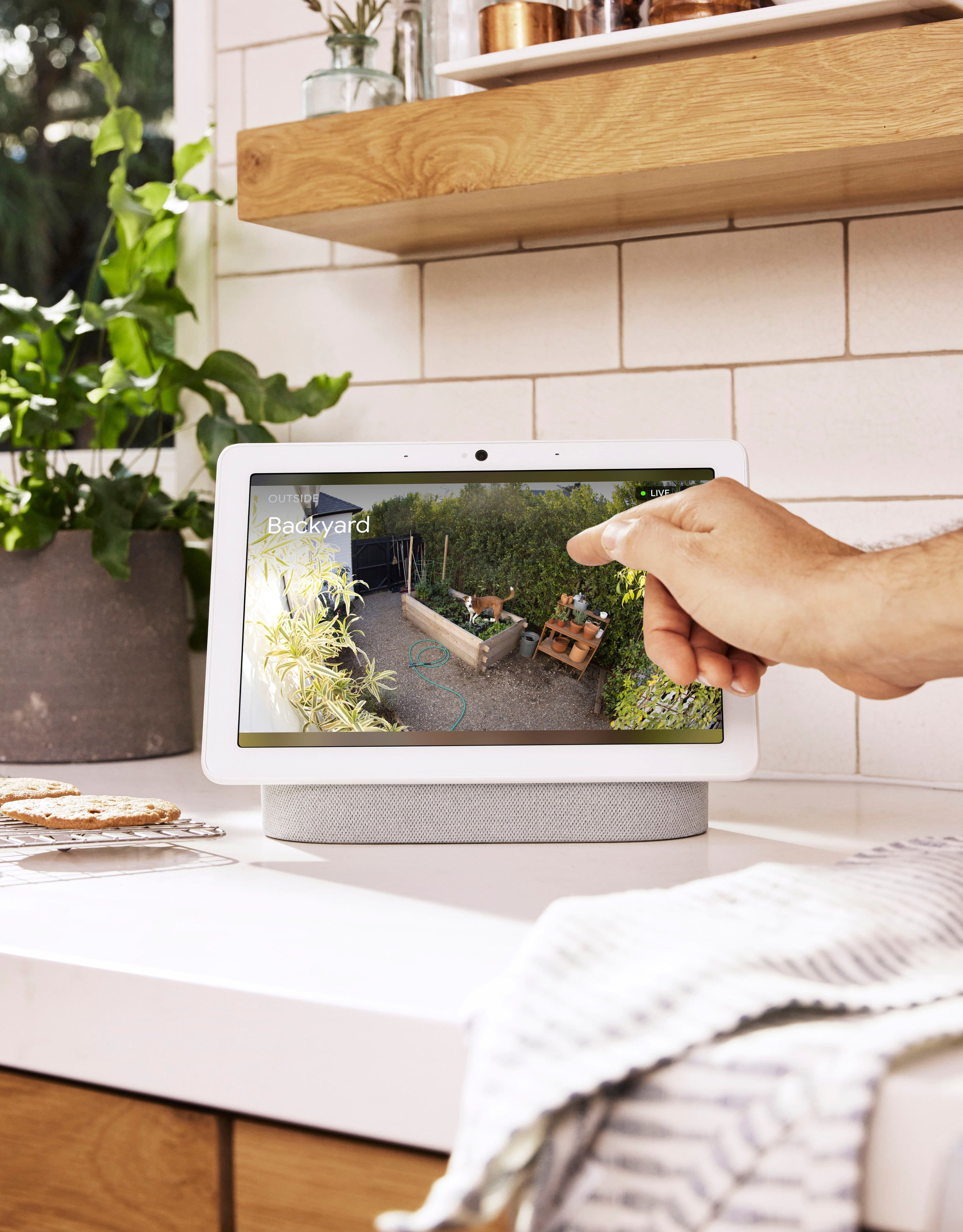
||Posted . Owned for 1 month when reviewed.This reviewer received promo considerations or sweepstakes entry for writing a review.So easy! These cameras were super simple to install and link to my Google Home app. Nice clear picture and I love that I can enlarge the view to find my animals hiding. Voice come through clearly on both transmit and receive. Great buy!
I would recommend this to a friend - Cons mentioned:Battery life
Cannot create clips
Posted .This reviewer received promo considerations or sweepstakes entry for writing a review.The camera itself is nice and built well, not as well built as the older IQ cameras. When plugged in there is an exposed wire where the IQ hid the wire. The real issue lies in the program the video can be viewed from. This camera only operates on the Home App, not the Nest App. Meaning you cannot view on a computer, you cannot create clips, you can't view all of your nest products on one app. Meaning you get notifications now from two apps and need to flip from one to another. I own two of these cameras as well as several of the older generation cameras. There have been two instances that I needed a recording but because you can only download events and not create a clip I was able to only download before and after what happened not during. Very disappointing that Google would go away from this Even with the Nest Aware subscription, you are not able to create a clip. This is something I did not find out until after I purchased the cameras and installed them (wired). Even though it was advertised at the store that you could crate clips with the subscription.
No, I would not recommend this to a friendBrand response from Nest Support
Posted .Hi EGAP, thanks for sharing your experience with us. We're sorry to hear about your difficult experience using the Google Home app for your Nest Cam (Battery).
Moving to the Google Home app offers a lot of benefits for you and all previous Nest app users. We wanted to make the Google Home app the one place where you can control all your favorite Nest devices and other smart home devices with the Google Assistant. In the near future, we’ll allow users to set up previous Nest devices and have full control in the Home app.
You may transfer your old Nest cameras to the Google Home app. Just follow the steps in this help article: https://support.google.com/googlenest/answer/9893532
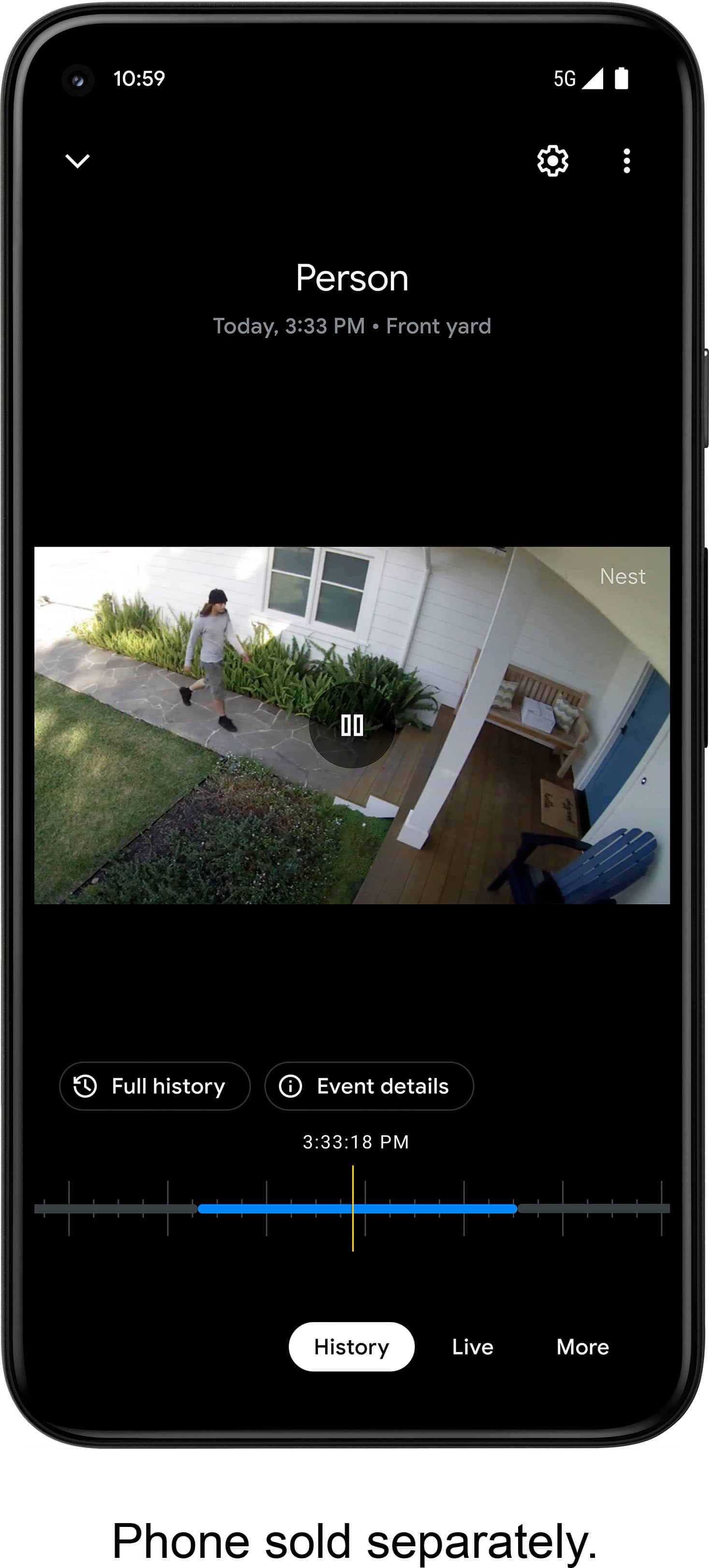
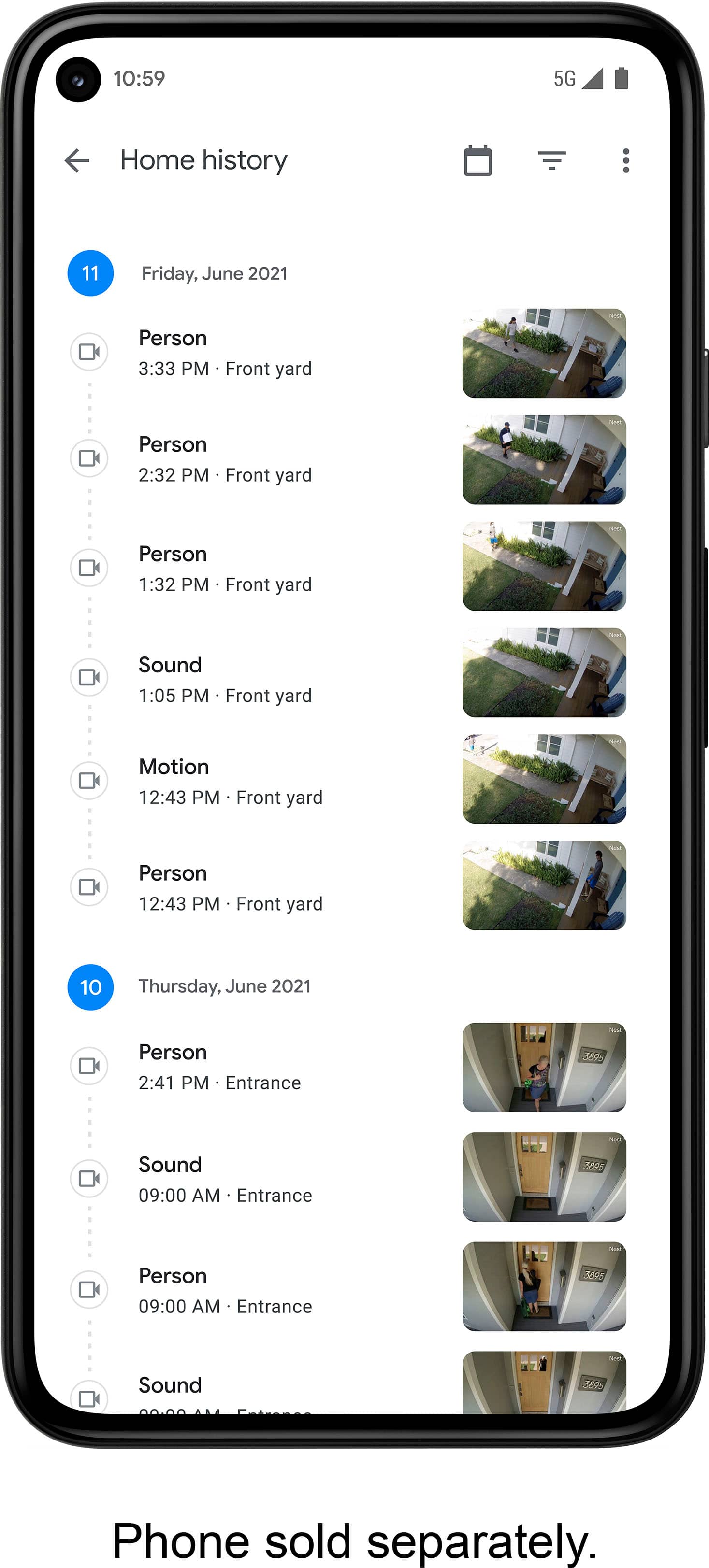
The newer Nest cameras and doorbells like the Google Nest Cam (wired), Google Nest Cam (battery), or Google Nest Doorbell (battery), lets you easily save events as video clips on your phone with the Google Home app. Follow the steps below to create and download a video clip:
- Open the Home app.
- Select your camera.
- Tap History near the bottom of the screen.
- Scroll to an event in your camera’s video history timeline. You can also tap Full history for a list of events.
- Choose the event you want, then tap Event details.
- Near the top of the screen, tap Download to save the video clip to your phone. From there, you can share the video clip via email or social media app.
We have a dedicated team of support specialists that's ready to assist you anytime with your support needs. Please feel free to contact us here: https://support.google.com/googlenest/gethelp
- Pros mentioned:Camera qualityCons mentioned:Battery life
No exactly what I needed
||Posted . Owned for 3 weeks when reviewed.This reviewer received promo considerations or sweepstakes entry for writing a review.These are very well built cameras that offer clear images and sound. However, they need to be recharged too frequently for my use, and so I returned them.
I would recommend this to a friend - Pros mentioned:Ease of useCons mentioned:Motion detection
Cool but not worth the money
||Posted . Owned for 6 months when reviewed.This reviewer received promo considerations or sweepstakes entry for writing a review.It’s very sleek and convenient to instal and connect. But it misses a lot of events while capturing others in less important areas. Even though you can select fields to increase sensitivity. There doesn’t seem to be any consistency with what it detects. It also can take a long time to connect to my phone which I don’t understand. I also have blink cameras on the interior which are plugged in for electricity but connect to wifi. I never have a problem waiting for those to connect.
No, I would not recommend this to a friendBrand response from Nest Support
Posted .Hello there, KarenC. Thanks for posting a review about the Nest Cam (battery)! We appreciate you highlighting both the easy setup and the areas for improvement.
We hear your concerns with missed events and inconsistent detection. Here are a few things that can help:
- Double-check your motion zones to ensure they cover the most important areas. You can adjust these in the Google Home app.
- While you've adjusted the sensitivity settings, there might be a sweet spot for your environment. Try fine-tuning the sensitivity to reduce false triggers and improve detection of what matters.
- Consider if the camera angle needs adjustment for better coverage of key areas.
- As for the slow connection time, we apologize for the inconvenience. Unlike your Blink cameras that are constantly powered, Nest Cam (battery) goes into "Idle" mode to conserve battery. This can cause a slight delay when waking up to connect.
We'd also be happy to look into your specific situation further. Feel free to contact our support team directly, and we’ll do our best to assist you: https://support.google.com/googlenest/gethelp
- Pros mentioned:Night visionCons mentioned:Battery life
Great quality in daytime and nighttime!
||Posted . Owned for 1 month when reviewed.This reviewer received promo considerations or sweepstakes entry for writing a review.Love the night vision and resolution, overall quality is what you would expect from Google, beautiful presentation, ease of installation, and actual understandable installation process. We do use one as a “baby monitor” but we had to hard wire it as the battery would run out over night. I guess that would be the only drawback we’ve encountered. The other camera was installed in the garage and the battery has a great run time, (this is after 3 weeks of use) and we’ve yet to have to charge it after it’s initial charge upon installation.
I would recommend this to a friendBrand response from Nest Support
Posted .Hi there, TonyG. Thank you for sharing your review on your Nest Cam (indoor, wired). We're glad to hear that your experience with the device has been great. We can see that you're having some difficulties with battery life. We recommend reaching out to our support specialists so we can help find a better resolution for you and improve your overall experience with the device. Please contact us on our Google Help page here: https://support.google.com/googlenest/gethelp
- Pros mentioned:Overall performance
Good camera
||Posted .This reviewer received promo considerations or sweepstakes entry for writing a review.Bought the open boxed one and came looking perfect, works how it should
I would recommend this to a friend - Pros mentioned:Overall performance
Google nest
||Posted . Owned for 1 year when reviewed.This reviewer received promo considerations or sweepstakes entry for writing a review.I love this camera. It’s one of the best I have ever seen.
I would recommend this to a friend - Pros mentioned:Camera qualityCons mentioned:Battery life
Love these
||Posted . Owned for 1 month when reviewed.This reviewer received promo considerations or sweepstakes entry for writing a review.Easy setup and integration into the home app. Like the easy installation on my house. Battery life varies depending on the event settings. the camera in my backyard I have only charged once a month the one over my front yard looking towards the road is every 2 weeks. I am happy with that. GOod picture quality
I would recommend this to a friend - Pros mentioned:Camera qualityCons mentioned:Battery life, Compatibility
bad battery life
||Posted . Owned for 5 months when reviewed.This reviewer received promo considerations or sweepstakes entry for writing a review.good quality on images. battery is worthless. only lasts a few days and they only provide one charger with the 2 pack. also, can't use with online nest account. need to use a stupid home app which is not available desktop
No, I would not recommend this to a friendBrand response from Nest Support
Posted .Hi Tiller, thanks for sharing your review and we're sorry to hear that your experience with the Nest Cam (battery) has been less than ideal when it comes to battery life and using the Nest app. Our priority with this launch was to create an integrated experience with other Google Nest products and to make the Google Home app as the one place you can control all your Nest and other smart home devices with the Google Assistant.
If you need further assistance with your Nest Cam's battery issues or using your Google Home app, please don't hesitate to contact us on our Google Help page here: https://support.google.com/googlenest/gethelp
- Pros mentioned:Night vision
A good camera that can meet your security needs
||Posted . Owned for 2 weeks when reviewed.This reviewer received promo considerations or sweepstakes entry for writing a review.I now have a few of these cameras and overall they are very good for my use case. I have them connected directly to an outlet so I don't worry about charging batteries. The resolution is HD and the night vision is acceptable. I don't currently subscribe to their cloud service so you get three hours of history. That isn't a lot but it works for me as I can download any clip as needed. There are other options out there and I've used a few but these seem to work just fine for me and the safety of my household.
I would recommend this to a friend - Pros mentioned:Ease of useCons mentioned:Connectivity
Good camera
||Posted . Owned for 2 weeks when reviewed.This reviewer received promo considerations or sweepstakes entry for writing a review.These are ok, a little disappointed in streaming quality but it gets the job done. Have lots of issues with connectivity, however ease of use and set up is really easy. Battery life on these last forever, almost 3 weeks. No weather or rain guard so when it rains view is obstructed
I would recommend this to a friend - Pros mentioned:Camera quality, Ease of use
Easy install/ takedown, great video
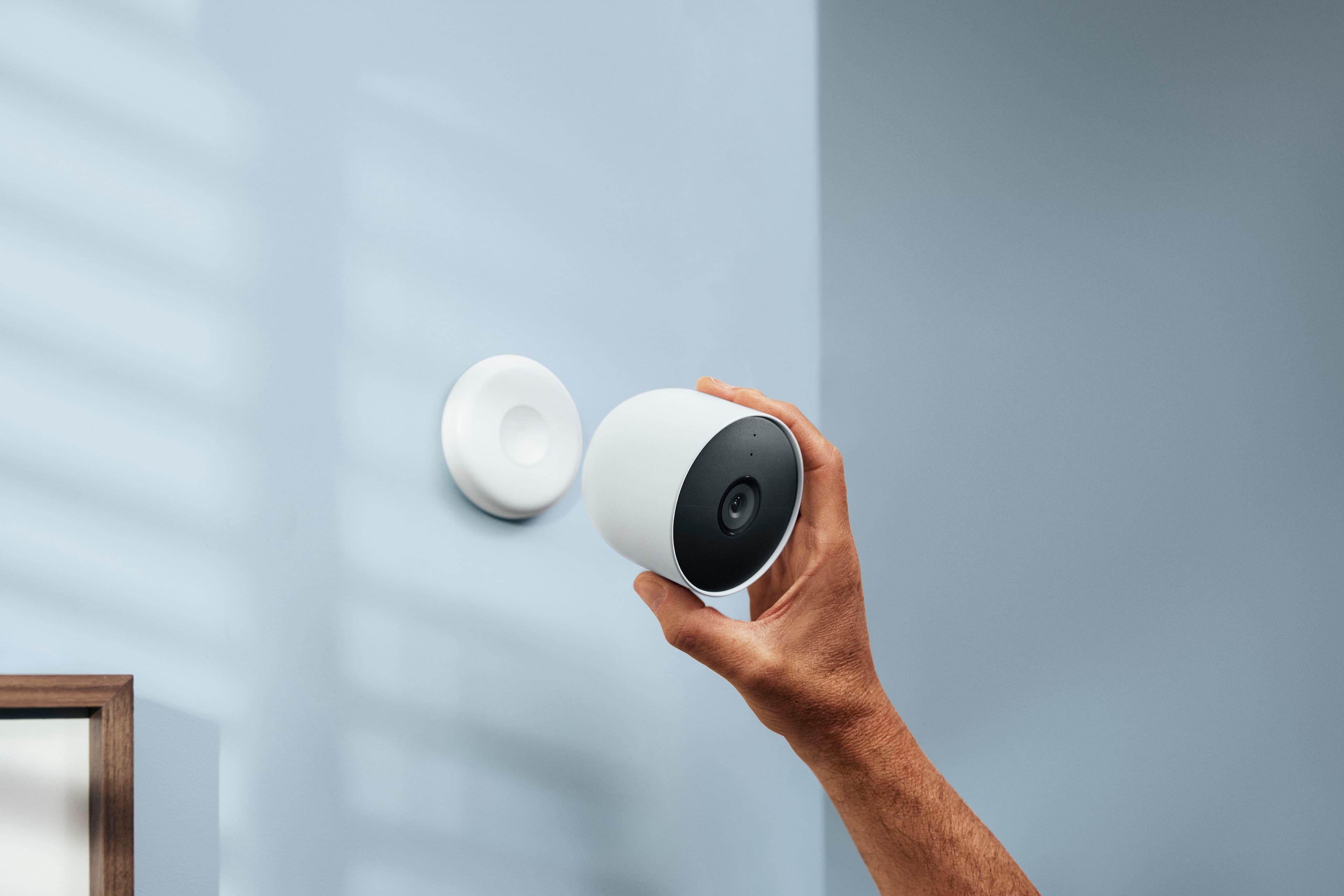
||Posted . Owned for 3 weeks when reviewed.This reviewer received promo considerations or sweepstakes entry for writing a review.Great video quality, easy to set up. Took months to decide between this and ring, but it works so easy with phone and other Google displays. One app on my phone for doorbell, security camera, hue lights, thermostat and smart displays. I had Ring camera, install on that one took a while and when i had to recharge, i had to remember his to unscrew it then take out the battery. This one you simply pop it off the magnet, or unscrew the security screw and take the camera down. Install is much easier than ring camera too
I would recommend this to a friend - Pros mentioned:Installation, Overall performance
Good service
||Posted . Owned for 2 weeks when reviewed.This reviewer received promo considerations or sweepstakes entry for writing a review.Work real good with the camera bought with it .would rebuy it again very easy to install also received it on time with know delays.
I would recommend this to a friend - Pros mentioned:Ease of useCons mentioned:Battery life
Excited...but battery life stinks
||Posted . Owned for 3 weeks when reviewed.This reviewer received promo considerations or sweepstakes entry for writing a review.These are easy to install, setup on phone simple, my only complaint/concern is the battery life is significantly less than advertised. Having to climb the ladder every 10 days is not very pleasant.
No, I would not recommend this to a friendBrand response from Nest Support
Posted .Hello there, BigR1965. We appreciate your feedback. We’re glad that the setup and installation of your Nest Cam (battery) went easy for you. We understand that having to charge your cameras more often than you should, can be an inconvenience. You can extend the battery life of your cameras by adjusting video quality, length of video clips, time between recorded events, and using activity zones to monitor specific areas. Check this link for more details: https://support.google.com/googlenest/answer/10901611
Meanwhile, you might want to consider connecting your cameras to a power outlet with the included power adapter for continuous power and to keep the battery charged. Please note that the power adapter included with the Nest Cam (battery) is not weatherproof and not intended for outdoor use, and you can use a compatible weatherproof cable (sold separately).
If help is required, you’ll find our dedicated team ready for your support needs here: https://support.google.com/googlenest/gethelp
- Pros mentioned:Camera quality
Works great, minor flaws.
||Posted . Owned for 1 week when reviewed.This reviewer received promo considerations or sweepstakes entry for writing a review.The camera works great. My only initial issue was getting it to connect/setup on the Google home app. It needed to be near another nest product to get connected. Thankfully, I already use the best thermostat, so I held it next to that and it finally connected. From there it was a breeze. The picture quality is great. Something to keep in mind, is that it doesn't have theft protection. So i highly recommend purchasing some theft protection to prevent anyone from walking up and and just taking your camera (its only magnetically held on). You will get notifications when people are spotted. My only complaint there is that there should be a "snooze" button for that alert. When my lawn guys come, it constantly will send me notifications while they're working. All in all, it does what it needs to do and I enjoy them.
I would recommend this to a friendBrand response from Nest Support
Posted .Hi Navynuke93, It's awesome to hear that Nest Cam (Battery) works great for you, and we do appreciate that you were able to fix the initial set up issue you had. We will take into consideration your suggested snooze button feature since we're always searching for ways that can help us improve our products and services. However, your Nest Cam (Battery) does have the capability that enables you to change the camera alerts using the Google Home app. Here's how: https://support.google.com/googlenest/answer/9210305
We'd love to learn more about the details of your experience with Nest Cam (Battery). for any other questions or support needs you have with your device, you're always welcome to contact us using this link: https://support.google.com/googlenest/gethelp
- Pros mentioned:Camera quality, Installation
excellent cameras
||Posted .This reviewer received promo considerations or sweepstakes entry for writing a review.easy set up and upkeep when using wireless camera. Pictures and videos are very clear and good detail.
I would recommend this to a friend - Pros mentioned:Camera quality
Love our Google cameras!
||Posted . Owned for 1 month when reviewed.This reviewer received promo considerations or sweepstakes entry for writing a review.Love our Google cameras much more than the previous Arlo cameras that we had. Cameras are clear and work well with our Google home app and interior display. Price of the cameras along with the solar panels is quite high but worth every penny.
I would recommend this to a friend - Pros mentioned:Night vision
Solid Upgrade
||Posted . Owned for 1 week when reviewed.This reviewer received promo considerations or sweepstakes entry for writing a review.I do feel like this is an upgrade over the previous Nest IQ cameras largely due to the on-device biometrics. It’s very impressive how quickly it can pick up a known face (almost instantly). In general, notifications come in again almost instantly vs. about 30 second to 1 minute with the old IQ cameras. The vehicle notifications are also very handy. Allows me to keep the motion alerts category of notifications off which provides a much quieter experience in terms of notifications. The video quality looks on par with the older IQ cameras. I’m using the cameras in wired power mode. The night visions seems slightly better than on the IQ cameras, but it’s very close. It is nice to see Nest release a battery camera which increases its versatility. I know everyone was hoping for a true 4K camera, but it’s just not feasible to have say 5 or 6 cameras all streaming 4K video to the cloud at the same time. We’ll get there eventually, but just not yet. Overall, a solid upgrade!
I would recommend this to a friend - Pros mentioned:Camera quality, Ease of use
Good cams, worth the effort
||Posted . Owned for 3 weeks when reviewed.This reviewer received promo considerations or sweepstakes entry for writing a review.Good video and audio. Very easy to install although I had to try multiple times to get all the way through the process. Battery life so far is great. Wish they were constant on like the other nest cams but other than that very good cams.
I would recommend this to a friend