Skip to contentGo to Product Search
Gift Ideas
Main Content

Customer Ratings & Reviews
$369.99
Save $80
Comp. Value: $449.99

Customer reviews

Rating 4.1 out of 5 stars with 2726 reviews

Rating Filter

Rating by feature

  • Value

    Rating 4.0 out of 5 stars

  • Quality

    Rating 4.3 out of 5 stars

  • Ease of Use

    Rating 4.3 out of 5 stars

79%
would recommend
to a friend

Customers are saying

Customers enjoy the Nest Cam 2 Pack for its great camera quality and ease of use. Many users also appreciate the overall performance, easy installation, and clear night vision. However, some customers have expressed concerns about the battery life. Others have noted issues with app compatibility, motion detection range, and connectivity.

This summary was generated by AI based on customer reviews.

The vast majority of our reviews come from verified purchases. Reviews from customers may include My Best Buy members, employees, and Tech Insider Network members (as tagged). Select reviewers may receive discounted products, promotional considerations or entries into drawings for honest, helpful reviews.
Page 82 Showing 1,621-1,640 of 2,726 reviews
  • Rated 5 out of 5 stars

    Great cameras

    |
    |
    Posted . Owned for 6 months when reviewed.
    This reviewer received promo considerations or sweepstakes entry for writing a review.

    Love theses cameras easy to set up and easy to work

    I would recommend this to a friend
  • Rated 4 out of 5 stars

    Google Nest Camera

    |
    |
    Posted . Owned for 3 weeks when reviewed.
    This reviewer received promo considerations or sweepstakes entry for writing a review.

    I can’t give 5 stars because this device and others like it depend on your internet connection and sometimes it can just disconnect

    I would recommend this to a friend
    • Brand response from Nest Support
      Posted .

      Hi Enkore1911, thanks for sharing your views with us on Nest Cam (Battery). Our Google Nest devices, including Nest Cam (Battery), require a high speed Internet and a reliable Wi-Fi connection for the best experience. The Internet connection ensures that you get notifications on your mobile device and enables you to control the full features of your Nest camera using the Google Home app. The connection also enables your Nest Cam (Battery) to save video recordings onto the Google Nest cloud service so you don't miss a thing. Connectivity issues are mostly related to the following:
      - Check for possible congestion in your Wi-Fi network. Removing some of your connected devices can help free up some bandwidth space. You may then check to see if you will still experience the same connectivity issue.
      - You may also check for possible sources of interference such as the thick walls and appliances in your home.

      If you still experience the same issue, please consider contacting our support team for further troubleshooting and isolation here: https://support.google.com/googlenest/gethelp Nest

  • Rated 5 out of 5 stars

    Great outdoor camera

    |
    |
    Posted . Owned for less than 1 week when reviewed.
    This reviewer received promo considerations or sweepstakes entry for writing a review.

    Good quality video, strong magnetic mount. Having Nest Plus makes it even better

    I would recommend this to a friend
  • Tech Insider Network Member

    Rated 3 out of 5 stars

    I want to LOVE it, but I just can’t

    |
    Tech Insider Network Member
    Posted .
    This reviewer received promo considerations or sweepstakes entry for writing a review.

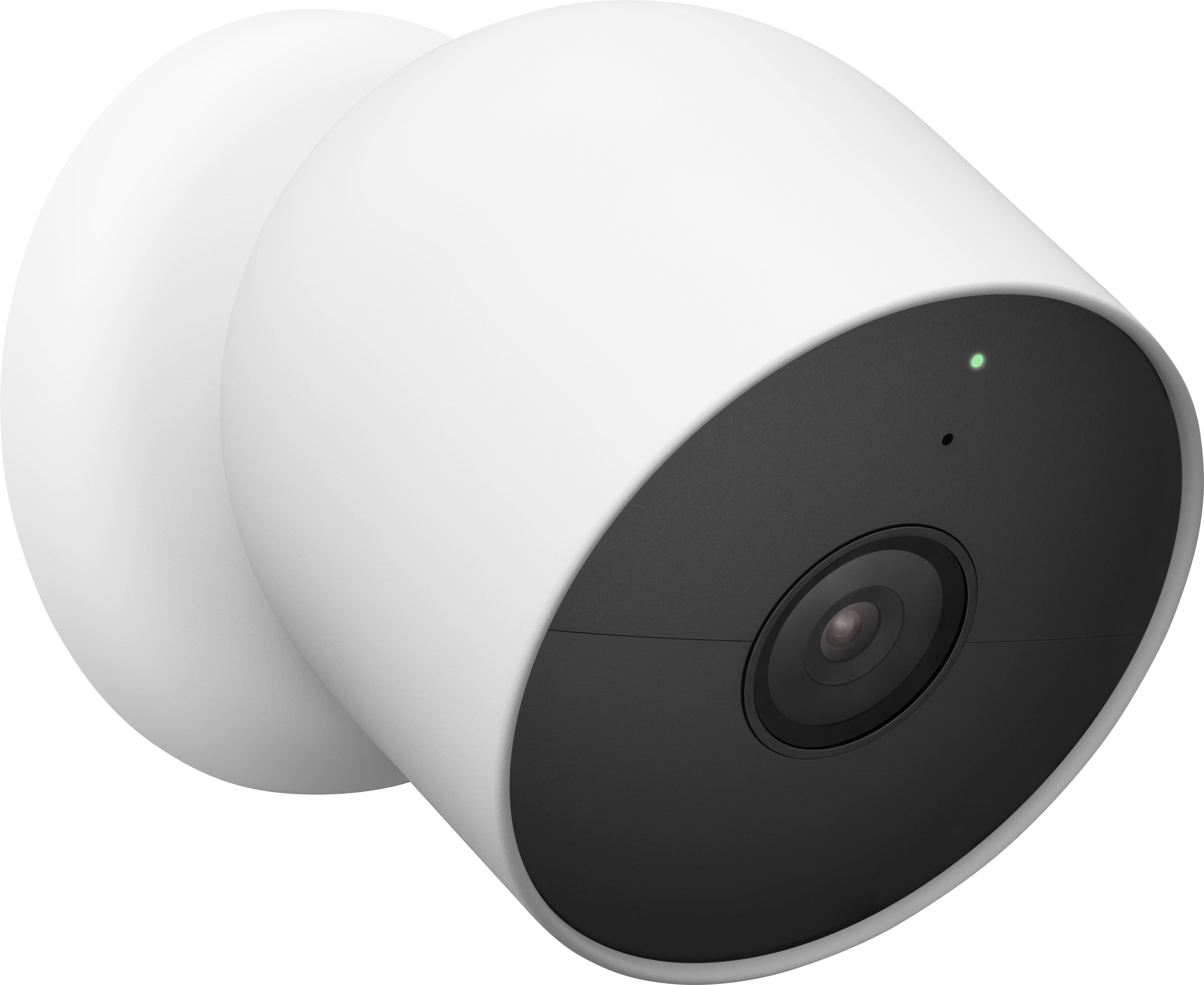
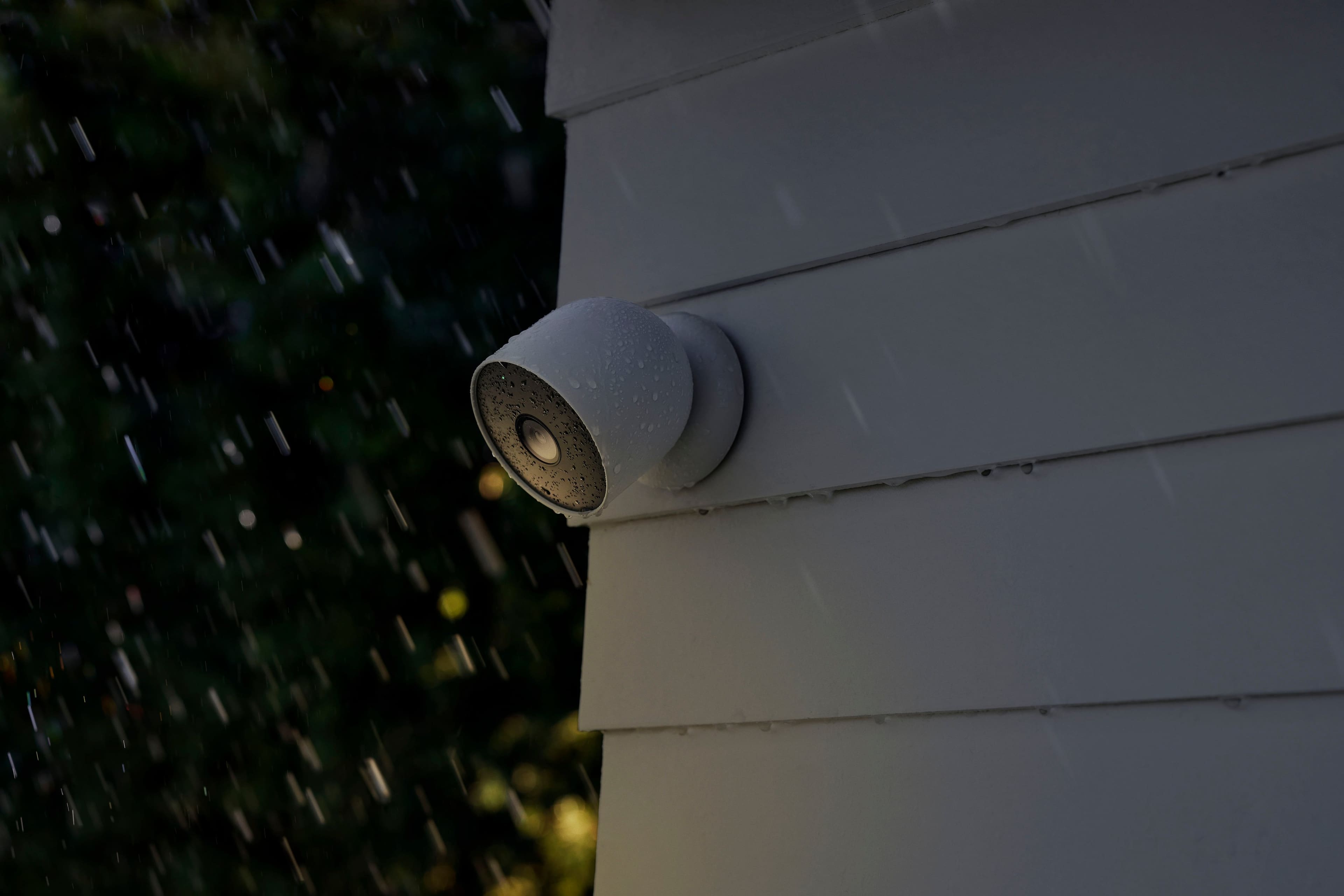
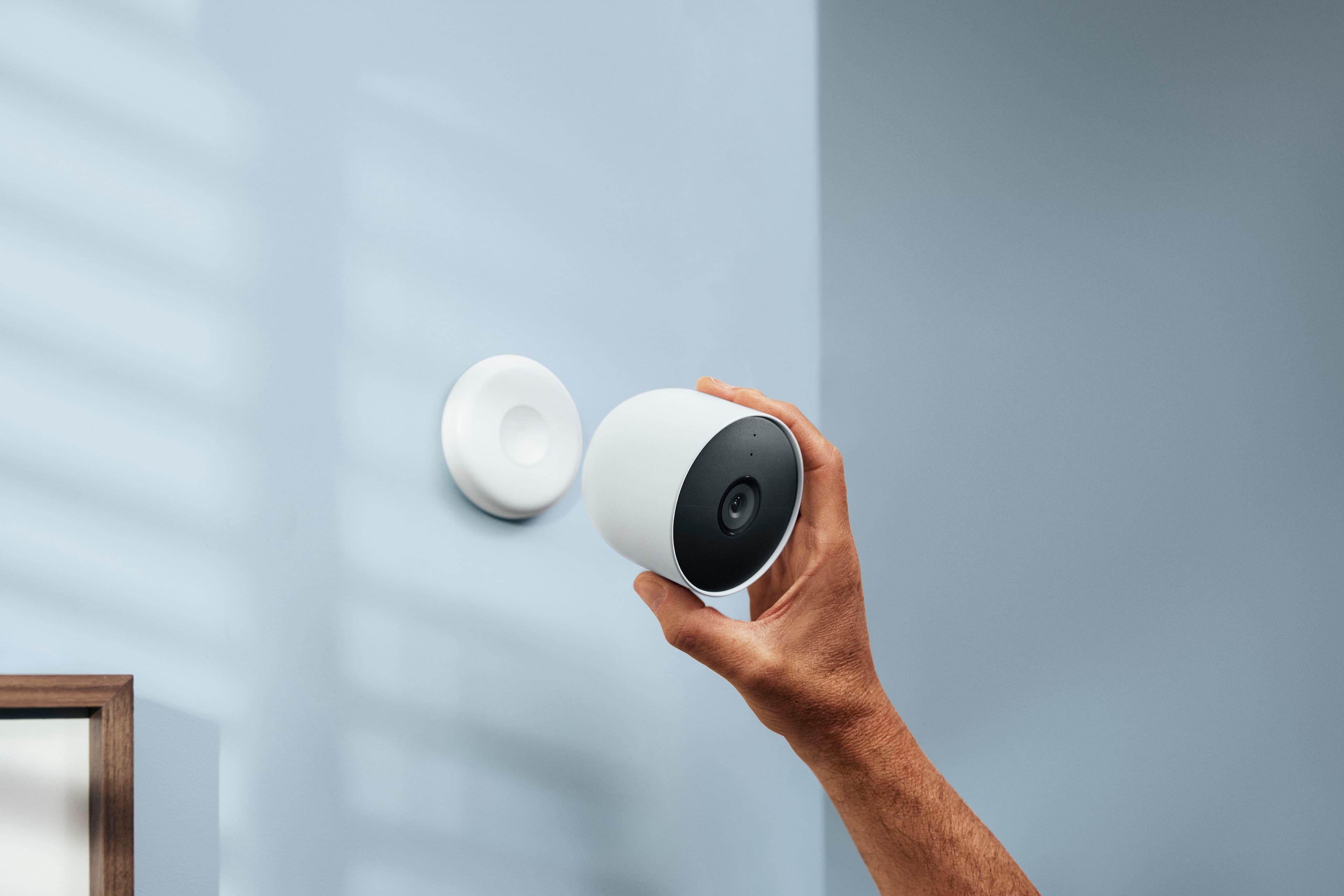
    At the end of the day, this is a decent camera with some nice features and some small upgrades over the previous generation, but in the end Is lacking overall and falls way short of being a true successor to the previous generation nest cameras. Build Quality The build quality here is very good. The camera is robust and sturdy, made with high quality materials and has a nice soft touch feel to it. It is quite large so if you're looking to discreetly place this camera or try to hide from view , this is not the camera for you. Its magnetic base is super strong And holds the camera securely in place with No Fear of it coming loose or changing position. I also tested the nest camera stand for indoors, and that is also very nice , very sturdy with great weight to it and will hold the camera securely in place wherever you position it. Setup The first thing I will say that most every review of this camera also points out, these cameras do not work with the nest app. They will only work with the Google Home app. I will talk more about that later but this point seems to be one of the biggest issues that people have coming from previous generation nest cameras. Setting up the camera is super simple. Simply open the Google Home app, tap set up device, scan the QR code located on the front of the camera and the app does the rest. What I can say about the Google Home app is that overall it's not as intuitive as the dedicated nest app. It almost feels like everything that you want to do in the setup or configuration of your camera is another tap away. Certain things are not as easy to find and other features like setting up motion zones are located behind menu items you may not have anticipated. this might just be a learning curve, as I have polder nest cameras and used the nest app all the time so while I wish these cameras did integrate into the nest app I will just take some time to learn the new Google Home app. But while we're on this topic, the one thing the previous generation nest cameras had available to them, is they were accessible from a web browser. These cameras are only available through the Google Home app . There is no web browser utility on a computer that you can access the camera or its settings. I hope this is something they add in a future update because I use the nest desktop URL to access my cameras all the time. You do however have all kinds of app configurability that allows you to set home/away routines, motion and event sensitivity and what kinds of events you want to see recorded, and also notifications filtering, etc. If you’ve used Nest Cameras in the past you’ll know all about these, if you are new to Nest cameras, they are great and offer you a lot of customization to what and when your cameras record and when you’re notified. Ease of Use once you've set up your camera and have determined a nice place for it, using the camera itself is very straightforward and very easy. I’ve mentioned the app above, and while you can do most things that the prior Nest app could do, the Google Home app is just not very intuitive, and requires some time to get used to. I’ve been using the camera both on battery power and using the outdoor power cable. In either configuration the camera is reliable, however at different levels. Battery Depending on how often you trigger events and notifications is going to directly correlate into the battery life you get from the camera, I can say that with pretty high triggers set on mine, the battery life % held steady day after day, only dropping a few % points, so each user scenario will vary, but I believe the battery life on these is going to be really good. Getting notifications and recorded events on battery power was a mixed bag of results. More often than not, it missed the beginning of an event, so you get recordings started after the fact, and notifications, while slightly faster than last generation, were still lagging a little bit behind. And recordings were all over the place in terms of recoding length, even after I had configured event history details in the app. Clips would start or stop before the event was done. Very frustrating. I also get a little hitch in the recording shortly after it triggers, which impacts the recoding quality, more on that later. Recognition of people, cars, motion in general was fairly good, and if you have Nest Aware, you can also use the Familiar Faces detection, which works great When on battery power, you only get a timeline of recorded “Events” to view, and scrolling through them is pretty easy, they are laid out in a vertical timeline that allows you to jump directly to the event you want. When trying to go into the Live View of the camera when on battery, you are first taken to the page that shows how much battery % is left, you have to click again, to actually go into Live View, so annoying. Sometimes when trying to go into a recorded Event from a notification, I get an error message saying the video isn’t available yet. Which if you’re trying to view something in real time, is not good if you need to see what your camera sees. Plugged in Power Plugged in to me, is where the camera is at its best, when coupled with a Nest Aware subscription that allows for 24/7 recording. Right off the bat, I have to mention, that the power cable attaches to the camera in a “backwards” type of position. This is incredible to me, that Google could not engineer this updated camera with a power supply that actually plugs in facing the right direction. The cable has to plug in facing the wrong direction, and create this unneeded slack of cable under the camera to route to where you need to go. Amazing design failure here. Getting notifications is immediate when plugged in, thanks to the on device computations the camera is doing now, instead of sending to the cloud and back down. Recording clips is so much better plugged in versus battery, since its recording all the time, you never miss the first few seconds of an event, which could be crucial. When the event is done recording, the view of that event from your history will start a few seconds before hand, so you never miss a thing, and record for the event for as long as needed. Scrubbing history when plugged in to power is a mixed bag. You get the same Events history overview that you do on battery power, but you also get a 24/7 timeline that you can scrub to view anything else the camera might have missed. This is terrible compared to the previous Nest App timeline scrubbing. The timeline doesn’t allow for any other increment of scrubbing (day, hour, min) so you have to mindlessly scrub if you’re looking for events previously in the day. Going into Live View is super fast, and when powered, you don’t have to stop off on the battery % screen, you are taken directly into the live view, which helps not miss moments Similar to when on battery, even when plugged in, I might go into my video event history and need to look at something that was just recorded, and the app will give me the video not available error. Very frustrating when you are recording 24/7, and something I never encounter on my other prior generation Nest Cameras. Video Quality Here is where the camera really lets me down. Even if you can live with all the quirks and issues I’ve listed above, the fact that this camera in 2021 is a base 2MP sensor that only records 1080p is pretty underwhelming. In perfect daytime conditions, yes the video is very nice. Keep in mind however, you can only use it in the app on a mobile device, so viewing on such a small screen can be deceiving. Everything looks good on a small phone screen. Nighttime mode is terrible. They can tout the new Night Mode on this camera, but its just not good. Very soft and pixelated. And turning night mode off is even worse, even in brightly lit outdoor night time scenes, the video is just terrible. Trying to zoom in on anything makes the picture a pixelated mess. Again, native 2MP sensor just can’t zoom in and give quality details. Sometimes I get a pink/reddish hue covering my videos, looks terrible On Battery, when an event is triggered, you can see the recording “hitch” for a second or two, degrading the video quality before going back to normal. This doesn’t happen when plugged in. Overall, the camera is just decent. Nothing special. Which being a current Nest camera user of all their previous cameras, is such a bummer for me. This is not an upgrade over their existing cameras in my opinion, this is a do over. Starting from scratch under the Google brand as they slowly phase out Nest. So if you’re hoping for an upgrade over your current Nest cameras, this is not it. For someone new to Google/Nest cameras, there could be a lot to like here, especially the perceived battery life and custom event and notification setup. But its lacking so much in 2021 that makes a camera like this worth it, and to me this one just falls short.

    No, I would not recommend this to a friend
    • Brand response from Nest Support
      Posted .

      Hi there HarvickFan, thanks for sharing the details of your experience and feedback with Nest Cam (Battery). We apologize if some features didn't quite meet your requirements.

      Moving to the Google Home app offers a lot of benefits for you and all previous Nest app users. We wanted to make the Google Home app the one place where you can control all your favorite Nest devices and other smart home devices with the Google Assistant. In the near future, we’ll allow users to set up previous Nest devices and have full control in the Home app.

      Notification issues may also be related to the connectivity issue with Nest Cam (Battery). Here are some steps you might want to try to improve notifications:
      - If your Wi-Fi router is dual band (supports both 2.4GHz and 5GHz bands), we suggest connecting your Nest Cam (Battery) to the 2.4GHz band to get a more stable Wi-Fi signal.
      - Check your Wi-Fi router's DHCP lease time for at least 2 hours. This can help ensure your Nest products stay connected to your network.
      - If you have MAC address filtering enabled, the MAC addresses of your Nest camera must be added to the list of authorized devices.
      - Try restarting the Nest Cam (Battery). Locate the reset button on the back of the camera. Press and hold for 5 seconds. Your camera will restart, and the status light will be steady, solid white.

      Battery life will depend on factors including activity, temperature, and camera settings that you select. You can extend the battery life of your camera by adjusting video quality, length of video clips, time between recorded events, and using activity zones to monitor specific areas. Here are some typical scenarios:
      - Busy - About 1.5 months battery life (about 20 - 25 recorded events per day)
      - Typical - About 3 months battery life (about 9 - 12 recorded events per day)
      - Quiet - About 7 months battery life (about 2 - 4 recorded events per day)

      Your Nest Cam (Battery) has full HD resolution with HDR video quality that’s optimized for a clear view in bright sun or dark. Keep in mind that it also helps save battery power. We believe that pixel count is only one factor that impacts video quality, and it shouldn’t be the only deciding factor when choosing a camera.

      Your feedback is important to us and we´ve taken note of the details you shared with us. We´ll also make sure to pass them along to the right team since we´re always looking for ways to keep improving them. For any other support needs you may have with Nest Cam (Battery), please consider contacting our support team here: https://support.google.com/googlenest/gethelp Nest

  • Rated 5 out of 5 stars

    Excellent

    |
    |
    Posted . Owned for 3 weeks when reviewed.
    This reviewer received promo considerations or sweepstakes entry for writing a review.

    Easy install works great, great picture and aound.

    I would recommend this to a friend
  • Rated 3 out of 5 stars

    nest

    |
    |
    Posted . Owned for 1 month when reviewed.
    This reviewer received promo considerations or sweepstakes entry for writing a review.

    It's great, however we have to charge it often. No history recordings

    I would recommend this to a friend
    • Brand response from Nest Support
      Posted .

      Hi there, MaryG! Thank you for sharing your feedback with us. We apologize for the inconvenience you're experiencing despite finding the Nest Cam (Battery) great. It's unfortunate that you find yourself having to recharge it frequently and that you're not getting any history recordings.

      Battery life of Nest Cam (Battery) will depend on factors including activity, temperature, and camera settings that you select. You can extend the battery life of your camera by adjusting video quality, length of video clips, time between recorded events, and using activity zones to monitor specific areas. Here are some typical scenarios for your Nest Cam (Battery):
      Busy: About 1.5 months battery life (about 20 - 25 recorded events per day)
      Typical: About 3 months battery life (about 9 - 12 recorded events per day)
      Quiet: About 7 months battery life (about 2 - 4 recorded events per day)

      Regarding the lack of history recordings, please make sure that you have an active Nest Aware subscription. This subscription enables the storage of historical footage in the cloud. We recommend learning more about the full benefits of the Nest Aware subscription with your device here: https://support.google.com/googlenest/answer/9233159

      It's also important to check the frequency of events (per day) that you get with your Nest Cam (Battery). If the short battery life isn't directly related to the frequency of events and you already have a subscription but still aren't seeing any history recordings, we recommend contacting our support team directly for further assistance.: https://support.google.com/googlenest/gethelp Nest

  • Rated 5 out of 5 stars

    google Nest

    |
    |
    Posted . Owned for 1 month when reviewed.
    This reviewer received promo considerations or sweepstakes entry for writing a review.

    easy to setup picture image is beyond expectations.

    I would recommend this to a friend
  • Rated 5 out of 5 stars

    Sweatsl spot for home security.

    |
    |
    Posted . Owned for 1 month when reviewed.
    This reviewer received promo considerations or sweepstakes entry for writing a review.

    Easy to setup, love the fully wireless experience. With high active the battery life still holds up pretty well. The quality and durability is excellent. Charging could be a little faster.

    I would recommend this to a friend
  • Rated 3 out of 5 stars

    The battery not last long. Not easy to setup.

    |
    |
    Posted . Owned for 3 weeks when reviewed.
    This reviewer received promo considerations or sweepstakes entry for writing a review.

    The battery not last long. Not easy to setup. Keep looking the assistant device instead ask me to connect to WI-FI.

    No, I would not recommend this to a friend
    • Brand response from Nest Support
      Posted .

      Hi Eric, thank you for posting your review here. We're sorry to hear that you're experiencing some difficulties with the setup and having battery issues with your Nest Cam (battery). We'd recommend that you reach out to our support team so we can further assist you with the setup and also check the connectivity of your device to your Wi-Fi. We'd also like to know more about the issues your having with the batteries and identify why it doesn't last long. Please contact us on our Google Help page and let us assist you: https://support.google.com/googlenest/gethelp Nest

  • Rated 2 out of 5 stars

    My first sub par experience with a nest product

    |
    |
    Posted . Owned for 2 weeks when reviewed.
    This reviewer received promo considerations or sweepstakes entry for writing a review.

    So far I have not been a fan of this product. The battery life isn't great. I already need to pull 1 down and charge the battery after only a month. The connection is spotty at best, and I regularly can't stream my video on the first try. They also don't integrate with the nest app, only google home. This is the first nest product I have been disappointed in.

    No, I would not recommend this to a friend
    • Brand response from Nest Support
      Posted .

      Hi Arsonist, we appreciate your feedback and we'd like to apologize for the disappointing experience with the move to the Google Home app, connectivity and battery life of your Nest Cam (Battery).

      We wanted to make the Google Home app as the one place where you can control all your favorite Nest devices and other smart home devices with the Google Assistant. Here are some benefits you can get by using the Google Home app with your Nest Cam (Battery):
      - Automatic security protections such as Suspicious activity detection, 2-Step Verification and Security Checkup.
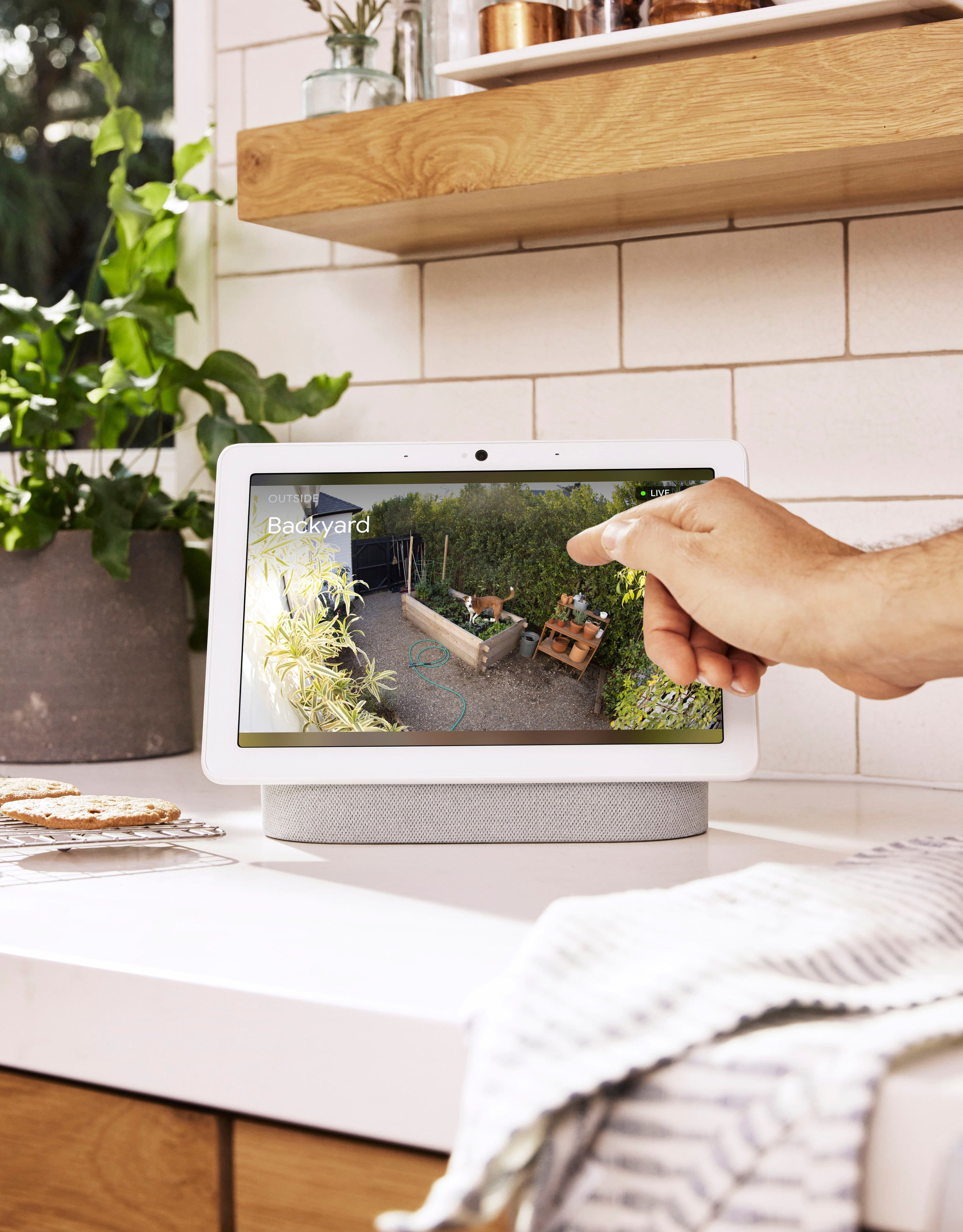
      - Your Google Nest devices and services will work together. For example, if you have a Nest Cam and a Nest Hub, just say, ""Hey Google, show me the backyard camera” to cast your camera stream to your display without any additional setup.
      - One account to sign into both the Nest and Google Home apps.
      - Your homes and home members will be aligned across the Nest and Google Home apps.

      Here are some recommended steps to help you with the connectivity issue:
      - Check for possible congestion in your Wi-Fi network. Removing some of your connected devices can help free up some bandwidth space. You may then check to see if you will still experience the same connectivity issue.
      - You may also check for possible sources of interference such as the thick walls and appliances in your home.

      The battery life of Nest Cam (Battery), on the other hand, will depend on factors including activity, temperature, and camera settings that you select. Users can extend the battery life of their camera by adjusting video quality, length of video clips, time between recorded events, and using activity zones to monitor specific areas. Here are some typical scenarios for your Nest Cam (Battery):
      Busy: About 1.5 months battery life (about 20 - 25 recorded events per day)
      Typical: About 3 months battery life (about 9 - 12 recorded events per day)
      Quiet: About 7 months battery life (about 2 - 4 recorded events per day)

      It's important to check the frequency of events (per day) that you get with Nest Cam (Battery). If you verify that the short battery life isn´t related to the frequency of events, then we may need to troubleshoot and isolate the issue further. Please feel free to contact our support team for further assistance by visiting us here: https://support.google.com/googlenest/gethelp

      It's important to check the frequency of events (per day) that you get with your Nest Cam (Battery). If you verify that the short battery life isn´t related to the frequency of events, then we may need to troubleshoot and isolate the issue further. Please feel free to contact our support team for further assistance by visiting us here: https://support.google.com/googlenest/gethelp Nest

  • Rated 5 out of 5 stars

    I’d highly recommend the purchase because I don’t

    |
    |
    Posted . Owned for 2 months when reviewed.
    This reviewer received promo considerations or sweepstakes entry for writing a review.

    I’d highly recommend the purchase because I don’t think you will be disappointed!

    I would recommend this to a friend
  • Rated 5 out of 5 stars

    I see you

    |
    |
    Posted . Owned for 1 month when reviewed.
    This reviewer received promo considerations or sweepstakes entry for writing a review.

    They work great. One of the best things I purchased this year.

    I would recommend this to a friend
  • Rated 5 out of 5 stars

    Good stuff

    |
    |
    Posted . Owned for 3 weeks when reviewed.
    This reviewer received promo considerations or sweepstakes entry for writing a review.

    Good quality, long battery life. Works for me! Needed a few more characters...

    I would recommend this to a friend
  • Rated 5 out of 5 stars

    Nest Cameras

    |
    |
    Posted . Owned for 1 month when reviewed.
    This reviewer received promo considerations or sweepstakes entry for writing a review.

    These cameras work amazing quality is amazing clarity is amazing

    I would recommend this to a friend
  • Rated 5 out of 5 stars

    Zora

    |
    |
    Posted . Owned for 1 year when reviewed.
    This reviewer received promo considerations or sweepstakes entry for writing a review.

    Easy to setup and use. Charging is easy. Pleasantly surprised

    I would recommend this to a friend
  • Rated 5 out of 5 stars

    Easy set up

    |
    |
    Posted . Owned for 1 month when reviewed.
    This reviewer received promo considerations or sweepstakes entry for writing a review.

    Great cam, easy set up, good resolution and works just like is intended to. Good product over all

    I would recommend this to a friend
  • Rated 5 out of 5 stars

    Good camera, easy setup.

    |
    |
    Posted . Owned for 2 weeks when reviewed.
    This reviewer received promo considerations or sweepstakes entry for writing a review.

    Good quality, easy setup. Not the best on the market, but works for my needs and where to place.

    I would recommend this to a friend
  • Rated 5 out of 5 stars

    Excellent Cameras

    |
    |
    Posted . Owned for 3 weeks when reviewed.
    This reviewer received promo considerations or sweepstakes entry for writing a review.

    This makes my 4th nest camera……. I luv them and they’re easy to setup.

    I would recommend this to a friend
  • Rated 5 out of 5 stars

    Cameras

    |
    |
    Posted . Owned for 1 month when reviewed.
    This reviewer received promo considerations or sweepstakes entry for writing a review.

    Very nice quality!! I bought these cameras just as extra caution, I’m so happy with my purchase!

    I would recommend this to a friend
  • Rated 5 out of 5 stars

    Good camera

    |
    |
    Posted . Owned for 2 months when reviewed.
    This reviewer received promo considerations or sweepstakes entry for writing a review.

    Great camera love my best software great for watching a ciew

    I would recommend this to a friend