Customer Ratings & Reviews
- Model:
- GA03178-US
- SKU:
- 11081093
Rating by feature
- Value
Rating 4.4 out of 5 stars
- Quality
Rating 4.6 out of 5 stars
- Ease of Use
Rating 4.5 out of 5 stars
Must buy
||Posted . Owned for 9 months when reviewed.This reviewer received promo considerations or sweepstakes entry for writing a review.great video quality,night vision,and motion sense.
I would recommend this to a friend- Pros mentioned:Video quality
Cannot Download Video History!
||Posted . Owned for 1 year when reviewed.This reviewer received promo considerations or sweepstakes entry for writing a review.Overall, the camera has a good build quality. However, when you’ll need this camera the most it will be worthless. These new Google home cameras will only allow you to download video history on “Events” that Google has flagged. You cannot download for example a 30 minute clip like you could do with the original Nest cameras. What’s the point in having 24/7 recording if you’re not able to download the footage? I certainly expected more from Google!
No, I would not recommend this to a friendBrand response from Nest Support
Posted .Hi Jared, thanks for your feedback and we're glad that you're liking the overall build quality of Nest Cam (Indoor, Wired). We do apologize if you're having some difficulty downloading the video history. You can only download video clips from detected events in the video history and download up to 1 hour per clip. Follow the steps below to create and download a video clip:
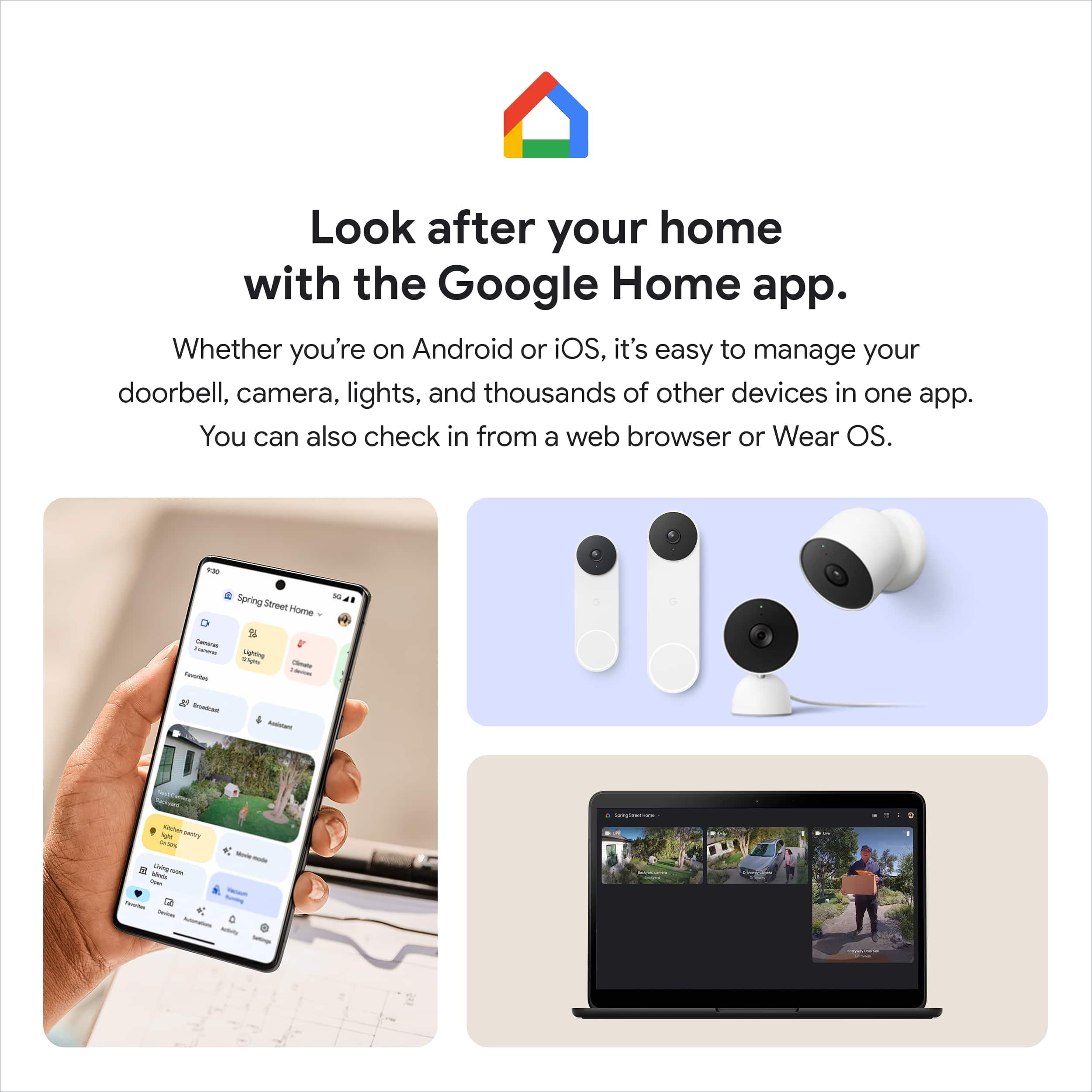
- Open the Google Home app.
- Select your camera.
- Tap History near the bottom of the screen.
- Scroll to an event in your camera's video history timeline. You can also tap Full history for a list of events.
- Choose the event you want, then tap Event details.
- Near the top of the screen, tap download icon to save the video clip to your phone. From there, you can share the video clip via email or social media app.
If you need further guidance, our team of support professionals would be happy to assist you. Simply visit the Google Nest help page to contact us here: https://support.google.com/googlenest/gethelp
Good product
||Posted . Owned for 3 weeks when reviewed.This reviewer received promo considerations or sweepstakes entry for writing a review.Easy to set up. I did wish that nest could be connected with nest app
I would recommend this to a friendGreat for Pets
||Posted .This reviewer received promo considerations or sweepstakes entry for writing a review.Very useful to keep an eye on my cats when I am not home.
I would recommend this to a friendCamera
||Posted . Owned for 1 week when reviewed.This reviewer received promo considerations or sweepstakes entry for writing a review.Love bestbuy products they are top knowledge and best products around
I would recommend this to a friend- Cons mentioned:Connectivity
JSmo
||Posted . Owned for 1 month when reviewed.This reviewer received promo considerations or sweepstakes entry for writing a review.Bought it because I have other google products, however it would not connect and even with the help from customer service we still could not get to connect. Very disappointed.
No, I would not recommend this to a friend Nice camera-Very pricey
||Posted . Owned for 1 month when reviewed.This reviewer received promo considerations or sweepstakes entry for writing a review.Good camera, but pricey. I have seen other brands that have good viewing for less money, but google voice seems to work better for me than Alexa, so I went with google.
I would recommend this to a friendBrand response from Nest Support
Posted .Hi Lelandw, thanks for sharing your insights. We’re sorry to hear that you find Nest Cam (indoor,wired) expensive. We value your feedback as it will greatly help us improve our products and services. If you need any assistance, feel free to contact our support team using this link: https://support.google.com/googlenest/gethelp
Always watching you
||Posted . Owned for 2 months when reviewed.This reviewer received promo considerations or sweepstakes entry for writing a review.Perfect for all of your wired needs when it comes to home security
I would recommend this to a friend- Cons mentioned:Connectivity
Appl
||Posted .This reviewer received promo considerations or sweepstakes entry for writing a review.Had to take back. I was replacing a drop cam. Google has changed everything. At least nest let me continue with all cameras in one view. But the new cameras didn’t connect
No, I would not recommend this to a friendBrand response from Nest Support
Posted .Hi Appl, thanks for taking the time to share your feedback with us. We apologize for any inconvenience you may have had with the Google Home app and Nest Cam (Indoor, Wired).
We understand that you have enjoyed using both the browser on your computer and the Nest app, to view your video feed on Nest cameras. However, our priority with this launch was building a complete experience for our new cameras and doorbell, making them exclusive to the Google Home app. We wanted to make the Google Home app as the one place you can control all your favorite Nest and other smart home devices with the Google Assistant. If you're willing to try, you may set up your Nest cameras to the Google Home app by following the guide on this help article: https://support.google.com/googlenest/answer/9893532
We're hoping you will reconsider and use Nest Cam (Indoor, Wired) again. Please feel free to contact our support team and we'd be happy to help you here: https://support.google.com/googlenest/gethelp
Decent camera, bad app
||Posted . Owned for 3 weeks when reviewed.This reviewer received promo considerations or sweepstakes entry for writing a review.I have multiple Nest cameras. The older ones run on one app, which is great! The newer models run on a different app, which isn't nearly as user friendly.
I would recommend this to a friendBrand response from Nest Support
Posted .Hey there, Zuggo. Thanks for your feedback, and we’re sorry to hear that using the Google Home app for your Nest Cam (indoor, wired) is less than ideal for you.
We’re aware that longtime Nest users enjoy viewing their Nest camera feeds from the Nest app. However, the Nest Cam (battery) is exclusive to the Home app because we wanted to create an integrated experience with our other Google Nest devices. We also wanted to make the Google Home app as the one place you can control all your favorite Nest and other smart home devices with the Google Assistant. Other benefits include the following:
- Automatic security protections such as Suspicious activity detection, 2-Step Verification and Security Checkup.
- Your Google Nest devices and services will work together.
- One account to sign into both the Nest and Google Home apps.
- Your homes and home members will be aligned across the Nest and Google Home apps.
Meanwhile, we suggest having the latest version of the Google Home app that may improve camera playback controls to make it easier to play, pause, and navigate between events from the camera history view.
If you need help with using the camera in the Home app effectively, please let us know by visiting here: https://support.google.com/googlenest/gethelp
Nest Camera
||Posted . Owned for 1 month when reviewed.This reviewer received promo considerations or sweepstakes entry for writing a review.great camera at a reasonable price and very quick deliver
I would recommend this to a friend- Cons mentioned:App compatibility
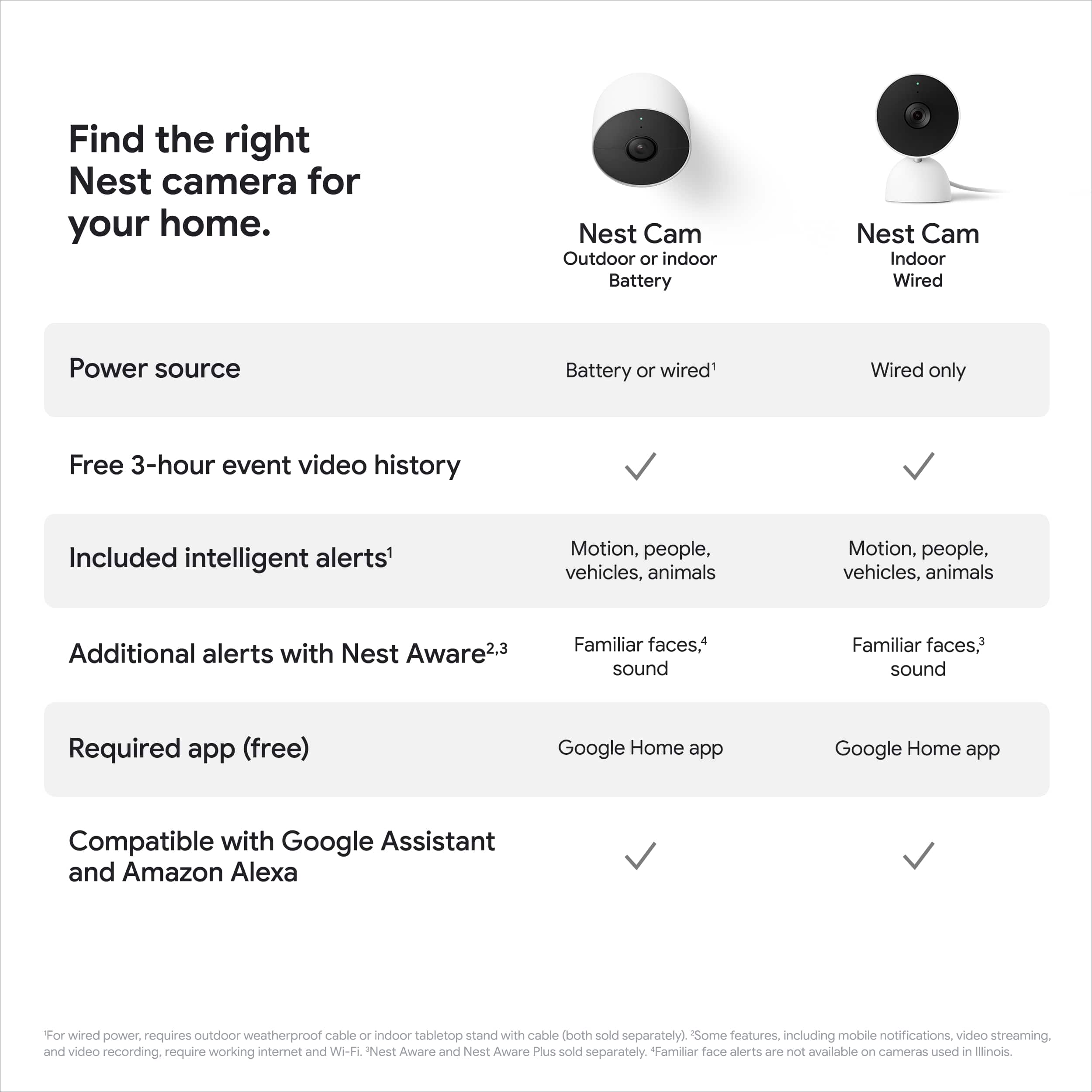
Does not work on the Nest App, Not a NEST Camera
||Posted . Owned for less than 1 week when reviewed.This reviewer received promo considerations or sweepstakes entry for writing a review.Google Nest Camera that does not work in the Nest App. Whoever made this decision needs to be immediately fired. This is the first time I ever recall buying a next 'gen' product and then immediately being willing to pay MORE for the previous gen. Will be returning this product, the google home app is TERRIBLE for camears
No, I would not recommend this to a friendBrand response from Nest Support
Posted .Hello there, Spiritwind. Thank you for sharing your concerns about the Nest Cam (indoor, wired) and the Google Home app. We're sorry to hear that your experience with the device didn't meet your expectations. If you're willing, we recommend reaching out to our team of specialists so we can further assist you with improving the performance and guide you with navigating the Google Home app before you decide to return the device. You can contact us anytime by visiting the 'Contact us' page of our Google Help site here: https://support.google.com/googlenest/gethelp
- Cons mentioned:Connectivity
I'm done with Google
||Posted . Owned for 2 weeks when reviewed.This reviewer received promo considerations or sweepstakes entry for writing a review.I spent over an hour trying to get this camera to connect to wifi but kept getting an error. Since Google took over Nest everything has unfortunately gone downhill. The new Google cameras also don't work in the old nest app and the old nest cameras don't work correctly in the Google home app. I finally got fed up and returned the Google Cam and exchanged it for a simplisafe. I had the simplisafe camera hooked up and connected to wifi in like 2 minutes.
No, I would not recommend this to a friendBrand response from Nest Support
Posted .Hi Anthony, thanks for posting a review. We’re sorry to hear about the issues you had when installing the Nest Cam (Wired) and had to return the device.
Your feedback is important to us, and your satisfaction is what drives us in improving our products and services. We are hoping that we'll be able to provide service with you in the future. If you need assistance, you can always reach out to our support team. We’d be more than happy to assist you here: https://support.google.com/googlenest/gethelp
- Cons mentioned:App compatibility
Sad
||Posted . Owned for less than 1 week when reviewed.This reviewer received promo considerations or sweepstakes entry for writing a review.No longer works with the nest app. Google ruined a good thing. I purchased 3 new cameras to add to my existing system. The new NEST cameras are no longer compatible with nest app.
No, I would not recommend this to a friendBrand response from Nest Support
Posted .Hello there, MartinR. Thank you for posting your review on your Nest Cam (indoor, wired). We're sorry to learn that your experience with using the Google Home app has been less than ideal. Our goal is to make the app the one place you can control all your Nest and other smart home devices and create an integrated experience with the Google Assistant. We'd like to help you with improving your experience with the device. Please contact us on our Google Help page here: https://support.google.com/googlenest/gethelp
Mana cam
||Posted . Owned for 1 month when reviewed.This reviewer received promo considerations or sweepstakes entry for writing a review.The camera is perfect for what I use it for great quality.
I would recommend this to a friendHighly recommend
||Posted .This reviewer received promo considerations or sweepstakes entry for writing a review.The nest cam is worth the purchase, highly recommend
I would recommend this to a friendnot a huge fan of the new camera
||Posted . Owned for 2 weeks when reviewed.This reviewer received promo considerations or sweepstakes entry for writing a review.I wasn't a huge fan, of this new camera, as it doesn't integrate with the other older nest cameras that I already have in my system unless you download a new app and add all of them to the new app.
No, I would not recommend this to a friendBrand response from Nest Support
Posted .Hi there Soxfaninnyc, thanks for reaching out to our support team. We're sorry to hear about your disappointment with the move to the Google Home app for Nest Cam (Indoor, WIred) and the other new Nest cameras.
The new Nest Cameras and doorbells are exclusive to the Google Home app because we wanted to create an integrated experience with other Google Nest speakers and displays. We wanted to make the Google Home app as the one place you can control all your favorite Nest and other smart home devices with the Google Assistant. If you already have some Nest cameras installed in your home, you may transfer them to the Google Home app. Here´s a guide that you can follow: https://support.google.com/googlenest/answer/9893532
Our support team would be happy to answer any questions you may have about Nest Cam (Battery). You may reach out to our support team here: https://support.google.com/googlenest/gethelp
Nice upgrade and easy to use
||Posted . Owned for 1 month when reviewed.This reviewer received promo considerations or sweepstakes entry for writing a review.Great for what I need it for, but I have seen the reports of having black lines on the screen. That is true - unfortunately, but they go and come (must be bandwidth issue)
I would recommend this to a friendBrand response from Nest Support
Posted .Hi Eleazar, thanks for giving us feedback about the Nest Cam (indoor, wired), and we’re sorry to hear of your issue with the image quality.
This happens when the refresh frequency of the light source is close to the exposure rate of the camera. See some simple steps that may improve the camera’s image quality:
- Ensure the camera is installed in a supported location and not in an area prone to overheat or direct sunlight.
- If the light can be dimmed, set the brightness to a different level.
- If possible, test a different brand and power level of light.
- Adjust the camera field of view away from the light source.
Also, Nest servers and the camera dynamically adjust the resolution of the video stream so that it matches the available bandwidth. When the network slows down, video resolution drops and when the network speeds up, video resolution increases. Wireless interference can give you trouble connecting Nest products or other wireless devices. It can also cause slow network communications or intermittent disconnections. So your Nest Cam might continuously disconnect and reconnect, or it may be slow to respond to app control.
We can help you identify the underlying issues if you can contact us anytime through phone or chat and we’ll work on improving your experience: https://support.google.com/googlenest/gethelp
Set up
||Posted . Owned for 1 month when reviewed.This reviewer received promo considerations or sweepstakes entry for writing a review.I cannot rate this because I have not had time to set it up yet. Maybe after I do I could rate it
I would recommend this to a friendBrand response from Nest Support
Posted .Hi there, Ilovethebeach! Thanks for sharing your input. We’re excited to hear more about your experience with using the Nest Cam (indoor, wired) along with its features. If you need help with setup and installation, please refer to this link for guidance: https://support.google.com/googlenest/answer/9293657
If you come across any inquiries about the performance or features of the Nest camera, don’t hesitate to let us know here: https://support.google.com/googlenest/gethelp
Disappointed
||Posted . Owned for 3 weeks when reviewed.This reviewer received promo considerations or sweepstakes entry for writing a review.If you had the old Nest App, you will be very disappointed in the new Google Home App. You can only review footage if movement was registered. I love the old system and wish I would have bought something different than this new system.
No, I would not recommend this to a friendBrand response from Google Team
Posted .Hi there, JohnH. Sorry to see the Nest Cam (Battery) wasn’t quite what you were expecting. For clarification, the Nest Cam (Battery) is able to record up to 10 days of 24/7 video history if you have the Nest Aware Plus subscription and the device is connected to a power source. Check out this guide for more information: https://support.google.com/googlenest/answer/9681538
