Customer Ratings & Reviews
- Model:
- GA03178-US
- SKU:
- 11081093
Rating by feature
- Value
Rating 4.4 out of 5 stars
- Quality
Rating 4.6 out of 5 stars
- Ease of Use
Rating 4.5 out of 5 stars

Super easy setup, high quality video
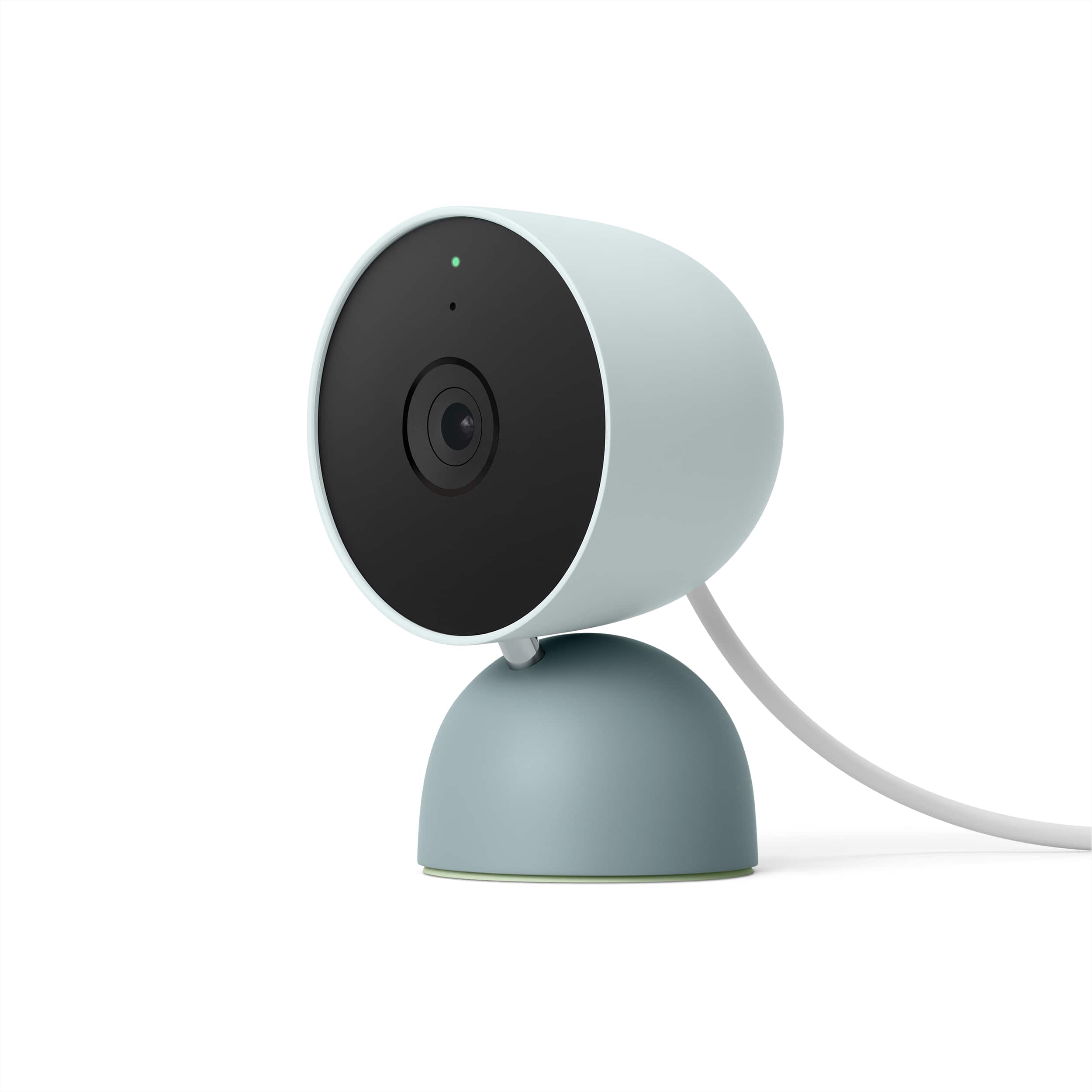
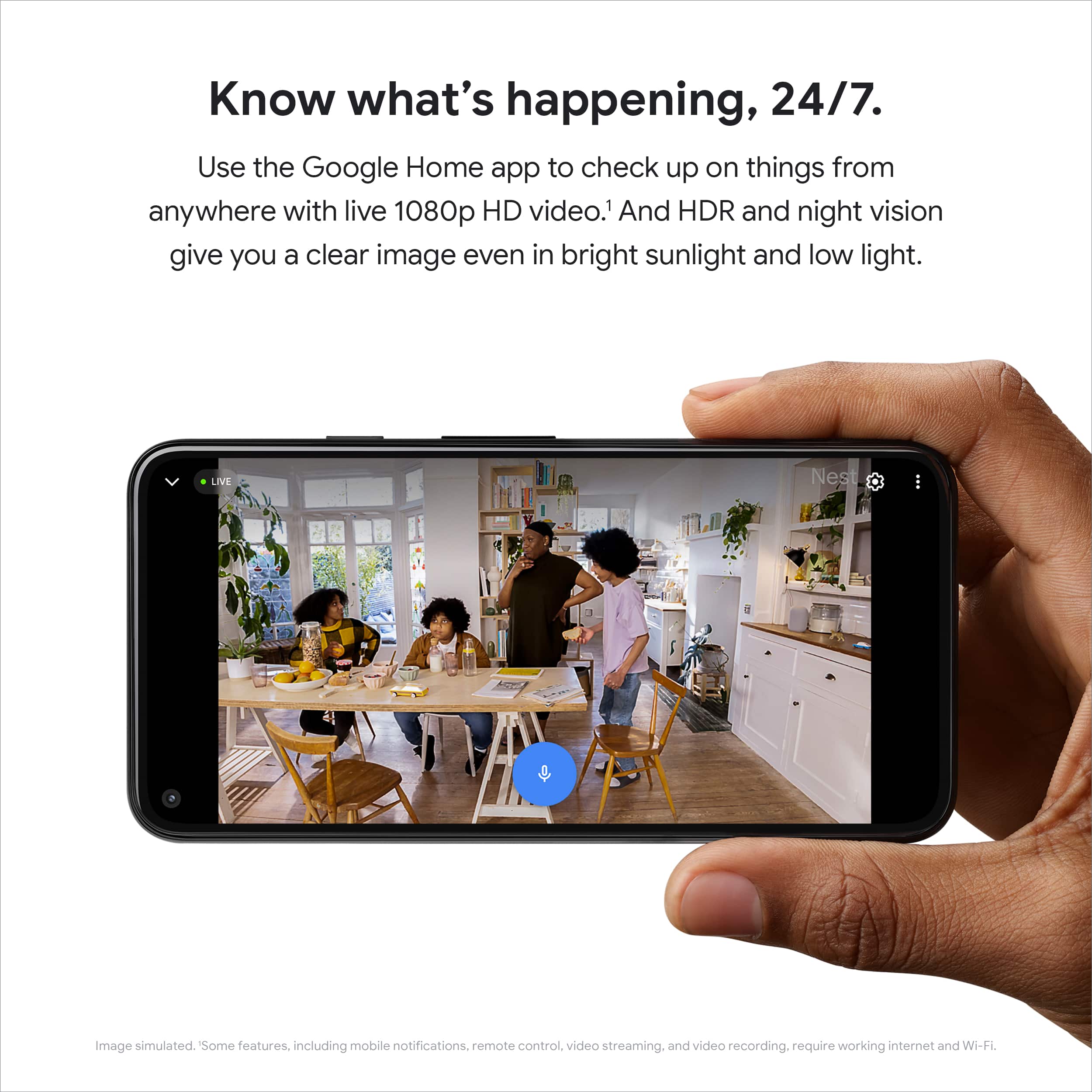
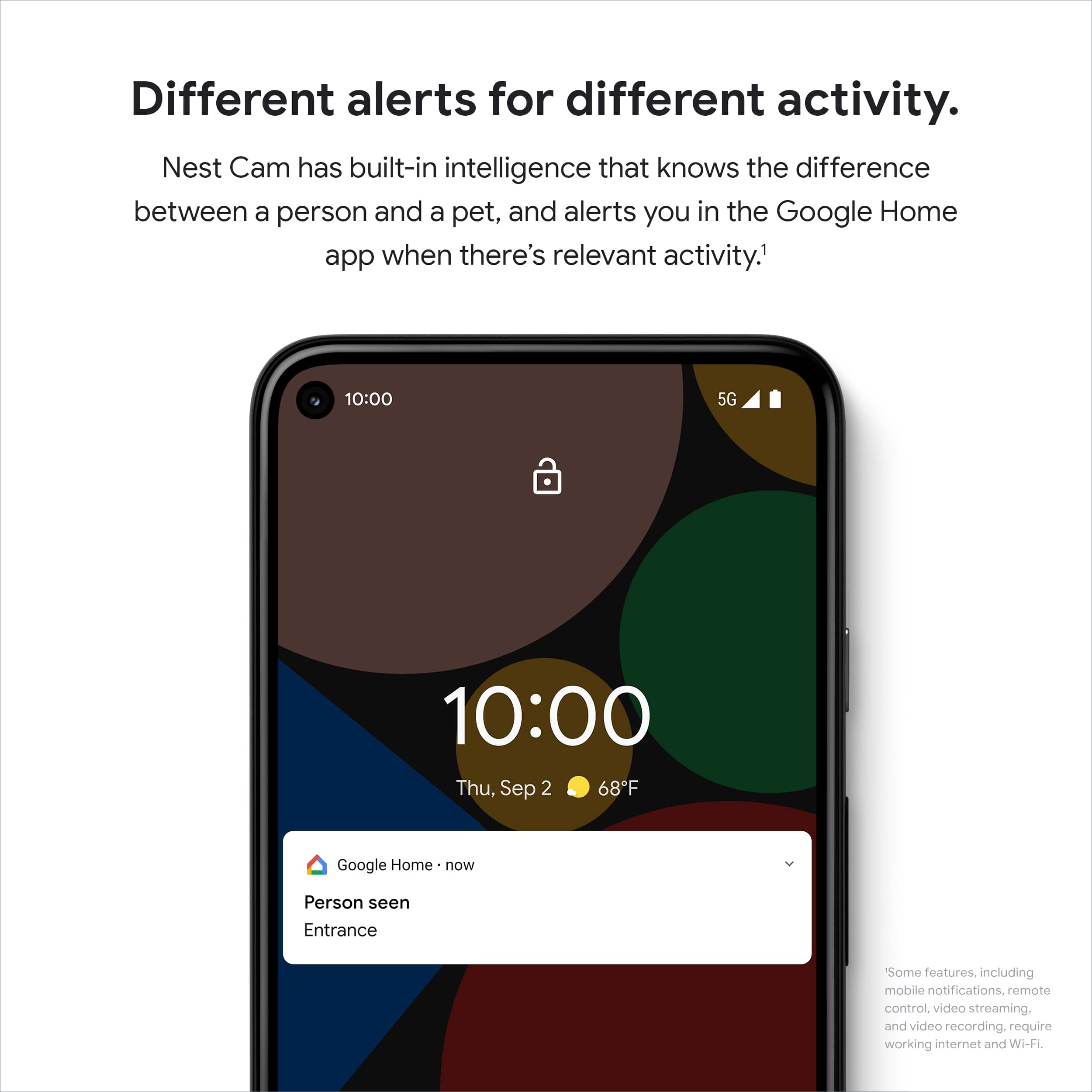
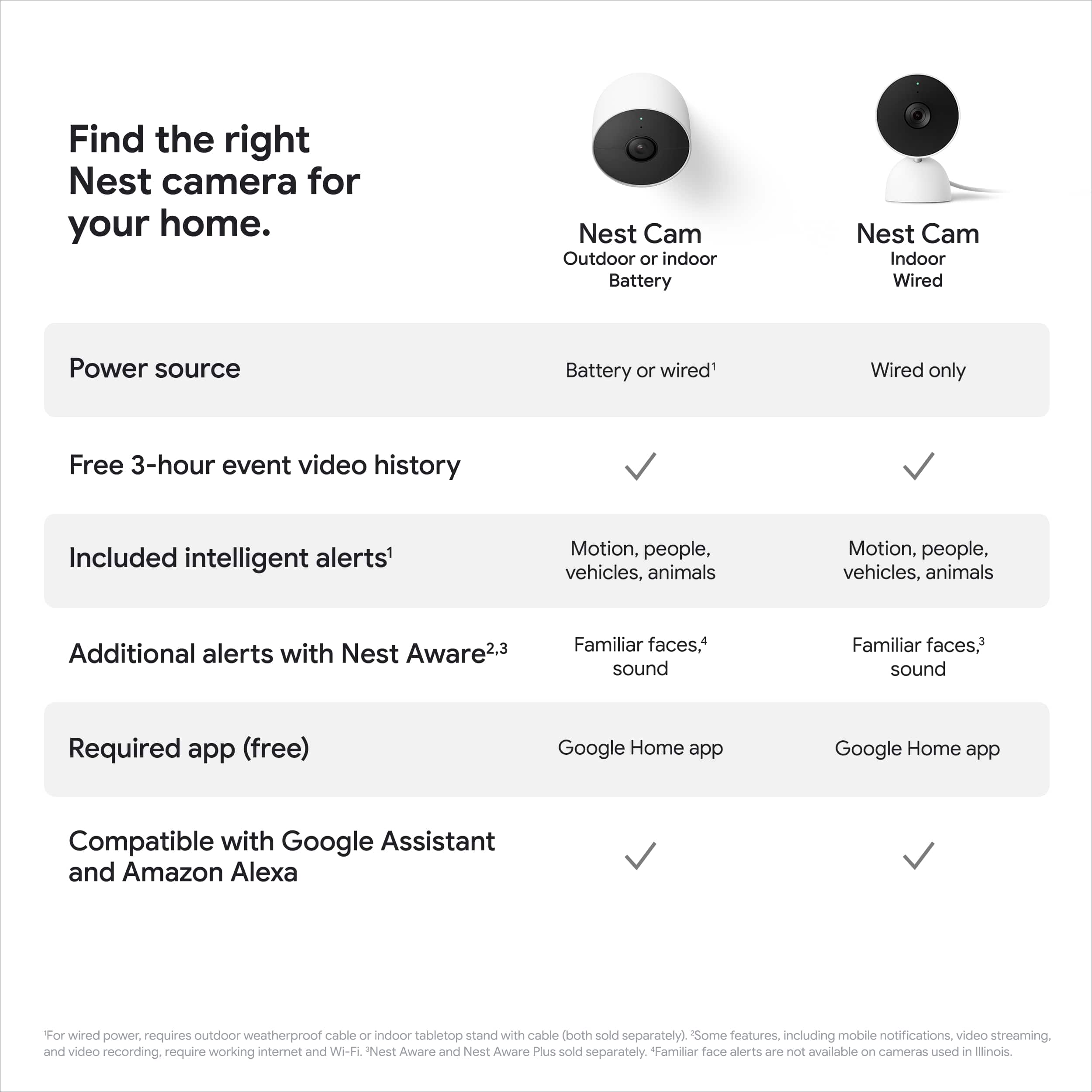
|Posted .This reviewer received promo considerations or sweepstakes entry for writing a review.This Google camera was super easy to set up and start recording. While it can be wall mounted, I'm just using it sitting on top of a cabinet to monitor a room. The camera is heavy enough and has a non-slip bottom, so it stays in place very well. I had it out of the box, powered up, then added to the Google Home app in about 5 minutes. It comes with a 30-day free trial of the Google Nest Aware service. This gives you 30 days of event history and "familiar/unfamiliar face" alerts. This includes some facial recognition capability for the familiar/strange faces alerts (unless you live in Illinois where this service is apparently not allowed.) The service costs $60/year if you want to continue. You can also get a "plus" service for $120/year which gives you 10 days of 24/7 video recording in addition. If you don't choose to subscribe, then you get 3 hours of event history and can, of course, view real-time video in the app. You also continue to get some of the "intelligent" alerts that include notifications if it detects people, vehicles, animals, breaking glass, or smoke alarm sounds. The 1080p video quality was excellent. The night vision was also very clear, and better than some of the other cameras I've used in the past. The Google Home app worked seamlessly with the camera and my other existing home automation things (lights, etc.) The video would load quickly with very little delay, which has not always been the case with other camera systems I've used. The camera also apparently has some onboard storage for video recording. If your Wifi or Internet is down, it can record up to an hour's worth of video. Once the network is available again, it will upload the events so you can view them in the app. So, if you powered the camera through a UPS then you'd still be able to record events even if you lost power.
I would recommend this to a friend- Cons mentioned:App compatibility, Compatibility, Connectivity
GOOGLE RUINED NEST
Posted .This reviewer received promo considerations or sweepstakes entry for writing a review.Can't share clips Can't trim clips Hard to view history (a lot of scrolling) I have 24/7 recording and there are gaps in my timeline where nothing is recorded Can't view outside of using Home App (only compatible with phone and chromecast) Nest app provides all of the features, however "NEST Camera" 2nd gen is incompatible with the nest app Absolutely terrible user experience. If there is no home update in the next few months incorporating these changes, then I will have to cut my losses and purchase Nest 1st gen. Nest app is way better than home app in its current state. *I purchased via Google Store last year upon release. They don't allow reviews so I decided to post my thoughts on Best Buy a year later*
No, I would not recommend this to a friendBrand response from Nest Support
Posted .Hello there, thanks for giving us feedback about your experience with using the Nest Cam (Indoor, Wired), and we’re sorry to hear it’s a disappointment for you. We understand that you enjoy viewing the camera feeds, and managing the camera features in the Nest app, however, our priority with this launch was building a complete experience for our new cameras and doorbell in the Google Home app. You’ll have the ability to download multiple video clips that event video history automatically captures. If you have event video history, your Nest camera will automatically generate a video clip of the activity that you can download. If you have 24/7 video history and want to create a video clip of a specific event you will need to download one of the automatically generated video clips and edit using your phone’s native video editor.
We request for your patience as we’re working on a seamless solution to create a better user experience. And we suggest having the latest version of the Google Home app that may improve camera playback controls to make it easier to play, pause, and navigate between events from the camera history view for cameras set up in the Google Home app.
Meanwhile, we’d like an opportunity to investigate why there are gaps in your timeline since you have 24/7 recording. If you’re willing to share more details about this issue, please contact us anytime here: https://support.google.com/googlenest/gethelp
Great features without a subscription
|Posted .This reviewer received promo considerations or sweepstakes entry for writing a review.The new wired Google Nest Cam offers really great features for a "cloud" style camera without needing a paid subscription. By including some machine learning processing in the camera itself, Google has made it feasible to have the camera function with reasonably good notifications without needing to process as much data in the cloud. As a result, I found the Nest Cam works really well as an add on to my existing (non Google/nest) home security system for non "security" footage - mainly, checking in to see what my pets do during the day. The animal notifications are really quite good, catching glimpses of my cats darting between sofas, or in window frames pretty far from the camera itself. The quality of the recordings is acceptable - it's 1080p, but there are some compression artifacts and an overall muddy look compared to more traditional home security cameras that I have used in the past. It's good enough to get faces, but I wouldn't rely on it for license plates of moving vehicles or anything like that. Night vision works really well despite the fact that it doesn't appear to shine the IR LEDs quite as brightly as other cameras I've used. As a result, the camera stays pretty discrete at night rather than a giant red ring like some other models. The design of the camera works really well for just sitting on a shelf, and the built in USB power cable is long enough to allow you some freedom in where to place it. Setup was really simple using the Google Home app - note that it does not work in the Nest app, so if you have previous Nest cameras, you will end up having to use both apps. At the tail end of my first week with the camera, I signed up for the free trial of Nest Aware to see whether the familiar face detection or additional recording times are worth paying for, and I'm on the fence. The familiar face detection is really cool and does seem to work pretty well. The 30 days of event availability means you don't have to check the camera right away (or at least, within 3 hours). I'm not sure that I will end up paying for it or not in the long term, but the features themselves do add value, especially if you are going to rely on this as a primary security device rather than a pet spy cam :)
I would recommend this to a friend- Pros mentioned:Video quality
Great Camera, good price... But a HUGE MISS
|Posted .This reviewer received promo considerations or sweepstakes entry for writing a review.I have been a long time support of the Nest Product line. From the first thermostat, to the smoke detectors, to the doorbell, then the first camera, then the IQs, so wanted to add yet another. Before this camera, I have 21 other NEST devices in my home. This particular camera is a a GREAT price point, and is SUPER simple to setup. However, a HUGH miss for someone like myself. I will expand on it in a bit, but it is the Google Home App vs the Nest App. Now for the good: - Extremely easy to setup. Get the Google Home Assistant app (you may have it already), hit just one or two buttons, and scan the bar code. Since I already head some apps in Home Assistant (minis), it had all my details for wifi. In about three minutes, and I was up and had video. - Installation, the video played in app was very tiny... I just went out and found the full screen version on YouTube, and it was easy. Two screws, to the base, align it, and the camera is installed. This is where I took one star off. the mounting base only allows for so much of an angle.. You really do need to set this up at about 6 to 7 feet off the ground to get a good view. That may not be practical for some. I personally would like to mount it a bit higher, so it is out of eye-line sight for the most part. I have the wired version, and have to make sure that this cord. reaches the outlet. but it is easy enough to add a USB extender. - The video quality is good, the microphone is great. pics up a lot. It is what I would expect from this project. So... here is the bad, and to me, it is almost unexcused. And I took 2 stars off because of this... (The other was the limited fixed mounted) Burried deep in the "Specification" listing, it states Compatible with Google Assistant. NO WHERE in the description that the "Nest Cam" won't work with the "Nest App". It is extremely illogical. The VALUE of the Nest echo system, is that I have ONE spot to go to for all my Nest products. That I can see ALL my video camera feeds in one place both web and app. I have 5 other cameras. I spent a health penny to standardize on Nest, I could have gone with many other options, but I wanted the single echo space that would talk to one another. This isn't about a simple compatibly difference, this is a fundamental way of utilizing the camera. No ability to view it from my desktop. (I use that feature OFTEN while I am work, and view my various cameras from my desk, and not my phone). Not able to watch something going on, from multiple views. Google does not "owe" an explanation on why they made this fundamental change, but they should do so somewhere. Or at least make it very clear in the DESCRIPTION (and not buried in the specification, which really even if I had seen it, wouldn't have thought twice)... that you will not have this in the NEST App and home.nest.com. I am going to really debate about taking this camera down, and picking up a used one, that will be in the same functional space as the rest of my cameras.
No, I would not recommend this to a friendBrand response from Nest Support
Posted .Hi Ebonovic, thanks for taking the time to share your feedback with us about the Nest Cam (Wired). We appreciate you for being a long time Nest user and for being heavily invested with Nest products. It’s unfortunate to learn that your new camera didn’t meet your preference and needs.
We’re aware that longtime Nest users enjoy viewing their Nest camera feeds from the Nest app and web app. However, our priority with this launch was building a complete experience for our new cameras and doorbell in the Google Home app. Our teams are working on enabling the ability to set up and control older Nest cameras in the Home app so users will have one app to control all of their devices, and we’re working on bringing full functionality to the Google Home app as we want to create an integrated experience with other Nest and smart home devices. And while the new Nest cameras and doorbells are exclusive to the Google Home app, users with previous versions of Nest cameras can view their camera feeds in the Google Home app alongside the new Nest Doorbell and Nest Cams.
We chose to transition to the Home app because this app is designed for the future of the smart home, a single place to set up, manage, automate, and control your home. Most home devices are controlled across multiple apps, but we’re working on making the Google Home app the central controller across all your home devices, including Google devices and devices from other brands.
As for the camera view, try to adjust the camera head 180 degrees then feed the cable through the gaps in the plate. Connect the camera to the wall plate by twisting it on. If you can’t get the view you want, twist the camera off the plate and turn it 180 degrees, then reattach it to the plate.
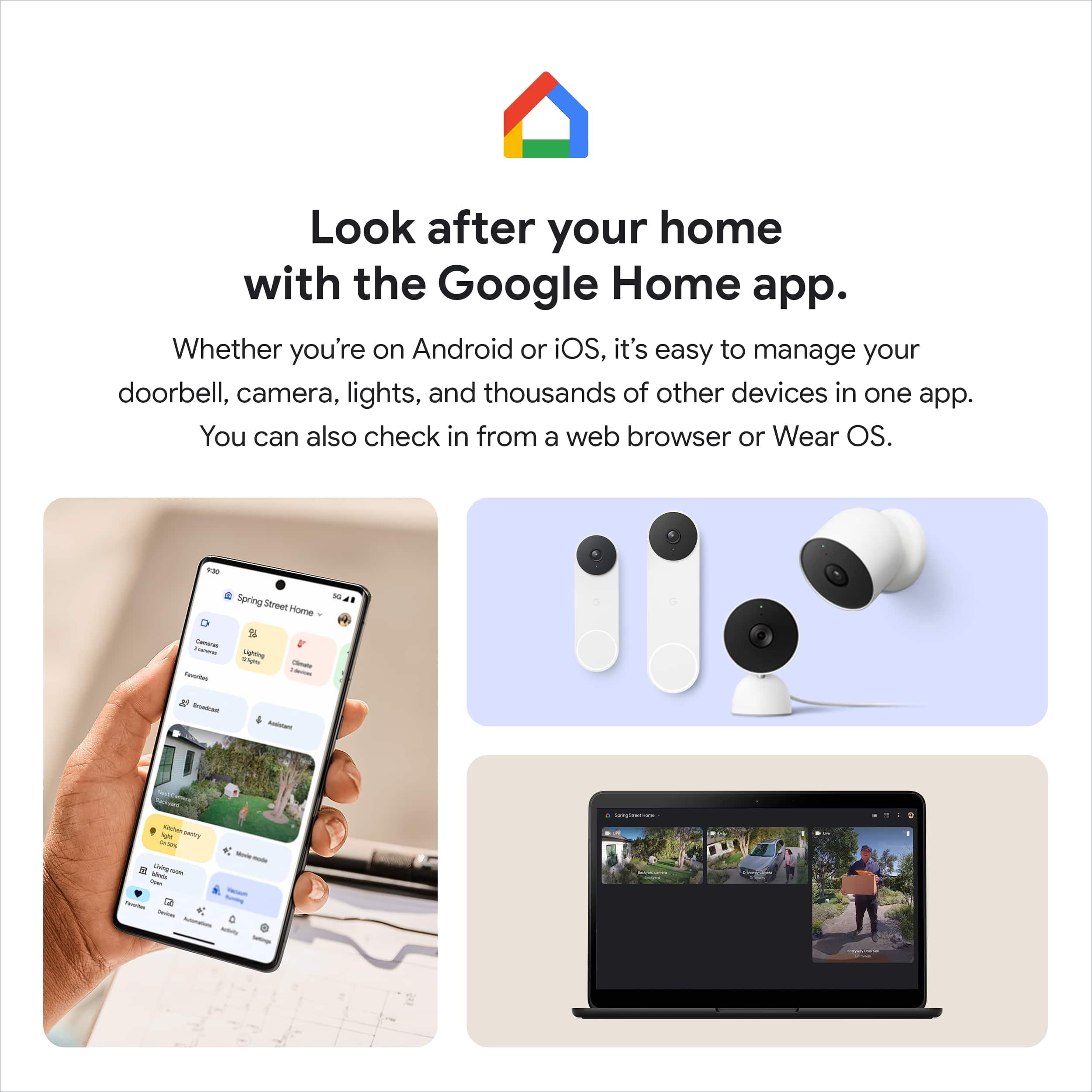
Here are some benefits you can get by using the Google Home app with your Nest Cam:
- Automatic security protections such as Suspicious activity detection, 2-Step Verification and Security Checkup.
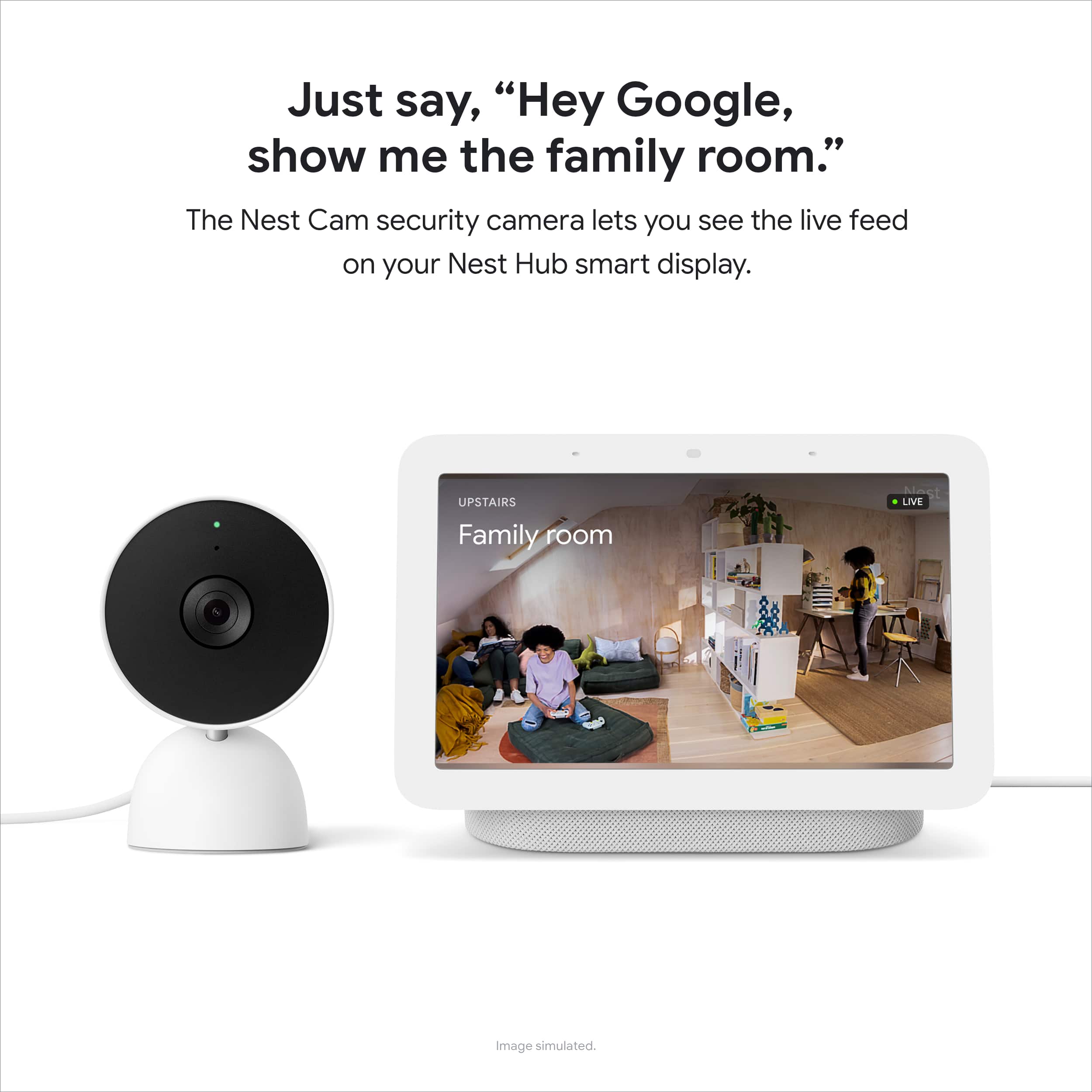
- Your Google Nest devices and services will work together. For example, if you have a Nest Cam and a Nest Hub, just say, "Hey Google, show me the backyard camera” to cast your camera stream to your display without any additional setup.
- One account to sign into both the Nest and Google Home apps.
- Your homes and home members will be aligned across the Nest and Google Home apps.
Your feedback is important to us, and we'll make sure to share it with the product team, as we always aim to improve our products and services. If you have any concerns about your Nest camera, or with using it effectively in the Home app, please feel free to visit us anytime here: https://support.google.com/googlenest/gethelp
Nest Cam
Posted .This reviewer received promo considerations or sweepstakes entry for writing a review.Great little camera. Was easy to set up and the price was right. Works great.
I would recommend this to a friend- Pros mentioned:Video qualityCons mentioned:Connectivity
Better options out there
Posted .This reviewer received promo considerations or sweepstakes entry for writing a review.I picked one of these up about a year ago. I'm a big Google fanboy and I'm very much engrained in the Google ecosystem. My house has several Nest/Google Home Speakers, a hub, a few smart clocks, Chromecasts, Google TV devices, etc. I'm very tech savvy and have no problem setting up, using, and troubleshooting devices in general. Short version is: These are almost unusable. Despite having a Nest Wifi mesh network across my house, and trying this camera in multiple locations (including about 15 ft from the primary router with a direct line of sight), it's almost not even worth having. I can connect to the camera and view the stream, but it only takes about 30 seconds before the stream freezes and then shows a spinner. Sometimes it'll recover, only to pause again shortly after, but most of the time it disconnects completely and says it's unable to display the video feed. If you try again, most of the time it will just continue to say it can't display the video feed until you wait and try again later. And forget trying to talk through it. This is on a home network with gigabit fiber internet (tested at about 800mbps down & up), with practically no other device activity (no one is even home), and confirmed to not suffer from bufferbloat or anything. It doesn't matter what quality setting you use, what device you view from, or how good your internet connection is on the client. I can close the Google Home app, and check my $50 Eufy camera, and get a quick, reliable video stream. It's farther from the router, and honestly the quality is better too. The only reason I didn't give this 1 star for quality is because the actual physical hardware presentation is nice. It feels like a high-end product. It just doesn't perform like one.
No, I would not recommend this to a friendBrand response from Nest Support
Posted .Hi Nick, thank you for sharing your review. We're sorry to hear that you're having some connectivity issues with your Nest Cam (indoor, wired). This is not the experience we want you to have. We'd recommend rebooting your Nest Cam and your Wi-Fi router as this often will fix the issue. However, we suggest that you reach out to our support specialists so we can better isolate the issue and help find troubleshooting steps that may improve your overall experience. Please contact us on our Google Help page here: https://support.google.com/googlenest/gethelp
Facial recognition
|Posted .This reviewer received promo considerations or sweepstakes entry for writing a review.The ability to recognize familiar faces as well the option to give notification based on if I'm home or away. There isn't extreme lag with the live video! I love being able to view the video with my Google nest hub by simply asking Google to show me the video. I do feel protected with enough privacy to feel comfortable with going about my day knowing I won't be getting random notifications from every little insignificant movement.
I would recommend this to a friendGood camera, easiest setup!
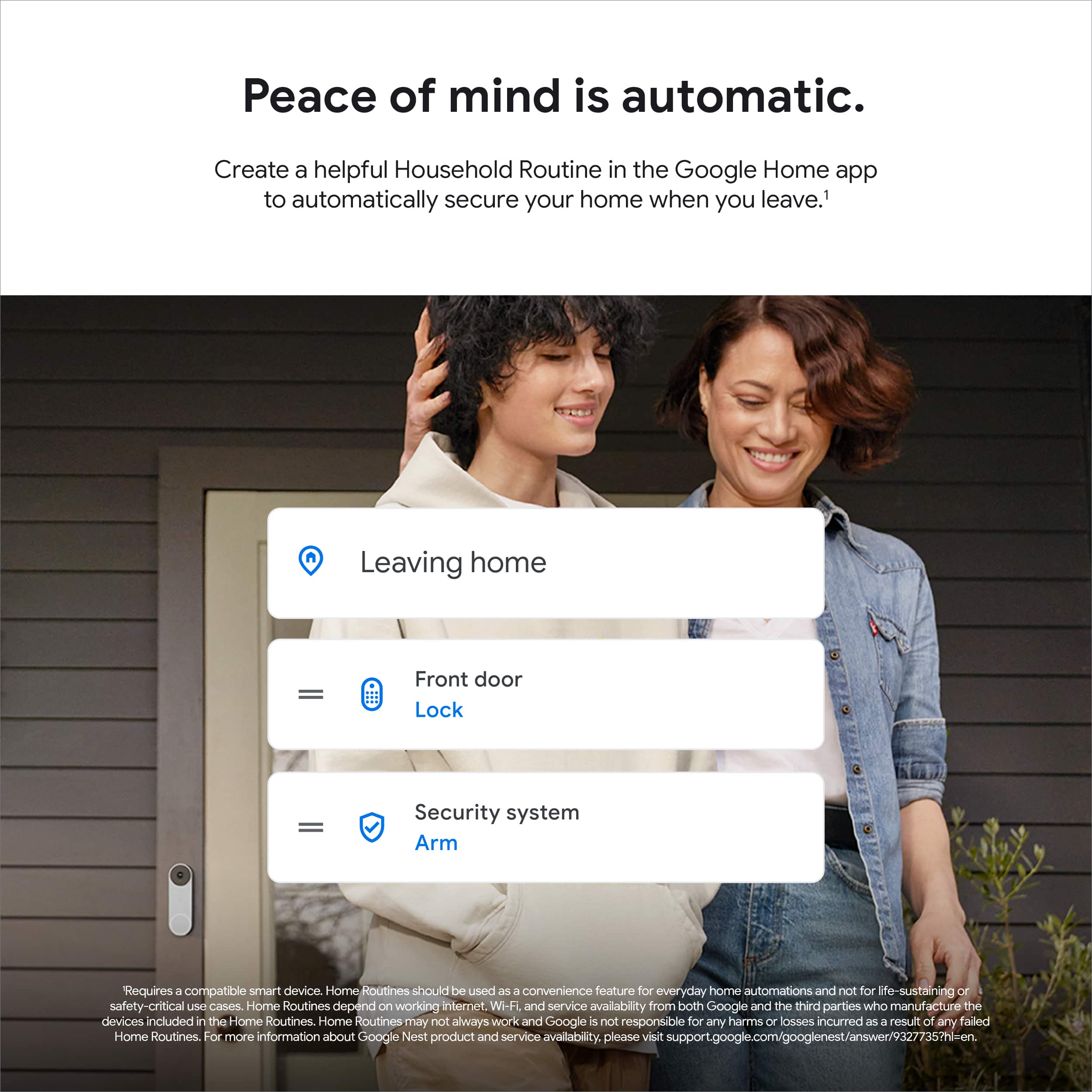
|Posted .This reviewer received promo considerations or sweepstakes entry for writing a review.The biggest plus for this camera is ease of use/setup. Google is getting REALLY good at making easy to use home products. The amount of time it takes to set this thing up is crazy, like placing the camera and getting the angle/direction correct will take longer than getting it attached your Google Home account and wifi! I really like that the Google home app allows you to set what to do when you're home or away, and now the camera turns off when I'm home, and turns on the second I leave! The only cons I have with this device is they obviously want you to get into paying a subscription fee. Since this isn't my only camera, I'm content with watching live video and being able to see recordings for the past 3 hours. The alerts work well, maybe a bit too well, as lighting changes will give me an alert sometimes, which doesn't bug me since I know when/if someone or something walks by I will get notified. The overall picture quality is average, not amazing, but good enough.
I would recommend this to a friend- Pros mentioned:Overall performance
Good Camera
|Posted .This reviewer received promo considerations or sweepstakes entry for writing a review.This camera is a little bit smaller than older Nest cameras. Despite its smaller size it still packs a good camera. The speaker seems to be a bit better on this unit than previous though still needs work to be clear sound. The app needed to use the camera was easy to download though it took a couple of tries to get them to connect to each other. Turning camera on and off within the app is a bit clunky, it is no longer a simple toggle switch as the old Nest cameras were. Picture is quite clear. Does not work seamlessly with NEST products despite its name. It will not work with the Nest app you have to use the Google Home app and create a Google account if you do not have one already.
I would recommend this to a friendBrand response from Nest Support
Posted .Hi ARBaldridge, thanks for posting your feedback about the Nest Cam (Wired). We’re sorry to hear of your disappointment in the lack of integration with the Nest app, and that the camera is not simple to toggle on and off.
We’re aware that longtime Nest users enjoy viewing their Nest camera feeds from the Nest app and web app. However, our priority with this launch was building a complete experience for our new cameras and doorbell in the Google Home app. We chose to transition to the Home app because this app is designed for the future of the smart home, a single place to set up, manage, automate, and control your home. And using the Google Home app provides you with a lot of benefits including access to Google's trusted security platform and access to other Google tools. Here are other benefits you can also get by using the Google Home app with your Nest Cam:
- Automatic security protections such as Suspicious activity detection, 2-Step Verification and Security Checkup.
- If you have a Nest Cam and a Nest Hub, just say, "Hey Google, show me the backyard camera” to cast your camera stream to your display without any additional setup.
- One account to sign into both the Nest and Google Home apps.
- Your homes and home members will be aligned across the Nest and Google Home apps.
You can turn your Google Nest camera or doorbell on or off anytime so that you’re always in control of when it streams and records video. There are a few ways to switch your Nest camera on or off with the app:
- Manually switch it on or off.
- Use a camera schedule to turn it on or off at specific times.
- Set it to turn on or off automatically when your home senses that you’ve left or come back.
Check out this link for more details: https://support.google.com/googlenest/answer/9247651
Your feedback is important to us as we’re always looking for ways to improve our products and services. And if there’s something that we can help you with using the Nest camera and Google Home app effectively, you may visit us anytime here and we’ll gladly help: https://support.google.com/googlenest/gethelp
- Pros mentioned:Overall performance
A great little camera
Posted .This reviewer received promo considerations or sweepstakes entry for writing a review.Works great and it’s very easy to setup. Seems like a good deal but it’s the first security camera I’ve owned.
I would recommend this to a friend - Pros mentioned:Video quality
Good camera
Posted .This reviewer received promo considerations or sweepstakes entry for writing a review.The camera is terrific but I can’t connect it to the nest app only the Google home app. I think that’s how it’s made. Disappointed! But on the Google home app the video is excellent.
I would recommend this to a friendBrand response from Nest Support
Posted .Hi Doggiecam, thanks for sharing your experience. We’re sorry to hear your disappointment about your Nest Cam (indoor, wired).
The new Nest Cam (indoor, wired) is exclusive to the Home app because we wanted to create an integrated experience. Our long term plan is to use the Google Home app as the one place you can control all of your favorite Nest and other smart home devices, as well as Google Assistant. In the near future, we’ll allow users to set up previous Nest devices and have full control in the Home app. Users with older cameras can view their camera feeds in the Google Home app alongside the new Nest Cams. Our team is working on bringing full functionality to the Google Home app so all of your cameras can be set up and controlled in one place.
If you need any assistance, feel free to contact our support team. We’re always available through this link: https://support.google.com/googlenest/gethelp
- Pros mentioned:Overall performance
Absolutely love these cameras
Posted .This reviewer received promo considerations or sweepstakes entry for writing a review.We bought 2 one for my house and one for my daddys we absolutely love these great pic great recording view is great i love the face recognition highly recommend
I would recommend this to a friend - Pros mentioned:Overall performance
Solid home camera
Posted .This reviewer received promo considerations or sweepstakes entry for writing a review.Excellent camera for monitoring our pets! We've had no issues over the 1+ month of use so far.
I would recommend this to a friend - Cons mentioned:App compatibility, Features
Rushed product with incomplete feature set
Posted .This reviewer received promo considerations or sweepstakes entry for writing a review.I can't believe they released this Nest camera without Nest App support. I own 7 Nest / Drop -cams with 6 Protects and love being able to see all the live feeds on one page. The Home App doesn't let you see more than one live feed per page, so you have to manually select each camera to see its feed. With the Nest App (and Nest webpage) you can have a panel where you can see all of your cameras live at the same time. The cord is not detachable like the old Nest Cam; it's soldered in the back of the camera itself. This wouldn't be a problem if it weren't so long, but it's bulky as heck. What if your cord breaks or your cat chews on it? You can't just buy another cord. The base is silicone, so you can't mount it to the wall with 3M Velcro strips like you used to be easily able to. Rotation angle from the base is also restricted, but it's not obvious how the range of motion is restricted by looking at it. Various features are missing in the Home app, like being able to scrub through 24/7 video history and record clips wherever you want. As a long time Nest supporter since the Dropcam days, I am so disappointed with this launch : / At least the new talking alert tone is nice...
No, I would not recommend this to a friendBrand response from Nest Support
Posted .Hi Zane, thanks for being an advocate of our products and for sharing your experience with us. We're sorry to hear about your disappointment with the Google Home app and with some of the features of Nest Cam (Wired).
The new Nest Cameras and doorbells are exclusive to the Home app because we wanted to create an integrated experience with other Google Nest speakers and displays. We wanted to make the Google Home app as the one place you can control all your favorite Nest and other smart home devices with the Google Assistant. Here are some benefits you can get by using the Google Home app with your Nest Cam (Wired):
- Automatic security protections such as Suspicious activity detection, 2-Step Verification and Security Checkup.
- Your Google Nest devices and services will work together. For example, if you have a Nest Cam and a Nest Hub, just say, "Hey Google, show me the backyard camera” to cast your camera stream to your display without any additional setup.
- One account to sign into both the Nest and Google Home apps.
- Your homes and home members will be aligned across the Nest and Google Home apps.
We have taken note of the details of your feedback and this will be passed on to the right team, since we're always searching for ways to improve our products and services. You can get a hold of any of our agents for your support needs here: https://support.google.com/googlenest/gethelp
Easy to set up and use
Posted .This reviewer received promo considerations or sweepstakes entry for writing a review.This camera is so easy to set up and took only a few minutes to mount it on the wall for the optimum viewing angle.
I would recommend this to a friendClear picture and awesome sound
|Posted .This reviewer received promo considerations or sweepstakes entry for writing a review.I couldn't be more pleasantly surprised by this home camera. It's a sleek little thing that fits just about anywhere or can easily be mounted. The picture quality is crystal clear and picks up sound so well I can hear sound from other rooms. The night vision is also impressive. I've used it in a few different rooms as a security type camera and also tested it out as an option for a baby monitor. If your child is out of the crib and in their own bed, this is a good option. I probably wouldn't use for a crib monitor. But it works great for a toddler who is getting used to being in their own bed and having a bit more freedom. For the price, this can't be beat as far as features and sound/video quality. I highly recommend giving this camera a try.
I would recommend this to a friend- Pros mentioned:Video quality
Kids monitor
Posted .This reviewer received promo considerations or sweepstakes entry for writing a review.I love this product, I placed in family room to monitor my 4 grandkids when I’m upstairs. Able to hear clearly, speak clearly and see them clear
I would recommend this to a friend - Cons mentioned:App compatibility
This camera and Google Home are garbage!
Posted .This reviewer received promo considerations or sweepstakes entry for writing a review.This camera and Google Home are garbage! I have been a big supporter of the nest cameras but since Google is now trying to move everything to google home it’s a disaster. I can't believe they released this Nest camera without Nest App support. I own 16 Nest / Drop -cams and 10 Nest outdoor cameras. All of the previous models I have purchased have been a breeze to install and manage. The magnetic attachment on the outdoor cameras was brilliant. These new cameras are very poor quality and have some major limitations. The first issue is the power cord is fixed to the camera. The camera might be ok sitting on a desk when there is not a need to install on a wall however wall installations are a serious problem. The camera cannot rotate with ease and is limited to the angle. If the camera is not installed in the perfect location on the wall then the camera image crooked. The base is silicone, so you can't mount it to the wall with 3M Velcro strips like you used to be easily able to. Rotation angle from the base is also restricted, but it's not obvious how the range of motion is restricted by looking at it. There is no way to compensate for this on the camera app “Google Home” which Is also garbage at the moment. One of the main reasons I like the nest cameras is the nest app. Don’t plan on using this any longer because google has ruined it by making users only use the Google Home app for these cameras. Even though these cameras are supposedly nest cameras they don’t work with the nest app. A HUGE MISS ON GOOGLES PART. I called google and they said they are moving to google home. In my opinion google should be migrating their software from google home to the nest app and not the opposite which is what they are currently doing. Onto the Google home app. Where to start? Well the first problem is on the google home app its slow, and doesn’t allow for live feeds. To review the cameras history you have to use a timeline that doesn’t work or in my case says the camera feeds are not available at the moment and to come back. The Home App doesn't let you see more than one live feed per page, so you have to manually select each camera to see its feed. With the Nest App (and Nest webpage) you can have a panel where you can see all of your cameras live at the same time. Google did mention they have had a lot of feedback with the request to show the camera live views when you open the app but it doesn’t work at the moment. So google how do you plan to migrate all the cameras from nest to google home? Now I have two apps to use cameras! I am not sure who the development team for Google home is but they should be all fired. Reluctantly, I am returning all 6 of the new google nest indoor wired cameras. Guessing at some point I will be forced to use the Google home app at which point I will most likely have to find a new camera company.
No, I would not recommend this to a friendBrand response from Nest Support
Posted .Hi JC33460, thanks for being a loyal advocate of our products, and for sharing a detailed review of Nest Cam (Wired). We're sorry to hear about your negative experience with the Google Home app, and your disappointment with the video quality.
Our goal is to make the Google Home app the one place where you can control all your favorite Nest devices and other smart home devices with the Google Assistant. Here are some benefits you can get by using the Google Home app with your Nest Cam with Floodlight:
- Automatic security protections such as Suspicious activity detection, 2-Step Verification and Security Checkup.
- Your Google Nest devices and services will work together. For example, if you have a Nest Cam and a Nest Hub, just say, "Hey Google, show me the backyard camera” to cast your camera stream to your display without any additional setup.
- One account to sign into both the Nest and Google Home apps.
- Your homes and home members will be aligned across the Nest and Google Home apps.
If you're willing to try, you may transfer your old Nest cameras to the Google Home app. Check out this help article for more information: https://support.google.com/googlenest/answer/9893532
It's also understandable that for most users, a higher resolution is always better. However, video resolution is only one factor that impacts video quality, and it shouldn’t be the only deciding factor when choosing a camera. Your Nest Cam (Wired) has full HD resolution with HDR video quality that’s optimized for a clear view in bright sun or dark. Keep in mind that it also helps save battery power.
We'll make sure to pass along the details of your feedback to our product team. We're hoping you will reconsider and keep using Nest Cam (Wired) in the future. Our support team would be happy to help you with your support concerns, if you can reach out to us here: https://support.google.com/googlenest/gethelp
- Pros mentioned:Overall performance
good product
Posted .This reviewer received promo considerations or sweepstakes entry for writing a review.good product, I originally thought I was buying outdoor cameras but I ended up keeping these and just putting them in the windows and they work fine.
I would recommend this to a friend - Pros mentioned:Video quality
Great
Posted .This reviewer received promo considerations or sweepstakes entry for writing a review.Clear image and sound on google nest hub. Also clear for the google home app. You can hear even the faintest sound. I even whispered from the other room as the camera and you can hear me clear.
I would recommend this to a friend