Skip to contentGo to Product SearchGo to Footer
Main Content

Customer Ratings & Reviews
Your price for this item is $129.99

Customer reviews

Rating 4.4 out of 5 stars with 1257 reviews

Rating Filter

Rating by feature

  • Value

    Rating 4.4 out of 5 stars

  • Quality

    Rating 4.6 out of 5 stars

  • Ease of Use

    Rating 4.5 out of 5 stars

87%
would recommend
to a friend
The vast majority of our reviews come from verified purchases. Reviews from customers may include My Best Buy members, employees, and Tech Insider Network members (as tagged). Select reviewers may receive discounted products, promotional considerations or entries into drawings for honest, helpful reviews.
Page 60 Showing 1,181-1,200 of 1,257 reviews
  • Tech Insider Network Member

    Rated 4 out of 5 stars

    Great Indoor Home Smart Camera

    |
    Tech Insider Network Member
    Posted .
    This reviewer received promo considerations or sweepstakes entry for writing a review.

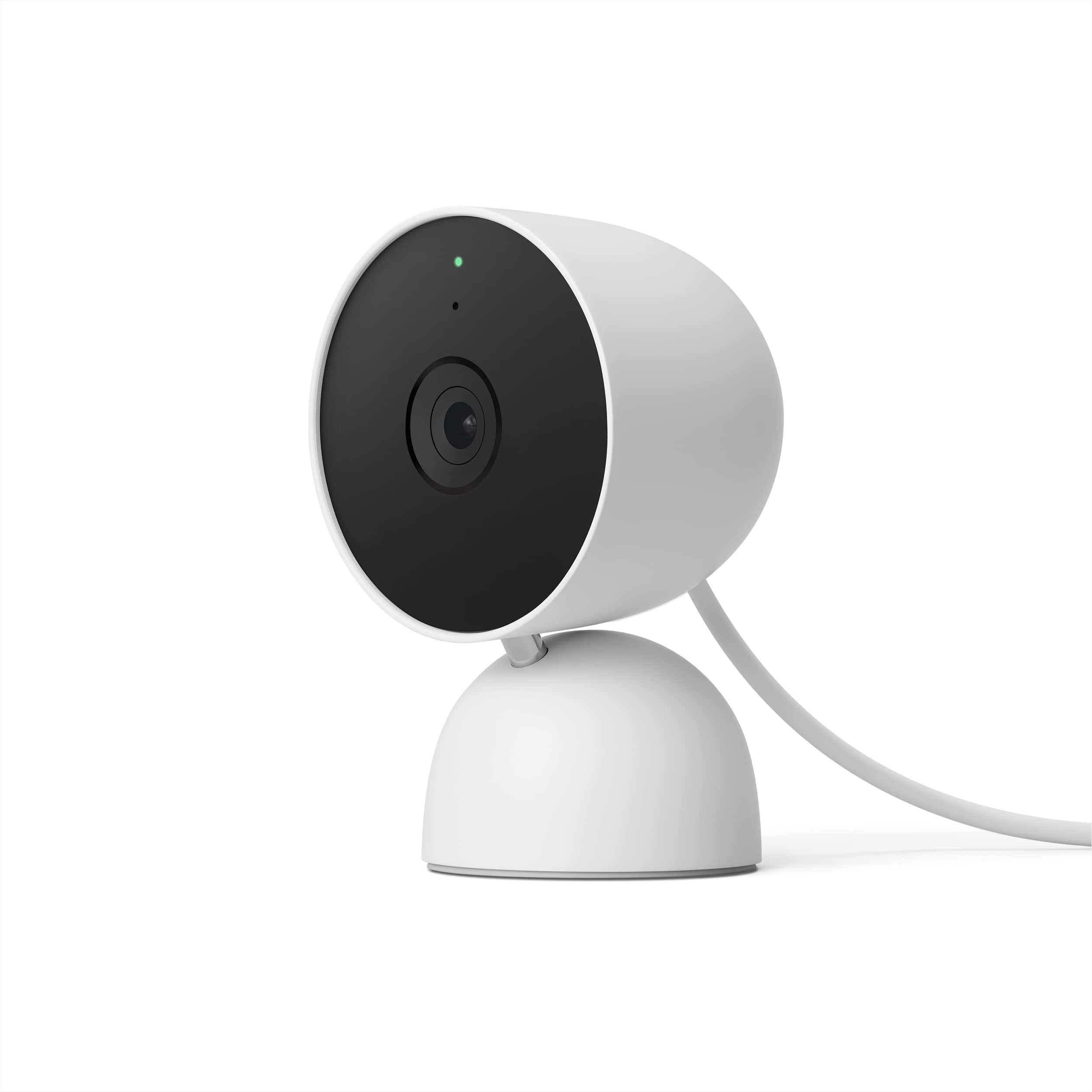
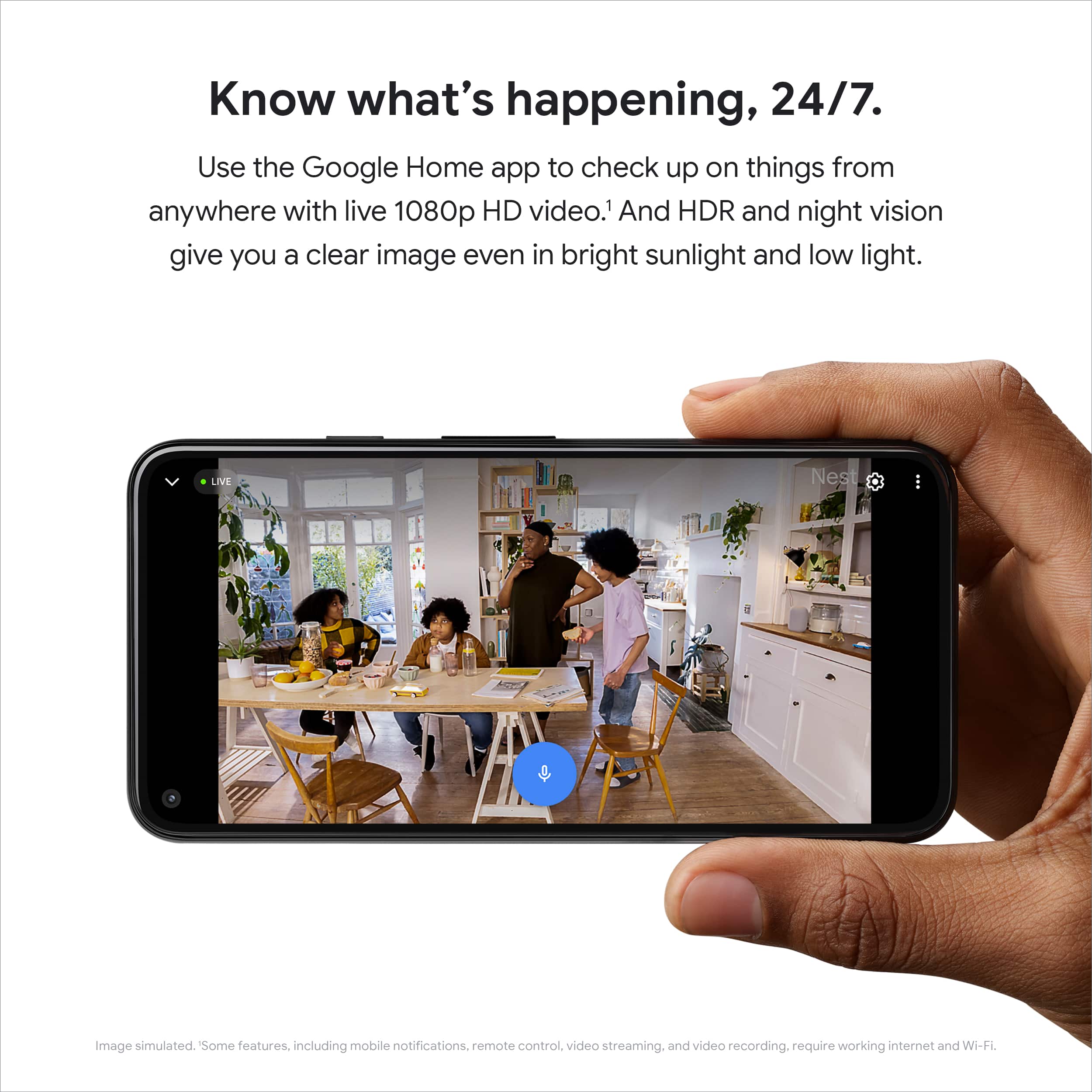
    This is my review of the Google - Nest Cam (Wired) – Snow of which I give a 4 out of 5-star review. Overall, in my household situation I am not heavily integrated with smart home devices. I currently have running an original Nest (pre-Google) Hello video doorbell and this new Google Nest Cam (indoor, wired 2nd gen) device. I already have a Nest Aware subscription from my Next Hello and simply added the Google Next Cam to the account. This review of the device was used as a pet camera in my sunroom. From upon opening the box I can see this device was well constructed with quite of heft to its base to make it topple-free. Please ensure you keep the QR code doubling as a lens cover as you will need this to add the device to your Google Account. They left a place on the backside of the instruction booklet to place the QR code for safe keeping. I myself would prefer if Google allowed a place on the device itself (within the base perhaps) to store the QR code as instruction booklets and packaging tend to become discarded at some point. Upon set-up, I placed the device in my sunroom as this is a perfect place for a pet camera. I have two cats and have the device set up into three zone for field of vision and alerts. The first zone is of a cat tree, the second is of one of their favorite cat beds, and the third is of a cat hammock. I have the alerts set on in coordination of making my phone location detectable as either being home or away. So, when I’m away the camera gives me all the alters to tell me which zone(s) my cats reside throughout the day. It does have AI built into the device as the alerts range between “Animal possibly seen” or “Person” along with face detection, but that feature is more suited for outdoor cameras. I find the video to be very clear at 1080p HD with HDR and find the night vision very good. I do wish Google gave the option to turn off the green indicator light as I don’t want feel my guests or pet sitters are under constant supervision. As for the Google Home GUI Interface versus the Nest Hello GUI Interface, I wish Google incorporated some of the features into the Home app. Don’t get me wrong, the Home app has complete functionality, but feels sterile in appearance. Only those users who have the original non-Google Nest Hello will understand this comparison. GUI rich apps tend to be more pleasant to use and easier on the eyes. In summary, I highly recommend this device and deducted one star for the inability to turn of the green indicator light and a better GUI interface on the Home app. I hope you enjoyed reading my review and it helped in your decision in purchasing this device.

    I would recommend this to a friend
  • Tech Insider Network Member

    Rated 5 out of 5 stars

    Does exactly what I wanted it to do

    |
    Tech Insider Network Member
    Posted .
    This reviewer received promo considerations or sweepstakes entry for writing a review.

    I unboxed the Google Nest Cam (wired indoor cam) and set out to install it in my garage. I’ve been looking for an easy camera to monitor the garage door and indoor space for a while. Opening up the Nest Cam, I find the camera with an attached USB cable, 110v USB adapter, instructions, and mounting hardware (plastic anchors and screws). Mounting the camera and connecting it to the Google Home app was a breeze. The mounting plate swivels off the base of the camera and the mounting hardware is inside. I didn’t need it; I just used a couple of wood screws. Make sure if you do, the screw heads aren’t too pronounced. I did and then changed them to flush heads. There isn’t much room in the base. I have the home app on my phone already, so I just added a new item. If you need it, download the app from either store and fire it up. You connect via your Google account and then add the item. It’ll ask for a QR code which is a sticker right over the lens. Scan that and save it in the instruction book or box for down the road. Then it’s a painless step-by-step to get the camera connected. Once you complete the handshake, the app will go step by step on how to install the camera if you need that. Otherwise, just hit next a bunch of times and it will finish. Then you’re ready to use the camera. I installed mine in the center of the front wall in the garage. I can see across the floor and the entire 16’ door. Any person by the door is hard to make out on the phone, but on a larger screen, I imagine it would be usable. At about halfway (my garage is about 20’ deep) I can make out facial features on my phone. I really just want it to show me my garage is closed when I’m away from the house and my OCD has the need to check. Sorry if this seems out of place, but I just fired up my Google Chromebook, install the home app on it, and logged in to my Google account. All my Google Home devices showed up including the garage cam. I clicked on it, and I have a great shot of the inside of my garage. It’s got great quality and sound. Like the phone, I can hear what I say if I mutter something by the door, 20 feet away. If I get too close to the cam with my phone, a loud squeal records. Anyway, as long as I can access the feed on a laptop, I’m good. I was looking at how to do it on my Windows or Mac Mini, but I have a couple of Chromebooks, and that works for me. If anyone knows whether it would work with a Nest Hub Gen 2, let me know. They’ve gotten reasonable at the Base Exchange. Also, if anyone knows, is there a huge difference between the Nest Hub Gen 2 and the Google Nest Hub Max. I see on the BX website that there’s about a $110 difference so any advice would be helpful. Finally, I think the camera is great. I’ve read some reviews from Nest owners that aren’t too happy with the move from Nest apps to Google Home, but for a new user like me, it’s easy to use and it works without much hassle. A positive end-user experience is what I look for in a product and the Google Nest Cam wired fits the bill.

    I would recommend this to a friend
  • Tech Insider Network Member

    Rated 4 out of 5 stars

    Solid choice for Google Nest ecosystem

    |
    Tech Insider Network Member
    Posted .
    This reviewer received promo considerations or sweepstakes entry for writing a review.

    The Google Nest Cam (Indoor, Wired) is the 2nd generation of an already popular Google home security system. It is well built, feels solid with a heavy enough stand, it won’t move around. You can also mount it on the wall with the provided screws and wall anchors. The setup is pretty easy like any other smart device you add to your Wi-Fi network through the Google Home App. Once you’re satisfied with the live view which is FHD 1080 quality with very little lag, there are a few cool things you can do that differentiate this Nest Cam from the competition. Much like video door bells, you can setup activity zones and tie them to events and notifications. You can customize what zones and what events you want to get notifications for and when, whether you are at home or away. You can also filter by event type when you are looking through the rolling 3-hours worth of events that get saved for free. Another unique feature that I have not experienced with my other brand cams is the Google Nest Cam has local storage and can actually record up to one hour of video locally if you lost your WiFi or Internet connection. It will upload to your cloud account once connectivity is restored. If you need 30-days or 60-days worth of video history, you can pay for the Nest Aware/Plus subscription, which may be worth it especially if you have multiple Google Nest video devices. That will also enable additional features such as “familiar face detection” against images of people you know from your contacts. Overall at this price-point, I wish Google had included 24-hours of free event history like another popular brand that also makes routers. Additionally I would like to see a pan/tilt/zoom version. Last but not least I was not able to integrate it/cast w/my Lenovo smart clock, apparently it is only compatible with the Nest Display. Perhaps a future firmware upgrade would make it usable with other compatible 3rd party devices.

    I would recommend this to a friend
  • Tech Insider Network Member

    Rated 5 out of 5 stars

    Great camera, excellent integration

    |
    Tech Insider Network Member
    Posted .
    This reviewer received promo considerations or sweepstakes entry for writing a review.

    Strongly recommended for anyone thoroughly invested in Google's software ecosystem. You can now check on your camera using the same port you use to check on your digital assistant or tweak your smart lights. Image quality is good; there's a degree of pixelation and image noise, but clarity and image sharpness are actually very good. The customizable alerts are a real selling point, as well. I can designate areas where my cat is likely to cause trouble and get notifications immediately when he's about to get himself in trouble. You can also get notifications about doors opening or other areas within the viewing frame that you create events for. The camera provides complimentary three-hour cloud storage; anything beyond that requires a separate subscription. This could be a deal-breaker for some, but the subscription is reasonably inexpensive and that three hours is coupled with customizable notifications that will enable you catch serious problems if your alerts are set to be as insistent as possible. You can, of courses stream live video for free at any time. If you want to watch your house or apartment while away for a long period of time with recorded history, you can activate a subscription on an as-needed basis. Special features like Familiar Face detection are only available with a subscription. For people worried about privacy, the device itself stores sensitive info like biometric data (for the aforementioned Familiar Face feature), so you get a layer of security with this camera that you simply don't with cheaper alternatives. Perhaps the best aspect of this device is the ability to customize your own event triggers that you can use as search criteria when viewing your video history. Users have a huge degree of control over how the camera records activity. You can even opt to have the camera linked to your phone in such a way that the camera will only turn on when a linked device (your phone) is out a defined proximity range. Creating Activity Zones for the camera to recognize is also effortlessly accomplished within the app. The only drawbacks, in my view, are some slight complaints about the physical construction of the camera and its pedestal. It pivots adequately, but I was hoping for a more generous range of motion with the pivot. The camera seems sturdy enough, but I'm not sure it would survive a drop onto a really hard surface if it fell off the included wall mount. This is unlikely to happen, though, given how comparatively light and small the camera is. If you already use other Nest products (or the Google Home app to manage other things like smart lights), get this camera. The price is worth the convenience and excellent integration with Google Home services.

    I would recommend this to a friend
  • Tech Insider Network Member

    Rated 5 out of 5 stars

    Nice quality, video and ease of use

    |
    Tech Insider Network Member
    Posted .
    This reviewer received promo considerations or sweepstakes entry for writing a review.

    The Google Nest Cam is a good option for those looking for an indoor, wired security camera. The quality is quite good and the camera has a good weight to it for those looking to rest it on a surface, but it comes with screws for vertical mounting on a wall or ceiling also. The camera’s hinge provides adequate adjustment to get the viewing angle just right. It’s a nice plus that the Nest Cam is designed with 45% recycled content across its plastic parts. Live video is streamed for free in the Google Home app and three hours of event video history is available for free. The green, LED light lets one know that Nest Cam is processing or streaming video. One can talk and listen to others via the built-in speaker and mic. Setup is straightforward via the Google Home app and one’s Google account. The Nest Cam utilizes encrypted video, two-step verification and enhanced security via one’s Google account. In addition, these new cameras have moved ML processing on-device. The biometric data for familiar faces does not leave the device and the face library is also on the device to ensure privacy protection. By default, motion is turned off, but can enabled within the app. Plenty of options exist to modify notifications to suit individual preferences. Access Notifications in the Settings wheel within the app and one can enable push notifications or be notified when one is away. If Away-only notifications are enabled, the camera will only record when presence sensing indicates no one is home. Detection by the camera can be specific for a person, pet or vehicle. A Nest Aware Plus subscription is required to also detect and alert when a familiar or unfamiliar face is detected. A subscription will also allow one to get up to 60 days of event video history and ten days of 24/7 continuous video history which is a nice feature for a pretty reasonable subscription cost. Video quality is very satisfactory with 24/7 1080p HD video. We’ve been very happy with the resolution and clarity in varying light levels and during the day or evening. Video recording will also occur while one’s internet is down for up to one hour of video or about a week’s worth of event video; clips will be uploaded for viewing in the Google Home app once power and/or internet returns. We’d recommend the Google Nest Cam based on quality, ease of setup and use, privacy protection features and video quality. Subscription options are cheaper than other systems we have used which is great. Nest system users will have to utilize the Google Home app to access both Google Nest and Home devices together so keep that in mind depending on how agreeable you are to change.

    I would recommend this to a friend
  • Tech Insider Network Member

    Rated 5 out of 5 stars

    Great wired solution for indoor use cases

    |
    Tech Insider Network Member
    Posted .
    This reviewer received promo considerations or sweepstakes entry for writing a review.

    I've been a user of Nest's cameras for a few months and added the wired cam when it became available. The camera is smaller than the battery powered cameras, but has a nice heavy base that can either sit on a shelf or be mounted with screws to a wall or ceiling for LOTS of mounting and location potential - It also includes an extra-long cord to make connecting to available power easy. The camera behaves and works just like its already released Nest Cam counterparts. It configured simply in the Google Home app (the Nest app doesn't work with any of these newer cameras) and responded quickly when accessed from motion alert notifications. For those concerned with privacy, options are available to only have the camera record when you're away from home, or to only record video (since audio recordings inside your home COULD be a privacy nightmare. Google gives you these choices from the initial setup process and additional tweaks to notifications and trigger rules can be found once set up in the app. Recording retrieval was just like the other Nest Cams as well, but this interface is different for the newer devices than it is for legacy Nest cameras and doorbells and I honestly prefer to Google Home interface of the older cameras to that of the newer. The timeline is unintuitive and slower to search/scroll through that the old "event history" pages. This Nest Wired Cam was added to a Google Home full of existing indoor and outdoor devices, and was a flawless/smooth installation. I would recommend this to anyone looking for a wired indoor camera solution (though I believe it also works outdoors) and wants a compact but sturdy solution that integrates SEAMLESSLY with Google Home.

    I would recommend this to a friend
  • Tech Insider Network Member

    Rated 5 out of 5 stars

    Welll mader & works great!

    |
    Tech Insider Network Member
    Posted .
    This reviewer received promo considerations or sweepstakes entry for writing a review.

    So far I am very happy with the 2nd generation wired Google Nest Cam! Very solid build, easy to get it operating with in minutes and the Google Home app is easy to use. I have owned a good number of different home security cameras. And like a lot of items, you get what you pay for. Some have been absolute junk! Not this. This may be the most solidly build & easy to use home security cameras I have ever used. It comes with a nice long power cord. As long as you have a wi-fi signal and can download the Google Home app (might very well already be on your phone) and you will be up and running. The various settings for video & audio customization maybe are not as full featured as some cameras, but what you need is here. Notification settings are easy to use and you get up to 3 hours of free reviewable video clips. I do have to say that my favorite feature is the zones. You can simple circle an area within the cameras line of sight for it to concentrate on. And it works very well! This is not an outdoor camera. However, I have it set up inside the house looking out the window towards the driveway. I simply set the zone to exclude the road so I don't get notified every time a car drives past, and it just looks out on to the driveway. Simple! Video and audio are clear and the notifications are timely (can't say that for some other cameras). All in all, you can't go wrong with this home security camera. It is worth every penny for the reliable piece of mind it provides!

    I would recommend this to a friend
  • Rated 5 out of 5 stars

    Affordable yet powerful security camera

    Posted .
    This reviewer received promo considerations or sweepstakes entry for writing a review.

    This simple device gives you a peace of mind by providing 24/7 video recording and 2-way-talk. The familiar face feature is a bonus point as well. It might still cost more than other competitors but the build quality and design are much more solid. It blends in the environment seamlessly.

    I would recommend this to a friend
  • Tech Insider Network Member

    Rated 4 out of 5 stars

    Smart Security, 1080P Camera, Easy Setup

    |
    Tech Insider Network Member
    Posted .
    This reviewer received promo considerations or sweepstakes entry for writing a review.

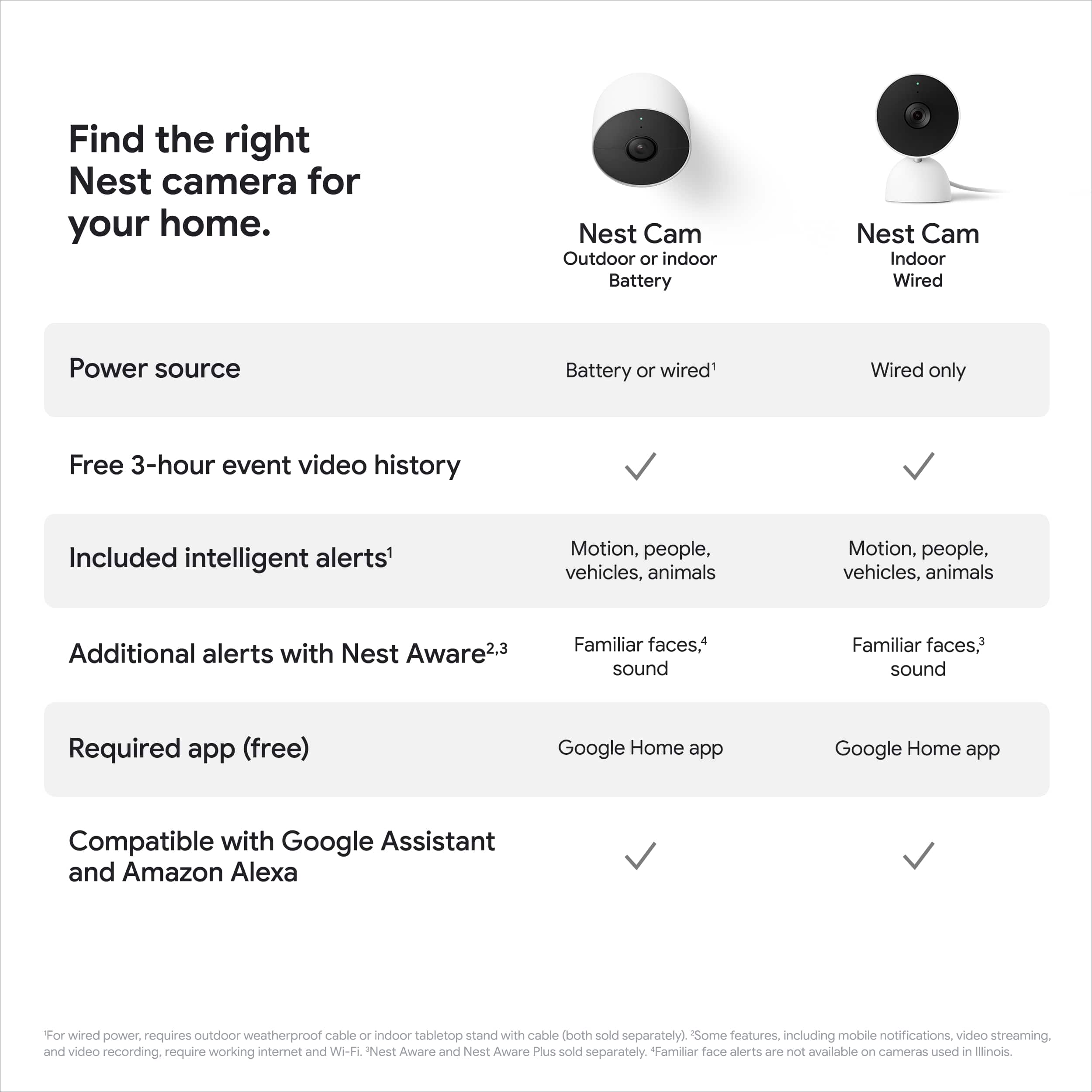
    Smart Security, 1080P Camera, Easy Setup I have been using the wired Nest Cam (2nd Gen) for about a week. I (fortunately) haven't had any security incidents but have been impressed with what Google has been able to do. Out of the box, the wired Nest Cam has some weight to it, it feels heavy, and that it would be more than stable on a shelf or mounted to a wall. Included in the box are the necessary wall mount bracket + screws. FYI, the bracket is already attached to the base of the wired Nest Cam and a half turn removes it. If you're wondering about getting positioning right, the camera itself is attached using a ball joint, so you can rotate to the correct angle once it's mounted. Power is directly wired into the cam but does attach to a USB A plug (5A, 7.5w). The cable is about 10 feet long. The Wired Cam is 100% wired i.e. no battery. Setup was easy. You use the Google Home App to scan the QR code sticker that's attached over the lens. In my case, I activated one of my Nest Detects which then automatically configured the WiFi connection on the Nest Cam 2. For what it's worth, it connected without issue on my Mesh WiFi network. Took under 15 seconds, much easier than some other cam systems I have used. PRO TIP: DO NOT lose or throw away the sticker. It's needed for pairing. I do wish Google had put the QR code under the mount, so you have it forever. Maybe next time Google? Once connected everything is managed from the Google Home app and connected to your Google account. This makes access and management a breeze, even on iOS devices (I did all of this on an iPhone). If you're into the Google smart home ecosystem, you also get a lot of other smart features that turn this into a whole of the home security system. For example, you can use your Nest Hubs to detect sounds like glass breaking, which will alert the cam (Google calls these 'events'). This is super clever and means you don't have to have a cam in every room in your house. There's a whole host of other smarts too, like face detection and push notification alerts when it detects people and objects. I'm still learning about everything it can do. I have been VERY impressed with the HD video quality and audio in my tests. I did a test outside of my home streaming to 5G and the quality was comparable to streaming something from YouTube. Things you should know if you're comparing the Nest Cam to others in the market. You get free 3-hour event history included. Intelligent alerts are free. A paid subscription is required if you want it to detect specific people e.g. know who is mom, dad, kids, etc. Also worth knowing, the Nest Cam 2 has inbuilt storage for 1 hour of video in case of a loss of WiFi signal or internet outage. Overall, I think the Nest Cam 2 is a great smart home security camera. The only thing that make me not give it a perfect 5 is that Google really should put the QR code under the mount so you don't have to worry about losing it; it would also be good if there was smart focus (like Facebook portal) so you could sort of zoom to other parts of the room. Like I said before if you use other Google Smart Home devices, the AI smart of Nest Cam 2 makes it a great addition to your home and can be part of a total home security solution.

    I would recommend this to a friend
  • Tech Insider Network Member

    Rated 5 out of 5 stars

    Quality Construction, Solid Performance

    |
    Tech Insider Network Member
    Posted .
    This reviewer received promo considerations or sweepstakes entry for writing a review.

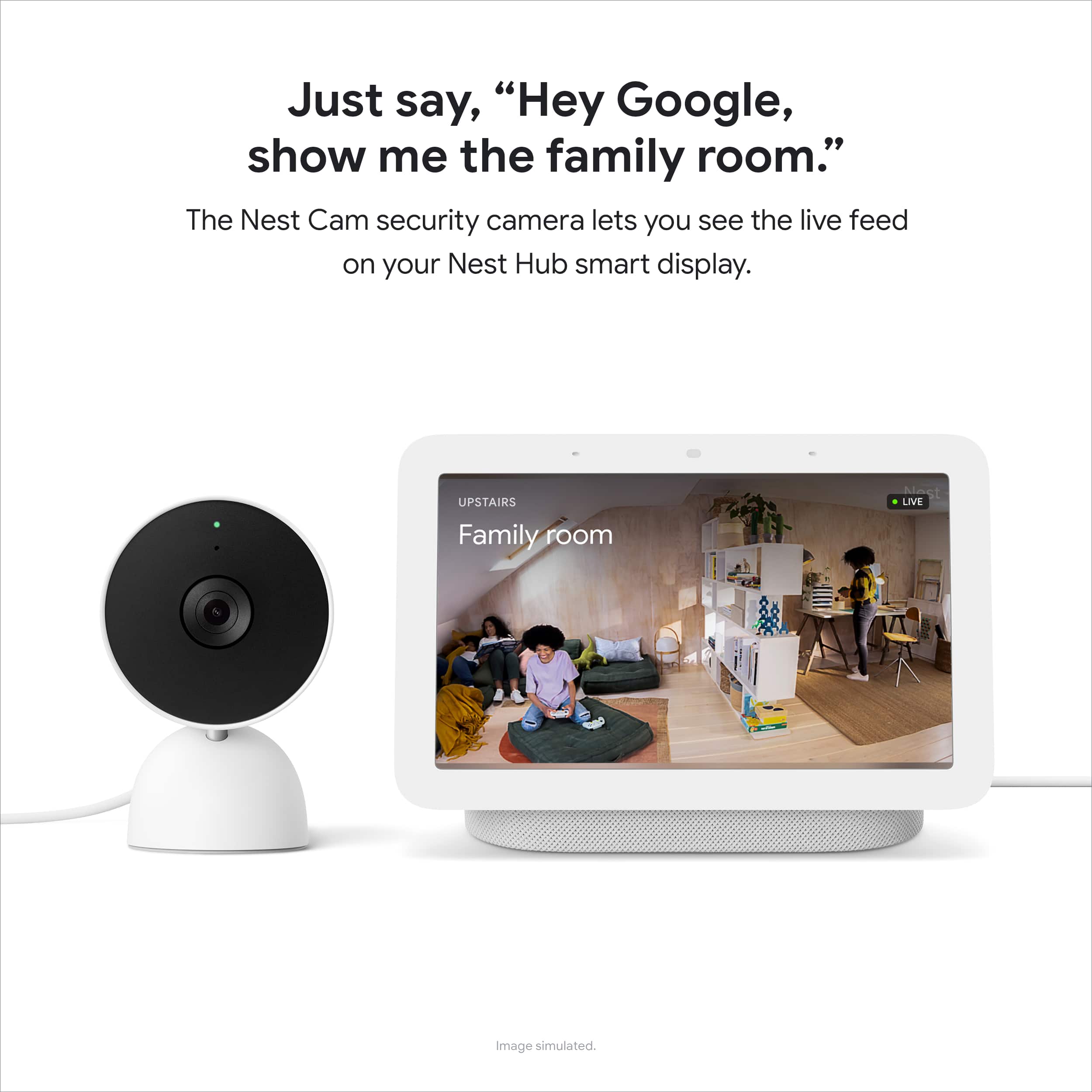
    As a longtime Google Home/Nest/Assistant user I am always keen to ensure compatibility between my smart home devices and my Google Home setup, which includes speakers, displays and now two smart camera devices. After a very pleasant experience with Google's new Nest Doorbell (battery) I jumped at the chance to try the new Nest Cam (indoor, wired, 2nd gen). While I have two indoor cameras from another brand already, and both are compatible with Google/Nest, I have been a little disappointed in the performance of the app associated with those cameras -- so it was time to try Google's offering. The new wired indoor Nest Cam is a dead ringer for the wireless indoor/outdoor Nest Cam (battery), just with a long USB power cable attached. In what seems to be typical fashion for newer Google/Nest devices, the cam arrived in slickly-packaged box with minimal packaging materials and minimal single-use plastic, which I always appreciate. The cam feels hefty, with a weighted base, stiff metal arm and thick power cord, all of which impart a sense of quality. The cam can either sit on its base (the bottom of which is covered in nonskid rubber) or be mounted on a wall by detaching the aforementioned rubber bottom and anchoring it to a wall or ceiling with the included hardware. Cleverly, the power cord can route through a cutout in the base so it can run straight down the wall, rather than around the base. This allows for a neat installation which I always appreciate. The long power cord terminates in a standard USB-A head which plugs into the included small, circular wall adapter. The Nest Cam requires the Google Home app, which walks you though the simple setup process step-by-step. After a quick software update the cam was up and running, with video viewable from the Google Home app on my phone and tablet and by asking the Google Assistant to "show me the living room" on my Google Nest Hub. My main attraction to this camera in particular was the first-party integration with the Google Home ecosystem, especially Google's intelligent on-device image processing and the Home app's Home/Away routine. By adding this Nest Cam to my Home and Away routines during setup the camera is only on and active when the app detects I am away from home, so I'm not bombarded with notifications every time I walk through the living room. Even better, the camera turns off when I arrive Home, so I don't worry as much about privacy. Like my Nest Doorbell (battery), the Nest Cam can recognize people and animals and notify me when either are spotted -- my primary motivation for having wifi cameras at all is to keep an eye on my kitten when I'm gone. Two-way audio works as expected and allows me to talk to the cat or question an intruder should one pop up. Notifications have worked well so far, with the Google Home app quickly and reliably notifying me when my cat walked through the frame. Audio and video quality are perfectly fine, if not outstanding. The feed from this Nest Cam is only 1080p HD, like my battery-powered Nest Doorbell; my non-Google wifi cams offer 2K resolution, which is noticeably crisper. Sure, I'd appreciate higher resolution, especially in a non-budget-priced camera, but for my use a 1080p stream is perfectly acceptable. The lower data impact means the stream can load faster and stream more clearly when I'm out and about, which is really the only time I access video footage. Like other new Google Nest products this cam includes intelligent alerts and 3 hours of event history for free; familiar face detection and 30 or 60 days of event video history require a Nest Aware subscription. Now that I have multiple devices (doorbell, camera, Nest hub) on my Google account a basic Nest Aware subscription really becomes a bargain, adding these features as well as smoke alarm/CO alarm/glass breaking monitoring via my connected devices. This is a pretty hefty value for the monthly subscription price considering one Nest Aware subscription covers all connected devices -- unlike some competitors that charge a separate fee per enrolled device. Overall, I'm very pleased with this latest Nest Cam. While on the pricier side, the ability to control the camera with my existing Home/Away routines is a huge boon for me, as well as being able to see all video streams natively in the Google Home app. Add in familiar face detection and month's worth of event video history and I'm sold on the price point of this camera. As with my Nest Doorbell (battery), my only real complaint is the sometimes-unreliable Google Home app. If you've used it, you know it's a bit of a mess of menus, options and buttons, and it does occasionally miss when I leave or return home (therefore the associated routine doesn't run automatically). Hopefully Google will continue to refine and improve the Home app, especially as they continue to add new Nest products to their lineup.

    I would recommend this to a friend
  • Tech Insider Network Member

    Rated 4 out of 5 stars

    It's Okay...

    |
    Tech Insider Network Member
    Posted .
    This reviewer received promo considerations or sweepstakes entry for writing a review.

    I do like that it integrates into the Google Home app, as I use other Google devices, such as the Google Wifi. The camera so far is good. Simple setup, and great features. I like the facial awareness, so you can only get notified when others aren't apart of your household are there. I do wish I could use it outdoors, but I guess I'll have to get the battery version instead. Overall, I can recommend this to Google users that do not use other camera systems, or other ecosystems. I like it, and will most likely buy the battery powered version instead of the wired models.

    I would recommend this to a friend
  • Tech Insider Network Member

    Rated 5 out of 5 stars

    Easy setup and great video quality

    |
    Tech Insider Network Member
    Posted .
    This reviewer received promo considerations or sweepstakes entry for writing a review.

    Really dig the Nest family of cameras as they're easy to setup and just plain work great. I have a Nest doorbell cam and really like the way it works and integrated with Google Home. This indoor cam has great build quality and works great alongside my other indoor cameras. What I found odd was that, even though this is a Nest product, it doesn't work with the Nest app. It will work with the Google Home app which is how you setup this camera however it's not all that intuitive to have a separate app for my doorbell and then another for this camera. You can easily view both cameras in the Google Home app so I'm not sure if the Nest app is going away or what. Not a huge thing but just something weird about this camera. The setup time for this camera took all of about 10 minutes. I spent more time waiting for this to setup than actually setting it up. I have it mounted on the stand for now however, I'm probably going to wall mount it and replace an older indoor camera I have. You get 3 hours free recording on this camera so you don't have to sigh up for any subscription or service to view videos. There are plans where you can get more recording time however, for my needs, I didn't think this was necessary. When away, I'm easily able to view the camera live whenever I need to. Some of the other indoor cameras I have always seem to have an issue connecting through my app so this one seems to work a lot better/quicker than those (yay) That said, I'm really liking this camera both for its ease of use and setup.

    I would recommend this to a friend
  • Tech Insider Network Member

    Rated 4 out of 5 stars

    Super easy setup, high quality video

    |
    Tech Insider Network Member
    Posted .
    This reviewer received promo considerations or sweepstakes entry for writing a review.

    This Google camera was super easy to set up and start recording. While it can be wall mounted, I'm just using it sitting on top of a cabinet to monitor a room. The camera is heavy enough and has a non-slip bottom, so it stays in place very well. I had it out of the box, powered up, then added to the Google Home app in about 5 minutes. It comes with a 30-day free trial of the Google Nest Aware service. This gives you 30 days of event history and "familiar/unfamiliar face" alerts. This includes some facial recognition capability for the familiar/strange faces alerts (unless you live in Illinois where this service is apparently not allowed.) The service costs $60/year if you want to continue. You can also get a "plus" service for $120/year which gives you 10 days of 24/7 video recording in addition. If you don't choose to subscribe, then you get 3 hours of event history and can, of course, view real-time video in the app. You also continue to get some of the "intelligent" alerts that include notifications if it detects people, vehicles, animals, breaking glass, or smoke alarm sounds. The 1080p video quality was excellent. The night vision was also very clear, and better than some of the other cameras I've used in the past. The Google Home app worked seamlessly with the camera and my other existing home automation things (lights, etc.) The video would load quickly with very little delay, which has not always been the case with other camera systems I've used. The camera also apparently has some onboard storage for video recording. If your Wifi or Internet is down, it can record up to an hour's worth of video. Once the network is available again, it will upload the events so you can view them in the app. So, if you powered the camera through a UPS then you'd still be able to record events even if you lost power.

    I would recommend this to a friend
  • Tech Insider Network Member

    Rated 5 out of 5 stars

    Good camera, easy setup

    |
    Tech Insider Network Member
    Posted .
    This reviewer received promo considerations or sweepstakes entry for writing a review.

    This is a great little indoor camera that was very easy to set up. Upoj opening the box, the camera is diminutive and cute. I was impressed with the length of the cord. This is an area where lots of companies skimp, but there is plenty to get to an outlet. If you already have products set up in the Google Home app, adding this camera is a breeze. Just had to go into app, add the camera and take a pic of the QR-code. The app does the rest. The picture is clear and the sound works well! You can program it to recognize people and whatnot. We are very pleased with this camera. 5 stars.

    I would recommend this to a friend
  • Tech Insider Network Member

    Rated 5 out of 5 stars

    Great features without a subscription

    |
    Tech Insider Network Member
    Posted .
    This reviewer received promo considerations or sweepstakes entry for writing a review.

    The new wired Google Nest Cam offers really great features for a "cloud" style camera without needing a paid subscription. By including some machine learning processing in the camera itself, Google has made it feasible to have the camera function with reasonably good notifications without needing to process as much data in the cloud. As a result, I found the Nest Cam works really well as an add on to my existing (non Google/nest) home security system for non "security" footage - mainly, checking in to see what my pets do during the day. The animal notifications are really quite good, catching glimpses of my cats darting between sofas, or in window frames pretty far from the camera itself. The quality of the recordings is acceptable - it's 1080p, but there are some compression artifacts and an overall muddy look compared to more traditional home security cameras that I have used in the past. It's good enough to get faces, but I wouldn't rely on it for license plates of moving vehicles or anything like that. Night vision works really well despite the fact that it doesn't appear to shine the IR LEDs quite as brightly as other cameras I've used. As a result, the camera stays pretty discrete at night rather than a giant red ring like some other models. The design of the camera works really well for just sitting on a shelf, and the built in USB power cable is long enough to allow you some freedom in where to place it. Setup was really simple using the Google Home app - note that it does not work in the Nest app, so if you have previous Nest cameras, you will end up having to use both apps. At the tail end of my first week with the camera, I signed up for the free trial of Nest Aware to see whether the familiar face detection or additional recording times are worth paying for, and I'm on the fence. The familiar face detection is really cool and does seem to work pretty well. The 30 days of event availability means you don't have to check the camera right away (or at least, within 3 hours). I'm not sure that I will end up paying for it or not in the long term, but the features themselves do add value, especially if you are going to rely on this as a primary security device rather than a pet spy cam :)

    I would recommend this to a friend
  • Rated 5 out of 5 stars

    Nest Cam

    Posted .
    This reviewer received promo considerations or sweepstakes entry for writing a review.

    Great little camera. Was easy to set up and the price was right. Works great.

    I would recommend this to a friend
  • Tech Insider Network Member

    Rated 5 out of 5 stars

    Google Nest Cam (Wired) - Snow

    |
    Tech Insider Network Member
    Posted .
    This reviewer received promo considerations or sweepstakes entry for writing a review.

    So I received my Google Nest Wired Cam (Snow) a week ago and have been putting it through its paces. This is a very nice indoor wired camera, and more impressive than I first believed. Inside the box, you will find the camera and base (which is smaller than I initially believed it was gonna be), power adapter, mounting screws and anchors, cable clip, and user documentation. Setup is easy as pie and you will be up and running in no time. Simply plug in your Google Nest Cam to the power adapter and into a wall socket. Next download the Google Home app from the App Store for iPhones or the Google Play Store for Android. Then click the + sign to add the Google Nest Cam. For those that are familiar with the Google Home app like myself and may already have other Google smart home accessories, setup should be a breeze. Either way, the app will walk you through the setup process. Once you have your camera setup, you will be able to check in on your home no matter where you are. This is great for those of us with pets to see what those rascals are up to while we're away at work or elsewhere. It's also great to have for added security, especially if you're away from home at extended times for like vacations. Once setup, you can have it send your mobile devices for alerts regarding activity in your home. It comes with 3 hours of recording time for event history. Which is great for catching those moments that you need video footage of. The Google Nest Cam features 1080P HD video with night vision and HDR. The picture quality was amazing in my testing. Also featured is two-way audio, which was very clear. I love this camera, and recommend it to anyone looking for a reasonably cost camera that's easy to use, for added security inside or outside their home.

    I would recommend this to a friend
  • Tech Insider Network Member

    Rated 5 out of 5 stars

    Google – Nest Cam (Wired)

    |
    Tech Insider Network Member
    Posted .
    This reviewer received promo considerations or sweepstakes entry for writing a review.

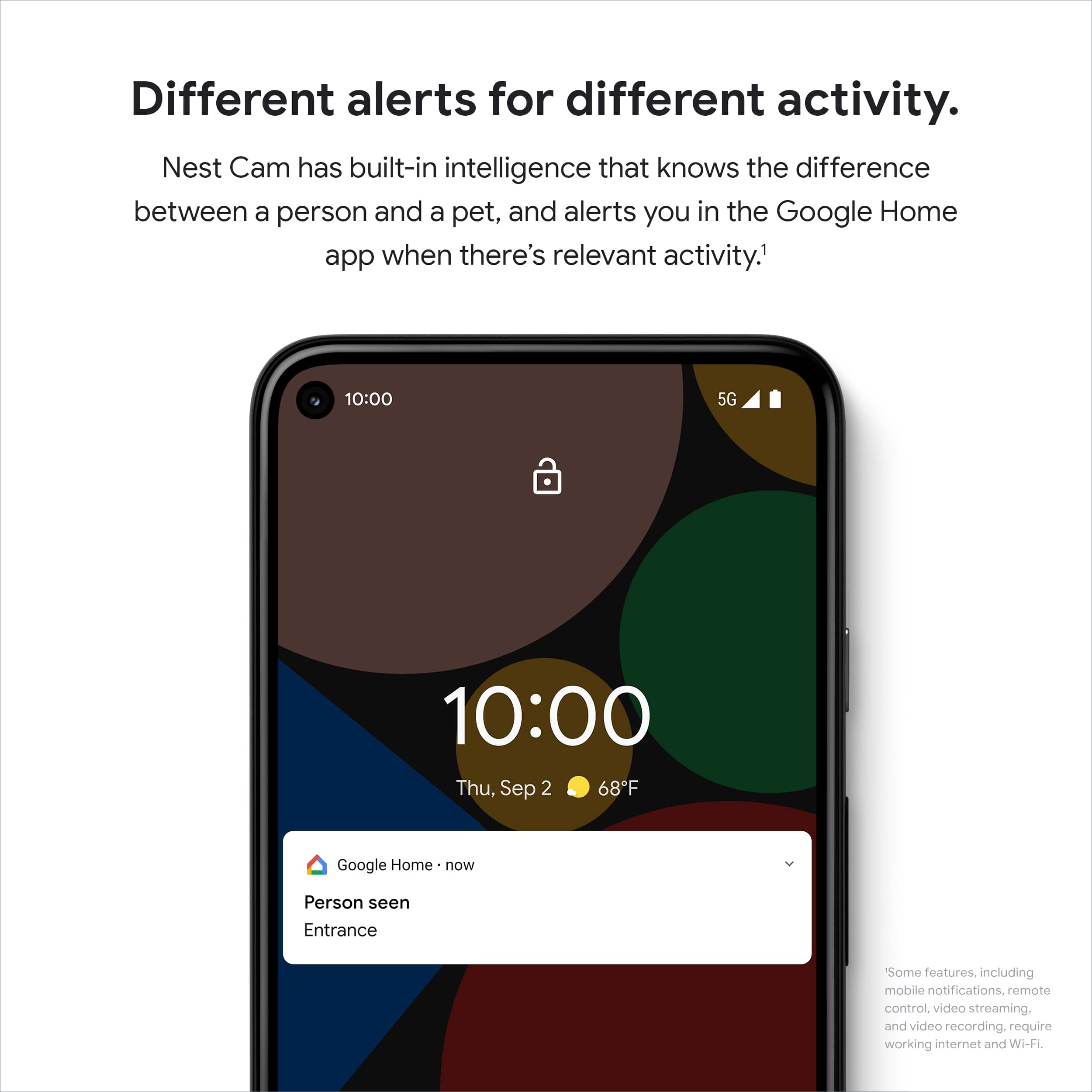
    The Google Nest Cam can either be install on its stand flat on a shelf or with the hardware on a wall or ceiling. Install the Google Home App on your phone to set up the camera. Set up was easy following the on-screen instructions. You can set up what events you want to record and or be notified of in the app. You can select zones for where you want to be notified of any activity. You can select “Away-only Notifications. The instructs the camera to record events when there is no one home. Push notifications: when enabled it turns on notifications about alarms, errors, critical updates, and battery status. Zones: You select what areas in the pictures your want activity to be recorded in. You can select People, Animals, Vehicles, or motion. Device features Events if you pay to subscribe you can get Nest Aware. Scene Events Activity Zones Video: History; saves the last 3 hours of video for playback. Video quality: You can select either High or Max. Night Vision Auto Default, always on or Off Status Light: You can adjust the brightness of the status light. Audio: Microphone: On/Off. With on you can hear what’s going on. Recording. When auto recording is off you can still listen, but there will not be any audio in the video history. Camera Volume: Adjusts the output audio volume on the camera. Delete Video history allows for deletion of all history files. The Nest Cam is allowing you to see what’s going on in a room or out in the yard. The video and audio are a great quality. I use the camera to watch the living room while away from home. I would recommend the Nest Cam(wired) to family and friends.

    I would recommend this to a friend
  • Tech Insider Network Member

    Rated 5 out of 5 stars

    Facial recognition

    |
    Tech Insider Network Member
    Posted .
    This reviewer received promo considerations or sweepstakes entry for writing a review.

    The ability to recognize familiar faces as well the option to give notification based on if I'm home or away. There isn't extreme lag with the live video! I love being able to view the video with my Google nest hub by simply asking Google to show me the video. I do feel protected with enough privacy to feel comfortable with going about my day knowing I won't be getting random notifications from every little insignificant movement.

    I would recommend this to a friend
  • Rated 2 out of 5 stars

    Google, go back to the drawing board!!

    Posted .
    This reviewer received promo considerations or sweepstakes entry for writing a review.

    If you ever used old Nest Cams with a legacy app this camera or rather an app is a complete disaster. I mean, some teams should be literally fired from Google for botched rollout. Errors during setup, issues with scrolling through history (yes, I'm paying 12 bucks for Nest Aware, how naive I am right?). Lack of scrolling through history like in old app. Point for a nice hardware, speedy notifications, temporary on-board storage (works if a camera disconnects from wifi), and option to record 24/7. Since I purchased it, I will keep it and hope for the best... and maybe downgrade to 6 bucks plan, since scrolling through history is such a pain.

    No, I would not recommend this to a friend
    • Brand response from Nest Support
      Posted .

      Hi Magic, we really appreciate your feedback about the Nest Cam (indoor, wired). It’s unfortunate to learn of your disappointment with the app integration, and we’re sorry to learn of your poor experience with the setup, and with scrolling through history.

      We’re aware that longtime Nest users enjoy viewing their Nest camera feeds from the Nest app, however, our priority with this launch was building a complete experience for our new cameras and doorbell in the Google Home app. Our teams are working on enabling the ability to set up and control older Nest cameras in the Home app so users will have one app to control all of their devices, and we’re working on bringing full functionality to the Google Home app as we want to create an integrated experience with other Nest and smart home devices.

      We request for your patience as we’re working on a seamless solution. Meanwhile, we suggest having the latest version of the Google Home app that may improve camera playback controls to make it easier to play, pause, and navigate between events from the camera history view for cameras set up in the Google Home app.

      Please let us know if you need any assistance and feel free to contact us anytime here: https://support.google.com/googlenest/gethelp Nest