Customer Ratings & Reviews
- Model:
- GA01998-US
- SKU:
- 10947893
Rating by feature
- Value
Rating 4.4 out of 5 stars
- Quality
Rating 4.6 out of 5 stars
- Ease of Use
Rating 4.5 out of 5 stars
- Pros mentioned:Overall performance
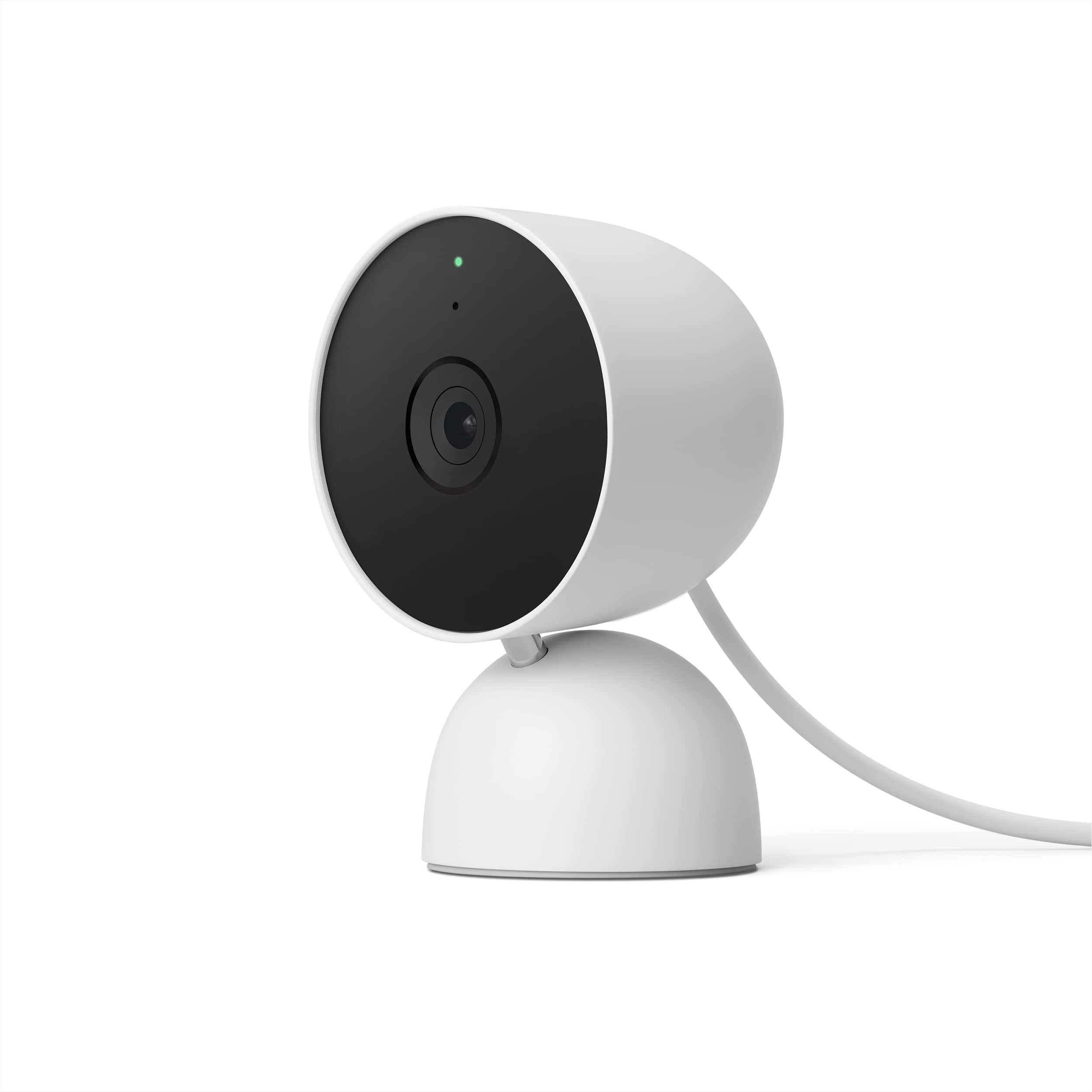
Nest indoor wired camera
Posted .This reviewer received promo considerations or sweepstakes entry for writing a review.Camera works really well but the Google home app is not very user friendly.
I would recommend this to a friend Good
Posted .This reviewer received promo considerations or sweepstakes entry for writing a review.Really good and a good price there is no other place with good prices and product quality that only at Best bu..
I would recommend this to a friend- Pros mentioned:Overall performance
Great product
Posted .This reviewer received promo considerations or sweepstakes entry for writing a review.Great product, easy to install, activate and use, very happy with the purchase.
I would recommend this to a friend Highly recommend!
Posted .This reviewer received promo considerations or sweepstakes entry for writing a review.Super quality and fit for our space. Great for checking on our dog when we're away. Highly recommend!
I would recommend this to a friend- Pros mentioned:Overall performance
Nest Cam wired
Posted .This reviewer received promo considerations or sweepstakes entry for writing a review.Great product. Extremely easy to setup . Bought 2 cameras and both work great.
I would recommend this to a friend - Pros mentioned:Overall performance
Google Nest Wired
Posted .This reviewer received promo considerations or sweepstakes entry for writing a review.Easy set up, works as it should. Great product, great price.
I would recommend this to a friend - Pros mentioned:Overall performance
Google Nest
Posted .This reviewer received promo considerations or sweepstakes entry for writing a review.Excellent product. Easy installation. No hardwiring necessary
I would recommend this to a friend - Pros mentioned:Video quality
Excellent camera
Posted .This reviewer received promo considerations or sweepstakes entry for writing a review.This is an excellent camer. The quality is great and the set up is easy.
I would recommend this to a friend - Pros mentioned:Overall performance
Valuable
Posted .This reviewer received promo considerations or sweepstakes entry for writing a review.working good and worth buy it. Excellent value for money.
I would recommend this to a friend Great clarity!
Posted .This reviewer received promo considerations or sweepstakes entry for writing a review.Covers a large area and great clarity in color. We will likely be adding a couple more to the system.
I would recommend this to a friend- Cons mentioned:App compatibility
Disappointed and let down!
Posted .This reviewer received promo considerations or sweepstakes entry for writing a review.So disappointed, Nest was amazing before google messed it up, this new camera is not ot very good compared to the old IQ cameras, the apps don’t work together, old cameras only work on the nest app and new cameras only work on the google app, they will not work on the nest app at all! The nest app is way better than the google app, nest is streamlined, easy to work and modify each camera to your needs, the new google app is very limited and confusing if your unfamiliar with google apps. It’s a mess! Now iv spent a fortune on these cameras it’s a waste if google doesn’t get its self together. Hey google, leave nest alone.. let the cameras do there thing inclusively on nest! Now I’m wishing I invested in ring instead of nest.
No, I would not recommend this to a friendBrand response from Nest Support
Posted .Hi Lady, thanks for sharing your experience with us. We´re sorry for any disappointment you may be having with the Google Home app.
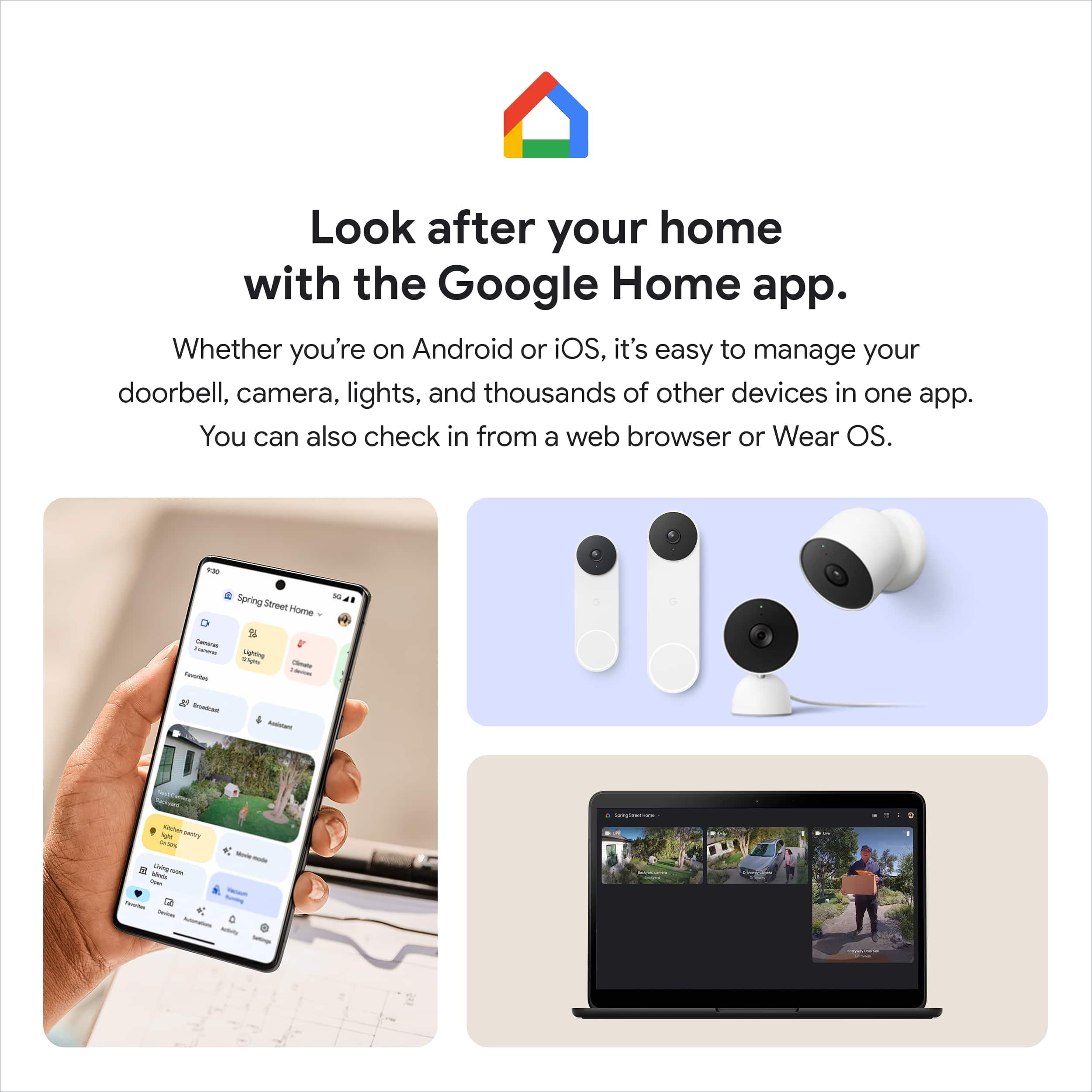
Our goal is to make the Google Home app the one place where you can control all your favorite Nest devices and other smart home devices with the Google Assistant. Here are some benefits you can get by using the Google Home app with your Nest Cam with Floodlight:
- Automatic security protections such as Suspicious activity detection, 2-Step Verification and Security Checkup.
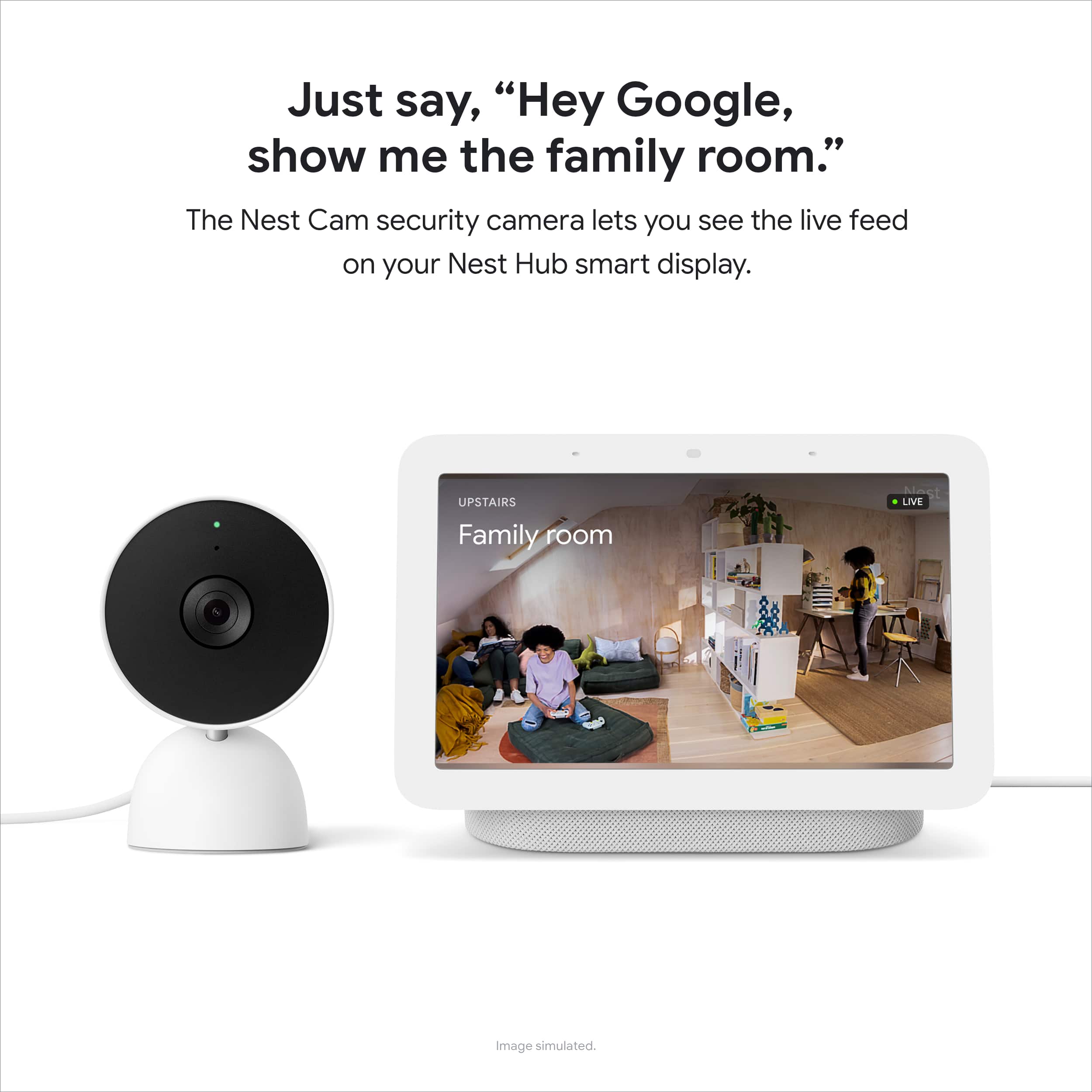
- Your Google Nest devices and services will work together. For example, if you have a Nest Cam and a Nest Hub, just say, "Hey Google, show me the backyard camera” to cast your camera stream to your display without any additional setup.
- One account to sign into both the Nest and Google Home apps.
- Your homes and home members will be aligned across the Nest and Google Home apps.
If you already have some Nest cameras installed in your home, you may transfer them to the Google Home app. Check out this help article for more information: https://support.google.com/googlenest/answer/9893532
We care about your support needs. You're more than welcome to reach out to our support team for your support needs, by visiting us here: https://support.google.com/googlenest/gethelp
- Pros mentioned:Video qualityCons mentioned:Compatibility
Not a NEST cam (only works in Google Home)
Posted .This reviewer received promo considerations or sweepstakes entry for writing a review.First, The camera quality if great and works fine. The problem is it is misrepresented. This is NOT a NEST camera, it is a Google Home camera. If you currently have the NEST app and use NEST cameras, this is not compatible. NEST will send you to the Google Store to order the camera, and when you try to set it up in NEST it sends you to Google Home. Once set up in Google Home, you cannot see the camera feed in either the Web or App version of NEST. If they would just market it as Google, I wouldn't have ordered and now returned, since they are not compatible.
No, I would not recommend this to a friendBrand response from Nest Support
Posted .Hi HumanPerson95630, we're glad to hear that you liked the camera quality of Nest Cam (Wired). However, we're sorry to hear about your disappointment with the Google Home app, and that you already returned it.
We understand that you have enjoyed using the Nest app with your Nest cameras. However, our priority with this launch was building a complete experience for our new cameras and doorbell in the Google Home app. We wanted to make the Google Home app as the one place you can control all your favorite Nest and other smart home devices with the Google Assistant. Here are some benefits you can get by using the Google Home app with your Nest Cam (Wired):
- Automatic security protections, such as Suspicious activity detection, 2-Step Verification and Security Checkup.
- Your Google Nest devices and services will work together. For example, if you have a Nest Cam and a Nest Hub, just say, """"Hey Google, show me the backyard camera” to cast your camera stream to your display without any additional setup.
- One account to sign in to both the Nest and Google Home apps.
- Your homes, and home members will be aligned across the Nest and Google Home apps.
If you´re willing to try, you may set up your Nest cameras to the Google Home app. Here´s a guide that you can follow to set up your Nest cameras on the Google Home app: https://support.google.com/googlenest/answer/9893532
If you ever have a change of heart and reconsider using Nest Cam (Wired), you can count on us to help you with your support needs and work on providing you a better experience. You can always reach out to us here: https://support.google.com/googlenest/gethelp
- Cons mentioned:App compatibility
Google, go back to the drawing board!!
Posted .This reviewer received promo considerations or sweepstakes entry for writing a review.If you ever used old Nest Cams with a legacy app this camera or rather an app is a complete disaster. I mean, some teams should be literally fired from Google for botched rollout. Errors during setup, issues with scrolling through history (yes, I'm paying 12 bucks for Nest Aware, how naive I am right?). Lack of scrolling through history like in old app. Point for a nice hardware, speedy notifications, temporary on-board storage (works if a camera disconnects from wifi), and option to record 24/7. Since I purchased it, I will keep it and hope for the best... and maybe downgrade to 6 bucks plan, since scrolling through history is such a pain.
No, I would not recommend this to a friendBrand response from Nest Support
Posted .Hi Magic, we really appreciate your feedback about the Nest Cam (indoor, wired). It’s unfortunate to learn of your disappointment with the app integration, and we’re sorry to learn of your poor experience with the setup, and with scrolling through history.
We’re aware that longtime Nest users enjoy viewing their Nest camera feeds from the Nest app, however, our priority with this launch was building a complete experience for our new cameras and doorbell in the Google Home app. Our teams are working on enabling the ability to set up and control older Nest cameras in the Home app so users will have one app to control all of their devices, and we’re working on bringing full functionality to the Google Home app as we want to create an integrated experience with other Nest and smart home devices.
We request for your patience as we’re working on a seamless solution. Meanwhile, we suggest having the latest version of the Google Home app that may improve camera playback controls to make it easier to play, pause, and navigate between events from the camera history view for cameras set up in the Google Home app.
Please let us know if you need any assistance and feel free to contact us anytime here: https://support.google.com/googlenest/gethelp
- Cons mentioned:App compatibility
Not what they used to be.
Posted .This reviewer received promo considerations or sweepstakes entry for writing a review.Used these cameras for years and the latest is the worst, mainly because of the app. The nest app works great, however, this new camera only works on the google home app. So if you have older cameras and use to the nest app, you can't see this camera on it. You have to use google home, which is clunky, slow, and forget your history. Look in the past and it just sits and spins. Very disappointed.
No, I would not recommend this to a friendBrand response from Nest Support
Posted .Hi there WhiskyGambler, thanks for being a long time user of Nest cameras. We're sorry to hear about your dissatisfaction with the Google Home app as the main software to manage Nest Cam (Wired)
We understand that you have enjoyed using the Nest app with your Nest cameras. However, our priority with this launch was building a complete experience for our new cameras and doorbell in the Google Home app. We wanted to make the Google Home app as the one place you can control all your favorite Nest and other smart home devices with the Google Assistant. You may set up your Nest cameras to the Google Home app. Here´s a guide that you can follow to set up your Nest cameras on the Google Home app: https://support.google.com/googlenest/answer/9893532
If you are having issue with the Google Home app, we recommend trying out some steps below that may be helpful with the issue:
- Check your app version. Ensure that you are using the latest version of the Google Home app.
- Restart your router, modem and mobile phone. To restart your Nest Cam (Wired). Locate the reset pin between the cord and the support arm. Press the pin once (you can use an unfolded paper clip or a thumbtack). Your camera will restart, and the status light will be steady, solid white.
- If you are using a dual-band router, just make sure you are connected to your 2.4 GHz Wifi frequency band.
- Check for interference. Almost every network is subject to wireless interference which can cause problems when connecting your camera to the Google Home app. Check for any wireless interference that may be caused by thick walls and floors, competing Wi-Fi networks, from other electronics in your home.
- Check for possible congestion. Removing some of your devices that's connected to your network may help relieve some bandwidth space.
We're hopeful that you will give the Google Home app another shot. If you have any questions, our agents would be happy to answer them. You may reach out to our support team by visiting us here: https://support.google.com/googlenest/gethelp
A must have!
Posted .This reviewer received promo considerations or sweepstakes entry for writing a review.I mainly bought these as "doggy cameras". I got these because the video quality is very good compared to other DIY cameras on the market. They work well with the google home app where I've connected the doorbell, cameras and my nest thermostat.
I would recommend this to a friend- Cons mentioned:Connectivity
Good Camera but Horrible App
Posted .This reviewer received promo considerations or sweepstakes entry for writing a review.The camera is good but ever since Google bought Nest the app has been horrible. You have to always log into your Google accout about everytime you open the app. There are times Im at work and it randomly logs out of the app, then in order to get it to work again I have to log back in but it makes me confirm with a device thats at my house. If you want a camera to look at stuff when you are away from the house I wouldnt recommend this one because most or the time the app will be logged out and you wont be able to see anything.
No, I would not recommend this to a friendBrand response from Nest Support
Posted .Hi Gamecube2482, thanks for posting your review here. We're sorry to hear that your experience with your Nest Cam (indoor, wired) was less than ideal when it comes to controlling the device with the app. We'd like to take a better look at your device so we can help identify the cause and provide you with troubleshooting steps that may improve your experience with the Nest Cam and the app. You can reach us on our Google Help page here: https://support.google.com/googlenest/gethelp

Lacking in Quality
|Posted .This reviewer received promo considerations or sweepstakes entry for writing a review.I have several nest cameras and also quite a few Google products throughout my house. I’ve been very happy with them and how well they sync up with each other. The cameras have been good quality and held up well over the last couple of years. Unfortunately, I was not nearly as satisfied with this new indoor camera. I set it up in a window pointing outside. The first thing that was frustrating to me is that the camera doesn’t auto adjust depending on the angle it’s at. There wasn’t enough room for me to mount the camera from the top of the window frame, so I did it on the side. The problem is my picture is also sideways because of that and there’s no way to adjust it. You can turn the camera head but whatever way the camera is facing is the way your picture will look. I also found that the night vision is pretty much nonexistent, made even worse by the fact that my camera is pointing out a window. It reflects back any light and more often than not I end up with a reflection of my front room instead of what’s outside. Not ideal. The last thing I found that was incredibly frustrating, again since I already have other nest cameras is that this camera can’t be used with the nest app. It’s only compatible with the Google home app. If you’re brand new to nest products, then this won’t be an issue for you as you can just set up in the Google home app with this and any other products. But for me I have everything set up through the nest app including not only my cameras but two smoke detectors. I have this one random camera though now that won’t work with the same app as all of my others. And quite honestly I don’t really like the layout of the cameras in the Google Home app. I much prefer the nest app so this was a huge negative for me. The camera does work and if you can mount it upright and don’t have a problem using the Google home app, then this isn’t a bad little product. But for all of the reasons described above, I feel it’s lacking the usual quality I’ve come to expect from nest products and I’m not a fan.
No, I would not recommend this to a friendBrand response from Google Team
Posted .Hi glspark2007, thanks for taking the time to share your feedback. We’re sorry to hear that Nest Cam (indoor, wired) didn’t meet your expectations.
Our priority is giving our customers choice and making devices for every home, and we’re continuing to support the Nest App. New Nest cameras and doorbells are exclusive to the Home app because we wanted to create an integrated experience. Users with older cameras can view their camera feeds in the Google Home app alongside the new Nest Doorbell and Nest Cams. Our team is working on bringing full functionality to the Google Home app, so all of your cameras can be set up and controlled in one place. Also, using the Google Home app provides you with a lot of benefits including access to Google's trusted security platform and access to other Google tools and with seamless integration with other Google devices.
Your feedback is important to us as it will greatly help us in improving our products and services. Our support team is always here to help. If you need assistance, you can always contact us here: https://support.google.com/googlenest/gethelp
- Cons mentioned:Connectivity
Ended up as Junk
Posted .This reviewer received promo considerations or sweepstakes entry for writing a review.At first it was great if you have the subscription, once its expires you have such little time, compared to others. It also randomly stopped working. I went to try to reset it and the whole process was a pain that I gave up. Its junk, try another or just install an actual camera system to never pay subscription for life.
No, I would not recommend this to a friendBrand response from Google Nest Support
Posted .Hi there, Kenny. We’re sorry to hear there were issues restarting your Nest Cam (indoor, wired). Here’s how to restart and, if needed, factory reset your device to get it back up and running:
To restart your device:
1. Unplug your camera.
2. Wait 10 seconds.
3. Plug the power adapter back into an outlet. Your camera will restart.
There is no factory reset button on Nest Cam (indoor, wired). Remove it from your account to factory reset and here’s how:
1. Open the Nest app.
2. Tap the camera that you want to reset.
3. Tap Settings > Remove device > Confirm.
Here’s an extra guide for you: https://support.google.com/googlenest/answer/9252162
If you need any additional help, don’t hesitate to reach out to us: https://support.google.com/googlenest/gethelp?
Five stars
Posted .This reviewer received promo considerations or sweepstakes entry for writing a review.Have multiple of these and they’ve always worked great. I love the whole ecosystem they work within.
I would recommend this to a friend- Cons mentioned:App compatibility, Compatibility
Don't work with Nest application
Posted .This reviewer received promo considerations or sweepstakes entry for writing a review.This new Nest camera only works with Google Home, it doesn't work with the Nest app. I will be returning the 4 cameras I bought because Google Home is a horrible app and a lot of the features of the Nest app are not available. It is very misleading to call it a Nest camera.
No, I would not recommend this to a friendBrand response from Nest Support
Posted .Hi GuyF, we appreciate you for sharing your experience with us. We're sorry to hear that the Google Home app didn't meet your expectations, and that you will be returning your Nest cameras including Nest Cam (Indoor, Wired).
Moving to the Google Home app offers a lot of benefits for you and all previous Nest app users. We wanted to make the Google Home app the one place where you can control all your favorite Nest devices and other smart home devices with the Google Assistant. In the near future, we’ll allow users to set up previous Nest devices and have full control in the Home app. If you´re willing to try, you may set up your older Nest cameras to the Google Home app. Here´s a guide that you can follow to set it up: https://support.google.com/googlenest/answer/9893532
If you're willing to try, we'd like to walk you through the amazing features for Nest Cam (Indoor, Wired) using the Google Home app. Please consider contacting our support team for help with any support concerns you may have, by reaching out to us here: https://support.google.com/googlenest/gethelp