Customer Ratings & Reviews
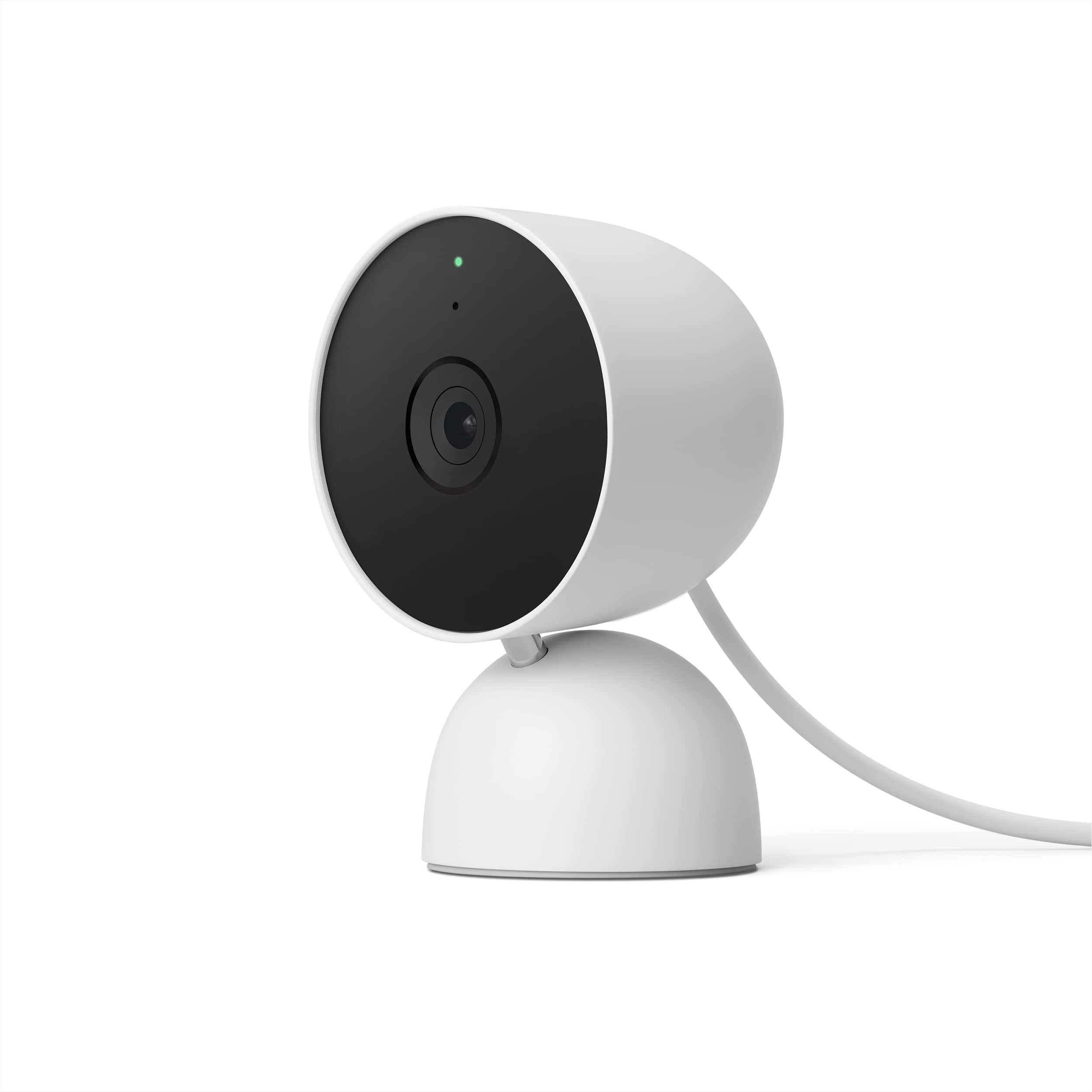
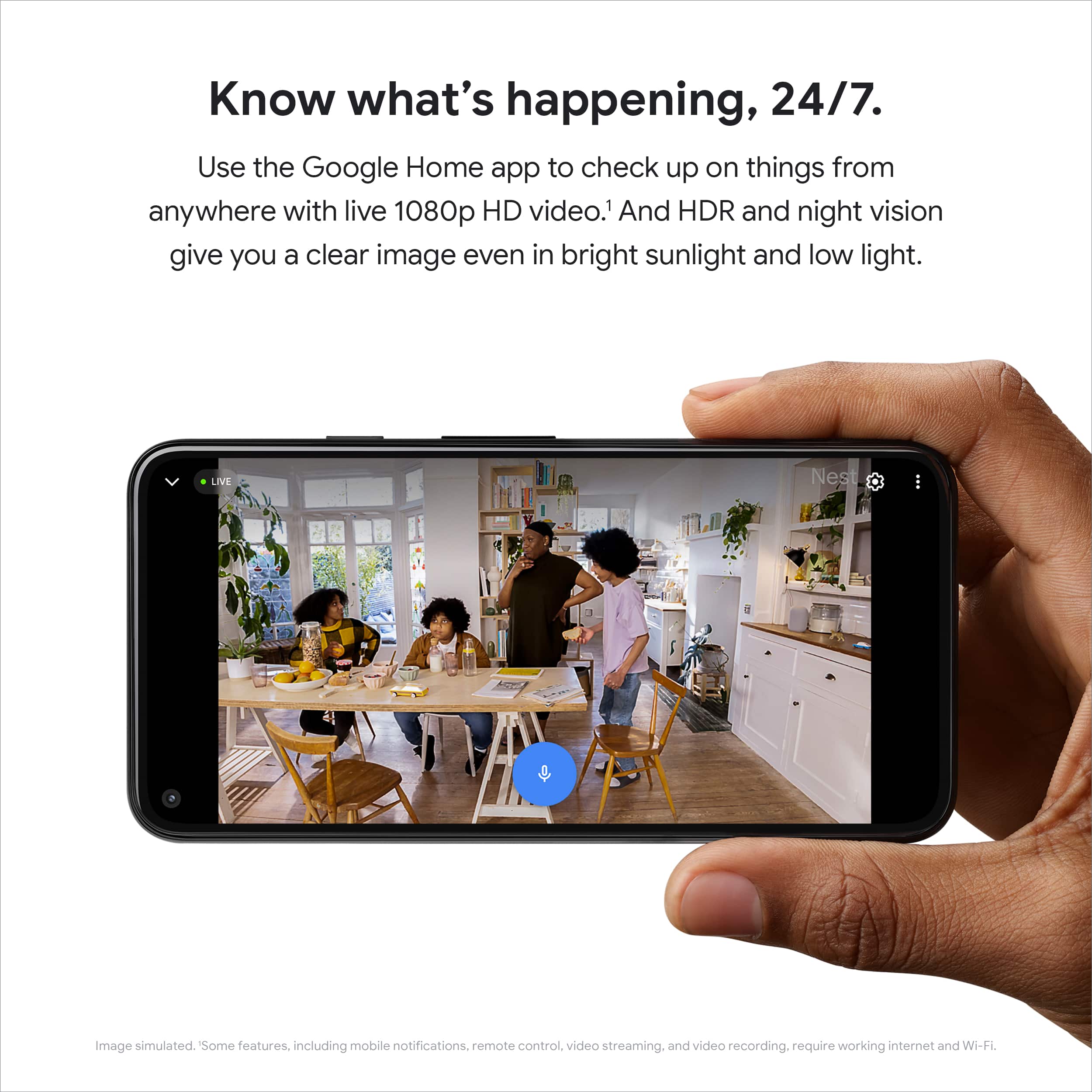
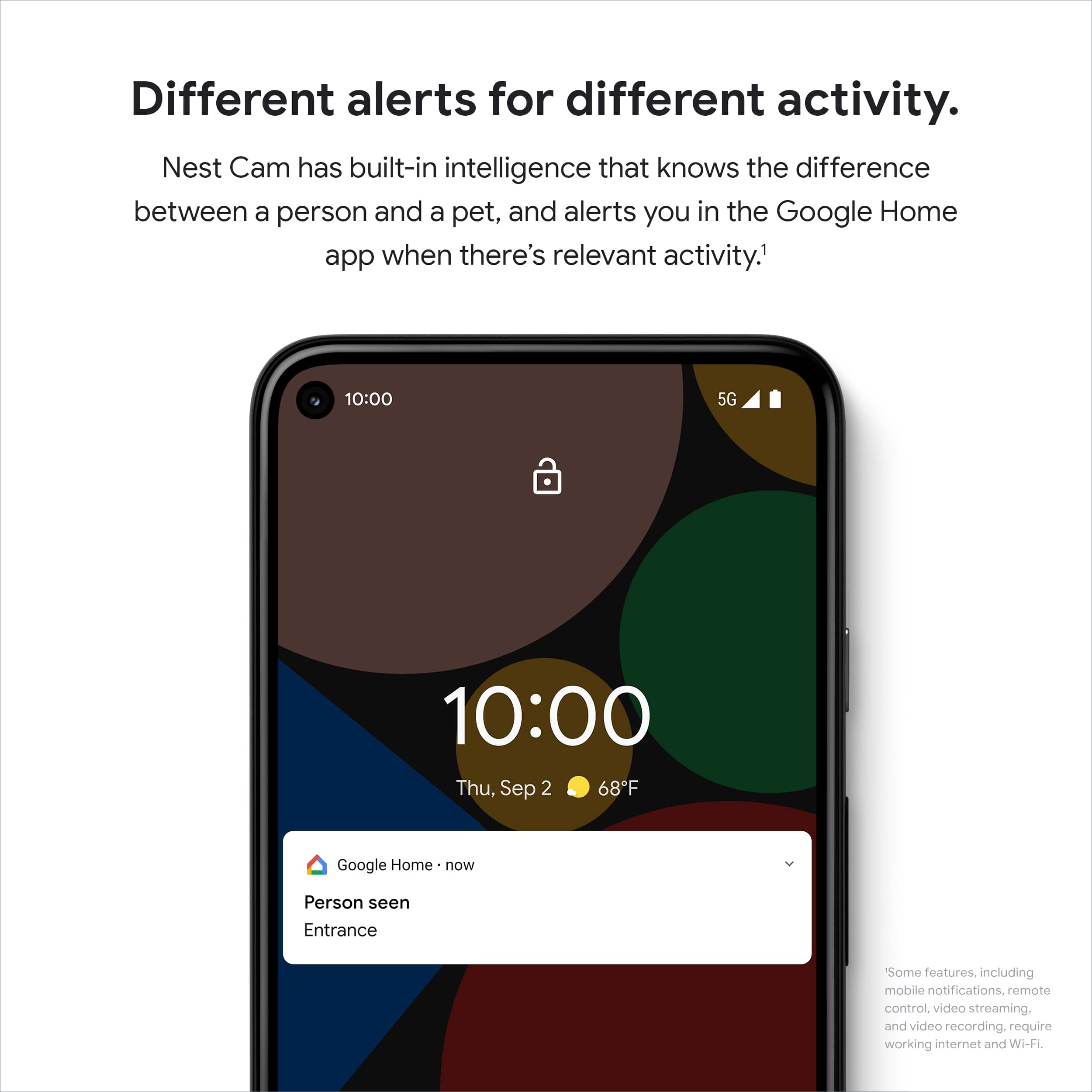
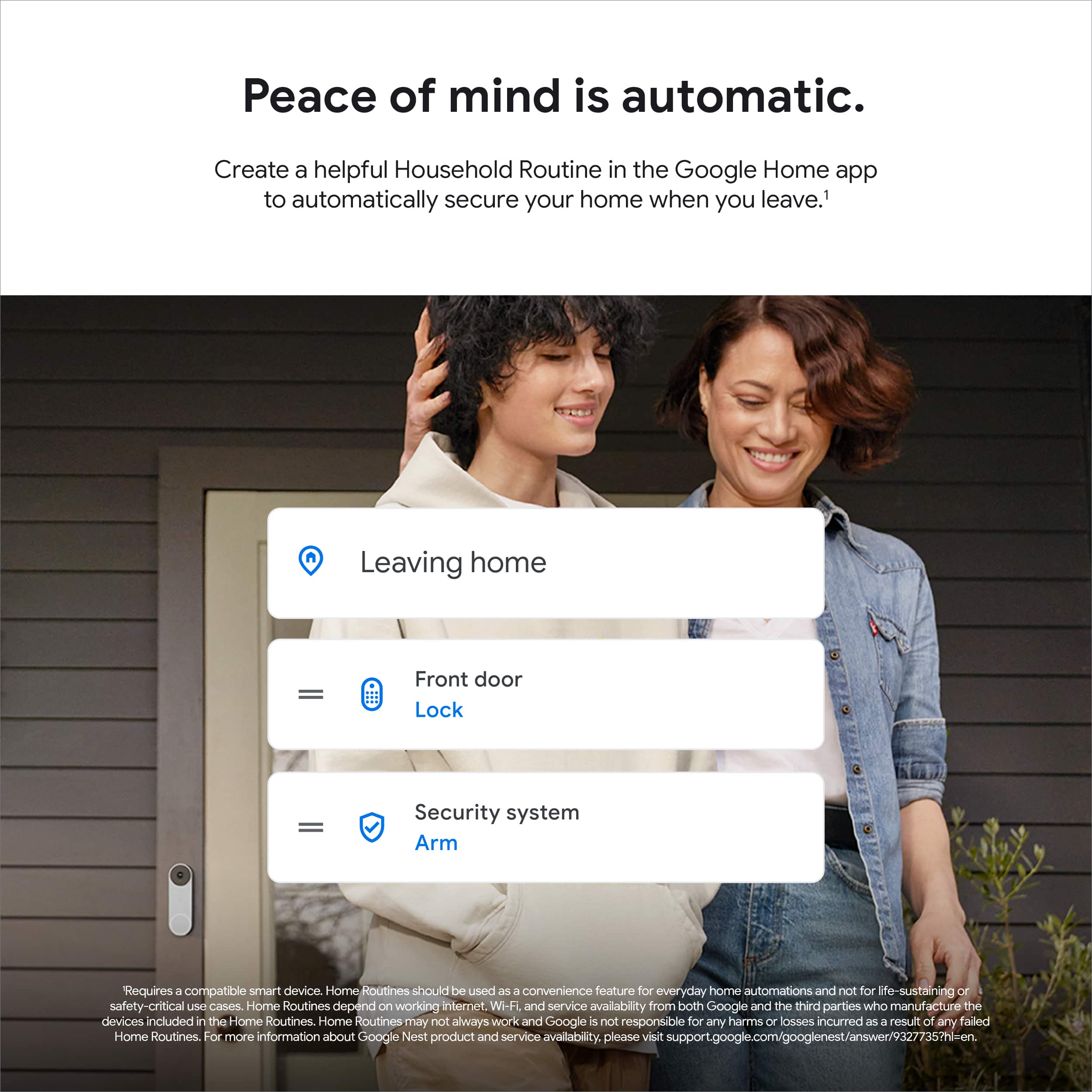
- Model:
- GA01998-US
- SKU:
- 6473271
Rating by feature
- Value
Rating 4.4 out of 5 stars
- Quality
Rating 4.6 out of 5 stars
- Ease of Use
Rating 4.5 out of 5 stars
Customers are saying
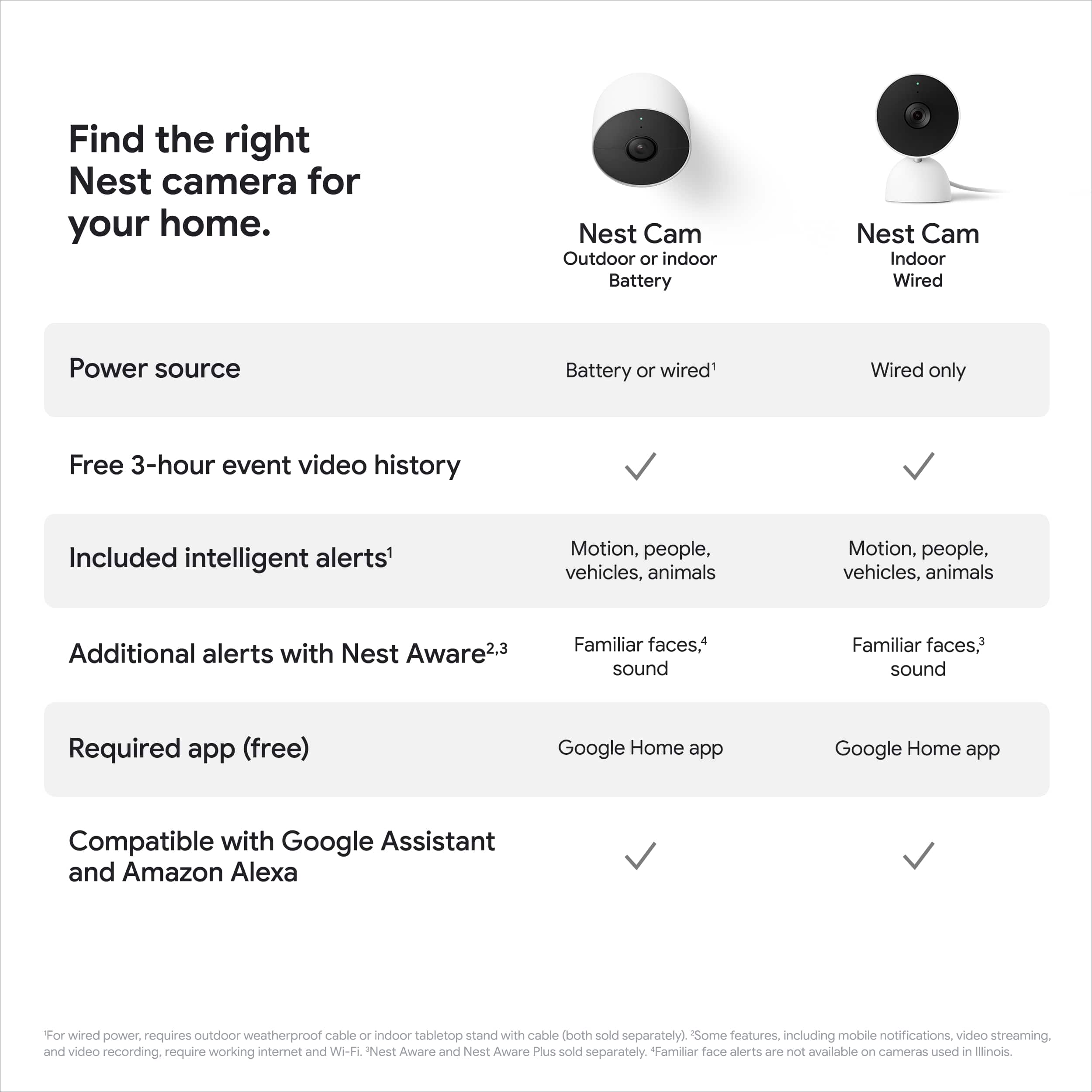
Customers admire the Nest Cam Indoor Wired Security Camera for its overall performance and outstanding video quality. Many appreciate its attractive design and the effectiveness of its night vision. However, some customers have experienced connectivity issues and compatibility problems with the Nest App. Additionally, a few have noted challenges with mounting and expressed concerns about the picture resolution.
This summary was generated by AI based on customer reviews.
- Pros mentioned:Video quality

Thoughtful Design and Incredibly Useful Nest CAM
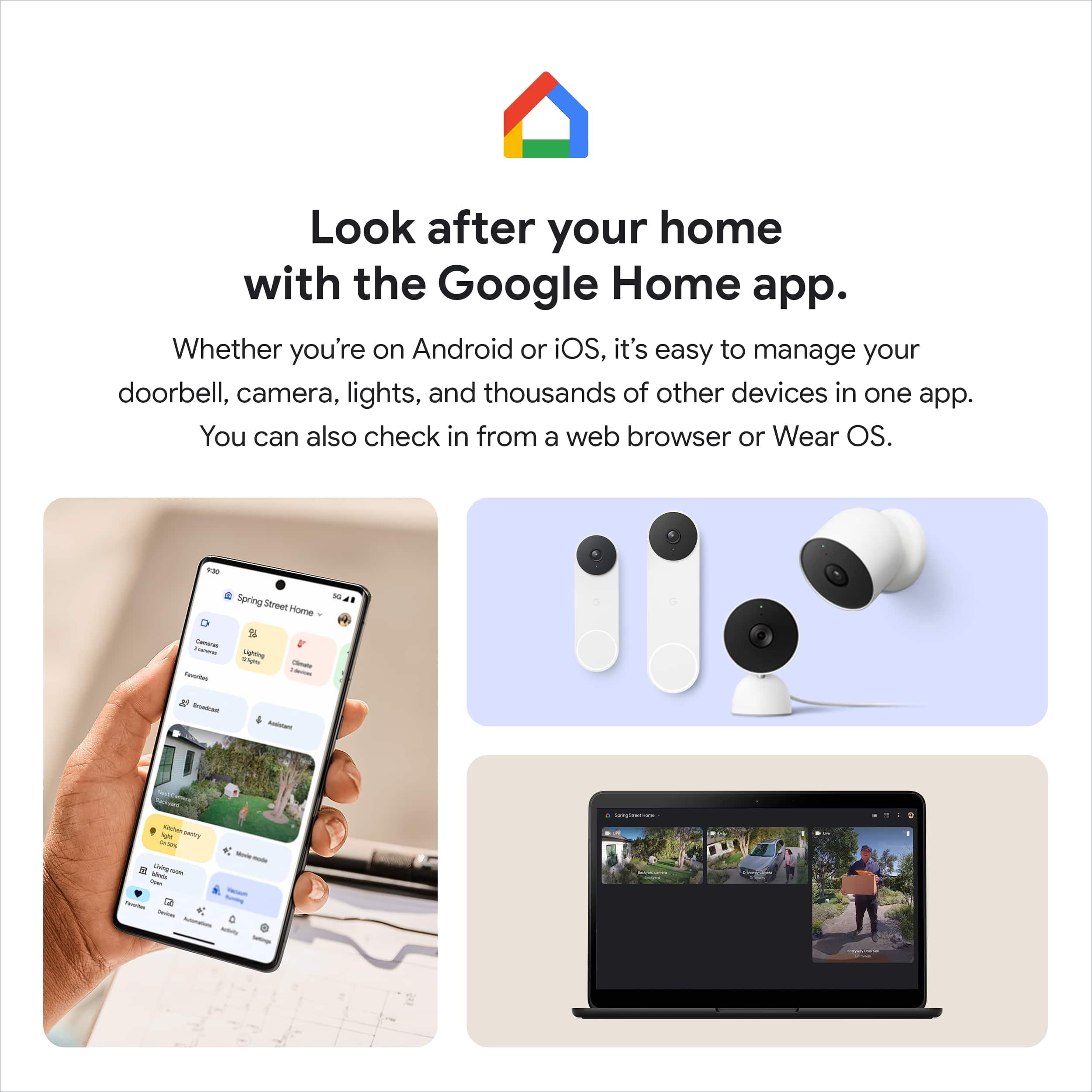
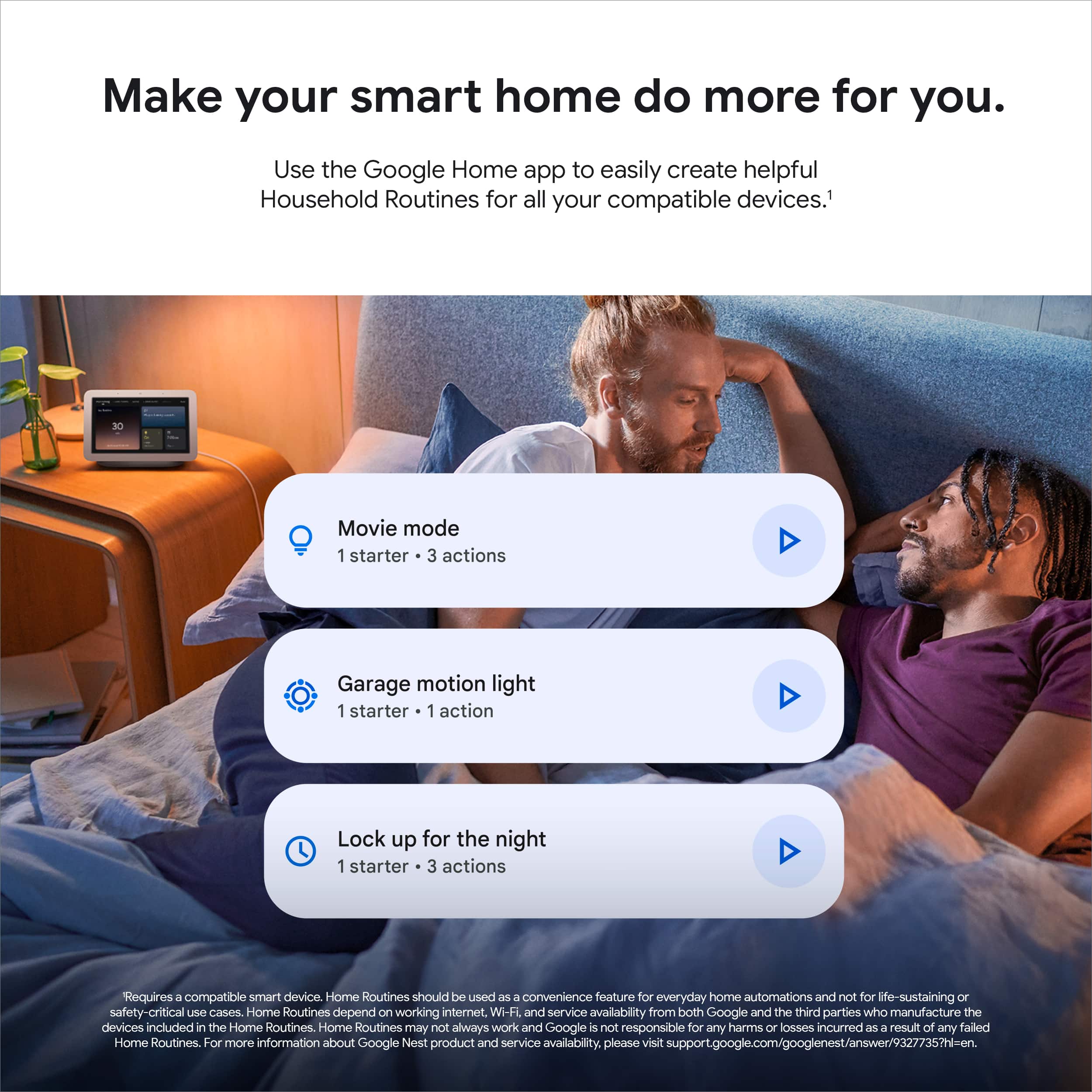
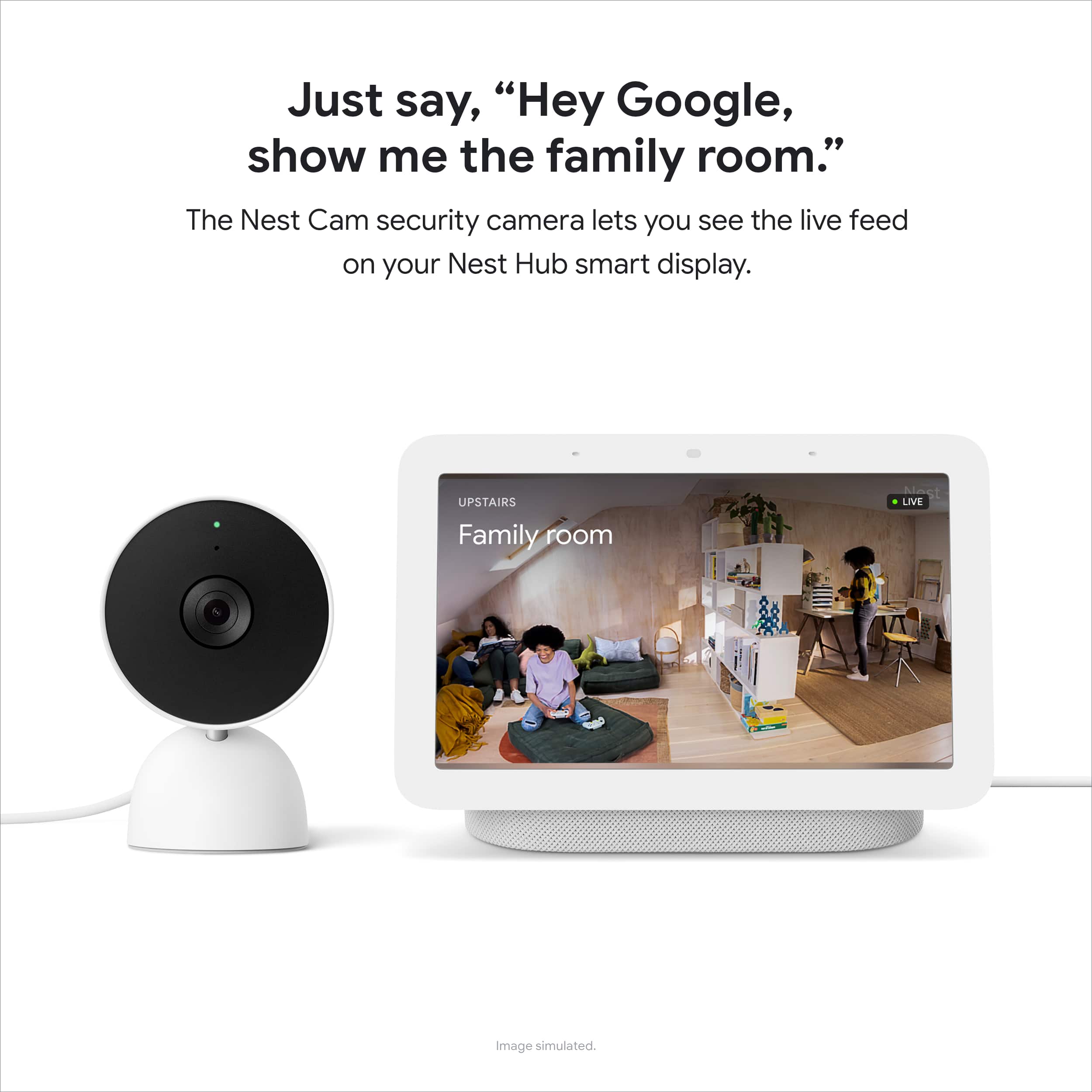
|Posted .This reviewer received promo considerations or sweepstakes entry for writing a review.Google - Nest Cam (Wired) Comparing home security cameras in the marketplace can be confusing. There are so many, and superficially, they could easily be listed according to price. That would be a mistake. The quality of the camera lenses, the processing capabilities, as well as the various usability features in this Google Nest Cam all add up to a camera that is easy, practical, safe, secure and reliable to use. SETUP: Including an update, completed installation took 11 minutes. Zero aggravation. No hiccups. Google’s Home App is a joy to use on my Apple 12 iPhone. And the final image was crystal clear. This is a thoughtfully designed App, fully integrated with the camera’s software. The camera appears to have high quality lenses. Accessing the camera’s management features is as simple as possible, although it is rich with features. OPERATING FEATURES: Google has built in a number of features designed to provide security while also addressing privacy concerns. This is especially important if your camera is being used inside your home. For example, you can set up the camera so that it recognizes your (or your entire family’s) presence at home and can be set to auto shut off. This could limit its surveillance of a living space to only when everyone is out of the house. YOU can choose to allow or disable location sensing via your phone. Even after that selection is made you now select whether to enable camera function when you are home or only while away. You choose whether to allow notifications when the camera is on. Nest Aware (Sound Detection): Google Nest App allows you to enable “listening” on Google devices YOU select. So, for example, I could select my kitchen Nest Display and a hallway google speaker to “hear” smoke alarms and breaking glass and trigger an alert sent to me and trigger a recorded event. The SUBSCRIPTION ISSUE: Whether you are on the hook for another subscription in oder to have camera functionality is a big issue for a lot of us. Well, you DO NOT NEED a subscription to view 3 hours of events. But a selection of subscriptions is available. Google Nest includes a 3 hour video recording history, but you can add a Nest Aware subscription to extend your video history out to 30 or 60 days. [Nest Aware $6/mo with some available discounts/ pricing models] You can establish Activity Zones. Even with no subscription, there are 3 types of alerts included with the Nest Cam. Person, animal, and vehicles. These are useful tags that simplify searching for events in your recordings and rely on advanced technologies other security cameras make you pay for. BOTTOM LINE: I really like Google Nest’s approach to security cameras. The construction is as solid as a rock, sealed and easily hidden. But, it’s cute and sleek if left in view. And it works reliably, each and every time. I’ve very easily accomplished viewing my Nest Cam on my Google Nest Display: “Hey Google, show me my “Entryway Camera.” Just as easily I can “swipe back left to right on the display” to return to my Nest display’s usual photo slide show. Or, instead, I might command, “Ok Google, go home.” to accomplish the same thing. Love it.
I would recommend this to a friend - Pros mentioned:Video quality
Easy Setup and Great Features!
|Posted .This reviewer received promo considerations or sweepstakes entry for writing a review.Nest (now owned by Google) has been releasing cameras since their acquisition of Dropcam circa 2014. Since then, they’ve launched a Home App, Smart Assistants in the forms of speakers with integrated monitors, and further developed their cameras to include more security features, with the ability to monitor them at the tap of an app or by asking your Google Home Hub. The unboxing experience feels more premium, compared to nest cams in the past, and nicely packaged for easy removal. In the box you’ll find the camera, a power adapter, mounting hardware (screws and anchors), an attached long USB cable with plastic cable clips (no ties here), and a user manual. It’s important to note there is a QR code located on the sticker which protects the lens and is required for setup (don’t lose it). Plugging the camera in, and you’ll hear an audible tone and a slow pulsing blue light indicating it’s ready for setup. You can’t use the older Nest App for installation and will need to use the Google Home app with your Google login to start the setup. I was pleasantly surprised to find the setup effortless, only requiring the use of the QR code on the camera to identify and connect to the camera, followed by confirmation of connection to your WiFi network, and a quick update to the camera. Once you’ve added the camera to the Home App, you’ll be asked if it’s going to be wall mounted, in which case you’ll simply twist the attached mount plate with a simple push and twist. The mount plate has two screw holes, and once mounted, the camera can be reinstalled to the plate with minimal effort. Total installation time was less than 10 minutes, and the camera was ready to view immediately. You will be asked if you want to sign up for a 30-day trial of their recording service, “Nest Aware,” otherwise you’ll be able to view the most recent 3 hours of recordings. If you already signed up for their service, you’ll simply add this to your account, and it should be ready after setup. With Nest Aware, you also get advanced familiar face detection, 10 days of 24/7 recording, and 60 days of event recordings in smaller clips. The camera itself is a nice soft white in color, with a metal hinge that allows for 180 degrees turn, and a slight tilt for positioning. This allowed for various positioning when installing the camera, and the base did a great job of holding the camera in the desired position with no identifiable shifting after installation. The camera light stays on and can be dimmed slightly if you’re placing this along a window to avoid a bright reflection. It blinks green when someone is watching, making this camera ideal for those worried about privacy while it’s on and a way to identify someone viewing. You have the option of using your smartphone’s location to automate home/away modes, in a same way it works with Nest thermostats, enabling recording only when you’re not home, plus you can also turn off the microphone to stop any audio recordings. You can also program activity zones, which will help mitigate false events; such as, near a busy roadway or walk space. The speaker was loud enough to speak to any pets or people viewed in range of the camera, with no noticeable delay during real-time use. The video quality was probably the biggest upgrade from my previous generation Nest cams, with a wide-angle view to capture more the cameras surroundings. Pointing the camera out my front home office window, and I could easily see my entire front yard, and the approach up my driveway. The night vision is on by default to automatically turn on during lower light environments but can be toggled off to remove any glare if you’re placing this looking out a window. Compared to some other cameras, the color clarity in the dark isn’t as vivid, and with the night vision it does provide clear images. It’s important to note that the Nest cam is only compatible with Google’s assistant hubs if you want to view the live feed outside of your smartphone app. Using a Google Nest Hub, you can simply ask to pull up your live feed or use the hub to view previous event recordings. If you already use Googles Nest doorbell or other cameras, you’ll use this in a similar way, by just asking for the camera by name. Overall, I’m really impressed with the ease of setup, and the wide-angle view shows even more detail around the camera.
I would recommend this to a friend - Pros mentioned:Video quality
A Great Start or Addition to Home Security
|Posted .This reviewer received promo considerations or sweepstakes entry for writing a review.I’m going to come right out and say it, I love this little camera. Does it have room for improvement, absolutely, but all in all it’s a great way to add an indoor camera to keep an eye out on areas or pets in your home. \ Setup \ I like to see how intuitive it is to start using things without going to the manual, or quick start guides, this camera is not the most intuitive thing to setup, but it wasn’t too bad. My first issue came up because I thought since it was a Nest Camera, I would need to use the Nest app I use for my thermostat. That is not the case, you need to use the Google Home app, which I already have installed since we have some Nest Speakers, and screens in our home. Once you know to use the Google Home app the setup process took all of 5 minutes. \\ Video Quality \\ This is not a 4k camera, but the quality for my use is great both during the day and at night. Notifications are quick and being able to quickly scrub back and see what has happened in your home is great. I have the camera setup in our front foyer, but the wide angle of the video allows me to be able to see my front door and the entrance from my garage. This location allows me to see if one of my kids goes out the front door and keep an eye on our pup that loves to hang out in our front foyer when no one is home. Video is clear both at night, and in the early morning when the sun is streaming through the windows around our front door. Sound is also super clear, and you can easily hear what is going on in the video as well. \\\ Features \\\ If you’re looking for a basic camera than this will fill that role, the only limitation out of the box is that it will only keep the last 3 hours of video so if you want to go back to see what happened on a previous day then that video will be gone. For you to be able to keep those events longer than you need to upgrade to Nest Aware. This comes with a bunch of extra features one of which is that it keeps your recordings much longer. You get 30 days of event history. Once you start digging into the features offered, depending on what other Nest devices you have this could be its own security system. I have a few Nest speakers throughout my home, and now they all tie into Nest Aware to check for glass breaking, and smoke detectors alarms. You can also have it recognize Familiar Faces, and setup Active Zones. \\\\ Conclusion \\\\ This little camera and the Nest Aware service have made me think that I might be able to get rid of my home security system, and just purchase a couple of Nest cameras to place outside. The service is robust, the camera is easy to setup and use. I would say this covers just about everything my security system covers except for it automatically calling emergency services. I would recommend this camera to anyone looking for an easy way to keep tabs of pets, or specific areas of their home.
I would recommend this to a friend Great for some, but not for all
|Posted .This reviewer received promo considerations or sweepstakes entry for writing a review.CONS: - No ability to cast to chromecast at this time (2021) - No control of IR lights (night vision lights) - 24/7 video history is only available in top tier nest aware ($120/year) - Limited and bad range of motion. Hard to get a good framing with limited axis points. - Event notification thumbnails blink but don’t show useful clip of the motion. Sometimes just showed a static photo or maybe 3 frames of video - 1080 video max PROS: - Low light/night vision quality is good - Privacy and data security upgrades including storing facial recognition locally only and other sensitive data - Nice if you have or plan to have more (new) nest cams and never had the old system - detection intelligence was greatly improved and is scary good at recognizing dogs, cats, people, cars, and motion. - Event history from the last 3 hours included without subscription. (Not 3 hours of footage, just the event history clips that occurred in the last 3 hours) TL;DR As a big google fan and an owner of the original nest products, I really wanted to like these new nest cams, unfortunately, there’s just not enough good to outweigh the bad for what I need for MY house. This doesn’t mean they are bad products in the sense of quality, function, and software, it’s just that I feel they really aren’t the best option for everyone out there; myself included. Which I will explain while covering the features of the camera in depth below. But the basic idea is they work as advertised, and are great if you aren’t already in another ecosystem INCLUDING OG Nest. But for a lot of people, there are maybe better options or systems out there with less subscription costs and more available history. What google get’s right here is quality, data security, detection intelligence, and reliability. Some other things fell a little short. NIGHT VISION: These cameras have pretty good night vision. Better than others I’ve seen for sure. However, they also have IR lights to help light the room in night vision mode. You can turn off night vision, make it always on, or auto. However you can not control if the IR lights also turn on. Why is this important? Well these cameras have awesome detection capabilities, including vehicle. Now, if you’re like me, you don’t drive cars inside. Not anymore. So this would lead me to believe I can point this camera out a window from the safety of inside, and monitor my street, awesome! I tried this one day and was really impressed with the detection skills, it recognized vehicles, people, dogs, and the likes. But then the sun set. And all I saw was a bright highlight and a window pane. Ok, I thought, I’ll just turn off the IR lights so they’re not flashing on the glass. But I couldn’t. Meaning these cameras are completely useless to point out a window anytime it’s dark enough to turn on night vision. Now, I did turn off night vision completely and that worked, however, the events were all too dark to make out and only were recorded if there were headlights or light to trigger the motion detection to record. Which brings me to my next personal issue, 24/7 recording. NEST AWARE: So as I mentioned, I have an original nest camera with the legacy version of Nest Aware still. That includes 24/7 video for 5 days for 50 dollars a year. Now, this was PER camera back in the day, and that could add up if you wanted a few cameras in your house. Google has addressed that by making the new nest aware cost 60 dollars a year for multiple cameras and 30 days of event history. (as well as face detection but I live in a state where this is not allowed, so that feature is useless. They still charge you for it, but you can’t use it) If you want the aforementioned 24/7 video stream though, you have to pay 120 dollars a year. 60 dollars more than I pay right now. The 120 dollars adds 24/7 video for 10 days and 60 calendar days of event history clips. I say calendar days because I’ve seen others mention the 3 hour, 30 days or 60 days of event history as if it is an amount of time you can accumulate. However, this is not true, it means literal time of day. So if it was 10PM you can only see events from 7PM forward with the free version. Even if there is only 3 minutes worth of video recorded in those 3 hours, you can only watch that 3 minutes worth of events. The same goes for 30 and 60 days. Now, that may be useful for some people, and if that is you, mark this as a win. For me, I have never needed to see a 10 second clip of my dog walking by the camera 58 days ago. What I need more often is to see what happened 10 seconds before he walked by the camera and triggered a recording event. I understand these new cameras have much better motion detection (and they definitely do) but I have had times in the past when my camera did not see motion or hear a sound and I would need to go into the 24/7 video and scroll through to see what happened. Or sometimes these events start a few seconds late and you need to see before the motion starts to understand what happened. All this to say, for me, I need a 24/7 recording timeline more than I need archived event clips. I reached out to google and asked them about the 24/7 recording and if they would add that option to the 60 dollar a year plan but they did not comment on that. If they added 3 days of 24/7 to the 60 dollar plan, I think I would consider that, but for now, there is no need for me to purchase that new plan. Unfortunately, I can’t use my old nest aware with these new cameras either. CHROMECAST FAIL: So another reason I wanted this camera was to be a more mobile camera I could move around the house a bit to keep an eye on my sick dog while I’m in another room. Currently I do this with my outdoor cameras when he is on the porch and simply cast them to my chromecasts on the TVs. However those are not cameras made by google and sometimes have dropout issues so I thought the best option to work nicely with google's chromecast would be a device MADE by google. Unfortunately, as you can see in the photo, I was wrong. Currently in Oct 2021, you can not cast the google nest cam to your google chromecast on the same wifi. A feature so common and simple, almost anything that is a video feed includes a cast button. I also asked google about this, assuming I was wrong, but they told me that this is accurate and that they have plans to bring this feature soon, but currently it is not available. I don’t particularly like when companies sell a half ready product with plans to fix/add software on the fly. To be fair, it is a pretty common practice now, however I do not appreciate it much and I would think adding casting options would be a priority before launch. I should note, if you want to see the camera feed on a Nest hub display, that will work, but a 7 inch display is not what I need. So far my work around has been to use my tablet and screen cast my entire tablet display with the home app open viewing the camera. GOOGLE HOME APP: I don’t dislike the home app, but there’s no arguing it’s more cluttered and clunky than the old nest app we’re used to. That said, there are some useful things in the home app, like seeing all your available cameras live in one scrollable screen, however, if you do scroll away from a camera, understand if you scroll back up, it will now have to load the video again (as well as drop the video you scrolled away from.) So if you have 5 cameras and can only fit 3 preview screens on your display, then scrolling down will load the other 2, but if you quickly scroll back up to the top, the top 2 will need to load again, (roughly 3 to 4 seconds). This makes monitoring an entire house at once basically impossible. If you need/want that, get a dedicated in home professional security system. Best buy sells those too. But if you want these cameras just to casually keep an eye on what’s happening, you’ll be fine. OVERALL: This is a hard item to review because the product itself is NOT bad. It is a good camera, with decent picture, a good price, and some bells and whistles with great detection capabilities. It also is worth mentioning Google beefed up the privacy and security as well as took advantage of local storage for sensitive material so it never has to leave your physical property. So it’s clearly a great device. But it’s not for me. It’s not what I wanted or expected from Google's take on a Nest cam. I also don’t love that they charge so much for Nest Aware and make the most useful feature only in a 120 dollar plan. By the time you have enough cameras to make that plan worth it, you are better off buying IP cameras and local storage and paying 0 dollars to record as much as you want and the footage never leaves your home. It may cost you more upfront, but over the years you will save hundreds. Which is why I am choosing to say I can not recommend these cameras to my friends. Sure if you only need a camera with live video and don’t care much that you can’t be sure you’ll see all important past video, then this is still great. But again, personally I would just buy a 40 or 50 dollar cheap brand basic IP camera and would easily be able to watch live video. It won’t have all the detection and alerts, so that’s really the deciding factor. If the features line up with your needs, you’ll probably be happy, they are nice cameras. But make sure you do your homework like reading this insanely long review, and decide if it’s right for YOU.
No, I would not recommend this to a friendBrand response from Nest Support
Posted .Hi bTobin, thanks for taking the time to share the details of your experience with the Nest Cam (Wired). We’re sorry to learn that some camera features and functionalities didn’t meet your expectations, and we appreciate you pointing these things out to help us better understand our customers preference and needs. We’ll definitely share your feedback along with the right team to work on improving our products and services.
We’re always here to help improve your experience. You’re more than welcome to visit us anytime here for any concerns about the performance and features of your Nest cameras: https://support.google.com/googlenest/gethelp
- Pros mentioned:Overall performance
EXCELLENT cameras, BUT….
Posted .This reviewer received promo considerations or sweepstakes entry for writing a review.Ok, let me start by saying that this camera is actually very nice. The picture is clear as day in day and night vision, there’s a lot of customizable settings, it’s overall a great camera and definitely holds its own. BUT, there is a HUGE issue when trying to connect more than 1 camera. We bought 2 of these yesterday, along with the hub, and we also received a google doorbell for Christmas. Before purchasing/receiving these items, we already had the nest minis and other products that are Google compatible that were all connected/synced within the Google home app. We have yet to set up the doorbell but last night after purchasing the two cameras and the hub we immediately set up the hub. Connected perfectly with no issues. We then proceeded to set up the 1st camera in our living room. The set up was extremely easy and took about 15 minutes from start to finish. We then went upstairs into our bedroom to set up the 2nd camera and here is where the HUGE problem was that I’m very disappointed/surprised that Google has not addressed yet. We plugged the camera in and followed the same steps we did for the first camera. Plugged it in, went to the Google home app, clicked the “+” button in the left hand corner of the app to “add a new device”, and waited for the device to be found. We tried over and over again and we kept getting a message that said “couldn’t find assisting device” or something along those lines. We tried every troubleshooting solution that we could possibly find and absolutely NOTHING worked. We tried unplugging the WiFi router and plugging it back in, we tried airplane mode with WiFi and Bluetooth turned on, we tried removing the 1st camera from the app entirely and then connecting the second camera to only go back to reconnect the 1st camera and that STILL didn’t work. I finally found an online forum with some answers. This is a HUGE software bug that google should be addressing as we wasted 5 hours of our life trying to get both cameras connected and usable. Here is how we did it; Set up the first camera and follow directions, it should worked perfectly and quickly. In order to connect the 2nd camera, you will need to completely remove the 1st camera off the google home app by clicking on the first camera in the app, going to the top right, click on the settings button which is right next to the button with the 3 little dots, then click “remove device”. After doing the above you will then go to your second camera, plug it in, and repeat the steps to set up the second camera and it should connect to the app with no problems. Now in order to set the 1st camera back up you will need to plug it in, and before you go to the app to set it back up, you will need to do a HARD reset. The hard reset button is on the back of the camera. It’s a little tiny hole that you will need to use a toothpick to push in. You need to hold the button in until you hear a chime from the camera and the LED indicator on the front changes color. It will turn orange at first and then change to blue (which is the color it needs to be). After doing this, you should be able to go into the app and set it up just fine, as you did the first time. This whole process took 5 hours from start to finish and it was extremely frustrating as it took me a very long time to find the online forum with these answers. Even after finding the online forum with people having these same issues, a lot of the solutions people were posting did not work for us. We needed to do the hard reset on the 1st camera in order for it to able to reconnect. This is a HUGE software glitch within the app and google is aware of these issues and has not addressed them, even knowing about it before the holidays. I felt it was imperative that I posted this as I’m sure a lot of people are returning their cameras and other google devices because of this. You should not have to go through all of this just to set up more than one camera especially when they’re selling them in 2 packs and 4 packs. It’s extremely disappointing when the cameras are such good quality. We almost returned the second camera as we thought it was faulty and thank god we didn’t because we would’ve had the SAME issue and would’ve wasted even more of our time going back to the store just to get another camera that doesn’t connect. We did successfully connect our doorbell camera after all of this with no further issues and did not have to disconnect anything, which is a good thing I guess. But this whole ordeal was beyond frustrating. I hope a lot of people see this before purchasing so you don’t waste hours of your life trying to do it like we did. Side note, I attached a picture of where the hard reset button is. I didn’t think to take any screenshots of what the messages were saying when the cameras weren’t connecting but I did try to explain within this review the best I could.
I would recommend this to a friendBrand response from Nest Support
Posted .Hi Chelsie95, thanks for sharing the details of your feedback about the Nest Cam (indoor, wired), and it's unfortunate to learn about your difficult experience with the setup. We can imagine how much time and effort you’ve spent on this, and we’re sorry for the inconvenience it has caused you. We’ll definitely share your feedback with the right team as we’re always looking for ways to improve our products and services. And if there’s anything we can help you with, please feel free to find us through our available support channels here: https://support.google.com/googlenest/gethelp
- Pros mentioned:Design, Video quality
Google nest cam indoor wired review
||Posted . Owned for 6 months when reviewed.This reviewer received promo considerations or sweepstakes entry for writing a review.I've been using the Nest Cam Indoor Wired for a while now, and it deserves a solid 5 stars. The setup was a breeze, and the sleek design fits perfectly into any room without being obtrusive. The video quality is outstanding—sharp 1080p footage with vibrant detail that makes it easy to monitor every corner of your home. On the audio side, the noise reduction is impressive, ensuring that you hear clear, crisp sound without distracting background noise. If you want a reliable indoor security solution that provides excellent picture and sound quality along with straightforward installation, the Nest Cam Indoor Wired is an excellent choice. It’s a fantastic way to keep an eye on your space while clearly knowing what's happening in your home.
I would recommend this to a friend - Pros mentioned:Video quality
Great, easy to use camera for whatever you need
|Posted .This reviewer received promo considerations or sweepstakes entry for writing a review.This camera is super easy to set up compared to many other brands. Open up Google home, add device and scan the QR code. Just pick what room its in and you're good to go. I have cameras around the house to use for security, keeping an eye on kids in the play room and as a baby monitor. Combining this with a Nest Hub is great because you can pull up the video feed on the Screen. Audio and video quality is excellent, and latency/lag is very, very small. It has a good weight so it won't move around if its sitting on a surface, but also comes with wall mount hardware if that's where you prefer to put it. Depending on where you plan on using it, you can differentiate between people, animals, vehicles or just all motion. This is handy because when i'm at work i don't want to be alerted a thousand times when the dog walks by the camera. The motion zone setting is great because you can set a minimum height. This is a great alternative to allowing pets to walk freely without triggering an alert.
I would recommend this to a friend - Pros mentioned:Video quality
Decent Camera with limited integration
|Posted .This reviewer received promo considerations or sweepstakes entry for writing a review.I use multiple different cameras and other IoT devices for my home, so integration to other platforms is important, and unfortunately with the removal of using the nest app and only using the google home app this camera doesn't work for me. If you don't have other cameras or you exclusively use Google for your smart home this may work for you, but if you have any other home hub for all your devices this is not going to work. The only way you can use the camera is through the google home app, which means even the nest app that had some integration doesn't work. Outside of the one big negative for me, the camera is pretty good. Setup in the google home app is easy, and I love the ability to ignore motion for known faces. This feature lets you not get a notification for people in your household which is nice if you are using the camera to help guard your home. You do have to use google services to use the camera, so there is no on-device storage which may not be for everyone. The actual camera is a pretty solid build, and heavy enough to stay in place plus it comes with mounting brackets. I actually would have liked this to be an outdoor camera, so it's also a little disappointing it is only for indoor use. Overall, if you are using only google for your smart home and want an indoor camera this is pretty decent. But if you are in multiple ecosystems then you won't be able to add this camera there.
No, I would not recommend this to a friendBrand response from Google Team
Posted .Hi Blahnika, thanks for sharing your experience. We’re sorry to learn that Nest Cam (Wired) didn’t meet your expectations.
The new Nest Cam (Wired) is exclusive to the Home app because we wanted to create an integrated experience. Our long term plan is to use the Google Home app as the one place you can control all of your favorite Nest and other smart home devices, as well as Google Assistant. In the near future, we’ll allow users to set up previous Nest devices and have full control in the Home app. Users with older cameras can view their camera feeds in the Google Home app alongside the new Nest Cams. Our team is working on bringing full functionality to the Google Home app so all of your cameras can be set up and controlled in one place.
We value your feedback as we’re always working to understand our customers’ needs. If you have questions you want us to answer, feel free contacting our support team here: https://support.google.com/googlenest/gethelp
- Pros mentioned:Overall performance, Video quality
Great for keeping an eye on the dog!
||Posted . Owned for 2 weeks when reviewed.This reviewer received promo considerations or sweepstakes entry for writing a review.We got this mainly to keep an eye on our dog when we aren’t home or if we are traveling with her and leaving her in the Airbnb. Very small and portable, easy to setup, and great picture quality. Also, it picks up sound very well. I like how it records videos when there is motion detected. This is very handy for when we stay in hotels with our dog we can see if anyone (housekeeping) came in and make sure they didn’t mess with the dog or do anything inappropriate while we were gone.
I would recommend this to a friend - Pros mentioned:Design, Video quality
Great camera. Very responsive.
||Posted .This reviewer received promo considerations or sweepstakes entry for writing a review.This is very sleek and very responsive through the app. It sees REALLY clearly. We've tried a bunch of indoor cameras from some of the different top brands and this is different. The resolution is much higher and you can see much clearer with this! If you have a Google ecosystem you can't go wrong with getting this unless Google drops support. That's honestly the only thing I'm worried about because Google has a track record for ruining a good thing. Just look at what happened with the Nest ecosystem. So keep THAT in mind before purchasing.
I would recommend this to a friend - Pros mentioned:Overall performance
Google “Nest” Indoor Camera is Great BUT…
Posted .This reviewer received promo considerations or sweepstakes entry for writing a review.Great camera. Has everything you would need for an indoor camera BUT….can’t use on Nest app??? If only Google “Nest” indoor camera could be used on the Nest app since I prefer the User interace compared to the google home app. Again great camera but for this reason alone we will be returning both indoor cameras.
I would recommend this to a friendBrand response from Nest Support
Posted .Hello there, JoeSoDef. Thanks for sharing your review on the Nest Cam (indoor, wired). We're sorry to hear that your experience with using the Home app for the camera is below your preference and needs. Feedback like this helps us identify areas we can work to improve our products’ reliability and usability. Rest assured, this will reach our product team. We understand your decision to return it, but if you want to give the device another try and have some inquiries about its features, let us know by visiting us here and we’ll gladly help: https://support.google.com/googlenest/gethelp
- Pros mentioned:Night vision, Overall performance, Video quality
Love this little camera!
||Posted . Owned for less than 1 week when reviewed.This reviewer received promo considerations or sweepstakes entry for writing a review.We chose the wired becauuse we could set it on a shelf and angle the head, plus we did not have to deal with charging the camera every month. We bought this to watch our cats while away. The picture is crystal clear and the night vision is great. I talked to the people caring for our cats easily, they understood us and I them and they were across the room. Overall we are very happy with the wired.
I would recommend this to a friend - Pros mentioned:Overall performance, Video quality
BEST INDOOR CAMERA EVER!!!!!!
||Posted . Owned for less than 1 week when reviewed.This reviewer received promo considerations or sweepstakes entry for writing a review.Ok, I wasn't going to write a review but I just can't continue to read these negative reviews and not say something. First of all, this camera is SOOOOO good. The complaints that I'm seeing is about the NEST app vs the Google home app. Well, I have the original door bell and outdoor camera by NEST and I can tell you for sure this camera is much better than the older models.. The picture quality is amazing!!! I can see the persons face soooo good. The camera also has a much wider range which is much better than in the past. And the biggest improvement that I see is the audio, it sound like the person is right in the room with you. The sound is amazing and much clearer than before, and for $99 dollar you just can't beat it for NEST products. As for the app, I have a "google hub" and the i was able to add this camera to the google home app with ZERO problems. Everything lined up on my google home app. If you have prior camera's by Nest, you will NOT be able to add this new camera on the NEST app. So, in other words you will have to go to the Google home app in order to see ALL NEST products, but you can keep the old NEST app with your old camera's if you choose to visualize those camera's on that app minus the new camera. So, for me that didn't bother me because I saved so much money waiting on this camera to release. To me NEST camera's are like the top of the line so for them to offer this for only $99 it's a steal. I have had all my NEST camera for over 2 years without any problems. The only CON is I didn't care for the mount set that came with the camera, other than that is an awesome camera. LOVE IT! Thanks NEST
I would recommend this to a friend - Pros mentioned:Overall performance, Video quality
Great camera, super easy setup!
||Posted .This reviewer received promo considerations or sweepstakes entry for writing a review.I have a few cameras in my house, and the Nest Cams are great. I put this one upstairs in one of my kids rooms, and it works great (including night vision) for keeping an eye when they're playing. You can set up alerts for when there's movement or people detected, and you can of course look back in time to see the history. The image quality is really great, I'm very happy with this camera.
I would recommend this to a friend SUPER EASY WIRED GOOGLE NEST CAM FOR GOOGLE HOME
|Posted .This reviewer received promo considerations or sweepstakes entry for writing a review.REVIEW GOOGLE - NEST CAM (WIRED) – SNOW GEN2 MODEL:GA01998-US Best Buy Tech Insider Network SUPER EASY GOOGLE NEST CAM Like all Google products, the GOOGLE - NEST CAM (WIRED) – SNOW GEN2 was perfectly packaged and simple to set up (if you don’t toss out the QR code covering the camera by mistake like I did, necessitating rummaging through the trash). Just add the camera to the Google Home App on your phone (+, then scan the QR Code) and you are off and running. You don’t need to sign up for any extended services for every day use, unless you want to keep more history. You are easily able to set up visual zones for alerts that can be sorted by People, Pets, Motion and Sound. 2 way audio is also possible. The camera is very compact, yet very sturdy with a nice weighted base for sitting on a table or shelf. Because it is powered by USB, you also don’t have to worry about batteries. It connects to your network over WIFI. The motion sensing is fantastic and so far, no false or missed events. Night Vision is also good with built in IR lights. The camera has a nice wide field of view, so that one camera can easily cover a full room. The optical quality is OK, especially at this price point. Once I recalled how much I paid for my other wired cameras (easily 3x), I came to realize that the video quality was just fine. Keep in mind as well, that this is only 1080p (Standard High Definition ~ 2MP) not 4K (~ 8MP). Also, since it is communicating over WIFI you really don’t want 4K 30fps video signal taking up bandwidth on you WIFI. There is some confusion out there with the name NEST as google is trying modernize the hardware and apps they acquired some years back. I won’t get into that as I was not a prior NEST customer, I can’t really compare OLD NEST vs NEW NEST. However, I will note that just about any help articles on the webs are 99% about OLD NEST. SUMMARY In general, the GOOGLE - NEST CAM (WIRED) – SNOW GEN2 is a perfectly fine camera with plenty of advanced features backed by Google. It is integrated well into the Google Home platform. There are optional monthly or annual subscription fees if you want more that 3 hours of “event history”. Since most events are only a few seconds, for security type operation that should be plenty of storage. (how many times are people coming to your door for example). Its primary use is to alert your phone that an event has occurred and let you go back in a history a few hours to watch or download that event. In live view you can also “talk” to the person on the other end of the camera (door monitoring type events).
I would recommend this to a friend- Pros mentioned:Night vision, Video quality
Smart, Clear, and Always Connected
||Posted . Owned for less than 1 week when reviewed.This reviewer received promo considerations or sweepstakes entry for writing a review.The Google Nest Cam is a reliable security camera with clear 1080p HD video, night vision, and smart alerts, that can tell the difference between people, pets, and vehicles. It offers live streaming and two-way audio, so you can check in and talk through the camera from anywhere. It works smoothly with Google Home, and the set up was very easy. It's a great choice for keeping an eye on your home.
I would recommend this to a friend Great security camera
||Posted . Owned for 1 month when reviewed.This reviewer received promo considerations or sweepstakes entry for writing a review.Super easy setup. Video is of high quality in daylight and in darkness. Nice that it is portable so you can move it to wherever you think is most appropriate (as long as you have an electrical connection). Cord is sufficiently long to give you good options on where to set it up. Never need to worry about batteries running out with the wired option. I do think it is necessary to subscribe to the Google Home subscription to allow you access to the videos that are captured for an extended period of time.
I would recommend this to a friend- Pros mentioned:Night vision, Video quality
Nice product
||Posted . Owned for 1.5 years when reviewed.This reviewer received promo considerations or sweepstakes entry for writing a review.Crystal-Clear Video: 1080p HD video ensures sharp, detailed footage, even in low-light conditions. Intelligent Alerts: Customizable motion and sound detection alerts keep you informed about activity in your home. Two-Way Talk: Communicate with visitors or pets remotely through the built-in speaker and microphone. Night Vision: Monitor your home 24/7, even in complete darkness. Google Assistant Integration: Control your camera and other smart devices with voice commands.
I would recommend this to a friend - Pros mentioned:Overall performance
Great cameras-Wish more color & accessory options
||Posted .This reviewer received promo considerations or sweepstakes entry for writing a review.We’ve invested in over five of these Google Nest magnetic cameras for home and pet monitoring, and overall, we’ve been really happy with them. The video quality is clear, setup is seamless, and the magnetic mounting makes them super easy to reposition when needed. They’ve been reliable and give us peace of mind when we’re away or just keeping an eye on our pets during the day. That said, I do wish Google offered them in black or darker color options to better blend with our decor—white stands out a bit too much in certain rooms. It would also be great if there were a simple perch-style stand or mount included or available at a more reasonable price. The current accessories are on the pricey side, which feels like a bit much after already spending a good amount on multiple cameras. Despite those minor gripes, we still highly recommend these cameras for anyone looking for solid performance, easy integration with Google Home, and dependable home or pet monitoring.
I would recommend this to a friend - Pros mentioned:Night vision, Video quality
Only one problem
||Posted . Owned for 3 weeks when reviewed.This reviewer received promo considerations or sweepstakes entry for writing a review.This camera is great. It has a wide angle lense to capture a wider field of view. It has very good video quality. It gives you customizable notification options. It has an intercom option which is pretty clear audio wise. It has optional night vision mode. And it interfaces with my google home app for convenience. Only one problem though, the audio from the camera for some reason doesn't work right. And you cant hear anything. For some reason the audio is progammed to use your phones call audio instead of media audio. Once they sort this out it'll be 5 stars from me.
I would recommend this to a friendBrand response from Google Team
Posted .Hey there, JulianR. We’re glad that you like the features of the Nest Cam (indoor, wired). It’s unfortunate to hear that you're having an issue with its audio.
You can adjust your Nest camera audio settings to turn the microphone off or on, change the microphone sensitivity, and set up audio notifications. Visit the links below that can help:
Change Nest camera and doorbell audio settings; https://support.google.com/googlenest/answer/9218407
Troubleshoot camera audio: https://support.google.com/googlenest/answer/9257101
If further assistance is needed, please contact our dedicated team here: https://support.google.com/googlenest/gethelp