Customer Ratings & Reviews
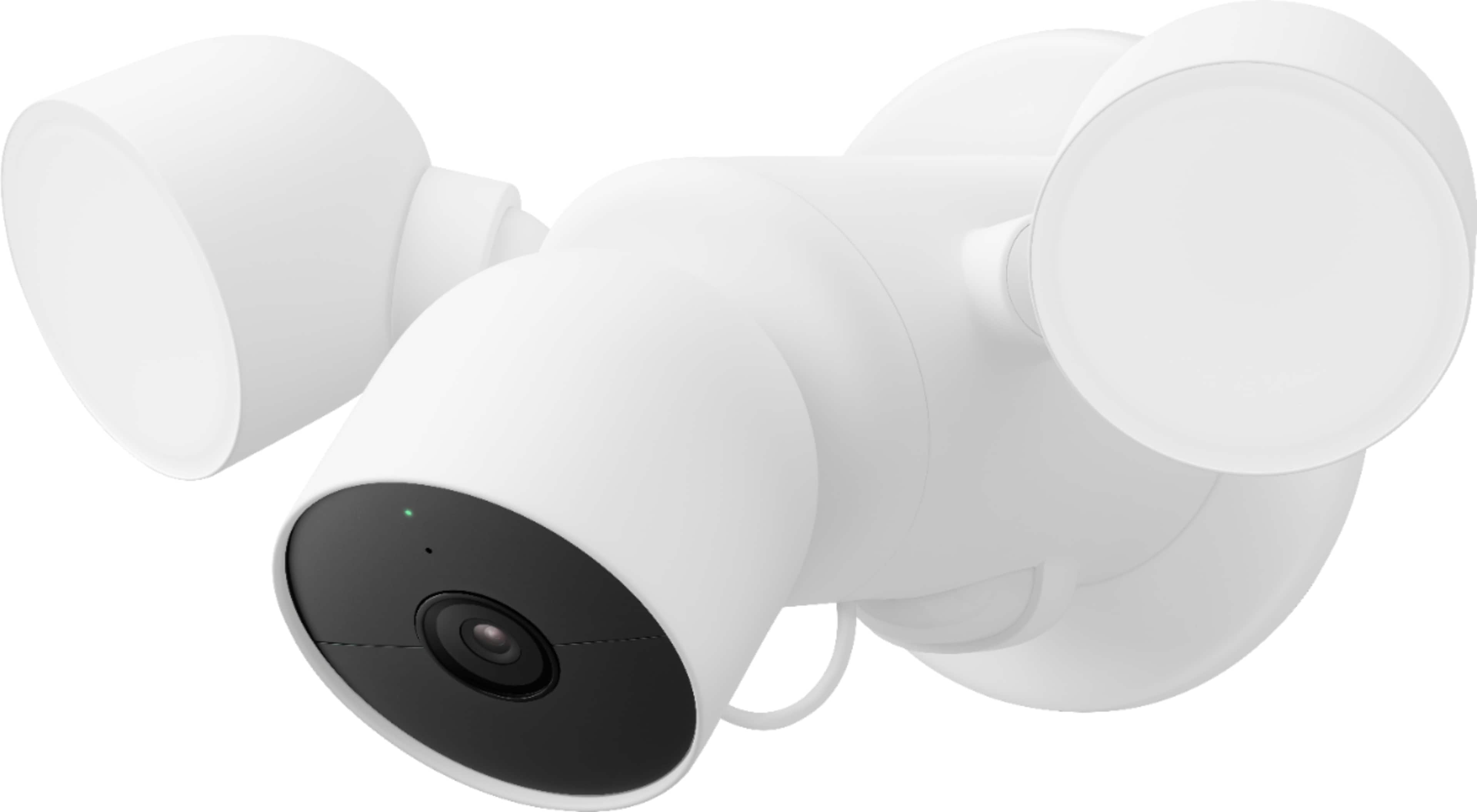
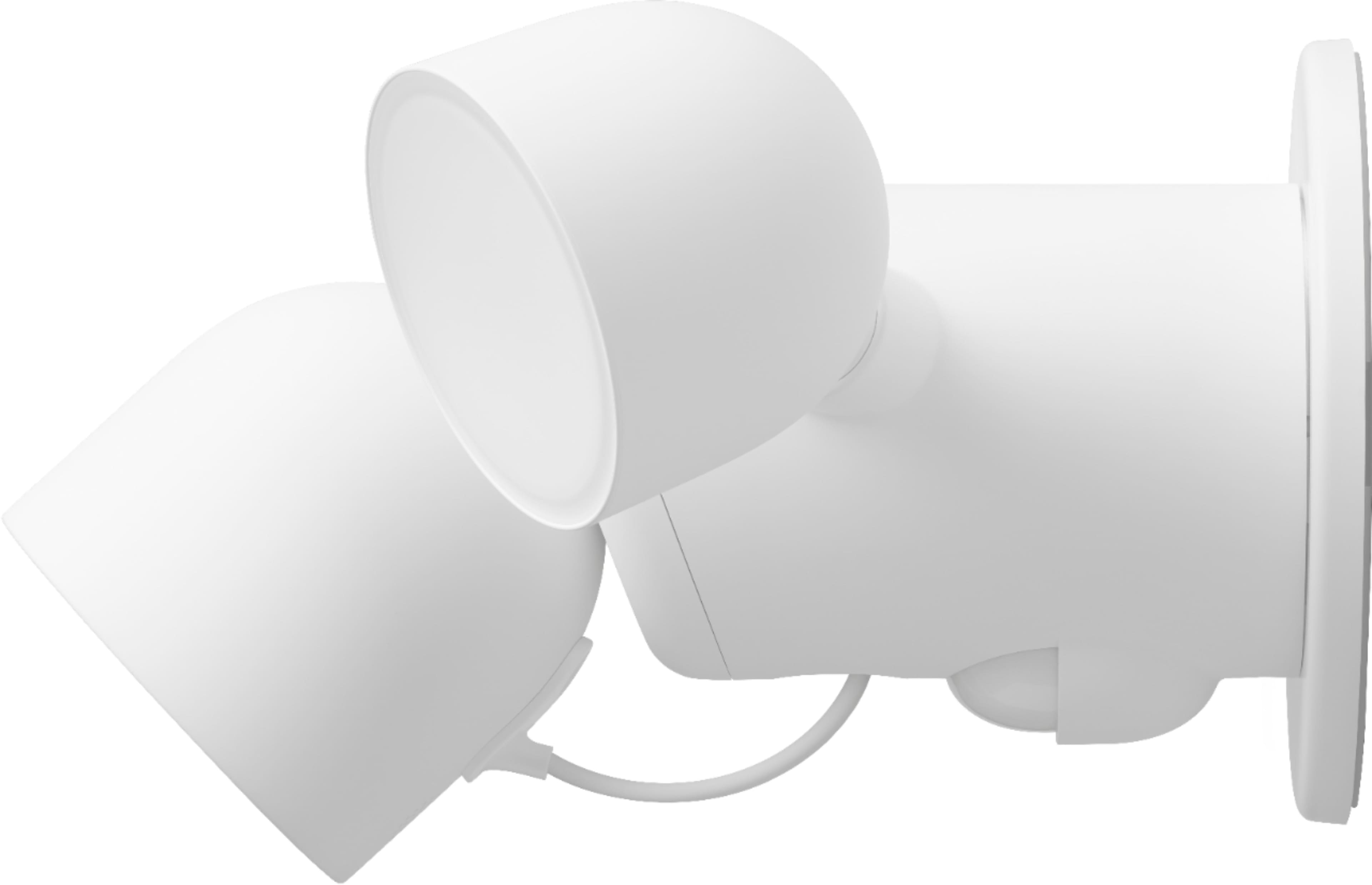
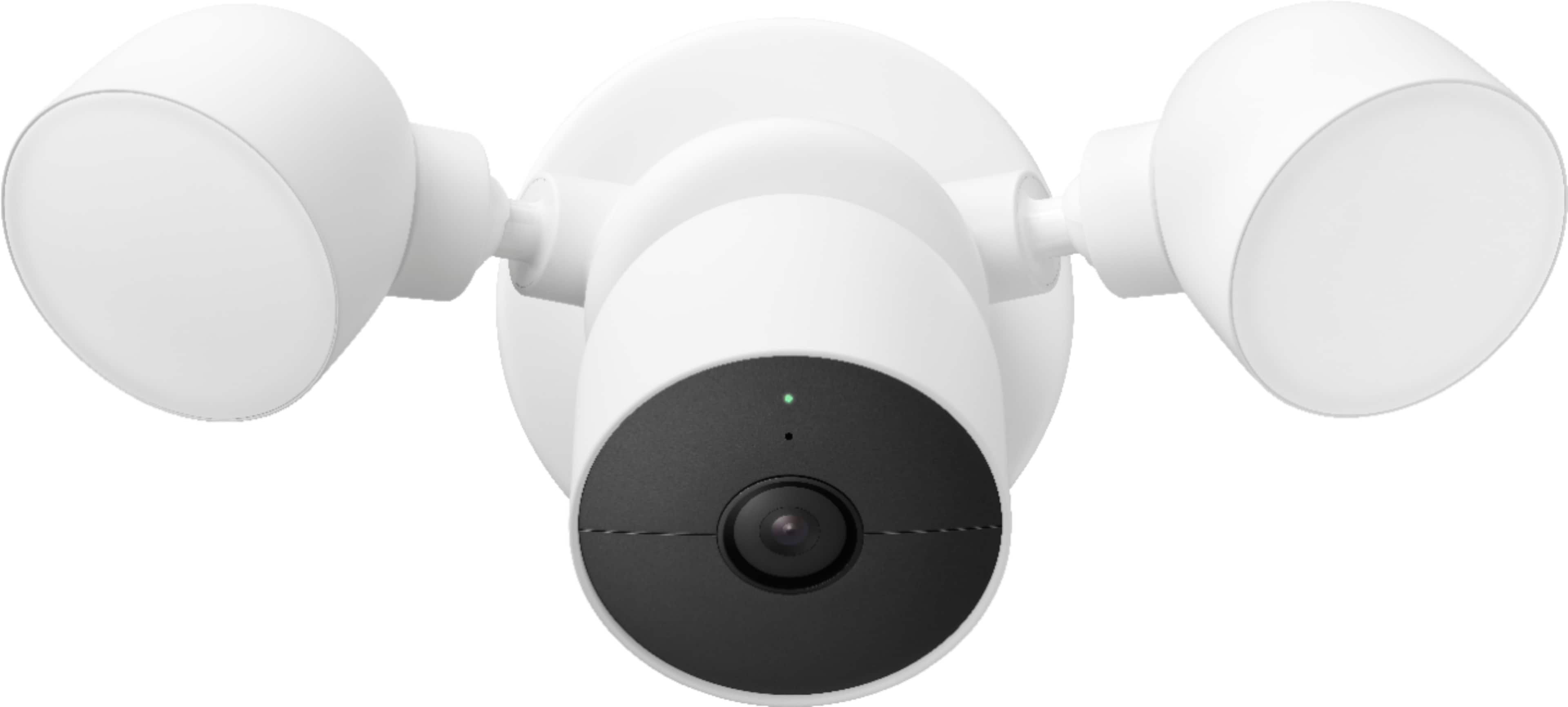
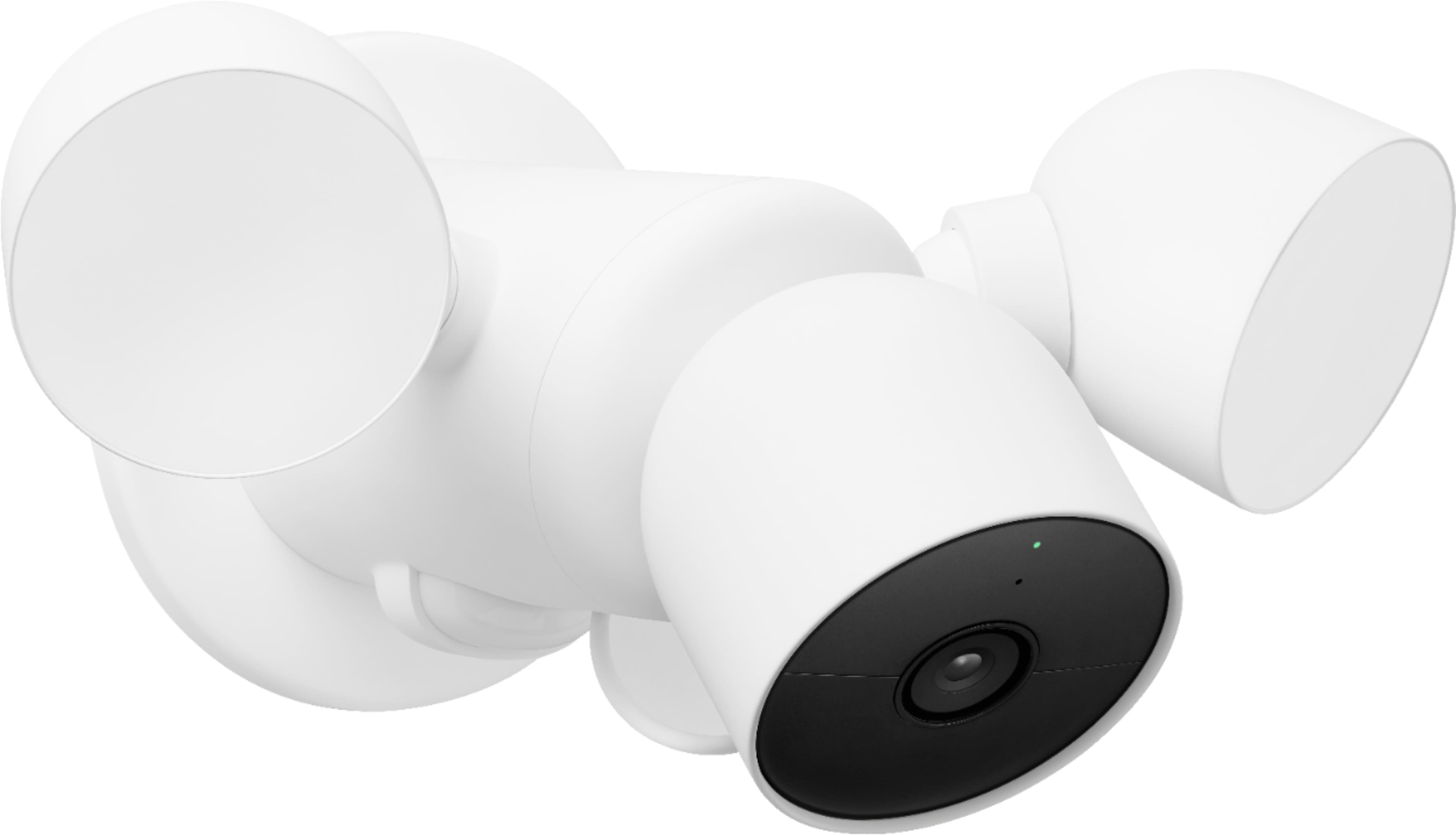

- Model:
- GA02411-US
- SKU:
- 11287559
Rating by feature
- Value
Rating 4.2 out of 5 stars
- Quality
Rating 4.6 out of 5 stars
- Ease of Use
Rating 4.5 out of 5 stars
to a friend
Absolute garbage
||Posted . Owned for 4 months when reviewed.This reviewer received promo considerations or sweepstakes entry for writing a review.These new google nest products are absolute garbage starting with the app that is evidently being coded by elementary school kids because nothing works, its bloated, unintuitive, and just plainly does not work. The app alone isn’t even a fraction of the quality the original Nest app was. Google interferes with everything and ruins everything they touch. Absolute GARBAGE and NO LONGER RECOMMENDED!!
No, I would not recommend this to a friendBrand response from Nest Support
Posted .Hello there, au2bahn. We appreciate your feedback on the Nest Cam with floodlight along with the Home app, and we're sorry to hear that your experience is below your satisfaction. We'd like to learn more about your concerns and help you in any way we can. Please contact us anytime for troubleshooting guidance here: https://support.google.com/googlenest/gethelp

Battery issues.
||Posted . Owned for 5 months when reviewed.This reviewer received promo considerations or sweepstakes entry for writing a review.Even though it is hardwired and the power is connected, the battery becomes drained and the product becomes useless. It is also very cheaply made. Almost looks like a cheap plastic kid's toy.
No, I would not recommend this to a friendBrand response from Nest Support
Posted .Hi Greggersmd, thanks for bringing this issue to our attention. We´re sorry to hear that you are experiencing a battery drain issue even after hardwiring Nest Cam with Floodlight. We may need to take a closer look at your Nest Cam with Floodlight and understand what may be causing the battery drain issue. This will give us a better idea on how we can help you best. Please feel free to contact our support and we'll do our best to help you by simply visiting us at the Google Nest help page using this link: https://support.google.com/googlenest/gethelp
Fails in Under 6 months
||Posted . Owned for 9 months when reviewed.This reviewer received promo considerations or sweepstakes entry for writing a review.Fails after 5 1/2 months. Cost is really about $400 a year. That is if you install it yourself. If you use an electrician, then figure two visits a year, $85? $100? (Warranty hard to figure out on website, may be 90 days, may be 15 days.) ALSO, you receive notices of activity but video available only half the time
No, I would not recommend this to a friendBrand response from Nest Support
Posted .Hi Steven. If you're experiencing issues with notifications on the app, don't worry. Our team is here to help. Please tap the link below to contact us.
https://support.google.com/googlenest/gethelp?hl=en
Keep shopping
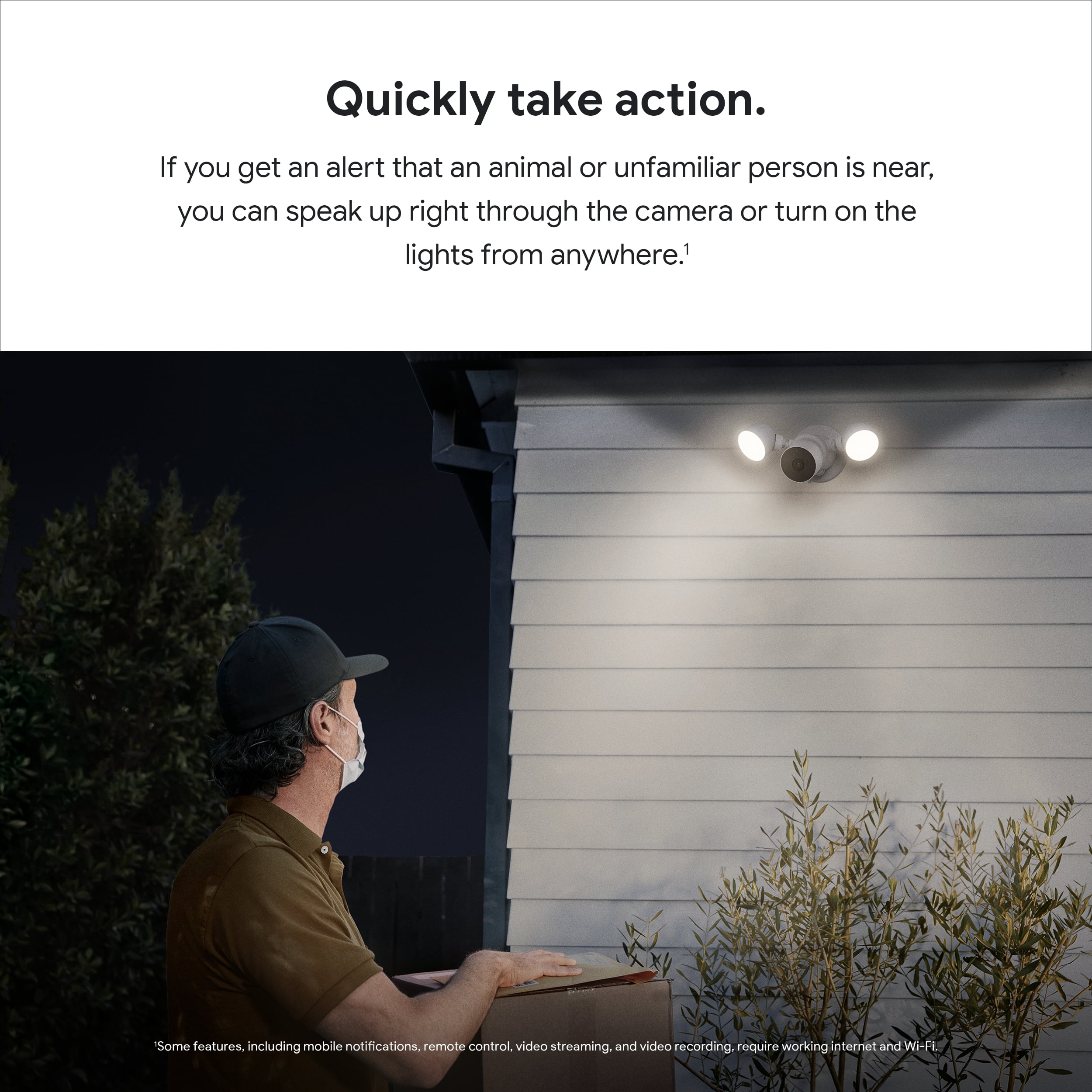
||Posted . Owned for 3 months when reviewed.This reviewer received promo considerations or sweepstakes entry for writing a review.Unbelievably disappointed by nest products since Google bought them. Night vision doesn’t work, app doesn’t know what the product is and does not allow floodlight co trip, and scrolling through events is impossible. There was someone in my yard and that segment of video is somehow unavailable. When you see someone in your yard and your heart is racing, you cannot wait three days (or whatever it will end up being) for a video to become available. Epic failure.
No, I would not recommend this to a friendBrand response from Nest Support
Posted .Hi there, thanks for reaching out. It's unfortunate to hear that some features of Nest Cam with Floodlight, fell short of meeting your expectations. We can only imagine how disappointing this experience may have been for you.
The video quality for the Night Vision feature on your Nest camera may be affected by internet speed and we recommend removing some of your connected devices to free up some bandwidth for your network. Once you verify there is congestion, then you may need to contact your Internet service provider for resolution,
Additionally, here are some helpful steps you can try out to improve the Night Vision feature:
- Clean the lens with a soft cloth that’s made for cleaning optics. Dust, thumbprints and dirt can cause poor image quality.
- Turn your camera so that any nearby surfaces or objects (like a wall) are out of view.
- Use the Google Home app to zoom and enhance and crop out surfaces or objects that may be causing glare.
- If you see a bright white shape along the edge while everything else is too dark, there might be a surface that’s too close in your camera’s view (like a wall). Angle your camera so the surface stays out of view.
- Move nearby objects that may be reflecting the infrared light.
- Change the Activity Zones on your camera. You can delete your existing Activity Zone and create a new one in any area within your camera's field of view. Just make sure that none of the zones you create overlap.
If you will allow us, we'd like to delve deeper into the reason that may be causing the event-based video recording of your Nest Cam with Floodlight. You can always contact our support team via the Google Nest help page: https://support.google.com/googlenest/gethelp
Think Twice
||Posted . Owned for 1 month when reviewed.This reviewer received promo considerations or sweepstakes entry for writing a review.I returned before installation. If the flood lights expire (2-3 year life span) the entire unit needs replacing. Too expensive for all of that.
No, I would not recommend this to a friendBrand response from Nest Support
Posted .Hi VickieS, thank you for sharing your review on Nest Cam with floodlight and we're sorry to hear that it didn't meet your expectations when it comes to replacing them in the future. It's unfortunate that you had to return the device. Rest assured that your feedback here will be relayed to the right team for improvements we may provide in the products and services we offer. If you decide to give the Nest Cam another chance next time, please don't hesitate to contact our support team for any assistance you may need. You can visit us on our Google Help page here: https://support.google.com/googlenest/gethelp

Easy to Use and Loaded with Features
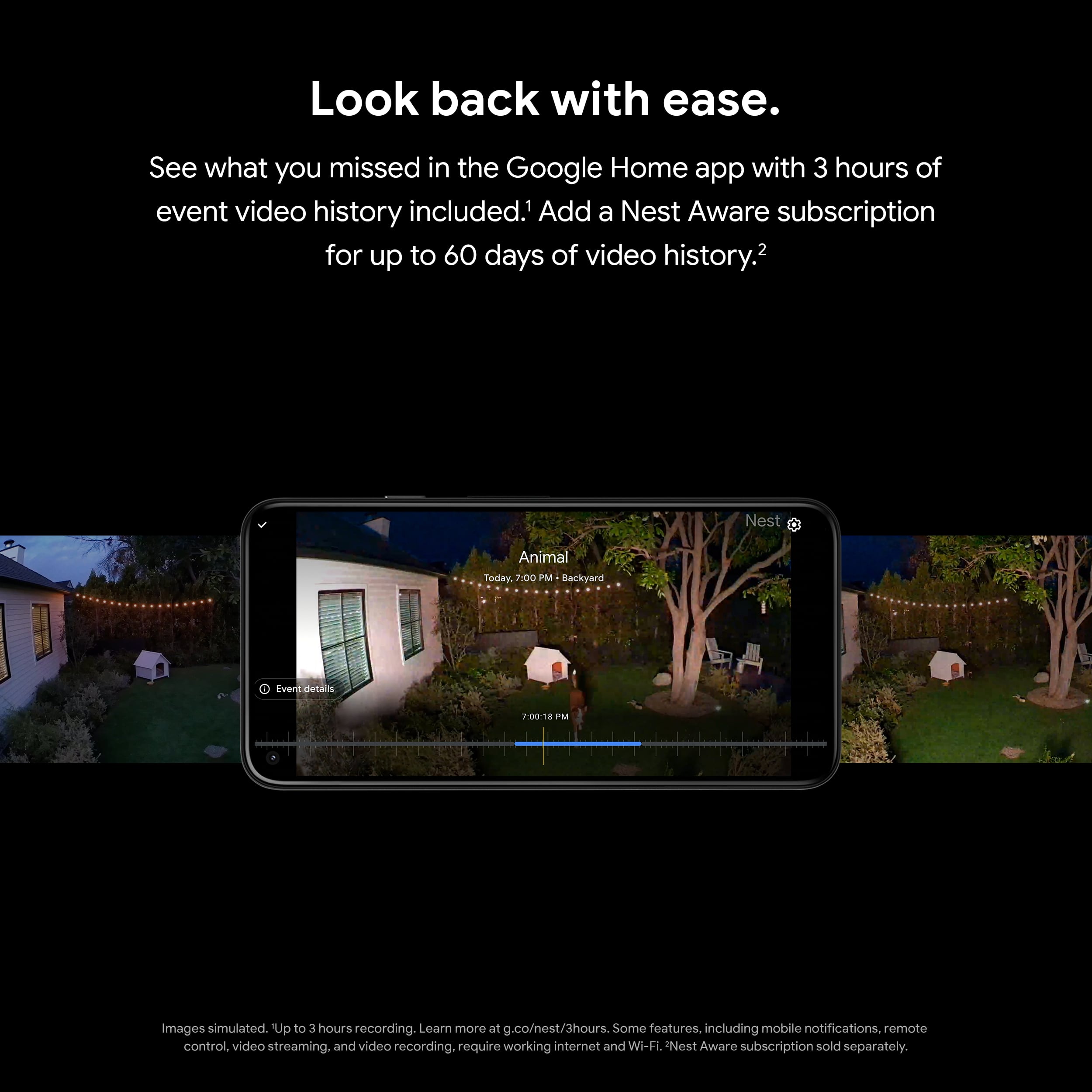
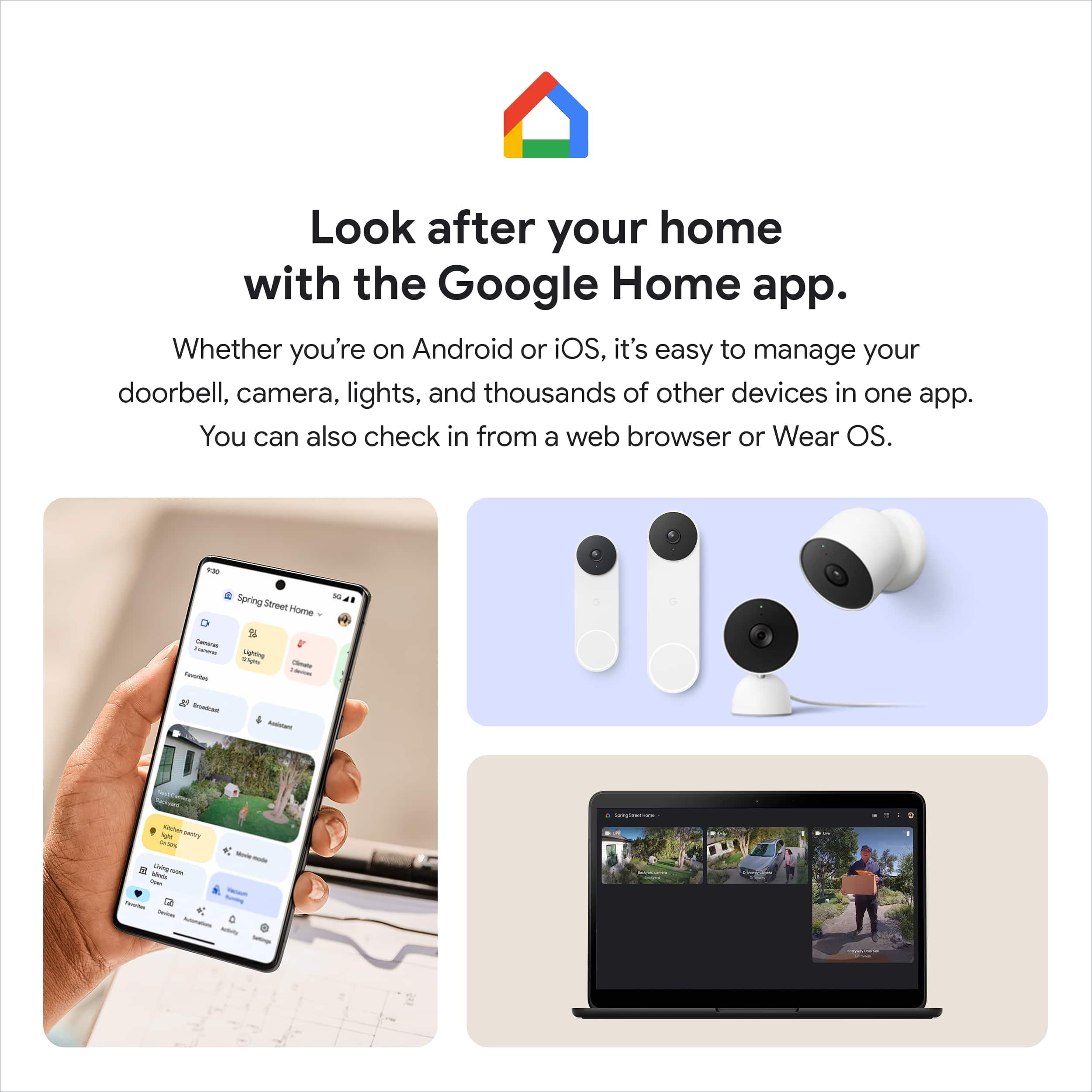
|Posted .This reviewer received promo considerations or sweepstakes entry for writing a review.I should start by saying I've been waiting for a Nest Floodlight + Camera product to hit the market for a long time. I installed a Nest Wired Doorbell Camera in 2018 and wanted to avoid having multiple brands and apps for smart cameras around my home. I was extremely disappointed after installing this floodlight camera as it does not work on the Nest app. It only works on the Google Home app, despite using the same Nest brand name. I dropped a star on my rating because of this. However, the zone feature on this camera is awesome. You can draw the boundaries of zones in the app so you only get specific events that occur within the designated zone (such as motion, people, animals, vehicles). This way, you don't get a notification every time someone drives past or something happens across the street. I set up my zone so it only includes my yard and driveway. Installation is a breeze. Tons of other features and compatible with the Google ecosystem. Pros: - Super easy to install and set up. If you already have the proper wiring and junction box already in place, then the installation of this camera is quite simple. I'd recommend watching the official installation video on the Google Nest/Youtube website. All you need is a screwdriver and potentially a step ladder. It took me an hour from unboxing to power on, with 30 minutes of that spent on finding the right switch to turn off in my breaker box at the start and uninstalling the old floodlight, and I am not particularly handy. - Well-built parts and components. Feels solid in my hand. - No buttons or switches found on the floodlight or camera, everything is controlled via the Google Home app. My old floodlight required that I had to get up on a step ladder if I wanted to make any changes to the settings via the awkwardly placed buttons and switches. - The camera and the floodlight are two separate pieces. Meaning if something goes bad with the camera or the floodlight, you don't have to trash the whole thing. Theoretically, you should be able to find another Nest camera or floodlight and reuse the working Nest camera or floodlight that you have. - Takes up small footprint on my wall, slightly bigger than a junction box. Great if you are working with a tight space. - The audio and video quality (save for the night vision) are pretty good. - Wide angle lens (130 degree view), picks up my entire front yard, sidewalk, driveway, and about 3 and a half houses across the street. - Camera has battery back up in case power goes out so it still records events. - I don't really use Google Assistant or Nest Hub features or products but it seems to work with that. - 2 way audio - you can speak to someone on the other end of the camera. The speaker is clear and the mic picks up any noise outside. - The mounting plate cover is designed to be painted if you want to color match to your home or exterior. - You can adjust the angle of each floodlight separately. - No significant lag between notifications and opening the app. Takes a second or two to start loading the video once you click on the notification or open the live stream. - The floodlight is fairly bright and illuminates all of my driveway and most of my yard. - Love the zone feature, you can draw the boundaries of zones in the app so you only get specific events that occur within the designated zone (such as motion, people, animals, vehicles). This way, you don't get a notification every time someone drives past or something happens across the street. I set up the zone so it only includes my yard and driveway. - Features and settings you can adjust on your Google Home app: 1. Brightness level of the floodlight 2. Manually turn on/off floodlight 3. What causes the floodlight to turn on (motion, when someone is live viewing the camera feed, camera events that are non-motion). You can also specify the motion sensitivity. The default is high (which I found too sensitive as it was picking up motion of cars driving by my house). Medium works well to pick up about 80% of my driveway and most of my front yard. I have a standard rectangular driveway where you can fit 4 cars on it (2x2). 4. Floodlight timer - how long the floodlight stays on (10 seconds, 30 seconds - default, 1 minute, 3 minute, 5 minutes). 5. Daylight sensor - how dark it gets out before the floodlight turns on (Darkest, Darker, Medium - default, Brighter). 6. Battery usage settings 7. Events settings - which events get recorded in your event video history, edit zones. 8. Video settings - video history, wake up sensitivity, max event length, video quality, night vision, status light brightness, rotate image 180 degrees. 9. Audio settings - mic, audio recording, camera volume. Cons: - Biggest disappointment is the lack of integration with the Nest app. This product is marketed and sold under the Nest name, but only works on the Google Home app. It does not work on the Nest app at all. This is frustrating as I already have a Nest Wired Doorbell Camera (from 2018) and thought that this would be a simple addition to my Nest app. Now I essentially have to use 2 apps for 2 different cameras on my home even though they are both Nest cameras. - Does extend out about 8.5 inches from the base to the tip of the camera. Fortunately, the overhang of my roof extends out further so it covers the camera from the elements above. - Would be cool if you could change the color of the light on the app. The light is a standard bright white/daylight color. - The night vision on this camera is worse than the night vision on my Nest Wired Doorbell. - This camera is rated to work in temperatures between -4F and +104F, if you live in an area with extreme temps keep that in mind. - You do need a Nest Aware subscription in order to view event history up to 60 days and/or 24/7 continuous video history (the free non-subscription version is only up to 3 hours of event history). - It does seem to be a bit more sensitive picking up motion in the designated zone at night from headlights, insects, and strong winds. - The camera is connected to the floodlight by a power cord and by a really strong magnet. This makes it a little tougher to adjust the angle in my opinion compared to something you can just twist and turn.
I would recommend this to a friendsecurity/floodlight replacement
||Posted . Owned for 1 month when reviewed.This reviewer received promo considerations or sweepstakes entry for writing a review.this is the second of three, possibly four, i like this as a replacement flood/security light. my only issue with this particular one so far is how the light as a separate entity is utilized as opposed to the first one i bought.
I would recommend this to a friendBrand response from Nest Support
Posted .Hi there SeanC, we appreciate you for choosing our Google Nest products. You can control and specify what triggers the lights on Nest Cam with Floodlight using the Google Home app. You can choose between the following three settings:
- Turning on the Motion settings will turn the lights on whenever the floodlight’s motion sensor detects activity. You can also adjust the motion sensitivity setting to determine when the floodlight will turn on.
- Live viewing will turn the floodlight on automatically whenever you check your camera’s live stream at night.
- Lastly, if you turn on Camera events, then your floodlight will turn on whenever your camera starts recording.
You can learn more about how to select the triggers for Nest Cam with Floodlight by visiting this help page: https://support.google.com/googlenest/answer/10500343
We'd also like to learn more about your thoughts and insights on our Google Nest products. You're more than welcome to contact our support team here: https://support.google.com/googlenest/gethelp
Great product
||Posted . Owned for 2 weeks when reviewed.This reviewer received promo considerations or sweepstakes entry for writing a review.The productbitself is great. The only issue i have run into is the limit on waysbto mount it. It cal only be mounted on a vertical wall. Not under eves or in a unique position.
I would recommend this to a friendBrand response from Nest Support
Posted .Hello BBguy, thanks for leaving feedback about the Nest Cam with Floodlight, and we hear your concern about the limited ways to mount it. Nest Cam with floodlight is only designed to be installed on vertical surfaces like a wall. It is not designed to be installed on horizontal surfaces because the downward facing angle would reduce the floodlight’s functionality by limiting the field of view of the PIR motion sensor (which triggers the floodlight when motion is detected).
Your feedback goes a long way as we’re always looking for opportunities to improve our products and services. And if you come across any concerns around the performance and functionality of the Nest Cam with Floodlight, you’ll find our dedicated team always ready to help you here: https://support.google.com/googlenest/gethelp
Best floodlight and camera for Google ecosystem
|Posted .This reviewer received promo considerations or sweepstakes entry for writing a review.This was just wgat I wanted. A flood light for the dogs with a camera that can do double duty for any visitors in the yard. The setup was very easy. Included video with step by step instructions and all parts needed. Configuration was easy but needed to talk to another nest item in the house so not sure how that would work if I was replacing a failed unit. Performance: the quality is great since the lights are bright. The notifications were accurate but I turned them off because it can be a little much between the doorbell and lights in back. The mic and talk back feature is cool because I can call the dogs back in at night. Sometimes they listen and other times I am ignored.. I would strongly recommend this for lighting and camera needs. Only cons are the color does not match my gutters so would be nice if it had a bronze or black color. Also you can lock the camera into the unit to prevent theft which is a premium touch.
I would recommend this to a friendHorrifyingly Bad App Integration
||Posted . Owned for 2 months when reviewed.This reviewer received promo considerations or sweepstakes entry for writing a review.If you have a Nest Aware video subscription, you can only view history of this product in the Google Home app. If you have already set up other products in the Nest app, you can only view history in that app. That means you have to flip back and forth between the two apps (Google Home and Nest) to see all of your video history. I spoke with customer service and they know this is an issue but they don't care, just flip back and forth because they're Google and they don't have to care. Find another service to use because Google messed up what was a great Nest application.
No, I would not recommend this to a friendBrand response from Nest Support
Posted .Hi SpasticNerfbag, thanks for taking the time to share your feedback. We’re sorry to hear about your disappointment with Nest Cam with floodlight. We understand the convenience of only one application for all of your devices.
The new Nest Cam with floodlight is exclusive to the Home app because we wanted to create an integrated experience. Our long term plan is to use the Google Home app as the one place you can control all of your favorite Nest and other smart home devices, as well as Google Assistant. In the near future, we’ll allow users to set up previous Nest devices and have full control in the Home app. Users with older cameras can view their camera feeds in the Google Home app alongside the new Nest Cams. Our team is working on bringing full functionality to the Google Home app so all of your cameras can be set up and controlled in one place.
We value your feedback as we’re always working to understand our customers’ needs. If you have questions you want us to answer, feel free contacting our support team here: https://support.google.com/googlenest/gethelp
Stay away from google home. the UI is abysmal
||Posted . Owned for less than 1 week when reviewed.This reviewer received promo considerations or sweepstakes entry for writing a review.These camera's won't work on the same app as other next cameras. Google is shifting their app to a worse one, and you can no longer USE THE NEST APP TO VIEW A NEST CAMERA. We are in a platform shift. Stay away from google home products. the UI is abysmal.
No, I would not recommend this to a friendBrand response from Nest Support
Posted .Hi Bejcunni, thanks for taking the time to share your feedback with us. We´re sorry to hear that the Google Home app didn't meet your expectations.
We wanted to use the Google Home app as the one place you can control all your favorite Nest and other smart home devices, and Google Assistant. It offers you a lot more benefits since you have access to Google´s security features as well. In the near future, we’ll allow users to set up previous Nest devices and have full control in the Home app. If you´re willing to try, you may set up your other Nest cameras to the Google Home app. Here´s a guide that you can follow: https://support.google.com/googlenest/answer/9893532
We value your feedback and we'll make sure to pass them to our product team, since we're always searching for ways to improve our products and services. We’d also like to learn more about the migration issue you encountered, and see how we can improve your experience. Please do not hesitate to contact our support team here: https://support.google.com/googlenest/gethelp
Not happy
||Posted . Owned for 1 month when reviewed.This reviewer received promo considerations or sweepstakes entry for writing a review.Charging data is weird at best one day it's 100% the next time it's 71% only two of the four I bought seem a curate
No, I would not recommend this to a friendBrand response from Nest Support
Posted .Hi there GarageRVTV, thanks for letting us know about your concern on Nest Cam with Floodlight. We're sorry to hear about the random charging data you get. The battery life for Nest cameras will depend on factors including activity, temperature, and camera settings that you select. Users can extend the battery life of their camera by adjusting video quality, length of video clips, time between recorded events, and using activity zones to monitor specific areas. Here are some typical scenarios:
Busy: About 1 month battery life (About 25 - 30 recorded events per day)
Typical: About 2.5 months battery life (About 13 - 16 recorded events per day)
Quiet: About 6 months battery life (about 2 - 5 recorded events per day)
We recommend checking the frequency of events (per day) that you get if you encounter any short battery life issues. We'd also like to help further check on the issue. Please feel free to contact any of our support agents here: https://support.google.com/googlenest/gethelp
Nice cam with floodlight, great help at home!
|Posted .This reviewer received promo considerations or sweepstakes entry for writing a review.This is the first Nest Cam with Floodlight that I install at home, actually I think it is a great help mainly at night when you are at home and want to be safe, having the ability to see in real time what happens outside is great, also has night vision, microphone and speaker, plus the app allows you to configure the lights and the camera, you can also receive notifications or also see the history of events of the day or past, it is worth mentioning that some options are only available with a subscription to Nest Aware. I must say that from the beginning I found a very simple product but with a touch of seriousness, plus the color and design I like, they are simple but somehow elegant. Well the unboxing is very simple, just remove the wrapping, open the box and everything included is in sight, the installation of the Nest cam with floodlight is simple and typical, it does not require anything extraordinary but the tools to change a light or a new lamp. What in a way causes me a little conflict is the app, although it should be easy to configure because it includes a Qr code that when you start the installation the app asks you to scan, but it seems to take a little time and sometimes presents some errors, I want to assume that with future updates it will improve, but it seems to me that the synchronization and customization of the device through the app can be a little complex for some people who is their first time using this device and the Google Home app, but I believe that on the internet there is a lot of information that can help. I do not want to describe the technical features because the data sheet specifies it but I must admit that some features I really liked, such as being able to raise and lower the brightness of the lights, choose what can activate the lights, and have live access to what the camera is recording is something nice, facial recognition if you have the subscription to Nest Aware, having recorded events to review at the desired time as well as control everything from the app on the cell phone, this device fulfills its function and that is not in doubt, however the use of the Google Home app despite being something that tries to integrate everything in one app, seems not to convince all users of Nest so I recommend considering this before buying this light, other than that I have no other drawbacks with this Nest cam with floodlight, I can recommend it.
I would recommend this to a friendAn easy configurable system
|Posted .This reviewer received promo considerations or sweepstakes entry for writing a review.This is my first Nest Floodlight and Camera (NFCa). I’m familiar with Nest products, and already have a Nest Thermostat and Nest Hello doorbell with both integrated into the Google Home management tool. Now, so is the Nest Floodlight/Camera package. Not being familiar with the NFCa product, I ‘assumed’ that it would be mounted in a manner consistent with our existing floodlights. In our region, you’ll find that most existing homes have their floodlights hanging from the roof’s soffit. It wasn’t until the unit was received that I realized that they recommend mounting it directly to the side of the house. Wanting to get the unit installed, I decided to mount the NFCa from the soffit, as was our original floodlight. But by doing so, I would be hanging the unit upside down. This would have to suffice until I can install an electrical box directly to the side of the house from where it now hangs. The siding on my house is Hardie Board, which is rated like concrete, and I knew that cutting a hole in it for the electrical box would take more time than if it was wood or some other material. Removing the old floodlight and installing the Nest took me less than an hour to complete. It really is an easy process. With the unit hanging upside down, the sensors – which normally would be positioned under the NFCa – are now positioned on top. Yet it works. As you’ll read below, there is a video option that lets you flip the video 180 degrees so that it is right side up. Otherwise, the video would be up-side down since it’s hanging from the soffit. The Floodlight: The lights on the floodlight are powerful LEDs. You can configure them to go brighter or dimmer, depending on your needs. You also specify what turns on the floodlights. For example, you can configure the sensor’s sensitivity levels (High, Medium, or Low). Since you connected the NFCa to your Nest Home app for live viewing, you can specify when you want the floodlights to turn on. Such as, it’s dark out and the floodlight senses motion. Or, instead of the floodlight sensing motion, the camera does instead. How long the floodlights stay on is also configurable, from 10 seconds to 30 seconds (default), 1 minute, 3 minutes, and up to 5 minutes. You can also specify how dark it should be to trigger the lights to come on when sensing motion. The options include Brighter, Medium (default), Darker, and Darkest. For us, medium means that it is now dark outside. Again, all the above options are available in Nest Home. The Camera: The camera also has a significant number of options available. These include: • Notifications – In this section of the app, you outline one or more areas (zones) in the camera’s view. The app then lets you specify activity ‘within’ those zones. In our configuration, we only want it to report People activity within the single outlined zone. You can also specify activity what happens outside the zone, like people, animals, vehicles, and anything else, like car headlights or sound. You can configure it to also respond to Carbon Monoxide and Smoke alarms. Or, you can specify that you only want to receive notifications if you’re away from home. • Battery – our NFCa is wired to a power source, so this is something I typically won’t bother with. But, if you a unit that primarily runs on battery, there’s an option to restrict video recordings if battery life is less than 7 days. • Events – this permits you to configure how the camera/system should respond to zone activity, such as motion events and people event. It also has a feature for familiar face detection, so it can tell you specifically who came or went. • Video – Under Video History, it lets you specify No History or a 3-day event history. You can also specify how sensitive you want the camera to be before it triggers an event (High, Medium (default), or Low). Once triggered, how long should it continue to record (10 seconds, 15 seconds, 30 seconds (default), 1 minute, 2 minutes, or 3 minutes. Video Quality options are (Max or High). Night Vision turns on infrared LEDs, along with the following options: Always On, Auto (default), and Off. The Status Light option deals with a small status light on the front of the camera. You can specify how bright the status light will be (High, Auto (Default), or Low), with the status light blinking if someone at home is viewing the live video stream. And lastly, you can rotate the image by 180 degrees – a feature that saved me when I mounted the camera upside down. • Audio – Under Microphone, you can turn audio on or off. If off, it disables live and recorded audio. Audio Recording, if off, allows you to listen live, but nothing is saved in video history. Lastly, it permits you to specify how loud your voice will be when you use Talk & Listen. Once the NFCa was installed and running, we tested it out during the evening hours. We noticed that the sensor range for this unit appears shorter than our old floodlights – by a wide margin. That is, at what distance does the camera and floodlight sensors trigger an event. The instructions, however, state that if you install the unit upside down, like I did, that it could interfere with its sensors. So, I’m looking forward to installing it properly to see if this changes how the sensors work. The camera, which is physically separate from the floodlights, connects to the floodlights by way of powerful magnets. However, it is easy to rotate the camera from side to side. My old floodlights had adjustments that you could make as well, but to access them you had to use a tall ladder and screwdriver. To change the NFCa’s parameters, all you have to do is log into your Google Home app and make the necessary changes – all the while sitting in the comfort of your home. That’s how it should be done! All in all, I like this system a lot. It is easy to install, and even easier to make configuration changes. Since I’ve been meaning to install a camera system near where the NFCa is now installed, this kills two birds with one s hot. It gets me a newer and more functional floodlight system, and now a top-notch camera. For me, this is a 5-star solution.
I would recommend this to a friendGroan
||Posted . Owned for 1 month when reviewed.This reviewer received promo considerations or sweepstakes entry for writing a review.Good, but I bought the thing to work with my Nest Aware account and it doesn’t. Guess I assumed too much when I thought a Nest product would work with other Nest products.
No, I would not recommend this to a friendBrand response from Nest Support
Posted .Hi Barry, thanks for sharing a review to let us know of your issues with the Nest Cam with floodlight, and we’re sorry to learn that it didn’t work with your Nest Aware account.
The new Nest cameras support Nest aware subscription, and if you added the Nest Cam with floodlight to a Home structure with an existing Nest Aware (2nd gen), the Nest Aware plan will apply to every camera on a given Home structure. Nest Aware (2nd gen) offers a whole home subscription that includes all Nest Cameras, Nest Hello and Google Home and Nest speakers (US only) and displays (US only) in your home.
That said, we’d like to figure out the reasons behind this issue. We suggest getting in touch with our specialists for further assistance, here: https://support.google.com/googlenest/gethelp
Modern style, dependably Google, restrictive
|Posted .This reviewer received promo considerations or sweepstakes entry for writing a review.If you already have a floodlight on your house, consider this smart floodlight with security camera from Google. I like the distinctly Google styling and all the connected functionality with the Google Home app. From the premium packaging to the installation accessories, made it clear this is a top shelf product. Included in the package are 3 different sized screws for mounting to certain types of junction boxes. It comes with a metal mounting bracket and a plastic connection plate for twist connection of the unit. The S hook made it effortless to connect the wires just prior to twisting in the floodlight and securing with the locking screw. The camera is attached with a cable and locking screw, then secured with a strong magnetic bond making it somewhat difficult to position correctly. The best position would be to install on a wall, however my box was soffit mounted, therefore the field of view was rather difficult (but manageable) to perfect. It quickly and easily connected to my Google Home app and was immediately accessible via voice command through my Home hub. I liked how easy it was to control the brightness of the floodlights and the resolution of the camera. The app recognizes the unit separately as a camera and a floodlight. I like that you can set parameters for them independently. The camera recognizes familiar faces and animals. The floodlights are exceedingly bright and easily illuminate my entire pool area of 5000sqft. Having a camera in this location is just an added safety measure making sure no unauthorized people or children have access to the pool. I have some issues though. The subpar 1080p resolution is good for clear images up to 20ft away, beyond that, it gets blurry. The free video recording included is a pittance at 3hrs; if something or someone is recorded during the night, you get a notification but can't see it because it's beyond the 3hrs limit which is quite frustrating especially since the camera can record up to a week's worth of video with it's built-in memory. Google offers a subscription called Nest Aware that gives you 30 days of history and connects you to a monitoring e911 service which can listen for smoke alarms, CO2 alarms, and glass breakage. I like the added usefulness and unique features, but I don't like unnecessarily limiting video storage as a means for someone to get the subscription. Nest Aware Plus is a premium service that stores 60 days of history and 10 days 24/7 recording for the exceptionally paranoid. One thing I haven't been able to figure out so far is how to snooze notifications if, for example, I know there's going to be activity for some time. It lets you turn off the camera, but it's just for privacy. While I like the styling and the added features of this unit, better units can be found for the price that offer higher resolution cameras and built-in storage for 2-3 months without having to pay extra. It's a good entry level product that comes out crawling while the competition runs past. Buy it for the aesthetic or if you have a lot of google devices, get the monitoring service. Otherwise, I would wait for the next generation.
I would recommend this to a friendIt can ONLY be mounted horizontally!
||Posted . Owned for 1 month when reviewed.This reviewer received promo considerations or sweepstakes entry for writing a review.Was hoping to mount them where my flood lights are. Unfortunately my floodlights or mounted vertically in my soffits.
No, I would not recommend this to a friendBrand response from Nest Support
Posted .Hi WSmalley, we appreciate your feedback on Nest Cam with Floodlight, and we hear your concern about mounting and installation. Nest Cam with floodlight is only designed to be installed on vertical surfaces like a wall. It is not designed to be installed on horizontal surfaces because the downward facing angle would reduce the floodlight’s functionality by limiting the field of view of the PIR motion sensor (which triggers the floodlight when motion is detected).
Your feedback goes a long way as we’re always on the lookout for opportunities to improve our products and services. For other questions or concerns about the Nest Cam with Floodlight, you’re always welcome to visit us here: https://support.google.com/googlenest/gethelp
Worst customer service
||Posted . Owned for 2 weeks when reviewed.This reviewer received promo considerations or sweepstakes entry for writing a review.As paying member of total tech program I am dissatisfied and disappointed. I have three spotlights installed and wanted to replace them with this Nest spotlight-camera option. Best Buy wants to charge me $135 after me paying for membership. I will then cancel total tech membership and will no longer buy at Bestbuy.
No, I would not recommend this to a friendDecent Outdoor Camera with Bright Lights
|Posted .This reviewer received promo considerations or sweepstakes entry for writing a review.The Google Nest Outdoor Camera with Floodlights is a neat concept but needed was more fine tuning before release. I was super excited to get my hands on one of these for the front of my garage to replace the Arlo Pro 2 that was installed in that spot. After a ton of work adding a light bucket box for mounting it flush and running power wire, it was time for the setup. I do have to mention, the layout of the packaging with literally everything you need to install, including wire nuts, is there for you. Setup was super easy via the Home app and had it up and running in about 10 minutes. Here is where the testing started an finding out some info I should have looked into first. You have to sign up for a monthly service with Nest to use the camera more than 3 hours a day of recording. I did not need this with Arlo as I have less than 5 cameras and it keeps all my recordings I could ever need. I did sign up for the basic service to see what the camera can do and looks like after 3 days of recording. Positives: Daytime recording is decent, picture quality is a 8 out of 10 as long as you do not zoom. Setting the boundaries is not very useful for our home but did try it out and surprisingly, it works very well. The app is quick to load and so is the video. Lights are bright for the size. Performance seems to be reliable and fast every time. Doesn't miss much in the way of movement. Picture with direct sunlight is good. The 2 way audio works great and is super loud for such a small unit. Now, with the goods above, here are the Negatives: No 4K Still just a Nest Cam Nighttime without the light is useless, you can barely make out a car Price for what you get is definitely on the high side, this should be less than $150, I can buy a Wyze camera(which I use for my business) and a $25 LED flood Light from a hardware store and get the same performance for $85 total not on sale. No way to record to local server or hard drive on home network Magnet Mount is strong but needs an optional bolt in from the back to deter camera theft or cover up if mounted low. For someone with a Nest atmosphere already, this is a good buy, especially if they lower the price at any point in time. If you already have Arlo, Wyze, or Ring, stay with that system, no point in adding more monthly fees while overpaying for this product on top of it.
I would recommend this to a friendPersonally would not buy again
||Posted . Owned for 1 month when reviewed.This reviewer received promo considerations or sweepstakes entry for writing a review.Cannot use with the nest app. Instead, you have to use the broken Google home app.
No, I would not recommend this to a friendBrand response from Nest Support
Posted .Hi BrokenNest, thanks for sending in your feedback on your Nest Cam with floodlight. We're sorry to hear that your experience with using the Home app has been less than ideal. Our priority with this launch was to create an integrated experience with other Google Nest products and to make the Google Home app as the one place you can control all your Nest and other smart home devices with the Google Assistant. We recommend that you reach out to our support team so we can help find a better resolution for you. Please contact us on our Google Help page here: https://support.google.com/googlenest/gethelp