Customer Ratings & Reviews
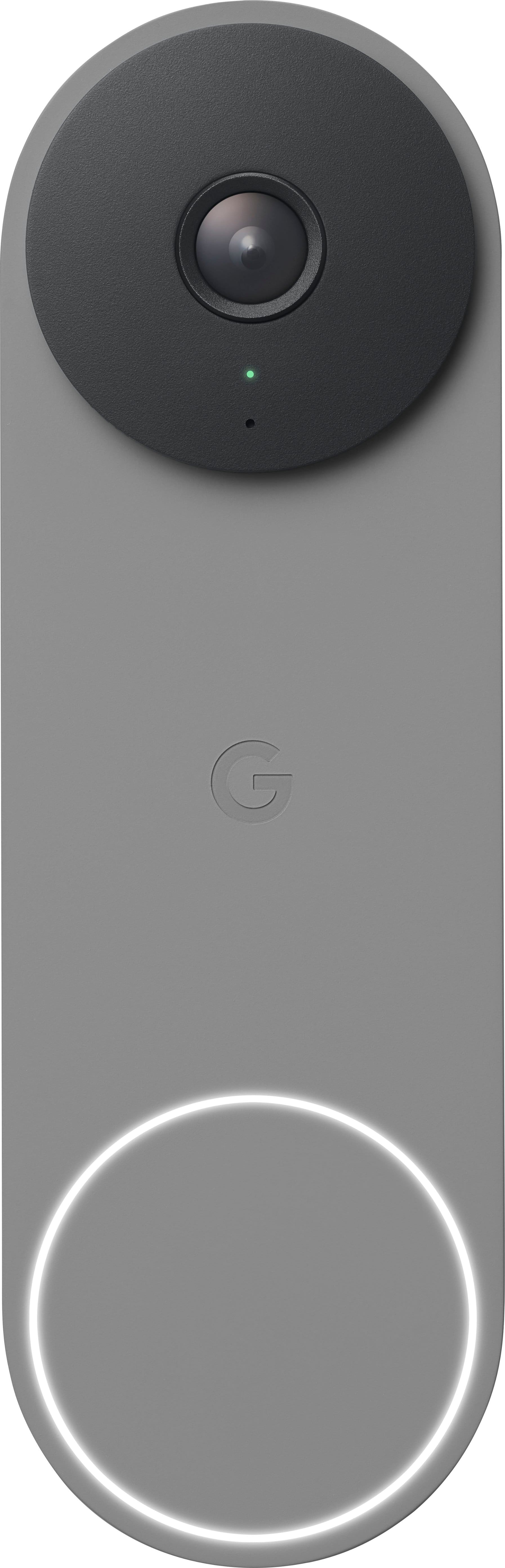
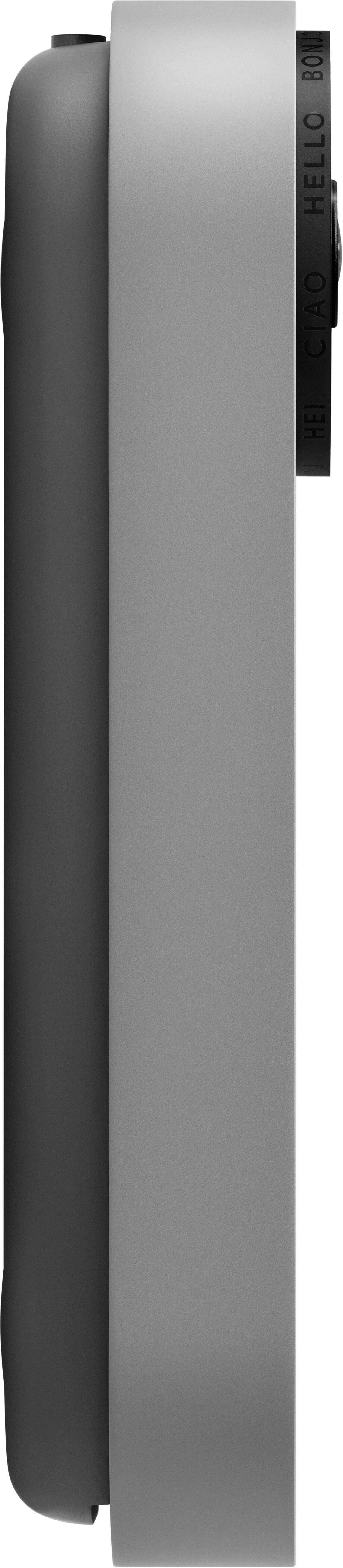
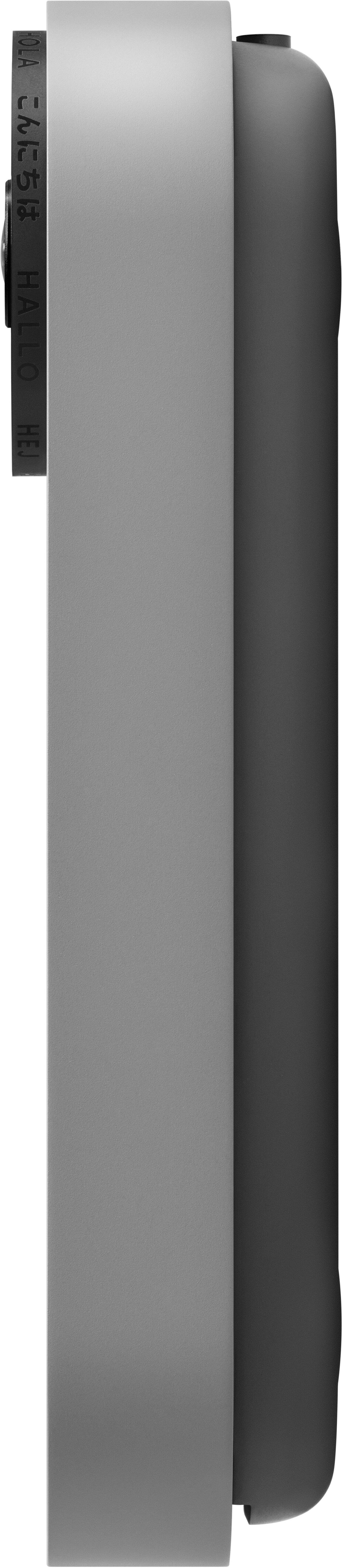
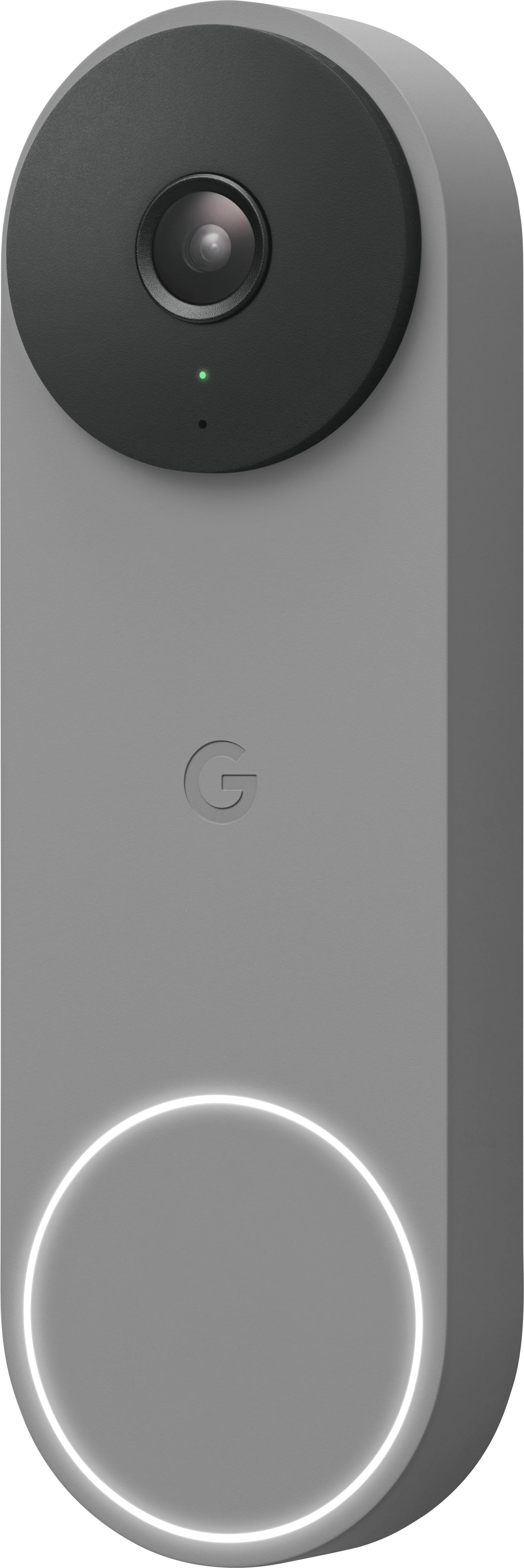

- Model:
- GA03696-US
- SKU:
- 6517933
Rating by feature
- Video Quality
Rating 4.6 out of 5 stars
- Mobile App
Rating 4.4 out of 5 stars
- Sound Quality
Rating 4.5 out of 5 stars
Customers are saying
Customers are impressed with the product's excellent video quality, ease of use, and straightforward installation. Its overall performance is highly regarded, with positive feedback also given for its design, night vision, and field of view. However, some users have experienced issues with connectivity and battery life, noting it doesn't meet advertised expectations. Additionally, compatibility with certain smart home systems and app support have been raised as concerns.
This summary was generated by AI based on customer reviews.
Nest all the way!
||Posted . Owned for 3 weeks when reviewed.This reviewer received promo considerations or sweepstakes entry for writing a review.Love this doorbell! Great value, 3 hours of cloud space included from Nest!
I would recommend this to a friendAwesome doorbell
||Posted . Owned for 1 month when reviewed.This reviewer received promo considerations or sweepstakes entry for writing a review.Install was pretty easy since I was updating from the Nest Hello doorbell. Also, the Nest doorbell has a better view of packages that get placed right underneath it.
I would recommend this to a friendGreat doorbell
||Posted . Owned for 2 weeks when reviewed.This reviewer received promo considerations or sweepstakes entry for writing a review.Easy to setup, great feature set especially if you already have other Nest smart home devices.
I would recommend this to a friendFacial recognition, person seen, package drop-off
||Posted . Owned for 1 month when reviewed.This reviewer received promo considerations or sweepstakes entry for writing a review.I like the facial recognition feature, package delivered and taken notification.
I would recommend this to a friendRing doorbell
||Posted . Owned for 1 month when reviewed.This reviewer received promo considerations or sweepstakes entry for writing a review.It works very well I’m glad we bought it now we have a doorbell for people to use where before we didn’t have a doorbell
I would recommend this to a friendNice
||Posted . Owned for 2 months when reviewed.This reviewer received promo considerations or sweepstakes entry for writing a review.I owned this product before but I had a house fired.
I would recommend this to a friendGoogle's Still in the Smart Home Game?
||Posted . Owned for 1.5 years when reviewed.This reviewer received promo considerations or sweepstakes entry for writing a review.Were you also surprised that Google's still in the smart home game? Me too! Well here's their Doorbell. It's.... meh. The Google Home app feels like it's been under construction for the past 5 years. It still feels like that. It's super clunky to use. Camera feeds load very slowly. It's not intuitive to search through saved videos or download sections of video. It is buggy and crashes too often. These aren't new issues with the Google Home app, and for that alone, I wouldn't recommend this product. If the Software doesn't work well, the Hardware doesn't matter. But let's talk about the Hardware anyways. Google took the camera and turned it sideways so it shows a tall view instead of a wide view. The claim here is so that you can see packages on the ground with only one camera (i guess some doorbells use two?) It kinda works. I never really thought that was an issue though... although it does seem like a very Google thing to tell you they fixed a problem that was never a problem in the first place. The camera quality is.... quite bad. Actually not just quite bad.. it's really bad. Google has this feature where it tries to recognize faces and you can assign names to them. The camera is so bad, it mixes up faces all the time and is EXTREMELY unreliable. You can't make out facial features all that well, colors are really dull and muted. And then there's the shell. I don't know why, but people seem to struggle to find the doorbell button. To me, it's obvious. It's a ring of light and it lights up and gets excited when you walk up to it. But no one can seem to find the button!! They all end up pressing the camera... Why do they even bother?
No, I would not recommend this to a friend1st Gen was better. 2nd gen doesn’t worth.
||Posted . Owned for 3 months when reviewed.This reviewer received promo considerations or sweepstakes entry for writing a review.I used the first gen of Google Nest doorbell for five years (2019-2024) with nest aware to save 5 days of video for $50 y. After I upgraded to this second gen I had issues with the video history and face detection. The Nest Aware subscription didn’t work with the new device. As a result. I had to change the subscription to a more expensive plan ($80), it saves just video clips, not the 24x7 video. If you like the previous version and are thinking about upgrading, I would recommend not to, or consider evaluating other door bells before buying it. Another aspect to consider is, the wired version without the 24x7 doesn’t worth. You can use a battery version to get just clips. Lastly, when someone rings the doorbell, the video delays too much to display in the Google Display or in the phone.
No, I would not recommend this to a friendBrand response from Google Nest Support
Posted .Hi there, FernandoR. We’re sorry your experience with the Nest doorbell wired 2nd gen) hasn’t been the best. Here’s some tips to get face detection and improve video delays:
For face detection:
1. Position your camera so it can see faces easily. Familiar face detection works best when the subject is directly approaching the camera.
2. Check the lighting around your camera. Check your camera’s view at different times during the day to make sure that there’s no glare from the sun or other light sources.
3. Review your familiar faces library on a regular basis during the first few weeks, especially after you add a new person.
Regarding video delays:
1. Your camera’s video can also be delayed by a slow network connection.
2. Try quitting the Home app or the Nest app and opening it again. If that doesn’t work, you can try restarting your phone or device you’re watching with.
3. The video can be delayed if your camera, phone, tablet or computer is connected to a Wi-Fi extender, which adds extra relay time to any device that’s using it. In this case, connect your camera directly to your Wi-Fi router to help reduce the delay.
We’re here to help 24/7: https://support.google.com/googlenest/gethelp?
IMMEDIATELY RETURNED IT
||Posted .This reviewer received promo considerations or sweepstakes entry for writing a review.The picture quality is awful, it’s stutters constantly and takes for ever to load the live video that the person who rang the bell is probably already gone. If you want to go back and watch the recorded video from just 30seconds ago or even 3 min ago it says video unavailable. And then once it is available, it still doesn’t load half the time. The Google Home app they make you use it with is garbage. The old Nest Hello doorbell is 100% better and uses the Nest app which is far superior. Don’t waste your money on this just get the older Nest Hello
No, I would not recommend this to a friendBrand response from Nest Support
Posted .Hi benjer95, thank you for sharing your review on the Nest Doorbell and we're sorry to hear that your experience didn't meet your expectations when it comes to the performance of the device and the Home app. Please know that your feedback here will be relayed to the right team for improvements in the products and services we provide. Our goal is to create an integrated experience and make the Google Home app as the one place you can control all your Nest and other smart home devices with the Google Assistant. If you're willing to give the Nest Doorbell another chance, we advise that you reach out to our support specialists and allow us to help you with finding a better resolution. You can contact us on our Google Help page here: https://support.google.com/googlenest/gethelp
Nope, try again.
||Posted . Owned for less than 1 week when reviewed.This reviewer received promo considerations or sweepstakes entry for writing a review.Can I buy a pixel, please? Holy terrible video, Batman. It’s like they went out of their way to emulate crappy gas station security cameras in place of their near perfect previous model. I look forward to returning it, but I hope I can find the old model somewhere ASAP.
No, I would not recommend this to a friendBrand response from Nest Support
Posted .Hi Victrix, thanks for sharing your concerns with us on Nest Doorbell (wired, 2nd gen). It’s unfortunate to hear your experience has not been ideal, and we understand your decision to return it. But if you’re willing to give the device a chance, and to consider reaching out to us for support and services, please feel free to find us here: https://support.google.com/googlenest/gethelp
- Pros mentioned:Design, Installation, Video quality

New design, small improvements, still the best!
|Posted .This reviewer received promo considerations or sweepstakes entry for writing a review.I’ve been using the original Nest Hello wired doorbell for years, and it’s been the best outdoor camera for me in that time. I was excited to finally see the new Nest Doorbell Gen 2 in a wired version, and couldn’t wait to try it out. I love the new modern design and super happy that the wired version has a smaller footprint than the battery version. The wired version is about 2/3 the size of the battery version, which is nice. Installation is super simple. I know Google recommends a PRO for installation but it really does not need one. I feel anyone can install this to their home. Google also has very detailed instructions for installation both online in videos and in the Google Home app. You will need the Google Home app to use this camera. Being a former Nest Hello user, yes I am in the majority that feel the old Nest app was far superior and easier to use and was far more functional than the new Google Home app. I’m hoping that with some time, Google updates the Home app to bring the user experience up to par or beyond what the Nest app has offered for years already. You simply cut the power to your doorbell and chime, remove the existing doorbell making sure the wires don’t fall back inside the door frame, and follow the step by step instructions to install the new Gen 2 Nest Wired doorbell and chime puck. Most homes use 16 to 24 VAC; 10 VA doorbell transformers so compatibility should not be an issue with the chime, but it’s always good to double check and confirm the hardware in your house first, especially if it’s an older home with older wiring. You can have this installed and up and running in about 15 minutes, I promise. Maybe 30 mins at most if you are a true novice at home tech. Another big difference in the Gen 2 compared to the Nest Hello is the resolution and aspect ratio. The new version uses a smaller 1.3 megapixel sensor that outputs 960x1280 at 30fps. The aspect ratio is also 3:4 so the image is taller than before and a little less FOV, down to 145 degrees. Google says that machine learning and AI create a better image, I don’t agree with that. To me the overall image quality is about the same, I do not see any great image quality enhancement with the Gen 2 over the Nest Hello, however I will say the image has a little more contrast and better exposure, probably due to enhanced HDR. I liked that the Nest Hello used a 4:3 aspect instead of 16:9 that most other doorbells use, because you do get much more image and FOV to see more of the door area, including packages on the ground, and I feel like the move to 3:4 aspect improves on that. This is a doorbell camera so I want to make sure I see everything I can outside my door, and after using the Gen 2 for a week, I love the new taller aspect ratio. Notifications and alerts seem to be improved over the Nest Hello. Response times are quicker which is amazing because the Nest Hello was the king at providing on time, super-fast and relevant notifications compared to competitors that I’ve tested. So the fact that the Gen 2 is even quicker and more accurate is wonderful. I definitely recommend going into the Google Home app and configuring notification zones and notification alert triggers like people, pets, noises, etc. if you don’t want to be bombarded with alerts. This thing will pick up and alert you to anything and everything, or nothing, or just the right balance of what you select and identify in the app – I love the amount of customization you can give the camera alerts and they work perfectly for me. I also subscribe to Nest Aware, so I get 24/7 continuous video recording and 30 day continuous video recording history. The great thing about the Gen 2, is like the wireless version, you get up to 3 hours of onboard video history without Nest Aware and you can record up to 1 hour of clips in the event your Wi-Fi or power goes down. The face recognition feature also seems improved and more accurate, which is great. And if you have Google home products around your house, you can have them announce who is at the door. I would have loved to see the new Gen 2 Wired doorbell offer more video resolution, not less. Its great that the video quality is at least the same or slightly better than what I had already with the Nest Hello, but the Nest Hello is years old already and offered 2K resolution. I think the Nest Gen 2 wired should have offered 4K at 30 FPS. I also would have liked to see Wi-Fi 6 onboard, but it still uses Wi-Fi 5. These are deal breakers at all, but it would have been nice to see Google set the bar much higher with the Nest Gen 2 wired in the doorbell category than just aiming for “good enough”. Even with that said, I think the Nest Gen 2 Wired is the best video doorbell on the market and would highly recommend.
I would recommend this to a friendBrand response from Nest Support
Posted .Hi HarvickFan, thanks for being a long time Nest user, and for sharing your feedback and thoughts about the Nest Doorbell (wired, 2nd gen). We're glad that you find it the best video doorbell. But we’re sorry to hear that it has not exceeded your expectations.
We’re aware that longtime Nest users enjoy having the option to view their Nest camera feeds from the web, and we are working on adding this experience. However, our priority with this launch was building a complete experience for our new cameras and doorbell in the Google Home app. That said, users with older cameras, like you, can view your camera feeds in the Google Home app alongside the new Nest Doorbell and Nest Cams. Our team is working on bringing full functionality to the Google Home app so all of your cameras can be set up and controlled in one place.
We’d be happy to share your feedback about the video resolution, and the wireless connectivity, along with the right team for future improvements. And if you run into any concerns around the features and functionality of the Nest doorbell, you’re always welcome to visit us anytime at: https://support.google.com/googlenest/gethelp
- Pros mentioned:Design, Ease of use, Video quality
Great Video Doorbell
|Posted .This reviewer received promo considerations or sweepstakes entry for writing a review.I received the Google Nest Doorbell Wired 2nd Generation in Snow color. It was very easy to setup, I was up and running within 10 minutes. It has a very sleek sophisticated design, sturdy and well made. It is hardwired for installation with existing doorbell wiring for power, has a 145° diagonal field of view and 3:4 aspect ratio for full body visibility of guests at your door. It is Motion-activated so sends you alert right to your phone and differentiates between people, animals, packages, and vehicles, The video is very crisp and clear, also has two-way audio via built-in speaker and microphone with noise cancellation. It works with the Google Home App, so you will have to download it as it will not work with the Nest App. It captures up to 3 hours of event video history (Nest Aware subscription required for longer event video history storage). It is also compatible with Google Assistant and Amazon Alexa for seamless voice control. I would definitely recommend to anyone looking to get a video doorbell.
I would recommend this to a friend Google Doorbell
||Posted .This reviewer received promo considerations or sweepstakes entry for writing a review.Limited use to date but working as expected. Appears sturdy.
I would recommend this to a friend- Pros mentioned:Installation, Video qualityCons mentioned:Size
Finally 24/7 Nest Aware+ Recording is worth it?
|Posted .This reviewer received promo considerations or sweepstakes entry for writing a review.Google Nest has finally come out with a new wired alternative to their battery powered Nest Doorbell. This is something I have specifically been waiting for and am glad to be able to talk about the difference between the two devices. Right out of the box, I love the simple packaging. I love the styling. I noticed that the wired doorbell is shorter than the battery version ( 5.1" vs 6.3"). It is still very similar in styling and even comes with it's similar install instructions and accessories to mount your doorbell. Installing the doorbell was a breeze. I already had the battery version mounted prior and because this new wired version is shorter, the mounting hole do not line up with the previously drilled holes. That was a bummer but everything else was a breeze. Being able to use the Google home app to get everything connected was nice. Google Home app is actually easy enough to navigate in and it even shows you an initial video to get everything connected just right. Different from the battery model, this wired version comes with a chime adapter that needed to be connected to our mechanical door chime. It isn't needed if you are going to only use your Google speaker devices. Video quality and aspect ratio is great. Night time viewing is decent. Microphone clarity is good enough. To take advantage, you will need the subscription that offers a 30 day recording option with Nest Aware and a Nest Aware Plus option that includes 60 days recording plus 10 days of 24/7 recording. Currently they are priced at $60/$120 a year. I recommend you at the very least get the Nest aware subscription.
I would recommend this to a friend - Pros mentioned:Installation, Video quality
Cosmetic upgrade, functional downgrade
|Posted .This reviewer received promo considerations or sweepstakes entry for writing a review.When the original Nest doorbell came out, I immediately bought it, since we are deep into the Google ecosystem. It was crystal clear (4k) and had a nice wide field of vision, along with crisp night vision. Since we operate a home business, it is essential to stream live so we could see visitors/delivery people before and after they ring the doorbell. Unfortunately, the finish of the gen1 became brittle and started cracking around the camera button and lens housing. It also “rebooted” when pressed since it relied on an internal battery to provide a surge of power when it rang, providing a temporary boost to ring the mechanical chimes. The rebooting meant when someone pressed the doorbell, you couldn’t see the video since the doorbell rebooted due to a failed (and swollen) internal battery. When Google came out with the gen2 battery powered doorbell, we immediately dismissed it since we rely on the 24x7 video stream. Google then released this wired version, which finally became a legitimate upgrade path for us. Installation was simple and we appreciated the new rubber spacers, which provided more room to tuck the wires behind the doorbell. Setup was straightforward, aside from me thinking the Nest app was the way to set-up (it isn’t, you need to use the “Home” app, which is a bit of a mess). Installed the chime connector, tested everything and was up and running in about an hour. We subscribe to the Nest Aware service, but this has a “free” 3-hour video history for those with subscription fatigue. First impression is that it looks great on our wall. The white finish doesn’t show fingerprints like the gen1 did and overall looks “cleaner”. One thing that immediately became apparent was the field of view…it a 960p portrait crop vs. the 4K wide landscape view of the gen1. This is pretty annoying as when it’s streamed to a Nest Home Max, it has huge black bars on the sides, kind of like when someone records video in the portrait orientation. Functionally, it works great, picking up familiar faces and is responsive when pressed. Daylight resolution is nice and crisp but night vision looks little “smeary” with detail. As mentioned earlier, the forced portrait aspect ratio is certainly a downgrade (for us), but should be good enough for its intended purpose as a video doorbell. Google says they tuned the software and implemented machine learning, which, while not immediately apparent, should be superior to the 1st gen. Bottom line is we are thankful Google finally made a wired version of the gen2 hardware, but ultimately kind of miss the original one. In the end, it doesn’t really matter since we are so deep into the Google Home ecosystem and needed new hardware, making this the only upgrade to the gen1 wired doorbell. This model would be a 10/10 if it included the same (or similar) 4k wide-view camera. As a Google ecosystem household, we would still recommend this doorbell, but do hope Google puts a better sensor in their next revision. Pros: * Improved external cosmetic appearance/design * Loud and clear audio/speaker * Easy to install, especially if you are coming from the gen1 doorbell * Camera quality is very good * Remote chime puck is 2-wires vs 4-wires on the old one (easier to install) * Lower price * Free 3-hour event video history Cons: * New 960p crop sensor means no more landscape video * Feels like a "side-grade" vs an upgrade (to the 1st gen model) We would buy it again, but would prefer a 4k sensor in the new hardware, even at a higher retail price.
I would recommend this to a friendBrand response from Nest Support
Posted .Hi Tolley, thanks for taking the time to share your feedback about the Nest Doorbell (wired, 2nd gen). It’s unfortunate to hear what happened with your previous Nest Hello, and we’re sorry to hear that the new doorbell didn’t meet your expectations.
Pixel count is only one factor that impacts video quality, and it shouldn’t be the only deciding factor when choosing a camera. Nest Doorbell has HDR video quality that’s optimized for a clear view in bright sun or dark. And we designed the new Nest Doorbells to have a taller, 145° diagonal view, so you can see people in full, and deliveries left on the ground stay within view, unlike other video doorbells. Luckily, the Nest Doorbell (wired, 2nd gen) comes with a wedge that you can use to adjust the doorbell's camera angle if it's located in a corner. And it can angle your doorbell horizontally up to 20°. To get the camera view you want, you have to adjust the doorbell’s position by hand. Use the Home app to check the camera’s view so you can adjust the position from the mounting plate or wedge if you need to. To use the wedge for a better camera view, make sure to install the wedge then position the baseplate plate over the wedge with the G positioned upright and use the wedge screws to secure it in place. We’re also focused on giving our customers value for the price, including three hours of event history right out of the box for the first time ever. On-device processing also gives our customers smart alerts and Activity Zones, which historically have required a subscription.
Feedback like this helps us better understand our customers’ preferences and needs, we’ll make sure to share this along with the right team for future improvements. Meanwhile, if you find yourself in need of any assistance, please contact us anytime here: https://support.google.com/googlenest/gethelp
- Pros mentioned:Video quality
Great Smart Doorbell Camera
|Posted .This reviewer received promo considerations or sweepstakes entry for writing a review.This new Nest doorbell with video is great because it is hardwired and there is no battery replacement or recharging. No battery adds more peace of mind and saves me my most valuable resource, time. I don’t need the 24 hr x 7 day video recording, which is a paid service of Nest Aware Plus Subscription, because the free 3 hours of video history is enough for my needs. I have an Android phone and use the Google Home App, which makes the installation and setup process very easy. Before installation, the doorbell transformer and chime, located near the power panel or doorbell box, must be rated at or between the ranges of 16-24VAC and 10-40VA. My transformer was next to my power panel, and it had a 16/10VA rating. If you already have an existing doorbell, all you will need is a screwdriver. Most of the time, this will not be the case for most homes, but if the old doorbell holes don’t align with the Nest doorbell plate, you might need to drill new holes. For some strange reason, my internet goes out on me once or twice a week for a few minutes; this new Nest doorbell is excellent for internet outage issues because it has internal storage that can record about one hour’s worth of video. I got this doorbell in early October, and I was able to try its seasonal theme chimes, "Halloween." So, when someone presses the doorbell, they hear the theme or tone. In October there is also "Diwali", and I guess this changes based on the season. The details of the images are great, even in darker lighting. The microphone works very well with both live and recorded audio. In the settings, you have the option to deactivate the mic. This turns it off for both live and recording. I always keep it on, so when I want to watch it live I can hear what is going on. The audio recording records both the visitor and whoever is talking to the visitor. Audio recording can also be deactivated. The camera volume can be adjusted, and at the highest volume, the sound doesn’t get distorted. The camera has infrared LEDs night vision for when there is low light, which I have not tested because my front door lights always turn on when it gets dark. The drawback of infrared LEDs' night vision is that the video turns out black and white. Night vision can be adjusted as "Always on", "Auto (default)", or "Off". I created an Activity Zone for specific types of alerts and I am impressed with how it can detect deliveries, persons, and packages. As you can see in the submitted image, I got a message with my package activity at my front door; the alert message was "Package no longer seen-Zone 1, Front Door Doorbell." Note that this device does not include the indoor house chime. Also, my existing doorbell chimes no longer sound when the Nest Doorbell button is pressed. When someone is at the door, you will get an alert on your mobile device or any compatible smart speaker. This is no issue for me because my dog always alerts me when someone is at the front door. My dog's barking alert works all the time, even when the power goes out or when the internet is interrupted. Overall, I am highly satisfied with this new Nest Doorbell camera. It works great without the subscription option, which gives three hours of event history. The video quality is very good and it does a great job of detecting persons, package delivery/pickup, and cars.
I would recommend this to a friend - Pros mentioned:Design, Installation
5 Minutes to install a lifetime of security
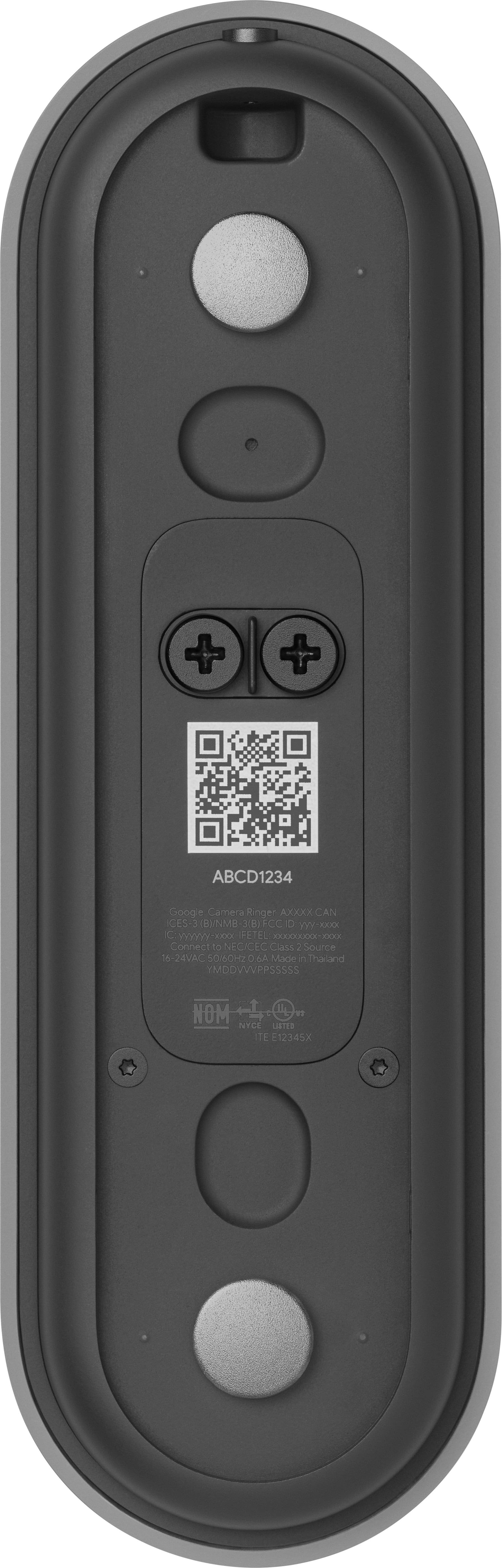
|Posted .This reviewer received promo considerations or sweepstakes entry for writing a review.Conclusion: The Google Nest Doorbell (Wired) second generation took 5 minutes to install while watching the video on how to install it is 11:10 (check Google's YouTube video on how to install it) Nest team did think of everything, and I mean everything when designing this mighty doorbell camera. the contents of the box include: Nest Doorbell base plate 20 degree wedge if your doorbell button is facing a less than optimal direction Chime puck to connect your chime to the nest system hex key 2 wall screws and anchors 2 spacers for not so even walls extra security key window decal to scare off thugs quick start guide safety & warranty info. setup: 1- install Google Home app - add new devise in app- Nest Doorbell wired - scan QR code on camera and follow the instructions. 2- Turn off electricity for the chime box. Go to your chime box, follow the app instructions or the youtube video and connect the chime puck (2 wires) to the chime box connectors. this step takes 2 minutes max. 3- go to your doorbell. unscrew old door bell, connect wires coming out of the wall to the nest wired DoorBell. secure door bell t wall. screw in the security screw to fix the doorbell to the baseplate. 4- turn on eectricity, follow the rest of the steps and test your doorbell in the Google Home app. all in all installation took me less than 5 minutes. design: the Google nest doorbell wired looks very simple and elegant. it also looks like its well made. Features: this is where this shines. - I was able to setup visitor announcements through my Google assistant devices like the home or the display. they do announce when someone rings the doorbell. - I am able to see my doorbell live feed on my Google Display and my next Display and on the new Google home web page. - you can set quick responses and quiet times to avoid getting notified about not so important notifications during the evening hours. - I was also able to create activity zones to exclude notifications for activities am not interested in. - with no subscription, you are able to view the last 3 hours of EVENTS in your Google home app. this is helpful and I think long enough if you dont want to opt in for a subscription. I love how easy and intuitive the Nest Doorbell wired is and how easy it is to integrate it into the Google home ecosystem.
I would recommend this to a friend - Pros mentioned:Video quality
Great Doorbell; Wonky Installation Process
|Posted .This reviewer received promo considerations or sweepstakes entry for writing a review.TL;DR: - DIY installation took me an hour. The last version took about the same. Each time the process was a major bummer, but for different reasons. - Google really should have included a flush mount/extender rather than the weird padded spacer things it did include. - the video, face recognition, audio recording, and streaming are outstanding and use the Google Home app, integration with video Google Home devices is wonderful Longer Version: The deceptively small box for the Google Next wired smart doorbell contains a huge amount of frustration and pain during installation, but once it's done, you'll wonder why you didn't have one years ago. Our house is not particularly hard to install things on; we have siding which is easy to drill into, good wiring to connect into, and all the pre-requirements like a transformer and chime that have the correct ratings and connection points. Where things went sideways: taking off my Gen 1 doorbell, the wires got caught and I had to shorten them a smidge. Thankfully, Google thought about this by including a no-fuss wire attacher/connector kit. Unfortunately, they didn't think about how to mount the whole thing flush to the wall while utilizing it. You cannot hide the extender in the casing and you shouldn't shove your doorbell wires further into the wall recess. So... what to do? Google provides two 1cm wide padded spacer things. If you use them, your doorbell wiring is open and exposed (along with the accompanying hole into your house) behind the doorbell. Not cool. If you can opt for the angled bracket, you can actually avoid this scenario, which is what I did, but not every home will be able to do this. It's a process/security flaw which creates a methodology for a prankster to easily snip your doorbell wiring. They'd be on camera while doing so, but not for long. If you can afford the "Pro" installation, go for it if only to save yourself the headache. Once you actually have the darned thing mounted, the software really shines. The Google Home app does a great job interconnecting devices, the one downside is that there doesn't seem to be a way to put the live video as a default view on the home screen or to customize the layout. So to see who's at the door requires an extra step that it shouldn't (unless you have a Google Home video screen device and fast WiFi to show the stream nearly instantaneously). The Nest cameras seem to always record good video, even at night, and the sound quality is typically very good except in hyper-windy conditions. The storage and playback is easy to access and monitor, and the facial recognition is very good. The depth and awareness settings for alerts are easy to tailer for different "events" and you can even set zones for activity monitoring. First smart doorbell? Definitely worth it. As far as an upgrade from Gen 1? Not a huge imperative to dive in now unless your 1st Gen is failing. In terms of upgrading from a different kind of smart doorbell? Probably a good bet. A quick side-note: while I didn't have to use it on this particular device, Google's customer support and replacement program for outdoor Nests is pretty darn good. Given that these devices are outside in crazy conditions, you want that peace of mind, and Google definitely delivers. I found that whole process easy when needed.
I would recommend this to a friendBrand response from Nest Support
Posted .Hi there NickAtWTF, thanks for sharing a detailed review of Nest Doorbell (Wired). It's great to hear that you liked the video quality, face recognition and streaming capability, including some of the features. However, we're sorry to hear that you had a frustrating experience setting it up. We'll certainly consider the details of your feedback and your suggested areas of improvement since we're always on the lookout for ways to improve our product offerings and services, especially with the issue you had with the spacers for your Nest Doorbell. We'd love to help you out with any other support concerns you may still be having. We have a dedicated team of support specialists, ready to help you. Please consider visiting the Google Nest help page to reach out to us. Here's the link: https://support.google.com/googlenest/gethelp
- Pros mentioned:Ease of use, Video qualityCons mentioned:Size
Easy Installation - Bigger Field of View
||Posted . Owned for 3 weeks when reviewed.This reviewer received promo considerations or sweepstakes entry for writing a review.Bought this to replace an original Nest Doorbell that quit working. I was surprised how much bigger this doorbell was than the 1st generation. Hardware installation was very easy and I like using the Home app to view the video. Unfortunately my other NEST products use the NEST app so I do have to switch back & forth between the apps. I really like the wider (taller) field of view over the previous generation. And the picture is much brighter (so bright that is stays in color even at night just from the street lights). Too bad they didn't update the video resolution like many of the competitors are doing. I recommend this doorbell - especially if you have other NEST products. If you don't have any other NEST products, you may want to shop around a bit to see competitors with higher resolution.
I would recommend this to a friendBrand response from Nest Support
Posted .Hi there Gadgetdad, thanks for choosing Nest Doorbell (Wired). We're glad to hear that you had an easy time installing it and that you liked the taller field of view, including using the Google Home app. However, we're sorry to hear about your concerns with your older Nest cameras that you're currently using with the Nest app. If you're willing to try, you may set up your older Nest cameras to the Google Home app. Check out this help article to learn more: https://support.google.com/googlenest/answer/9893532
We also appreciate your recommendation, and if you need any help at all with any of your Google Nest products, please feel free to reach out to our support team here: https://support.google.com/googlenest/gethelp
- Pros mentioned:Overall performanceCons mentioned:Connectivity
Real honest review
||Posted . Owned for 1 year when reviewed.This reviewer received promo considerations or sweepstakes entry for writing a review.I don’t know if I got a dud or not. But I would constantly have connection issues or google home app issues. Not only that, I had issues with setting up the device and I had to reach out to support because it wasnt detecting. BUT when it did work, it would work phenomenally, amazing, perfect couldn’t complain. Very streamlined with my other google products to make it a smart home. I would say the camera quality could be better by angles and picture, otherwise night vision is better than Ring and smooth interface compared to Ring. Also detects people, packages better than Ring AND I love that I can customize the doorbell sound for holidays (to be ✨extra✨).
I would recommend this to a friend