Customer Ratings & Reviews
- Model:
- GA05551-US
- |
- SKU:
- 6587695
Customer reviews
Rating 4.6 out of 5 stars with 416 reviews
(416 customer reviews)Rating by feature
- Value4.4
Rating 4.4 out of 5 stars
- Quality4.7
Rating 4.7 out of 5 stars
- Ease of Use4.7
Rating 4.7 out of 5 stars
Customers are saying
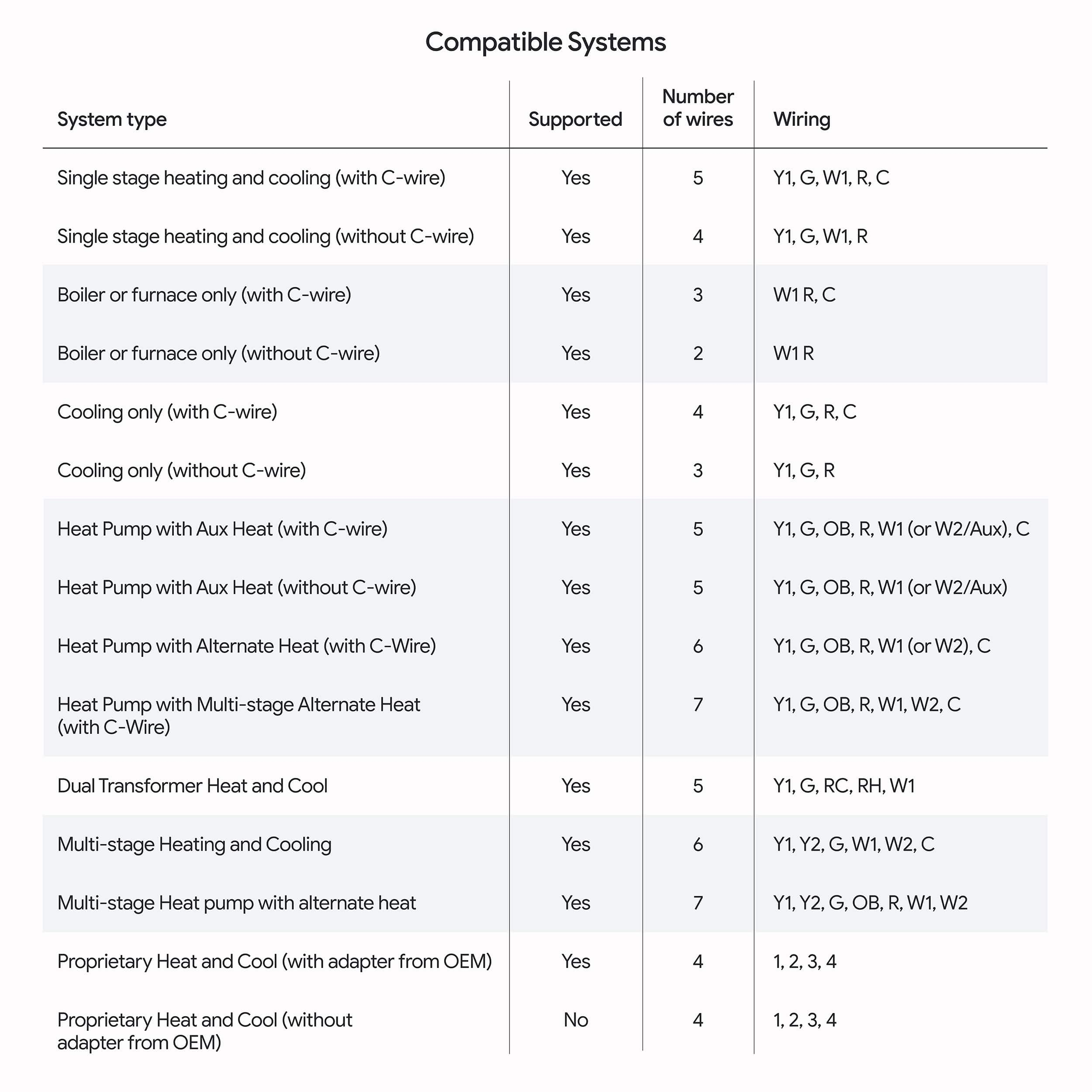
Customers often highlight the Nest Learning Thermostat's overall performance and ease of use as significant advantages. The design and temperature sensor are also well-received, with users appreciating their modern aesthetic and functionality. Installation is generally considered straightforward. However, some users have reported connectivity issues and uncertainty regarding compatibility with other Nest products.
This summary was generated by AI based on customer reviews.
Rated 5 out of 5 stars
Great Smart Thermostat!
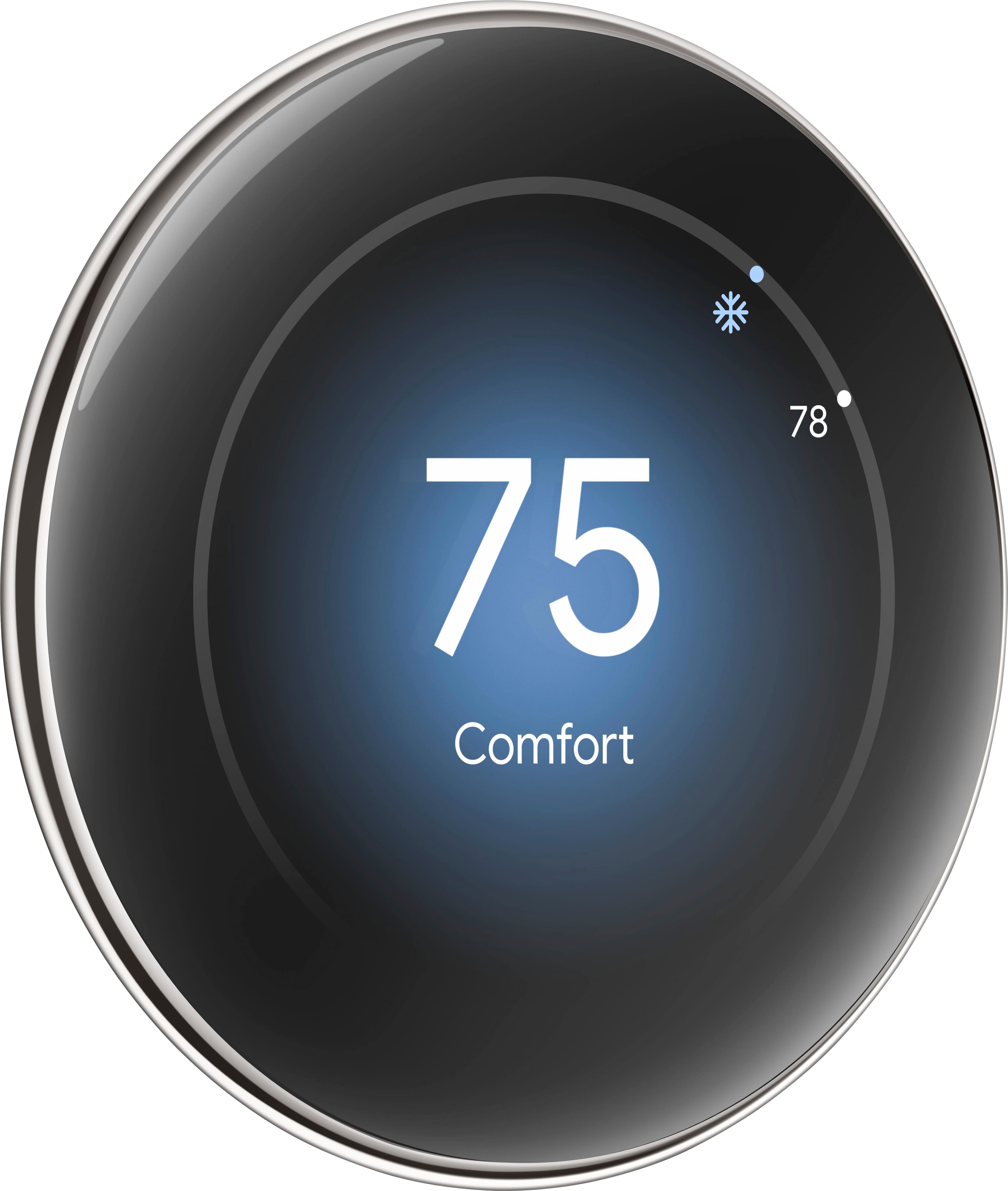
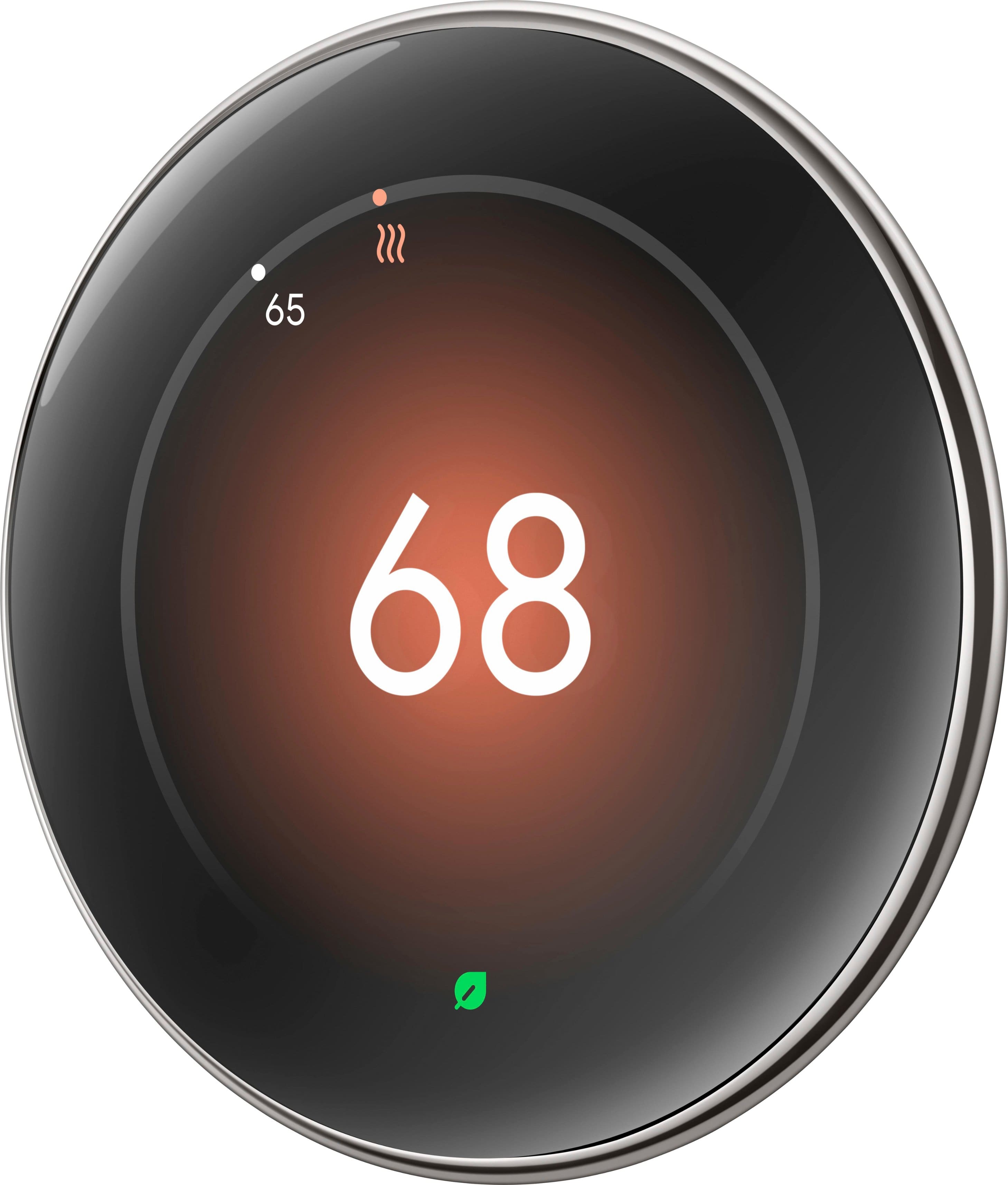
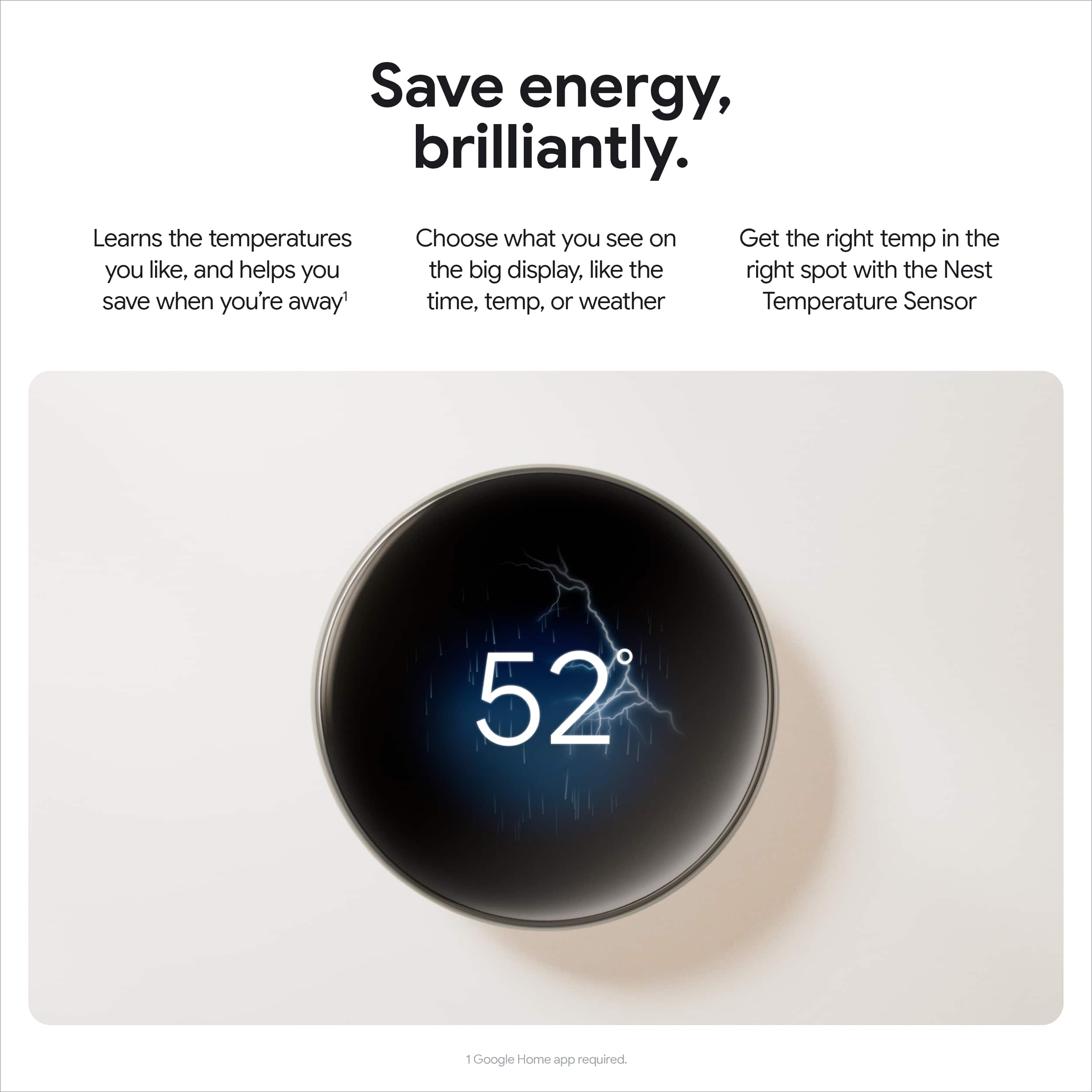
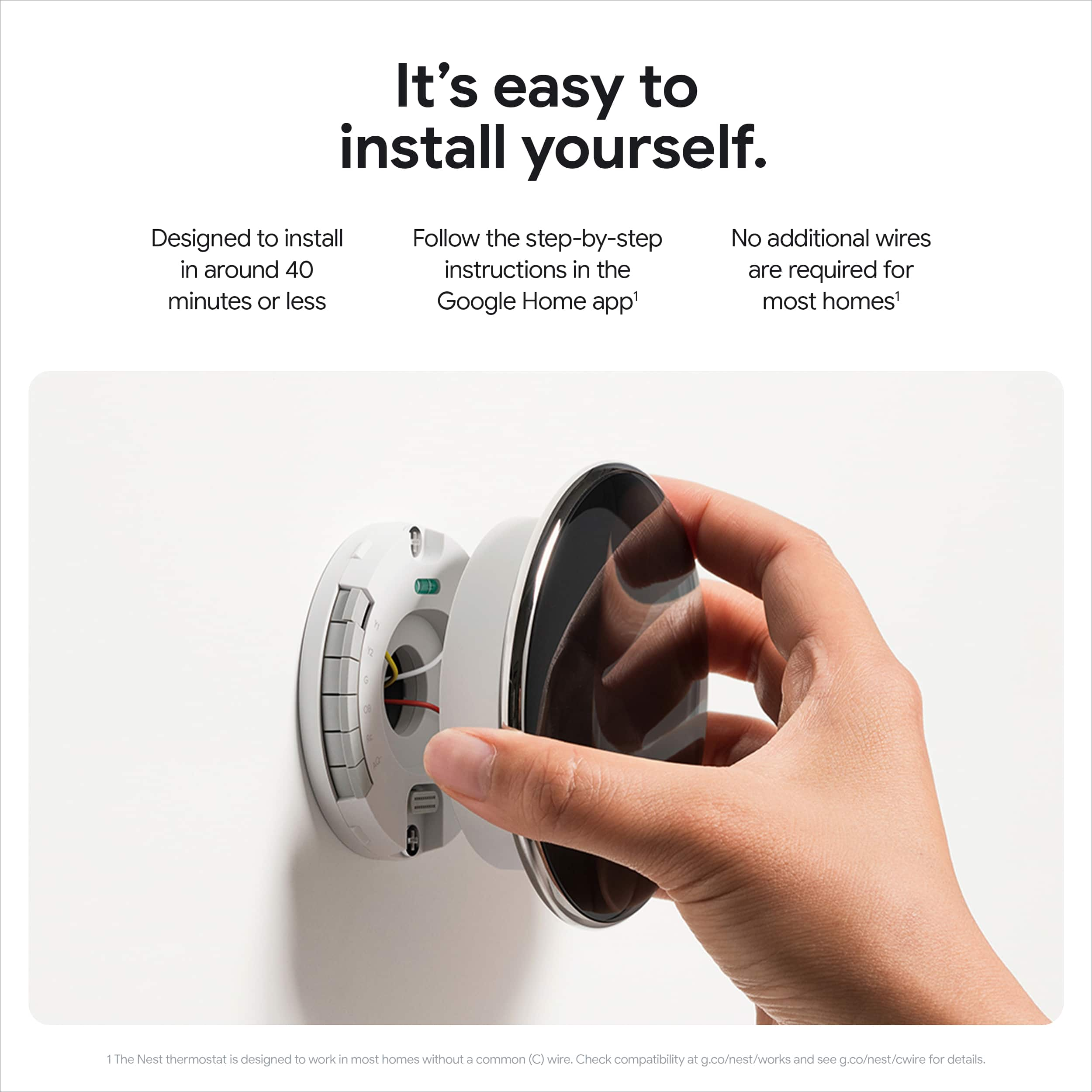
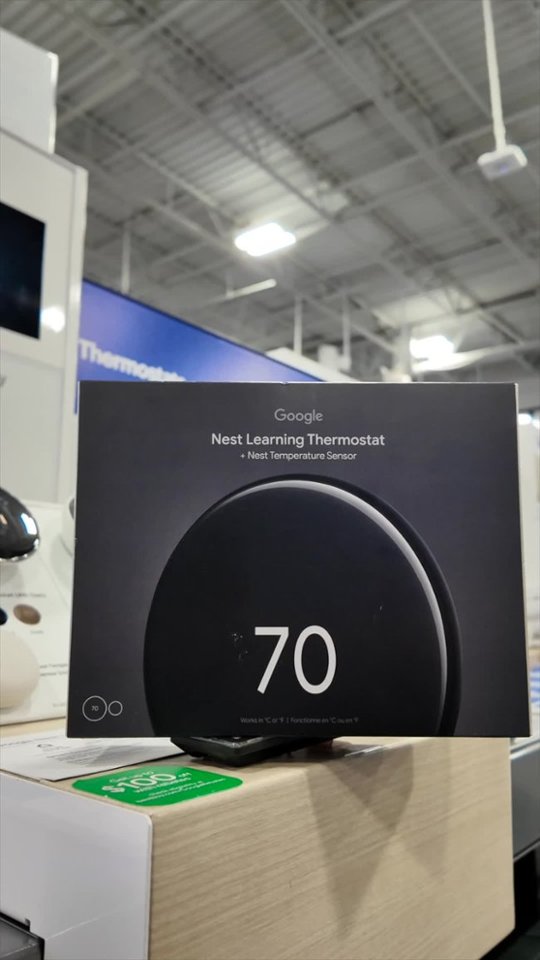
|Posted .This reviewer received promo considerations or sweepstakes entry for writing a review.I was replacing a Nest 2nd Generation thermostat with this new 4th generation and it is a stunning upgrade! There wasn't enough difference in the 3rd gen to justify an upgrade, but if you have an older model, or a different brand, I highly recommend checking out the Nest 4th gen. I don't think there's another product on the market that looks as sleek or modern as the Nest. This new generation ups the ante with a larger screen and almost no edges. But if you're used to Nest, don't worry, the outside edge still physically turns to change the temp or navigate the menu, and it still uses the "push to click" method. Nothing new to learn for seasoned Nest owners! Installation was extremely easy coming from another Nest. I took a quick picture of which wires went where, but they still had the tape tag from the last install (yes those are included here as well). The base was slightly different from the old one, but the screws went in the exact same location, saving some time and holes in the wall. Overall, I was up and running within 10-15min, including uninstalling the old one. Very simple and intuitive setup process for most. The great thing about this new model is the ability to choose what you want to see when approaching the unit. There are several "faces" that include temperature, weather, time, or an analog clock face. No doubt Google will introduce other faces over time, but I would love to see holiday themes (If you're listening Google). I went with the weather app because it's beautiful to look at as you approach and still provides all the information, just with a nice background. The new model has advanced learning and is fully integrated into the Home app. The 2nd gen I'm replacing still needed the old Nest app for full functionality. It learns over time and should save you some money by eliminating un-necessary heating or cooling when you're not home. Personally, I prefer to control the temp but having been in the smart thermostat ecosystem for over 10 years, I have experience with what works for our home. Overall, I love this thermostat as an upgrade or as a replacement for another system. It is well thought out, easy to install and easy to use. Highly recommend!
This review is from Google - Nest Learning Thermostat (4th gen) with Nest Temperature Sensor (2nd gen) - Polished Gold
I would recommend this to a friendRated 4 out of 5 stars
Installation issue but otherwise great
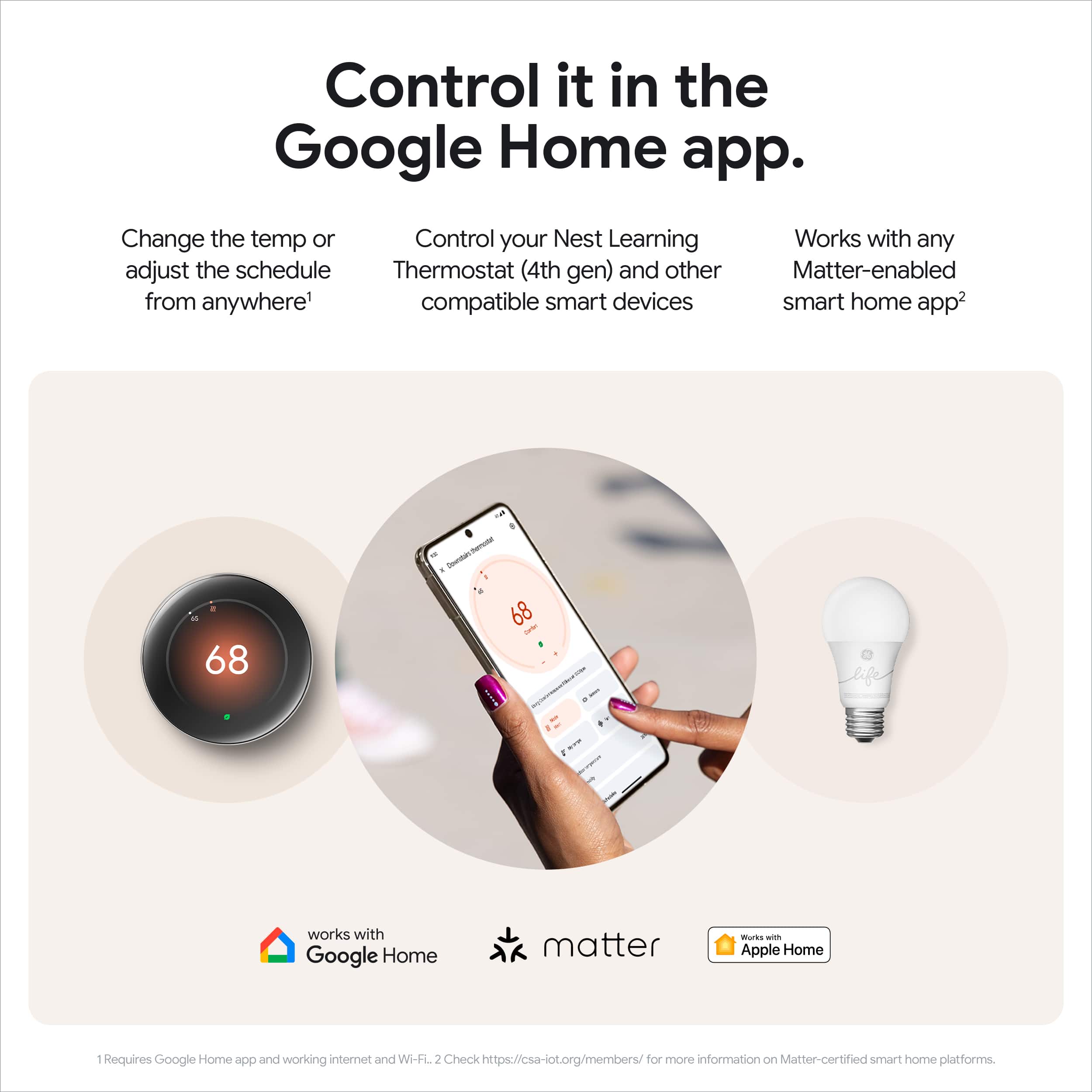
|Posted .This reviewer received promo considerations or sweepstakes entry for writing a review.I got the fourth generation Google Nest smart learning thermostat to replace an older “dumb” thermostat that was originally installed in my house, partially for the potential energy savings and partially because this was one of the few areas of the infrastructure of my house that wasn’t automated. Now that the Nest has Matter built-in and is compatible with HomeKit and Alexa, I decided the time was right. Opening the box, I was immediately impressed with the size of the screen and the color finish (I got the gold). The initial installation was relatively easy if you have some minor DIY skills and tools. The Google Home app basically walks you through everything you need to know to get up and running. In total, it probably took 10 minutes for the install and then another 10 for the ubiquitous software update to complete. Adding on the room sensor took just a couple of more taps and maybe 5 minutes. But unfortunately, that’s where the easy part stopped. Even though the compatibility checker said the Nest would work with my system without any problems, I almost immediately got a “low power” notification and was guided to order the Nest Power Adapter (which thankfully Google provides for free with the purchase of a new thermostat). It took several days for the adapter to arrive, and I was quite nervous because of the dire warnings about malfunctions, etc. which Google said can occur when there is insufficient power to the thermostat, and it was nearly 100 degrees outside that week. Luckily, I didn’t run into any operational issues during that time. Unfortunately, I had to call in an HVAC contractor to ultimately get the power issue fixed because installing the power adapter inside the unit was more than I wanted to tackle. (He ended up running a new C-wire instead of using the adapter.) I wasn’t really counting on that extra delay and cost so that left a slight sour taste in my mouth. Beyond the installation issue, everything else has gone quite smoothly. The mirrored display is large and sufficiently bright for my taste. I wish it was a touchscreen, but that’s not a deal breaker. I really like the way the display shows different things depending on how far away you are when it senses you walking by. You can customize the various screens to fit your preferences too which is a nice feature. Everything is done through the Google Home app which isn’t my personal favorite, but once I set up my initial schedules/routines, I basically do everything by voice now so it’s not a huge deal. You can change things through HomeKit but I found it easier to just go to the source for the main stuff. Your mileage may vary. Of course, for quick and easy temperature changes while you are home, you can simply turn the outer ring to set the temperature where you want it. I have found making these small changes several times a week helps the AI learn fairly quickly how warm or cool I like my house at various times throughout the day. In fact, in the last week or so, I haven’t touched it and it has set up a pretty good routine on its own. Once I got over my initial stress and disappointment in the installation process, I have become a big fan of this thermostat. It looks sleek and modern on the wall, should save me some money, and appears well-built enough to last for many years.
This review is from Google - Nest Learning Thermostat (4th gen) with Nest Temperature Sensor (2nd gen) - Polished Gold
I would recommend this to a friendBrand response from Google Team
Posted .Hi Chadwick, thanks for sharing your detailed review of the Nest Thermostat 4th generation. We're glad to hear that you're impressed with the sleek design, features, and energy-saving potential.
We understand that the installation process wasn't as smooth as expected because of the power adapter issue, and we apologize for the ensuing inconvenience. We're always working to improve the installation experience for our customers.
It's great to hear that you've been able to customize the thermostat to your preferences and that the AI is learning your habits. We're happy to hear that you're overall satisfied with your purchase, and we sure appreciate you being our customer!
Rated 5 out of 5 stars
Worth every penny
|Posted .This reviewer received promo considerations or sweepstakes entry for writing a review.I was a little hesitant about installing this thermostat by myself because I had the last one done by my HVAC guy. But unboxing the new Nest Thermostat then watching videos I felt much better about being able to handle it. The short is, even if you have very little diy skills, Google install app and the added videos available, anyone can do this. In the box comes with everything you need to install. Came with a large base plate which was really handy for me and one of things I had a little concern about. My previous thermostat was a rectangular shape and much larger than the Nest. I was worried about the imperfections on the wall once I removed it. But with the included base plate, I was able to cover the entire space of the old thermostat. Included as well is a separate temperature sensor that can be placed in a different room. Didn't know I needed this until I used it. I have a patio room which is always hotter than the rest of the house. Using the Nest, I noticed that the extra sensor has helped keep the patio room cooler a little more consistently. Multiple sensors can be added to the thermostat so I probably will get at least one more for the bedroom. Installation is really easy with the app showing step by step instructions. The interface is the best I've ever used. There is a lot so it took some time to go through all that the thermostat can do. I love the weather display, it's really cool. But the greatest thing with this thermostat is the physical knob that you can rotate to change temp. I'm old school and prefer physical buttons on certain things. It was very satisfying to be able to change with just a turn. One more thing, it was something I really didn't think I cared for too much but found out how much I really cared, LOL. This thing is beautiful. The polished bronze looks so darn nice on my wall. I can't help but admire it. Guests has already noticed it right when they come into the house. I never thought I could be so happy over a thermostat. LOL.
This review is from Google - Nest Learning Thermostat (4th gen) with Nest Temperature Sensor (2nd gen) - Polished Gold
I would recommend this to a friendRated 5 out of 5 stars
Another Nest Hit!
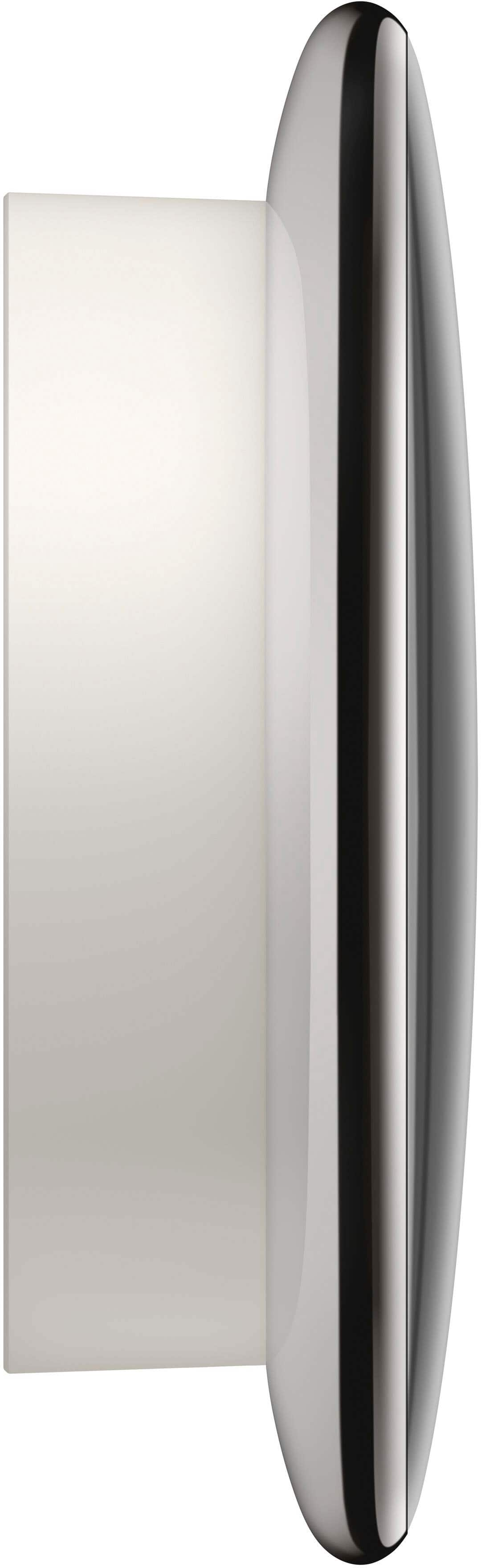
|Posted .This reviewer received promo considerations or sweepstakes entry for writing a review.I have been a Nest customer since Gen 1 and this is a solid progression In my house years ago, I installed a gen 1 Nest thermostat and loved the automatic scheduling benefits When we moved into our second home, of course one of the upgrades was from a traditional thermostat to the Nest Gen 2 and loved the improved appearance When we moved to our current house in 2017, of course a pair of gen 3 Nest thermostats were part of the smart home upgrade Now we are in the same home with the gen 3 and the gen 4 comes out so I decided to replace 1 of them to see if it was worth it Installation was a breeze since I was just doing a replacement Set-up was also just as easy since I already had an account and I am familiar with the user interface The look took another step forward keeping it contemporary but still having a futuristic look. The heft of the base also has that sturdy feel I have been using it about a week now in the Texas summer and I am impressed. It seems or appears to know more about the weather than the last model and reacts quicker. This could just be the app upgrade but compared to the other unit I have, it seems more intuitive Overall I am very happy with the upgrade, and plan to do the other unit in a few months
This review is from Google - Nest Learning Thermostat (4th gen) with Nest Temperature Sensor (2nd gen) - Polished Gold
I would recommend this to a friendRated 5 out of 5 stars
Great Thermostat
|Posted .This reviewer received promo considerations or sweepstakes entry for writing a review.To begin I did not like the fact that I have to have someone come to the wiring for me. I should have been given a "heads up" that I would have to hire a professional to install and no instructions on how to do it myself was given. This is a bad start. The domed crystal thermostat does look sleek and futuristic with an lcd screen. It also has some good weight to it, it's not flimsy plastic. It works like a giant dial and you press it to make your selection from the screen. I already have a Google home device, so setup was just a matter of adding a new device and walking through the steps. This also comes with a temperature sensor which is good if you want to focus on a specific room, this thermostat is being used to control all of upstairs in my house. I guess you would have to buy more sensors if you want different temperatures in different rooms. I am not sure if the sensors are truly needed since the AI in these thermostats will make adjustments based on my habits and the outside temperature. I want to mention a big pro with this thermostat is that you can customize the display and there are a lot of different options on what can be displayed. Even though I had to hire a professional to install this, I am still giving it five stars and I would recommend this to a friend.
This review is from Google - Nest Learning Thermostat (4th gen) with Nest Temperature Sensor (2nd gen) - Polished Gold
I would recommend this to a friendBrand response from Google Team
Posted .Hi there! Thanks for sharing your experience with us. We value your feedback and appreciate you taking the time to let us know your thoughts. Please share your comments and ideas to improve Google Products, using this official link: google.qualtrics.com/jfe/form/SV_2aStd8wsbcLGvwG
Also, Nest Sensors are designed to measure temperature and humidity in the room where they are located. The Nest Learning Thermostat itself cannot control different temperatures for different rooms. To achieve that, you would need a zoned system..
Rated 5 out of 5 stars
Upgrade from Gen 2
|Posted .This reviewer received promo considerations or sweepstakes entry for writing a review.We've had our house for 7 years. It's a 1900 sq ft ranch with a full basement. We have used a generation 2 Nest Thermostat since then. It worked well with no issues, but it ended up getting the screen cracked, so I when I given the opportunity to upgrade to the gen 4, I jumped at it. The removal of the old nest was very easy. The instillation of the new Nest was very easy. The base fit exactly where the old base sat and was easy to level. I did have issues little wires but only because I have fat fingers and I'm clumsy. The app walks you through everything you need to know. Mine was easy because the wire setup was the same as my old Nest. After the wiring was done and the app linked with the unit, everything else was pretty simple. We placed and setup up the secondary sensor in our sons room because it doesn't hold the temperature as well. I love the look of it. The new unit is a little bigger but it's stylish in my opinion and it's easier to operate. The display is bright and easy to see. The comfort settings are easy to understand and follow. You can set away comfort temps. The app is easy to use and can change the temp at will. Overall this has been a great upgrade. It's attractive and the install was easy. I would recommend.
This review is from Google - Nest Learning Thermostat (4th gen) with Nest Temperature Sensor (2nd gen) - Polished Obsidian
I would recommend this to a friend- Pros mentioned:Overall performance
Rated 5 out of 5 stars
Oldmanstop
Posted .This reviewer received promo considerations or sweepstakes entry for writing a review.The thermostat was easy to set up. It looks good on the wall.
I would recommend this to a friendBrand response from Google Team
Posted .Thanks for the stamp of approval, Oldman.
Rated 4 out of 5 stars
Somewhat of a Ugrade over the 3rd Generation
Posted .This reviewer received promo considerations or sweepstakes entry for writing a review.Learning capabilities out of this world. Very smart thermostat! I like the 3rd generarions design more. Easy upgrade, take down the old and just replace with the New 4th generation with same screws, comes wifh back plate even though google sells the different colors backplate. Oke area i wantsd to point out is the 4th GENERATION DOES NOT WORK WITH THE ORIGINAL NEST APPLICATION. You must use Google Home as the controlling ( big dissapointment ). Would purchase again jist to keep up with new technology.
I would recommend this to a friendBrand response from Google Team
Posted .Hi Nick, thanks for your feedback on the Nest Thermostat 4th generation. We're glad you like its learning capabilities and easy upgrade process!
We understand your disappointment about the change in the controlling app, and we appreciate your feedback.
Thanks again for being a repeat customer and for choosing Nest!
- Cons mentioned:Connectivity
Rated 1 out of 5 stars
Worst product ever
Posted .This reviewer received promo considerations or sweepstakes entry for writing a review.I have had 3 Google Nest Thermostats in less than 18 months that all broke down. Google customer service is completely useless. The first one stopped communicating with WiFi so Google sent me a replacement one for $220 that worked 5 months. Then they wanted me to do the same thing again and I instead just bought a brand new one as i didn’t want them to send me a used broken one again. That one also stopped communicating with wifi before it broke completely down in less than 12 months. Stay away from it
This review is from Google - Nest Learning Thermostat (4th gen) with Nest Temperature Sensor (2nd gen) - Polished Obsidian
No, I would not recommend this to a friendBrand response from Google Nest Support
Posted .Hey there, user675813. We’re sorry your experience with Nest Thermostat Gen 4 hasn’t been the best. We’d be happy to investigate and find out what may have happened. When you get a moment, reach out to us here: https://support.google.com/googlenest/gethelp?
Rated 5 out of 5 stars
4th gen Thermostats
Posted .This reviewer received promo considerations or sweepstakes entry for writing a review.Cannot see my self operating my HVAC any other way. Great thermostats!
This review is from Google - Nest Learning Thermostat (4th gen) with Nest Temperature Sensor (2nd gen) - Polished Gold
I would recommend this to a friendRated 1 out of 5 stars
JUNK DO NOT WASTE YOUR MONEY
Posted .This reviewer received promo considerations or sweepstakes entry for writing a review.Garbage product, garbage customer service, garbage warranty and replacement policy. Thermostat didn't even last 5 months before the network connectivity functionality failed (i.e., won't connect to or even search for and identify Wifi networks, which defeats the entire purpose of it being a "smart" thermostat). What's worse. Call customer service and they admit it's defective but won't send a replacement until you've completed their unfair and unduly burdensome "replacement policy." Under the policy, you have two options. First, send in your defective thermostat and upon Google's confirmation that it's indeed defective (despite customer service having already conceded that it is), you will get a replacement shipped in "7-10 days." But in the meantime, you and your family have no thermostat or heating. Second option is Google sends a replacement "within 2 to 5 days." Catch is they place a $250 "hold" on debit card or credit card, which is allegedly reversed once you send them the defective thermostat and they receive it. All of this despite the exact type of thermostat being available on Amazon for only $190 with free Prime shipping. Also despite the fact that you've already dropped close to $300 at the time of purchase. So now you've tied up about $550 of your hard earned money on a "smart" thermostat that doesn't work. Sounds pretty "dumb" to me. Bye bye Google, you've lost a loyal customer.
This review is from Google - Nest Learning Thermostat (4th gen) with Nest Temperature Sensor (2nd gen) - Polished Obsidian
No, I would not recommend this to a friendBrand response from Google Team
Posted .Hi, Michael. We understand your frustration with your Nest Thermostat Gen 4. It's disappointing to hear that you've encountered issues with connectivity and the replacement process.
Regarding the replacement policy, we apologize for any inconvenience it may have caused. Google's goal is to ensure that customers receive a working product as quickly as possible.
Here are some steps you can take to resolve the issue:
Contact Nest Support: Reach out to Nest Support again and explain the situation in detail. They may be able to provide additional troubleshooting steps or expedite the replacement process.
Review the Replacement Policy: Carefully review the terms of the replacement policy to understand your options and any specific requirements.
Consider Temporary Solutions: If the replacement process is taking longer than expected, you might want to explore temporary solutions, such as using a manual thermostat or seeking assistance from a local HVAC technician.
We're truly sorry for the inconvenience this has caused. We value your feedback and will continue to work on improving our products and services.
Rated 1 out of 5 stars
Absolutely horrible!
Posted .This reviewer received promo considerations or sweepstakes entry for writing a review.I only wish that I could laeve -stars! I have had this thing for a couple of years. If you are the type of person that can't decide what temperature you would like you house to be and need google to do it for you, because they are smarter than you, this is your thermostat! EVERY DAY I set the temp and it is changed! I have reset it, looked for a way to change it, to stop it. Doesn't exist! Welcome to 1984!
This review is from Google - Nest Learning Thermostat (4th gen) with Nest Temperature Sensor (2nd gen) - Polished Obsidian
No, I would not recommend this to a friendBrand response from Google Nest Support
Posted .Hey there, GregP. We’re sorry to hear your experience with the Nest Thermostat Gen 4 hasn’t been the best. We’d like to provide you with some troubleshooting steps so you can get the right temperature:
1. Disable learning for the temperature schedule — When Auto-Schedule or Smart Schedule is turned on, it learns from the adjustments you make to optimize your schedule. You can manually edit the existing schedule, create an entirely new one, or turn off these learning features.
2. Turn off or adjust Eco Temperature — Your Nest thermostat gives you a temperature range you can select from when you set an Eco Temperature. The Eco Temperature ranges you can choose from are: 40-70°F (4-21°C) for heating mode and 76-90°F (24-32°C) for cooling mode.
We’re just a click away anytime you need us: https://support.google.com/googlenest/gethelp
- Cons mentioned:Connectivity
Rated 1 out of 5 stars
WiFi issues
Posted .This reviewer received promo considerations or sweepstakes entry for writing a review.I tried for 5 hours to connect this to WiFi. Could not do it, nest said it’s a firmware issue. Returning.
This review is from Google - Nest Learning Thermostat (4th gen) with Nest Temperature Sensor (2nd gen) - Polished Obsidian
No, I would not recommend this to a friendBrand response from Nest Support
Posted .Hi there, we're sorry to hear you're having trouble with the connectivity on your Nest Learning Thermostat. We suggest contacting us, we're here to help: https://support.google.com/googlenest/gethelp?hl=en
Rated 1 out of 5 stars
Zero support from google
Posted .This reviewer received promo considerations or sweepstakes entry for writing a review.Nest was a great company until google bought. There is zero active support for the Nest, all you can do is search for other people’s posts that have tbe same problem as you - and there are no solutions. This product is overpriced garbage and has cause me to waste money - the Nest does not follow scheduled settings and turns on AC needlessly. Avoid!
This review is from Google - Nest Learning Thermostat (4th gen) with Nest Temperature Sensor (2nd gen) - Polished Obsidian
No, I would not recommend this to a friendBrand response from Google Team
Posted .Hi there. Thanks for sharing your experience about the trouble with your Nest Thermostat Gen 4 schedule. Your satisfaction is important to us, and we're committed to providing the best possible support.
To help us resolve this issue, please contact our support team at:
https://support.google.com/googlenest/gethelp?hl=en
They can assist you with troubleshooting and finding a solution.
Rated 2 out of 5 stars
Nest 4th Gen
Posted .This reviewer received promo considerations or sweepstakes entry for writing a review.Brightness is not adjustable, cannot use Nest app for thermostat controls, other than that it's a good upgrade from pervious gen.
I would recommend this to a friendBrand response from Nest Support
Posted .We wanted to let you know that we’ve started to roll out a software update to optimize how your Nest Learning Thermostat (4th gen) automatically adjusts screen brightness to deliver improved readability based on your environment, learn more here:  https://support.google.com/googlenest/answer/15440543
Rated 1 out of 5 stars
Not a peoples brand
Posted .This reviewer received promo considerations or sweepstakes entry for writing a review.You won’t be able to set a target temperature because google doesn’t allow you, they’re control freaks. The range is 4 degrees, either too cold or too hot. Can’t make it automatically set around one temperature. Go with other brands.
This review is from Google - Nest Learning Thermostat (4th gen) with Nest Temperature Sensor (2nd gen) - Polished Obsidian
No, I would not recommend this to a friendBrand response from Google Team
Posted .We appreciate the feedback on your Nest Learning Thermostat (4th gen), Miike. We hear you on wanting to get the temperature exactly how you want. The Nest Learning Thermostat (4th gen) has a maintenance band that allows the temperature in your home to change by a few degrees before turning your system on or off.
To adjust this setting, here is a quick guide to do so:
> Open the Google Home app.
> Select your thermostat.
> Tap Settings
> Tap Thermostat and then Advanced configuration.
> Adjust the heat temperature difference and cool temperature difference as preferred.
For more information on the maintenance band, here is the link: https://support.google.com/googlenest/answer/9233450?hl=en&ref_topic=9361874&sjid=13263823338859454227-NC