Customer Ratings & Reviews






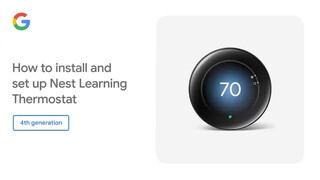
- Model:
- GA05551-US
- SKU:
- 6587695
Rating by feature
- Value
Rating 4.4 out of 5 stars
- Quality
Rating 4.8 out of 5 stars
- Ease of Use
Rating 4.7 out of 5 stars
Customers are saying
Customers often highlight the Nest Learning Thermostat's overall performance and ease of use as significant advantages. The design and temperature sensor are also well-received, with users appreciating their modern aesthetic and functionality. Installation is generally considered straightforward. However, some users have reported connectivity issues and uncertainty regarding compatibility with other Nest products.
This summary was generated by AI based on customer reviews.
Not a peoples brand
Posted .This reviewer received promo considerations or sweepstakes entry for writing a review.You won’t be able to set a target temperature because google doesn’t allow you, they’re control freaks. The range is 4 degrees, either too cold or too hot. Can’t make it automatically set around one temperature. Go with other brands.
No, I would not recommend this to a friendBrand response from Google Team
Posted .We appreciate the feedback on your Nest Learning Thermostat (4th gen), Miike. We hear you on wanting to get the temperature exactly how you want. The Nest Learning Thermostat (4th gen) has a maintenance band that allows the temperature in your home to change by a few degrees before turning your system on or off.
To adjust this setting, here is a quick guide to do so:
> Open the Google Home app.
> Select your thermostat.
> Tap Settings
> Tap Thermostat and then Advanced configuration.
> Adjust the heat temperature difference and cool temperature difference as preferred.
For more information on the maintenance band, here is the link: https://support.google.com/googlenest/answer/9233450?hl=en&ref_topic=9361874&sjid=13263823338859454227-NC