Customer Ratings & Reviews


- Model:
- GA01334-US
- SKU:
- 10220181
Rating by feature
- Value
Rating 4.5 out of 5 stars
- Quality
Rating 4.5 out of 5 stars
- Ease of Use
Rating 4.3 out of 5 stars
to a friend
Needs control wire
||Posted . Owned for 1 month when reviewed.This reviewer received promo considerations or sweepstakes entry for writing a review.I got this to help update my thermostat at my house. I didn't have the right wiring and I didn't want to do the renovation. I'm sure it might work well.
No, I would not recommend this to a friendBrand response from Nest Support
Posted .Hi Hotchick, thanks for choosing Nest Thermostat and for sharing your experience with us. To ensure your heating and cooling system´s compatibility with Nest Thermostat. We recommend using the Compatibility Checker tool: https://store.google.com/us/widget/compatibility/thermostat
Once you verify your system´s compatibility. You may contact our support team for further guidance. We can walk you through the installation and set up process for your Nest Thermostat, by simply reaching out to us here: https://support.google.com/googlenest/gethelp
Nice edition to the house
||Posted . Owned for 1 month when reviewed.This reviewer received promo considerations or sweepstakes entry for writing a review.Love it but the only thing i don't like is, you need to input home info. So google is now tracking me even more.
I would recommend this to a friendSmart thermostat
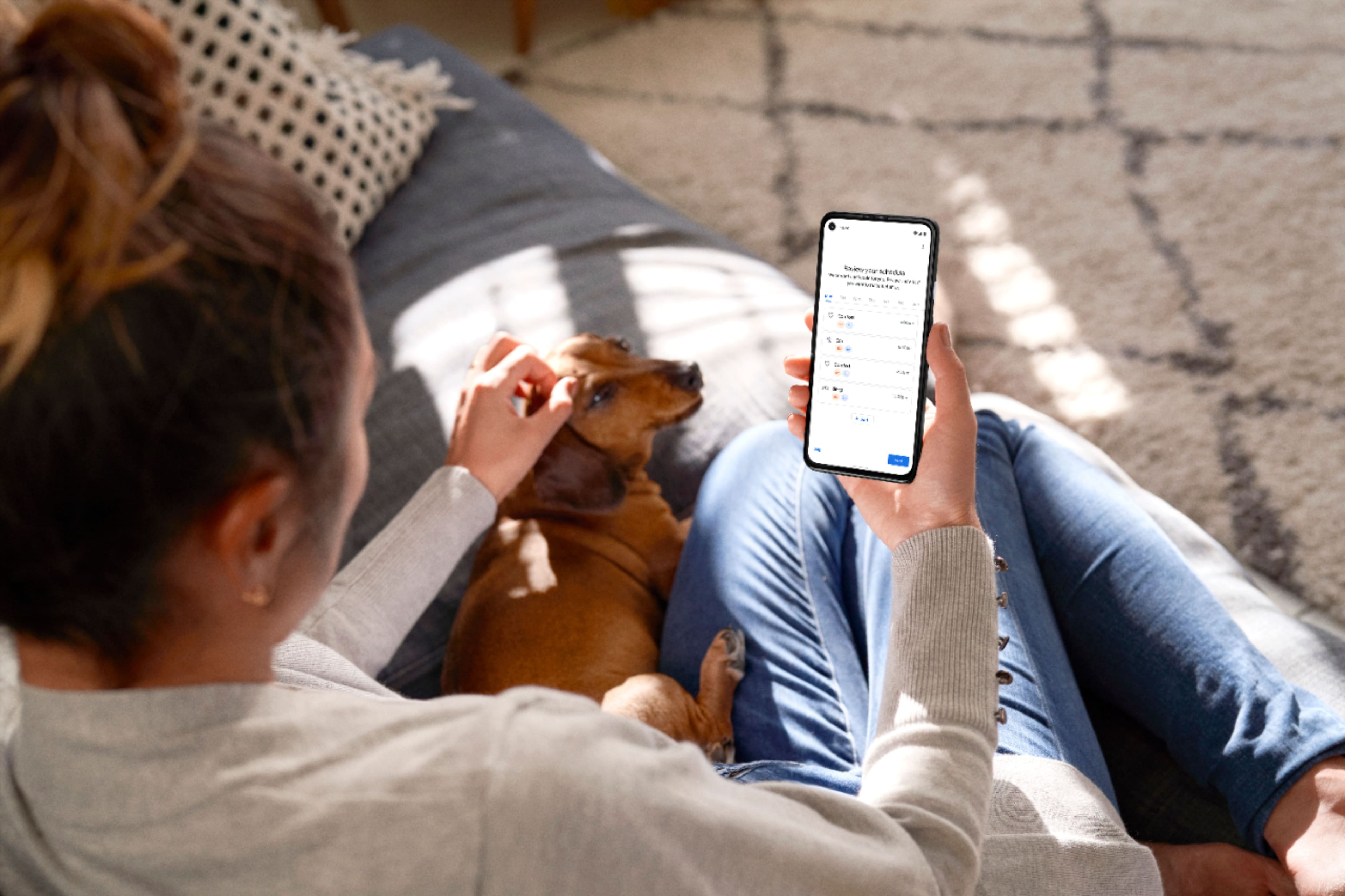
||Posted . Owned for 3 weeks when reviewed.This reviewer received promo considerations or sweepstakes entry for writing a review.Th wiis thing is awesome. I set a schedule and it does the rest for me. If we need to adjust, i just pull out my phone pull up the app and quickly adjust it
I would recommend this to a friendI won't buy again and am going to return.
||Posted . Owned for 1 week when reviewed.This reviewer received promo considerations or sweepstakes entry for writing a review.Pretty awful product. It doesn't seem to sync up with the Nest app and it constantly throws my AC into eco mode when I do not want it to. In South Texas, that means I spend an hour or more trying to get the temperature back down to where I had it and enjoy it.
No, I would not recommend this to a friendCould be better
||Posted . Owned for 3 weeks when reviewed.This reviewer received promo considerations or sweepstakes entry for writing a review.Disconnects often from my router. It’s says it’s connected on the device and on the app it’s not available.
No, I would not recommend this to a friendBrand response from Nest Support
Posted .Hi Jpadil, thanks for bringing this issue to our attention. We're sorry to hear that you're experiencing connectivity issues with your Nest Thermostat.
Here are some recommended steps to help you with the issue:
- Ensure that your mobile phone, where the Nest/Home app is installed, is either connected to your Wi-Fi network, or that the mobile data is enabled.
- Try installing the Nest/Home app on another mobile phone or tablet device and login using the same Google account as your Nest Thermostat.
- Check for possible congestion in your Wi-Fi network. Removing some of your connected devices can help free up some bandwidth space. You may then check to see if you will still experience the same connectivity issue.
- You may also check for possible sources of interference such as the thick walls and appliances in your home.
If the issue is still persistent, please consider contacting our support team for further troubleshooting and isolation here: https://support.google.com/googlenest/gethelp
do not buy for replacement
||Posted . Owned for 6 months when reviewed.This reviewer received promo considerations or sweepstakes entry for writing a review.very bad experience, it's mot compatible with other thermostat at all
No, I would not recommend this to a friendBrand response from Google Nest Support
Posted .Hi there, MaxM. We’re sorry to hear you’re having compatibility issues with your Nest Programmable Thermostat. We have this great tool to make sure you’re getting the right model for your current system. Here’s a link to find what’s best for you: https://store.google.com/intl/en/widget/compatibility/thermostat/
We’re here if you need an extra hand: https://support.google.com/googlenest/gethelp?
Does not work at all
||Posted . Owned for 5 months when reviewed.This reviewer received promo considerations or sweepstakes entry for writing a review.This thermostat has never worked properly . Tried calling Google support but is a useless one.
No, I would not recommend this to a friendNot as user friendly
||Posted . Owned for 3 weeks when reviewed.This reviewer received promo considerations or sweepstakes entry for writing a review.No as user friendly as original. Hard to schedule temps for certain times and days. Have to pick between options (comfort, sleep, etc.)
No, I would not recommend this to a friendBrand response from Nest Support
Posted .Hi Doodguy, thanks for sharing your experience with using the Nest Thermostat. We’re sorry to learn of your difficulty with the temperature schedule, and that you find it not user friendly.
When you manually adjust the temperature, the temperature will stick until the next scheduled temperature change. With a temperature preset, you can easily set a specific temperature that you repeatedly use a bit faster than manually adjusting the temperature dial. Besides using ready-made presets like Comfort, Eco, and Sleep, you can create custom presets. This is helpful for other times you might like a specific temperature that’s not included in your thermostat’s existing presets. Check this link to learn more: https://support.google.com/googlenest/answer/10178773
We have help available for your needs. You can visit the Google Nest Help center for support articles, and you can contact us anytime through our support channels here: https://support.google.com/googlenest/gethelp
DO NOT RECOMMEND!
||Posted . Owned for 1 month when reviewed.This reviewer received promo considerations or sweepstakes entry for writing a review.Way more difficult set up and use than it needs to be! Nest app was great but with this thermostat you have to use google home app and it is not user friendly at all! Actually it’s so bad that we already bought a different thermostat! Why they changed this makes no sense. I would give this zero stars if I could!
No, I would not recommend this to a friendBrand response from Nest Support
Posted .Hi there, thanks for taking the time to share your feedback with us. We're sorry to hear that you had a difficult time setting up your Nest Thermostat, and for any disappointment you may be having with the Google Home app.
We wanted to make the Google Home app as the one place where you can control all your favorite Nest devices and other smart home devices with the Google Assistant. Here are some benefits you can get by using the Google Home app with your Nest Thermostat:
- Automatic security protections such as Suspicious activity detection, 2-Step Verification and Security Checkup.
- Your Google Nest devices and services will work together. For example, if you have a Nest Thermostat and a Nest Hub, just say, """"Hey Google, set the bedroom temperature to [#] degrees.""
- One account to sign into both the Nest and Google Home apps.
- Your homes and home members will be aligned across the Nest and Google Home apps.
We’d like to help you with any difficulty you may be having with Nest Thermostat, and see how we can improve it. Please do not hesitate to contact our support team here: https://support.google.com/googlenest/gethelp
Nest thermostat
||Posted . Owned for 1 month when reviewed.This reviewer received promo considerations or sweepstakes entry for writing a review.This is great for my short term rental when guests leave I can ensure temp is set for Eco and when housekeeping is complete without go in the unit
I would recommend this to a friendGreat product, easier to use on mobile
||Posted . Owned for 1 month when reviewed.This reviewer received promo considerations or sweepstakes entry for writing a review.The product works well with Google Home but it is far control on the app than the side touch feature.
I would recommend this to a friendLack of compatibility
||Posted . Owned for less than 1 week when reviewed.This reviewer received promo considerations or sweepstakes entry for writing a review.Does not work with apple HomeKit. Great if you are looking to use in other platforms.
No, I would not recommend this to a friendBrand response from Nest Support
Posted .Hi Mjglas,
Thanks for sharing your feedback on the new Nest Thermostat and sorry it didn't meet your expectations.
The new Nest Thermostat has been designed to be set up and controlled on Google Home with ease. Once set up on Google Home app, it can be controlled by voice with Google Assistant or in the app.
We'd love to share with you that Google, Amazon, Apple, Zigbee Alliance, and others are currently working together on the connected home over IP initiative to help improve inter-device communication in the future: https://www.connectedhomeip.com/
If you'd like any help with any Google Nest products, please feel free to get in touch with us here: https://support.google.com/googlenest/gethelp
Does the trick
||Posted . Owned for 3 weeks when reviewed.This reviewer received promo considerations or sweepstakes entry for writing a review.Did not want one with the learning feature. The control is a bit to get used to vs the turn dial.
I would recommend this to a friendNot lucky with NEST, but that’s just me
||Posted . Owned for 3 months when reviewed.This reviewer received promo considerations or sweepstakes entry for writing a review.Kept disconnecting from wifi, so it was useless only for the scheduled time but had to CONSTANTLY restart so it would stay connected for a day or so and went to disconnect. 2nd Nest thermostat and first one ruined my AC pump because it kept rebooting itself and turning on and off the pump without me noticing. Went back to my Honeywell one, not fancy but does the job. Maybe I’ve just had bad luck, because there’s great reviews for these.
No, I would not recommend this to a friendBrand response from Nest Support
Posted .Hi there MXmorale, thanks for sharing your experience to let us know that you had issues with the Nest Thermostat. It’s unfortunate to learn that it didn’t work well for you. We understand your decision to go back to your old thermostat and if you’d like to try the Nest thermostat again in the future, it’s important to make sure that the thermostat is getting enough power from your system wires as the connectivity issue of your thermostat is related to power issues. If your HVAC unit can’t supply enough power, the thermostat battery will start draining, and this results in your thermostat limiting its features such as Wi-Fi connection to preserve the battery. You can also use our online Compatibility Checker to quickly check if your system can work with a Nest Thermostat: https://store.google.com/gb/widget/compatibility/thermostat
For any questions or concerns, don’t hesitate to visit us anytime here: https://support.google.com/googlenest/gethelp
Didn't work for me
||Posted . Owned for 3 weeks when reviewed.This reviewer received promo considerations or sweepstakes entry for writing a review.I was unable to get this to work with my iPhone 14, They wouldn't communicate. Plus, I only had two wires coming out of the wall. I had to order a separate piece (a ground) and would have had to install it inside the furnace. I returned the unit.
No, I would not recommend this to a friendBrand response from Nest Support
Posted .Hi there, StanJS. Thank you for posting a review about the Nest Thermostat. We're sorry to hear that your experience with the device was less than ideal and that you had to return it. This is not the initial impression we want you to have. We appreciate the feedback and have taken note of it. If you’re ever considering Google products in the future and have some inquiries, please don't hesitate to contact us on our Google Nest Help page here: https://support.google.com/googlenest/gethelp
I returned it
||Posted .This reviewer received promo considerations or sweepstakes entry for writing a review.Would have been great if they listed the compatible systems it worked with or at least a qrc to check Compatibility with h/v systems
No, I would not recommend this to a friendBrand response from Nest Support
Posted .Hi Jake, thanks for letting us know of your feedback about the Nest Thermostat. We understand how important it is to know if your HVAC system will work with the Nest thermostats.
Google Nest thermostats are designed to work with most 24 V systems, and the online Compatibility Checker has full instructions to check if your heating and cooling systems are compatible with Nest thermostats. Please see this link for more info about the Nest thermostat compatibility: https://support.google.com/googlenest/answer/9246656
Your feedback means a lot to us, and we’ll definitely share it with the right team to work on making improvements with our products and services, including the accuracy and efficiency of our help sites. Meanwhile, if you need help with checking the compatibility of the thermostat with your system, feel free to visit us anytime here: https://support.google.com/googlenest/gethelp
Connections
||Posted . Owned for 1 month when reviewed.This reviewer received promo considerations or sweepstakes entry for writing a review.If your connections do not have power cables, do not buy it since you would have to pay the installer. It requires a 22v source with normal batteries. It cannot be connected to Wi-Fi. You have to replace them very often.
No, I would not recommend this to a friendBrand response from Nest Support
Posted .Hi there, RamonR. Thanks for sharing your insights, and we're sorry to hear about your impression with the Nest Thermostat. Most 24V heating and cooling systems are compatible with the Nest thermostats, and would generally work without a common (C) wire. However, there are some systems that would require a C wire on the new Nest Thermostat like a heat only or cool only systems. And sometimes, you may need to connect a common wire (C wire) or power accessory, like the Nest Power Connector, to make your system compatible. We recommend checking your system’s compatibility with our online Compatibility Checker: https://store.google.com/us/widget/compatibility/thermostat?
yes
||Posted . Owned for 1.5 years when reviewed.This reviewer received promo considerations or sweepstakes entry for writing a review.I don’t freaking think so, but maybe I do today they are
I would recommend this to a friendBrand response from Nest Support
Posted .Hello there, Andrew. We'd like to know more details concerning your experience with Nest Thermostat so we can assist you with any technical issues you may have encountered. We recommend reaching out to our dedicated team of specialists so we can further improve your overall experience with the device. You can contact us on our Google help page here: https://support.google.com/googlenest/gethelp
Don't buy
||Posted . Owned for 2 months when reviewed.This reviewer received promo considerations or sweepstakes entry for writing a review.This thermostat is awful. Hard to use - Google went and changed the desing and it's awful. Have to slide your finger on the side and it always ends up on the wrong spot. I want to return it but now it's outside the date. The wifi just disconnected for no reason and cannot figure out how to get it back online, Awful. Nest design is so much better
No, I would not recommend this to a friendBrand response from Nest Support
Posted .Hey Kimberly, thanks for posting your review on Nest Thermostat and we're sorry to hear that your experience with the device didn't meet your expectations when it comes to the design of the controls. We recommend using the interactive troubleshooting guide here as it may help resolve the issue: https://widgets.nest.com/nest-thermostat-troubleshooter/ or if you need further assistance, reach out to our support team so we can help find a better resolution for you. You can contact us by visiting our Google Help site.
Google-Nest Smart Thermostat
||Posted . Owned for 3 weeks when reviewed.This reviewer received promo considerations or sweepstakes entry for writing a review.The thermostat is not user friendly. It is not easy to change the already set temperature.
No, I would not recommend this to a friendBrand response from Nest Support
Posted .Hi Marsel, thanks for the feedback you posted about the Nest Thermostat, and we’re sorry to learn of your difficult experience with changing the set temperature.
Since the Nest Thermostat doesn't have a touch screen, you can use the touch bar on the right side to control your thermostat. Swipe up to raise the temperature, swipe down to lower it, and tap to confirm. The display will show you how many minutes until your desired temperature is reached. Here’s how:
- Tap the touch bar to bring up the menu.
- Swipe up or down to select an option.
- Tap the touch bar again to confirm your selection.
Also, when you manually adjust the temperature, the temperature will stick until the next scheduled temperature change. With a temperature preset, you can easily set a specific temperature that you repeatedly use a bit faster than manually adjusting the temperature dial. Besides using ready-made presets like Comfort, Eco, and Sleep, you can create custom presets. This is helpful for other times you might like a specific temperature that’s not included in your thermostat’s existing presets. Check this link to learn more: https://support.google.com/googlenest/answer/10178773
If you need help with any concerns around the features and functionality of your thermostat, feel free to contact us at the following link where we can further assist: https://support.google.com/googlenest/gethelp