Customer Ratings & Reviews












- Model:
- GA03690-US
- SKU:
- 12288878
Rating by feature
- Setup
Rating 4.6 out of 5 stars
- Range
Rating 4.5 out of 5 stars
- Signal Strength
Rating 4.4 out of 5 stars
Customers are saying
Customers express satisfaction with the product's impressive speed, ease of use, and overall performance, highlighting its great coverage, range, and simple setup. Many also appreciate its strong signal strength and sleek design. However, some customers have reported issues with connectivity. Additionally, a few users noted concerns regarding its compatibility with older routers and its price.
This summary was generated by AI based on customer reviews.
Works very well
||Posted . Owned for 3 weeks when reviewed.This reviewer received promo considerations or sweepstakes entry for writing a review.Easy set up. Works well. Rarely drops signal. Range seems to be very good too
I would recommend this to a friend- Pros mentioned:Overall performance

Amazing router
|Posted . Owned for 2 weeks when reviewed.This reviewer received promo considerations or sweepstakes entry for writing a review.[Employee of bestbuy] "I'm thoroughly impressed with the Google WiFi Pro 6E. Its exceptional performance has significantly improved the responsiveness of my security cameras and doorbell live feed. Switching to this router was a game-changer for seamless connectivity. Highly recommended!"
I would recommend this to a friend - Pros mentioned:Overall performance, Speed
Great for consistency but not speed
||Posted . Owned for 3 weeks when reviewed.This reviewer received promo considerations or sweepstakes entry for writing a review.I’ve not had much issue in terms of reliability with these routers but have had lots of issues with speed on them, with my old router i was able to pull around 600~ mbps over Wi-Fi on several of my newer devices but on these I can only manage around 200 mbps on Wi-Fi with only one device connected at a time, the built in speed test only shows about 360 in the app but my desktop pulls around 960-970~ mbps wired when plugged into the back of the router. Overall decent but if you play a lot of games and need to download those games it might not be the best option due to lack of speed on Wi-Fi.
No, I would not recommend this to a friendBrand response from Nest Support
Posted .Hi AshH, thanks for the feedback you provided about the Nest Wifi Pro. We’re sorry to hear that your experience is less than ideal.
It is important to check the placement of your Wi-Fi router and point, which are vital to have reliable Wi-Fi throughout your home. As a general rule, points work best when they’re no more than two rooms away from each other. For example, if the far end of your house has weak Wi-Fi, don’t put a Wifi point in that exact spot. Instead, put it part way in that direction. Try to place it in an elevated position like on a shelf.
It may also be helpful to try the following steps to see if the Wi-Fi performance will improve:
- Move the connected device closer to your Wifi router or point.
- Repositioning the points to avoid obstructions like walls, doors, and aquariums can improve performance.
- Make sure all unused devices are off and not draining bandwidth with large downloads.
- Check for possible sources of interference such as microwave ovens, refrigerators or other equipment.
- Run a mesh test to confirm placement of your Wifi points.
We’re always here to help. SImply let us know if further assistance is required: https://support.google.com/googlenest/gethelp
- Pros mentioned:Coverage
Great router
||Posted .This reviewer received promo considerations or sweepstakes entry for writing a review.Great router with great coverage seamless setup and use
I would recommend this to a friend I Love it!
||Posted . Owned for 2 weeks when reviewed.This reviewer received promo considerations or sweepstakes entry for writing a review.I was really impressed when my brother recommended purchasing the kitchen display as a housewarming gift after I closed on my last house. I was initially hesitant to buy the actual pods, but I’m glad I did. I needed a Wi-Fi extender and had purchased one on Amazon, but ended up returning it. This device did exactly what I needed—it extended my Wi-Fi and gave me an amazing speaker in the kitchen. It’s definitely a great investment, and I would recommend it to anyone.
I would recommend this to a friend- Pros mentioned:Ease of use
Slim and easy
||Posted . Owned for 1 month when reviewed.This reviewer received promo considerations or sweepstakes entry for writing a review.Easy set up and excellent signal and takes so little space.
I would recommend this to a friend - Pros mentioned:Setup
Great WiFi system.
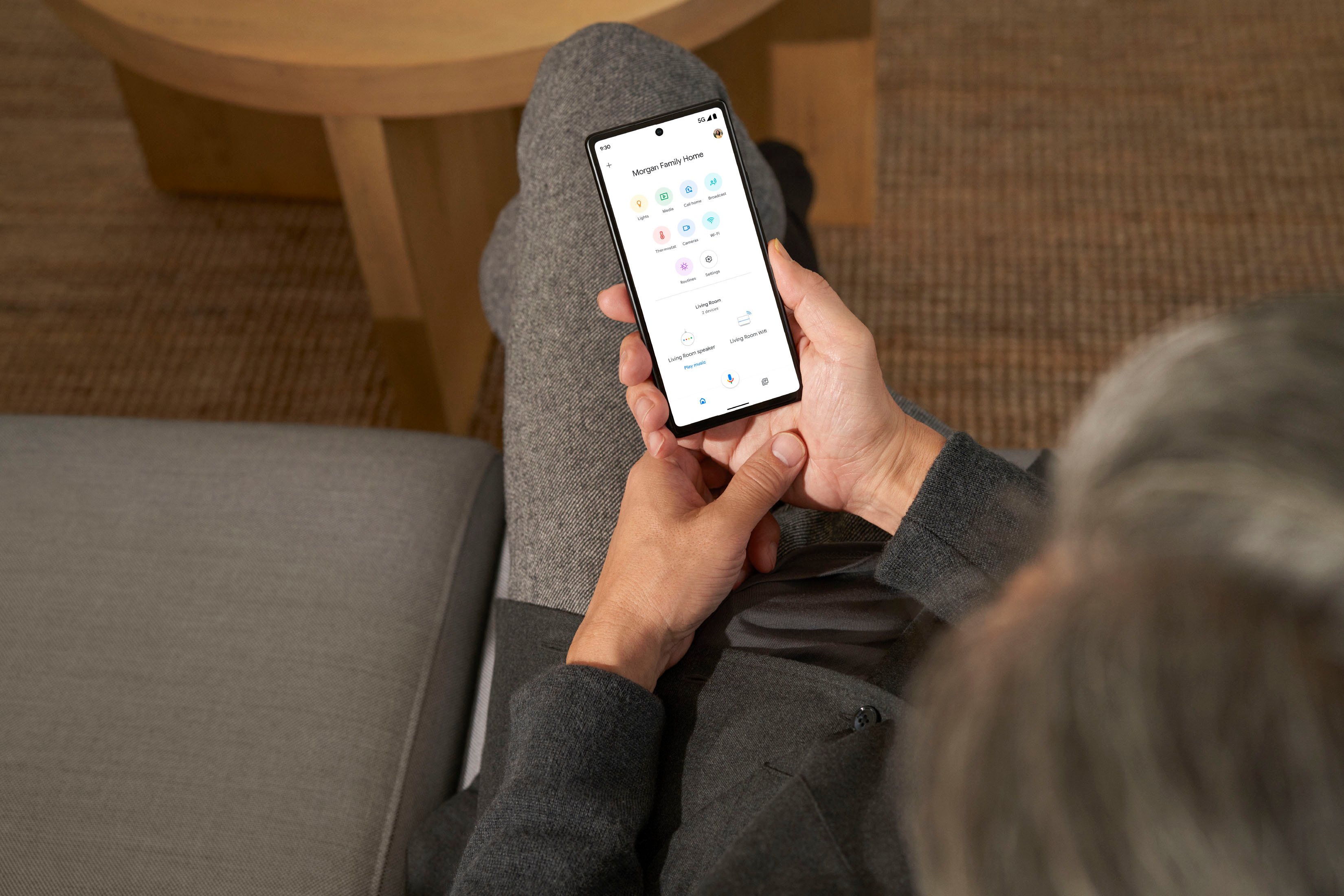
||Posted . Owned for 1 week when reviewed.This reviewer received promo considerations or sweepstakes entry for writing a review.This is the easiest router I have ever setup. Literally took 5 minutes at the most. Connect to modem. Turn on. Use google home app to scan QR code on bottom of Nest, and off it goes through the setup. All you have to do is name it and create the password. Literally, that is it.
I would recommend this to a friend Nest wifi pro
||Posted .This reviewer received promo considerations or sweepstakes entry for writing a review.Its in great condition just like brand new, came with all parts needed, easy installation and setup, cant beat the price.
I would recommend this to a friendGreat Mesh System
||Posted . Owned for 3 weeks when reviewed.This reviewer received promo considerations or sweepstakes entry for writing a review.Upgraded from the old Google mesh system. Superb signal quality throughout my house.
I would recommend this to a friend- Pros mentioned:Ease of use, Speed
Best 6G Mesh
||Posted . Owned for 3 weeks when reviewed.This reviewer received promo considerations or sweepstakes entry for writing a review.Easy to install and meshes fast speeds to areas do the house recently not reachble
I would recommend this to a friend - Pros mentioned:Ease of use
Little pricey but very good.
||Posted . Owned for 1 year when reviewed.This reviewer received promo considerations or sweepstakes entry for writing a review.Set up was a breeze. Operation is good. Only that range in a 1800 sqft house is not so great but good enough for regular usage including streaming. But for the price, I expected a bit better range.
I would recommend this to a friendBrand response from Nest Support
Posted .Hey there, SrinivasP. We’re glad that the Nest Wifi Pro works well, and we hear your concern about its signal coverage. The number of Google Nest Wifi Pro devices needed to provide coverage for your home depends on your individual situation. Although the device is expected to cover up to 2,200 sq ft, things like your home size, home construction, and Wi-Fi congestion in your neighborhood can all affect your device's coverage.
You can try these steps below that can help:
- Make sure your router is in an elevated position like on a shelf.
- Move the connected device closer to your Wifi router or point.
- Repositioning the points to avoid obstructions like walls, doors, and aquariums can improve performance.
- Make sure all unused devices are off and not draining bandwidth with large downloads.
- Check for possible sources of interference such as microwave ovens, refrigerators or other equipment.
- Run a mesh test to confirm placement of your Wifi points.
For more support, we welcome you to contact us here: https://support.google.com/googlenest/gethelp
- Pros mentioned:Speed
A solid upgrade!
||Posted . Owned for 1 month when reviewed.This reviewer received promo considerations or sweepstakes entry for writing a review.Upgraded to fiber internet, and these routers upped my speed significantly, and the Google setup/platform is easy to navigate.
I would recommend this to a friend Google wifi
||Posted . Owned for 2 weeks when reviewed.This reviewer received promo considerations or sweepstakes entry for writing a review.Product was easy to setup. All devices connected to google.
I would recommend this to a friend- Pros mentioned:Ease of use, Speed
Incredible wifi
||Posted . Owned for 1 week when reviewed.This reviewer received promo considerations or sweepstakes entry for writing a review.Amazingly easy set up. Then I had super fast reliable internet all over my home.
I would recommend this to a friend - Pros mentioned:Ease of use
Easy set up and great performance
||Posted . Owned for 3 weeks when reviewed.This reviewer received promo considerations or sweepstakes entry for writing a review.Set up was really easy using the Google Home app. I decided on this set-up after not being able to hook up my home automation devices using the router that the cable company provided. This system broadcasts the 2.4 as well as the 5 & 6ghz networks but allows the device to decide which one to connect to. This has been great for our home!
I would recommend this to a friend - Pros mentioned:Coverage
Nice
||Posted . Owned for 5 months when reviewed.This reviewer received promo considerations or sweepstakes entry for writing a review.Really good but for big houses tripple version is better.
I would recommend this to a friend - Pros mentioned:Overall performance
Google Nest
||Posted . Owned for 3 weeks when reviewed.This reviewer received promo considerations or sweepstakes entry for writing a review.Router works so much better that the one that we had (it was not a Google). Wish we had bought months ago.
I would recommend this to a friend Satisfied but setup (in my case) took some time
||Posted . Owned for 2 weeks when reviewed.This reviewer received promo considerations or sweepstakes entry for writing a review.Took me longer to set up than I planned and I had to try a few times (and watch a variety of YouTube videos) to get it to right, but in the end I am happy.
I would recommend this to a friend- Pros mentioned:Speed
Ummmm yes
||Posted . Owned for 2 weeks when reviewed.This reviewer received promo considerations or sweepstakes entry for writing a review.Switched from a Netgear Nighthawk and I am so happy I did!! I instantly noticed a speed difference, and on my devices that support the Wi-Fi 6+ standard there was virtually no load time (I pay for gig speed internet). Would buy it again if I had to. And one day if I’m in a bigger space, will definitely get a another to add. :) 10/10 5/5
I would recommend this to a friend - Pros mentioned:Ease of use
Great product
||Posted . Owned for 1 week when reviewed.This reviewer received promo considerations or sweepstakes entry for writing a review.Great product, although only works if your original router is located in a central part of the house. If it’s in a far corner of the house like mine I suggest getting the 3-pack version. Very easy to set up with the app
I would recommend this to a friend