Customer Ratings & Reviews








- Model:
- GA03901-US
- SKU:
- 6520787
Rating by feature
- Setup
Rating 4.6 out of 5 stars
- Range
Rating 4.5 out of 5 stars
- Signal Strength
Rating 4.4 out of 5 stars
Customers are saying
Customers praise the product for its impressive speed, ease of use, and overall performance, which is significantly enhanced by its Wi-Fi six backhaul. Users also frequently highlight the excellent coverage, range, and signal strength, noting that the setup process is straightforward and the design is sleek. While the vast majority of feedback is positive, a small number of users reported occasional connectivity issues and concerns regarding compatibility with older hardware. Additionally, some customers feel that the product is somewhat expensive.
This summary was generated by AI based on customer reviews.
Great extension
||Posted . Owned for less than 1 week when reviewed.This reviewer received promo considerations or sweepstakes entry for writing a review.Used this to boost my wifi signal at home. Works amazingly.
I would recommend this to a friendRooters
||Posted . Owned for 1 week when reviewed.This reviewer received promo considerations or sweepstakes entry for writing a review.Perfect snd great connection worked iut awesome easy set up and no issues
I would recommend this to a friendLove our WiFi
||Posted . Owned for 2 months when reviewed.This reviewer received promo considerations or sweepstakes entry for writing a review.This seems to be working. It is located in the basement. We have not tried it out on the 2nd floor yet.
I would recommend this to a friendSTEVE
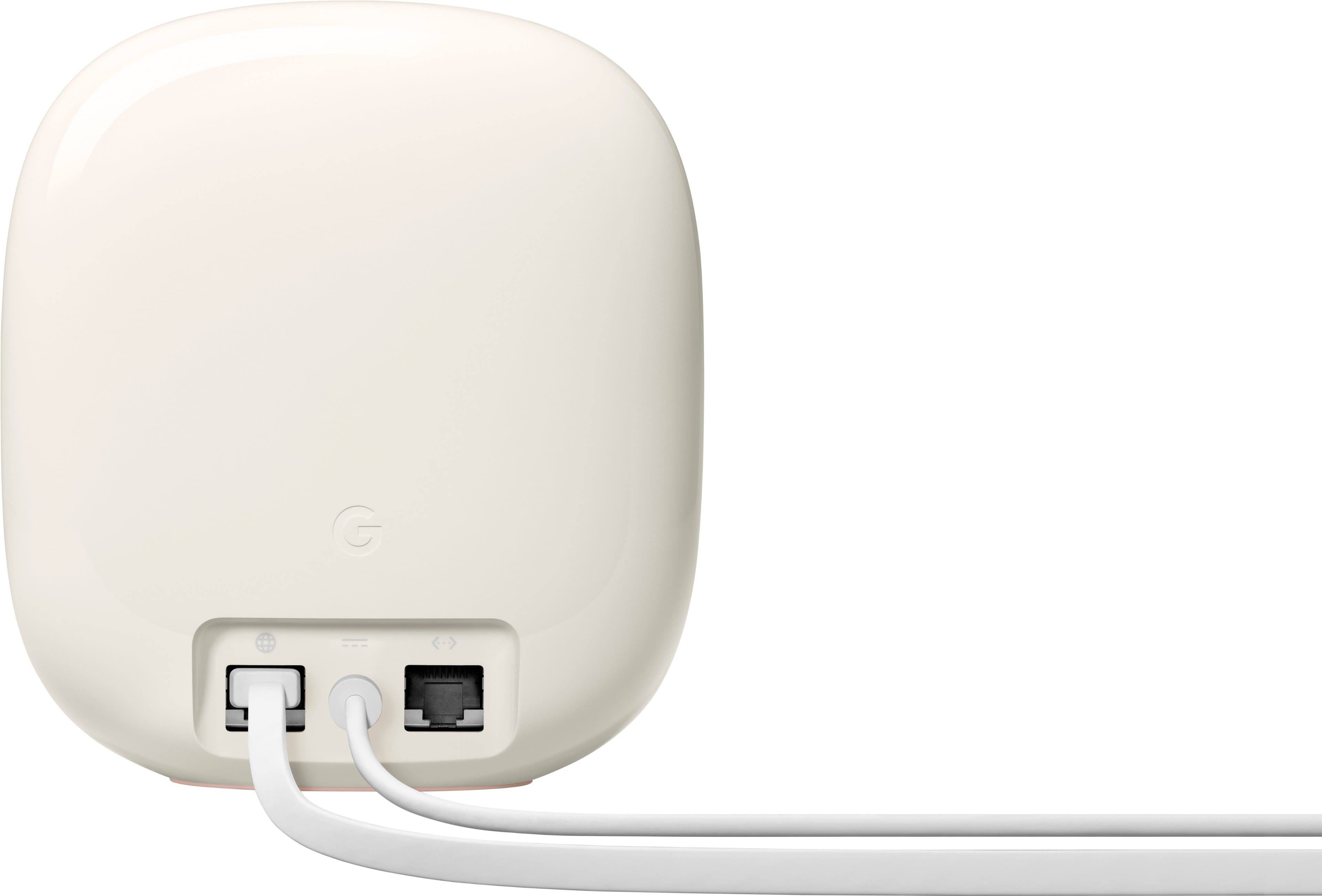
||Posted . Owned for 1 month when reviewed.This reviewer received promo considerations or sweepstakes entry for writing a review.The price was right! Unfortunately the connection is not great. It tends to go offline frequently. Maybe not the best for Sonic Fiber. The other problem is it only has 2 connection on back side.
No, I would not recommend this to a friendBrand response from Nest Support
Posted .Hi there, StevenK. We appreciate your feedback, and we’re sorry to hear about your experience with the Nest Wifi Pro.
Checking the placement of your Wi-Fi router or points (if you have any) can help, which is vital to have reliable Wi-Fi throughout your home. Points work best when they’re no more than two rooms away from each other. If the far end of your house has weak Wi-Fi, don’t put a Wifi point in that exact spot. Instead, put it part way in that direction. Try to place it in an elevated position like on a shelf.
You can also try these steps below that can improve your overall experience:
- Move the connected device closer to your Wifi router or point.
- Repositioning the points to avoid obstructions like walls, doors, and aquariums can improve performance.
- Make sure all unused devices are off and not draining bandwidth with large downloads.
- Check for possible sources of interference such as microwave ovens, refrigerators or other equipment.
- Run a mesh test to confirm placement of your Wifi points.
We understand that having more ethernet ports at the back of the device is ideal for you. We’ll share this information with the right team for future improvements. If you need more help, we have our dedicated team for your support needs here: https://support.google.com/googlenest/gethelp
Google mesh system
||Posted . Owned for 3 weeks when reviewed.This reviewer received promo considerations or sweepstakes entry for writing a review.This is the best mesh system ive ever owned.. thank you best buy tech squad
I would recommend this to a friendGoogle Mesh 3 pack
||Posted . Owned for 3 weeks when reviewed.This reviewer received promo considerations or sweepstakes entry for writing a review.I have 4200 sq ft two story home and I have excellent Wi-Fi all around, back yard and on driveway
I would recommend this to a friendStops freezing.
||Posted . Owned for 1 month when reviewed.This reviewer received promo considerations or sweepstakes entry for writing a review.Stops freezing and we now get better wi-fi/internet service. Was to install.
I would recommend this to a friendsupports the latest Wi-Fi 6
||Posted . Owned for 3 weeks when reviewed.This reviewer received promo considerations or sweepstakes entry for writing a review.This product can use Wi-Fi anywhere in your home. And it supports the latest Wi-Fi 6. Use faster Wi-Fi!
I would recommend this to a friendAwesome wifi
||Posted . Owned for 1 month when reviewed.This reviewer received promo considerations or sweepstakes entry for writing a review.Overall great mesh. Google home app with the routers is unbeatable.
I would recommend this to a friendPlaster walls
||Posted . Owned for 9 months when reviewed.This reviewer received promo considerations or sweepstakes entry for writing a review.Haven't had any problems in a 5500 sq.ft. house with plaster walls.
I would recommend this to a friendWi-Fi set up
||Posted . Owned for 1 month when reviewed.This reviewer received promo considerations or sweepstakes entry for writing a review.The Wi-Fi for my home is working very well. I would reCommend this product to all.
I would recommend this to a friend- Pros mentioned:Setup
Poor quality and support
||Posted . Owned for 4 months when reviewed.This reviewer received promo considerations or sweepstakes entry for writing a review.Dont waste tour money on this product, customer support is non existant. I bought this product in November, setup was ok however the google home app has some issues. Also I registered this product on setup and when I go to the warrenty section it says no product is available. This device has unknown items on my network that cannot be blocked or removed. All you can do is pause them. No way to find out of its the device or the app.
No, I would not recommend this to a friendBrand response from Nest Support
Posted .Hello there, Rich. Thanks for posting a review about the Nest Wifi Pro. It's unfortunate to learn about your experience with Nest Wifi Pro and our customer support. We’ve taken note of your feedback as we're always striving to improve our products and services, along with the accessibility and responsiveness to our customers.
Also, the Nest Wifi Pro comes with a 1-year limited warranty. You can find these details in the box, or visit g.co/devicewarranty. And for questions about the features of the device or other details about warranty claims, you can contact us anytime here: https://support.google.com/googlenest/gethelp
Very good wifi router
||Posted . Owned for 3 weeks when reviewed.This reviewer received promo considerations or sweepstakes entry for writing a review.This one is very good. I have no problem with. Google-Nest wifi pro 6e is eccelent
I would recommend this to a friend- Pros mentioned:Ease of use
Seamless and robust
||Posted .This reviewer received promo considerations or sweepstakes entry for writing a review.Going to preface this review…I already have several Nest/Google devices setup in our home via the Google Home app. Setting this thing up was a BREEZE. Individual routers connected seamlessly and the signal on my third floor performs 10x better now! Can actually game online again. So happy with the purchase.
I would recommend this to a friend Dolby Atmos
||Posted . Owned for 7 months when reviewed.This reviewer received promo considerations or sweepstakes entry for writing a review.These work great with my TV. It really feels like I'm in a theater.
I would recommend this to a friendGreat wifi signal
||Posted . Owned for less than 1 week when reviewed.This reviewer received promo considerations or sweepstakes entry for writing a review.Easy setup and excellent wifi signal all over the house
I would recommend this to a friend- Cons mentioned:Connectivity
Poor Quality Wifi 6e
||Posted . Owned for 11 months when reviewed.This reviewer received promo considerations or sweepstakes entry for writing a review.Do not recommend and would highly discourage anyone purchasing this product. It drops internet continuously and customer support is not helpful. Actually, I don't think Google customer support knows what they are doing to support this product. Unfortunate as I loved their previous version but this one is not worth the price.
No, I would not recommend this to a friendBrand response from Nest Support
Posted .Hello there, FrankK. We’re sorry to hear about your experience with the Nest Wifi Pro and our support team. We’ll use your feedback to work on improving our products and services, including how we handle customer cases with care and efficiency and we've taken note of it. Meanwhile, we’d like to have another opportunity to help you with your concern. Please share with us your recent case number so we can continue our investigation, here: https://support.google.com/googlenest/gethelp
I recommend bestbuy for all love you
||Posted . Owned for 1 month when reviewed.This reviewer received promo considerations or sweepstakes entry for writing a review.The best shop ever …good and reliable services thank you bestbuy life is easy
I would recommend this to a friendWiFi extender
||Posted . Owned for 1 week when reviewed.This reviewer received promo considerations or sweepstakes entry for writing a review.WiFi is much better. Happy with purchase. Would recommend and purchase again.
I would recommend this to a friendGood
||Posted . Owned for 1 month when reviewed.This reviewer received promo considerations or sweepstakes entry for writing a review.Works great for a 2 story house with lots of walls.
I would recommend this to a friend