Customer Ratings & Reviews
- Model:
- GA02076-US
- |
- SKU:
- 6473259
Customer reviews
Rating 4.3 out of 5 stars with 1797 reviews
(1,797 customer reviews)Rating by feature
- Video Quality4.6
Rating 4.6 out of 5 stars
- Mobile App4.4
Rating 4.4 out of 5 stars
- Sound Quality4.5
Rating 4.5 out of 5 stars
Customers are saying
Customers often highlight the Nest Wi-Fi Video Doorbell's impressive video quality and ease of use. Many find the installation process straightforward and appreciate the overall performance, design, motion detection, field of view, and night vision capabilities. However, some customers have expressed concerns about the device's battery life and size. A few users have also reported issues with connectivity, delayed notifications, and compatibility.
This summary was generated by AI based on customer reviews.
- Pros mentioned:Installation, Video quality
Rated 5 out of 5 stars
Great for Renters and Google/Nest Devotees
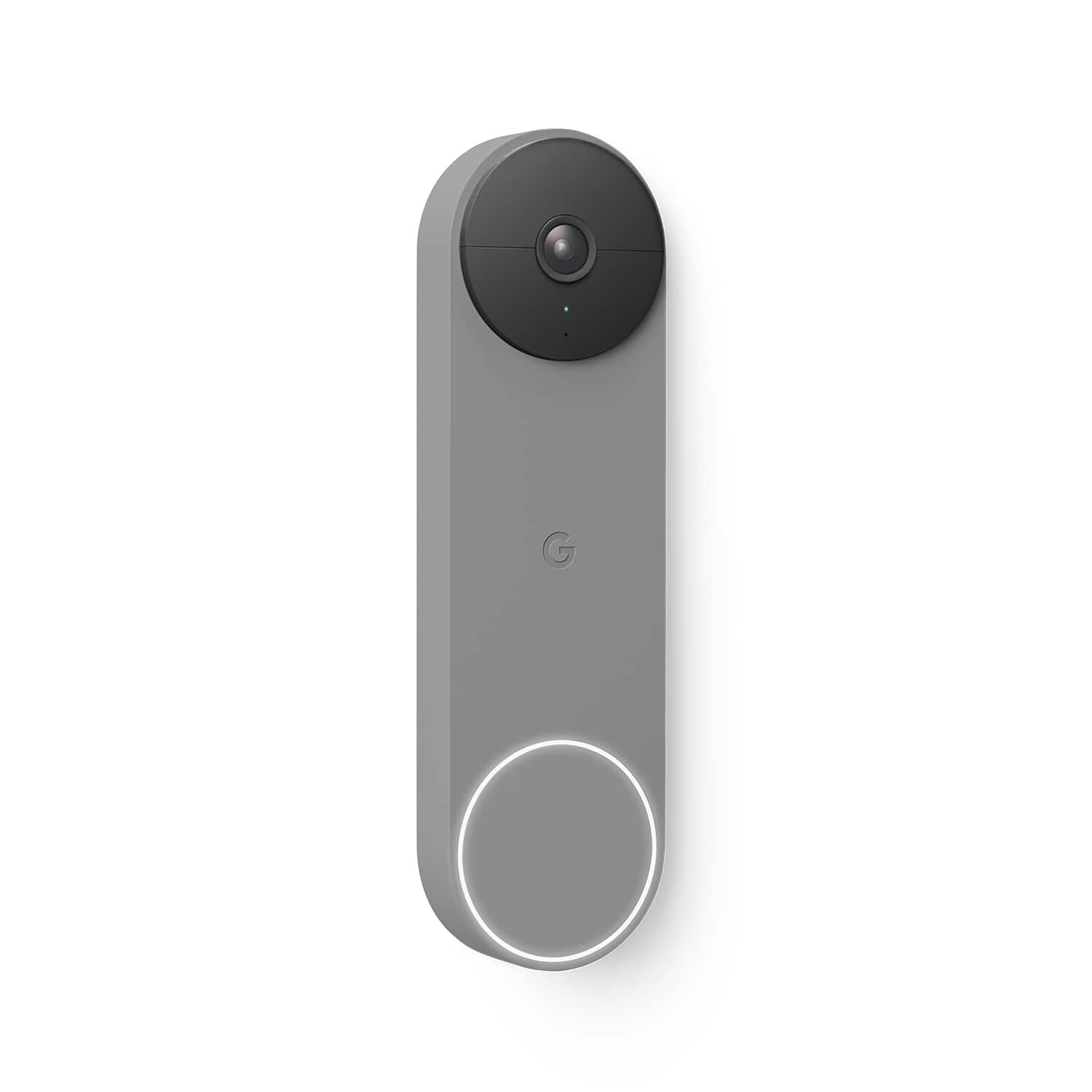
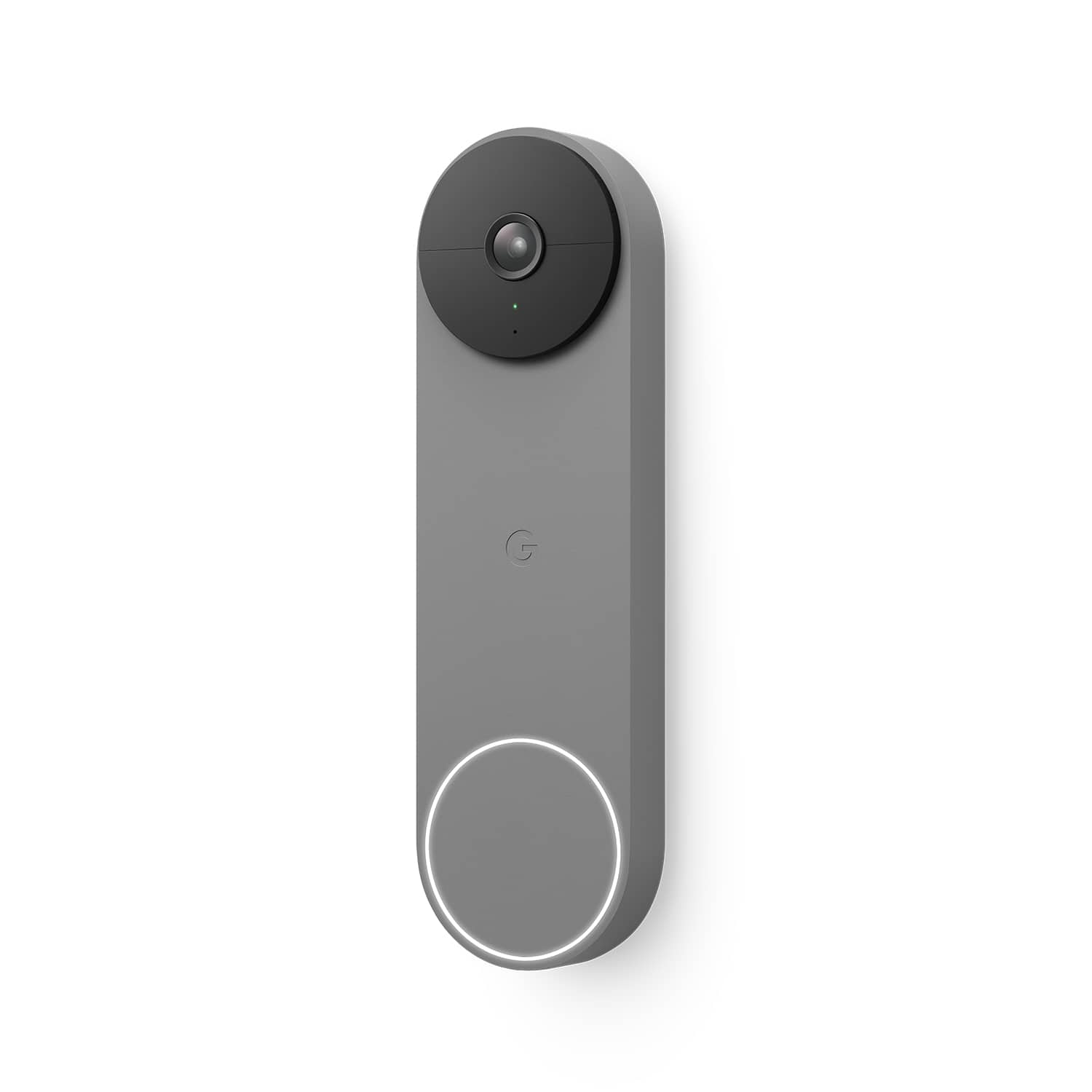
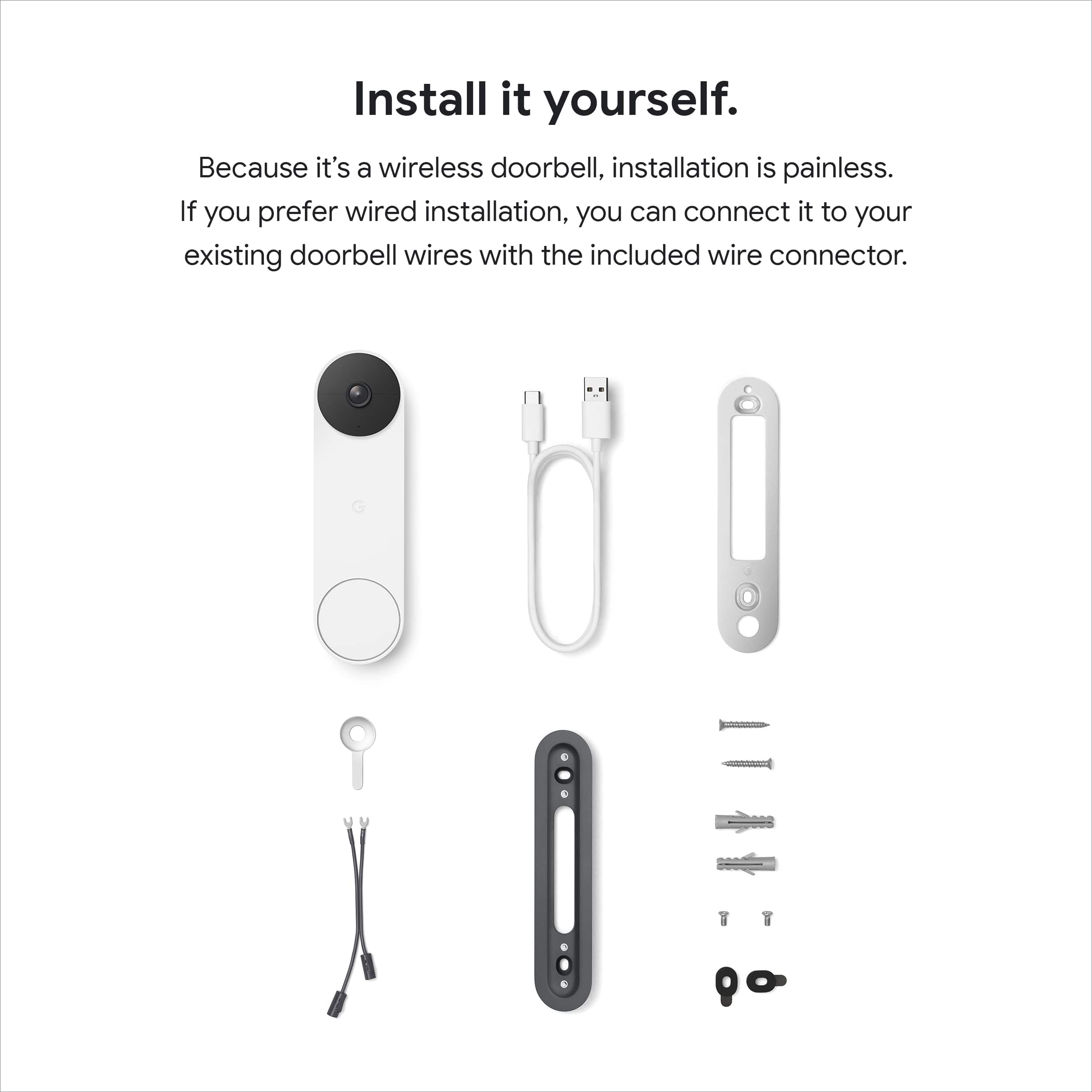
|Posted .This reviewer received promo considerations or sweepstakes entry for writing a review.Battery-powered outdoor cameras and doorbells seem to be all the rage lately, and for good reason: they make adding additional security outside as easy as possible, with no wires to run and no professional installation or expensive security system necessary. Google's newest entry, the Nest Doorbell (battery), joins the Nest Cam (battery) as one of the company's two wire-free monitoring options. As a renter with no existing doorbell or outdoor power source I am limited to battery-operated options only. I was not initially planning on adding outdoor cams (I have two indoor "pet" cams already), but after some package and bike thefts being reported in the area I figured it might be worth investigating. With a number of Google/Nest products already it was a no-brainer to stick with that product family for compatibility. The Nest Doorbell (battery) comes in typically high-end Google packaging, with everything clearly labeled. The doorbell itself is quite a bit larger than it looks in pictures, with a large white button on the bottom and large black camera/sensor array up top. It comes with everything needed for installation into wood and/or concrete/stucco, provided you have the correct tools -- namely, a drill and drill bits. It also includes a wedge to angle the camera 20 degrees one way or the other, to help you get a better view of your front door area. Installation is pretty straightforward, with everything handled through the Google Home app. The process walks you through step-by-step, including an overview video at the beginning and plenty of help options. I was up and running pretty quickly, with the hardest part being drilling through the thick wooden molding around my front door. Google helpfully gives you a live preview of the camera's vision during the setup process to help you position the unit; I ended up needing the wedge to get the best view, as my apartment has a thick stone wall. I also decided to mount the unit opposite the door handle so that the view would include more of my front porch area rather than the stairs leading to the walkway outside my door. With no wires to run you are free to position the doorbell almost anywhere, which is great. After mounting everything the doorbell requires you to charge it fully before use. This can take up to five hours, according to the app, but my doorbell arrived with about 80% on the battery so I only had to charge for an hour or so using USB-C. Over a week of use the app estimates I'll go seven weeks between charges, which is great considering the long charge time. The end of the doorbell setup process in the Google Home app offers you a free 30-day trial of Google's Nest Aware service, which is not very clearly described as a free trial until after you've signed up. Nest Aware enables additional features like 24 hours of event history and alerts for sounds like breaking glass and fire alarms (available on Google/Nest Home speakers and hubs) for $6 + tax a month. Without Nest Aware you only get 3 hours of event history, which is pretty paltry for a doorbell at this price, especially since events happening while you're asleep may already be inaccessible when you wake up -- but your usage may vary. I will likely stick with Nest Aware and consider adding more Nest products to my setup in the future. After a full charge the Nest doorbell simply clicks right onto its mounting bracket and gets to work. All settings and video streams run through the Google Home app, with the option to view the stream on compatible Google/Nest hubs. I asked Google to show me the front door on my 1st-gen Google Home Hub and she did so in under 10 seconds, which isn't too shabby. Whenever anyone presses the doorbell button all the Google Assistant devices in my apartment ring (even my Sonos speakers) and I get an alert on my iPhone. In practice, the doorbell sits dormant most of the time, only recording when it detects motion. Even without a Nest Aware subscription you can set up activity zones in the Google Home app, which I highly recommend, especially for apartment-dwellers like me. I was able to define an activity zone that includes my doormat and porch area but not the stairs and walkway visible from the camera, which has cut down on the number of notifications I get for my neighbors simply walking by. I like that you can turn off notifications outside your activity zone but still have the camera record an event, so in case something happens outside the zone that you later want to review, you'll have some footage. A Nest Aware subscription enables facial recognition, which is very neat. The doorbell does a great job of picking up on faces and will ask you if you know them, giving you the option to name familiar faces and get custom alerts when friends and family are spotted. I do wish you could save faces and then disable notifications for them, though, so that I could save my neighbors' faces and stop getting alerts when they pass through my activity zone. In addition to faces the camera will recognize animals and packages, which has been mostly accurate (but not perfect) in my testing. Audio and video quality are perfectly acceptable. The video stream isn't as high-def as the 2K cameras in my house, but they are acceptably clear during the day and at night (though they are black-and-white in the dark). This is a compromise to enable a long battery life and one I'm willing to live with to avoid running wires. In practice, I have no complaints about the audio/video stream, although keep in mind there's almost always a lag when starting a stream or opening an event notification. Overall, after a week of testing I'm pleased with the Google Nest Doorbell (battery). Setup and installation was a breeze, audio/video quality is good, and battery life is excellent. My only real complaints are with the Google Home app -- if you've used the Home app at all, you'll be familiar with how messy it can be. There are just so many options and settings and pages and whatnot that simple tasks can be a bit cumbersome, but this is really a critique of the Google Home app and not the doorbell itself. At least (for me) the Google Home app is mostly reliable, if a bit annoying to use. If you're invested in the Google/Nest ecosystem and want to avoid wires, you can't go wrong with the Nest Doorbell (battery). However, if you don't use other Google/Nest products, you're definitely going to want to look elsewhere, as the doorbell doesn't work with Alexa or Siri. Finally, if you have doorbell wires available I would recommend reading through the installation instructions first, as you can wire this doorbell with the included adapter, provided your specific setup supports it. Also, Google recently announced a new Nest Doorbell (wired) will be coming in 2022, so it may be worth waiting to see how that device compares.
This review is from Google - Nest Wi-Fi Video Doorbell - Battery Operated - Snow
I would recommend this to a friend Rated 1 out of 5 stars
Even replacement doesn't work.
||Posted . Owned for 3 months when reviewed.This reviewer received promo considerations or sweepstakes entry for writing a review.Returned the first one. Now the second one is still doing the same things.
This review is from Google - Nest Wi-Fi Video Doorbell - Battery Operated - Snow
No, I would not recommend this to a friendBrand response from Nest Support
Posted .Hello there, thanks for sharing your review. We're sorry to learn that you returned your first Nest Doorbell (battery) and are still experiencing the same issue with the second device. This is not the initial impression we want you to have for the products we provide. Please reach out to our support specialists so we can help identify the cause of the issue you're experiencing and find troubleshooting steps to enhance it. You can contact us on our Google Help page here: https://support.google.com/googlenest/gethelp
Rated 1 out of 5 stars
Avoid
||Posted . Owned for 7 months when reviewed.This reviewer received promo considerations or sweepstakes entry for writing a review.Terrible product even when wired. Vie Angle is snaller than should be. Just terrible
This review is from Google - Nest Wi-Fi Video Doorbell - Battery Operated - Ivy
No, I would not recommend this to a friendBrand response from Nest Support
Posted .Hi Benjamin, thanks for letting us know what you think of the Nest Doorbell (battery), and we’re sorry to hear it’s below your preference.
Unlike some other video doorbells, Nest Doorbell (battery) has a 145° diagonal field of view at 3:4 aspect ratio. It means you can see people from head to toe, and packages left on the ground. Also, even when wired for continuous charging, it does not offer 10 days of 24/7 video history with Nest Aware Plus. To optimize battery life, it offers event video history and will detect and capture important activity at your door, so you can focus on the details that need your attention.
We’d like to know more about your challenges with using the Nest doorbell and learn how we can help improve your experience. Please feel free to find us anytime here: https://support.google.com/googlenest/gethelp
Rated 3 out of 5 stars
Difficult set up
||Posted . Owned for 2 weeks when reviewed.This reviewer received promo considerations or sweepstakes entry for writing a review.Worked okay, after charging it stopped displaying live view
No, I would not recommend this to a friendBrand response from Nest Support
Posted .Hello Hildi, thanks for taking the time to share your feedback, and we’re sorry to hear that your Nest Doorbell (battery) stopped displaying the live view.
A range issue or wireless interference can affect the performance of your doorbell. Sometimes it may pass the connection test during setup, but will struggle to stay connected if it’s just a bit too far away. If you're experiencing a spotty connection or weak signal, we recommend checking your Wi-Fi network to see if your bandwidth is congested. This may happen if you have too many devices connected on the same bandwidth or if your network package is not enough to handle the data traffic on the network. Removing other connected devices to your Wi-Fi may relieve network congestion. If your doorbell is mounted too far from your Wi-Fi router, you may need to extend your Wi-Fi network’s range using an extender, boosters or additional Wi-Fi access points.
We’d be happy to provide further troubleshooting guidance, please contact us at your earliest convenience here: https://support.google.com/googlenest/gethelp
- Pros mentioned:Ease of use, Video quality
Rated 5 out of 5 stars
The doorbell I was waiting for was worth the wait!
|Posted .This reviewer received promo considerations or sweepstakes entry for writing a review.I’ve been waiting for this doorbell for what seems like forever, but it was well worth the wait. In my opinion, the way Nest Doorbell works with my Nest smart displays is the way a doorbell SHOULD work. Someone rings the bell, and the camera shows up instantly on my Nest hub, with options to interact or dismiss. While this seems like a simple thing, my Ring doorbell could never seem to accomplish the same task, even after the ‘feature’ was added a while back. (And I put feature in quotes, because this should just be standard behavior for a video doorbell!) This never worked reliably (if even at all) with my Ring and Alexa displays but I was stuck with Ring because Nest was previously only available as a hard-wired device. Don’t get me wrong, I have a couple of Ring Stick Up cams and love the way they work, but the doorbell left a LOT to be desired. So, I was excited when Google released the Nest Doorbell and was anxious to see if it would live up to the expectations I had set for it. Long story short; it’s not only met my expectations, but also exceeded them. Not only does my display react as expected – every time so far – it can use facial detection to tell me WHO is at the door and announce them. This is an awesome feature! And while I have cams that do package detection, the Nest Doorbell gives me a notification when the package is *removed* – which I find infinitely more useful in protecting me from porch pirates or letting me know that a neighbor has grabbed it for me. I found the device easier to install and set up than most doorbells and Google has provided great online instructions and videos to help you along if you need it. There’s even a wedge mount included if you need to position your doorbell to get a better view; something that can be an extra charge on a few doorbell vendors. It’s a little bigger than the original wired Nest Hello but that’s to be expected with the inclusion of the battery. I like the fact that the camera view is more portrait oriented than landscape because this allows for more reliable package detection and a fuller view of people in the area I am monitoring. Speaking about monitoring areas, it allows for multiple smart areas to be created with separate notification levels for each area – another useful feature. I’m getting fewer false detections then I used to with my Ring, which used to trigger every time a truck would go by no matter how I set up the monitoring area. As far as video recording storage, out of the box it comes with 3 hours of storage. You can upgrade this to either 30 or 60 days with a Nest Aware/Nest Aware plus subscription, which also adds features like familiar/unfamiliar facial detection. You get a free 30-day trial included with the device, but you don’t have to pay for a subscription to get features like person/package/animal/vehicle detection or quick responses. This is another place where Google is more competitive than Ring – a Nest Aware sub offers coverage for ALL of you Nest devices for a single price whereas the Ring sub cost me more as I added more devices. And it gave me a few additional features on the Nest devices I already owned. I’ve already signed up as it’s a great value and I plan to be adding some Nest cameras soon. (I already bought another Nest hub to replace my ancient Google Home in my office so I can see who is at the door while I’m working!) So, are there any downsides? Well, I did have to migrate my “Works with Nest” account to a “Works with Google” account, and while the process was easy and painless, I did lose my third-party integration with my Nest Protects. Frankly, this is something that will affect only smart home hobbyists like myself who used the Works with Nest API interface and something that I believe Google will resolve soon, so most users won’t be affected by it. There’s also a bit of confusion with some Nest devices being in the Nest app and others being in the Home app, but this is also something Google has stated they are working on consolidating, along with bringing out a desktop viewing interface in 2022. Again, this is a minor issue that I mention only for the sake of completeness in my review. I’m really pleased with my doorbell ‘upgrade’ and I can’t see myself going back to using the Ring so I’ll be selling it or giving it away. The Nest Doorbell is everything I hoped it would be and then some. I’d highly recommend it, not only to new doorbell users but also to anyone who wants a full featured doorbell with smarts that simply works the way a video doorbell should.
This review is from Google - Nest Wi-Fi Video Doorbell - Battery Operated - Snow
I would recommend this to a friend - Pros mentioned:Video quality
Rated 3 out of 5 stars
Good battery doorbell with some issues
|Posted .This reviewer received promo considerations or sweepstakes entry for writing a review.The Nest Battery Doorbell comes with everything you need for installation. The doorbell looks nice and setup was easy. The Google Home app is not easy to use and you cannot use the Nest app with this model like earlier Nest Doorbells. The video quality seems good but the one I received did not have a bright enough look to the video and occasionally would lighten up for a second then go back to darker. I think the camera may be defective. The video did a good job at motion detection and recording though but I wish the image was better. The audio quality was excellent and clear on both ends. The vertical field of view is nice so I can see packages on my doorstep. It is good that a Nest Aware subscription is no longer required but you won’t have some of the advanced features without it. The doorbell worked fine with my existing mechanical chime and transformer which also allows it to continue to work without disconnecting to charge the battery. I was disappointed that this doorbell won’t work with Alexa like the previous Nest models. It worked fine with my Google Nest Hub but the video was not clear enough.
This review is from Google - Nest Wi-Fi Video Doorbell - Battery Operated - Snow
No, I would not recommend this to a friendBrand response from Nest Support
Posted .Hey Jonestc, we appreciate your feedback. We’re glad that you like your new Nest Doorbell (Battery), and we’re sorry to hear that you have some challenges using the Google Home app.
For the video quality, adjusting it in settings might be helpful to balance high resolution video with longer battery life and lower bandwidth use. For optimal video quality at 1080p, an internet connection upload speed with at least 2 Mbps per camera is recommended (DSL may not qualify). Please check the steps below:
- Open the Home app Google Home app.
- Select your camera.
- Tap Settings Video.
- Under “Video quality,” tap High.
Since the new Nest Doorbell (Battery) is exclusive to Google Home app, our long term plan is to use the Google Home app as the one place you can control all of your favorite Nest and other smart home devices, as well as Google Assistant. In the near future, we’ll allow users to set up previous Nest devices and have full control in the Home app.
If you need further assistance, you can always contact our customer support team. We’re here to help: https://support.google.com/googlenest/gethelp
Rated 1 out of 5 stars
Nest Doorbell---was bad
||Posted . Owned for 1 month when reviewed.This reviewer received promo considerations or sweepstakes entry for writing a review.failed. contacted Nest Google . they are sending a replacement
This review is from Google - Nest Wi-Fi Video Doorbell - Battery Operated - Snow
No, I would not recommend this to a friendBrand response from Nest Support
Posted .Hi Dell, thank you for sharing your feedback. We're sorry to learn that your Nest Doorbell (battery) failed. This is not the experience we want you to have. We appreciate that you contacted us for the replacement and if you need additional assistance or have more questions about the device, please feel free to contact us on our Google Help page. You can reach our help page here: https://support.google.com/googlenest/gethelp
- Pros mentioned:Installation, Video quality
Rated 5 out of 5 stars
Great video quality and easy to install!
|Posted .This reviewer received promo considerations or sweepstakes entry for writing a review.This is my first video doorbell and I am very happy with it. To begin with they give you just about everything you need to install the doorbell. I have a brick entry, so I had to get a special drill bit to make the holes for the bracket, otherwise you will have everything needed to install. Even though this is a battery powered doorbell, I wanted to wire it to the existing wires. I like the option of relying on the battery or have it wired. I thought that wiring might be an issue since my old doorbell is over 20 years old, but it wasn't. To hook up the doorbell, all I had to do was connect the 2 existing wires to the back of the Nest doorbell. So the bottom line on installation is that it was very easy and quick. As far as managing this Nest doorbell, you will need the Google Home app. Navigating the app is fairly easy even for folks who aren't too tech savvy. From the app you can control activity zones, face detection, event history (allows you to choose which events appear in the history), motion, quick responses which are announced to the people at the door, video quality, night vision, audio, notifications and battery life (if it isn't connected). Overall impression is that is very user friendly. The video quality on this Nest doorbell is very clean. Even though it produces 960p, the resolution is very impressive because of HDR. With HDR you can clearly see what is happening and recognize objects with better accuracy. This Nest doorbell produces images that are colorful and clear. With the vertical FOV, it allows you to see your visitors head to toe, including packages that are placed as close as 8" from the doorbell. Like I said earlier, this is my first video doorbell and overall I am very impressed. I really like the flexibility of being wired or relying on the battery, it is very easy to install and the video quality is excellent. If you are looking into getting a new doorbell for your home, I highly recommend this Nest doorbell.
This review is from Google - Nest Wi-Fi Video Doorbell - Battery Operated - Snow
I would recommend this to a friend - Pros mentioned:Installation, Video quality
Rated 5 out of 5 stars
Easy, smart security
|Posted .This reviewer received promo considerations or sweepstakes entry for writing a review.This is the smart doorbell I needed. I don't have a wired doorbell, so this works great for my needs. It's easy to install and set up. There are step-by-step video instructions and the app walks you through setup. You can wire this in if you already have a wired doorbell, I didn't so my setup is for battery power. Installation was easy. Just drilled a couple of holes and installed the base plate with a couple of screws. There is a wedge, spacers, and wall anchors included if needed, depending on your preferences and house material. I have vinyl siding, no corners to obstruct the view so very basic installation. I already have many Google smart home devices so I had the app installed already and was able to add the doorbell easily. I get a chime and announcement on my Google compatible speakers throughout the house and I'm able to stream live video/ interact with visitors via microphone with my smart display. I also get a notification and can stream live/interact from my phone. In the app, there are plenty of options for personal preferences. The battery percentage is front and center so there's no guessing about when it needs to be charged. Included is 3 hours of video history. Any video recording can be viewed and/or downloaded for 3 hours before it's deleted. There is a subscription option that allows history to be kept for up to 60 days The video is sharp and clear, day and night. Sensitivity can be adjusted. If I leave it on default (med.) it does not detect cars on the road, adjusting it to high allows it to detect them. Audio comes through clear and the volume can be adjusted in the app also. I'm very happy to have this smart doorbell added to my home for security and convenience.
This review is from Google - Nest Wi-Fi Video Doorbell - Battery Operated - Snow
I would recommend this to a friend - Cons mentioned:Battery life
Rated 1 out of 5 stars
Stops working in the cold.
||Posted . Owned for 1 year when reviewed.This reviewer received promo considerations or sweepstakes entry for writing a review.Not sure a “wired” battery system would cease to work in the cold, but here we have it.
No, I would not recommend this to a friendBrand response from Nest Support
Posted .Hi Toemite, thanks for your insights. if you’ve connected your Nest Doorbell (battery) to your existing doorbell wiring, the wires don’t directly power the doorbell. Instead, the battery is trickle charged by the power that comes through the wires, and the doorbell runs off the battery charge. At temperatures between -4°F (-20°C) and 32°F (0°C), the doorbell can continue to work, but the battery will drain because it can’t be charged. If the battery drains completely, the doorbell will shut down, and you’ll need to bring it inside to be charged. If you need further help with any other support needs with Nest Doorbell (Battery), please feel free to reach out to our support team here: https://support.google.com/googlenest/gethelp
- Pros mentioned:Installation, Video quality
Rated 5 out of 5 stars
Wireless security
|Posted .This reviewer received promo considerations or sweepstakes entry for writing a review.Very happy with this Google Nest battery doorbell. I do not have a wired doorbell. I have wanted a smart doorbell, but not the added expense and trouble of hiring an electrician to install one. This is perfect for me. It was easy to install. It comes with a base plate, wall anchors, screws, a wedge, and spacers to accommodate a variety of setups. My setup needed nothing but the screws and base plate. Using the Google Home app was an easy walk-through setup. The QR code is located on the back of the doorbell to quickly scan and get started. Once I connected to my wifi and installed the doorbell to the base plate I had video streaming to my phone. My doorbell chimes and announces throughout my house on several compatible speakers and streams video on my smart display. The app has many features. I can watch live video, see video history, set my event preferences (people, animals, cars, packages, motion), set activity zones, familiar faces, notifications, and more. Included is free 3-hour event history which allows me to be alerted to activity, view, and download any video within 3 hours of the recording. A paid subscription option can add up to 60 days of event history and familiar face detection but is not required. Video quality is sharp and images are clear. Audio comes through clear both ways. I am very pleased with this doorbell. The overall quality, the easy setup, the compatibility with my other smart devices, and the security. It's a great addition to my home.
This review is from Google - Nest Wi-Fi Video Doorbell - Battery Operated - Snow
I would recommend this to a friend Rated 1 out of 5 stars
Terrible Installation Service
||Posted .This reviewer received promo considerations or sweepstakes entry for writing a review.I worked with the Total Tech team and ordered this doorbell, scheduled an installation, someone came and said Best Buy doesn't install doorbells. Their partner Magnolia would do this and I was to hear back from Magnolia. I never heard a thing. I find ALL Best Buy interactions when you get home as a strain. Nothing is ever done correctly.
No, I would not recommend this to a friendBrand response from Nest Support
Posted .Hi LaurieT, thanks for choosing Nest Doorbell (Battery). We're sorry to hear that you didn't get any follow up about the installation service that you requested. We recommend following up with BestBuy support for help in expediting your request.
- Pros mentioned:Installation
Rated 4 out of 5 stars
Love the user experience
|Posted .This reviewer received promo considerations or sweepstakes entry for writing a review.I love the amount of features that are packed into this doorbell, that do not require any subscription. The only items you get when you add subscription is - familiar face detection (which I would never use anyways, sorry Google but I dont want to tell you who is who in my family), extended video storage - 3 hrs worth of storage included without subscription is more than enough. Google estimates that 3 hrs worth of footage on event/motion detection based recording is going to capture a week's worth of recordings. And I don't doubt that, I have almost 10 days of footage right now in my history that I can view. The notification is almost instantaneous on your mobile. If you have notifications turned on for motion detection, you also get a small GIF of whatever movement triggered it, which is great to identify what's going about without having to open the app itself. Lets take a step back to the installation itself. I had a wired bell already, so chose the wired installation for this as well of course. There are no installation instructions in the box, instead the instructions will pop-up on your phone once you go into the Google Home app and choose to add the doorbell as a device. Well, that's a little peak into the future, I do like that we are saving on paper wastage, but personally I do like to read ahead and then just do the installation myself, but this was more of a read each step and move onwards kind of installation. Sopping with the nitpicking, the instructions are very easy to follow, and you get everything you need included in the box. Anchors and nails and an angle wedge (if you need one), screws to mount that, a mount plate, wire connectors, spacers, and a USB-C charging cable. There is also an easy release tool, that can be used to remove the doorbell once it is mounted. The only thing that is not included is a transformer, which is needed if you would like to use it with your indoor chime. But if you already have a wired doorbell, you should already have a transformer installed in your home. Even though Google says you need one with 8-24V rating, I only had a 16V rated one, and the indoor chime still works and the doorbell doesn't seem to be having any battery issues. One thing to note is that the chime will NOT work, till you finish the setup in the app. Even if you have done the wire connections, the indoor chime still is connected via app settings and so is turned OFF, till the app tells it to turn it on. I am talking about this, because I initially thought my transformer was not compatible and uninstalled the doorbell. Only to try it again and take it to the end and have it work like magic. Within the app you also get options to - create motion zones, and then you get to select what type of notifications you would like for each zone. There's notifications about people, people with packages (anything that looks like a box), animals and vehicles, which can be individually turned on or off for each zone - and you can even decide individually for each type - if its just event recording or also sends you a notification. For example, I have a zone for the road in front of my house which records for vehicles, but does not send me notifications. This just in case I want to revisit in the recording history, I have vehicles passing by captured, but I don't need to be notified each time. Again, love the user experience. You can also chose, video length, quality, night vision and status light settings in the app. As has been much discussed, there is no 24/7 recording, even when its plugged in and even with subscriptions. So, I won't discuss it here either, I was not planning to use it anyhow. I don't see the need. After all of this glowing review, there is an item that I have personally not used as much, and haven't found useful, and thats the 2 way talk feature. The speaker on the doorbell is not loud for seamless 2 way conversations. And the quick responses have also just seemed just 1 step too far to be used regularly. But I am sure there will be other people who use it much more effectively. Overall, this is a definite yes for me.
This review is from Google - Nest Wi-Fi Video Doorbell - Battery Operated - Snow
I would recommend this to a friend Rated 2 out of 5 stars
Needs improvement
||Posted . Owned for 2 weeks when reviewed.This reviewer received promo considerations or sweepstakes entry for writing a review.The videos are not good in quality and little darker than the reality
This review is from Google - Nest Wi-Fi Video Doorbell - Battery Operated - Ivy
No, I would not recommend this to a friendBrand response from Nest Support
Posted .Hello Sams, we appreciate you for sharing your review on your Nest Doorbell (battery). It's unfortunate to hear that you're experiencing some video quality issues with your device. Your Nest Doorbell should support resolutions up to HD, 960 x 1280 pixels at 30 FPS and also supports High Dynamic Range (HDR). For optimal video quality, we recommend a bandwidth of at least 2 Mbps upload speed from your broadband internet connection. You may need to check with your internet service provider (ISP) to check what speeds you're getting with your Wi-Fi. If you have additional questions or need further assistance, please don't hesitate to contact us on our Google Help page here: https://support.google.com/googlenest/gethelp
- Pros mentioned:InstallationCons mentioned:Notifications
Rated 5 out of 5 stars
A Security Cam That Doesn't Nag You!
|Posted .This reviewer received promo considerations or sweepstakes entry for writing a review.The Nest doorbell is what you would expect from Google. It looks cool, works great, and is pretty seamless if you already use the Google Home app. I already had a doorbell so I was able to make a wired connection so the battery stays charged and it rings the bell inside. Installation was pretty straight forward and it took me less than 15 minutes for the full set up. I've also used it to communicate with someone at my door. There was very little delay that I could tell and speaking with the person at the door was like a normal conversation even though I was 200 miles away from home! What I love most is now that it is installed I can check my front door whenever I want and I only get notifications when someone is actually at the door. I don't get notifications for bug fly-by's or critter sightings. It only notifies me when a person or package arrives and when a package is removed and with the premium sub you can set up familiar faces so I don't get notifications when me or my wife use the front door. I like this doorbell and I definitely recommend it!
This review is from Google - Nest Wi-Fi Video Doorbell - Battery Operated - Snow
I would recommend this to a friend Rated 2 out of 5 stars
No indoor chime
||Posted . Owned for 1 week when reviewed.This reviewer received promo considerations or sweepstakes entry for writing a review.You will have to buy a google speaker for a delayed indoor chime.
This review is from Google - Nest Wi-Fi Video Doorbell - Battery Operated - Snow
No, I would not recommend this to a friendBrand response from Nest Support
Posted .Hello Jacob, we value your feedback, and we hear your concerns about the Nest Doorbell (battery). Although Nest doorbells have sounds that help you know what’s happening (for example, when it restarts), a chime is not included, But when a visitor presses your Nest Doorbell (battery), you can hear an audible alert if you have compatible smart speakers or displays, like Nest Audio or Nest Hub. You can connect a Google speaker or display and set up visitor announcements if you want to get notified when someone rings your doorbell when you’re home. You'll only get visitor announcements on your speakers and displays if they are set up in the same home as your doorbell in the Home app. Or If you choose the optional hard-wired installation, it will work with an existing doorbell chime if you have one.
We’re always here to help improve your experience. Please let us know at the following link if you need one: https://support.google.com/googlenest/gethelp
Rated 4 out of 5 stars
An excellent camera with one limitation
|Posted .This reviewer received promo considerations or sweepstakes entry for writing a review.Google Nest Doorbell Battery Review My family and I have been growing increasingly dissatisfied with our current “smart” doorbell option, so we were happy to get to test and review this doorbell for Tech Insider Network. Right off the bat, there are a bunch of facets that set this doorbell apart from others: first, it’s much larger than our older smart doorbell, so be prepared - it’s larger to accommodate the battery, which I think is the biggest pro of this model. The battery allows you to install this anywhere outside your house it can still get WiFi reception. This is valuable because with a Google Nest Hub or Google Nest Audio device, an ecosystem we’ve invested heavily into throughout the years, ringing the doorbell at any location will also ring Google Nest devices of your choice in the house. You can also manually choose for it not to activate the chimes (or even your wired chime, if it’s electronic) whenever you want some peace and quiet. We particularly value the battery. We installed ours wired to the existing doorbell setup. If the power to our house goes out, the doorbell will continue to record events and store it locally, then reupload them when the power comes back on. That’s extremely valuable! There are other niceties, too. Our previous doorbell manufacturer would force you to subscribe to their home security package in order to record any events at all. While the free version of Nest Aware isn’t limitless, it does record three hours of “event video” - the little snippets of action in front of your door - for you to look back on. That’s actually a lot of video! Which means if someone breaks into your house, you don’t need to pay an extra fee just to be able to see who did it. This should put it head and shoulders over other budget options. If there was something I wasn’t as happy with, it would be the field of view. Google made a conscious choice to have a tall and narrow field of view, which is valuable for things like package and animal detection, which are on the ground. But being someone who has a porch that’s larger than the width of our doorframe, I would have loved to have a slightly wider angle lens. There can be so many things people can do near your door to break in, like go for your windows - it would have been nice to have that extra layer of security. Considering that almost all competitors favor a wider field of view and can still fit in a lens wide enough to detect packages, this feels like a miss from me. Otherwise, this doorbell is exactly as advertised. It’s friendly and smooth appearing, has the capacity to blend in seamlessly with your home based on the color you purchase, and doesn’t lock away its most critical functionality behind a paywall. For these reasons we’re big fans, and finding out recently that it’ll also carry the capacity to play holiday-themed ringtones will be another plus for us.
This review is from Google - Nest Wi-Fi Video Doorbell - Battery Operated - Snow
I would recommend this to a friend- Cons mentioned:Battery life
Rated 4 out of 5 stars
Really nice, but there's that subscription again
|Posted .This reviewer received promo considerations or sweepstakes entry for writing a review.As connected doorbells go, the Nest Battery is a nice looking unit. Solidly built, it feels like it will stand up to the elements and time. But in order to get the full value out of it you need yet another subscription, this one starting at $72 / year. Let's start with installation. It's a simple matter to connect this unit to your phone or tablet, and physical installation is pretty straightforward. It comes with an angled mount should you need a different perspective from the camera, a nice touch. But there are no installation instructions in the package, only a video in the installation app which, if you're on your phone (the most likely place), is too small an image to be effective. You can install it using the power for your existing doorbell or as a stand-alone battery powered unit. I have no sense of how long a battery charge will last, particularly in climates with colder winters. The image from the camera is sharp and it has great horizontal visibility. Vertical visibility is another matter, though, and you need to be careful about positioning it so that you're not looking over shorter people or cutting the heads off of taller visitors. Video lag is excellent, so you are seeing things much closer to real-time than with many camera setups (particularly important if you're having a conversation). The camera can be used without a subscription, and this may be fine for your purposes. Without a subscription, you get three hours of video (with or without audio). So, if someone comes to the door in the middle of the night, or if someone steals a package while you're work, you won't have any images saved. There are also recognition features (vehicle, person, animal), some of which work without a subscription, most of which do not. Of course, signing up for a subscription subjects video of your property to potential for a subpoena, and opens the door for possibly damaging data being abused (particularly if you turn on audio). So, if you want to be able to see who is at your door now or who you just missed, this is an great unit. If you are looking to use all the features, you should probably keep on searching.
This review is from Google - Nest Wi-Fi Video Doorbell - Battery Operated - Snow
I would recommend this to a friend - Pros mentioned:Video qualityCons mentioned:Battery life
Rated 2 out of 5 stars
A Cheap Knockoff to its Competitor
Posted .This reviewer received promo considerations or sweepstakes entry for writing a review.Not a fan. Disclaimer, at a previous residence i had the battery operated Ring so inevitably the Nest Camera was compared to that. I have had it for a full year now and will be switching back to Ring. The battery life has been really subpar. I had to charge the camera about every 2 to 3 weeks, when the majority of alerts were just the mail man and my own vehicle pulling in and out of the driveway. Only consistently my own because for some reason, even though my driveway is in a zone this camera almost never catches my friends vehicles, it may be because they pull into the driveway too fast??? But they arent teleporting, it should very much so still catch them. I live in Northeast Ohio, it gets cold but not frigid (esp in comparison to the temperatures when i lived in Nebraska with the Ring camera). Once it drops below 28 degrees the camera lets me know it is too cold to function. 28 degrees is a normal winter day in my region. My Ring camera did not lose functionality until it was well into the negative teens. The integration with other Google devices is also not the greatest. My Alexa/Ring pairing would have the camera view automatically pop up on the Alexa, maybe its user error but this is not happening with the Google tablet thingy i have in my kitchen. (I forget the name of the device but its the Google Home with the screen to watch like Youtube videos and stuff, it does not automatically show you the doorbell camera unless you ask for it, and the WiFi connectivity is so laggy if i waited for that my guest would likely leave.) The WiFi connectivity is very laggy. It takes 2 mins or so for the video to be ready to view on my cellular device. Its slightly quicker when my phone is connected to the WiFi but not by much (and i have fiber). There have been times where i recieved the notification of someone near my door and the video never loads or the video never recorded and saved so i have no clue what triggered the notification. Nest Aware's integration into Google Home leaves much to be desired, its just kind of frumpy to play around in, not the modt user friendly, and the price is going up by quite a lot this year. I have not been happy with this product since about 45 days in of usage, but I had already installed it and subsvribed to Nest Aware so i kept it this whole year. Now that my subscription is up I have zero desire to renew and will now move this to my backdoor that i do not need to see and install the Ring at my front. 2 stads because when i did get video it was fine resolution, easy to make out faces or items. I liked the package tracking. And it rang as a doorbell should. (Though i also did not like how it rings either every single Google Home device or none, I'd prefer if I could choose which ones made noise instead of X amount of devices all shouting "SOMEONES AT YOUR FRONT DOOR DOORBELL")
No, I would not recommend this to a friendBrand response from Nest Support
Posted .Hello there, JoG1. Thanks for sharing your concerns about the Nest Doorbell (battery). We're sorry to hear that your experience with the device didn't meet your expectations. The battery life depends on factors including activity, temperature, and doorbell settings that you select. You can extend the battery life by adjusting video quality, length of video clips, time between recorded events to monitor specific areas. Check this link for more details: https://support.google.com/googlenest/answer/10901611
As for the battery performance in cold weather, the Nest Doorbell (battery) has an outside operating temperature range of -20°C to 40°C (-4°F to 104°F). Using the device above or below the temperature range can cause performance issues. At temperatures below freezing, the lithium-ion battery in your Google Nest doorbell won’t be able to charge. Many devices, including popular models of doorbell cameras and cell phones, use lithium-ion batteries for their high power and long life, but these batteries are also affected by temperatures below freezing. You need to bring it inside to a warm place, preferably at room temperature so the battery can start to charge slowly once its temperature rises past 32°F (0°C). It will charge faster when it warms up.
Lastly, we're focusing on making the Google Home app the central hub for all your Nest and smart home devices with Google Assistant. Other benefits of using the Home app includes the following:
- Automatic security protections such as Suspicious activity detection, 2-Step Verification and Security Checkup.
- Your Google Nest devices and services will work together.
- One account to sign into both the Nest and Google Home apps.
- Your homes and home members will be aligned across the Nest and Google Home apps.
Feel free to let us know by visiting us at the Google Nest Help Page if more help is needed: https://support.google.com/googlenest/gethelp
- Cons mentioned:Battery life
Rated 5 out of 5 stars
Does everything I'd hoped with a minimum of fuss.
|Posted .This reviewer received promo considerations or sweepstakes entry for writing a review.Like many people over the last couple of years, I've found that I've been ordering a lot more stuff online than I used to. Thing is that getting to my front door isn't always the easiest thing to do, particularly with large items. As such I've been experimenting with having packages delivered to my garage instead, which is located at street level and has smart features that allow it to be opened up and closed for deliveries... provided I know that someone's there. With only one delivery service having a system set up to open the door on their own putting a doorbell down there has been on my todo list for a while, but never ended up happening because it would require running a lot of new wire that I really did not want to run. The Nest battery powered doorbell was the perfect solution to my general laziness and dislike of masonry drills. It took me about five minutes and four screws to have it perfectly mounted by the garage door so cleanly you'd think it was always there. Using the included 20 degree wedge I get a great view of the approach to the garage and the driveway, notifications of deliveries (that can even spot packages left on the ground if the delivery person doesn't give me a chance to open the door!) and a pretty decent two way intercom to let them know to leave the box inside. Best part is that if I do ever decide that I'm getting tired of taking it down to recharge the battery, the option to wire it in to a conventional doorbell system is still there! Integration with the Google Home ecosystem was about as painless as you would expect, and I've found it works great with both Google's own smart speakers/displays and third party ones from Lenovo and Sony. The AI responsible for recognizing faces and boxes is pretty sharp, almost to an excessive degree in fact. The first day I had it up it sent out a few alerts for people it spotted in cars driving past in the street, though fortunately this was easily fixed by adding an activity zone to narrow its scope a bit. The only thing I'd mark it down for is that if you want to unlock the full smarts off the AI which includes things like telling you the name of the person who just showed up at the door or acting as a basic home security system you'll need to pay extra for it. I did sign up for a 30-day trial just to see how well those advanced features work and found that he friendly face recognition works very reliably once it's dialed in, though it seems to take quite a few exposures before it prompts you to identify someone. I'd half expected it to use the same library of familiar faces it's generated for my Google Photos account, but I guess that Nest is trying to keep the data it gathers a bit more segregated than that. I can definitely see myself missing the premium offerings a little once my trial expires, mostly just because it's kind of fun making my friends think I have ESP by having the door open on their approach while the doorbell welcomes them Wizard of Oz style, but the basic features seem adequate for me. Ultimately there are really only two possible issues I'd call out, neither of which I'm entirely sure about. The first thing is battery consumption. I charged it up to full before installing it and after about three days it had lost around 10% of its capacity. I'm sure that a good chunk of that was burned by the setup process, the hair trigger it was on in regards to alerts, and a lot of me playing it. But it does still suggest that you might need to recharge this thing more often than some of Google's other Nest security products. The second is durability. The instructions go out of their way to point out that the doorbell isn't fully waterproof, which to be fair is somewhat typical of products in this market, and when going over it checking for build quality I definitely noticed a few small panel gaps and a bit of play in the casing around the camera where water could get in. As such it's probably best if you keep in mind that it'll need at least a bit of protection from the elements. I think it would do fine beneath the typical roof overhang you get near most doors - I doubt it would do so well if you were to do what some people with smart doorbells have done and stick it on a pole at the end of a long driveway. All in all though, Google's produced a great doorbell here. I have no difficulties recommending it to anyone looking for an easy home upgrade.
This review is from Google - Nest Wi-Fi Video Doorbell - Battery Operated - Snow
I would recommend this to a friend