Best Buy Tech Fest SaleEnds Sunday. Limited quantities. No rainchecks.Shop now

Skip to contentGo to Product Search
Main Content

Customer Ratings & Reviews
$167.98
Save $12.01
Comp. Value: $179.99

Customer reviews

Rating 4.3 out of 5 stars with 1814 reviews

Rating Filter

Rating by feature

  • Video Quality

    Rating 4.6 out of 5 stars

  • Mobile App

    Rating 4.4 out of 5 stars

  • Sound Quality

    Rating 4.5 out of 5 stars

85%
would recommend
to a friend
The vast majority of our reviews come from verified purchases. Reviews from customers may include My Best Buy members, employees, and Tech Insider Network members (as tagged). Select reviewers may receive discounted products, promotional considerations or entries into drawings for honest, helpful reviews.
Page 85 Showing 1,681-1,700 of 1,814 reviews
  • Rated 1 out of 5 stars

    Google Home app is TRASH

    |
    |
    Posted . Owned for 3 weeks when reviewed.
    This reviewer received promo considerations or sweepstakes entry for writing a review.

    Google = ruining great brands by acquiring them. Forcing people to use the Google Home app vs. the Nest app was a bad decision. For such a large technology company, that app is complete trash.

    No, I would not recommend this to a friend
    • Brand response from Nest Support
      Posted .

      Hi mikedavis, thanks for sharing your feedback on Nest Doorbell (Battery). We´re sorry to hear about your disappointment with the Google Home app, and about your concern with the Google Nest brand.

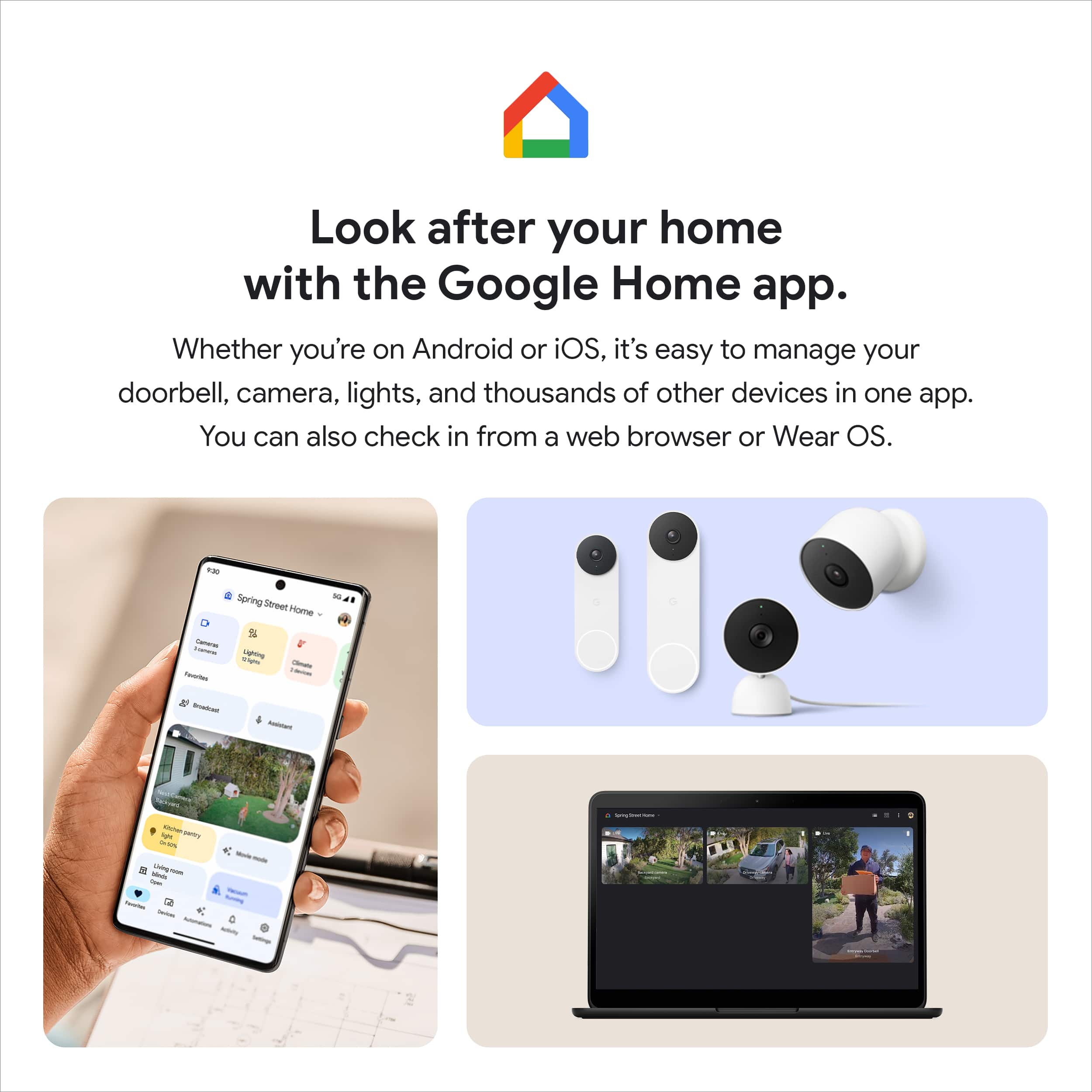
      We wanted to make the Google Home app the one place where you can control all your favorite Nest devices and other smart home devices with the Google Assistant. Here are some benefits you can get by using the Google Home app with your Nest Doorbell (Battery):
      - Automatic security protections such as Suspicious activity detection, 2-Step Verification and Security Checkup.
      - Your Google Nest devices and services will work together. For example, if you have a Nest Cam and a Nest Hub, just say, """"Hey Google, show me the backyard camera” to cast your camera stream to your display without any additional setup.
      - One account to sign into both the Nest and Google Home apps.
      - Your homes and home members will be aligned across the Nest and Google Home apps.

      We'd like to hear more about your concerns and see how we can help answer your questions, and provide you with a better experience. Please reach out to our support team here: https://support.google.com/googlenest/gethelp Nest

  • Rated 1 out of 5 stars

    For the love of god give it a rung

    |
    |
    Posted . Owned for 6 months when reviewed.
    This reviewer received promo considerations or sweepstakes entry for writing a review.

    Stupid it don't ring thru like the wired one does on Nest

    No, I would not recommend this to a friend
  • Rated 1 out of 5 stars

    Disappointed in this google product

    |
    |
    Posted . Owned for 1 month when reviewed.
    This reviewer received promo considerations or sweepstakes entry for writing a review.

    Does not work with google nest. Hard to sync to hub. Disappointed the camera does not have a wide angle view like previous door bells we have owned

    No, I would not recommend this to a friend
    • Brand response from Nest Support
      Posted .

      Hi Skip, thanks for contacting our support team. We´re sorry to hear that your Nest Doorbell isn't working with your Nest Hub.

      Nest Doorbell works with Nest Hub to announce when someone rings your Nest Doorbell (Battery). We recommend ensuring that your setup meets the following requirements:
      - Latest version of the Google Home app.
      - Latest version of the Google app.
      - A Google Account.
      - A mobile phone or tablet having Android 8.0 or later version or iOS device having 14.0 or later version.
      - Works with 2.4 GHz and 5 GHz Wi-Fi networks (a WPA-2 Enterprise network won't work).
      - Ensure that Bluetooth is turned on.
      - An Internet connection and secure wireless network.
      - Ensure that your Nest Doorbell (Battery) is properly set up with Nest Hub by following the step by step guide on this page: https://support.google.com/googlenest/answer/7672451

      Your Nest Doorbell (Battery) comes with a 1.3-megapixel color camera sensor with a 145° diagonal wide-angle view. If the viewing angle doesn´t meet the specification we highlighted, and if you still face some difficulty setting up Nest Doorbell (Battery) and Nest Hub (2nd Gen), please consider contacting our support team using this link: https://support.google.com/googlenest/gethelp Nest

  • Rated 2 out of 5 stars

    Great When It Works

    |
    |
    Posted . Owned for 1 month when reviewed.
    This reviewer received promo considerations or sweepstakes entry for writing a review.

    I've had this doorbell for a month now and am using it in battery mode. The AI features are pretty good and prevent unnecessary alerts from happening. I have predominately used 'package detection' mode since that was 100% the reason I bought it. Unfortunately it also does not detect events about half of the time leading to half of my packages sitting on my doorstep. This basically makes the doorbell trash in my estimation.

    No, I would not recommend this to a friend
    • Brand response from Nest Support
      Posted .

      Hi AMcManigal, we appreciate you for posting your feedback here. We're sorry to hear that you're having some difficulties with your Nest Doorbell (battery) when it comes to motion detection. The camera on your Nest Doorbell runs algorithms to process video and audio data so it can determine whether it detected something you might want to know about such as detecting a package. We'd like to know more about your experience so we can help find a better resolution for you. Please contact us on our Google Help page here: https://support.google.com/googlenest/gethelp Nest

  • Rated 1 out of 5 stars

    Tifpit

    |
    |
    Posted . Owned for 1 month when reviewed.
    This reviewer received promo considerations or sweepstakes entry for writing a review.

    Awful Broke and fell off the house as soon as Best Buy tech left Assuming a Best Buy tech installation issue vs product

    I would recommend this to a friend
    • Brand response from Nest Support
      Posted .

      Hey there, Tiffpit. Thanks for sending in your review. We're sorry to learn that your Nest Doorbell (battery) wasn't installed properly. This is not the initial impression we want you to have with the products and services we provide. We suggest reaching out to BestBuy so they can address this issue for you. However, if you're still experiencing some technical issues with the Nest Doorbell then please reach out to our support team for further assistance. Please contact us on our Google Help page here: https://support.google.com/googlenest/gethelp Nest

  • Rated 1 out of 5 stars

    Doesn't like cold

    |
    |
    Posted . Owned for 6 months when reviewed.
    This reviewer received promo considerations or sweepstakes entry for writing a review.

    Do not buy if you live in cold climate. Does not work when temps drop below 0 degrees F. Useless as a security device

    No, I would not recommend this to a friend
    • Brand response from Nest Support
      Posted .

      Hello LarryF, thank you for posting your feedback on Nest Doorbell (battery). We're sorry to learn that your experience didn't meet your expectations when it comes to the working temperatures of the device. At temperatures below freezing, the lithium-ion battery in your Nest Doorbell won’t be able to charge. Many devices, including popular models of doorbell, cameras and cell phones, use lithium-ion batteries for their high power and long life, but these batteries are also affected by temperatures below freezing.The batteries in your Nest Doorbell (battery) has the minimum operating temperature of -4°F (-20°C) and a minimum charging temperature of 32°F (0°C). If you need further assistance with your Nest Doorbell, please don't hesitate to contact us on our Google Help page here: https://support.google.com/googlenest/gethelp Nest

  • Rated 1 out of 5 stars

    poor motion detection range

    |
    |
    Posted .
    This reviewer received promo considerations or sweepstakes entry for writing a review.

    I purchased this with high hopes, but it’s not a reliable camera. It only picks up motion when you walk right up to it. This is especially bad at night.

    No, I would not recommend this to a friend
    • Brand response from Nest Support
      Posted .

      Hi Muss, we appreciate you for taking the time to give us feedback about the Nest Doorbell (Battery), and we’re sorry to learn that it didn’t meet your expectations.

      Your Nest camera or doorbell will go idle if it’s not detecting activity, not streaming video, or if it’s not recording video. Your camera runs algorithms to process video and audio data so it can determine whether it detected something you might want to know about. If you only need your camera to detect people, animals, or moving vehicles, we recommend that you do not turn on the basic motion and sound detection feature. You might have to move your camera, change your camera’s angle, or change something in the scene so that you don’t miss important activity and choose which events your camera can detect and record.

      We’re taking your feedback and we’ll share it with the right team to work on improving our products and services. For any concerns, or if there’s anything that we can help you with, please let us know anytime here: https://support.google.com/googlenest/gethelp Nest

  • Tech Insider Network Member

    Rated 4 out of 5 stars

    A great doorbell with a lot of functionality

    |
    Tech Insider Network Member
    Posted .
    This reviewer received promo considerations or sweepstakes entry for writing a review.

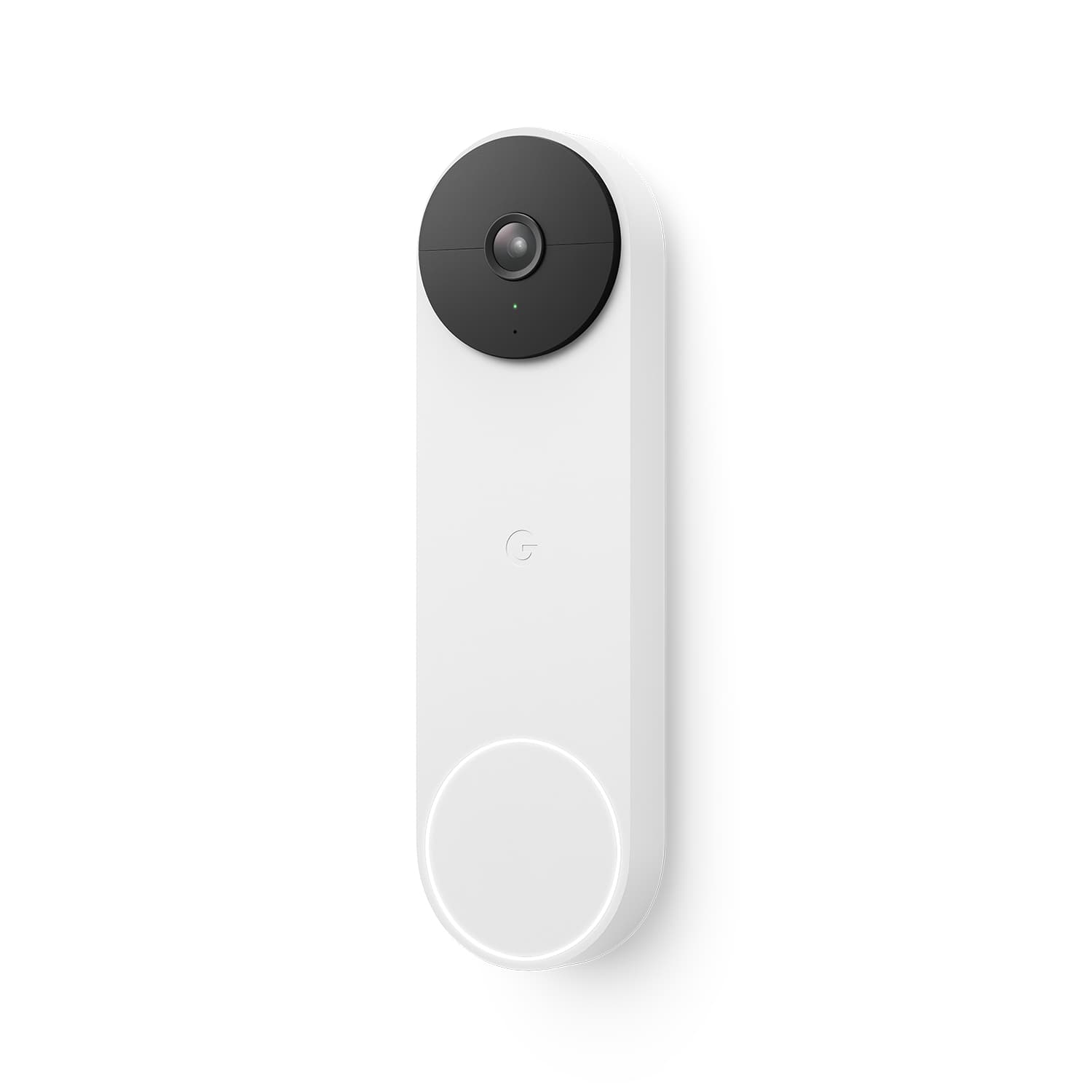
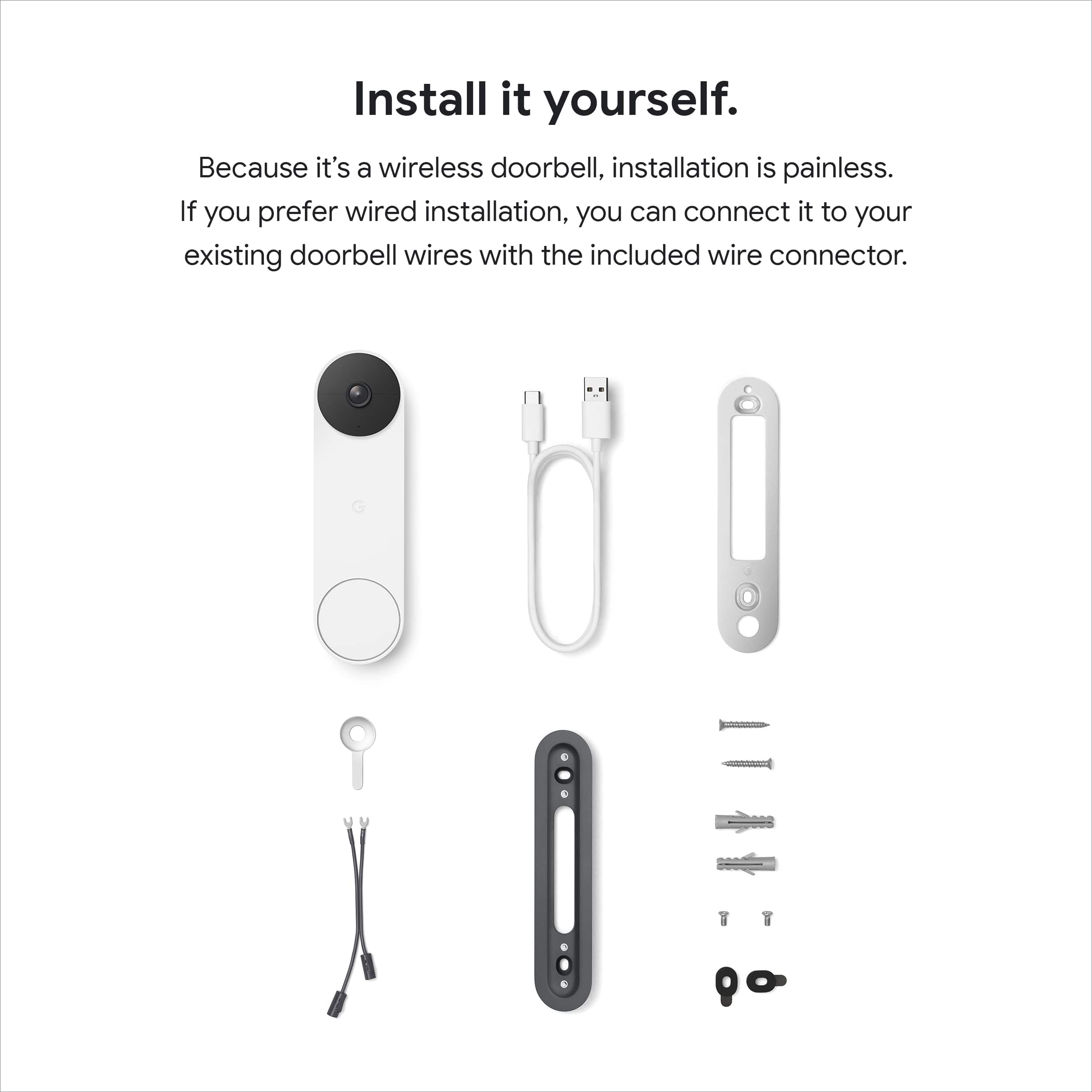
    Setup and configuration was a breeze. It came with everything needed and then some to get it setup and mounted on my house. It is a bit on the larger side but in my opinion it does look a lot better than most video doorbells out there. It also comes in four different colors which is a nice touch. Seems pretty durable but I guess time will tell how long the battery lasts and if it works when it gets really cold out. All setup, configuration, and usage is done via the Google Home app. The app has settings for battery, events, doorbell, video, and audio. I hardwired mine and connected it to a old electronic chime. I just installed it right over top of where my old one was. If you hardwire to your house the battery keeps a charge from the wiring and the battery percentage disappears from the app since you don't necessarily have to worry about it. Something that I though was really nice was that you can adjust the length of the chime in seconds. So for me I can actually adjust how much of the doorbell chime I hear. As for video I would say its average. I find even at "max" setting for resolution its fine but nothing worth bragging about. There is about a 1 sec delay with the live video feed which in the doorbell world is pretty good. Night vision works really well. Audio is very clear and you can adjust the volume in the app if needed. I love being able to see who is at the door at any time and being able to communicate with them as well. Something that makes this a bit different from other video doorbells is that it has some sort of AI built in and can detect if it sees a person, animal, package delivery, or vehicle. Then sends a push notification to your devices to let you know if you have it enabled. Pros: Supports both hardwired and battery Very configurable Comes with all mounting hardware needed Night vision Two way audio Works with Nest Hub displays Supports Google Assistant Built in AI for detection and push notifications Supports both 2.4 and 5 GHz wifi Comes in four colors Cons: Does not work with android tv or smart clock displays No option for constant button illumination Free video recording is only 3 hours Overall I think this is a pretty great doorbell. Its supports a lot of different install configurations and gives you a lot of functionality once installed.

    I would recommend this to a friend
    • Brand response from Nest Support
      Posted .

      Hi there Jaybot, thanks for giving us detailed feedback, and we’re glad that you love your new Nest Doorbell (Battery). We´re sorry to hear that you are unable to cast the video feed to your Android TV, and that you couldn't find any option for a constant button illumination.

      Although streaming to an Android TV still has limited support, you may still get notifications and video streams on compatible smart displays like the Nest Hub and Nest Hub Max. To learn more, check out this help article: https://support.google.com/googlenest/answer/9137164

      Your Nest Hello (Battery) also comes with a small status light above the camera, that has solid green color to indicate your Nest doorbell is turned on, connected to Wi-Fi network, and is processing images in its view. For more information on the lights available for Nest Hello (Battery), you may visit this link: https://support.google.com/googlenest/answer/9268073

      You get a lot of value by getting an active subscription of Nest Aware since it covers your speakers, displays and cameras for a flat monthly rate. It also has new features like sound detection and emergency calling (US only). You can upgrade from a 3-hour event video history to 30 days of event video history with an active Nest Aware subscription, or 60 days of event video history with Nest Aware Plus.

      If you have any questions, or need assistance, feel free to contact our support team. We’d be happy to help here: https://support.google.com/googlenest/gethelp Nest

  • Tech Insider Network Member

    Rated 4 out of 5 stars

    A Video Doorbell For Google Users

    |
    Tech Insider Network Member
    Posted .
    This reviewer received promo considerations or sweepstakes entry for writing a review.

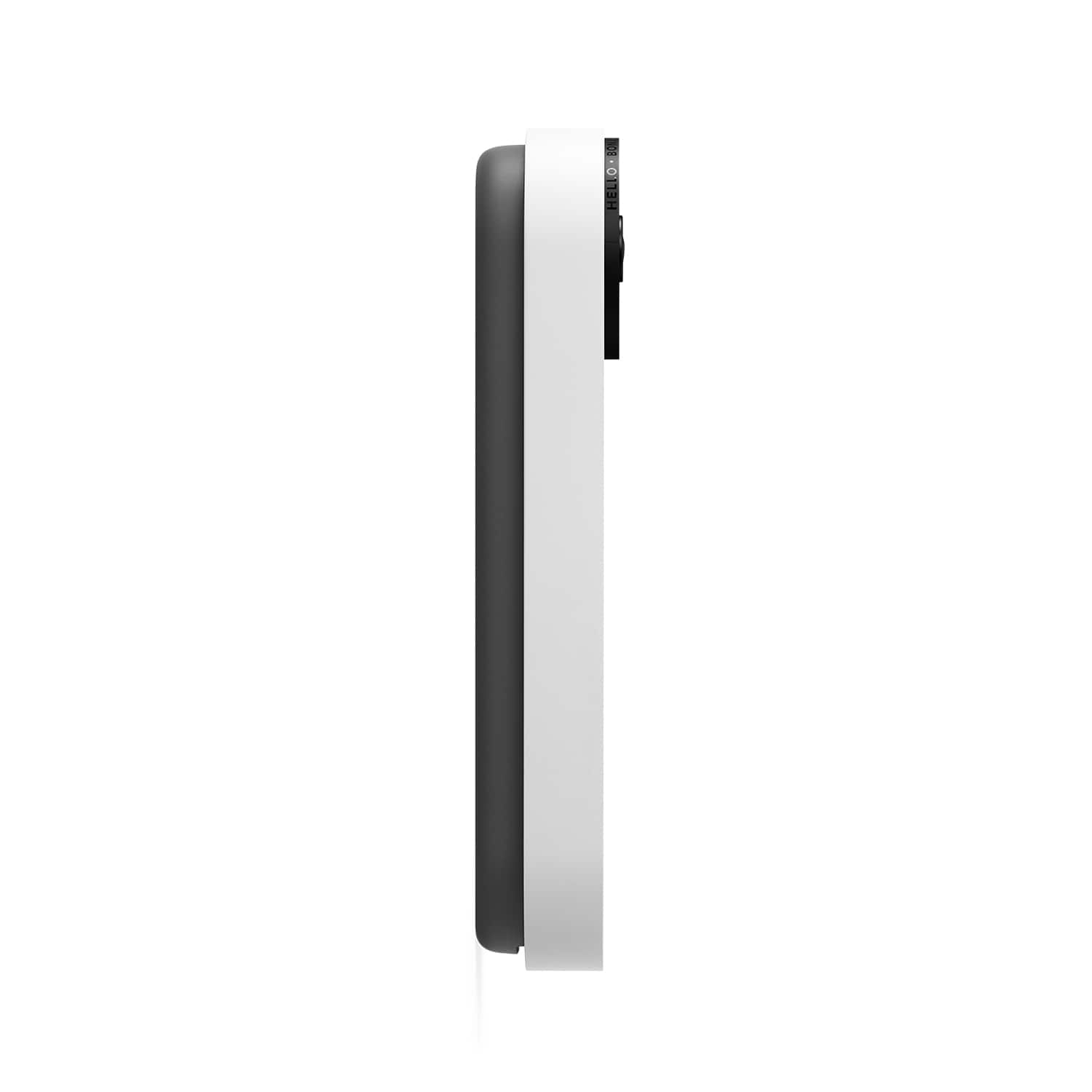
    Google’s latest generation of video doorbell is here. I am both excited and curious on how my first video doorbell will be. As I am new to the entire video doorbell world, I cannot review its technical aspects and differences between that and the competition. For that, I apologize. However, I will post my experience of using it here. The box comes with everything needed to install the doorbell -- screws, mounting plate, etc. You only need to supply the tools needed to do the installation. Instructions on how to install is shown through a YouTube video. Link to the video is provided on the included paper. The video is thorough and easy to follow. When listing off the tools needed for installation, it even tells you the drill bit size, which helps a lot since people may not know what size of a drill bit is appropriate for the included screws. While it’s convenient to have a video of the installation process, I think Google should still include a paper version just to be safe. After reviewing the video a few times, I started the installation. It was simple enough that I had no issue at all going through the process. I did have to check a couple of times if I needed to use the wedge for better camera angle. Turns out I do. Still, the installation process was smooth throughout. Once I had the doorbell installed and it snapped into place, I did a test ring and the Google Home app worked as expected. The live video worked and I’m happy it’s working. Since I have a couple of Google mini speakers, I turned on visitor announcements and rang the doorbell again. The speakers came to life and announced appropriately. There is about a 1-2 seconds of delay between ringing and announcement. Video quality seems okay to me. There are some video stutters and a moment of extreme overexposure when the camera turns on, but perhaps this is due to the processor waking up? Still, I’m happy with how it turned out. It can even record at night using infrared. That’s so cool. Battery life is something I cannot say if it’s good or bad. But seeing that the camera only goes live when it senses someone at the door or when the doorbell rings, it should last long enough between charges. This is the only drawback to using this model. The plus side is that I do not have to learn about doorbell wiring and needing to find the breaker for the doorbell itself. Overall, the Nest Doorbell is a nice alternative to those who do not want to bother with doorbell wiring. But going this route means incurring some inconveniences -- charging the battery, no 24/7 camera live feed. On a personal level, this is fine for the time being. Is the price worth it? That I do not know. There are competitors that are either cheaper or more expensive than this. But they are outside the Google ecosystem so compatibility will be an issue. I feel this is a nice addition if you’re already invested in Google products. The Good: small, slim, should mount virtually anywhere, decent video quality The Bad: slightly worse camera field of view than older generation, having to recharge battery, no 24/7 camera feed The Ugly: Seeing your own face on the video doorbell post-installation Verdict: Buy if needed

    I would recommend this to a friend
  • Rated 1 out of 5 stars

    Google Nest Door Bell

    |
    |
    Posted . Owned for 1 month when reviewed.
    This reviewer received promo considerations or sweepstakes entry for writing a review.

    The connection was very poor. In addition the software to acknowledge device was failing. We decided to return this device.

    No, I would not recommend this to a friend
    • Brand response from Nest Support
      Posted .

      Hi BestBuyer, we appreciate your insights. We're sorry to hear about the poor connectivity issue with Nest Doorbell (Battery), and it's unfortunate that you had to return it.

      If you will allow us, we'd like to take another shot at improving your experience if you will ever reconsider using our Google Nest products again. We'll definitely do our best to make it your while, if you can reach out to us here: https://support.google.com/googlenest/gethelp Nest

  • Rated 1 out of 5 stars

    Useless

    |
    |
    Posted . Owned for 3 weeks when reviewed.
    This reviewer received promo considerations or sweepstakes entry for writing a review.

    Five times somebody came out to install it, the fifth time they realized it doesn’t work with 5G so it’s useless

    No, I would not recommend this to a friend
    • Brand response from Nest Support
      Posted .

      Hi Michael, thanks for taking the time to share your feedback. We apologize for the inconvenience caused by Nest Doorbell (battery).

      Nest Doorbell is compatible with both 2.5GHz and 5GHz networks. Connectivity issues can be caused by different factors like location and distance of Nest Doorbell, Wi-Fi router, outdated phone and Google Home app. This may also be caused by Wi-Fi network congestion and Wi-Fi interference with other devices and/or networks. Removing other devices from your Wi-Fi might help.

      If you need help, we’re always willing to help you the best way we can. You can reach out to us anytime using this link: https://support.google.com/googlenest/gethelp Nest

  • Rated 1 out of 5 stars

    Mr Campbell

    |
    |
    Posted . Owned for 3 weeks when reviewed.
    This reviewer received promo considerations or sweepstakes entry for writing a review.

    I am having trouble with this item I have to go to a store to see if I can get it resolved

    No, I would not recommend this to a friend
    • Brand response from Nest Support
      Posted .

      Hi KennethC, thanks for trying out Nest Doorbell (Battery). We're sorry to hear that you're having some difficulty setting it up. It's a great idea to check with BestBuy for help with your concern. However, if you need further guidance setting it up, you're more than welcome to contact our support team for additional help here: https://support.google.com/googlenest/gethelp Nest

  • Rated 1 out of 5 stars

    Not what I expected!

    |
    |
    Posted . Owned for 3 weeks when reviewed.
    This reviewer received promo considerations or sweepstakes entry for writing a review.

    Still waiting fot costumer service to email me. Can't hear when someone is at the front door. Speaker too low. What a mess!

    No, I would not recommend this to a friend
    • Brand response from Nest Support
      Posted .

      Hi there, thanks for posting your feedback about the Nest Doorbell (Battery), and we’re sorry to learn that it didn’t meet your expectations.

      The Google Nest Doorbell (battery) is designed to run on batteries without the need for frequent recharging, and a chime is not included. But when a visitor presses your Nest Doorbell (battery), you can hear an audible alert if you have compatible smart speakers or displays, like Nest Audio or Nest Hub. If you choose the optional hard-wired installation, it will work with your existing doorbell chime.You can also choose to connect it to your doorbell system’s wires, which lets it stay powered. If your home doesn’t have a doorbell system, the easiest option is to install your doorbell wirelessly. You can connect a Google speaker or display and set up visitor announcements if you want to get notified when someone rings your doorbell when you’re home. You'll only get visitor announcements on your speakers and displays if they are set up in the same home as your doorbell in the Home app.

      If you’re already using the visitor announcement feature with a compatible speaker and still can’t hear when someone is at the door, please contact us at anytime at Google Nest Help page for further troubleshooting guidance: https://support.google.com/googlenest/gethelp Nest

  • Rated 1 out of 5 stars

    Worthless

    |
    |
    Posted . Owned for 1 month when reviewed.
    This reviewer received promo considerations or sweepstakes entry for writing a review.

    It used to be a good company before Google, the phone doesn’t ring on your phone just messages. Ring bell works much better.

    No, I would not recommend this to a friend
    • Brand response from Nest Support
      Posted .

      Hi Kouroche, thank you for sharing your review. We're sorry to hear that your experience with your Nest Doorbell didn't meet your expectations. Our priority with this launch was to create an integrated experience with other Google Nest products and to make the Google Home app as the one place you can control all your Nest and other smart home devices with the Google Assistant. Your feedback here helps us better understand what our customers' needs and preferences are and will help improve what we provide in the future. If you need further assistance with your Nest Doorbell, please reach out to our support team. You can contact us on our Google Help page here: https://support.google.com/googlenest/gethelp Nest

  • Rated 3 out of 5 stars

    Doorbell

    |
    |
    Posted .
    This reviewer received promo considerations or sweepstakes entry for writing a review.

    Works well but if phone isn’t in your hand you don’t know anyone is there. It doesn’t ring.

    I would recommend this to a friend
    • Brand response from Nest Support
      Posted .

      Hi RichM, thank you for posting your feedback on your Nest Doorbell (battery) and we're sorry to hear that your experience has been less than ideal when it comes to alerting you when someone is pressing the doorbell. We'd recommend connecting your Nest Doorbell to your doorbell system wires so you can use your existing chimes if available. You will need to check the compatibility of your system with the device. Please visit this link for more details about compatibility: https://support.google.com/googlenest/answer/9247132

      If you need further assistance or have additional questions on how to set this up, please feel free to contact us on our Google Help page here: https://support.google.com/googlenest/gethelp Nest

  • Rated 1 out of 5 stars

    App is horrible! Bring the Nest app back!

    |
    |
    Posted .
    This reviewer received promo considerations or sweepstakes entry for writing a review.

    What happen to the Nest App?? Google Home app is very unstable and not built correctly. Bring the Nest app back!!!!

    No, I would not recommend this to a friend
    • Brand response from Nest Support
      Posted .

      Hi Nico, thanks for your feedback. We’re sorry to hear that you have challenges using the Google Home app for your new Nest Doorbell (battery).

      We’re still supporting the Nest app. However, the new Nest Doorbell (Battery) is exclusive to Google Home app because we wanted to create an integrated experience with your speakers and displays. Our long term plan is to use the Google Home app as the one place you can control all of your favorite Nest and other smart home devices, as well as Google Assistant. In the near future, we’ll allow users to set up previous Nest devices and have full control in the Home app. Here are some benefits using a Google Home app:
      - Automatic security protections such as Suspicious activity detection, 2-Step Verification and Security Checkup.
      - Your Google Nest devices and services will work together. For example, if you have a Nest Cam and a Nest Hub, just say, "Hey Google, show me the backyard camera” to cast your camera stream to your display without any additional setup.
      - One account to sign into both the Nest and Google Home apps.
      - Your homes and home members will be aligned across the Nest and Google Home apps.

      If you need assistance, feel free to reach out to our support team. We’d be more than happy to help here: https://support.google.com/googlenest/gethelp Nest

  • Tech Insider Network Member

    Rated 5 out of 5 stars

    Great for Renters and Google/Nest Devotees

    |
    Tech Insider Network Member
    Posted .
    This reviewer received promo considerations or sweepstakes entry for writing a review.

    Battery-powered outdoor cameras and doorbells seem to be all the rage lately, and for good reason: they make adding additional security outside as easy as possible, with no wires to run and no professional installation or expensive security system necessary. Google's newest entry, the Nest Doorbell (battery), joins the Nest Cam (battery) as one of the company's two wire-free monitoring options. As a renter with no existing doorbell or outdoor power source I am limited to battery-operated options only. I was not initially planning on adding outdoor cams (I have two indoor "pet" cams already), but after some package and bike thefts being reported in the area I figured it might be worth investigating. With a number of Google/Nest products already it was a no-brainer to stick with that product family for compatibility. The Nest Doorbell (battery) comes in typically high-end Google packaging, with everything clearly labeled. The doorbell itself is quite a bit larger than it looks in pictures, with a large white button on the bottom and large black camera/sensor array up top. It comes with everything needed for installation into wood and/or concrete/stucco, provided you have the correct tools -- namely, a drill and drill bits. It also includes a wedge to angle the camera 20 degrees one way or the other, to help you get a better view of your front door area. Installation is pretty straightforward, with everything handled through the Google Home app. The process walks you through step-by-step, including an overview video at the beginning and plenty of help options. I was up and running pretty quickly, with the hardest part being drilling through the thick wooden molding around my front door. Google helpfully gives you a live preview of the camera's vision during the setup process to help you position the unit; I ended up needing the wedge to get the best view, as my apartment has a thick stone wall. I also decided to mount the unit opposite the door handle so that the view would include more of my front porch area rather than the stairs leading to the walkway outside my door. With no wires to run you are free to position the doorbell almost anywhere, which is great. After mounting everything the doorbell requires you to charge it fully before use. This can take up to five hours, according to the app, but my doorbell arrived with about 80% on the battery so I only had to charge for an hour or so using USB-C. Over a week of use the app estimates I'll go seven weeks between charges, which is great considering the long charge time. The end of the doorbell setup process in the Google Home app offers you a free 30-day trial of Google's Nest Aware service, which is not very clearly described as a free trial until after you've signed up. Nest Aware enables additional features like 24 hours of event history and alerts for sounds like breaking glass and fire alarms (available on Google/Nest Home speakers and hubs) for $6 + tax a month. Without Nest Aware you only get 3 hours of event history, which is pretty paltry for a doorbell at this price, especially since events happening while you're asleep may already be inaccessible when you wake up -- but your usage may vary. I will likely stick with Nest Aware and consider adding more Nest products to my setup in the future. After a full charge the Nest doorbell simply clicks right onto its mounting bracket and gets to work. All settings and video streams run through the Google Home app, with the option to view the stream on compatible Google/Nest hubs. I asked Google to show me the front door on my 1st-gen Google Home Hub and she did so in under 10 seconds, which isn't too shabby. Whenever anyone presses the doorbell button all the Google Assistant devices in my apartment ring (even my Sonos speakers) and I get an alert on my iPhone. In practice, the doorbell sits dormant most of the time, only recording when it detects motion. Even without a Nest Aware subscription you can set up activity zones in the Google Home app, which I highly recommend, especially for apartment-dwellers like me. I was able to define an activity zone that includes my doormat and porch area but not the stairs and walkway visible from the camera, which has cut down on the number of notifications I get for my neighbors simply walking by. I like that you can turn off notifications outside your activity zone but still have the camera record an event, so in case something happens outside the zone that you later want to review, you'll have some footage. A Nest Aware subscription enables facial recognition, which is very neat. The doorbell does a great job of picking up on faces and will ask you if you know them, giving you the option to name familiar faces and get custom alerts when friends and family are spotted. I do wish you could save faces and then disable notifications for them, though, so that I could save my neighbors' faces and stop getting alerts when they pass through my activity zone. In addition to faces the camera will recognize animals and packages, which has been mostly accurate (but not perfect) in my testing. Audio and video quality are perfectly acceptable. The video stream isn't as high-def as the 2K cameras in my house, but they are acceptably clear during the day and at night (though they are black-and-white in the dark). This is a compromise to enable a long battery life and one I'm willing to live with to avoid running wires. In practice, I have no complaints about the audio/video stream, although keep in mind there's almost always a lag when starting a stream or opening an event notification. Overall, after a week of testing I'm pleased with the Google Nest Doorbell (battery). Setup and installation was a breeze, audio/video quality is good, and battery life is excellent. My only real complaints are with the Google Home app -- if you've used the Home app at all, you'll be familiar with how messy it can be. There are just so many options and settings and pages and whatnot that simple tasks can be a bit cumbersome, but this is really a critique of the Google Home app and not the doorbell itself. At least (for me) the Google Home app is mostly reliable, if a bit annoying to use. If you're invested in the Google/Nest ecosystem and want to avoid wires, you can't go wrong with the Nest Doorbell (battery). However, if you don't use other Google/Nest products, you're definitely going to want to look elsewhere, as the doorbell doesn't work with Alexa or Siri. Finally, if you have doorbell wires available I would recommend reading through the installation instructions first, as you can wire this doorbell with the included adapter, provided your specific setup supports it. Also, Google recently announced a new Nest Doorbell (wired) will be coming in 2022, so it may be worth waiting to see how that device compares.

    I would recommend this to a friend
  • Rated 1 out of 5 stars

    Avoid

    |
    |
    Posted . Owned for 7 months when reviewed.
    This reviewer received promo considerations or sweepstakes entry for writing a review.

    Terrible product even when wired. Vie Angle is snaller than should be. Just terrible

    No, I would not recommend this to a friend
    • Brand response from Nest Support
      Posted .

      Hi Benjamin, thanks for letting us know what you think of the Nest Doorbell (battery), and we’re sorry to hear it’s below your preference.

      Unlike some other video doorbells, Nest Doorbell (battery) has a 145° diagonal field of view at 3:4 aspect ratio. It means you can see people from head to toe, and packages left on the ground. Also, even when wired for continuous charging, it does not offer 10 days of 24/7 video history with Nest Aware Plus. To optimize battery life, it offers event video history and will detect and capture important activity at your door, so you can focus on the details that need your attention.

      We’d like to know more about your challenges with using the Nest doorbell and learn how we can help improve your experience. Please feel free to find us anytime here: https://support.google.com/googlenest/gethelp Nest

  • Rated 1 out of 5 stars

    Even replacement doesn't work.

    |
    |
    Posted . Owned for 3 months when reviewed.
    This reviewer received promo considerations or sweepstakes entry for writing a review.

    Returned the first one. Now the second one is still doing the same things.

    No, I would not recommend this to a friend
    • Brand response from Nest Support
      Posted .

      Hello there, thanks for sharing your review. We're sorry to learn that you returned your first Nest Doorbell (battery) and are still experiencing the same issue with the second device. This is not the initial impression we want you to have for the products we provide. Please reach out to our support specialists so we can help identify the cause of the issue you're experiencing and find troubleshooting steps to enhance it. You can contact us on our Google Help page here: https://support.google.com/googlenest/gethelp Nest

  • Rated 3 out of 5 stars

    Difficult set up

    |
    |
    Posted . Owned for 2 weeks when reviewed.
    This reviewer received promo considerations or sweepstakes entry for writing a review.

    Worked okay, after charging it stopped displaying live view

    No, I would not recommend this to a friend
    • Brand response from Nest Support
      Posted .

      Hello Hildi, thanks for taking the time to share your feedback, and we’re sorry to hear that your Nest Doorbell (battery) stopped displaying the live view.

      A range issue or wireless interference can affect the performance of your doorbell. Sometimes it may pass the connection test during setup, but will struggle to stay connected if it’s just a bit too far away. If you're experiencing a spotty connection or weak signal, we recommend checking your Wi-Fi network to see if your bandwidth is congested. This may happen if you have too many devices connected on the same bandwidth or if your network package is not enough to handle the data traffic on the network. Removing other connected devices to your Wi-Fi may relieve network congestion. If your doorbell is mounted too far from your Wi-Fi router, you may need to extend your Wi-Fi network’s range using an extender, boosters or additional Wi-Fi access points.

      We’d be happy to provide further troubleshooting guidance, please contact us at your earliest convenience here: https://support.google.com/googlenest/gethelp Nest