Customer Ratings & Reviews











- Model:
- GA00595-US
- SKU:
- 6382499
Rating by feature
- Setup
Rating 4.6 out of 5 stars
- Range
Rating 4.5 out of 5 stars
- Signal Strength
Rating 4.5 out of 5 stars
Customers are saying
Customers highly value the Nest Wifi's ease of use, extensive coverage, and strong signal, with many praising its simple setup and improved performance. Positive feedback frequently highlights the system's reliable connectivity and extended range. While some find the price to be a drawback, the majority of users report a positive experience. A few users experienced compatibility issues or lag, but these were less frequently reported than the positive aspects.
This summary was generated by AI based on customer reviews.
Inadequate Parental Control Coverage
||Posted . Owned for less than 1 week when reviewed.This reviewer received promo considerations or sweepstakes entry for writing a review.It works fine, but in order to have the advertised parental control all of your kids devices have to be google devices. No control over my children's wifi access at all.
No, I would not recommend this to a friendBrand response from Nest Support
Posted .Hi Pete, thanks for sharing your feedback to let us know of your issues with the parental control feature of the Nest Wifi. We understand how important it is for you to always stay on top when it comes to monitoring your kid's screen time. Luckily, you can manage several devices or specific devices through Family Wi-Fi. But you will need first to set up a Family Wi-Fi group, and once you've set up Family Wi-Fi groups, you can:
- Pause the internet for a group of devices with a single tap
- Schedule pauses ahead of time for regular routines like bedtime or distraction-free homework time
- Automatically block millions of adult websites from devices you specify
Find out more about this feature using this link: https://support.google.com/googlenest/answer/7506043
If assistance is required, you can always visit the Google Nest Help page here: https://support.google.com/googlenest/gethelp
Nope
||Posted . Owned for 3 months when reviewed.This reviewer received promo considerations or sweepstakes entry for writing a review.This is not a great product. I have not had any good experience with this product yet. The google wifi was great. As soon as they introduced the Nest Wifi, everything was trash.
No, I would not recommend this to a friendno support
||Posted . Owned for less than 1 week when reviewed.This reviewer received promo considerations or sweepstakes entry for writing a review.not connecting to my wifi and unable to reach customer support to help me set it up- I left an email support and no call back for 2 weeks now
No, I would not recommend this to a friendBrand response from Nest Support
Posted .Hi there, thanks for taking the time to share your feedback. We regret to learn that you;re having issues setting up your Nest Wifi, and unable to get any support from us.
We value your feedback, and we’d like to help you the best way possible. You can visit this link for online set-up instruction and troubleshooting: https://support.google.com/googlenest/answer/9548301, or contact our support team using this link: https://support.google.com/googlenest/gethelp
Does not work, no affect on connection. Waste.
||Posted .This reviewer received promo considerations or sweepstakes entry for writing a review.Does not work. Does not speed up connection. Just wants to cross sell something by asking all these questions.
No, I would not recommend this to a friendBrand response from Nest Support
Posted .Hi,
We appreciate you for taking the time to share your feedback with us. We're sorry that Nest WiFi router didn't work out for you.
Internet speed and reception depend on the modem and internet service provided by your service provider (ISP) but here are some resolutions that may help tackle the issue:
- The internet speed from your provider may be currently slower than expected. Test your internet speeds if the results are less than you expected contact your internet service provider.
- Building materials and other objects located between your router and Wi-Fi points or between your Wi-Fi points and mobile devices may slow your connection. If possible, try to use your device within a clear line of sight to your router or point.
- There could be signal interference due to traffic on your Wi-Fi network, on your neighbors' Wi-Fi networks, or from other sources like microwaves or baby monitors. Also, there could be congestion on your Wi-Fi network if you have many connected devices to the network. As all these devices consume a portion of your available Wi-Fi bandwidth. You can try disconnecting some of the devices and check if there's a difference or increase on your Wi-Fi speed.
- Restarting your modem can fix internet connection problems, improve slow performance and resolve common wireless issues. Even if your modem appears to be working correctly, you may need to restart it to establish a secure connection to the Wi-Fi point.
Please feel free to reach out to us if you need further assistance with Nest WiFi here: https://support.google.com/wifi/contactflow
Router does not boost iPhone
||Posted .This reviewer received promo considerations or sweepstakes entry for writing a review.This device does not do what i thought it would do. There was no receipt in box. I sadly am very disappointed.
No, I would not recommend this to a friendBrand response from Nest Support
Posted .Hi there, thanks for posting your review. We’re sorry to hear about the disappointing experience with Nest Wifi. Your feedback is important to us, and if you are willing, we’d like the opportunity to talk and investigate what happened. Feel free to contact our support team. We’d be more than happy to assist you here: https://support.google.com/wifi/gethelp
Not worth it just get the goggle wifi
||Posted . Owned for 2 weeks when reviewed.This reviewer received promo considerations or sweepstakes entry for writing a review.Was worth it. Didnt get any faster speed or faster streaming with it. I have google wifi and they work fantastic.
No, I would not recommend this to a friendBrand response from Nest Support
Posted .Hi Rich, thanks for sharing your experience with us. We value your feedback as it helps us improve our products and services and provide you with a better user experience. If you have any questions or need further assistance, you can always reach out to our team, and we'd be more than happy to help. Here's the link: https://support.google.com/wifi/gethelp
not working
||Posted . Owned for 4 months when reviewed.This reviewer received promo considerations or sweepstakes entry for writing a review.ghoogle mesh device is a broken device, never work as expected
No, I would not recommend this to a friendBrand response from Nest Support
Posted .Hi there, thanks for sharing your review on your Nest Wifi and we're sorry to hear that you're experiencing some difficulties with getting the mesh to work for you. We'd recommend that you test the mesh connection. The mesh test measures the connection between your router or primary Wifi point and any additional points. Please note that the overall performance also depends on internet speed provided by your Internet Service Provider. If you've done this before or are unable to, we'd recommend that you reach out to our support team so we can help analyze the issue better and provide you with additional troubleshooting tips that may improve your overall experience. You can contact us on our Google Help page here: https://support.google.com/googlenest/gethelp
Dre Google Mesh
||Posted . Owned for 1 year when reviewed.This reviewer received promo considerations or sweepstakes entry for writing a review.connectivity sucks, always dropping signal. dont buy
No, I would not recommend this to a friendBrand response from Nest Support
Posted .Hi DreRaxx,
Thanks for reaching out. We're sorry to hear that Nest Wifi didn't quite meet your needs. We understand how important this is for you and we’d like to help improve your experience.
There are many reasons why your internet connection drops or might appear slow. We'd like to learn more about the network connection issue. If you're willing, you can get in touch with our support team and we'll help you troubleshoot the issue further. Please feel free to reach out to us here: https://support.google.com/wifi/contactflow
DIDNOT SOLVE THE POOR SIGNAL
||Posted . Owned for 1 month when reviewed.This reviewer received promo considerations or sweepstakes entry for writing a review.THE ORBI AND THE GOOGLE INTERNET SYSTEMS DID NOT SOLVE THE POOR SIGNAL IN VARIOUS PARTS OF A LOG HOME.
No, I would not recommend this to a friendBrand response from Nest Support
Posted .Hi 8407OH,
Thanks for leaving your feedback with us. We know it can be frustrating to have poor signals around your home and we're here to do our best in helping you get the best out of Google Nest WiFi.
While Google Nest WiFi can provide a large area coverage with reliable speeds, several factors may interfere with the distribution of the Wi-Fi signal. We recommend placing Nest WiFi router in an open and elevated location to avoid obstruction from walls and furniture.
You can also check if your Google Nest WiFi router is receiving strong and reliable signal from your modem provided by your ISP. If Google Nest WiFi can't get strong connection, it can't distribute it as well. Additionally, it may be helpful to check which Wi-Fi bandwidth (5GHz & 2.4GHz) your devices are connected. While 5GHz bandwidth can provide faster speed in a smaller area (closer to the router), 2.4GHz bandwidth can deliver slower speed that 5GHz in a larger area. Connecting your distant devices to 2.4GHz may help.
We're always here to help. You can reach out to us for further assistance here : https://support.google.com/wifi/contactflow
Too Slow
||Posted . Owned for 1 month when reviewed.This reviewer received promo considerations or sweepstakes entry for writing a review.Returned too slow would not recommend!!!!!!!!!!!!!
No, I would not recommend this to a friend- Pros mentioned:Range, Setup, Speed
Stay Away Can't choose Band when connecting device
Posted .This reviewer received promo considerations or sweepstakes entry for writing a review.Google has outsmarted themselves !! When you connect a device to these Google Nest Mesh WiFi routers you can not choose which band to connect to - 2.4 or 5.0 band. We have 33 WiFi devices in our smart home, all using Google Home. Google Home has a feature for "home and away" where Google Home can set up a system so when you are traveling home Google will detect when you get close to your house it will turn on certain lights or turn up the A/C or heat. This Home and Away feature can not be setup in Google Home as my iPhone 12 is set by Google Nest Mesh WiFi to 5.0 band and the WiFi thermostat and light switches are connected by Google Mesh to 2.4. Again, Google Mesh WiFi does not allow you to pick the band so in fact, some Google Home features can not be made to actually work. I "chatted" with Google support several times and each chat reported that Google has truly out smarted themselves - so even their own Google home features can not be set up to actually work if you are using Googles Mesh WiFi router. I learned this all to late and can not return the Google Nest Mesh WiFi router- I would not advise to buy Google Nest Mesh Router !! We use Google own WiFi app to identify devices and how they are connected so we know this is the issue making feature in Google Home actually work
No, I would not recommend this to a friendBrand response from Nest Support
Posted .Hi Steve,
Thanks for sharing some details with your experience with Nest Wifi. We’re sorry that the Nest Wifi’s proactive band steering feature doesn’t work well with the type of devices you’re using.
We appreciate your feedback as we're always looking for ways to improve our products and services. Even though you may have already contacted our support team, we're hoping you will give us another opportunity to help you with the issue to improve your experience. Please feel free to reach out to us here: https://support.google.com/wifi/contactflow
- Pros mentioned:Ease of use
Great Add On for Extra Customization.
Posted .This reviewer received promo considerations or sweepstakes entry for writing a review.I use this as my primary router for my home. The reason I wanted to update to this is because of the customization. Setting up your own password and guest server is incredibly simple. The back of this device has a wired port that I use for my PS4 for quicker download times. I love that. Setting up the add on points is as easy as using the Google Home App. This is great for larger sized homes that have multiple people occupying at any given time. This allows for faster connection all the way around for friends and family. I love the ability to see how many devices are connected at any given moment, and how much power they are pulling. Testing WiFi speeds only takes a few short seconds for extremely accurate results when compared to other speed test apps.
I would recommend this to a friend - Pros mentioned:Speed
Simply Incredible
Posted .This reviewer received promo considerations or sweepstakes entry for writing a review.I honestly never thought buying a new router could make such a huge difference. I came from a few years old linksys router, I figured it couldn't be so bad being relatively current. I got a google nest mini and mini hub for bedside clock, I had also been having some connectivity issues with Chromecast and Chromecast ultra, figured I would try this knowing I could return it if it made no difference. I could not have been more wrong. I used to get 70 mbps on speedtest, now I get 200+ just with the new wireless router, made by google no less. Wireless connectivity is flawless, and the overall integration with my other google devices is great.
I would recommend this to a friend Google does it again! Best I can find!
Posted .This reviewer received promo considerations or sweepstakes entry for writing a review.I bought the Linksys Velop Wifi 6 router, The Orbi Wifi 6 router, and this all in the last few days. I had nothing but issues with the Linksys and Orbi was ok but the software was garbage. So I bought the Nest Wifi which is brand new but built on the WiFi 5 chip. Shockingly my speeds are better with the Nest WiFi (I bought 2 routers and use the 2nd as an access point, connected via ethernet). I didn't want the smaller "point" as it has fewer antennas. So if you want the BEST coverage, buy multiple Routers, they're made to work this way as well.
I would recommend this to a friendTo replace an Apple
Posted .This reviewer received promo considerations or sweepstakes entry for writing a review.I purchased this directly from Google because I had a coupon but I wanted to leave a review on here for any Apple Airport Extreme 2nd gen holdouts like myself. Let me give you a little background on my previous router: Nothing was wrong with my Airport as it's only 5 years old but the model itself came out in 2013, so the model itself is 8 years old. One of the things that got me to upgrade was the WPA3 security standard and MU-MIMO and band steering. Apple router is still on WPA2, no band steering only beamforming, and only has MIMO, not Multi User output. Apple also hasn't software updated it in 2 years. Those are the only real differences and you really don't need to upgrade if it still works and those aforementioned features don't interest you then ride your current router till it dies. Another reason for me purchasing this router is I also have a roommate and a tenant and I am responsible for keeping all things Internet related working on all four cylinders. The range on this router is ok, we are in a 1 floor house however with the band steering, if you are further out it will boost your signal to your area. I can attest to this as I ran a few speeds tests and ran a Wifi Analyzer app to measure signal strength thru out the house, including backyard area. Shortly after installing this router my speeds on all devices doubled and getting almost wired speeds. Things were pretty fast before but now they are blazing fast and we have quite a few devices connected; 2 Xboxes, 4 Smart TVs, 2 computers, 5 smartphones, 1 Apple TV and smart home devices like Ring and Chimes. As a side note, the Home app also offers more insight to the network than Apple allowed such as being able to see all devices connected INCLUDING wired devices, speed test and Guest Network options. You can also change the brightness of the front LED light. However I do have a few things I wish were different on this router. You cannot separate the 2.4 and 5Ghz band only 1 main wifi. Only 1 ethernet out port so I have a 4 port ethernet switch to hardwire a work computer and Apple TV. You can prioritize a device but only up to 4 hours. Coming from Apple, the router itself feels a bit hollow and lite, a bit cheap feeling but it obviously is functional the way it's supposed to be but I am used to heavy quality things from Apple. Something I've noticed that is strange, when I check the devices and speeds on the app while I am at home it seems to slow the Wifi down, perhaps simultaneously monitoring and showing them on the app causes the slowdown? but once I close the app it goes back to normal.
I would recommend this to a friendRecommend!
Posted .This reviewer received promo considerations or sweepstakes entry for writing a review.Added this router to my OG google wifi and has been amazing at extending the mesh across our entire house.
I would recommend this to a friendWifi router
Posted .This reviewer received promo considerations or sweepstakes entry for writing a review.Easy to install, the app walks your through the setup. Definitely recommend!
I would recommend this to a friendGreat speed
Posted .This reviewer received promo considerations or sweepstakes entry for writing a review.Great router! Will definitely be better than normal routers!
I would recommend this to a friend- Pros mentioned:Coverage
Love this product
Posted .This reviewer received promo considerations or sweepstakes entry for writing a review.Got a three pack for my house and just bought the one pack for my daughter. Setup took five minutes and now she has amazing coverage for her whole home.
I would recommend this to a friend Great router, works like a dream
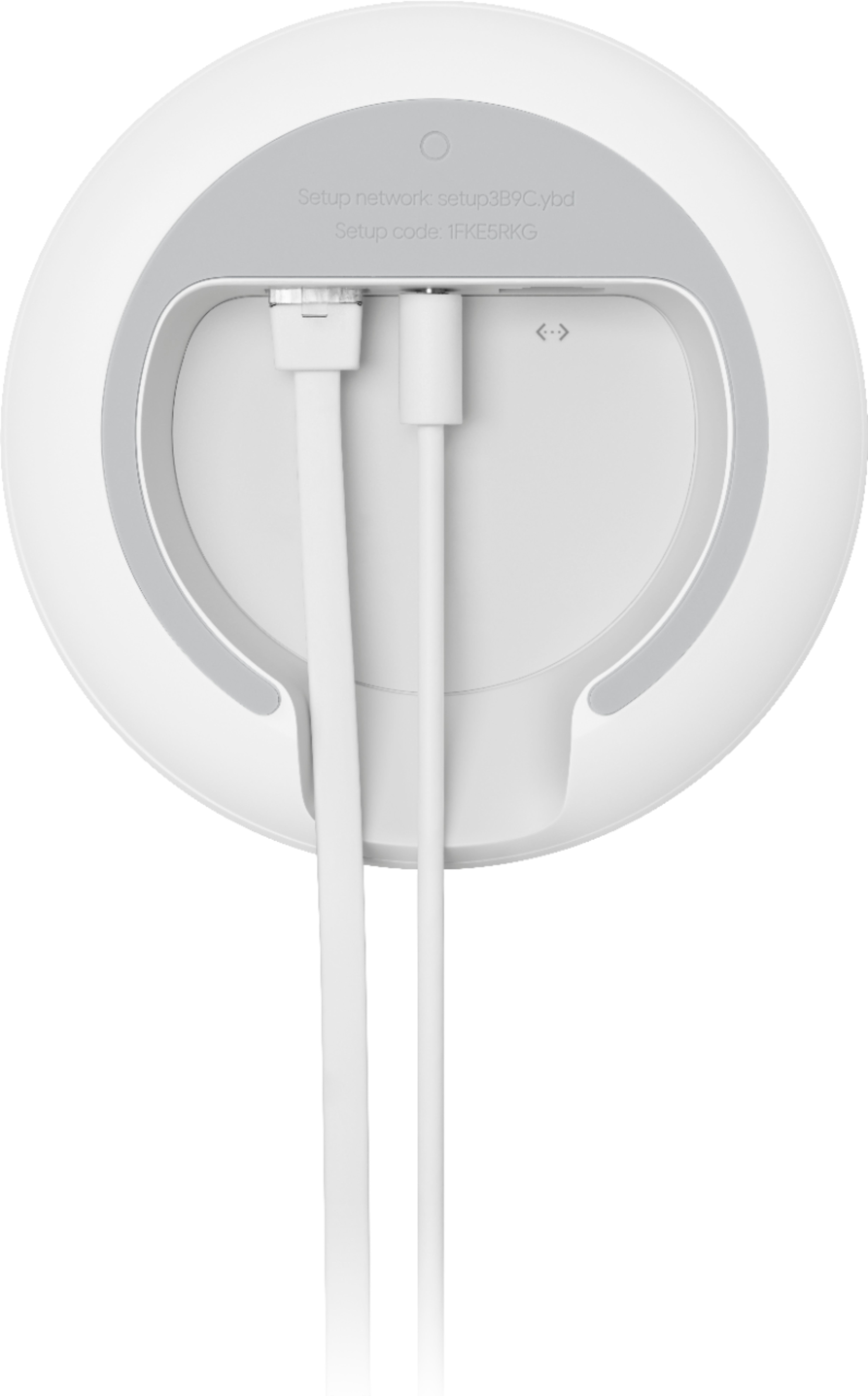
Posted .This reviewer received promo considerations or sweepstakes entry for writing a review.This router has been great since the moment I connected it. The only issue to make sure you connect the input Ethernet cord to correct port, as the labels on the back are murky. Try them both if it at first you do not succeed. Otherwise, everything has been perfect; I forget it's even there!
I would recommend this to a friendBrand response from Nest Support
Posted .Hi BestCoastSXMCP, it's great to hear that Nest Wifi has worked well for you and we'd like to thank you for sharing your experience with us. We do apologize for any confusion you may have experienced with the Ethernet ports. We value your experience with our products, and if you will have any questions or concerns you would like us to address, please do not hesitate to contact us here: https://support.google.com/googlenest/gethelp