Customer Ratings & Reviews











- Model:
- GA03689-US
- SKU:
- 10222135
Rating by feature
- Setup
Rating 4.6 out of 5 stars
- Range
Rating 4.5 out of 5 stars
- Signal Strength
Rating 4.4 out of 5 stars
to a friend
Returned! GoogleHome App/support is not fun.
||Posted . Owned for less than 1 week when reviewed.This reviewer received promo considerations or sweepstakes entry for writing a review.Returned after a long 3hrs of troubleshooting on the phone with Google support trying to get these setup. Google Home App would not complete after hours of troubleshooting, resetting, restarting, and trying 20xs. Tried all three units in the box, none would complete. Multiple errors and when we finally got past the error messages the devices would not read the ethernet cable connection to the modem. Very frustrating, especially since we have been using an older version of google mesh for years and were excited to upgrade to the pro. Plugged our old mesh in and set back up in minutes no problem. Called our service provide they confirmed capability, our services were working and no issues with modem.
No, I would not recommend this to a friendBrand response from Nest Support
Posted .Hey there. We appreciate your comments about your experience setting up your Nest Wifi Pro. We take all user experiences seriously and will use your input to make improvements for the future. In the meantime, we're always happy to help if you have any questions or issues. Here's how to reach us: https://support.google.com/googlenest/gethelp

Don't buy, not stable and poor performance.
||Posted . Owned for 1 month when reviewed.This reviewer received promo considerations or sweepstakes entry for writing a review.The wifi performance is not great and inconsistent. I've had to restart the router numerous times. The router starts to blink yellow and the connection either gets lost or gets extremely slow less for high-speed internet service. I've been on the phone with Spectrum my internet provider several times and checked the network and there are no problems with the connection to the modem from Spectrum. I've recently had to do a complete factory reset to the Google nest network to get the network stable. I'm not hopeful that it will permanently fix the problem and expect to do another factory reset soon. Next time this happens I'm contacting Google to try and get a full refund.
No, I would not recommend this to a friendBrand response from Nest Support
Posted .Hi TheodoreB. We know that your experience with your Nest Wifi Pro hasn't been ideal. We'd be happy to help you get things working smoothly again. This link has some troubleshooting steps that might resolve the issue: https://support.google.com/googlenest/answer/6246489?hl=en&sjid=5544187022271052888-NC
If you're still having problems after trying these steps, feel free to reach out to us for further assistance: https://support.google.com/googlenest/gethelp
GAMERS , STREAMERS, BEWARE!
||Posted . Owned for less than 1 week when reviewed.This reviewer received promo considerations or sweepstakes entry for writing a review.Horrible , Defective product. If you don’t believe me go ahead and search all the articles and postings being made about this “pro” system. So many bugs and overall a very disappointing performance. Bought this mesh system for gaming and if you are too, I highly advise to look for another product. EVERY GAME the internet drops every 5-10 seconds. I tested this product for various hours and could never get a full game without internet drops. Please avoid until updates come in or a better product. Whichever comes first.
No, I would not recommend this to a friendBrand response from Nest Support
Posted .Hi MrLA, thanks for letting us know about the issue. We're sorry to hear about your disappointing experience with the performance of your Nest Wifi Pro.
The connectivity drops you experience may be caused by an underlying factors, other than the performance of your Nest Wifi Pro. We also recommend checking the following to see if the connectivity drops can be fixed:
- Check for possible congestion of your network. Removing some of your connected devices may help free up some bandwidth space and enable you to get better performance.
- Check for possible sources of interference like physical barriers which may cause the limited ranges and slower connection to the Internet. As a general rule, Wifi points work best when they’re no more than two rooms away from each other.
- Check the total area of your home. A single Nest Wifi Pro Router can cover up to 2,200 sq ft. The bigger your house, the more add-on points you'll need to cover it. You can check this link to see an estimate of how much Wi-Fi coverage you’ll get with a Google Nest Wifi Pro and guide you on how many Nest Wifi Pro Points you need: https://support.google.com/googlenest/answer/7182840
If you're willing to try, we recommend contacting our support team so we can work with you in troubleshooting and isolating the issue further, using this link: https://support.google.com/googlenest/gethelp
Not retro-compatible
||Posted . Owned for less than 1 week when reviewed.This reviewer received promo considerations or sweepstakes entry for writing a review.Best Buy staff assured me that this product was retro-compatible with my older Nest mesh. Arriving at home I read the fine print pointing out that it was not compatible. The return made a 10-mile round trip necessary.
No, I would not recommend this to a friendBrand response from Nest Support
Posted .Hi UweM. We appreciate your feedback. We're sorry for the inconvenience caused by the incompatibility issue with your Nest Wifi Pro and your older Nest mesh system. We understand the frustration of making a return trip, especially after being assured of compatibility. We want to get more details so we can provide a better resolution to your concern. We recommend reaching out to our dedicated team of specialists on the Google Help Center here: https://support.google.com/googlenest/gethelp
Some connection issure
||Posted . Owned for 1 month when reviewed.This reviewer received promo considerations or sweepstakes entry for writing a review.It didn’t really help my Internet and it’s not that much of an upgrade from the normal nest Wi-Fi 
No, I would not recommend this to a friendBrand response from Nest Support
Posted .Hi there, Person. We appreciate you for being an avid user of Google Nest Wifi. We’re sorry to hear that your experience with the Nest Wifi Pro has not exceeded your expectations.
The placement of your Wi-Fi router and points is vital to have reliable Wi-Fi throughout your home. Points work best when they’re no more than two rooms away from each other. For example, if the far end of your house has weak Wi-Fi, don’t put a Wifi point in that exact spot. Instead, put it part way in that direction. Try to place it in an elevated position like on a shelf. It may also be helpful to try the following steps to see if the connectivity will improve:
- Move the connected device closer to your Wifi router or point.
- Repositioning the points to avoid obstructions like walls, doors, and aquariums can improve performance.
- Make sure all unused devices are off and not draining bandwidth with large downloads.
- Check for possible sources of interference such as microwave ovens, refrigerators or other equipment.
- Run a mesh test to confirm placement of your Wifi points.
For additional assistance, we’d be happy to guide you with further troubleshooting steps here: https://support.google.com/googlenest/gethelp
Great Wi-Fi mesh system
||Posted . Owned for 3 weeks when reviewed.This reviewer received promo considerations or sweepstakes entry for writing a review.These are awesome! I had the first gen and it took 3 of them to cover my whole house! With these only 2 and I went from 125 download speed to 350.
I would recommend this to a friendNot sure
||Posted .This reviewer received promo considerations or sweepstakes entry for writing a review.Never came. Lost in transition Best Buy said they could not replace it.
No, I would not recommend this to a friendGoogle Router
||Posted . Owned for 1 month when reviewed.This reviewer received promo considerations or sweepstakes entry for writing a review.Best router I bought to date. Upgraded the modem prior to buying this but haven’t had to restart it since I got it. And the coverage is unreal.
I would recommend this to a friendVery Disappointing and Multiple Issues
||Posted . Owned for 2 weeks when reviewed.This reviewer received promo considerations or sweepstakes entry for writing a review.I replaced our prior Google WiFi with this and constantly had issues with connectivity and having to reboot on an almost daily basis. CSR thought it might be my modem, but after replacing with an Eero system, everything worked better than before!
No, I would not recommend this to a friendBrand response from Nest Support
Posted .Hello there, QuadFr. We appreciate you trying out the Nest Wifi Pro, and we're sorry to hear you had issues with its connectivity. We understand that having to reboot the device regularly can be an inconvenience, and we understand that you went to a different Wi-Fi system due to this experience. If you want to give the Nest Wifi Pro another try in the future and have some questions or concerns, you're always welcome to contact us here: https://support.google.com/googlenest/gethelp
Nest wi-fi
||Posted . Owned for 2 weeks when reviewed.This reviewer received promo considerations or sweepstakes entry for writing a review.Not as good as expected. Range below expeectations.
No, I would not recommend this to a friendBrand response from Nest Support
Posted .Hi there, CarlosP! THnaks for the review. We’re sorry to hear that your experience with the Nest Wifi Pro didn’t meet your expectations.
Checking the placements of your Wi-Fi router or points can help you achieve reliable Wi-Fi throughout your home. Aim for centralized locations and elevated positions like shelves, keeping points within two rooms of each other. If a specific area has a weak signal, placing a point part way towards that area can improve coverage more effectively. Try to spread out the router and points evenly, ensuring a strong mesh connection between them. We also recommend using the Google Home app's mesh test feature to verify optimal placement before finalizing.
If more help is needed, we welcome you to contact us anytime here: https://support.google.com/googlenest/answer/7182840

A perfect hub for a Smart Home
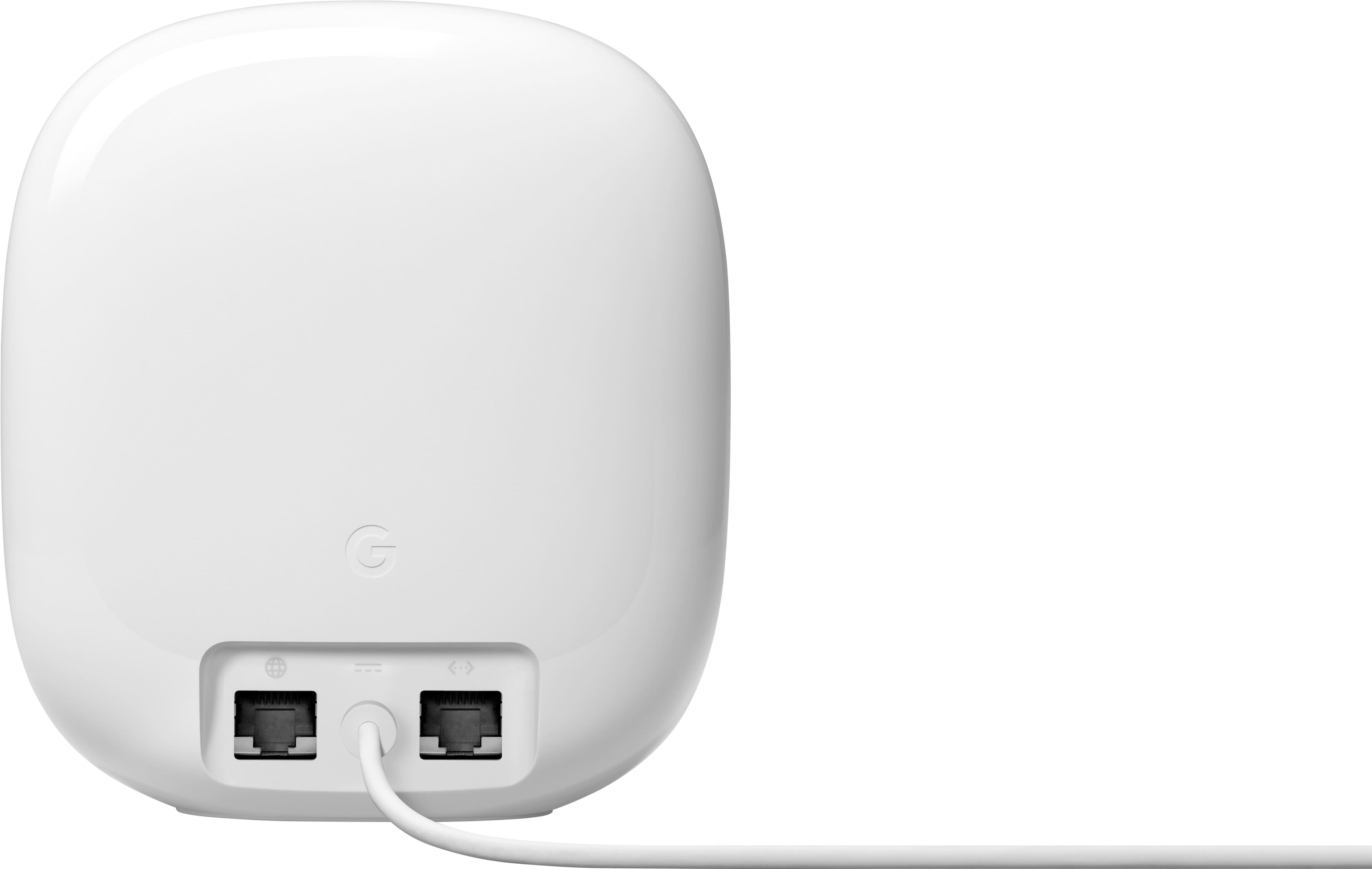
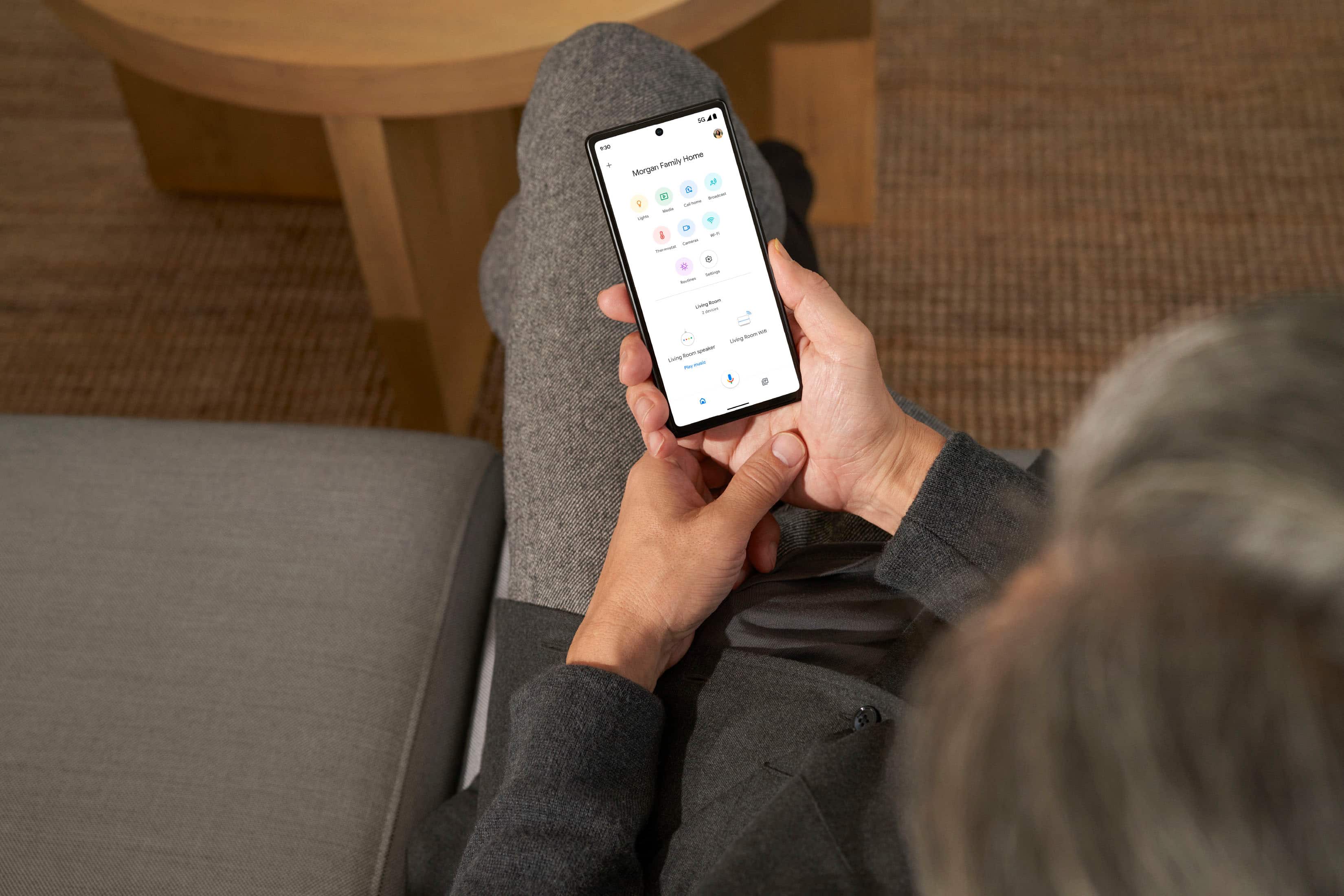
|Posted .This reviewer received promo considerations or sweepstakes entry for writing a review.Three generations in and I think Google has perfected the Wifi Router. The Nest Pro checks every box imaginable for a Wifi router, plus more. The Nest Pro has 2200 feet of coverage, tri band, 5.4 Gbps speed, matter and thread capable, all in a very small aesthetically pleasing package. Google is on a different level with it's setup. Rather than confusing manuals and admin screens to set up router names and passwords, Google takes advantage of it's Google Home app to guide you through the entire process. It's almost effortless and for those that use the Google Home app already, it helps make the app your one stop shop for all your smart home and networking needs. Now the important part, how does it perform? In short, amazing. I don't have a 2200 square foot home, but have yet to find anywhere that I couldn't get signal. The speed is top notch, umm getting lightning day speed from this router. One thing to note, that 5.4 Gbps speed advertised is dependant on your ISP. If the ISP doesn't push that speed, Nest Pro won't have that speed. The inclusion of 6 GHz band is another future proof design that really stands out. There aren't many devices that support it yet, but ideally once you get a device that supports the band you should see much less interference and get much better speeds. A big part of this router is it's support for Matter. Ideally this should be the last smart home hub you need and reduce the amount of hubs you have to hide in a cabinet. Matter is still fairly new, but having it included in your router makes perfect sense. Of course as with most modern routers this one also functions as a mesh network. It isn't compatible with older Google wifi generations, but that lack of backward compatibly does make since, because this router used the new bands exclusively for it's wireless backhaul, which means you should get almost zero interference between your mesh nodes. So lightning fast internet from anywhere in a big home! My only disappointment is the lack of LAN ports, only one. I'm still a person that tends to need several LAN ports so I'll have to attach a switch to the router to meet my needs. Overall this is an amazing router that checks almost every box for high speeds and functioning as your central smart home hub with a great UI to work with. You can't go wrong here.
I would recommend this to a friendBrand response from Nest Support
Posted .Hi Clshipp91, thanks for sharing an amazing review of the new Nest Wifi Pro. We appreciate all the details that you provided us, especially on the features that worked well for you such as the wider coverage area, tri-band, combined 5.4 Gbps, including matter and thread capabilities. However, we do apologize for any disappointment you may be having with the number of LAN ports for Nest Wifi Pro. We value your feedback and we'll certainly take this into consideration and pass this along to our product team. If you're willing to try, you may connect a switch to your Nest Wifi Pro to increase the number of LAN ports. However, we value your feedback and we'll make sure to share this with our product team, since this helps us in our continuous drive to keep improving our products, including the features and services we offer. We hope you will keep enjoying your Nest Wifi Pro, and follow our blogsite for the latest news and updates. Here's the link: https://blog.google/
For any support needs that may arise with your Nest Wifi Pro. Please do not hesitate to contact us here: https://support.google.com/googlenest/gethelp
Lower price and lower quality
||Posted . Owned for 9 months when reviewed.This reviewer received promo considerations or sweepstakes entry for writing a review.Short range, connection does not provide full 1GBPS speed
No, I would not recommend this to a friendBrand response from Nest Support
Posted .Hi there, diogenes. Thank you for posting your review on your Nest Wifi Pro. We're sorry to learn that you're experiencing a limited Wi-Fi range for the device. The Wi-Fi range and coverage area of your Nest Wifi Pro Router is estimated and will still depend on other factors that may affect the signal and speed, such as possible sources of interference like the thick walls of your home and crowded Wi-Fi areas like apartment buildings. These factors can result in busy Wi-Fi channels and reduced Wi-Fi performance. If there are possible sources of interference, consider placing your mesh points a bit closer to each other. Keep in mind that the device uses new 6 GHz wireless radios to allow more data to flow through your router and deliver faster device speeds, up to 5.4 Gbps (4.2 Gbps outside of US) combined. If changing the placement doesn't prove to be helpful, we would like to investigate the range and speed issue further. Please feel free to speak to our support team using this link: https://support.google.com/googlenest/gethelp
FAST Mesh Router/Latest Wi-fi Standard
||Posted . Owned for 1 month when reviewed.This reviewer received promo considerations or sweepstakes entry for writing a review.If you're looking for a premium, fast, and leading edge wireless mesh router, this is it. It's cheaper than other 6e wireless routers and works amazing. I hardwired my PlayStation 5 into one of the three units and my in-game latency has dropped significantly. I used to have lots of hiccups and dropped from when playing Modern Warfare, but now very few, if any. The setup was fairly easy, though I did have a couple issues from the google home app during setup. However, once these are set up they are awesome!
I would recommend this to a friendGreat price and performance
||Posted . Owned for 2 weeks when reviewed.This reviewer received promo considerations or sweepstakes entry for writing a review.Replacing my aging OnHub mesh routers. May not have the best software on the planet but they work out of the box as intended.
I would recommend this to a friend5/10
||Posted . Owned for 4 months when reviewed.This reviewer received promo considerations or sweepstakes entry for writing a review.These were okay but did not support our internet speed.
No, I would not recommend this to a friendBrand response from Nest Support
Posted .Hi there, Nave. We appreciate your review of Nest Wifi Pro. It's unfortunate to learn that your experience using your device was less than ideal. The Google Nest Pro is designed to handle internet speeds of up to 1 gigabits per second (Gbps) and 2.2Gbps, combined. However, it's possible that your internet speed exceeds this limit, which could explain why you're not getting the performance you expected. Actual speeds depend on your Internet service provider, network conditions, connected devices, local regulations and environmental factors. We want to know your concern. Please contact our dedicated team of specialists on the Google Help page here: https://support.google.com/googlenest/gethelp
Worth It
||Posted . Owned for 2 weeks when reviewed.This reviewer received promo considerations or sweepstakes entry for writing a review.Upgraded from my original Google Wifi and have a noticable performance improvement even on my slow 80/40 connection.
I would recommend this to a friendUseless
||Posted . Owned for 1 week when reviewed.This reviewer received promo considerations or sweepstakes entry for writing a review.I might have gotten a defective unit but it doesnt work. When i connect ethernet ports to all unites they keep showing orange lights. It keeps crashing. The setup is unclear. The app is unclear. Over all the previous version was a lot better than this.
No, I would not recommend this to a friendBrand response from Nest Support
Posted .Hello there, MeerJ. We're sorry to hear about your issues with the Nest Wifi Pro. We've taken note of your feedback for future improvements. Meanwhile, we'd like an opportunity to investigate and help you in any way we can. Please get in touch with us anytime for troubleshooting guidance, here: https://support.google.com/googlenest/gethelp
Mediocre at best.
||Posted . Owned for 1 month when reviewed.This reviewer received promo considerations or sweepstakes entry for writing a review.Connection is great, speeds however are not. This consistently scores lower speeds than almost any other wi-fi 6e product. This is a simple Google search to verify my claims. If they can fix the speeds on this thing, that will improve my rating. I have a gigabit connection and I never see speeds even averaging 300mbs.
No, I would not recommend this to a friendBrand response from Nest Support
Posted .Hello MichaelO, thanks for sharing a review about the Nest Wifi Pro, and we appreciate that you find its connection working well. But it isn't easy to hear that your experience with the Wi-Fi speed is below your expectations.
We suggest checking the placements of your Wi-Fi router and point, which are vital to have reliable Wi-Fi throughout your home. As a general rule, points work best when they’re no more than two rooms away from each other, where they can see each other with a clear line of sight. Barriers like heavy furniture and walls made of thick concrete or brick can affect Wi-Fi performance. You can also try the following steps that may help:
- Move the connected device closer to your Wifi router or point.
- Try to place it in an elevated position like on a shelf.
- Repositioning the points to avoid obstructions like walls, doors, and aquariums can improve performance.
- Make sure all unused devices are off and not draining bandwidth with large downloads.
- Check for possible sources of interference such as microwave ovens, refrigerators or other equipment.
- Run a mesh test to confirm placement of your Wifi points.
For additional services and support, don't hesitate to contact us through our support channels here and we’d be happy to help: https://support.google.com/googlenest/gethelp
DO NOT BUY
||Posted . Owned for 1.5 years when reviewed.This reviewer received promo considerations or sweepstakes entry for writing a review.Worst google product! My entire eco system are google products (e.g., displays, chromecast, protect, etc.). DO NOT buy this product. After almost two years of trying to get it to work it still doesn't!! Google suggested I upgrade to gigabit internet, which I did and still nothing. Devices constantly drop and speeds are so slow.... Devices connected to ethernet via my switch work fine, but anything on wifi is terrible.
No, I would not recommend this to a friendBrand response from Google Nest Support
Posted .Hi Fredy. We're sorry to hear you're still having problems with your WiFi connection on your Google WiFi Pro devices. We want to help you find the most accurate solution to your concern, please contact us here at your convenience: https://support.google.com/googlenest/gethelp
Did not work for what I needed
||Posted . Owned for 3 months when reviewed.This reviewer received promo considerations or sweepstakes entry for writing a review.Decent routers but not good for high speeds of internet.
No, I would not recommend this to a friendBrand response from Nest Support
Posted .Hello there, Andrewtb601. Thanks for sharing your thoughts about the Nest Wifi Pro. We’ll use your feedback to work on improving our products and services. If you find yourself in need of any assistance about the device, visit the Google Nest Help Center or contact us anytime here: https://support.google.com/googlenest/gethelp