Customer Ratings & Reviews








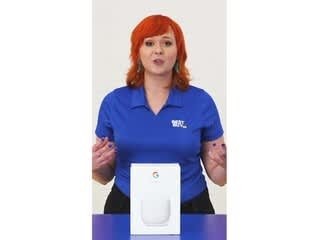



- Model:
- GA03689-US
- SKU:
- 10222135
Rating by feature
- Setup
Rating 4.6 out of 5 stars
- Range
Rating 4.5 out of 5 stars
- Signal Strength
Rating 4.4 out of 5 stars
to a friend
Google Wifi You can’t lose with
||Posted . Owned for 1 month when reviewed.This reviewer received promo considerations or sweepstakes entry for writing a review.Google has done it again. This worked seamlessly with my internet and sped up my mbs. It’s worth the cost.
I would recommend this to a friendNot exactly worth it.
||Posted . Owned for 1 week when reviewed.This reviewer received promo considerations or sweepstakes entry for writing a review.Pretty decent product. However, they do not cover the actual area they say they do, and if you have walls, like all houses, this almost pushes them to a need for every room type of ordeal. Would have returned if I noticed best buys crappy return policy was so short.
No, I would not recommend this to a friendBrand response from Nest Support
Posted .Hi, illmindofTwizZz! Thanks for sharing your experience with the Nest Wifi Pro. You can add multiple Wifi points depending on your needs. Ideally, one Nest Wifi Pro can cover up to 2,200 sqft. But where they are placed, the layout of your house, and physical obstructions like furniture can impact the total coverage. For an estimate of how much Wi-Fi coverage you’ll get with the Nest Wifi Pro and a guide to how many Wifi points you need check here: https://support.google.com/googlenest/answer/7182840
We also suggest checking this link for more info on where to place your Wifi devices for maximum signal strength: https://support.google.com/googlenest/answer/7183150
For other questions and concerns, feel free to contact our support team anytime and we'll be more than happy to assist you. Reach us here: https://support.google.com/googlenest/gethelp
Don’t buy it from BB
||Posted .This reviewer received promo considerations or sweepstakes entry for writing a review.Did not deliver on time and did not refund despite request
No, I would not recommend this to a friendGoogle best routers
||Posted .This reviewer received promo considerations or sweepstakes entry for writing a review.Have first generation google routers , change it to this generation it exceed my expectations
I would recommend this to a friendNot for us!
||Posted . Owned for 2 months when reviewed.This reviewer received promo considerations or sweepstakes entry for writing a review.Had the previous version of these and loved them. These “pro” versions were slower. We returned them and went back to the 5 plus year old version
No, I would not recommend this to a friendBrand response from Nest Support
Posted .Hi there, we're sorry to hear about your experience with your Nest Wifi Pro. Your feedback is important for us, feel free to share your thoughts here: https://google.qualtrics.com/jfe/form/SV_2aStd8wsbcLGvwG
Disappointed Google Home user -buy a Eero instead
||Posted . Owned for 1 month when reviewed.This reviewer received promo considerations or sweepstakes entry for writing a review.I was so excited about getting the new Nest Wi-Fi Pro. I've used Google home products for several years and I couldn't wait to add this to my home setup. Sadly it was a huge disappointment. I went from having wired connections over 900Mb downloads on an older Orbi router to 220Mb (Speed test done via Fast.com and from the router built in Speed test. All test were done by a wired connection). I reported the issue and saw that Google was releasing a software update to address speed issue. However, the software update didn't help. I factory reset the device and still no change in performance. I went back to Bestbuy and exchange the Nest Pro (2Pack) for an Eero Pro 6e (2pack). I'm back to 900+ speeds and the Eero has a 2.5 Gb Ethernet port. Google really missed on this product for me. I really wish I had a different opinion but I highly recommend buying the Eero over the Nest.
No, I would not recommend this to a friendBrand response from Nest Support
Posted .Hi Mars770, we'd like to thank you for patiently waiting for the release of the new Nest Wifi Pro, and for being a loyal user of our Google Nest products. However, we're sorry to hear that you had to return it due to the slower connectivity speed. We appreciate that you had hoped to provide a better review under better circumstances. We're hoping you will still consider giving Nest Wifi Pro another shot in the future. We'll certainly do our best to provide you with a better experience the next time you use any of our Google Nest products. For any questions or support needs, please reach out to our support team here: https://support.google.com/googlenest/gethelp
Google meag
||Posted . Owned for 2 weeks when reviewed.This reviewer received promo considerations or sweepstakes entry for writing a review.Works well easy to install. Looks great. Installed in less than 30 minutes easily.
I would recommend this to a friendNot so Pro
||Posted . Owned for 1 month when reviewed.This reviewer received promo considerations or sweepstakes entry for writing a review.Bought these because I used to have the original Google Wi-Fi pucks a few years ago and they worked great. These, I hooked up and from minute one was not getting the speed that I was supposed to be from my service provider (Comcast). I tried updating firmware, direct connect via ethernet, different configuration of router and access point, nothing fixed the abysmal speeds. I pay for Gigabit speeds and was getting max of 80Mbps wired, and maybe 400Mbps Wi-Fi.
No, I would not recommend this to a friendBrand response from Nest Support
Posted .Hey there, WillTMorr. Thank you for sharing your experience with your Nest Wifi Pro and we're sorry to learn that it has been disappointing. We'd like to know more details about your setup so we can provide you with the best help possible and identify the cause of these issues you’re having with your device. Please reach out to our dedicated team of specialists on our Google Help page for immediate support here: https://support.google.com/googlenest/gethelp
Much needed
||Posted . Owned for 2 weeks when reviewed.This reviewer received promo considerations or sweepstakes entry for writing a review.Added this on to my existing set up and it just made everything so much better.
I would recommend this to a friendNot great if you want to truly manage your network
||Posted . Owned for 1 month when reviewed.This reviewer received promo considerations or sweepstakes entry for writing a review.Easy to setup but, like every other google product, the app to manage was really bad. Ended up returning for another product that allowed more control over the network.
No, I would not recommend this to a friendBrand response from Nest Support
Posted .Hi there, BradB. Thank you for posting a review about the Nest Wifi Pro. We're sorry to hear that your experience with the device was less than ideal and that you had to return it. This is not the initial impression we want you to have. We appreciate the feedback and have taken note of it. If you’re ever considering Google products in the future and have some inquiries, please don't hesitate to contact us on our Google Nest Help page here: https://support.google.com/googlenest/gethelp
Great wifi mesh
||Posted . Owned for 3 weeks when reviewed.This reviewer received promo considerations or sweepstakes entry for writing a review.The best wifi mesh so far … much faster abd better than it it’s predecessors.
I would recommend this to a friendStay Away
||Posted . Owned for 1 month when reviewed.This reviewer received promo considerations or sweepstakes entry for writing a review.Absolute garbage stay away. Keeps getting disconnected and doesn’t bridge to the modem
No, I would not recommend this to a friendBrand response from Nest Support
Posted .Hello there, Cenuticket. We’re sorry to hear you’re having connectivity issues with your Nest Wifi Pro. We appreciate all your efforts to make it work. But since the issues persist, we’d like an opportunity to help improve your experience. Please contact our support team for troubleshooting guidance here: https://support.google.com/googlenest/gethelp
Works great
||Posted . Owned for 1 week when reviewed.This reviewer received promo considerations or sweepstakes entry for writing a review.Easy to set up and better controls than most routers I’ve used in the past.
I would recommend this to a friendAverage
||Posted . Owned for 2 months when reviewed.This reviewer received promo considerations or sweepstakes entry for writing a review.Average use , doesn’t work as Google devices and doesn’t respond to Hey Google , can’t see the mic as well . Setup was time consuming with the first one and had to be reset multiple times
No, I would not recommend this to a friendBrand response from Nest Support
Posted .Hey there, Guru. We appreciate your feedback and we're sorry to hear that your experience with the Nest Wifi Pro did not meet your expectations, especially its compatibility with other Google devices with regards to responding to voice commands. We value your feedback and want to ensure that we provide you with the best resolution for your concern, we recommend reaching out to our dedicated team of specialists on our Google Help page for immediate support here: https://support.google.com/googlenest/gethelp
Google nest Wi-Fi router
||Posted . Owned for 1 month when reviewed.This reviewer received promo considerations or sweepstakes entry for writing a review.We did not have any luck with this product. It was broken straight out of the box.
No, I would not recommend this to a friendBrand response from Google Team
Posted .Hi there, TrishS. We’re sorry your Nest Wifi Pro didn’t work right from the start for you. We’d be happy to investigate what may have caused this and find you the best resolution — when you get a second, talk to us here: https://support.google.com/googlenest/gethelp?

Great Coverage. Excellent upgrade
||Posted . Owned for 1 week when reviewed.This reviewer received promo considerations or sweepstakes entry for writing a review.Replaced may Google Wifi of 4 years with this even though I had no complaints with the older one. Couple of reasons, Google was not going to update the older product to support matter/thread. Best buy is offering a convenient 15 % trade in discount over and about any other discounts. Wifi download speeds have doubled in compatible devices (>300mbps to >600 mbps).
I would recommend this to a friendBest Buy Warning
||Posted . Owned for 1 month when reviewed.This reviewer received promo considerations or sweepstakes entry for writing a review.What a joke…. 01/31/25: purchased this equipment on line and performed a “in store return” same day. Purchase still keeps showing on my statement. Best Buy Associate /Leslie claims they cannot help me in store. I need to call an 800 for help.
No, I would not recommend this to a friendDidn’t like
||Posted . Owned for 1.5 years when reviewed.This reviewer received promo considerations or sweepstakes entry for writing a review.Didn’t like these very much returned and got something else
No, I would not recommend this to a friendBrand response from Google Team
Posted .Hey there, EricG. We’re sorry to see the Nest Wifi Pro didn’t quite work out for you. Even though you’ve returned it, we’d appreciate any additional feedback you can provide us — when you get a moment, here’s a survey: https://google.qualtrics.com/jfe/form/SV_2aStd8wsbcLGvwG
Not worth it
||Posted . Owned for 7 months when reviewed.This reviewer received promo considerations or sweepstakes entry for writing a review.I would highly not recommend upgrading. It sounds appealing to have v6 but it's slow and clunky. Google Wifi was fine.
No, I would not recommend this to a friendBrand response from Nest Support
Posted .Hello there, Nate. Thanks for sharing your feedback on the Nest Wifi Pro. We understand your frustration with the performance of the new Wi-Fi 6 system and appreciate you voicing your concerns. We know it can be disappointing when an upgrade doesn't meet expectations, and we take all feedback seriously as we're constantly working to improve our products and services. In the meantime, if you're happy with your Google Wifi performance, you can certainly continue using it. We offer support for both systems, so please don't hesitate to reach out to us at the following link if you have any questions or concerns: https://support.google.com/googlenest/gethelp
Avoid this System at All Costs
||Posted . Owned for 1 month when reviewed.This reviewer received promo considerations or sweepstakes entry for writing a review.I thought upgrading to this new Google system would improve my internet speed and infact it slowed me down. I tried contacting Google directly and they were not able to help. I kept my old Google system and it’s still faster. Save your money for something else.
No, I would not recommend this to a friendBrand response from Google Nest Support
Posted .Hey there, James. We’re sorry to hear your experience with the Nest wifi Pro wasn’t the best. There could be a few things impacting your connection — Here’s some suggestions to improve your speed:
1. Your device is far from your wifi router: often moving your device closer to your router or point will result in improved speeds.
2. Building materials and other objects may slow your connection: if possible, try to use your device within a clear line of sight to your router or point.
3. Some devices do not support the faster wifi standards: speed is dependent on both the router or point and the device that is connected to it. If you have an older device, it’s likely it won’t support the latest standards for the fastest speeds.
For more information, here’s a link: https://support.google.com/googlenest/answer/7578264?hl=en&ref_topic=7620336&sjid=14351523150742169093-NC
We’d be happy to investigate further, reach out to us here: https://support.google.com/googlenest/gethelp?