Customer Ratings & Reviews

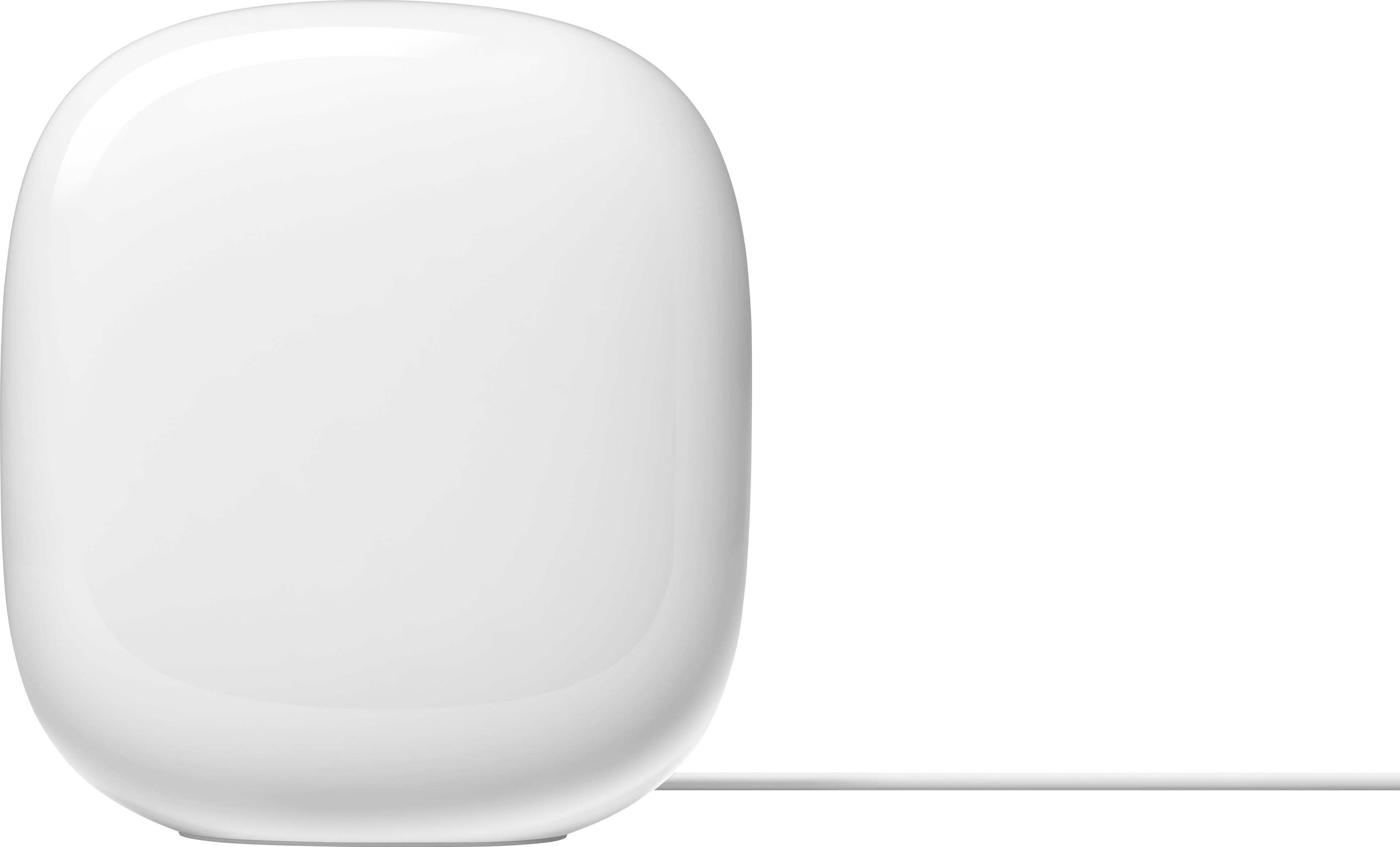










- Model:
- GA03689-US
- SKU:
- 12312644
Rating by feature
- Setup
Rating 4.6 out of 5 stars
- Range
Rating 4.5 out of 5 stars
- Signal Strength
Rating 4.4 out of 5 stars
to a friend
Spotty wifi
||Posted . Owned for 3 months when reviewed.This reviewer received promo considerations or sweepstakes entry for writing a review.Google, your products keeps cutting in and out. I wish I didn’t spend $300 on your wifi. Your camera system isn’t that great either. Should’ve got Ring.
No, I would not recommend this to a friendBrand response from Nest Support
Posted .Hi there EdwardH, thanks for sharing your insights with us. It's unfortunate to hear about the connectivity issues you're experiencing and we're sorry to hear that both Nest Wifi Pro and our Google Nest cameras fell short of meeting your expectations.
Here are some recommended steps that may be helpful with the connectivity issues you are experiencing:
- Check your cables and connections.
- Restart your modem and Nest Wifi Pro Router.
- Check your configuration. In most cases, you don't need to change your network configurations because Google Nest Wifi devices use DHCP, a common internet connection protocol, by default. However, you might need to adjust the WAN settings in the Google Home app. If your Internet Service Provider (ISP) requires a different protocol than DHCP like PPPoE or uses Static IPs, then you may need to contact them.
- Perform a mesh test to confirm that your devices are working properly. You may visit this link for details on how to run the Mesh Test on your Nest Wifi Pro system: https://support.google.com/googlenest/answer/7620337
- Lastly, perform a factory reset on your Nest Wifi Pro mesh devices. To reset, follow the steps on this link: https://support.google.com/googlenest/answer/6246619
Your experience with our products is something we always value, and if you still experience the same connectivity issues, or if you need some additional help with your Nest Wifi Pro system, please feel free to reach out to us here: https://support.google.com/googlenest/gethelp
Fast
||Posted . Owned for 2 weeks when reviewed.This reviewer received promo considerations or sweepstakes entry for writing a review.Great connection and works well throughout the hosie with no issues at all
I would recommend this to a friendBad product
||Posted . Owned for 2 months when reviewed.This reviewer received promo considerations or sweepstakes entry for writing a review.Wifi keeps dropping several times throughout the day. After some research, found that this is a common problem.
No, I would not recommend this to a friendBrand response from Nest Support
Posted .Hi there! We're sorry to hear about your experience with your Nest Wifi Pro, contact us to get help and get your devices back on track, we're happy to assist you: https://support.google.com/googlenest/contact/on_social_support_inquiry?sjid=14714463870365742871-NC
Wi-Fi upgrade..YES PLEASE!
||Posted . Owned for 1 month when reviewed.This reviewer received promo considerations or sweepstakes entry for writing a review.Needed a Wi-Fi upgrade to my home system.. This fit the bill perfectly!
I would recommend this to a friend
Easy Setup with consistent speeds
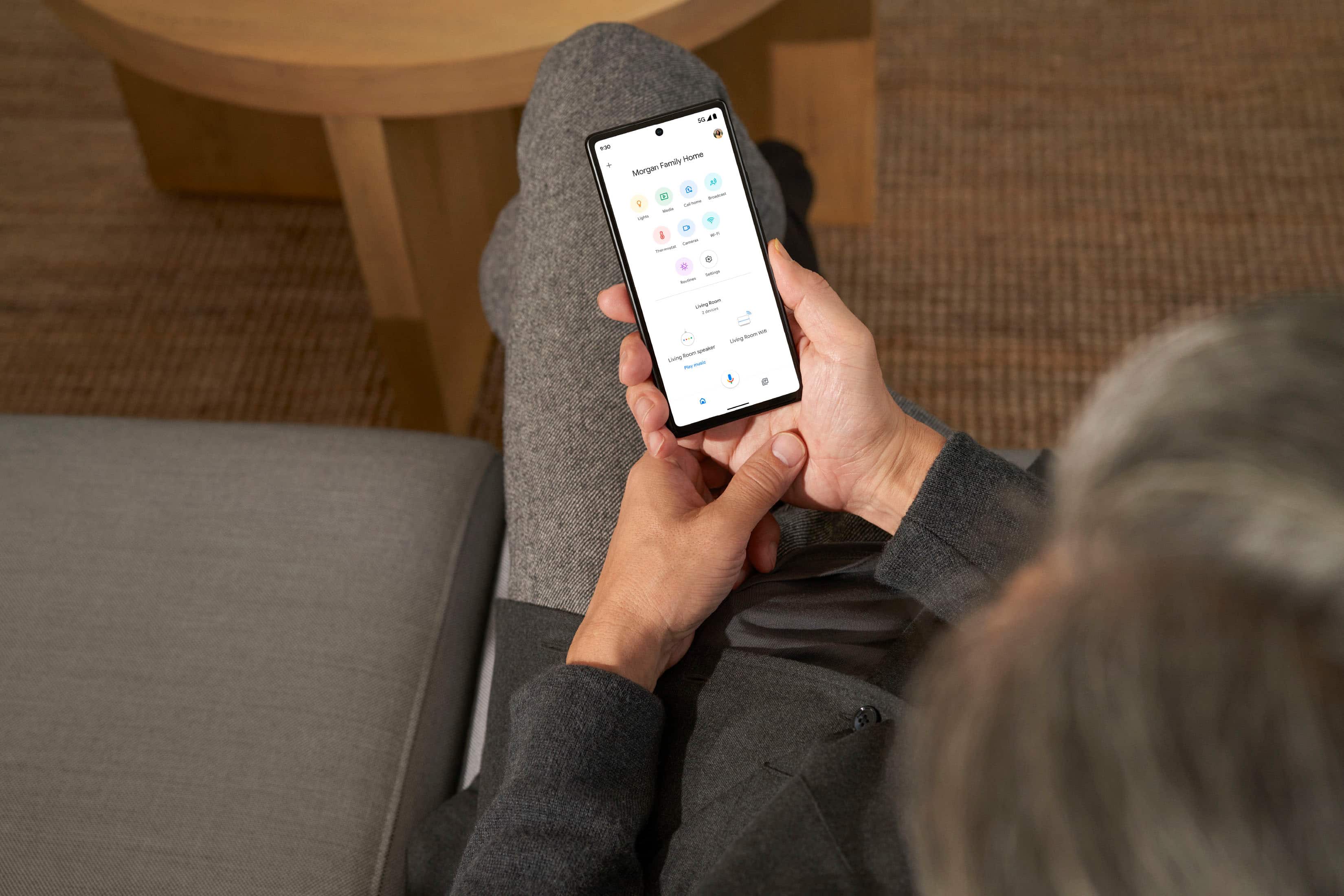
|Posted .This reviewer received promo considerations or sweepstakes entry for writing a review.This product is very easy to setup. You do have to use google home to setup this up, but that wasnt an issue for me since I have other google products that use this app. It took all of 5 minutes to plug it in, connect to my cable modem, and create a wifi name and password. It also looks to be pretty easy to add additional devices to expand coverage. I live in a ranch home that is about 2,000 square feet. My cable modem is on one end in a bedroom. This device is able to cover my whole home, garage and basement without an issue. I'm currently using the mesh network for TVs, computers, and cell phones and had no issues with streaming videos, games, or calls. I do like the design of the wi-fi router as its basic and will blend in with the room. If you have a large home, I recommend looking for additional mesh routers to connect to this one. This will then give a good coverage area throughout your home. If you plan to hard wire your computers and other devices to the router, this may not be for you. There is only one hardwire connection the rest need to be wireless. My computers and TVs are not close enough to hardwire so I just use wifi. The download and upload speeds are consistent with no dropouts. Overall, this is a nice looking easy to setup device.
I would recommend this to a friendWould not buy again.
||Posted . Owned for 3 weeks when reviewed.This reviewer received promo considerations or sweepstakes entry for writing a review.Although my second Wi-fi router is not far from my main router, it continues to have a weak signal and disconnects frequently.
No, I would not recommend this to a friendBrand response from Nest Support
Posted .Hi there, ChristineA. Thanks for letting us know about the issue. We're sorry to hear that you're getting a weak connection between your Nest Wifi Pro Routers. Issues with signal strength between Nest Wifi Pro Routers may be affected by Wi-Fi interference like physical barriers which may cause the limited ranges and frequent disconnections. We recommend placing your Nest Wifi Pro routers within a line of sight of each other to get better signal reception. As a general rule, points and routers work best when they’re about 2 to 3 rooms apart. As an example, if the far end of your house has weak Wi-Fi, don’t put a Wifi point in that exact spot. Instead, put it halfway in that direction. Try to place it in an elevated position, like on a shelf. You may also add one or more Nest Wifi Points to improve the Wi-Fi coverage for your home. Please check out this help guide for more information: https://support.google.com/googlenest/answer/7182840
If the issue persists, you're more than welcome to reach out to our support team here: https://support.google.com/googlenest/gethelp
Works great in apartment
||Posted . Owned for 1 month when reviewed.This reviewer received promo considerations or sweepstakes entry for writing a review.I live in a old 1000 Square ft apartment and this is overkill
I would recommend this to a friend???
||Posted . Owned for 1 month when reviewed.This reviewer received promo considerations or sweepstakes entry for writing a review.Doesn't work the way you explained it and wasn't as easy either. We are still trying to fix all our glitches.
No, I would not recommend this to a friendBrand response from Nest Support
Posted .Hello there, DRDK. We’re sorry to hear that your experience with the Nest Wifi Pro is below your satisfaction. We’ve taken note of your feedback as we’re committed to providing high-quality products and are continuously working to improve their performance and durability. In the meantime, we’d be happy to learn more about your situation further and explore potential solutions. You’re more than welcome to visit us anytime here: https://support.google.com/googlenest/gethelp
Good
||Posted . Owned for 3 weeks when reviewed.This reviewer received promo considerations or sweepstakes entry for writing a review.Works super good for a router! Have connection everywhere
I would recommend this to a friendGreat router, easy setup
||Posted . Owned for 1 week when reviewed.This reviewer received promo considerations or sweepstakes entry for writing a review.Easy to use and is much better than the optimum router.
I would recommend this to a friendAwesome
||Posted . Owned for 1 week when reviewed.This reviewer received promo considerations or sweepstakes entry for writing a review.fast wifi thanks google for nest pro deluxe 2600xt
I would recommend this to a friendOpen box
||Posted . Owned for 3 weeks when reviewed.This reviewer received promo considerations or sweepstakes entry for writing a review.I ordered a 3 pack and only received one. I’m usually a big fan of Best Buy but I’m not happy.
No, I would not recommend this to a friendBrand response from Nest Support
Posted .Hi there, BMike. We're sorry to hear that the Nest Wifi Pro you received was incomplete.This is not the experience we want you to have. We suggest reaching out to BestBuy so they can address this concern for you. If you run into any technical questions about the device, please don't hesitate to contact our team of specialists on the Google Nest Help page here: https://support.google.com/googlenest/gethelp
I Don’t recommend this product
||Posted . Owned for 2 months when reviewed.This reviewer received promo considerations or sweepstakes entry for writing a review.Doesn’t work properly the internet is intermittent you have to disconnect and connect back to keep having internet. I don’t recommend this product
No, I would not recommend this to a friendBrand response from Nest Support
Posted .Hi there, Moiali13. Thanks for the feedback you provided about the Nest Wifi Pro. We’re sorry to learn of your poor experience with its connectivity.
You may need to restart your modem, even if your modem appears to be working fine, to establish a secure connection to the Wi-Fi router/point as Wi-Fi signal and connectivity will still depend on other factors like interference, multiple devices using both bandwidths on your router and the older Wi-Fi chips on your devices that might not be able to support these speeds. If you're using a modem/router combo, set it in bridge mode and disable its Wi-Fi functionality to avoid double NAT issues.
We also suggest these simple steps that might help:
- Move the connected device closer to your Wifi router or point.
- Repositioning the points to avoid obstructions like walls, doors, and aquariums can improve performance.
- Make sure all unused devices are off and not draining bandwidth with large downloads.
- Check for possible sources of interference such as microwave ovens, refrigerators or other equipment.
- Run a mesh test to confirm placement of your Wifi points.
If the connectivity issue persists, please contact us anytime here for additional services and assistance: https://support.google.com/googlenest/gethelp
Very Disappointed
||Posted . Owned for 1 month when reviewed.This reviewer received promo considerations or sweepstakes entry for writing a review.Never really worked, in and out of range, speed was inconsistent. I returned it within 2 weeks.
No, I would not recommend this to a friendBrand response from Nest Support
Posted .Hi there, Mikep! It's unfortunate to hear that you had to return your Nest Wifi Pro. We're sorry for any inconvenience you may have experienced with the range and inconsistent speed issues you encountered. We're still hopeful that you will consider using any of Google Nest products again in the future. We'll do our best to provide you with a worthwhile experience the next time you try out any of our products. And if any question comes to mind, please feel free to contact us here: https://support.google.com/googlenest/gethelp
Dont recommend
||Posted . Owned for 1 month when reviewed.This reviewer received promo considerations or sweepstakes entry for writing a review.Not what i expected! Online games keep cutting off and wifi calling drops calls
No, I would not recommend this to a friendBrand response from Nest Support
Posted .Hi there, ChrisA. Thanks for your feedback on Nest Wifi Pro, and we’re sorry for the issues you've experienced with online gaming and Wi-Fi calling. We understand how frustrating it can be when your internet connection isn't performing as expected.
We'd love to help you troubleshoot and improve your experience. Here are some things we can try:
For online game disconnects:
- Visit a speed test website to confirm you meet the recommended requirements for online gaming.
- Identify devices using bandwidth. Use the Home app to see which devices are using the most bandwidth. Optimize by prioritizing your gaming device or temporarily stopping activities like streaming on other devices.
- Run a mesh test to confirm placement of your Wifi points.
For Wi-Fi calling drops:
- Check Wi-Fi signal strength: Move closer to your router or consider a Wi-Fi extender for better coverage.
- Disable VPN or other network interference: Sometimes, VPNs or other network tools can interfere with Wi-Fi calling functionality.
If the issues persist, please don't hesitate to contact our support team directly. Our representatives are available 24/7 to assist you with personalized troubleshooting and address any further concerns you may have here: https://support.google.com/googlenest/gethelp
Don’t buy this!!!
||Posted . Owned for 1 month when reviewed.This reviewer received promo considerations or sweepstakes entry for writing a review.Horrible! Integration doesn’t work. Could only get two of the 3 to connect at the same time!
No, I would not recommend this to a friendBrand response from Nest Support
Posted .Hi there Zoeswifi, we appreciate your feedback on Nest Wifi Pro. We're sorry to hear that you are unable to connect one of your points. Here are some recommended steps that you can try out:
- Check your cables and connections.
- Perform a sequential reboot. Restart your modem, router and point(s).
- Check your configuration. In most cases, you don't need to change your network configurations because Google Nest Wifi and Google Wifi use DHCP, a common internet connection protocol, by default. You might need to enter a PPPoE account name and password before the modem allows the Nest Wifi router or a primary Wifi point to access the internet. You can do this in the Google Home app's WAN settings.
- Call your Internet Service Provider (ISP).
- Factory reset your Wifi devices. Check out this link for more information: https://support.google.com/googlenest/answer/6246619
If you still experience the same issue even after resetting, we recommend reaching out to our support team for further troubleshooting and isolation here: https://support.google.com/googlenest/gethelp
Nop
||Posted . Owned for 1 week when reviewed.This reviewer received promo considerations or sweepstakes entry for writing a review.Definitely something is wrong with this router, worse performance than the previous version
No, I would not recommend this to a friendBrand response from Nest Support
Posted .Hi there Valo, thanks for your feedback. We're sorry to hear that you've been experiencing a performance issue on Nest Wifi Pro.
Nest Wifi Pro has a combined speed capability of up to 5.4 Gbps. Keep in mind that the combined speeds are total speeds across all bands, and are derived from IEEE Standard 802.11 specifications based on use of Wi-Fi 6 or later generation connected devices that support 160 MHz channels. Actual speeds will depend on your internet service provider, network conditions, connected devices, local regulations and environmental factors. If the issue seems to be related to factors, other than the ones we highlighted, we recommend contacting our support team here: https://support.google.com/googlenest/gethelp
Pro-level WiFi indeed but some wired oversights.
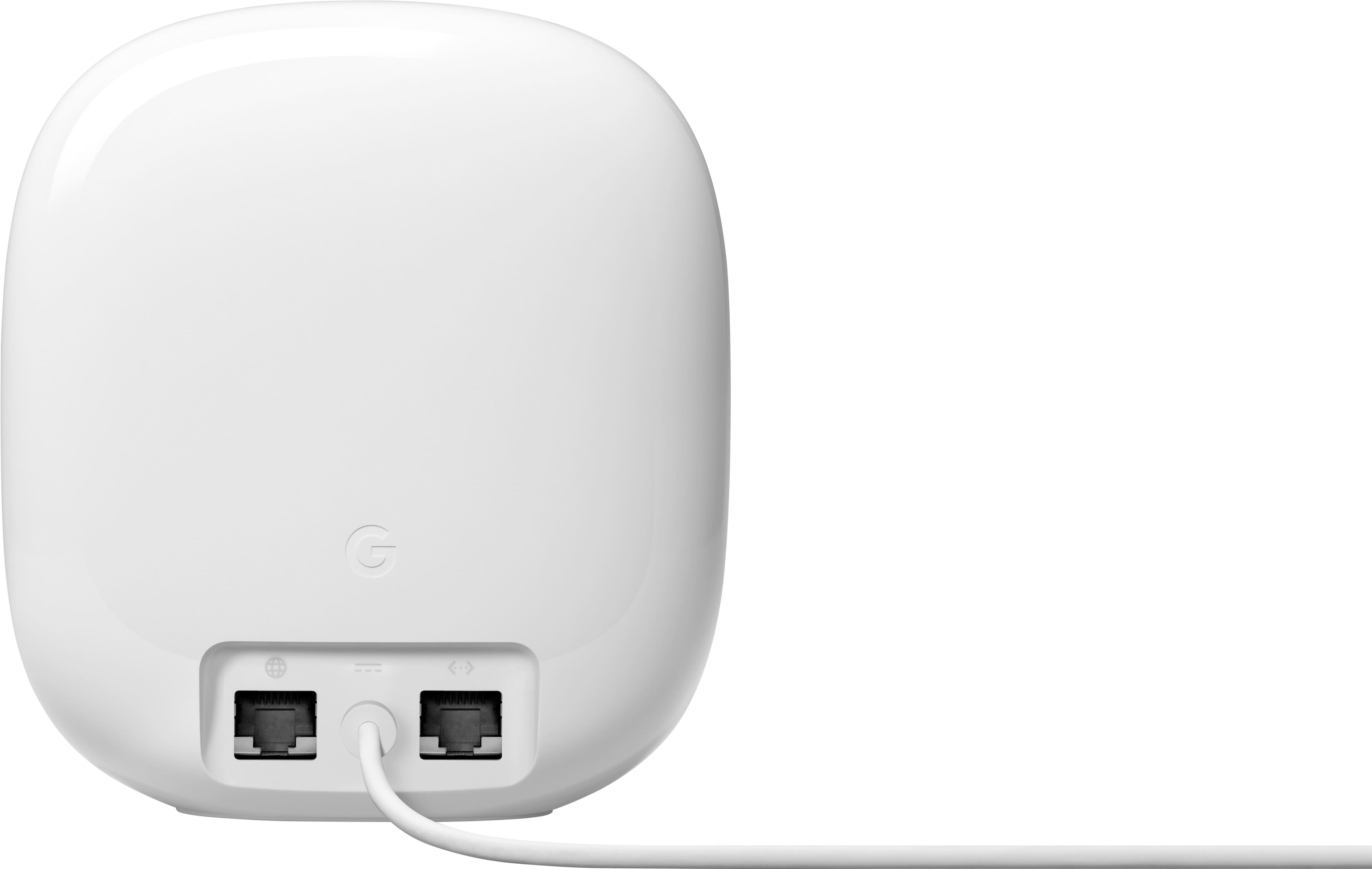
|Posted .This reviewer received promo considerations or sweepstakes entry for writing a review.The first thing you'll notice about the Nest Pro is the striking design - it's not often that you can say about a router that it's beautiful (in fact, I've been fiddling with networking gear for nearly 30 years and I don't think I've EVER said that) but this one really is. The design really lends itself to being placed in a very visible location (or at least not hidden) which is a big plus for coverage as usually the best places for coverage are the most visible. Setup is easy, particularly if you're already in the Google and/or Nest ecosystem as then you likely already have the Home app installed which can get you up and running easily. Once you are up and running, it's basically set and forget - and you'll get good coverage and good speed (based on your internet speed) without fiddling with it. And that's with one, two or three units! From a WiFi perspective, this is definitely future-proof with a tri-band design that adds in WiFi 6E / 6ghz and all the speed you can handle. It can also handle up to 100 devices per unit which makes it easily ready for IOT and home automation (as does the Matter and Thread support built-in). So why only 4 stars then instead of 5? Well, it's actually for 2 things on the WIRED side - not the wireless. First, and most basic - with all that WiFi bandwidth, you'd think this is perfect for some of the new multi-gig fiber internet plans (I have a 2gbps fiber connection to my house with the option to go to 5gbps on the same connection by just paying more). BUT it's not - the problem is that to get multi-gig internet over WiFi, you need to be able to connect the ISP modem to the router. And so there's a multi-gig internet port on my fiber modem and I can connect an ethernet cable to it and get 2 gbps. But the ethernet INPUT port on the Nest Pro only supports 1 gig internet. So no matter how fast the WiFi is on the end device and on the Nest Pro, I'll only get a 1 gig max because that wired port is gigabit not multi-gig. That's a big oversight from my side. The other oversight is that many "pros" would want at least a few wired devices. The Nest Pro can't really support that with only one wired/ethernet port. So you'd need to connect it to a switch of some sort to add more ports. And that single ethernet LAN port? Yeah, it's gigabit, so even if you have multi-gig internet or multi-gig WiFi connections, any wired LAN clients will only be gigabit. So there you have it - a great, beautiful piece of WiFi kit with super fast and super strong WiFi (*subject to your internet service provider / plan / subscription) but let down by the puzzling wired connection limitations.
I would recommend this to a friendBrand response from Nest Support
Posted .Hi Brett, thanks for your time writing a review. Your feedback matters to us as it helps us improve our products and services. We thank you for your input in helping us understand our customers' needs and preferences better, and we'll make sure to pass it along to our teams as we're always working to improve our products and services. If you have any questions or need assistance with your Nest Wifi Pro, feel free to reach out to our support team anytime and we'll be more than happy to help. Contact us here: https://support.google.com/googlenest/gethelp
I would wait
||Posted . Owned for 1 month when reviewed.This reviewer received promo considerations or sweepstakes entry for writing a review.I have noticed a lot of connectivity issues since transitioning to these. Would not recommend unless they address the issue. I had no issue with the previous version, but wanted to capture the 6 band. I would certainly wait in retrospect.
No, I would not recommend this to a friendBrand response from Nest Support
Posted .Hi yroc, we appreciate your feedback on the new Nest Wifi Pro. We're sorry to hear that you have been experiencing connectivity issues since you transitioned from your previous Google Nest Wifi system. If you're willing to try, we recommend checking if your Nest Wifi Pro has the latest firmware version by simply going to the Google Home app and following the steps below:
- Open the Google Home app.
- Touch and hold your Nest Wifi Pro device's tile.
- Tap Settings > and then Device information.
- Under ""Technical information,"" check for the firmware version.
- The firmware version should be 1.63.324946 or higher.
Your device should automatically download the update via an Over-the-Air (OTA) update. However, if the firmware version is older or has a lower version than the one above, we recommend removing some of the connected devices in your network to free up some bandwidth space. Your Nest Wifi Pro should be updated after sometime. For additional help needed with your Nest Wifi Pro, our support team would be happy to help you further here: https://support.google.com/googlenest/gethelp
Died in first power failure
||Posted . Owned for less than 1 week when reviewed.This reviewer received promo considerations or sweepstakes entry for writing a review.Second set of these that has dies during a power failure. Never again.
No, I would not recommend this to a friendBrand response from Nest Support
Posted .Hello there, Phabphour20. We’re sorry to hear about your experience with the Nest Wifi Pro. We hear your concern and have taken note of your feedback. If you have questions or concerns, should you want to try any of the Google Nest devices or the Nest Wifi Pro again in the future, you’ll find our support team ready to help you here: https://support.google.com/googlenest/gethelp