Customer Ratings & Reviews


- Model:
- GA06158-US
- SKU:
- 6578698
Rating by feature
- Battery Life
Rating 4.7 out of 5 stars
- Durability
Rating 4.7 out of 5 stars
- Display
Rating 4.8 out of 5 stars
Customers are saying
Customers express satisfaction with the Pixel Tablet's screen quality, performance, and battery life, highlighting its fast processor speed and ease of use. The tablet's storage capacity also receives positive feedback. However, some customers have noted concerns regarding the fingerprint reader's reliability.
This summary was generated by AI based on customer reviews.
Open box dud
||Posted . Owned for 3 weeks when reviewed.This reviewer received promo considerations or sweepstakes entry for writing a review.Purchased as open box item. Has issues with touch screen from the start. Even though tablet condition was excellent condition it might have internal issue when first returned. Other than that it would have been a great buy if it had no issues.
I would recommend this to a friendBrand response from Google Team
Posted .Hi GonzaloF, we appreciate you sharing your feedback about the Google Pixel Tablet's screen performance. We understand a great display is essential, and your insights help us improve future products. To help us investigate further and ensure a great experience for you, please visit this support link: https://support.google.com/googlenest/gethelp?hl=en

- Pros mentioned:Screen qualityCons mentioned:Storage

Versatile Lightweight Tablet with Limitations
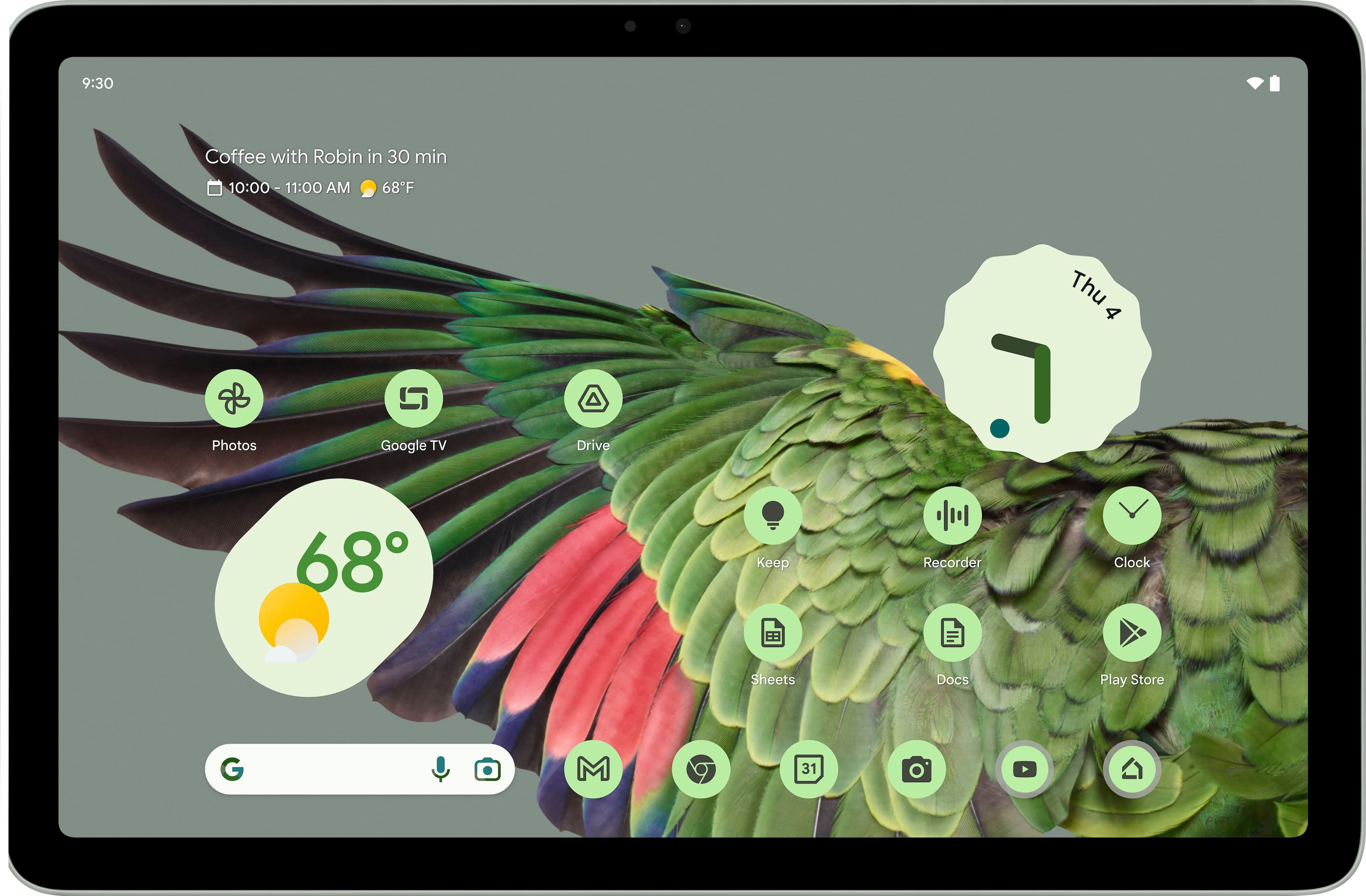
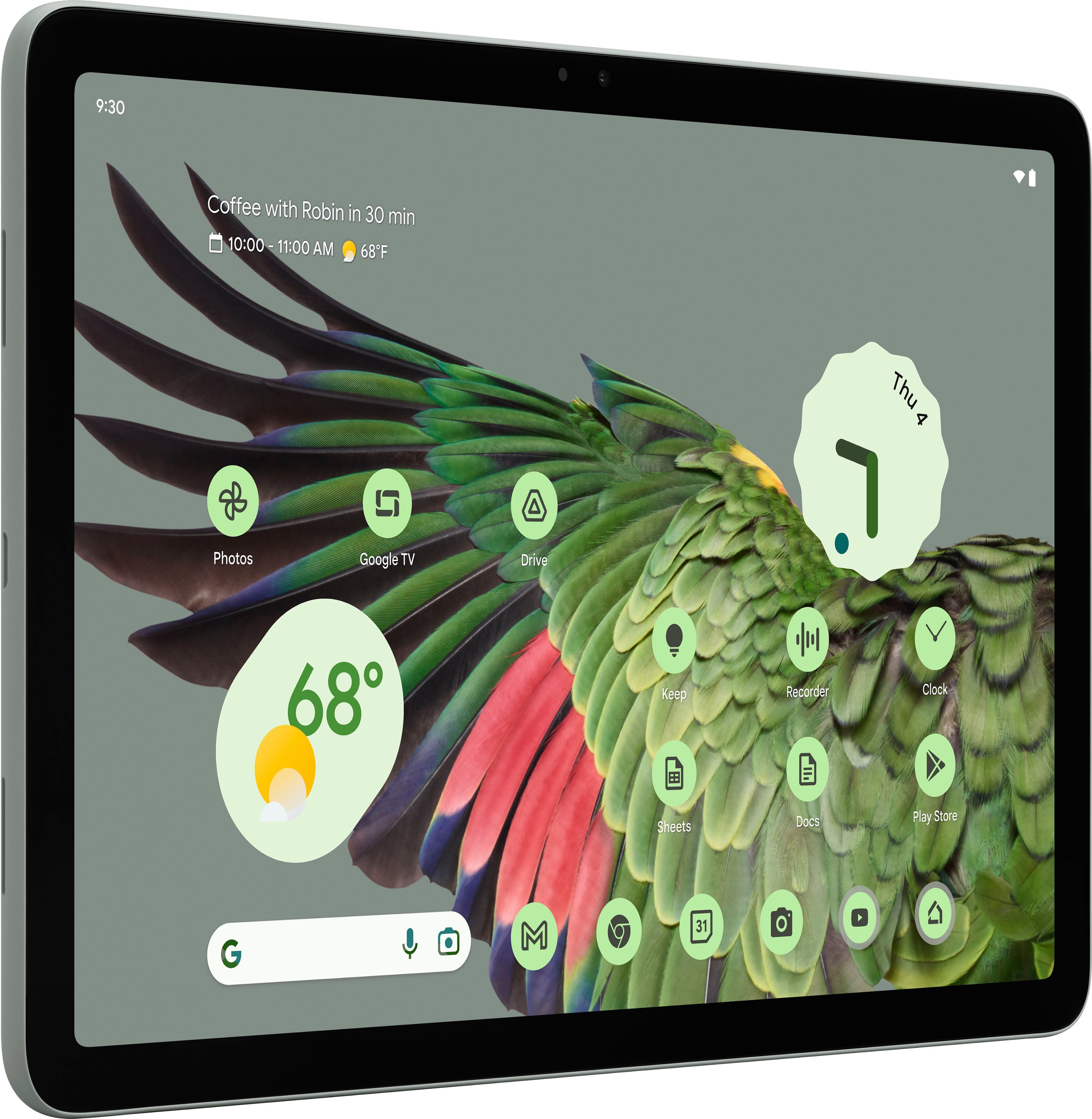
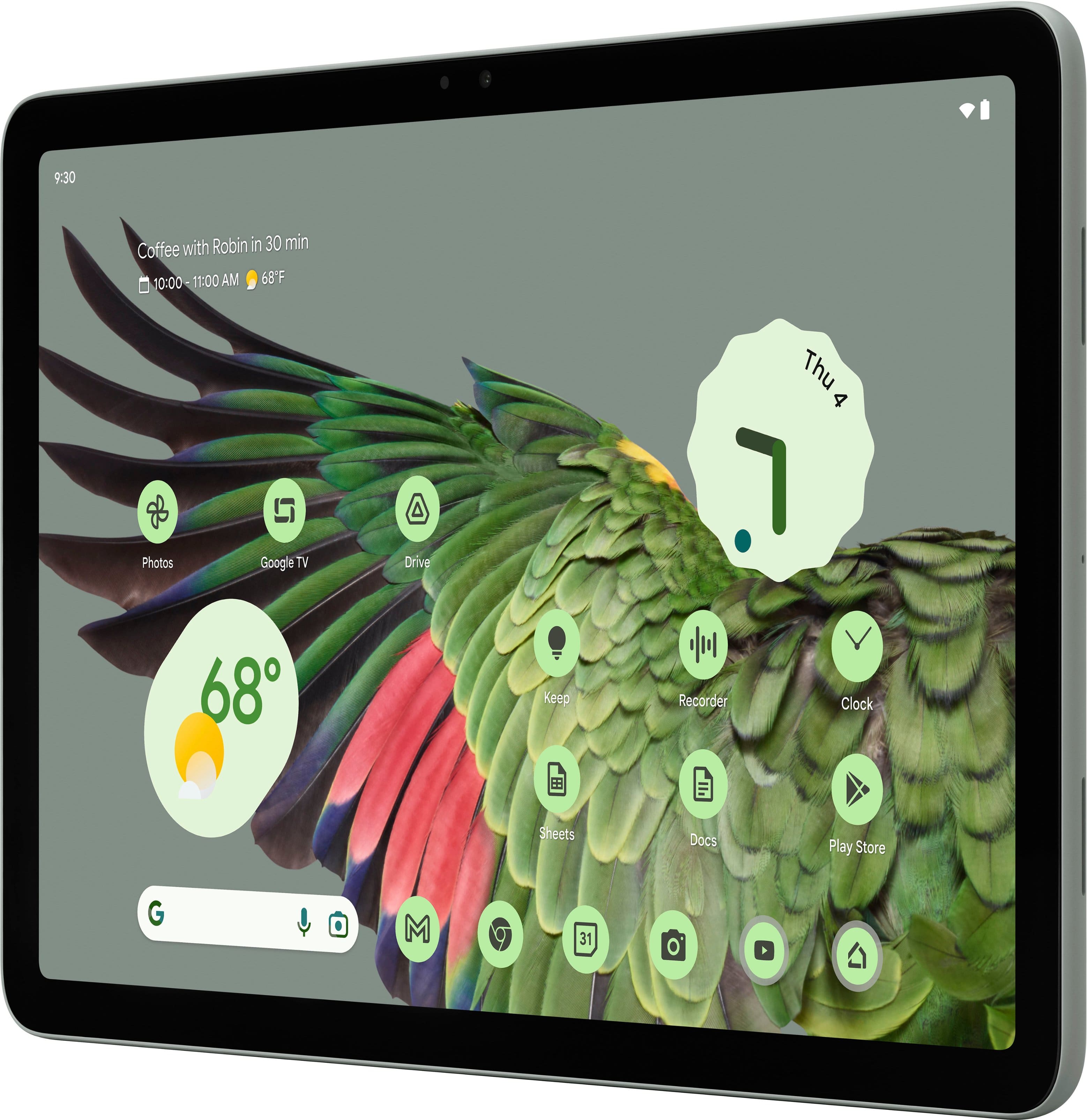
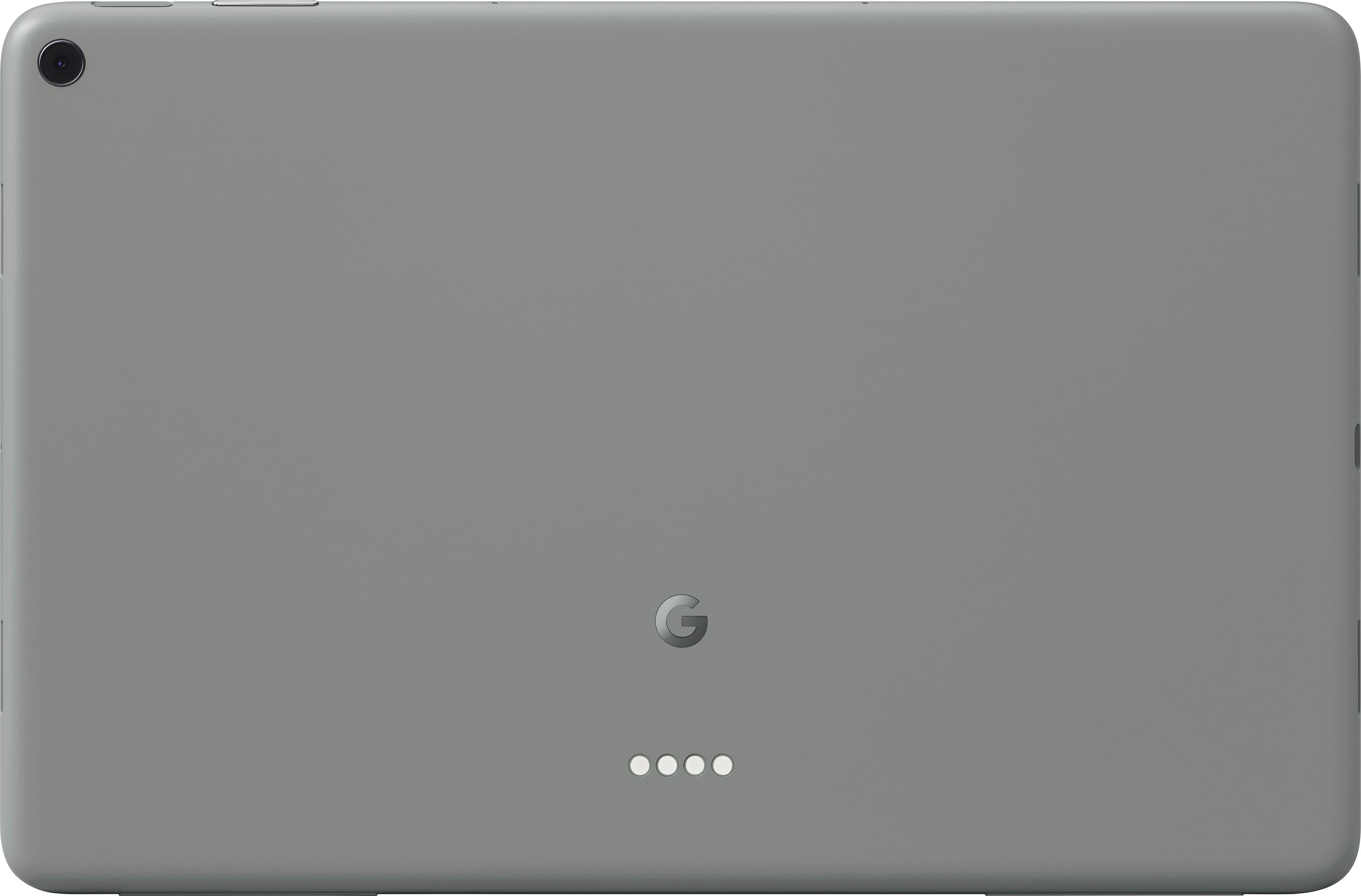
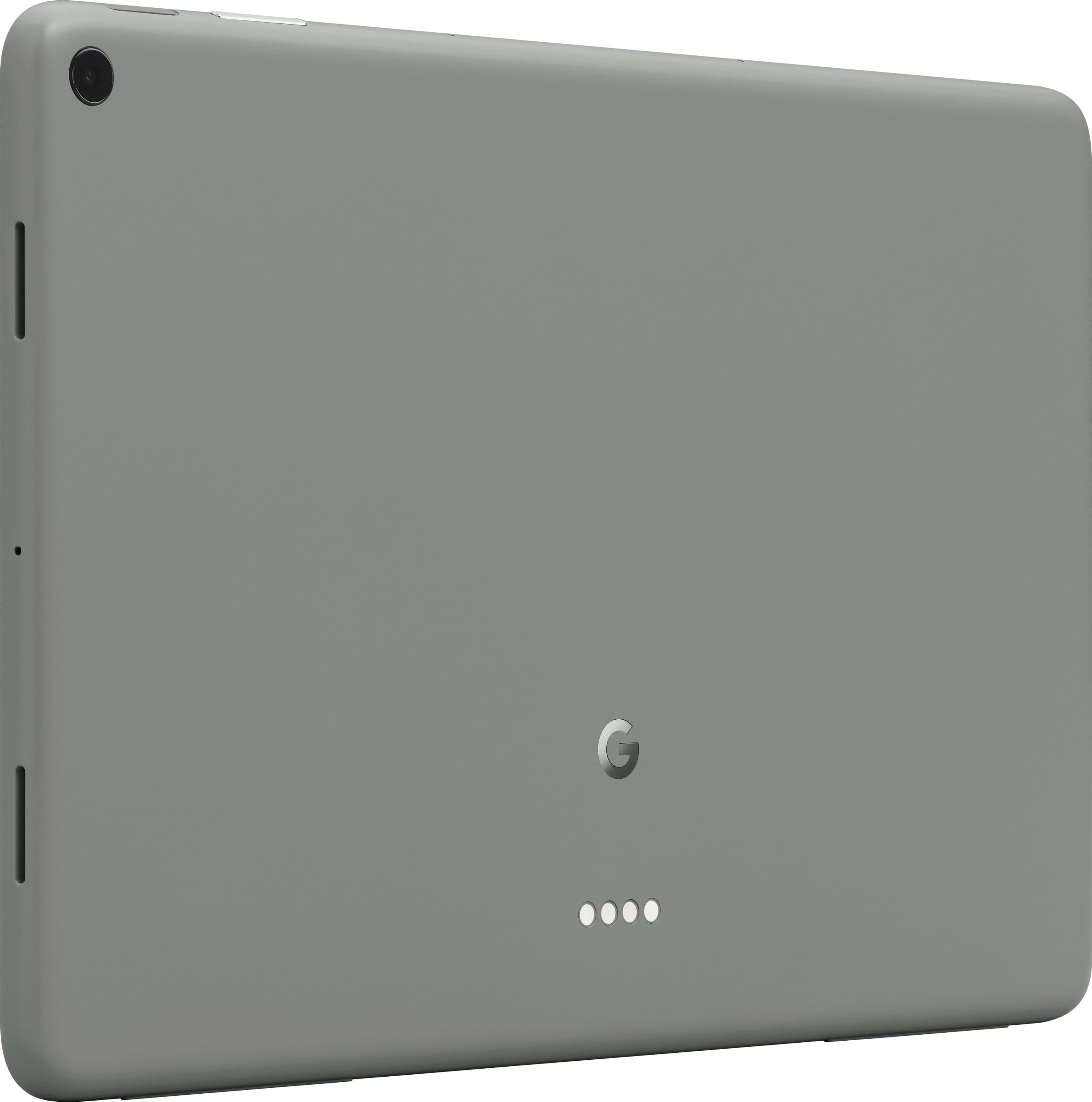
|Posted .This reviewer received promo considerations or sweepstakes entry for writing a review.Our family enjoys the use of multiple PCs, laptops, & smartphones, but we’ve been missing a key tool to fill a much-needed gap among the array of devices we utilize daily. Enter the Pixel Tablet, which has the potential to be a good fit to bridge that gap. Over the last 5 days, we’ve discovered how useful it is to have a free-floating tablet in the downstairs kitchen & family room as an added convenience for multiple users. Out-of-the-Box: This sleek, smooth, minimalist tablet is so light that I’m tempted to use an anthropomorphic term & call it “svelte.” In fact, I like the physical feel of this tablet so much that I wanted to know more about what materials were used in its manufacture. When I read the specs & learned that it was built with a strong, durable aluminum frame but finished with an “AED/nano-ceramic coating,” I was compelled to drill down a little further to find out what that really means. I learned that “AED” stands for “Anodic Electrodeposition.” Technically, an anodic coating material utilizes anodizing to provide increased thickness, color, & corrosion protection to aluminum or any type of substrate. All I know is that this tablet weighs in at a mere 17½ oz., or about 1 lb. It’s light as a feather & yet it still feels elegant & well-made when I hold it in my hands. In fact, it’s only 6 oz. heavier than my large screen Android smartphone in its protective case. Color: I like the “Hazel” color w/its black bezel vs. the other 2 color options of Porcelain & Rose which both include a white bezel. In a perfect world, my preference would be for a 4th color in black. Both at home & at work, we’ve always chosen classic/basic business black for all our electronic devices when given the option. Setup: Although I gave it a quick charge, the Pixel arrived almost fully charged. There’s a recessed power button on the top right frame of the tablet. Also included is a fingerprint sensor for authentication which will allow you to create up to 8 profiles for family/extended family. With the pre-charge, I was able to log in with my Google account & get started with setting up the device without delay. The tablet comes preloaded with all the basic Google Apps we need. I went ahead & updated the Apps, & it was ready to go in about 10 mins. So, right out of the box, this tablet proved itself easy to use with a quick & simple setup. Of course, you must have a Google account. If not, then you’ll need to create one, which is easy enough & only takes a few mins. Happily, the startup screen guided me through all the setup options as a new user. If you’re already an Android or Pixel user, then this process will feel familiar & comfortable. It’s pretty much paint-by-number, which builds your confidence from the get-go. As mentioned earlier, this tablet allows for up to 8 users. Each person can have his own profile settings. There are parental controls including a ‘Kids Space’ profile that you can create to ensure age-appropriate content for the youngsters. You can manage their apps & limit screen time, etc. Little Niceties: As part of the minimalist look, the recessed power button & toggle volume tab are a nice touch. The 2 rubber grip pads on the bottom of the frame (in landscape mode) are another small, but thoughtful & helpful feature. When I’m working in the kitchen, I usually prop up my smartphone against a nearby object or fixture while listening to a podcast through a pair of Bluetooth-connected earbuds. But annoyingly, my phone often slides & falls flat on our slick granite countertops. So, the convenient rubber grip pads at the bottom of the tablet allow me to easily position the tablet & lean it against any object without having to worry about it eventually falling over. Screen: This 11” screen with a 2560 x 1600 resolution provides sharp, clear images with beautiful color for movies, TV shows, & photos. Although I would’ve preferred a tablet with a Super AMOLED/OLED display & a 120Hz refresh rate vs. this model’s slower, dated 60Hz screen, I’m trying to make allowances for Google’s reentry into the Android tablet space. But at this price point for a mid-range tablet, Google will need to level up their hardware & software if they hope to compete in this space going forward. The next iteration of this model line will reveal a lot about whether Google plans to make a serious run at the tablet market. Speakers: The 4 speakers sound surprisingly good in the higher frequencies when I listen to Johan Johansson’s “Arrival of the Birds,” performed by the Cinematic Orchestra. But there’s strikingly little bass, which I’m guessing would be corrected/rebalanced if I were to pair the tablet with its speaker dock. Nevertheless, with the ability to pair the tablet with multiple listening devices, we’ve enjoyed listening to music & podcasts with our Bluetooth-connected earbuds. I do feel that the quad speaker array could be improved/repositioned so that our standard hand placement while holding the tablet doesn’t cover up or muffle the speaker output. Apps: The tablet comes pre-loaded with about 60 apps, but you can always download more apps from the Google Play Store. Although I like the ability to view Android smartphone apps that are optimized for the larger screen of the Pixel Tablet, & I enjoy the efficiencies inherit in the Pixel’s adjustable split screen capabilities, there are still far too many popular 3rd-party apps that aren’t optimized for the Pixel Tablet display. Although I’m an Android guy, I can see how & why the fanboys loyal to the other half of the duopoly (in the U.S.’s current portable digital divide) continue to advocate so vehemently for their chosen platform/ecosystem. Summary: For the Google/Android/Pixel user, this device checks a lot of boxes as a multi-use tablet. With the ability to share content w/nearby phones & apps, copy-&-paste content across our own devices, automatically switch which device our Pixel Buds are connected to (from tablet to incoming phone calls & back again), cast content from our tablet to our TV, get hands-free help with Google Assistant, control all our connected compatible smart home devices with just 1 app, play games, utilize Google Meet for HD video calls, watch videos, take & edit photos, view 2 webpages at once w/split screen, utilize voice recognition software to type, edit, & send messages, etc.--to say that this tablet is a powerful, versatile, little lightweight laptop-substitute is an understatement. But on the downside, the slower G2 processor, the number of still un-optimized apps adaptable to the larger tablet display, the latency of a slower 60Hz refresh rate, the rather average screen, speakers, & cameras, the lack of a microSD card slot for more storage, the limited battery life when streaming HD video & playing graphic-intensive video games, & the lack of a stylus pen, etc., all combine to take off 2 stars. There are just too many other great tablets out there with better hardware at the same or lower price pt. for this tablet to be a serious contender. Perhaps later this summer, we’ll buy the Charger Speaker Dock to try & gain a better perspective of this tablet’s full potential as a 2-in-1 device with smart home hub capabilities.
I would recommend this to a friendBrand response from Google Team
Posted .Hi there. We appreciate your review about your Google Pixel Tablet. We're taking your feedback in consideration for future updates and developments. If you have any other thoughts or suggestions – you can easily add them following these steps: https://support.google.com/googlepixeltablet/answer/13633175?hl=en#:~:text=tablet%20to%20Google%3A-,Open%20your%20tablet's%20Settings%20app,Send%20feedback%20about%20this%20device.
- Pros mentioned:Battery life, Screen quality
Great pure Android table experience
|Posted .This reviewer received promo considerations or sweepstakes entry for writing a review.Introduction: Since I own and have enjoyed last year's Pixel tablet, I decided to get my wife the new one. Here's my take on the new Pixel tablet. Key Differences: I comparison to last year's model, the biggest noticeable change is that you can now purchase just the tablet without the speaker dock, which is nice to have options. Visually and functionally, there seems to be no difference. However, I did observe that the screen gets slightly brighter at full brightness, a subtle yet appreciated improvement. Speaker/Charging Dock: Where the Pixel tablet shines though is with its optional speaker/charging dock. While you can now purchase it separately, I highly recommend getting it. It adds an extra layer of functionality and elevates the overall experience. Build Quality: As with last year's model, the tablet feels sturdy and well-made in hand, with a matte back finish that adds a touch of elegance. Google's hardware has really become much better over the last few years. Upgrade Consideration: For those who already own last year's model, there's little incentive to upgrade. The differences aren't significant enough to justify the switch. Tablet Performance: On its own, the tablet is undeniably impressive. It boasts solid performance and a sleek design, making it a reliable companion for daily tasks, gaming, and media consumption, with almost 12 hours of video viewing time. However, it doesn't particularly stand out among other Android tablets in terms of features. Pure Android Experience: As expected from the Pixel line, the tablet offers a pure Android experience. If you're a fan of the clean interface and seamless integration found on Pixel phones, you'll appreciate the continuity on this device. Unique Selling Points: I won't delve into comparisons with the iPad, as I haven't had hands-on experience with it (and that's really more of an Android vs. Apple ecosystem debate), what truly sets this tablet apart from other Android tablets is its pure Android experience and the option for the speaker dock. These factors, combined with its solid performance, make it a compelling choice for Android enthusiasts. Potential Improvements: However, while the Pixel tablet excels in many areas, there's always room for improvement. I personally hope to see a stylus released soon, as it would enhance its versatility. While it does use the USI 2.0 standard, therefore there are several good quality 3rd party stylus available, they aren't cheap. So including a stylus at the same price point would make it a really good deal. Additionally, a keyboard folio case would be a welcome addition for those looking to maximize productivity on the go. In conclusion, the new Pixel tablet offers a familiar yet refined experience for fans of the Pixel line. While it may not revolutionize the tablet market, its pure Android experience and optional speaker dock make it a solid choice for those seeking reliability and functionality. If you're in the market for a tablet or smart hub device, I highly recommend buying this along with the speaker dock and you'll have the best of both worlds.
I would recommend this to a friend - Pros mentioned:Battery life
Useful and Practical
|Posted .This reviewer received promo considerations or sweepstakes entry for writing a review.I wasn't sure what to expect from the Google Pixel 11" tablet. I've used regular tablets in the past but have preferred using a laptop 2 in 1 for a few years now. But, I wanted something for my desk that was bigger than my phone but smaller and more portable than my laptop. So far, this seems to be fitting the bill. It was incredibly easy to set up. It just transferred everything from my Android phone to the tablet, including my WIFI passwords for the various networks I use. Now it is quite easy to use it either at home, the office or my hotspot without having to constantly change the network. You can either use a pin or fingerprint for locking the tablet. The pin was quite easy. I did have a bit of trouble with the fingerprint timing out until I learned what I was doing wrong - I was leaving my finger on the sensor too long instead of moving it. It is easy to know when you are properly on the sensor as the fingerprint and the circle showing how far you've gotten is in blue, it turns red if you aren't properly covering the sensor. Once I figured it out, that part went very quickly. You can input your fingerprint up to 5 times which makes it easier to unlock the tablet without having to worry about whether you have your finger exactly right. You can add up to 8 profiles on it so it makes for great tablet to share between the kids particularly as it does have parental controls. There are a lot of widgets available for your home screen though I do have to say their choice of clock faces leaves a lot to be desired but that's just subjective as none of them fit my aesthetic. I do appreciate that you can add other places to your time and weather. With a child away in another country at the minute, I like having both their time and weather easily available so I'm not trying to message them when they are probably partying, er, sleeping. A swipe down gives you access to more settings. Basically, it is a nice combination of my phone and laptop. Some great features are the Google Meet app, using Google Assistant to type and send emails and messages, split screen so you can view two things at once, good video quality, the ability to edit photos just like on the laptop, control of smart home devices, "casting" something from the tablet to another device on the same network, such as a video onto a smart TV, and a screen saver that can be used as a photo album as it rotates through the photos you'd like to see. Google Assistant is proving to be a godsend. A big reason for getting the tablet was to be able to keep a to-do list open and available. As I've gotten older, my memory isn't what it used to be so I need to write things down. It's not always convenient to do that. Now, all I have to do is ask Google to add something to my to-do list and I can continue what I'm doing while still making sure I don't forget anything. Of course there is the usual assistance you can get asking questions but this gives new meaning to Assistant. It truly is hands-free help. There appears to be so much this tablet can do and I know I've only just scratched the surface. It is easily charged with a charging hub or a USB-C cable and it appears to hold a charge quite a long time. I charged it overnight then did not have any worry about battery life until it was once again time to charge it overnight. So far, I love it and it is proving to be a very useful and practical addition to my daily routine.
I would recommend this to a friend - Pros mentioned:Battery life, Screen quality
Underrated!
Posted .This reviewer received promo considerations or sweepstakes entry for writing a review.This tablet us extremely underrated. I love having a tablet with a full charge just on standby. It has a battery saver mode which protects the tablet battery from overcharging once it hits 85% That brilliant. Sound quality is great. This is my best friend in the mornings. Everything is there, the news, morning cartoons, you name it. Thanks Google for this. Please keep the updates coming.
I would recommend this to a friend - Pros mentioned:Battery life
A nice addition to my at-home technology
|Posted .This reviewer received promo considerations or sweepstakes entry for writing a review.First, let me note that this is my first Google Pixel Tablet. Since I haven’t had any previous versions of this device, I have nothing to compare against. Included with the Pixel Tablet was a USB-C to USB-C cable, and a very large instruction/setup manual. You know how nowadays paper manuals e included with your purchases are painfully small. They’re so small, in fact, that you need a magnifying glass or an atomic microscope to read the small print. Well, the instruction/setup manual that comes with this tablet is enormous. It is 17 inches by 11 inches and consists of 30+ pages of instructions/pictures. I laughed myself silly when I saw it because it is such a departure from what I normally see. I give Google a very big “Nicely done, Google” shout out for the manual alone. As a long-time Android user, I had few issues, if any, going through the setup process to for this tablet. They made it so easy. It is even easier if you have an existing Android device to copy from. I have a Samsung S24U phone, so I plugged one end of the included USB-C cable into my phone and the other end into the USB-C port on the tablet. The setup process located the apps installed on the phone, then installed those apps on the tablet. It was a very transparent process. I didn’t count the number of apps that were transferred to the Tablet, but I did find afterwards that a handful of apps, including an important banking app (from a major bank), didn’t transfer. I wasn’t concerned when I realized this because I figured it would be easily remedied by going to Google Play and manually installing them. Except, I couldn’t locate them on Google Play. I did some online research and found some support calls to Google for that same banking app. Then as in now, apparently the banking app is not compatible with the Pixel Tablet. I don’t know what the problems are with the banking app (and others), but at least I was able to resolve the banking app by using the Chrome browser. Clearly this won’t work for all apps if the supplier of the Android app doesn’t have a comparably featured browser app. If the vendor does have a comparable browser version, then do this: • Use Chrome to connect to the app’s web page • On the right side of the screen is the 3-dot menu. Select the menu • Scroll down and select “Add to the Home Screen.” In selecting this option, it’ll give you a chance to edit the web site name. For example, if the real web page name is “This is the best shopping site”, you could rename it to be Shopping Site”, if you wanted. • Doing this will place a Chrome link on your phone or tablet using the name you assigned. These Chrome links can even be moved inside of folders. A notation in the manual talks about the setup process performing an OS upgrade to version TQ3A.230605.009.A1. While an OS upgrade did take place, I couldn’t confirm that it brought the tablet up to the desired version as they recommended. The setup process also gives you the opportunity to add up to five (5) fingerprints and a numeric Pin. After the setup process was completed, everything was configured and ready to go. I did have to configure my 3rd-party password manager, but since the app was automatically transferred to the tablet all I had to do was enter the 3rd-party app’s credentials. Ignoring the app issue, I really do like this tablet. The screen is very responsive, and the power button/fingerprint scanner has thus far worked perfectly. I was momentarily disappointed to find out that the speaker/dock did not come included with the tablet, but I’ve concluded that I don’t really need it. From a touchy-feely perspective, the tablet feels good in my hands. I do wish that the Power Button and Volume controls were located on the sides instead. The location of the USB-C slot works perfectly fine for me. I have ordered a Google Pixel Tablet case as I’m concerned that even a short drop might result in damage. The manual does provide instructions on how to perform certain tasks, like running two apps on the screen at the same time. This is one feature I use all the time. And the manual gives a brief tutorial on how to group your browser tabs together and other nice to know features. In summary: • I like the screen’s clarity (aside from it being a fingerprint magnet) • I like the manual that comes with the tablet • I like the tablet’s performance • I mostly like its size (it can be a bit clumsy to hold) • I like the initial setup process • I like how easily it fits into the android ecosystem • I find the built-in speakers to be more than adequate for my needs • I like its battery life • I don’t prefer the location of the power button and volume controls This tablet has been a nice addition to the household. Since receiving it, I’ve been bouncing back and forth on how to properly rate it. It might have been a 5-star product for me if it had come with a dock since I’m betting that the dock’s speakers are a big improvement over the tablet’s built-in speakers. But I don’t know that for sure. So, I’m going to give it a 4-star review.
I would recommend this to a friend - Pros mentioned:Battery life
The Google Tablet that could
|Posted .This reviewer received promo considerations or sweepstakes entry for writing a review.The Google Pixel Tablet 11" for 2024 is the same Google Pixel Tablet that came with the speaker dock late last year. Google has now separated the two and started selling the tablet by itself. Can it stand on its own after losing arguably its best feature? Let's find out: The Google Pixel Tablet 11" comes in 3 distinct colors. Porcelain White, Hazel and Rose Pink. Made of high-quality aluminum that features an anodized coating on the back of the tablet to provide a better holding surface and almost eliminates fingerprints. This is a nice touch indeed. The tablet does feel great to hold in your hands and provides a good gripping surface as well. Internally the Google Pixel Tablet is rocking Google's own Tensor G2 SOC chip for increased security as well as better battery performance. This is the same chip inside the latest Pixel 8 and Pixel 8 Pro mobile phones. The tablet display provides good color accuracy and can reach up to 500 nits depending on what content you are viewing. The resolution is 2560 x 1600 for sharp images. Overall, the display gets the job done nicely. The tablet is also equipped with either 128GB or 256GB of storage and 8GB of LPDDR5 ram for all your media consumption needs. The Tablet features 4 surround sound speakers, fast charging and pretty good battery life. The main drawback is the lack of deep bass coming from the onboard speakers. If there had been Dolby Atmos included in the software, it might have made the speakers sound better overall. Inside the box you will find the Google Pixel Tablet, USB-C charging cable and instruction pamphlet. Powering on the tablet for the first time, you are greeted with the Googler Setup screen. Setup is a breeze and does walk you through each step nicely. You can also protect your account with either a security pin or using your fingerprint with the built-in sensor in the power button. Overall, the Google Pixel Tablet is a medium range Android Tablet that will hit the mark for a lot of average users looking for a decent 11inch Android Tablet however without the speaker dock, this tablet falls short on its appeal. If you are in the market for a decent android tablet to watch movies, play light games on or listen to your favorite music, the Google Pixel Tablet might just be the one you are after. With its $399 price tag, this tablet has very stiff competition to go up against.
I would recommend this to a friend Google Pixel Tablet - 11"
Posted .This reviewer received promo considerations or sweepstakes entry for writing a review.My tablet used daily for everything. Works great for a tablet.
I would recommend this to a friend- Pros mentioned:Overall performance
Great tablet
Posted .This reviewer received promo considerations or sweepstakes entry for writing a review.Great tablet. Great price. Easy set up - glad I ordered
I would recommend this to a friend Note pad
Posted .This reviewer received promo considerations or sweepstakes entry for writing a review.So far it's been good. Was hoping for the same editing features as Google pixel phones but I don't think it has as much.
I would recommend this to a friendOverall good but camera is horrible
Posted .This reviewer received promo considerations or sweepstakes entry for writing a review.Pretty much just an average and slightly overpriced tablet. It's good for web surfing and the speakers are pretty good. However, the greatest shortfall is really going to be in the fact that there's no NFC for wallet verification of credit cards and the camera is absolutely horrible. I'm really surprised at the camera quality on a Google pixel device. At 8 megapixels. It can't zoom in it can't zoom out. Everything is very unclear and quite blurry. Because it has a fixed focus, you're not going to get very good quality photos out of this. It's for this reason alone. I really truly believe that it's just not worth the money. Not when you can get a Samsung Galaxy tab with better battery and hardware specifications for exactly the same price.
No, I would not recommend this to a friendThe old one was dying
Posted .This reviewer received promo considerations or sweepstakes entry for writing a review.Wife needed an update! so I got her a tablet for Christmas.
I would recommend this to a friendDisappointing
Posted .This reviewer received promo considerations or sweepstakes entry for writing a review.If you're purchasing this to act as a home station and speaker, stay away. It works okay as a tablet standalone, but is extremely buggy and temperamental as a smart home station. Hey Google recognition never works and swapping profiles is clunky and disorganized. Apps must be installed into each profile completely separately. Attempting to use as a speaker, it constantly disconnected or stops playing the music. Google has been steadily getting worse with their hardware and home offerings. This will likely be my last one.
No, I would not recommend this to a friendBrand response from Google Nest Support
Posted .Hi there Jonk, we're sorry to hear about your experience with your Pixel Tablet and it's features such as Google Assistant recognition. We would like to give you the right assistance. Contact us, to help you to get your device back on track: https://support.google.com/googlenest/gethelp?hl=en

Google tablet
Posted .This reviewer received promo considerations or sweepstakes entry for writing a review.Quiet good however i needed it for school but the size was not ideal. I returned it and got a laptop instead
I would recommend this to a friendBrand response from Google Team
Posted .Hi there, thank you for sharing your experience. We understand the importance of finding the perfect device for school, and appreciate your feedback on the size.
We're happy to hear that you found a more suitable option. If you need any assistance or have any other questions, we're here to help! https://support.google.com/googlenest?hl=en-GB&sjid=2373241582177016471-NA
Not worth it in 2025
Posted .This reviewer received promo considerations or sweepstakes entry for writing a review.This review is based on the quality/value in 2025. While it's a cool tablet and I am fully in the Pixel ecosystem, it's getting old and it won't be receiving updates for much longer. That coupled with an aging CPU makes it a pass.
No, I would not recommend this to a friendBrand response from Google Team
Posted .Thanks for giving the Pixel Tablet a go, TrashMetalPanda. Sorry it wasn’t quite what you were looking for. We’d appreciate it if you’d provide us with additional feedback on your experience — when you get a second, talk to us here: https://support.google.com/googlepixeltablet/gethelp
HATE IT!
Posted .This reviewer received promo considerations or sweepstakes entry for writing a review.I bought this one since I've been using Pixel phones for years, but half of the apps I use every day are not compatable. When I go to PLAY STORE...it says this APP is not compatable with this tablet. I contacted Google and their only solution is to contact EACH app developer...are you KIDDING ME? Returning it tomorrow...so disgusted!
No, I would not recommend this to a friendBrand response from Google Team
Posted .Hello DrCyKosis, we're sorry to hear about the compatibility issue between apps and your Google Pixel Tablet. Most of the apps on Google Play are made by third-party developers rather than Google. The developers bear the responsibility for providing assistance and ensuring optimal functionality for their apps. Only they have the ability to fix problems within the software. Follow the following steps:
1. Open the Google Play Store app Google Play.
2. Browse or search for the app.
3. Tap the app to open the detail page.
4. Tap Developer contact.
Scroll down to review the contact information listed.
Check additional information by clicking here: https://support.google.com/googleplay/answer/113418
Avoid Pixel hardware
Posted .This reviewer received promo considerations or sweepstakes entry for writing a review.The screen became more and more unresponsive over time and is now junk after having the device since Nov. '23 (it hasn't even been a year and a half). This is the last Pixel device that we ever purchase. Every single Pixel hardware device we have owned has come with problems.
No, I would not recommend this to a friendBrand response from Google Team
Posted .Hey there, johnny84a. We’re sorry to hear you ran into software issues on your Pixel tablet — that should not be happening. A quick restart can help solve most problems and here’s how:
Restart your Pixel Tablet
1. Swipe down from the top of your screen.
2. Tap Power and then Restart.
If you’re still running into problems, you can perform a factory reset:
1. Open your device's Settings app.
2. Tap System > Reset options > Erase all data (factory reset).
3. Tap Erase all data > follow the on-screen instructions.
We’re just a click away if you need us: https://support.google.com/googlepixeltablet/gethelp?sjid=2040342790425463742-NC